Honestly? I can't do makeup. I've watched hundreds of tutorials. I'd pause, rewind, copy every single move, then look in the mirror and feel let down. Again.
There's one look I can do, and only because I've done it a thousand times. Everything else, I just gave up on. I really thought the problem was me.
Then one day I noticed it: one of my eyes is a little different from the other. Not by much, but enough. Every "easy" step landed differently on each eye, and no tutorial ever told me, because no tutorial was looking at me. They were made for someone else's face.
What I needed was a friend at the mirror. Someone who knows my skin and my eyes, shows me what this step should look like on me, and says "a little higher on this side" or "perfect, that one's done."
So I built her. That's MirrorMate.
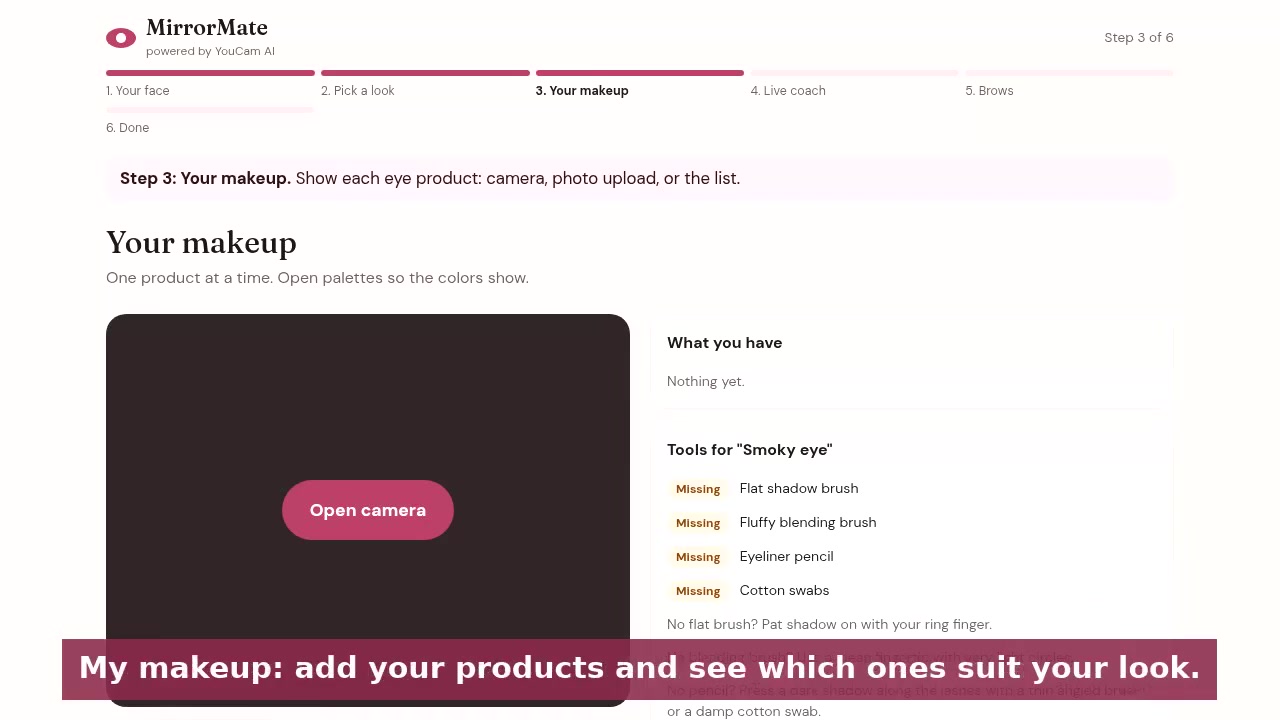
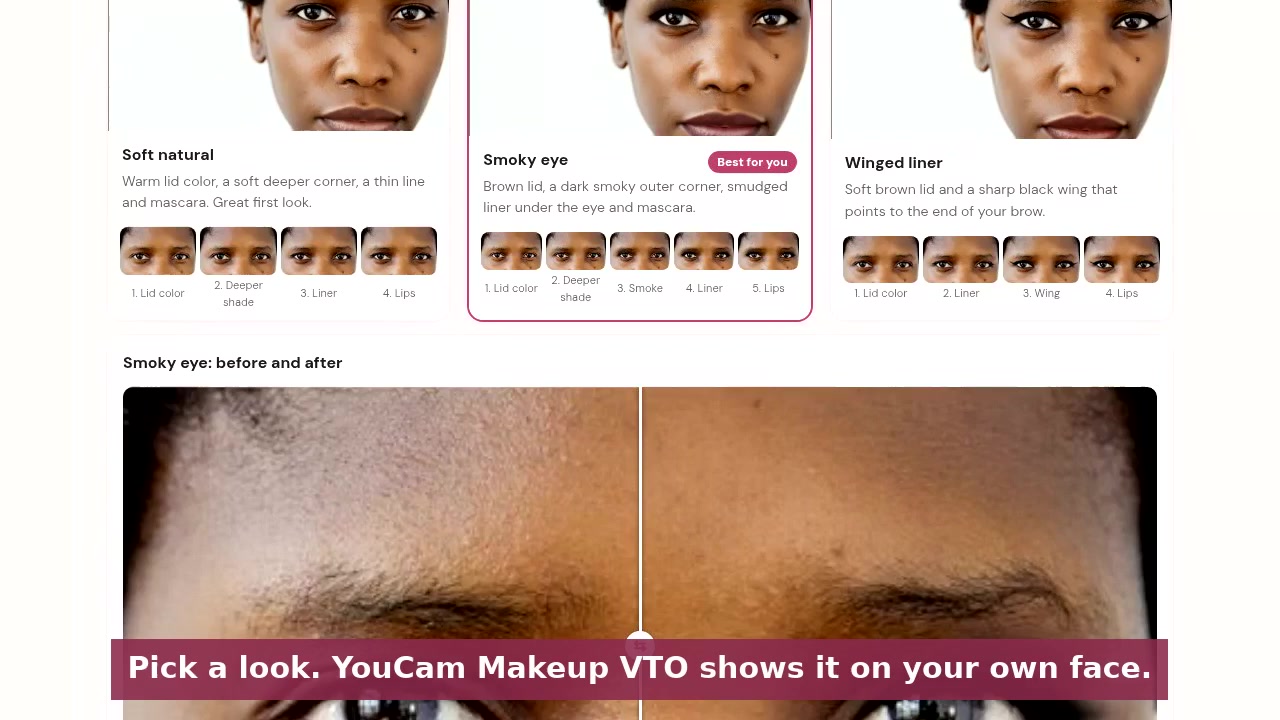
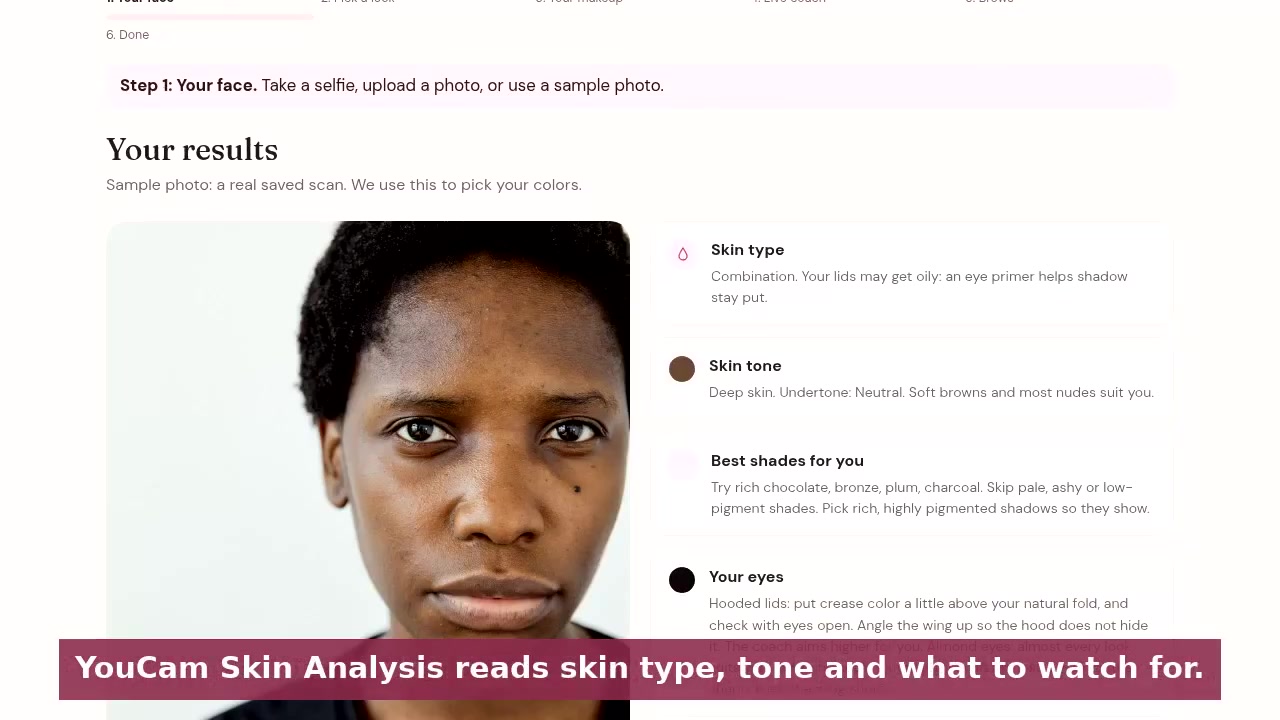
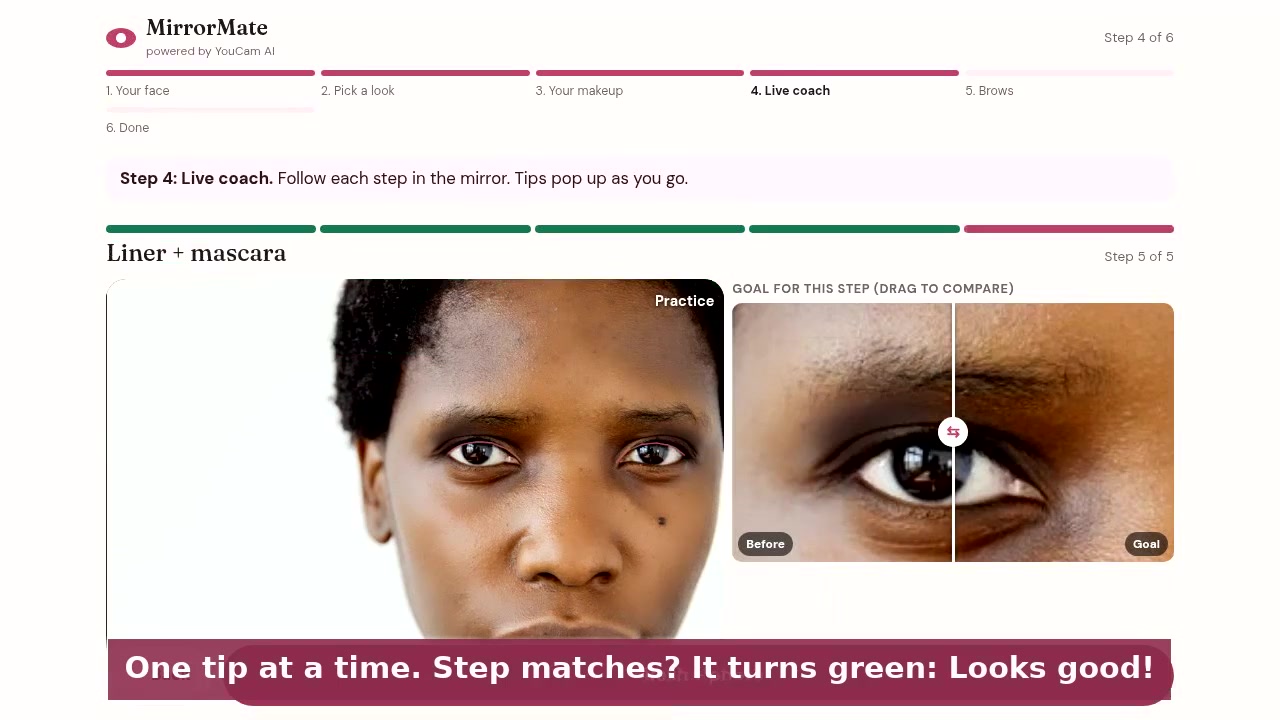
What it does MirrorMate scans your skin with YouCam AI, picks shades that suit you, and shows every step of the look on your own face: shadow, crease, liner, wing, lips and brows. Then you open the camera and do your makeup, and it watches with you. You get one small tip at a time, and the screen turns green when you've got it right. It works for deep, olive and fair skin, for complete beginners and for people who just want a second pair of eyes.
How I built it I used React and Vite, with Vercel for the backend so the API keys stay safe. YouCam Skin Analysis, Skin Tone and Face Attributes read your skin and eyes, and YouCam Makeup VTO renders each step realistically. MediaPipe tracks your eyes and hands right in the browser and compares your work to the goal step. Hugging Face models help recognise your own products. Your camera video never leaves your phone.
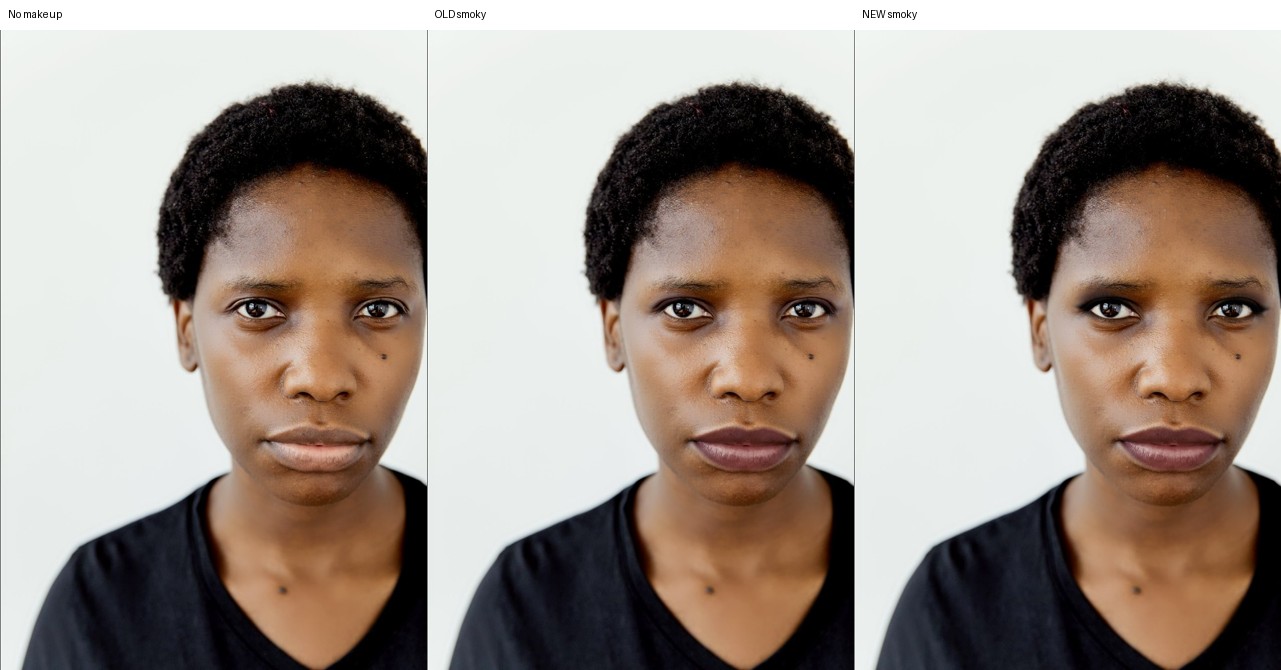
Challenges The first try-on looked fake, like a line drawn on top of a photo, and I knew straight away no one would trust it. It took a lot of tries to make it look like real makeup, especially on deeper skin. The live check was also fooled at first by bad lighting and glasses, and showed progress when I wasn't even wearing makeup. Fixing that meant teaching it to take a steady "before" picture and to ignore light changes.
What I learned Beginners don't need more information. They need one clear thing to do next, said kindly. And the best help isn't a perfect video, it's something that actually sees you.
What's next Full-face routines, more looks, and shade matching for the products you already own.
Built With
- ai
- ar
- clip
- computer-vision
- css3
- florence-2
- html5
- hugging-face
- javascript
- mediapipe
- node.js
- perfect-corp
- react
- transformers.js
- vercel
- virtual-try-on
- vite
- web-speech-api
- youcam
