What Mirra Solves
Even though online shopping has become increasingly popular, people still love the human and physical part of shopping in a real store. However, that experience comes with its own limitations. In a clothing store, you often spend a long time looking for something that might fit you. Then you wait in a fitting-room queue for an hour, only to try the item on and realize the size, shape, or color is wrong. Mirra was built to specifically close the gap between finding something you like and knowing whether it will actually work for you.
Mirra's Retail Value
Mirra is designed to help shoppers make better decisions earlier in the in-store journey. The main idea is that Mirra moves fit discovery earlier by making the fitting room only a final confirmation step.
For customers
For shoppers, it reduces guessing. Instead of picking random items from the rack, waiting to try them on and only then discovering that they do not fit, Mirra gives them a shorter and more personal list of clothes that are already matched to their body, color season, category and occasion.
For retailers
Here Mirra creates clear value:
- It helps shoppers find relevant items faster
- It reduces fitting-room trips and queue time
- It can improve conversion by making store inventory feel more personal and easier to act on
What Mirra Does and How It Works
Mirra is a kiosk-first smart try-on assistant for clothing stores. It is designed for an in-store screen or self-service mirror, but because it is a web app, it can also run on any device with a browser, including a tablet, laptop or phone.
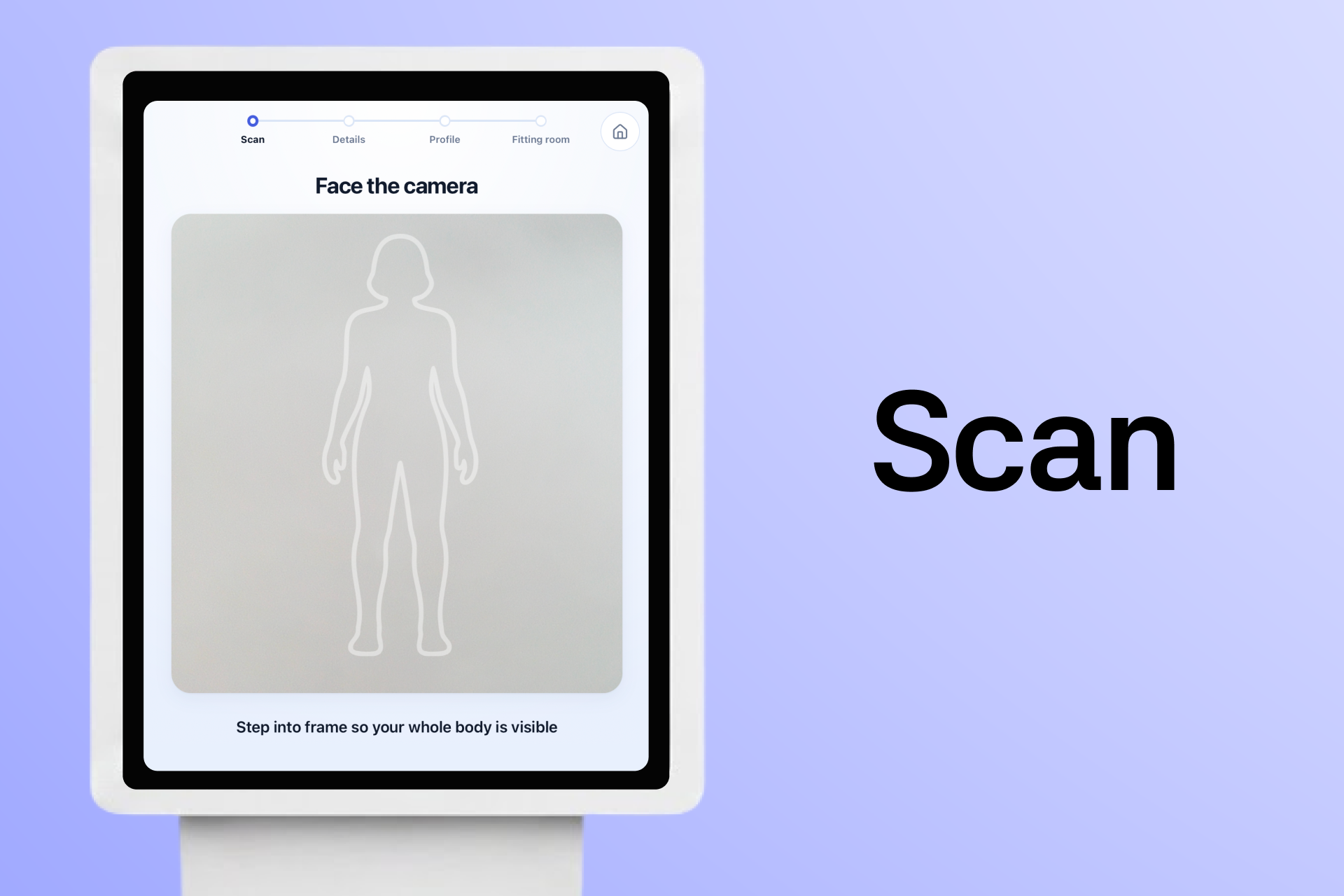
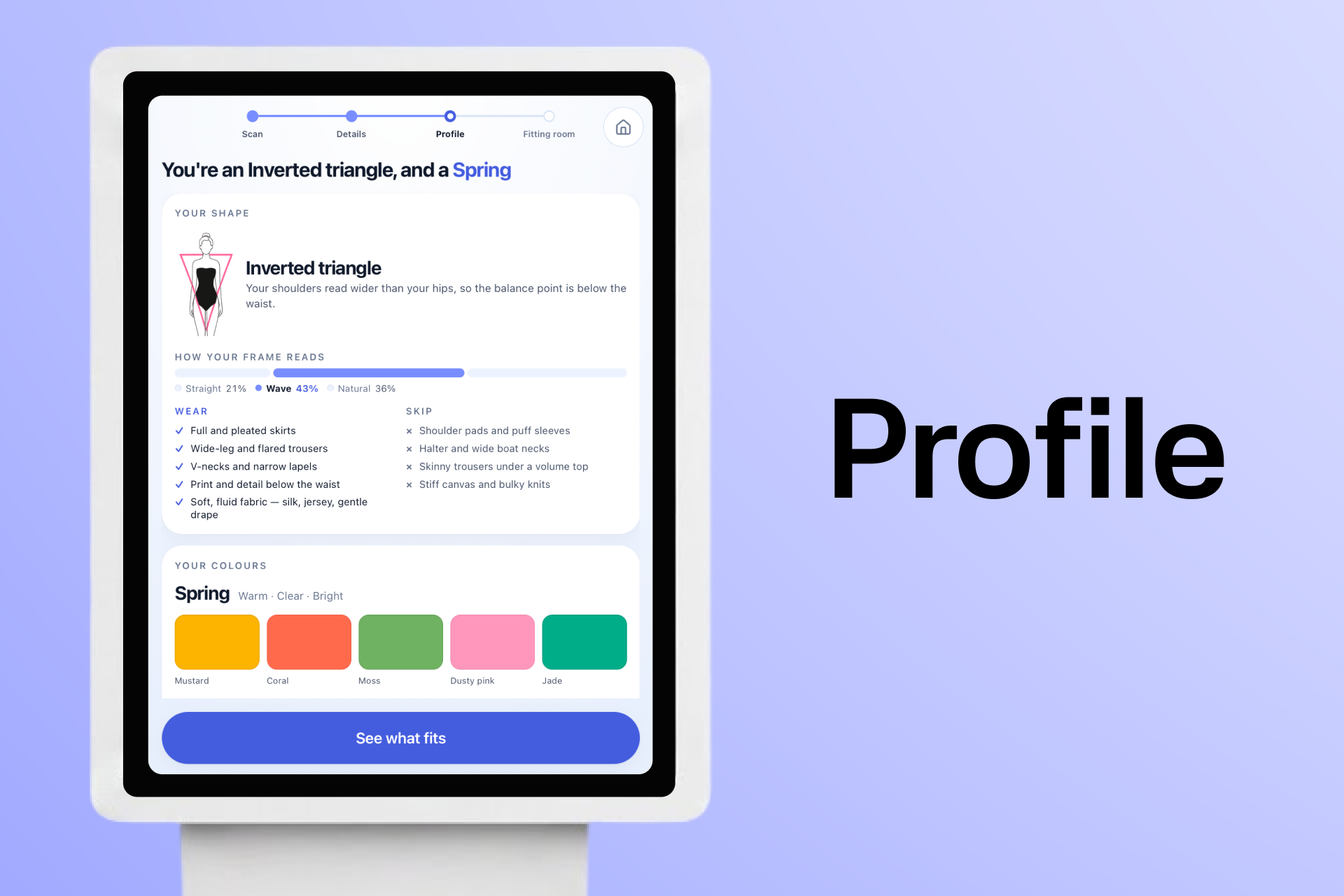
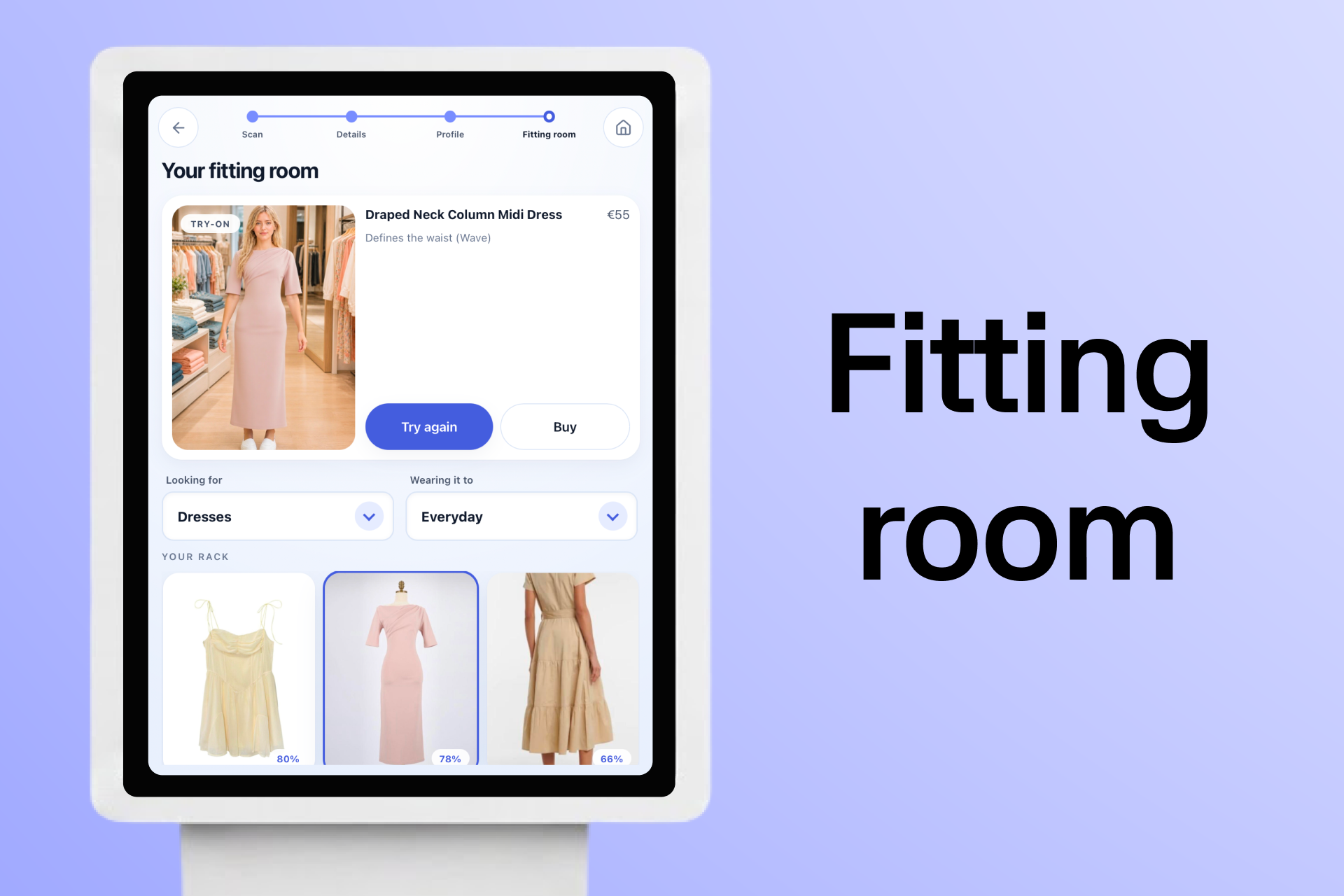
The shopper takes a quick scan, receives a personal style profile, sees a ranked rack from the store's own catalog and can virtually try on a recommended garment before going to the fitting room.
Mirra combines a FastAPI backend, a React and TypeScript frontend, computer vision, YouCam APIs and a recommendation engine in the following 3 main features:
- Computer Vision Body Scan - analyzes customer body shape, type and color and creates a personal body profile
- Recommendation engine with filtering - scores which clothing items from the store catalog match the customer best
- Virtual Try-on and Store guide - renders the selected clothes onto the shopper and guides where to find them
Computer Vision Scan
The scan uses a front photo, side photo, height and weight. From that using MediaPipe Pose, segmentation, OpenCV and NumPy, Mirra reads the body through two lenses:
| Lens | Output | Purpose |
|---|---|---|
| Body shape | Pear, apple, hourglass, rectangle, inverted triangle | Understands where volume should be balanced |
| Body type | Straight, Wave, Natural | Understands fabric, structure, waist and fit preferences |
The body shape tells Mirra where a garment should add or reduce visual balance. The body type helps Mirra understand whether the shopper is better served by structured pieces, soft flowing fabrics, high-waist cuts, relaxed textures, or cleaner lines.
For color, Mirra uses YouCam Facial Color Tones to read color signals from the shopper's face. From that, it derives a personal color season, such as Spring, Summer, Autumn or Winter. That season becomes part of the recommendation logic.
Filtering and Recommendations
After the scan, Mirra filters the store's catalog by what the shopper is looking for. If they choose dresses, they should see dresses. Season and occasion are treated seriously so the rack feels relevant, not just rearranged.
The remaining garments are scored using four main signals: body fit, color, season and occasion.
The recommendation formula is:
$$ \text{Score}(g) = \max\left( 0,\, 0.35B_g + 0.30C_g + 0.25S_g + 0.10O_g - 0.30A_g \right) $$
Where:
- B is the body fit score
- C is the color match score
- S is the season match score
- O is the occasion match score
- A is a penalty if the garment is in a color the shopper's season says to avoid
The color score uses perceptual color distance in CIELab space:
$$ C_g = \text{clamp}\left(1 - \frac{\min(\Delta E(g, p))}{60},\, 0,\, 1\right) $$
This makes the recommendations explainable. A shopper does not only see a score. They also see reasons like "Defines your waist," "Soft, flowing fabric suits Wave," or "Autumn palette match."
Virtual Try-On and Store Guidance
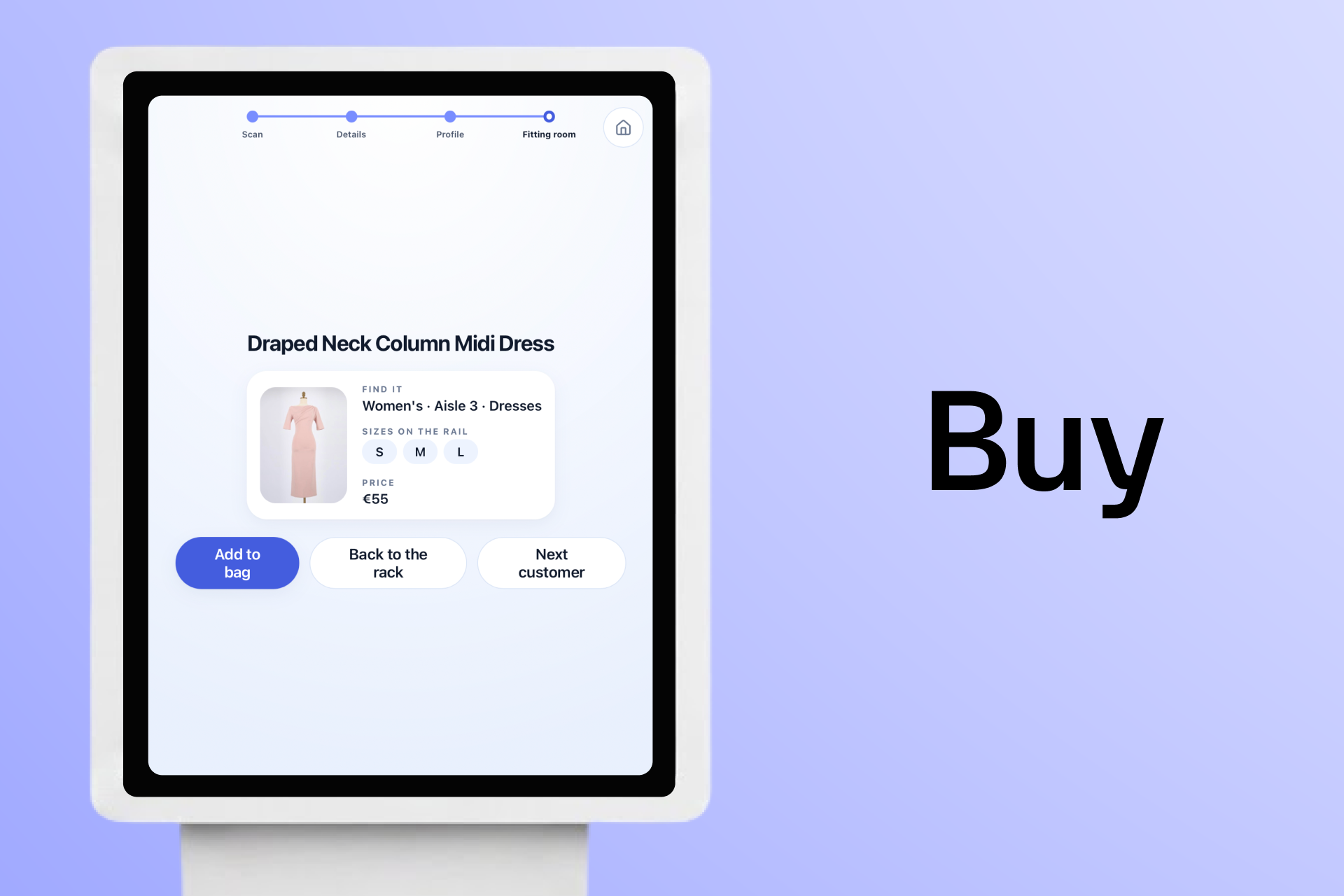
Once the shopper chooses a recommendation, Mirra uses YouCam Apparel VTO to render the garment on the shopper's own image. If they like the result, the final screen shows where to find the item in the store, what sizes are available and the price.
Challenges
- Making the body scan practical: Pose landmarks alone were not enough because they do not always represent the widest visible parts of the body. Measuring silhouette widths made the scan more relevant for real clothing fit.
- Keeping recommendations honest: If the system tells a shopper to avoid a color, the recommendation screen should not immediately put that same color at the top. Mirra handles this with an avoided-color penalty while still allowing the best available item to appear if store inventory is limited.
- Designing for a real store environment: The flow needed to be fast, readable, private and resilient. If a side photo is unusable or a color read fails, the shopper should still get a body diagnosis and a useful rack instead of being blocked.
What I Learned
- Virtual try-on works best after smart selection: Seeing clothes on your own body is powerful, but the bigger problem is deciding which clothes are worth trying in the first place.
- Fashion recommendations need explanations: A percentage alone is not enough. People want to know why something suits them, especially when the advice is personal.
- Retail technology should support the store experience: Mirra keeps the parts people like about stores, such as seeing real clothes and making an in-person decision, while removing some of the friction around search, queues and failed try-ons.
Next Steps
A natural next step would be extending Mirra for online shopping. The same profile and recommendation system could work with a static image upload, allowing shoppers to upload a photo, receive a body and color profile and get personalized recommendations from an online catalog.

Log in or sign up for Devpost to join the conversation.