-
-
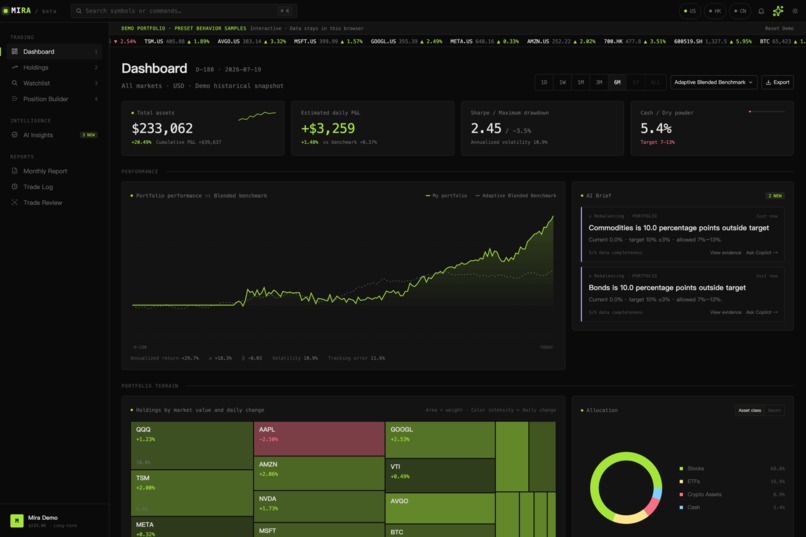
1-Dashboard
-
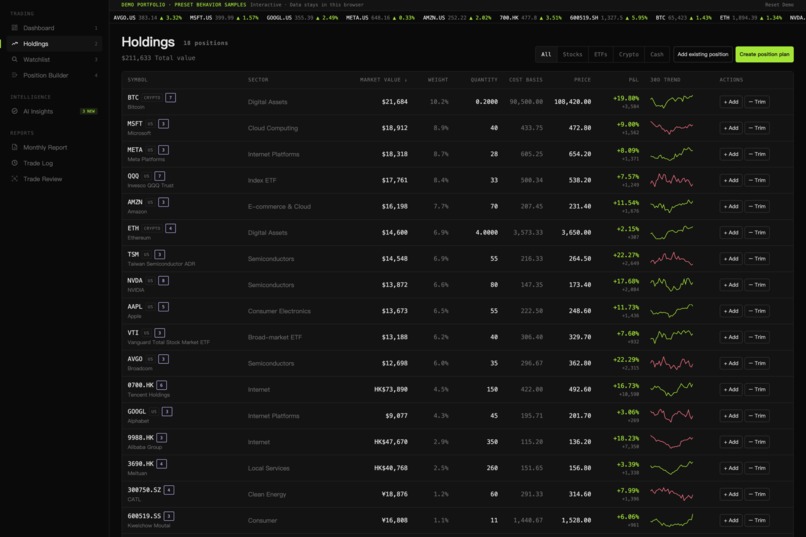
2-Holdings
-
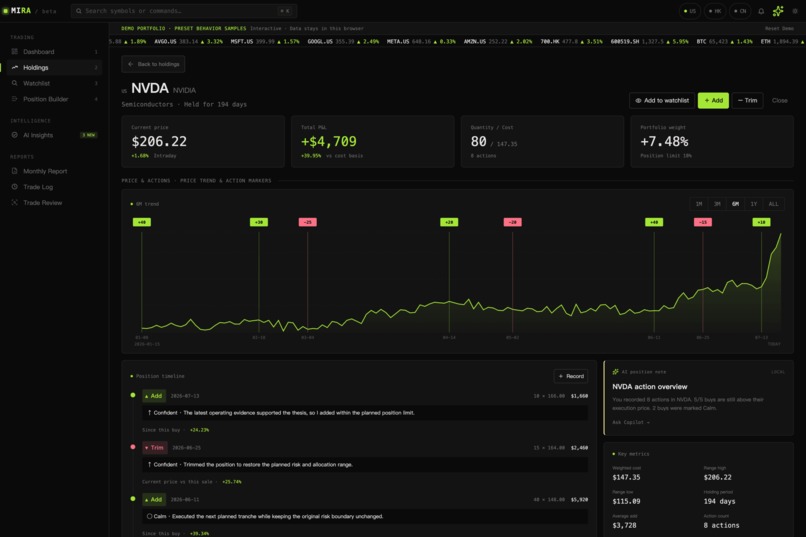
3-Portfolio
-
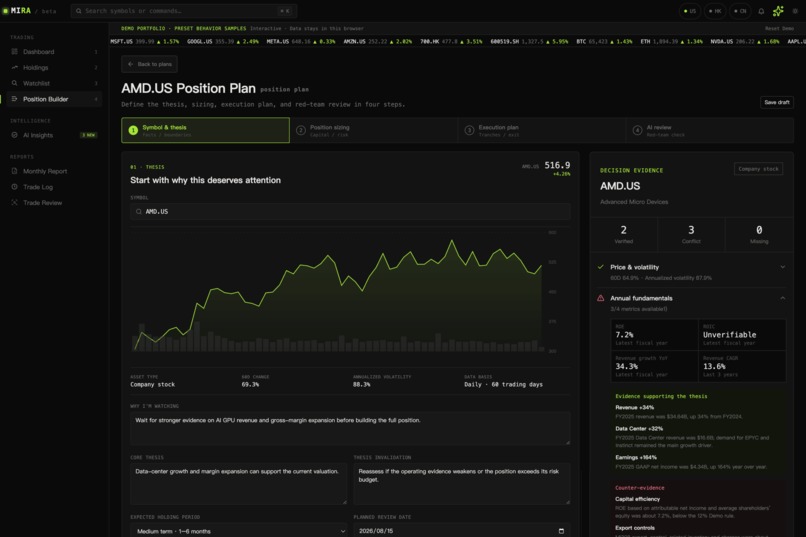
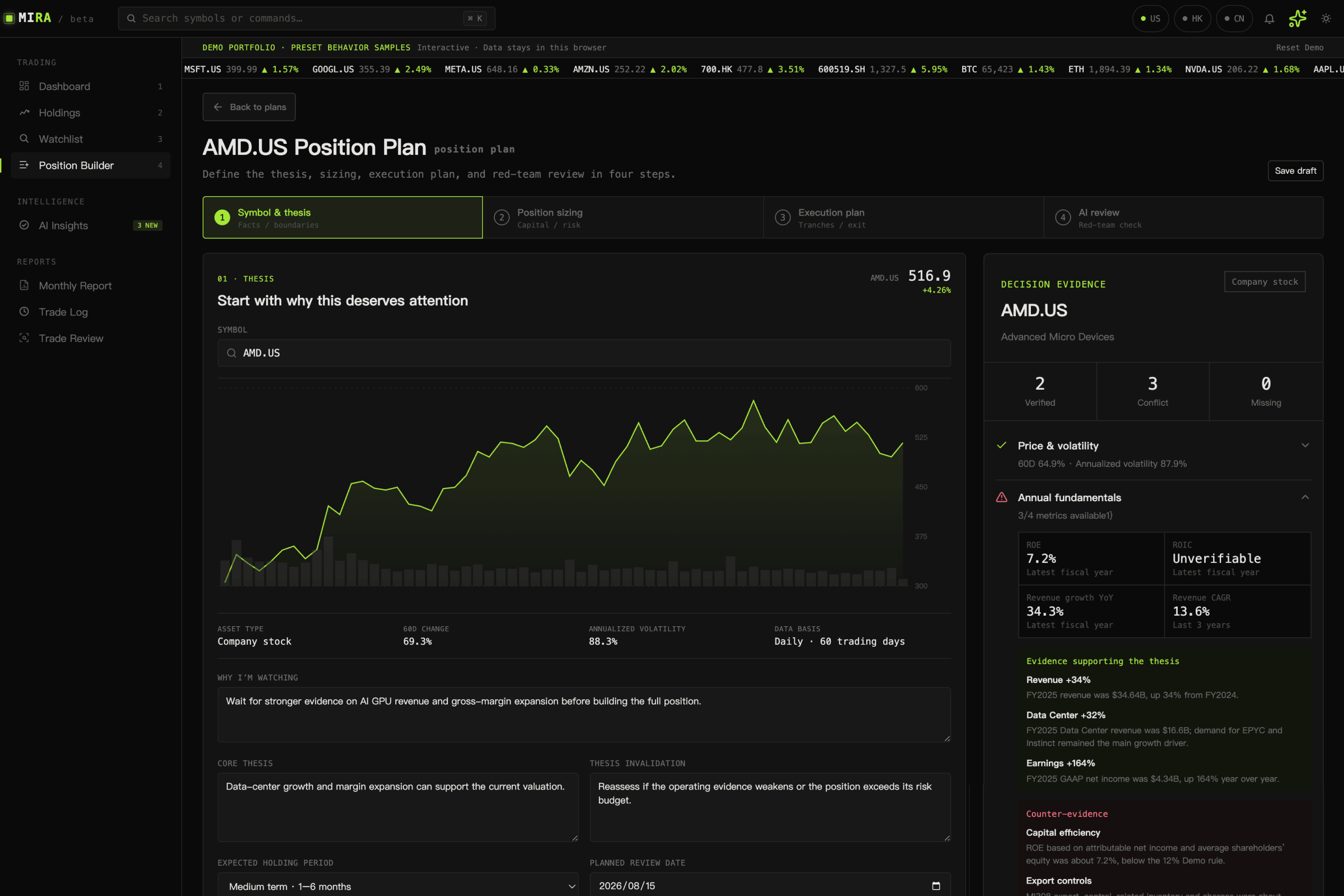
4-Position Builder
-
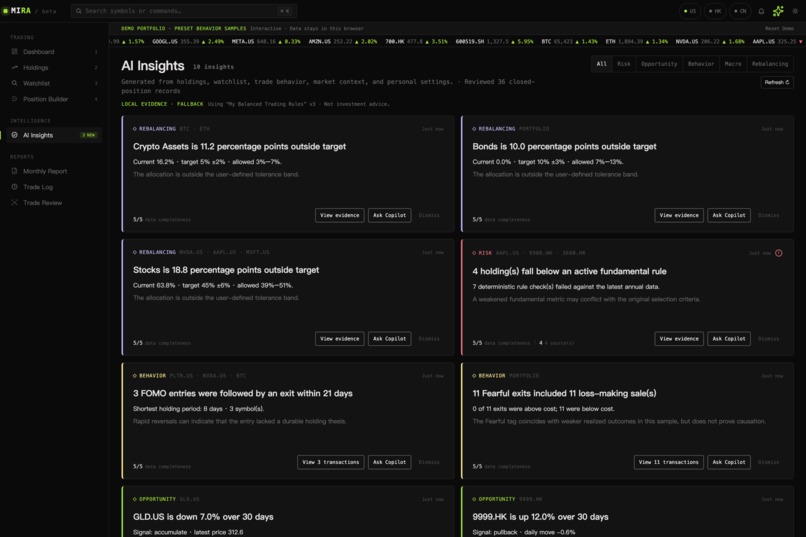
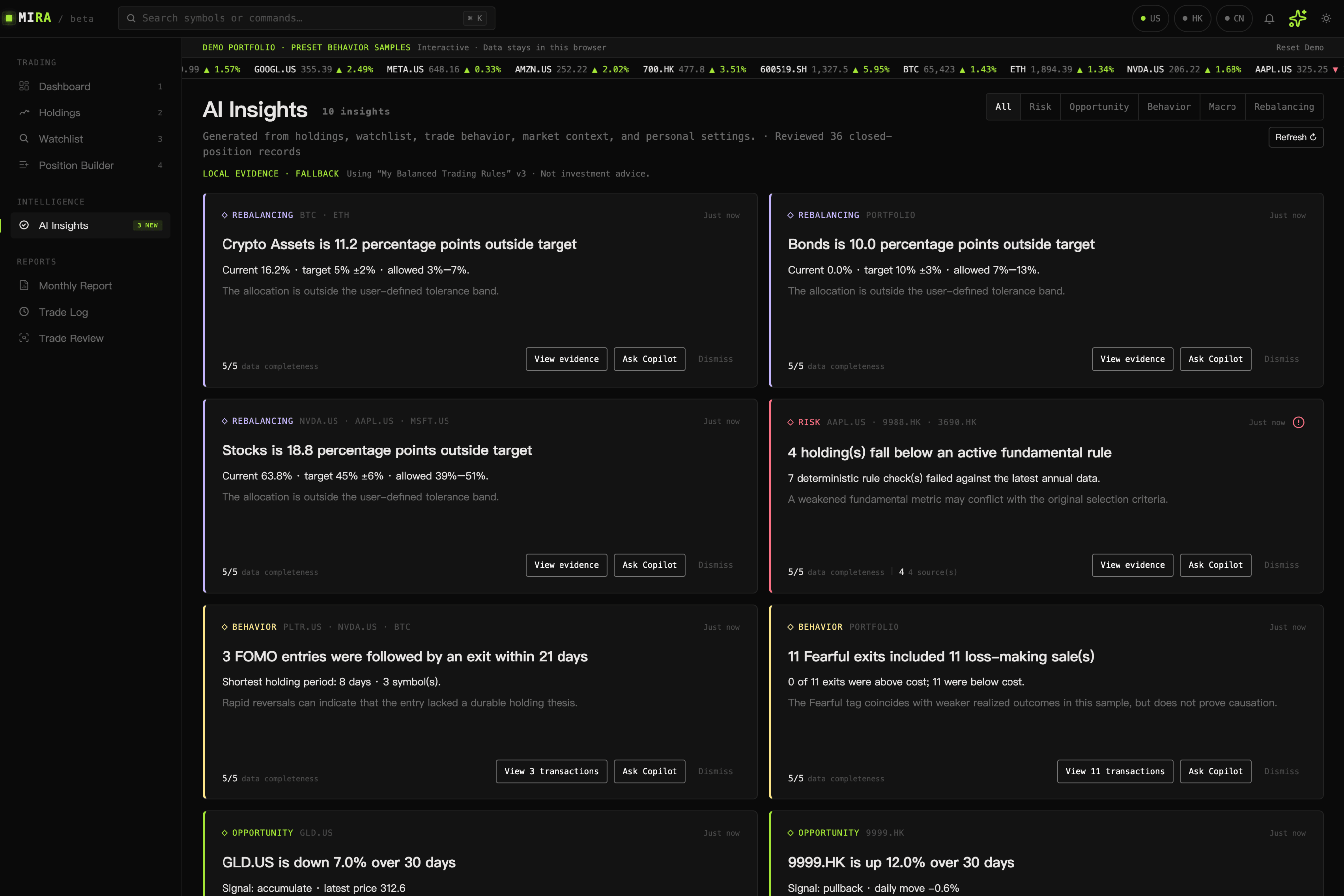
5-AI Insights
-
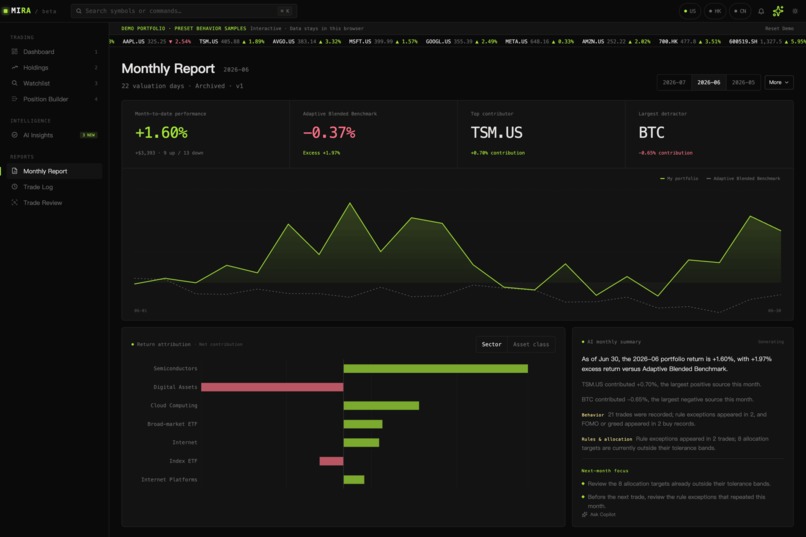
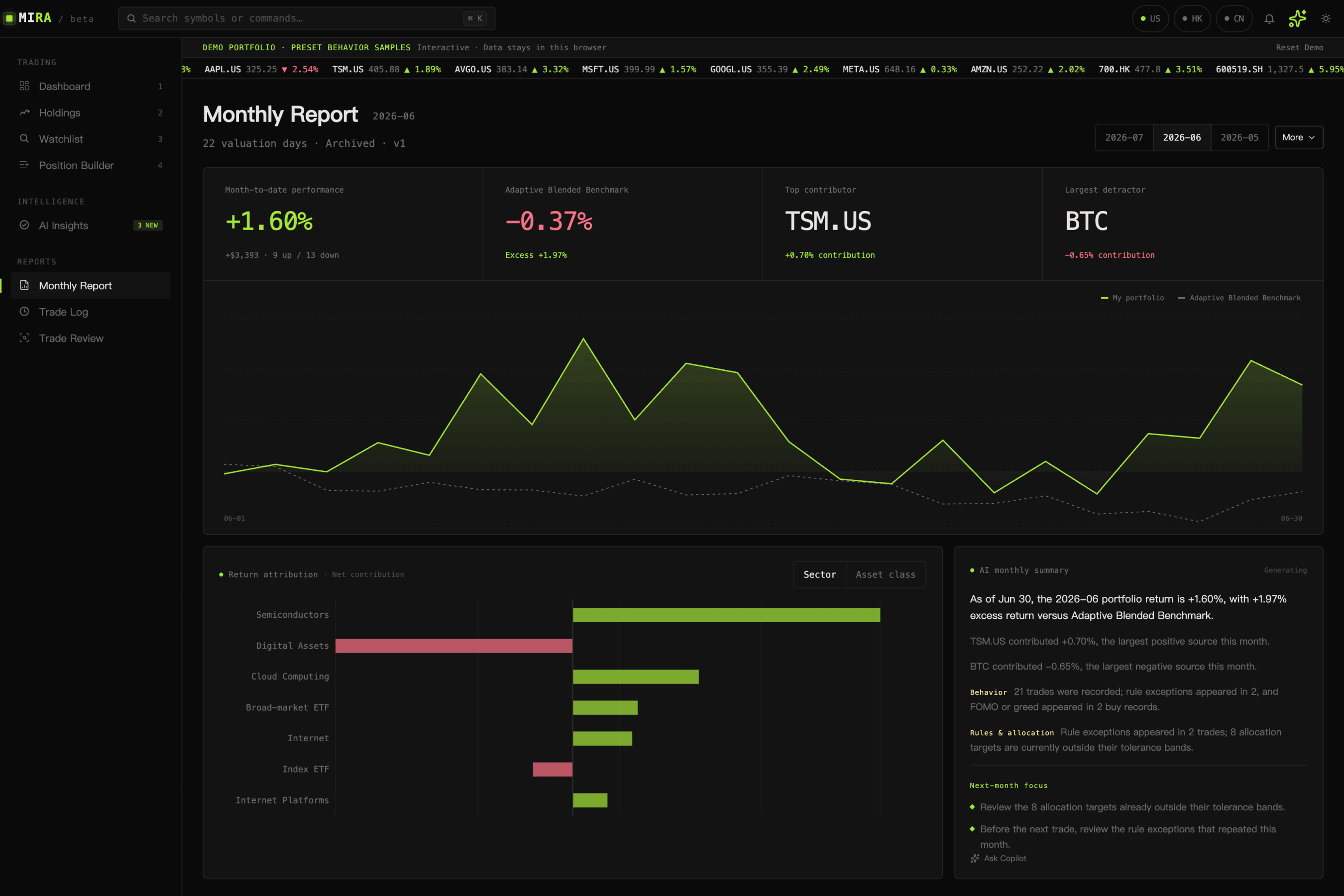
6-Monthly Report
-
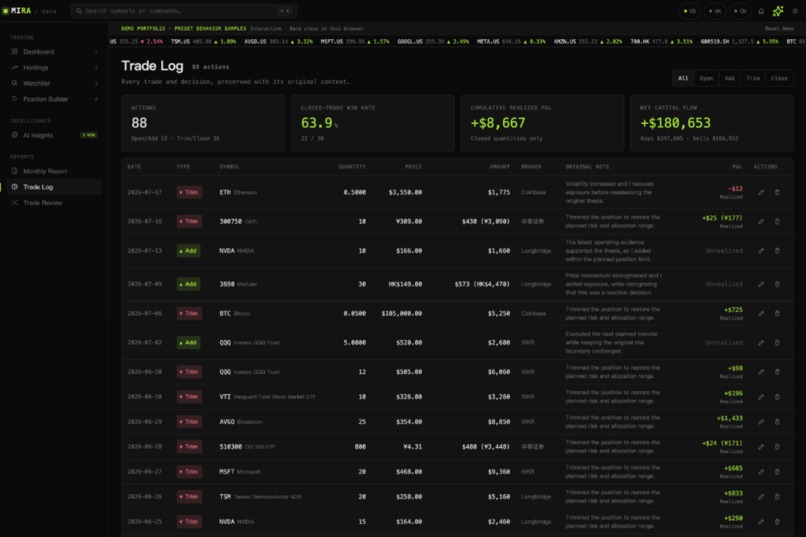
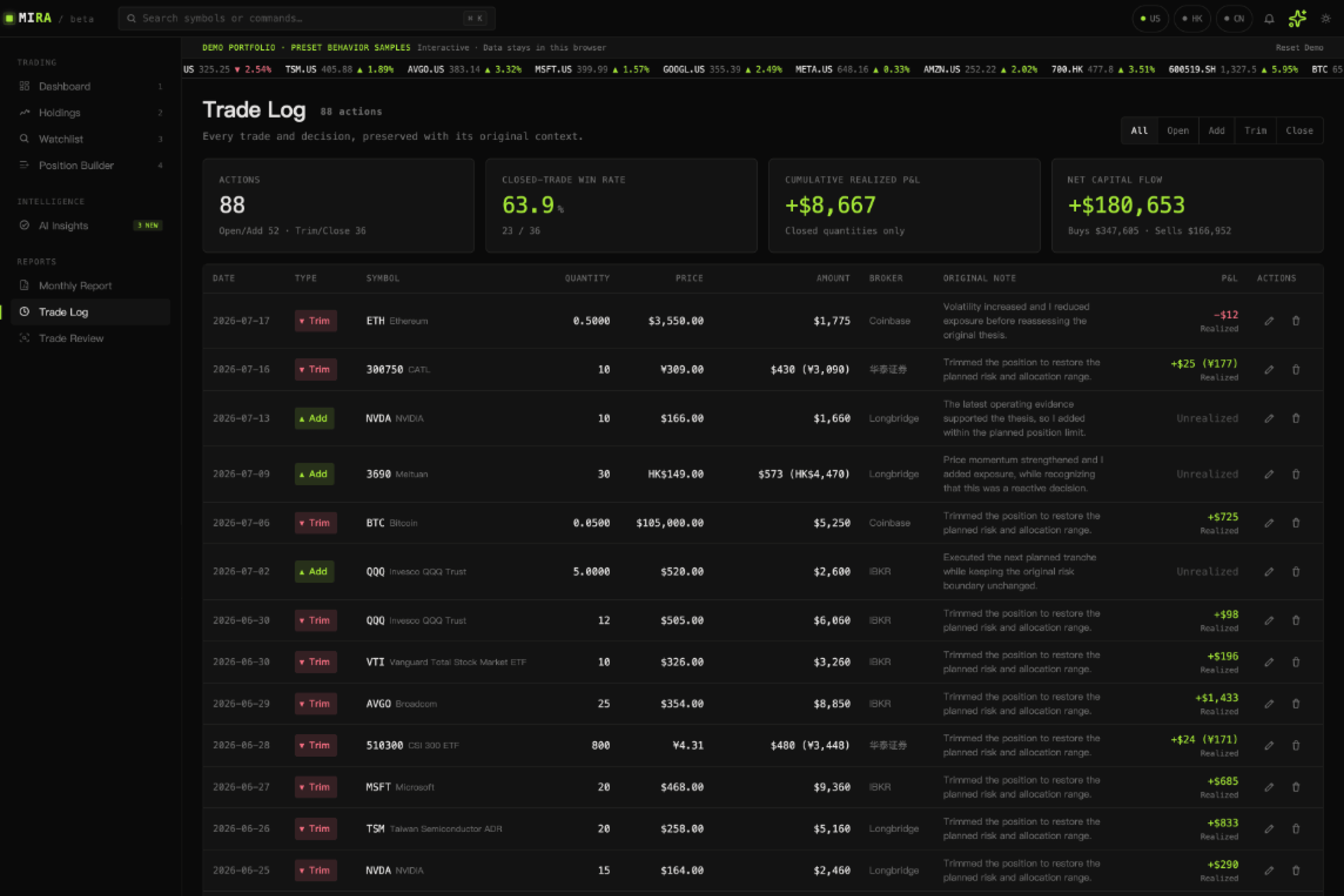
7-Trade Log
-
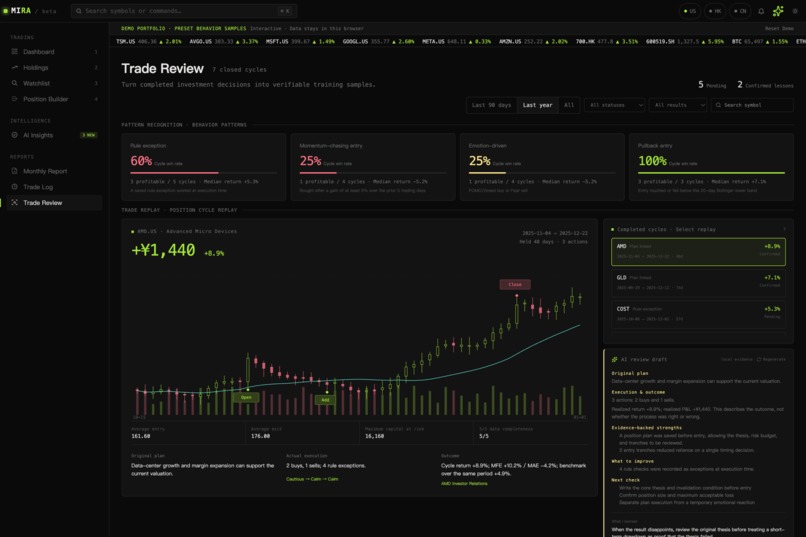
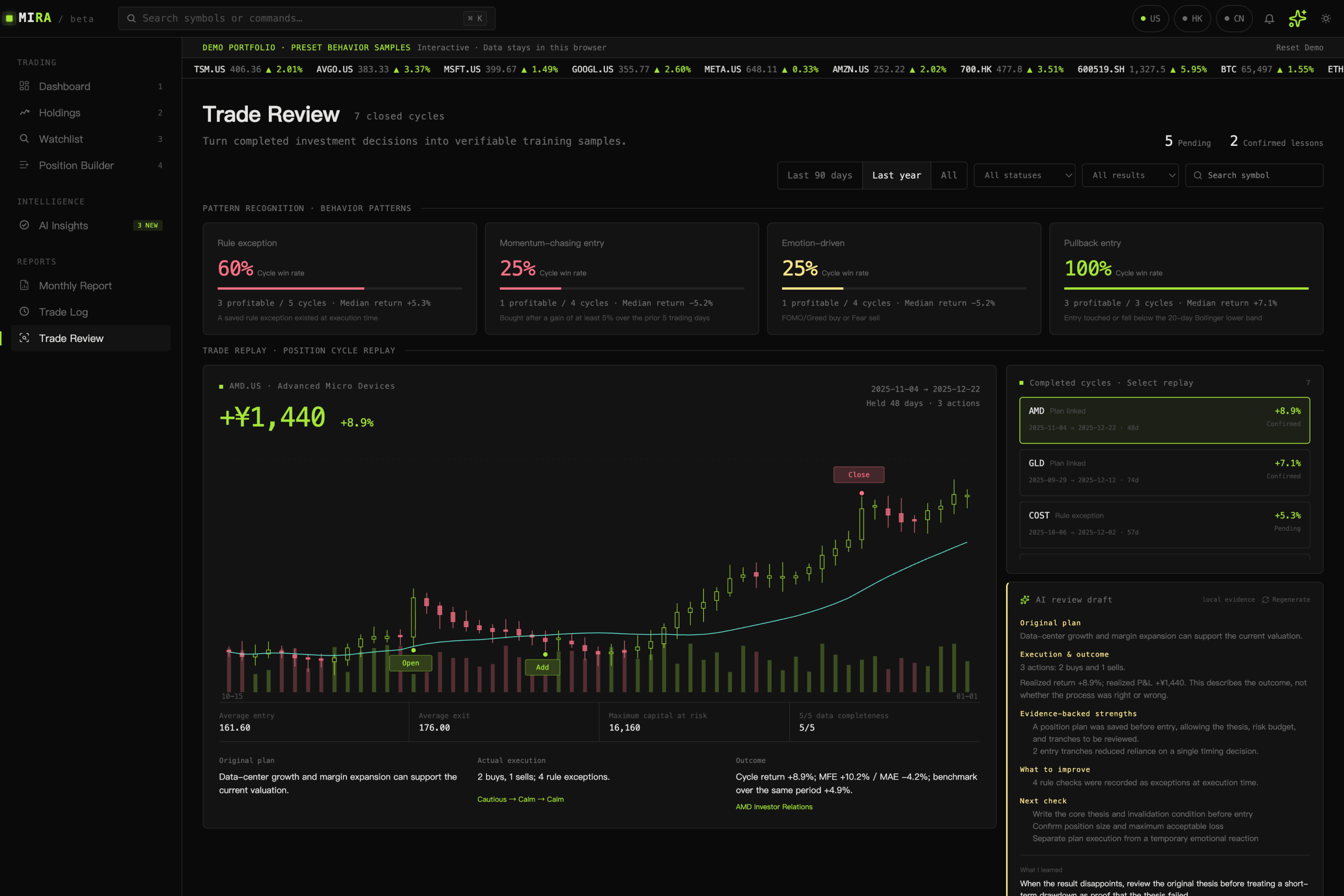
8-Trade Review
-
9-Setting
Inspiration
I am a UI/UX designer based in Tokyo. I also invest my own money, across several markets. I wanted one clear place to see all my accounts together. That was the first idea.
But that was not the real problem. Markets give us more information than we can ever use. My real problem was myself. I would chase a stock after it already went up. I would sell too early because I was scared. I would forget my own rules. Sometimes I would even forget why I bought something in the first place.
So I built a small Codex skill, just for myself. It only did one thing: it wrote down how I felt every time I made a trade. This helped me see something important. A journal alone was not enough. I needed one product that could hold everything together — my portfolio, my rules, my decisions, and my reviews.
MIRA sounds like "mirror." Most investing apps show you the market. MIRA tries to show you something harder to see: yourself. It gives you one place to look at your portfolio, slow down before you act, and learn from the habits you already have.
What it does
MIRA is not a signal app. It is not a robo-advisor. It is not just another portfolio tracker. It is a trading terminal with memory, built for US, Hong Kong, China, and crypto markets, in three languages. It brings together:
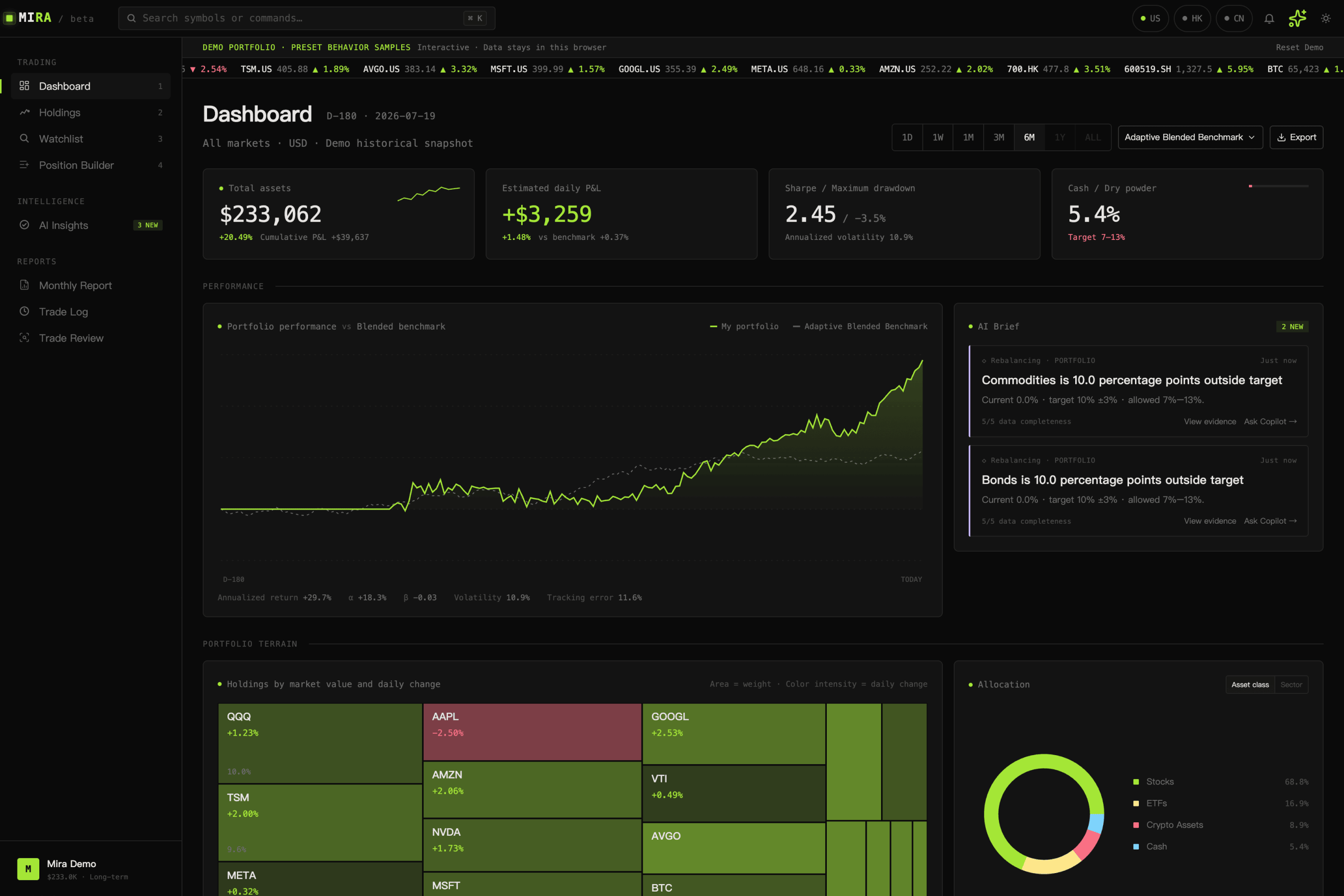
- a dashboard for net worth, performance versus a benchmark, allocation, drawdown, and a personal "trading temperature" signal;
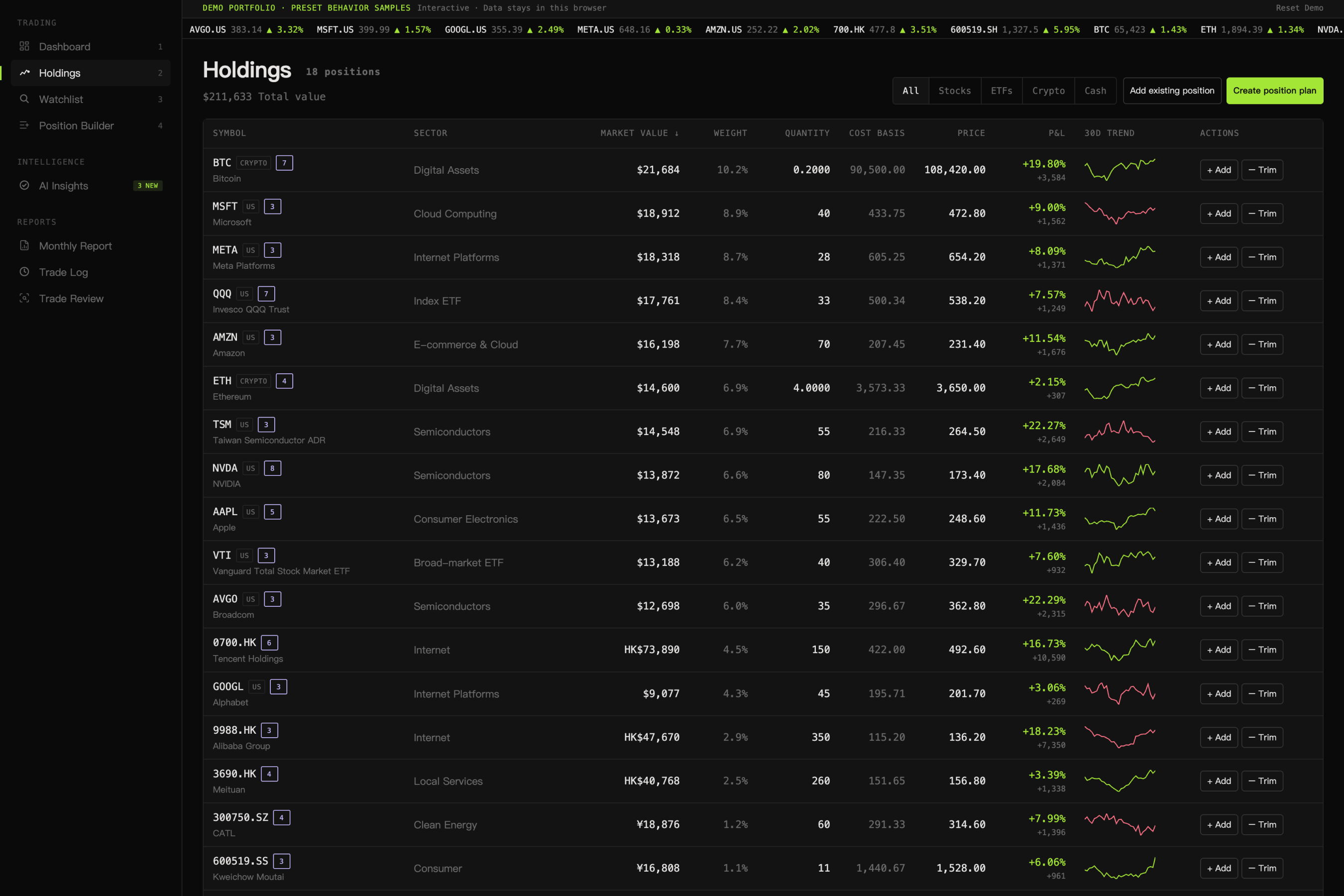
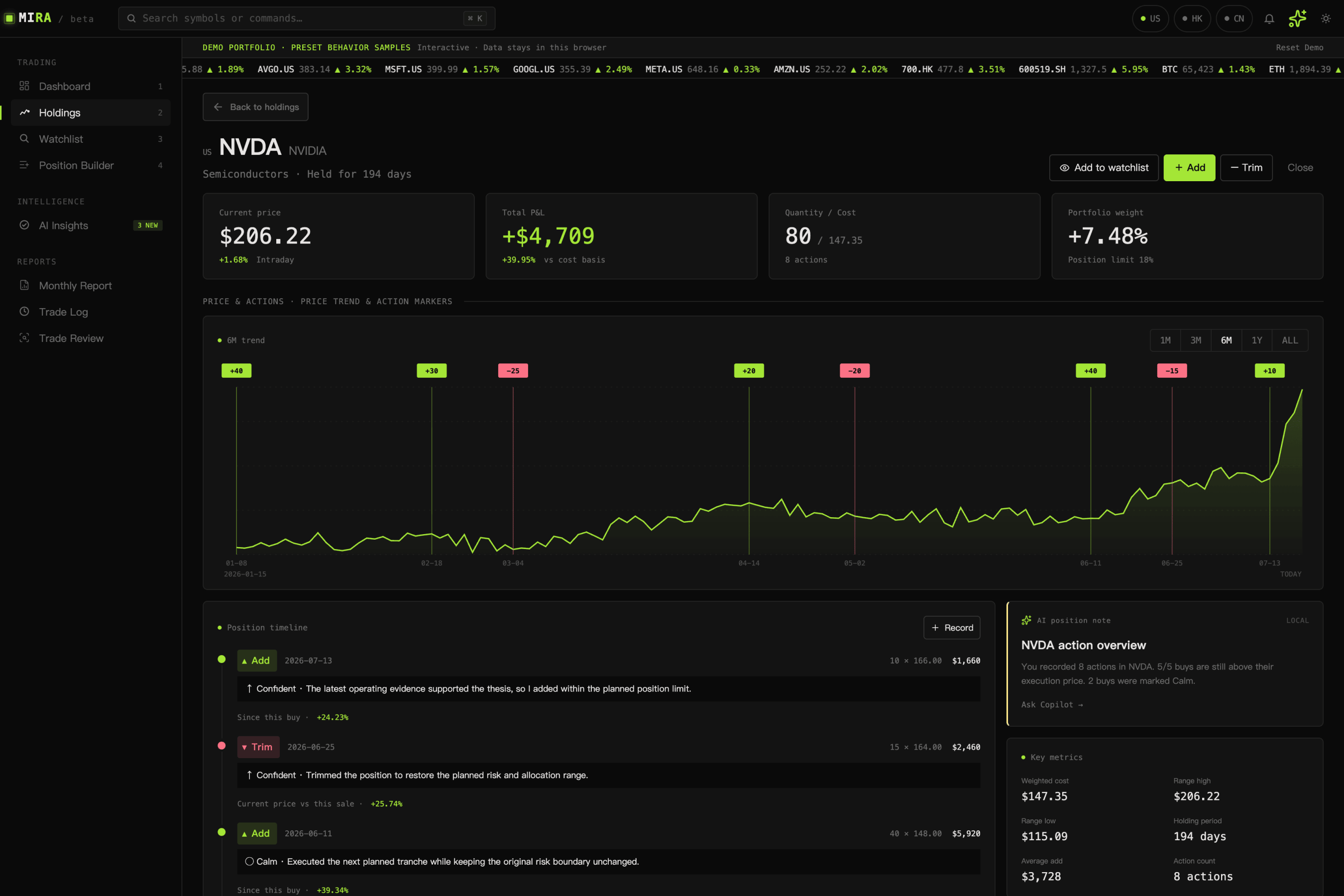
- holdings, watchlists, and a trade log that keep the reason behind every action, not just the number;
- a four-step Position Builder, where an idea becomes a real thesis, an invalidation condition, a position size, and an execution plan — before any order is recorded;
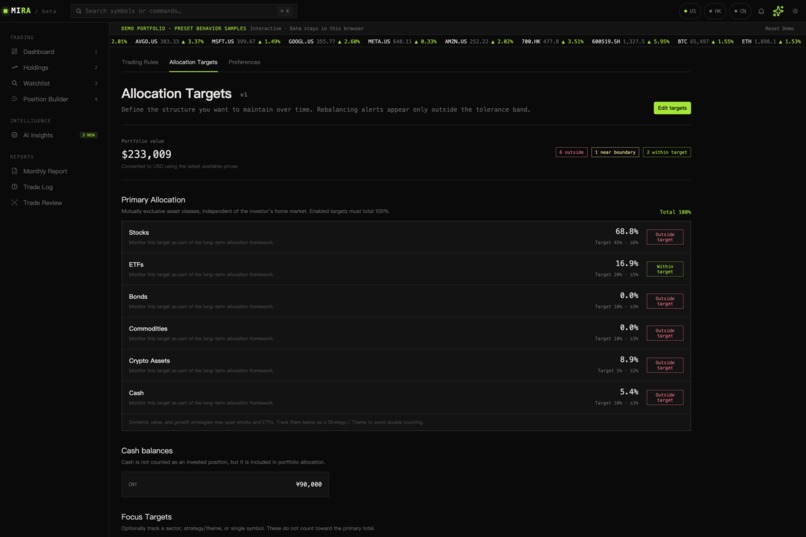
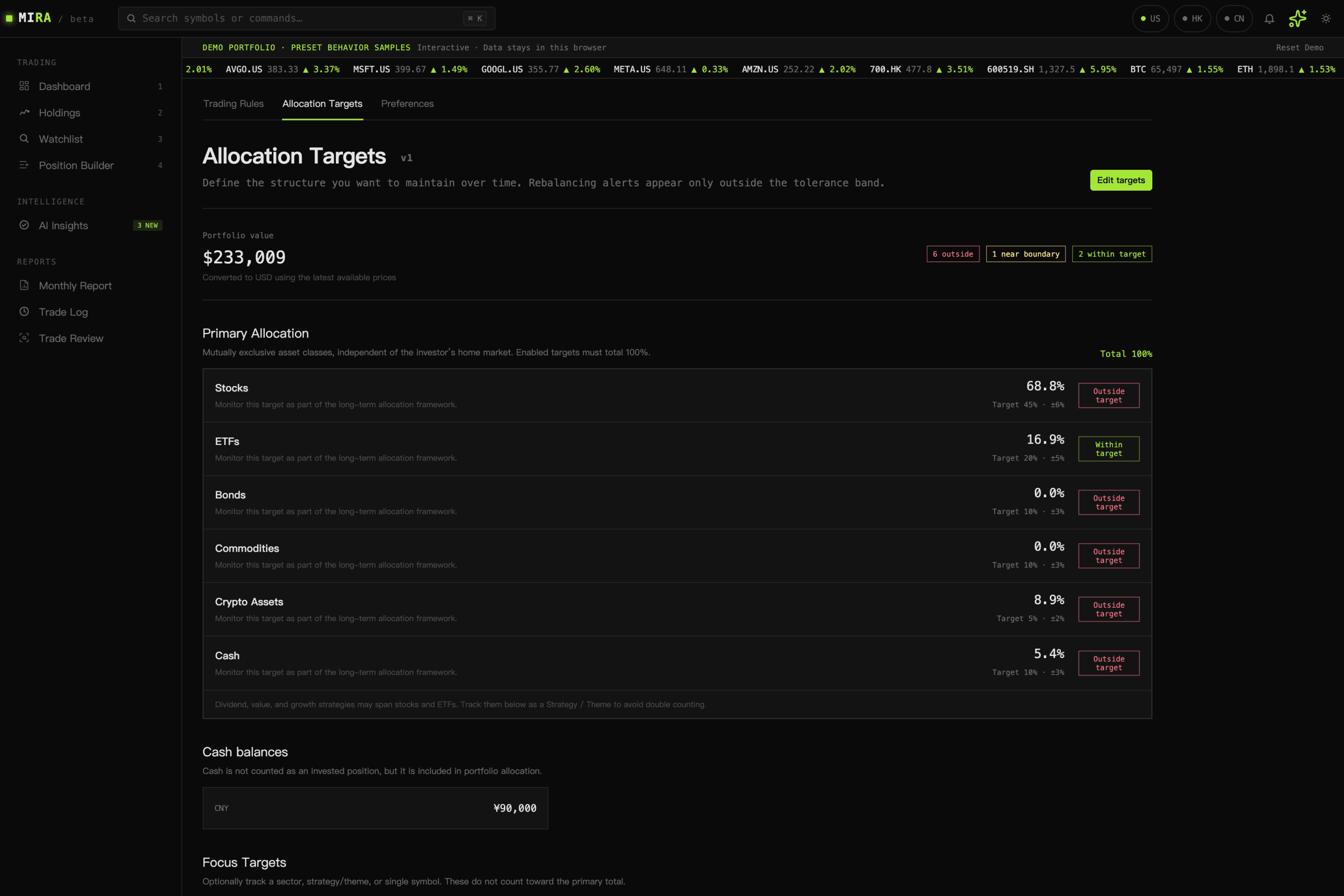
- personal trading rules and allocation targets that check every decision against them;
- AI Insights and a Copilot that point out risks, opportunities, allocation drift, rule breaks, and repeated behavior — always backed by evidence;
- and a trade review and monthly report that turn what already happened into one clear lesson for next time.
MIRA never tells you to buy or sell, and it never places an order for you. The decision is always yours.
Why MIRA is different
Most tools try to help you decide what to watch or what to buy. MIRA asks a different question: are you following your own process? Your rules, your allocation limits, how you felt in the moment, what you wrote down as your reason, and what happened last time you made a similar move — MIRA treats all of this as real data, not as an afterthought.
This changes what AI is for. MIRA does not ask AI to guess where the market is going. Instead, it gives AI real evidence — your portfolio, your rules, your history — and asks it to check your plan against that evidence. It can point out something you missed, question your reasoning, or explain a pattern you keep repeating. You stay in control, and you stay responsible for the outcome.
What's Next for MIRA
MIRA is an early MVP, and I built it this way on purpose. I would rather make one loop — decide, then learn — genuinely useful, than try to cover every market at once. Right now the demo covers US, Hong Kong, mainland China, and crypto assets.
There is still a lot to do. My near-term plan is to improve the UI, the overall experience, and the multilingual writing; add more markets and asset types; and move to more stable, production-grade data. I also want to add broker connections, import options, deeper historical data, and a smoother experience for real accounts. Japan, Korea, and Europe are next on the list. I am building this step by step, so the AI stays grounded in data and rules the investor can actually check.
I also want to be honest about this: I built this on a very short timeline for Build Week, so I have not tested every path or edge case yet. You may still find small bugs or data issues outside the main flows I describe here. I am continuing to fix these after submission.
How it works
The product follows one simple loop: track → decide → reflect.
- Track. MIRA brings your positions, watchlist, market context, past actions, mood, and stated reasons into one place.
- Decide. Before you open a position, the Position Builder asks you to write your thesis, what would prove you wrong, your position size, and your entry/exit plan, along with how you feel right now. It checks this against your rules, your portfolio, and your past behavior. When it matters, it also adds an AI counterargument, or simply asks you to slow down.
- Reflect. Once a trade cycle is closed, MIRA compares it with similar decisions you made before. The review and the monthly report show what helped, what hurt, and one clear thing to change next time.
What's new for OpenAI Build Week
MIRA started as a simple idea: track my portfolio, and keep a journal of my decisions. During Build Week, I turned that idea into a real, interactive, multilingual demo — with a full dashboard, a position-planning workflow, personal rules and allocation targets, an evidence-backed insight center, a Copilot, trade-cycle review, and monthly reports.
The demo uses preset sample data, so judges can explore real insights right away, without connecting a brokerage account. All demo data stays in the browser, and you can reset it anytime.
How I built it
MIRA is built with React and Vite, plus React Router, react-i18next, Tailwind CSS, shadcn/ui, and a Vercel-ready JavaScript/Python backend. It supports English, Simplified Chinese, and Japanese. For market data, I use Tencent Finance, yfinance, and CoinGecko. Supabase handles the data model and access rules for real accounts.
I designed the AI layer to stay close to real evidence, not general market talk. First, deterministic code checks the portfolio, the rules, the allocation, the plan, and the trade history. Only then does GPT-5.6, through the OpenAI Responses API, step in — for AI Insights, the Copilot, the AI review step in Position Builder, trade-cycle review, rule-assistant drafts, monthly-report drafts, and on-demand market research. The UI always shows whether an insight is actually backed by evidence, and AI can never turn its own answer into an order.
How I used Codex and GPT-5.6
I am a UI designer, not an engineer. Before this project, I never thought I could turn a product idea into a real, live app in just a few days. Codex made that possible. Over two days, I talked through, redesigned, and rebuilt seven core parts of MIRA — Dashboard, AI Insights, Monthly Report, Trade Review, Position Detail, Position Builder, and Personal Rules — again and again, until they felt right. Without an engineer, I could never have built this alone. Even with one, based on how product work usually goes, I believe it would normally take three or four months. During Build Week, Codex and GPT-5.6 worked with me on almost every part of MIRA: building the UI, building the AI features from start to finish, and running code and security checks I would not have known how to do by myself.
Codex was not just where the code got written. It was where the real product decisions got made. What should an AI Insight actually show, and based on what evidence? How should AI Insights, Position Builder, and Personal Rules connect, so that one rule break shows up as a real decision somewhere else? What belongs in the Monthly Report, and what belongs in Trade Review, so each one tells a different part of the same story? I worked through these questions one module at a time, talking with Codex, and then had it build the result. Codex felt less like an autocomplete tool, and more like someone I could think through the product with.
GPT-5.6, through the OpenAI Responses API, powers the part of MIRA that matters most: AI Insights, the AI review in Position Builder, trade-cycle review, rule-assistant drafts, and monthly-report drafts. It takes verified portfolio and rule evidence and turns it into an explanation a person can actually use — without ever placing a trade on its own.
Challenges I ran into
The hardest problem was making AI genuinely useful, without turning it into just another reason to trade on impulse. My answer was to separate facts from opinions. The product calculates rule checks, allocation numbers, and behavior patterns on its own, with plain deterministic code. Only then does it hand GPT-5.6 a clear, compact package of evidence, and ask it to explain what that evidence means.
I also had to make sure the demo felt real without needing a real brokerage account. The result is a loop anyone can judge in a few minutes: open the dashboard, look at a plan, check the rule and AI evidence behind it, then see how the outcome was reviewed.
Accomplishments I'm proud of
- Turning portfolio tracking into a real discipline loop, not just another performance dashboard.
- Treating personal rules, emotional state, written thesis, and past behavior as real data for AI, not as an afterthought.
- Building a polished, multilingual demo that judges can explore immediately, with no brokerage account needed.
- Keeping the AI honest and non-executing: MIRA helps people think more clearly, but it never tells them what to buy.
What I learned
Before Build Week, I only expected Codex to save me time. I did not expect it to change my role. In the past, I would hand these decisions to an engineer: how a feature's data should shape its UI, or how one module should connect to another. Now I could talk through these decisions myself, in plain language. And I could see them built the same day. This changed how I see the line between design and engineering. It does not feel like a wall anymore. It feels like a conversation I can have on my own.
I also learned something about the product itself, not just the tool. MIRA is built on one simple idea: AI should never make a call without real evidence. While I was building this into the product, I started to ask myself the same question. When Codex or GPT-5.6 gave me a suggestion, did I check it against my real plan? Or did I just trust it because it sounded right? I was asking my product's AI to follow this rule. So I had to follow it too, in my own work.
Built With
- codex
- coingecko
- figma
- gpt-5.6
- javascript
- openai
- python
- react
- react-i18next
- responses
- shadcn/ui
- supabase
- tailwind
- tencent-finance
- vercel
- vite
- yfinance

Log in or sign up for Devpost to join the conversation.