-
-
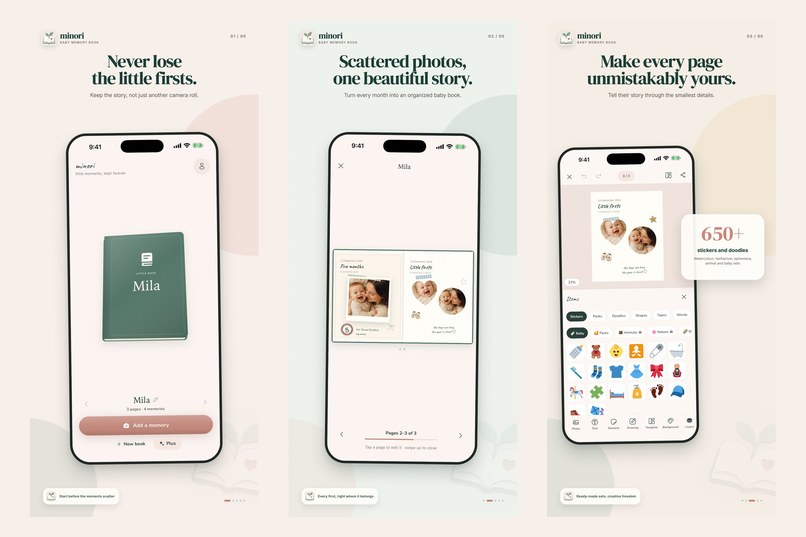
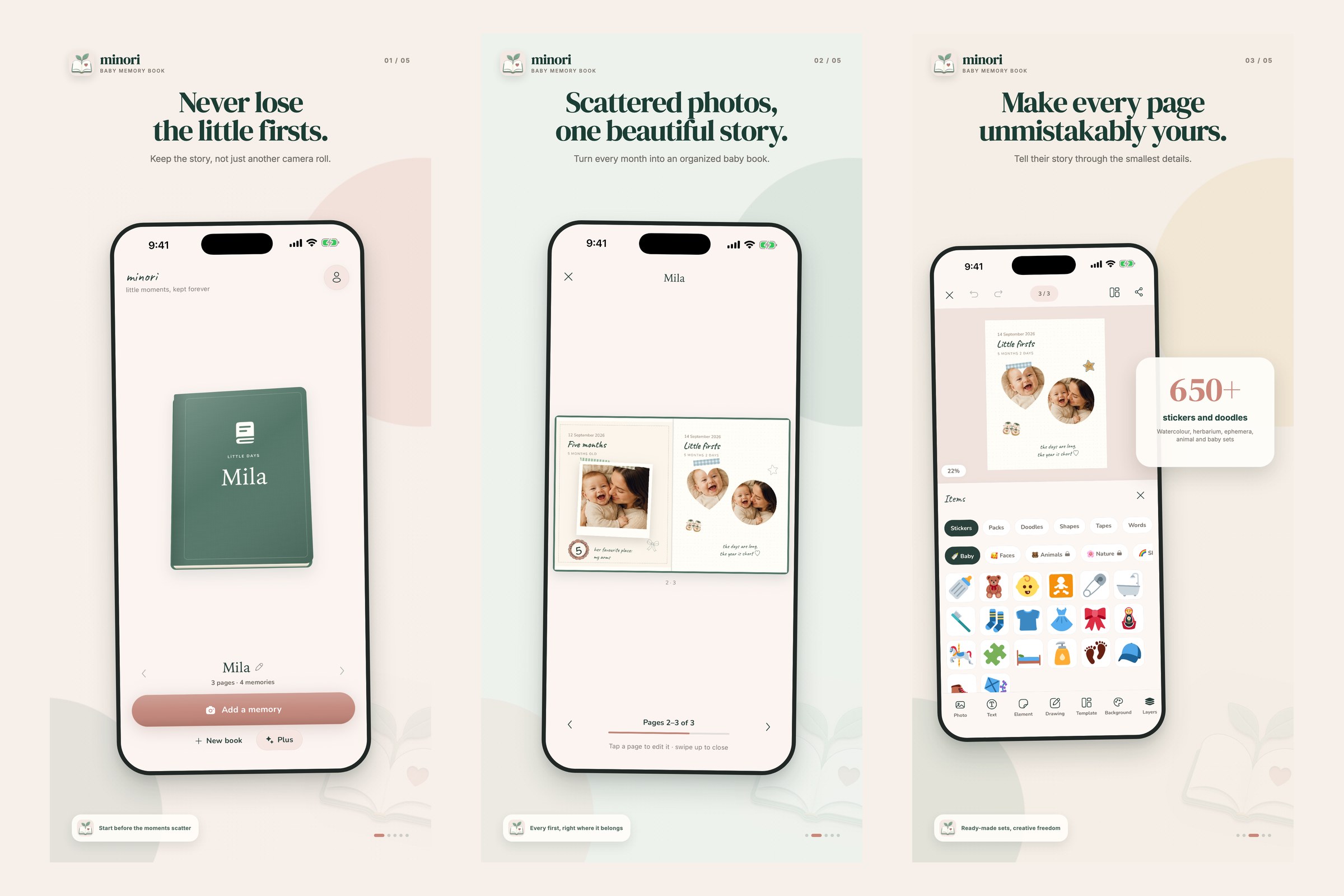
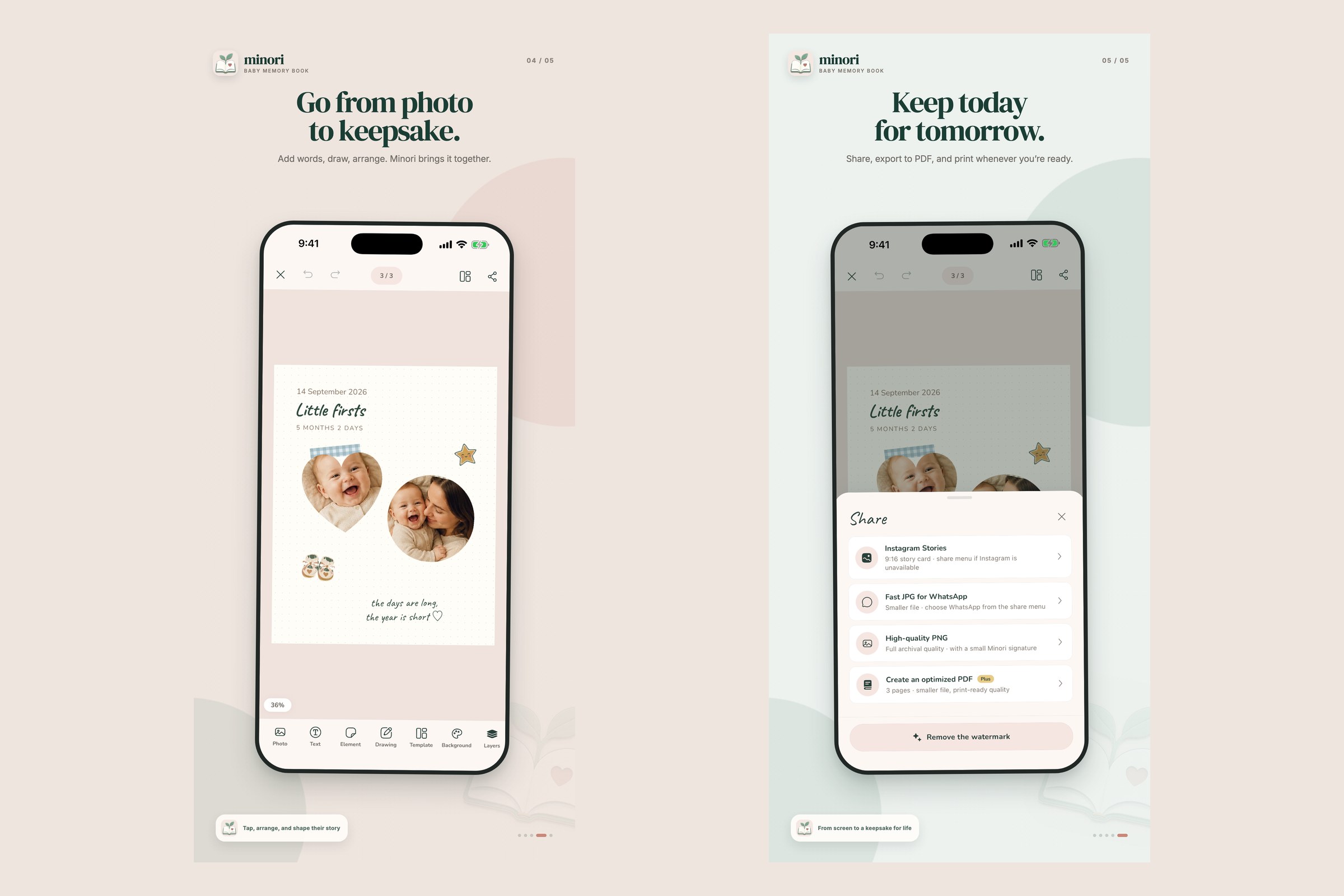
Your book, a page spread and 650+ stickers (App Store screenshots)
-
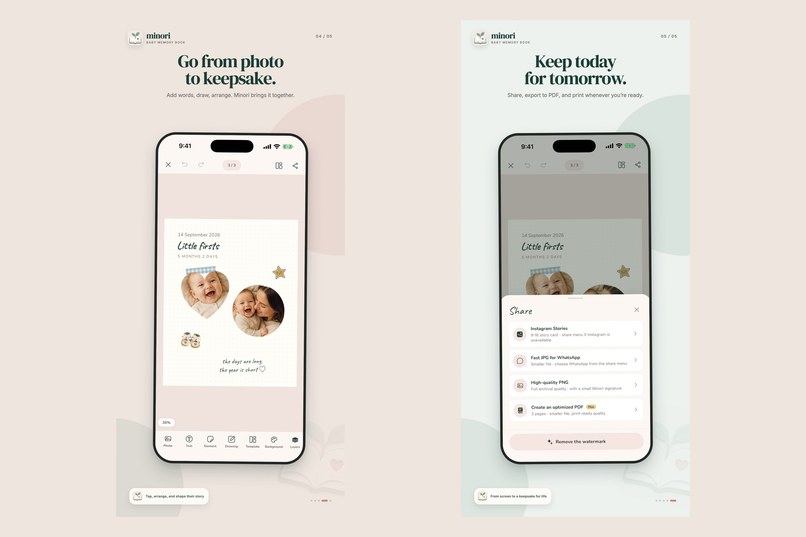
Shaped photos, handwritten notes, and share as image or print-ready PDF
-

App icon, 1024 x 1024
-
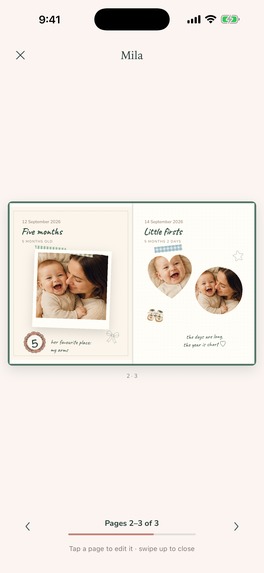
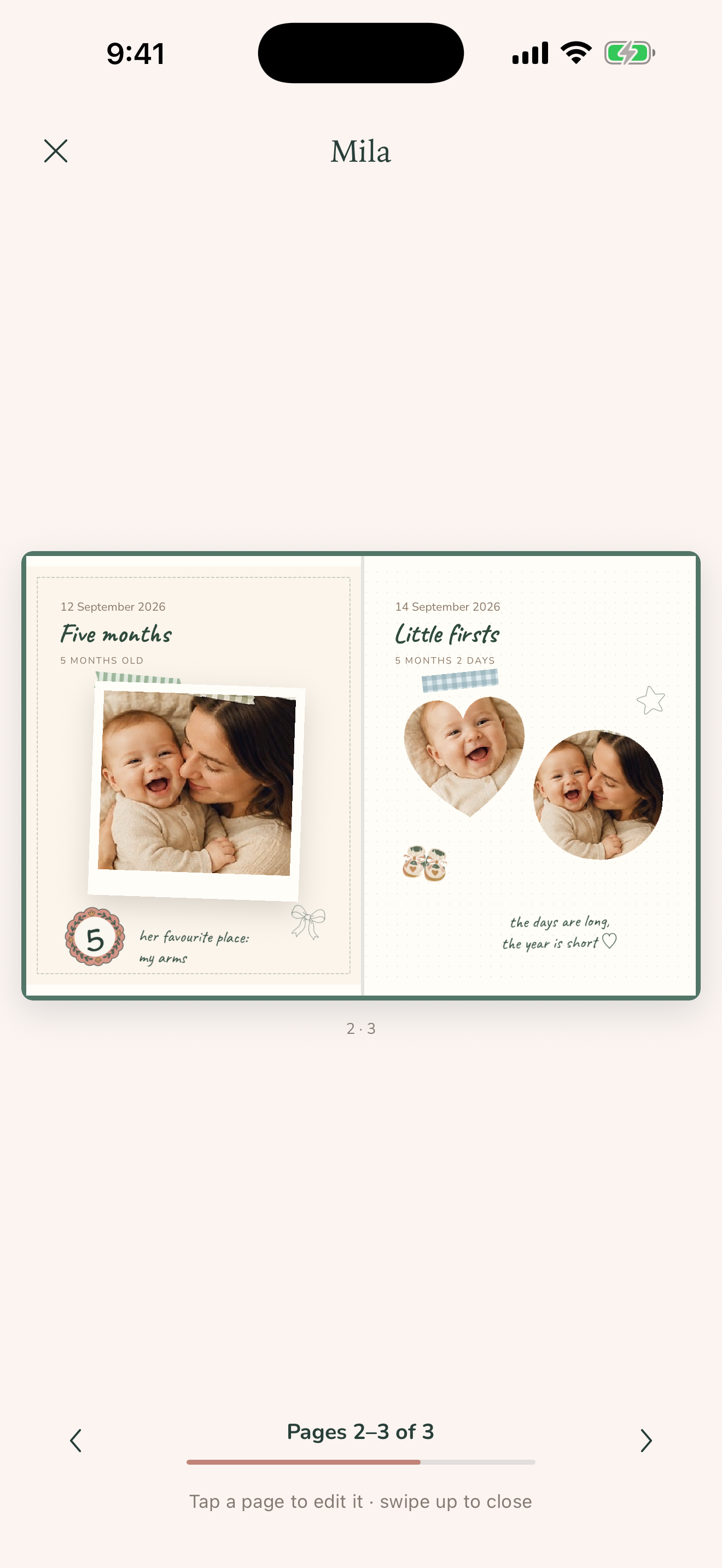
Unframed screenshot: a two-page spread in the book
-
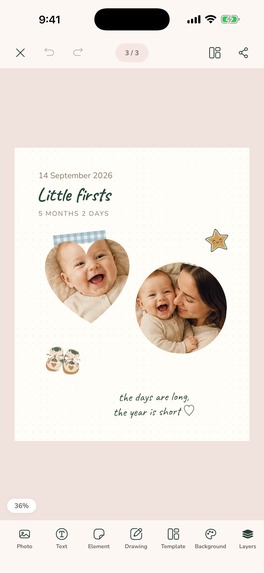
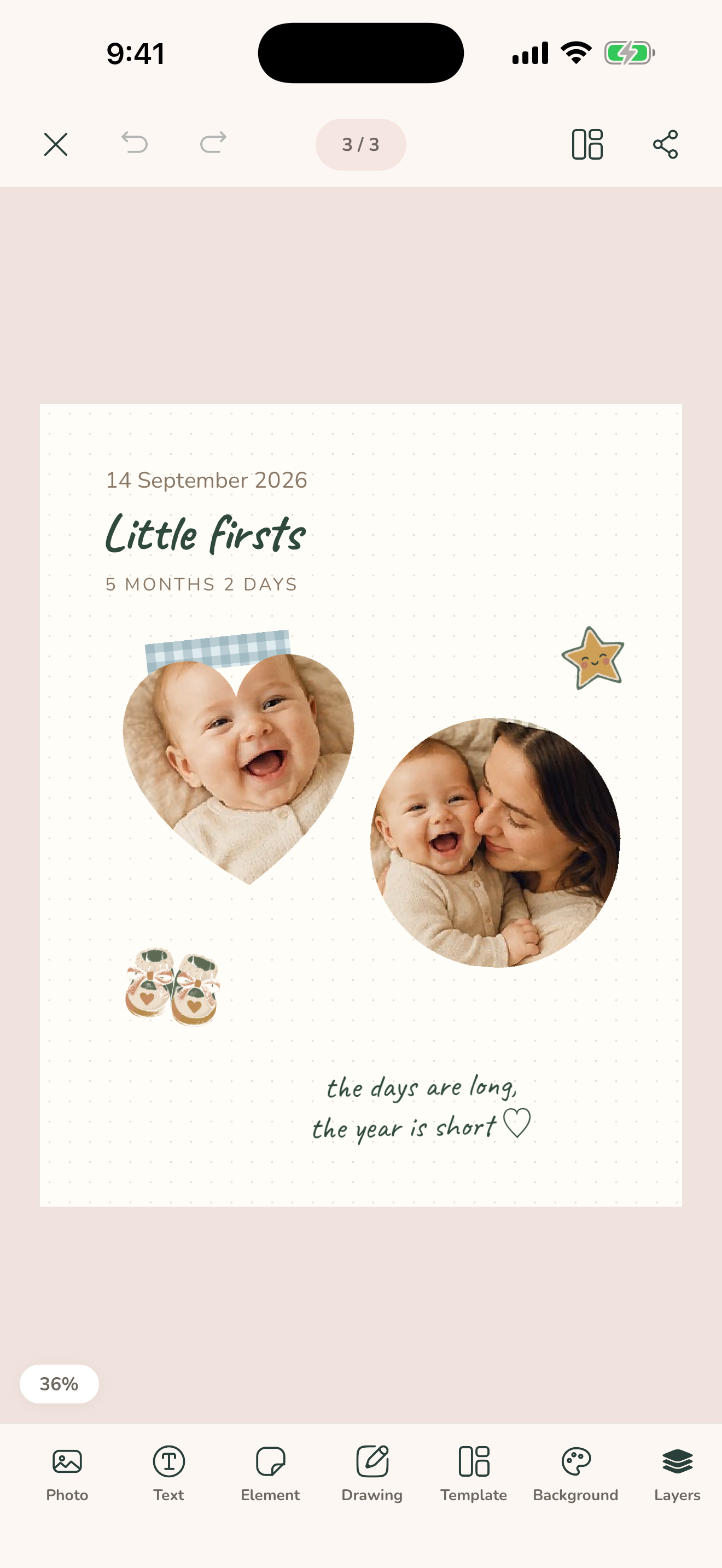
Unframed screenshot: the page editor

Inspiration
Baby photo apps all look the same: a grid, a template, a timeline. What parents actually keep from the first year is messier and warmer: a printed photo cut into a heart, a date scribbled in the margin, a sticker from the hospital, a doodle. That is a junk journal, and nobody has time to make one with scissors and glue at 3 a.m. Minori is that book, on the phone.
What it does
- A real book. Tap the cover and it opens; tap a page and it goes full screen. Every page is a blank sheet, not a template.
- Cut-and-paste photos. Shoot straight into a page or pick from the library, then choose a shape: polaroid, heart, star, arch, hexagon, torn paper, scallop or stamp. One tap lifts the subject out of its background (Apple Vision, on device).
- Handwritten notes, 650+ stickers, washi tape and finger drawing. Everything drags, rotates and scales with two fingers, with snapping guides and haptics.
- Share and keep. Share a page as an image, export the whole book as a print-ready PDF, back up every book and photo to one file (Files / iCloud Drive) and restore it on a new phone.
- Home Screen and Lock Screen widget showing the baby's age and what the book holds, plus Siri Shortcuts ("Add a memory in Minori").
- 24 languages, iPhone and iPad, light and dark mode, rated 4+.
- Private by design: no account, no content server, no ads, no tracking. Books never leave the device.
How we built it
- Expo SDK 57 / React Native 0.86, one codebase for iOS and Android.
- The book is fully native: page turns and gestures run on Reanimated worklets, photo filters and paper textures render on the GPU with Skia (Metal on iOS). The first prototype was a web app (Vite + Capacitor) with a three.js book in a WebView; we rewrote it as a native React Native app so the book feels like a real object.
- Three custom Expo native modules: subject cut-out with Vision, the WidgetKit "glance" widget with App Intents, and iCloud Drive backups.
- Storage is expo-sqlite on the device; PDF export uses expo-print.
- Monetization with RevenueCat (
react-native-purchases): a free tier plus Minori Plus (weekly and yearly auto-renewing subscriptions) behind oneminori_plusentitlement, shared by the App Store and Google Play products. The paywall is our own design, fed by RevenueCat Offerings, so prices are always the store's localized values; RevenueCat also handles restore, entitlement caching for offline use and the cross-store receipt logic.
Challenges we ran into
- App Review guideline 2.1(b). The first build was rejected because the paywall could fail silently: a wrong-store API key returns zero products with no error, and an over-the-air update could strip the paywall from a store build. We added explicit checks for both, and learned that subscriptions must be re-attached to every resubmitted version.
- A native book on two platforms. Getting page turns, pinch-zoom and drag gestures to agree with each other without a WebView took several rewrites.
- 24 languages for real. Every script (Arabic, Japanese, Korean, Chinese, Cyrillic...) needed fonts that actually carry the glyphs, and the widget's age text is formatted by the system so the grammar is correct in every locale.
- iOS 27 required adopting the UIScene life cycle, which Expo does not ship yet; we solved it with a config plugin.
Accomplishments that we're proud of
Minori shipped for the first time in September 2026 on both the App Store and Google Play, fully localized in 24 languages, with a widget and Siri Shortcuts, and without collecting a single photo on a server.
What we learned
A keepsake app earns trust by what it does not do. "No account, stays on your phone" is a feature in itself, and it shaped every technical decision, from on-device cut-outs to file-based backups. On the business side, RevenueCat let a one-person team run the same subscription across two stores without writing any receipt-validation code.
What's next for Minori
Scenes: AI-assisted photos that never upload your child. Parents love a photo of their baby in a flower field or under the stars, but sending a child's face to a generative model is a privacy line we won't cross. So we split the job: AI makes the scene, the phone places the child in it.
- Scene packs (in progress). Twelve watercolor scenes (flower field, starry night, seaside, autumn, nursery, birthday, daisies, lavender, sunflowers, cherry blossom, rose garden and a top-down flower bed) generated once on our side. On the phone, Vision cuts the baby out and Skia blends them in: contact shadow, tone matching, soft edges, and a foreground layer of petals in front of the feet so it doesn't look pasted on. No network needed; it ships as an over-the-air update.
- Scenes on Android with ML Kit Subject Segmentation, so the feature works in both stores.
- Scenes on demand, if parents ask for more: pick a theme, season, time of day and style, and a server generates only the background and caches it for everyone. The photo never leaves the device. Plus members get a monthly quota, checked with the RevenueCat REST API, so there is still no account. We are also exploring Apple's on-device Image Playground as a free, offline alternative.
Scenes follow the existing monetization model: the first scene of every pack is free as a taste, and full packs are part of Minori Plus.
Built With
- android
- expo.io
- ios
- react-native
- reanimated
- revenuecat
- skia
- sqlite
- swift
- typescript
- vision
- widgetkit

Log in or sign up for Devpost to join the conversation.