Inspiration
As students, we often face stress, academic pressure, mood swings, and uncertainty. Balancing studies, assignments, and personal life can take a toll on mental health. While there are many wellness apps available, most are either too complex, require mandatory sign-ups, or demand a lot of time to navigate, which makes them difficult to use during stressful moments. I wanted to create something simple, fast, and lightweight, a tool that students can open instantly on their phones to calm down, reflect, and track their emotional wellbeing. This idea inspired me to build MiniMood, a minimalistic wellness and mood-tracking web application designed specifically for students who need a quick, effective, and accessible way to manage their daily emotions.
What it does
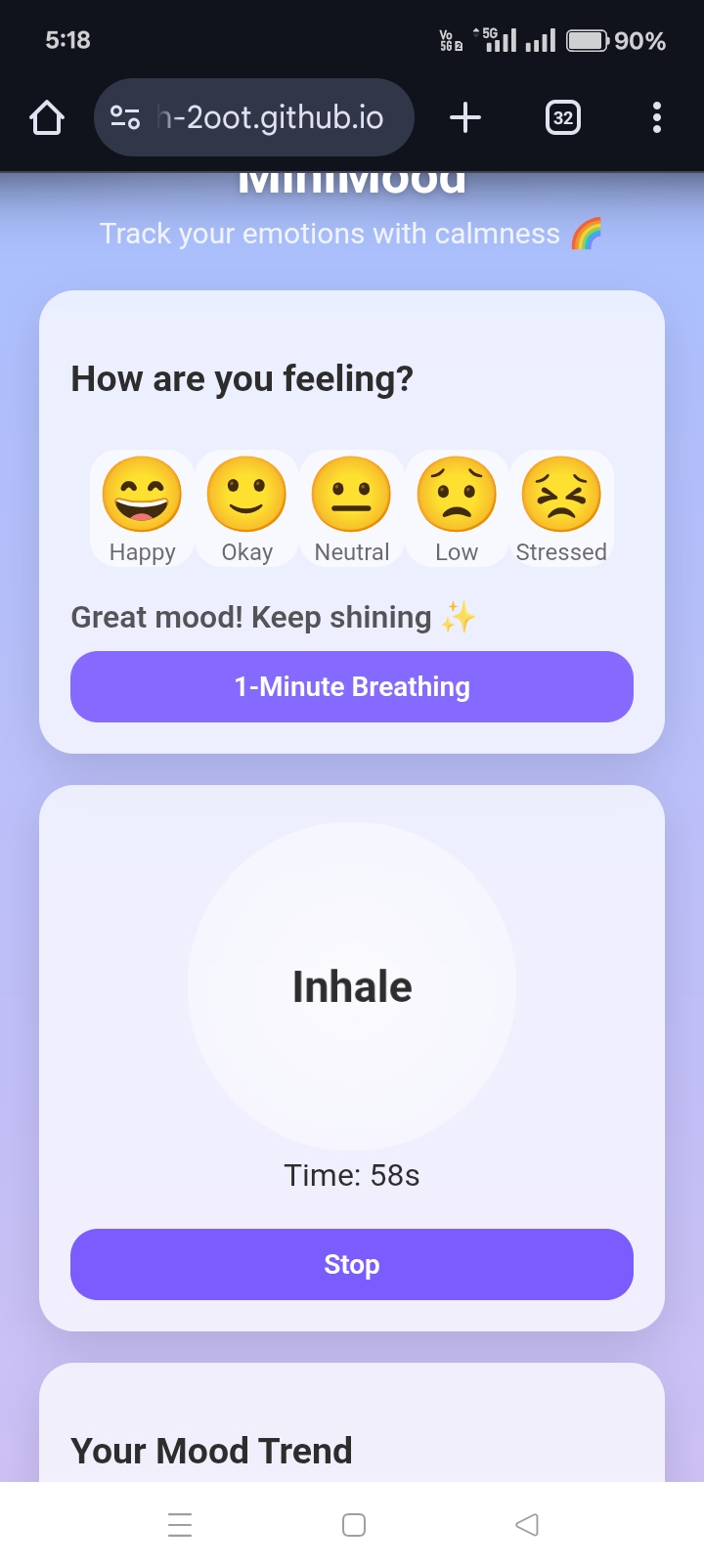
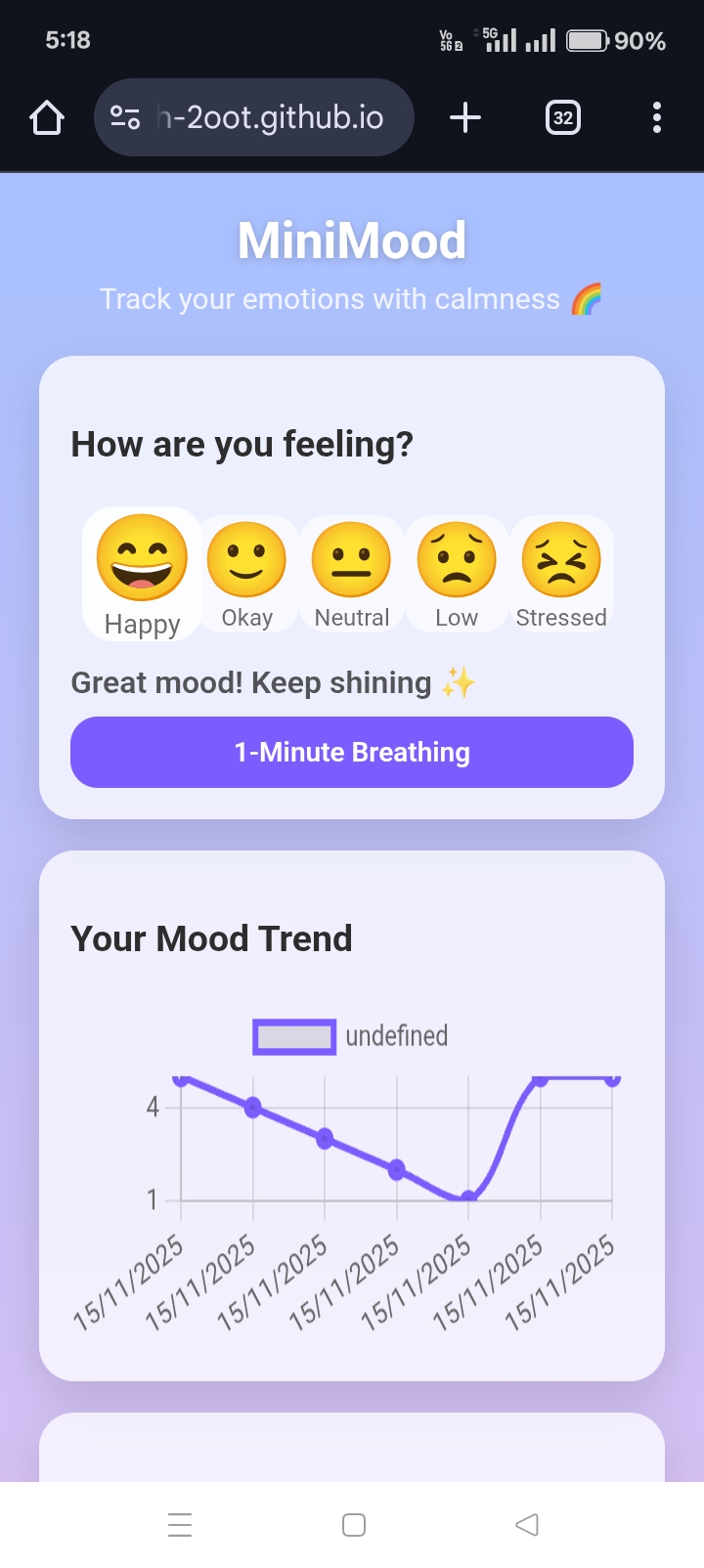
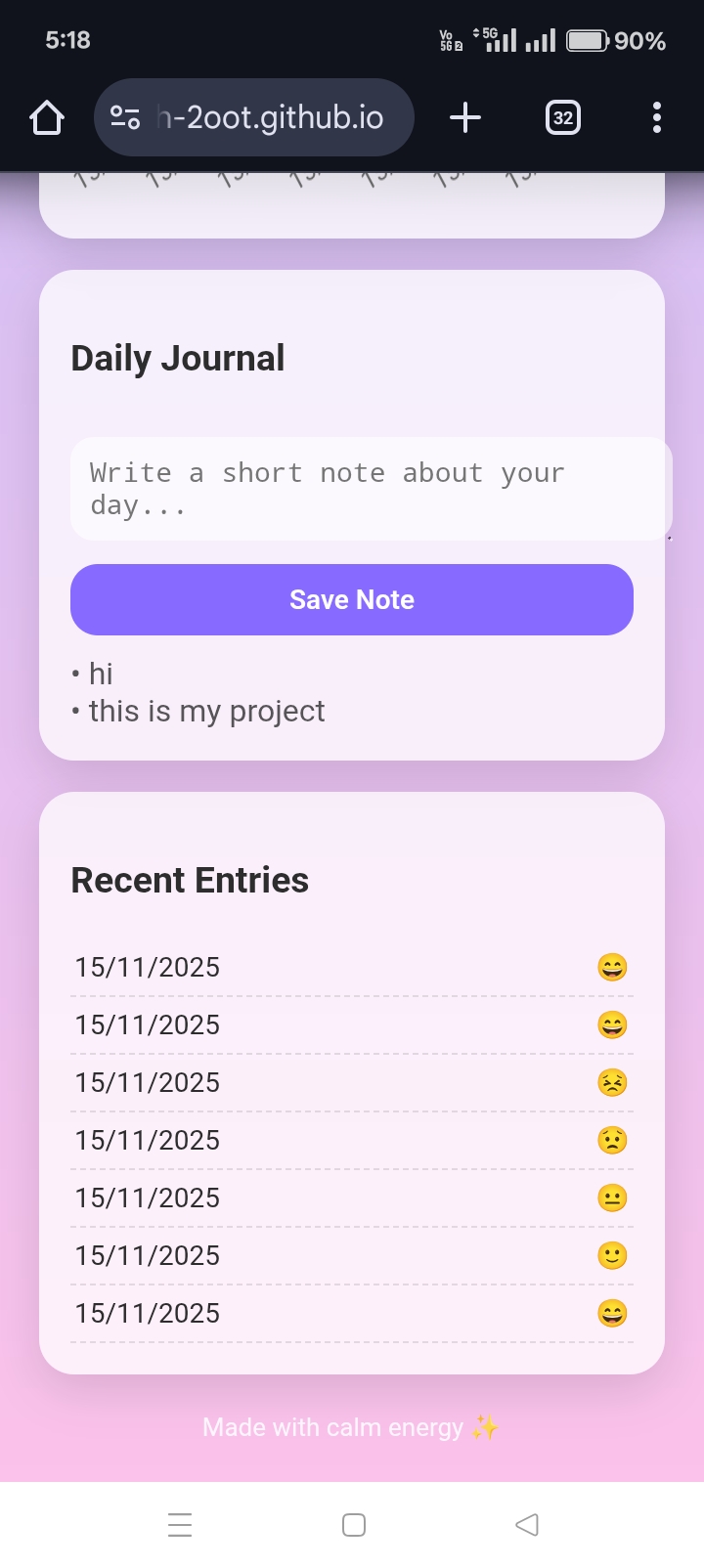
MiniMood helps students improve emotional awareness and manage stress through multiple integrated features. At the core, there is a mood picker with five emoji-based emotion levels, which provides instant mood-specific tips and affirmations. Each mood entry is saved locally to maintain a history of recent moods, which is visualized through a dynamic trend graph created with Chart.js. Users can also write a short journal note each day to reflect on their feelings, practice a 1-minute guided breathing exercise, and listen to optional relaxing background music. The app is designed with a clean glass-style UI that feels calm and relaxing. It works completely offline, loads instantly, and remembers all user entries using LocalStorage.
How we built it
MiniMood was built entirely using HTML, CSS, and JavaScript. CSS includes a glassmorphism and gradient theme to make the interface visually soothing. JavaScript handles all the logic, including mood selection, tip display, chart updates, breathing animations, and saving journal entries. LocalStorage is used to store mood history and journal notes, while Chart.js generates the mood trend graph dynamically. I built and edited the entire project on a mobile phone using SPCK Code Editor and managed deployment through GitHub Pages.
Challenges we ran into
Developing and debugging the app entirely from a mobile device was a significant challenge. Making the UI clean, readable, and calming across different screen sizes required multiple iterations. Ensuring that Chart.js updates dynamically whenever a new mood is logged took careful attention, and creating a smooth inhale/exhale breathing animation synced with a timer was tricky. Structuring LocalStorage to save multiple mood entries correctly and deploying the project on GitHub Pages from a mobile browser were also challenging tasks. Each of these hurdles taught me valuable lessons in mobile-first design, JavaScript logic, and deployment.
Accomplishments that we're proud of
We successfully built a fully working wellness app entirely on a phone with an aesthetic, calming UI. MiniMood integrates multiple features: mood tracking, chart visualization, journaling, breathing exercises, and relaxing music. The animations are smooth, the layout is responsive, and the app is hosted publicly on GitHub Pages. Most importantly, MiniMood is a student-friendly tool that genuinely helps reduce stress.
What we learned
Through this project, we learned how to design and build a mobile-first web application, effectively use LocalStorage, and dynamically update charts using Chart.js. We also gained experience creating animations with CSS and JavaScript, structuring a static site for deployment, and writing clear documentation. MiniMood taught us that small UI/UX decisions can make a significant impact on the user's emotional experience.
What's Next for ➡ MiniMood – Student Wellness Tracker
MiniMood is functional and helpful, but several exciting features are planned for the future: Cloud sync & multi-device support, dark/light theme toggle, reminders and notifications, more mood levels and custom emojis, export and share data, progress insights, mobile app / PWA support, and a relaxation music library. These updates will make MiniMood even more engaging, useful, and supportive for students’ wellbeing.
Built With
- chart.js
- chatgpt
- css
- github
- html
- javascript
- localstorage
- spck-mobile-code-editor

Log in or sign up for Devpost to join the conversation.