-
-
www.MiniCloneHD.com MiniCloneHD website and no-download interactive product demo.
-
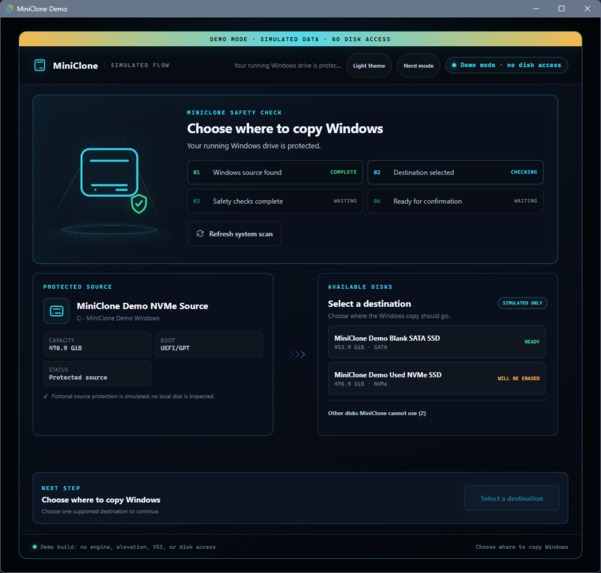
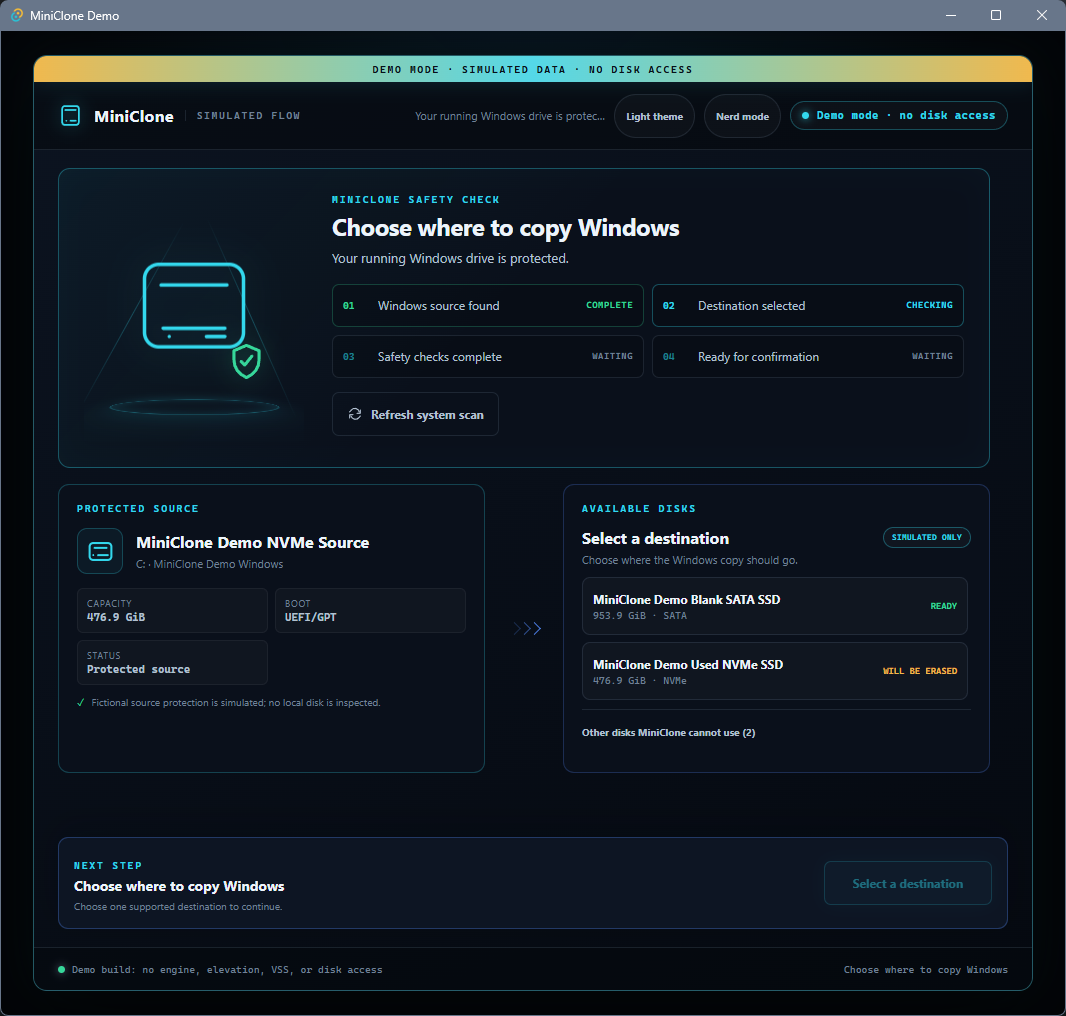
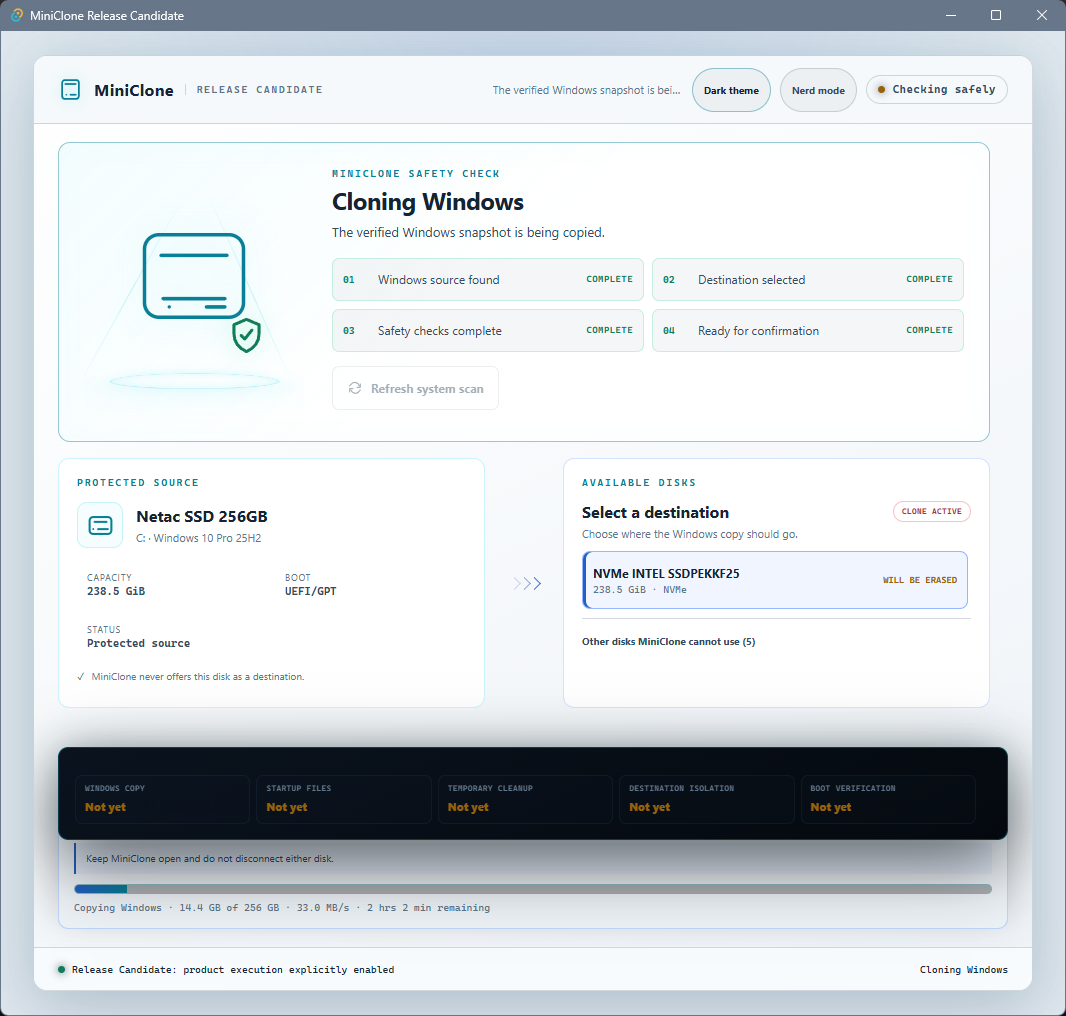
Startup scan automatically identifies and protects the running Windows boot disk.
-
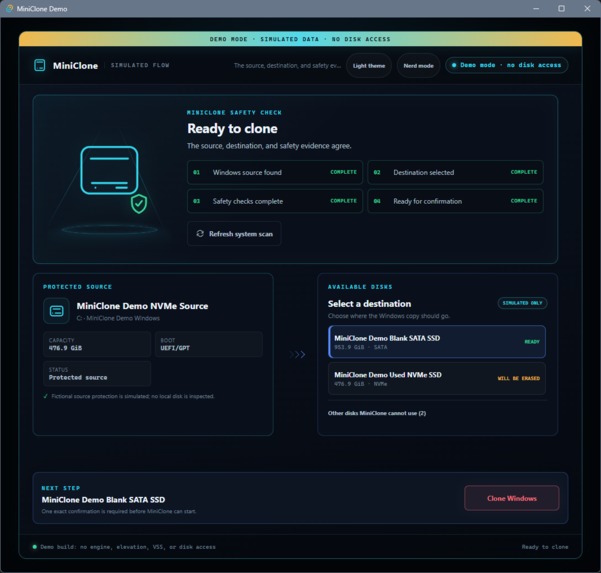
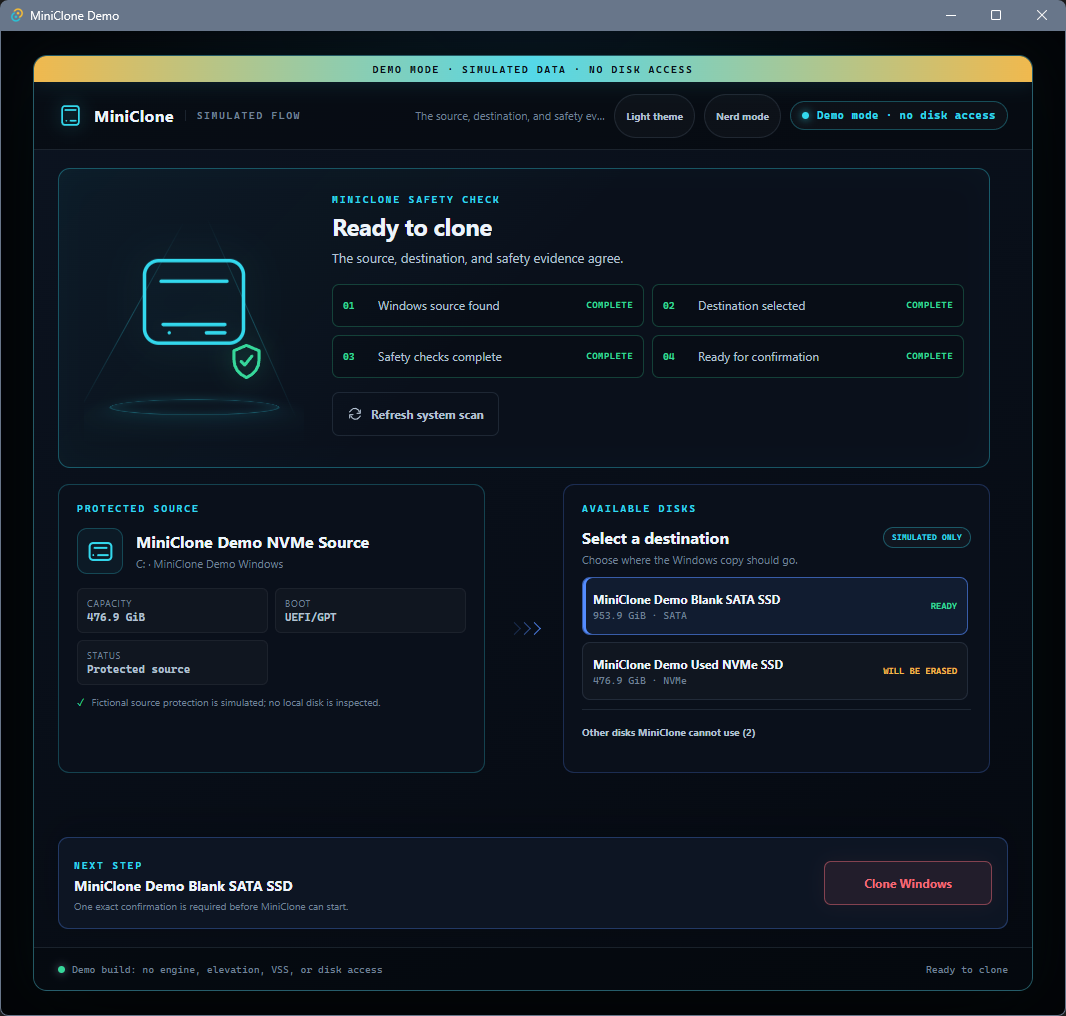
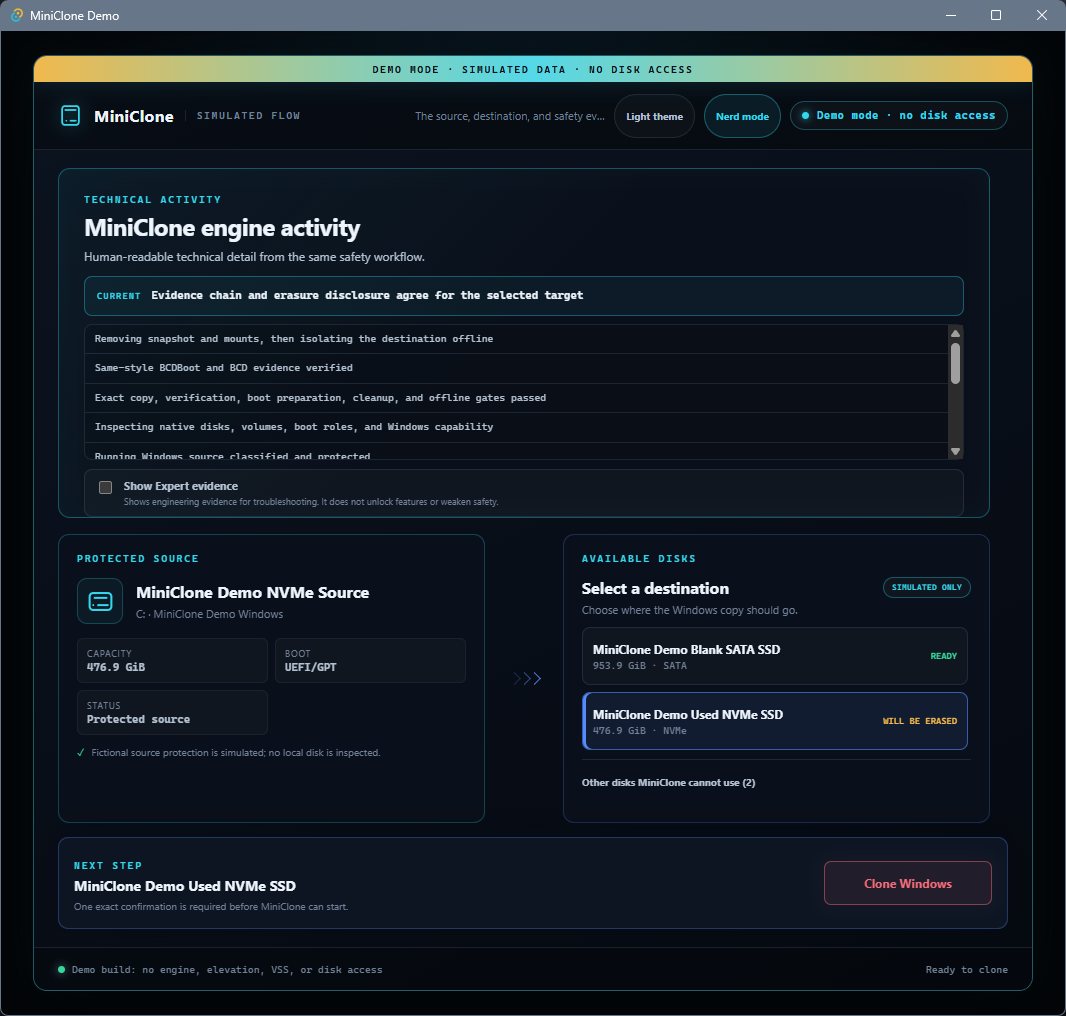
Preflight classifies eligible targets using identity, capacity, topology, health, and safety evidence.
-
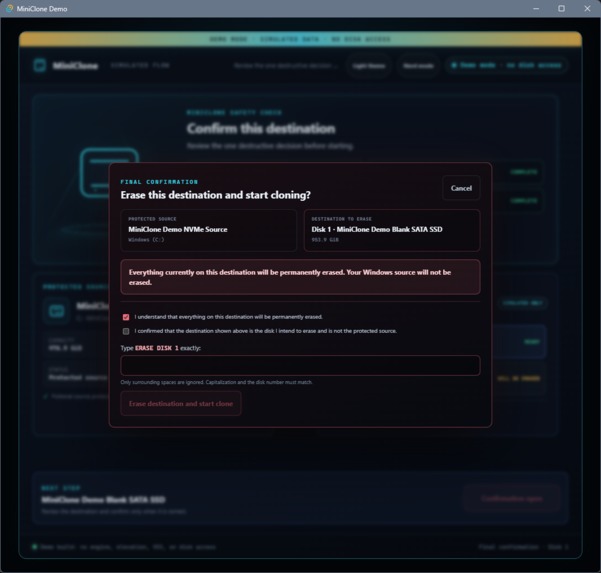
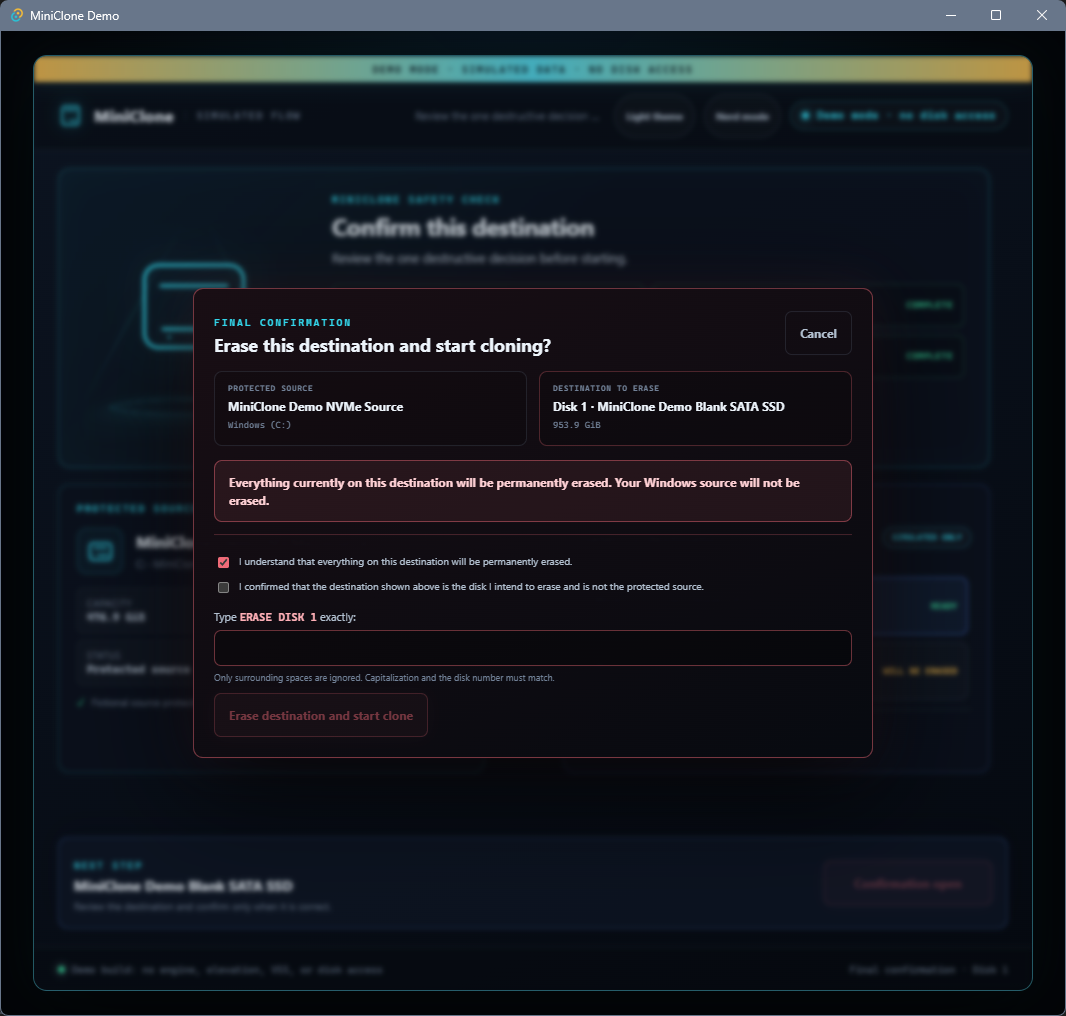
Explicit erasure confirmation keeps the source and destination identities visible before any destructive action.
-
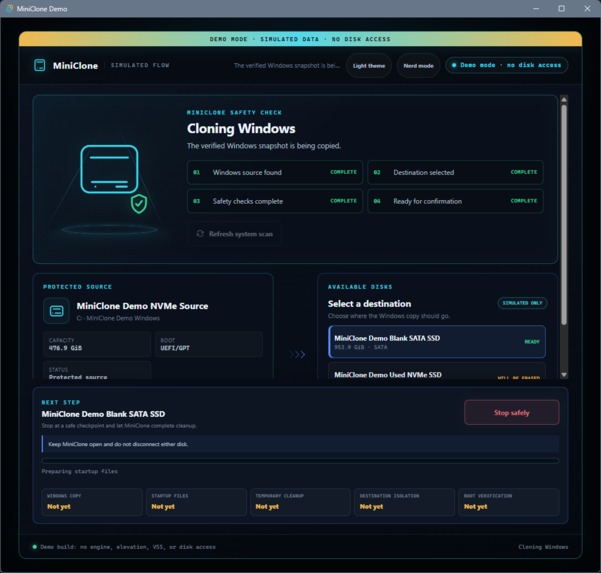
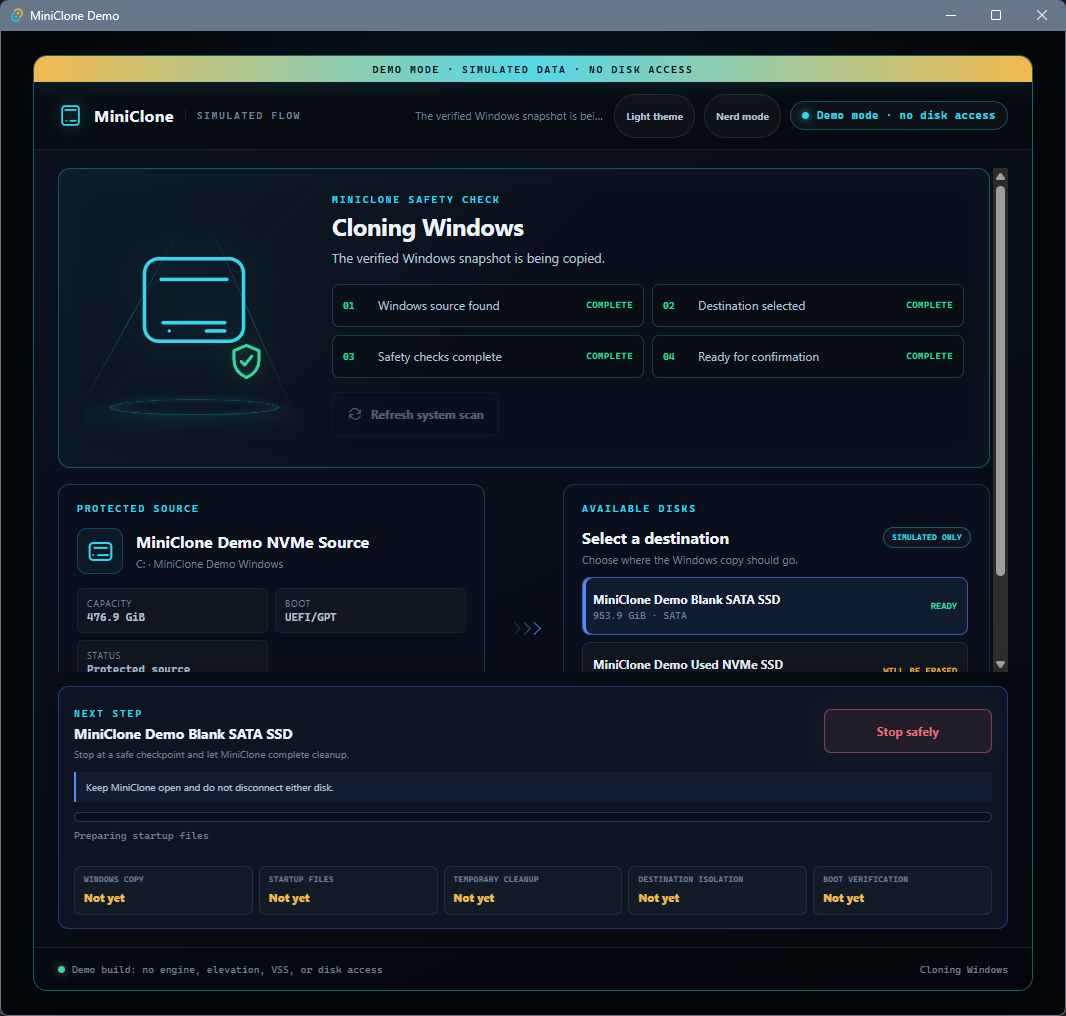
Clone progress separates snapshot, preparation, copying, verification, boot preparation, and cleanup.
-
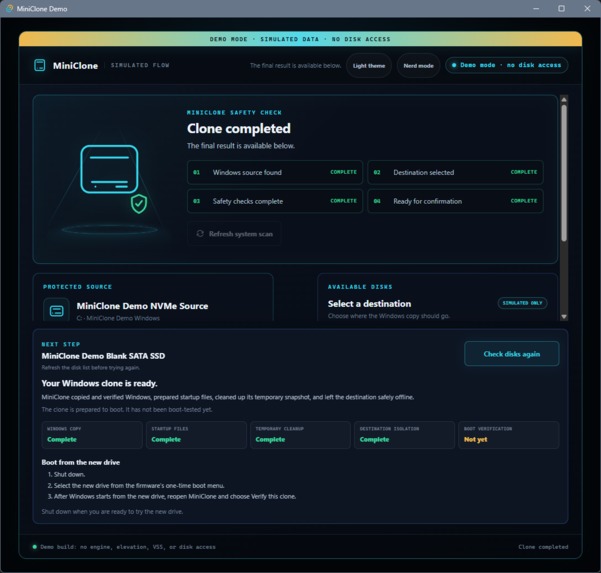
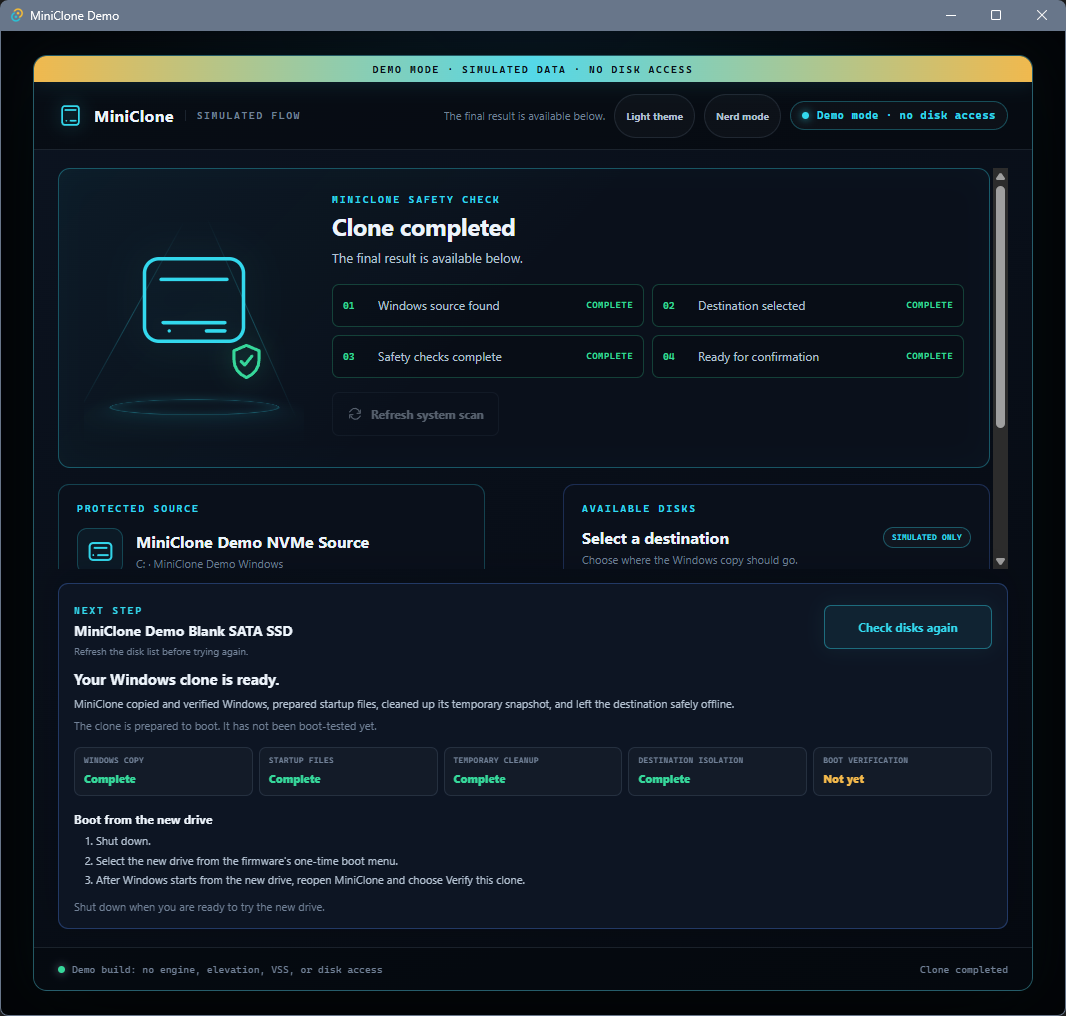
Completion distinguishes byte-exact copying, prepared-to-boot status, and post-boot verification.
-
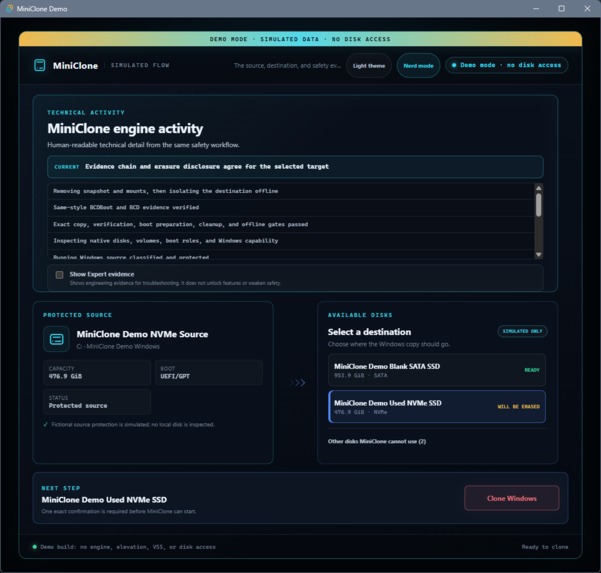
"Nerd Mode" exposes bounded technical activity without overwhelming the normal workflow.
-
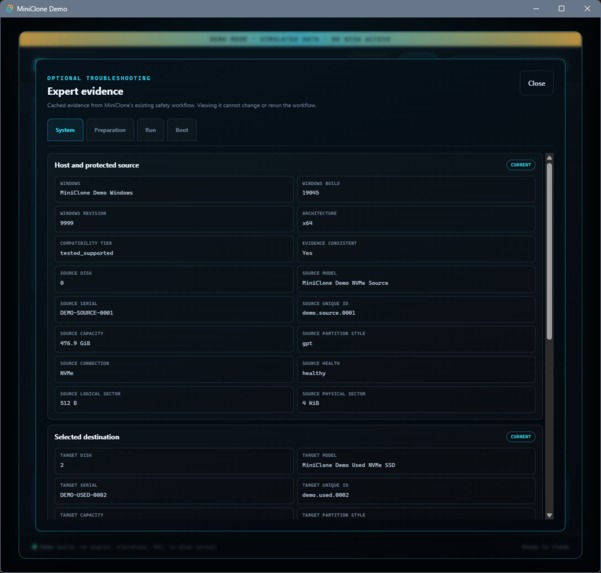
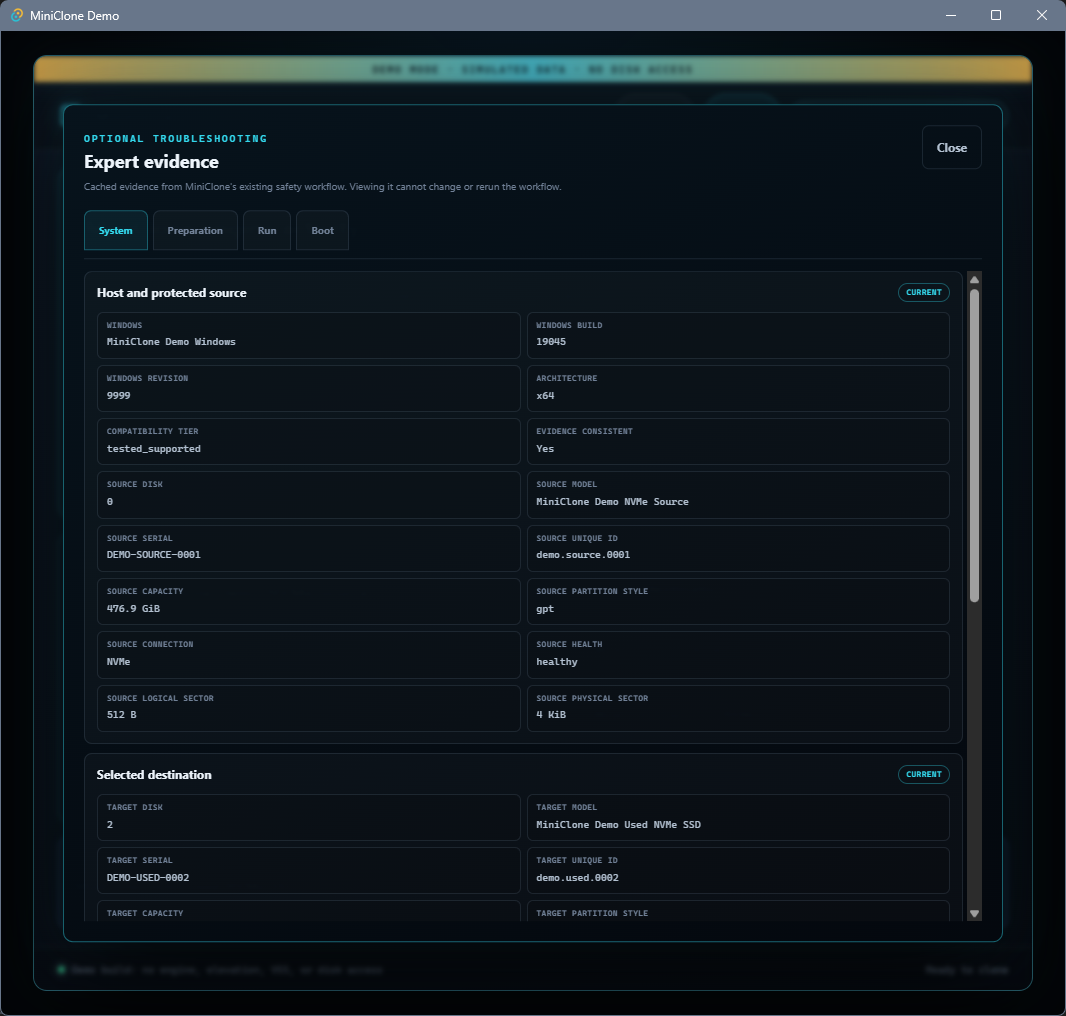
"Expert Mode" evidence shows System, Preparation, Run, and Boot records for independent review.
-
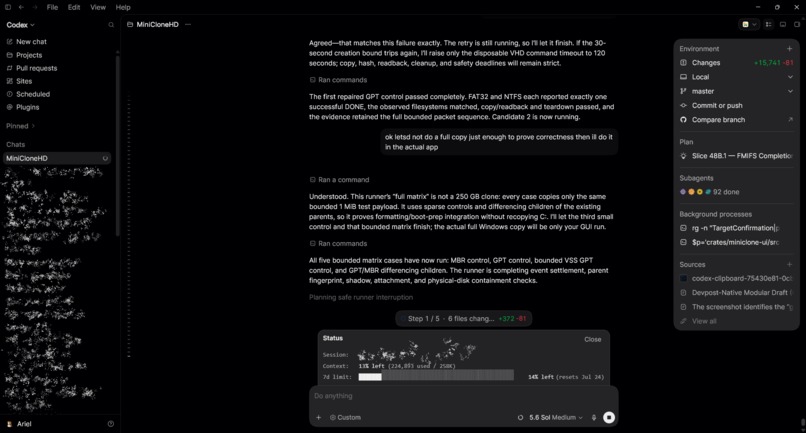
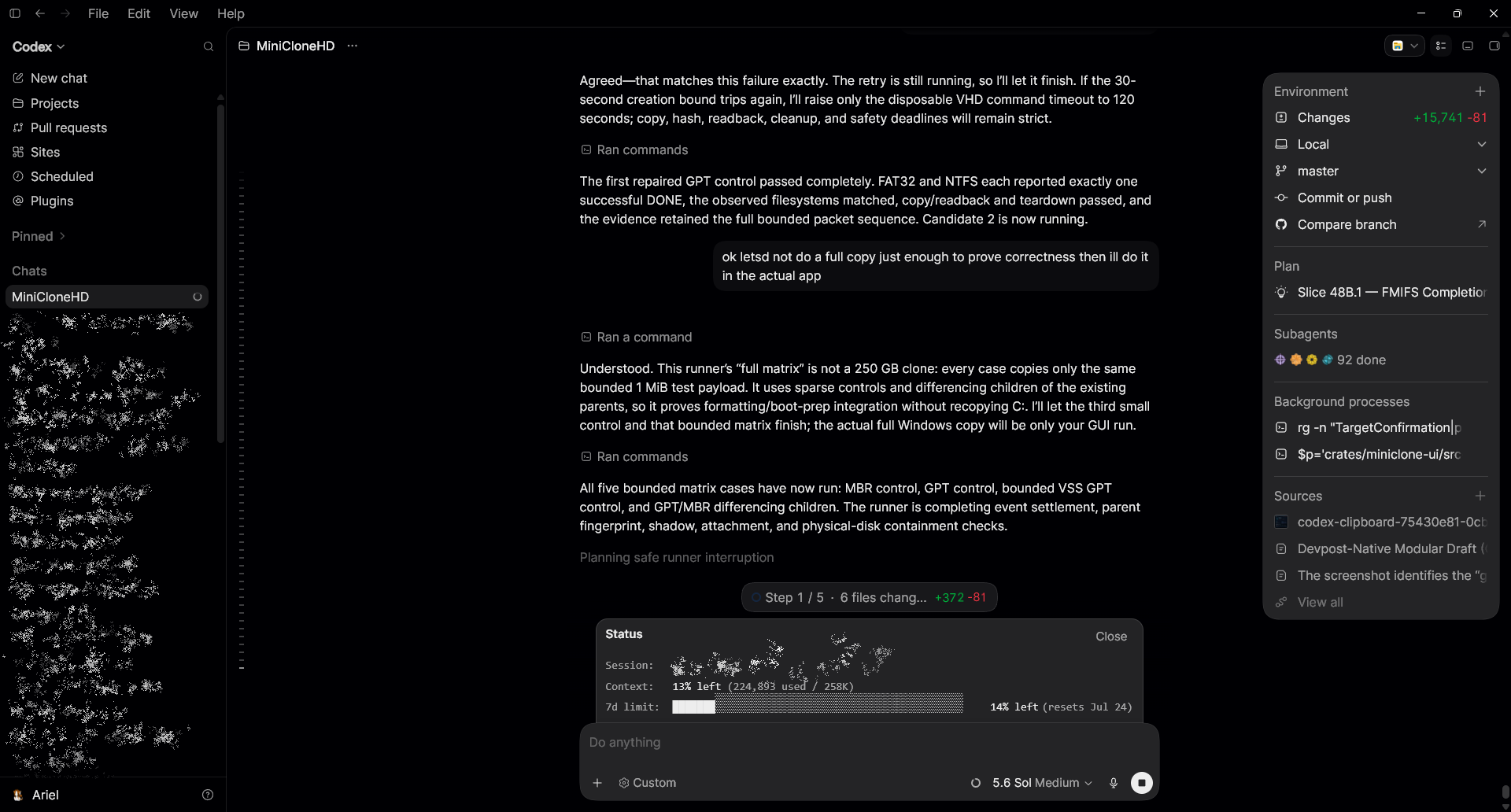
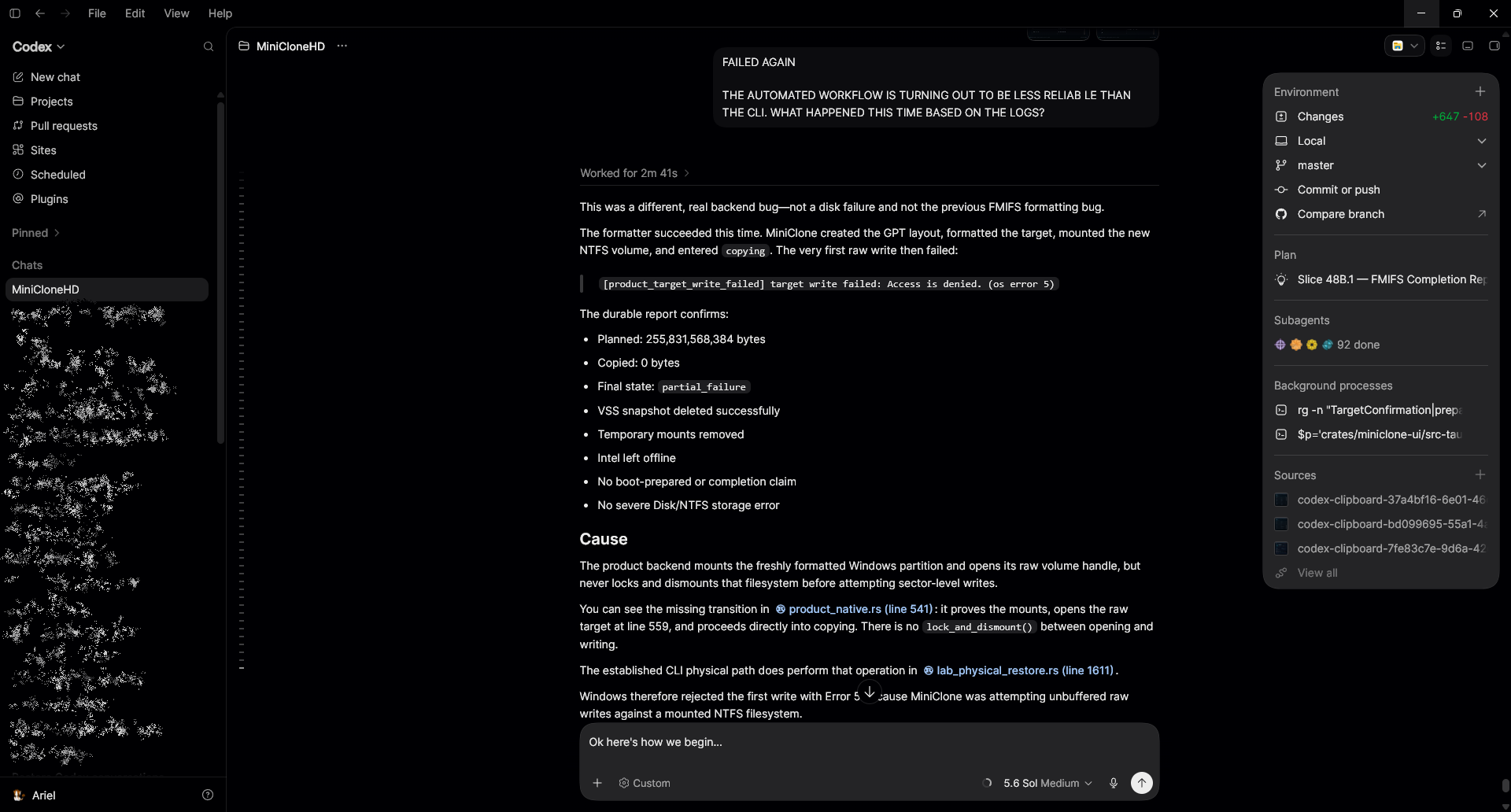
Codex reproducing ambiguous Windows storage behavior in a controlled test harness.
-
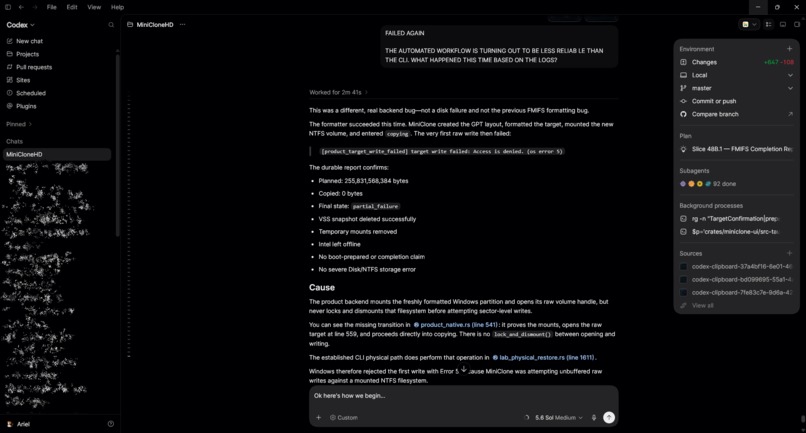
Evidence-backed logs let Codex diagnose observed machine behavior without guessing.
-
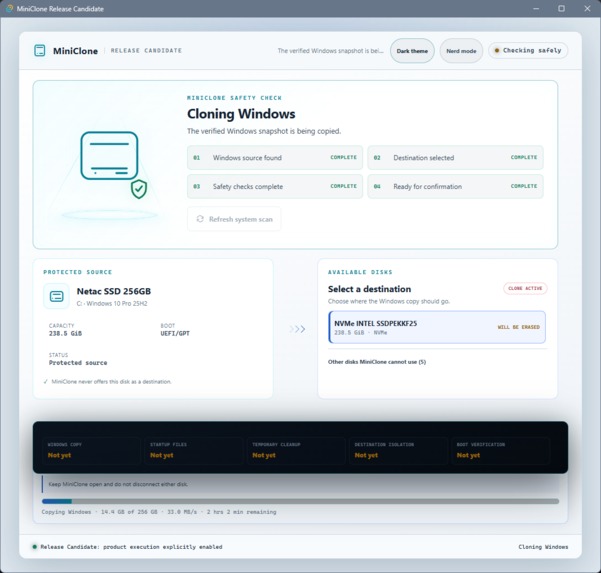
The complete product experience also supports light mode.
MiniCloneHD
Clone your Windows partition to a new disk—live, with no reboot.
MiniCloneHD was developed under my direction with Codex and GPT-5.6. I defined the product, safety policy, architecture, and acceptance criteria; Codex helped turn those decisions into a tested Windows storage application.
Inspiration
Two weeks ago, I was not planning to enter a hackathon. My Windows SSD was dying, I already had a replacement drive, and I needed to move my running system without reinstalling everything.
I expected that to be a solved problem. Instead, I found the same small group of cloning utilities I remembered from years ago. Many prominently advertised a free edition, then placed live, bootable Windows migration behind a roughly $50 annual subscription—after the user had already downloaded, installed, configured, and sometimes started the workflow.
I did not want to rent a once-in-a-decade utility for an entire year. I wanted one focused tool: choose a destination, confirm it, clone Windows, and receive truthful evidence about what completed.
That became MiniCloneHD.
What it does
MiniCloneHD is a local Windows desktop application that copies a running Windows installation to another internal drive without requiring external boot media or a preliminary reboot.
- Live snapshot: a native VSS requester creates a consistent point-in-time view of the running Windows volume.
- Defensive destination selection: MiniCloneHD protects the running Windows disk and its boot dependencies, validates the destination's identity and topology, and refuses ambiguous or unsupported devices.
- Same-style boot preparation: GPT/UEFI and MBR/BIOS sources are prepared as the matching layout on a freshly initialized destination.
- Copy verification: source data is streamed in bounded chunks, hashed, written, immediately read back, and compared. Exact coverage, aggregate hashes, cleanup, destination isolation, and boot preparation remain separate gates.
- Post-boot proof: after the clone starts Windows, MiniCloneHD can verify that the running installation matches the recorded clone provenance. “Copied,” “prepared to boot,” and “boot tested” are deliberately different claims.
The normal interface keeps this simple: MiniCloneHD finds and protects Windows, the user selects one destination, the safety checks run automatically, and one explicit confirmation starts the operation. Nerd Mode translates the same workflow into a bounded technical activity feed. Nested Expert evidence exposes the detailed proof without turning the normal experience into a wall of storage metadata.
Working proof and current boundary
MiniCloneHD has been exercised on real Windows 10 and Windows 11 systems using sacrificial SSDs as well as an extensive disposable-VHD certification matrix.
One GUI-driven Windows 11 run copied and immediately read back the full planned Windows volume, produced matching total hashes, prepared the GPT/UEFI boot files, and later booted successfully from the Intel destination. The post-boot verifier matched the running clone to its recorded provenance.
That historical run also demonstrates the application's fail-closed reporting: a redundant final cleanup relock failed after the destination had already been left offline, so its immutable run summary remained partial_failure instead of rewriting history into a success. The redundant relock was subsequently removed. The final release-candidate code contains that repair and stricter exact-read handling, but has not been followed by another destructive full-disk acceptance run.
For judging, the primary experience is the diskless Demo. It exercises the complete polished workflow with fictional hardware and deterministic evidence, requires no rebuild or sacrificial disk, and cannot perform storage operations. The normal package is validation-only. The separately identified release candidate is clearly bounded and is not required to evaluate the product.
How it was built
The core engine is written in Rust for explicit ownership and predictable cleanup across long-running storage operations. A narrow C++ IVssBackupComponents requester handles the native VSS lifecycle. Tauri provides the Windows desktop shell, while the frontend uses local HTML, CSS, and JavaScript with no network dependency at runtime.
The engine uses native Windows storage and Virtual Disk APIs for discovery, layout, I/O, identity, and lifecycle evidence. Microsoft-generated bindings replaced hand-written ABI declarations where testing exposed risk. Microsoft BCDBoot remains a bounded, hidden, exact-argument exception because it is the supported deployment tool for creating Windows startup files.
Safety is evidence driven, not based on one development machine's disk numbers. The product independently rediscovers source and target identity before the first writable handle, checks active boot dependencies and supported topology, requires exact confirmation, journals its transitions, and attempts bounded cleanup on every terminal path. The public first-release scope is intentionally narrow: fixed, local, basic internal ATA/SATA/NVMe targets; same-style GPT/UEFI or MBR/BIOS cloning; no BitLocker source, USB target, RAID, dynamic disk, Storage Spaces, conversion, recovery-partition migration, or partition expansion.
How Codex and GPT-5.6 changed the workflow
Codex was not merely autocomplete. GPT-5.6 worked with me across one continuous engineering thread spanning Rust, C++, Tauri, VSS, virtual disks, partition layouts, Windows boot preparation, event logs, and UI state.
When Windows produced strange storage behavior, Codex did more than suggest code edits. It built controlled PowerShell harnesses and used Windows' own VSS, Event Log, Virtual Disk, storage, and boot tools to reproduce individual procedures outside MiniCloneHD. That separated hardware incidents and Windows behavior from defects in our code before we changed the product.
In parallel, Codex researched Microsoft's VSS, GPT/UEFI, BCDBoot, VirtDisk, COM/WMI, and native storage documentation. It translated the resulting evidence into Rust and C++ implementations, fail-closed gates, injected-I/O tests, bounded VHD experiments, durable reports, and finally the simple Tauri experience judges see.
The most effective pattern behaved almost like an autocompiler. I used the ChatGPT desktop agent with GPT-5.6 to investigate a problem and shape a detailed plan. I hand-edited that plan until the important product decisions, safety rules, interfaces, failure behavior, and acceptance criteria were explicit. Codex could then implement, test, audit, and document the decision-complete slice with limited supervision. I remained responsible for scope, tradeoffs, destructive authorization, and acceptance.
During the official submission period, account telemetry recorded approximately 6.56 billion Codex tokens. That is account telemetry—not a billing figure or a claim that every token belonged exclusively to one source file. The repository includes the planning history and proof ledger showing where those iterations went.
Challenges and lessons
The hard part of disk cloning is not moving bytes. It is consistency, identity, topology, startup preparation, verification, cleanup, and knowing exactly which facts are proved at each point.
Disposable VHD experiments were essential. They let us exercise FAT32/NTFS formatting, MBR/GPT layouts, raw I/O, immediate readback, cancellation, VSS cleanup, boot preparation, detach behavior, and failure injection before advancing changes toward physical hardware. They also exposed errors that ordinary happy-path tests missed, including native binding mistakes, teardown races, misleading formatter callbacks, recovery dead ends, and strict-read assumptions.
The larger lesson is that AI-assisted development becomes much stronger when every uncertain observation is converted into a bounded experiment and every result is converted into a regression test or an explicit claims boundary.
Build Week scope and next steps
MiniCloneHD began as a small pre-event GUI prototype and personal migration need. During the official Build Week period, it was meaningfully extended into the native cloning engine, product safety classification, VSS lifecycle, VHD certification system, physical worker, evidence pipeline, post-boot verification, progressive-disclosure Tauri interface, diskless judge Demo, website, packaging, and documentation now presented here.
Next steps are broader hardware certification, replacing the remaining audited helper-process dependencies where native APIs are practical, BitLocker-aware workflows, recovery/WinRE migration, destination expansion, and code signing. Those items are intentionally not presented as finished.
MiniCloneHD's goal is simple: make moving Windows to a new drive understandable, verifiable, and safe—without turning an occasional necessity into a subscription.


Log in or sign up for Devpost to join the conversation.