-
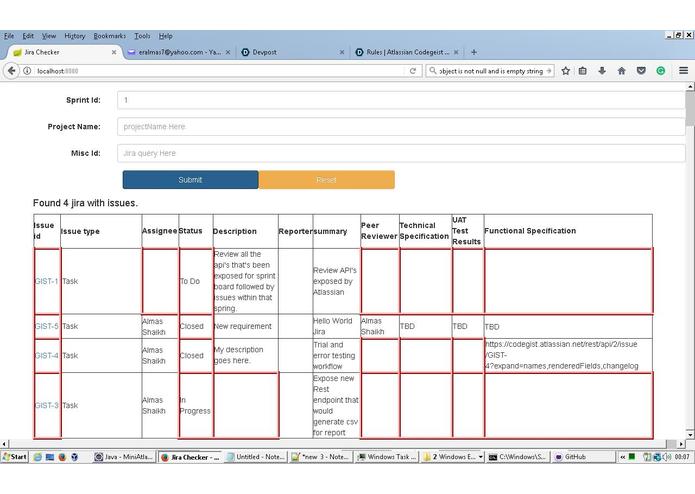
-
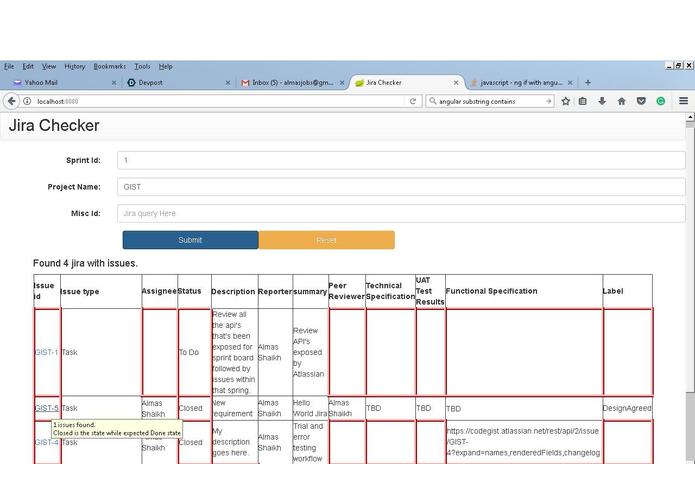
With Sprint Id.
-
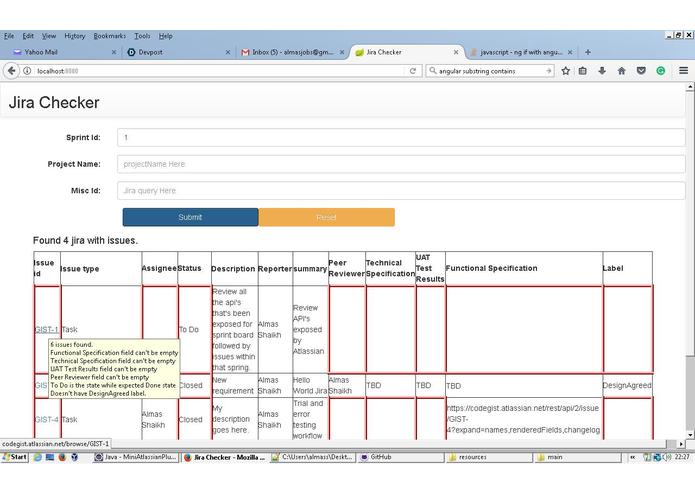
With Sprint Id and project name.
-
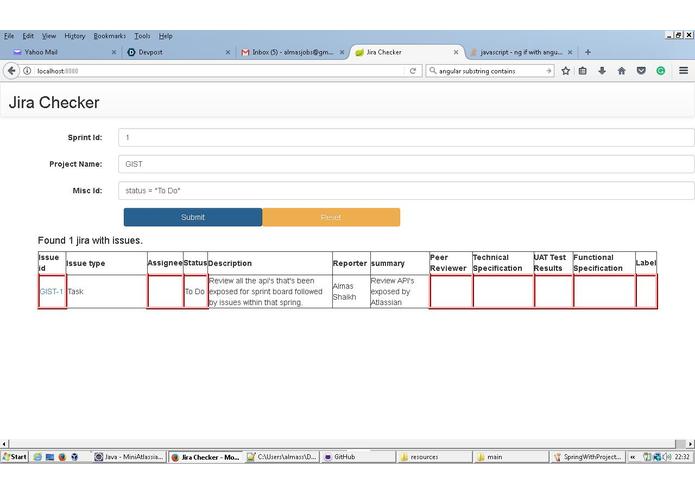
With SprintId, Project Name, Query
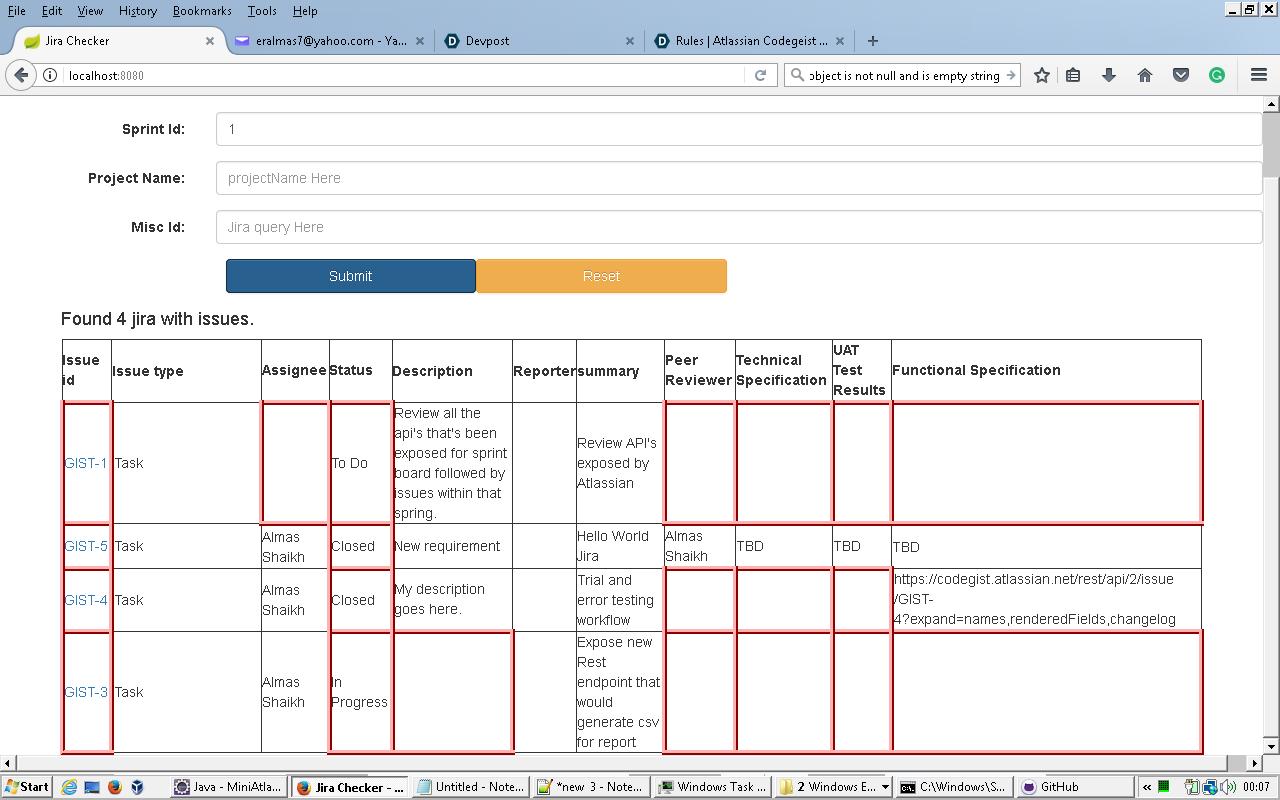
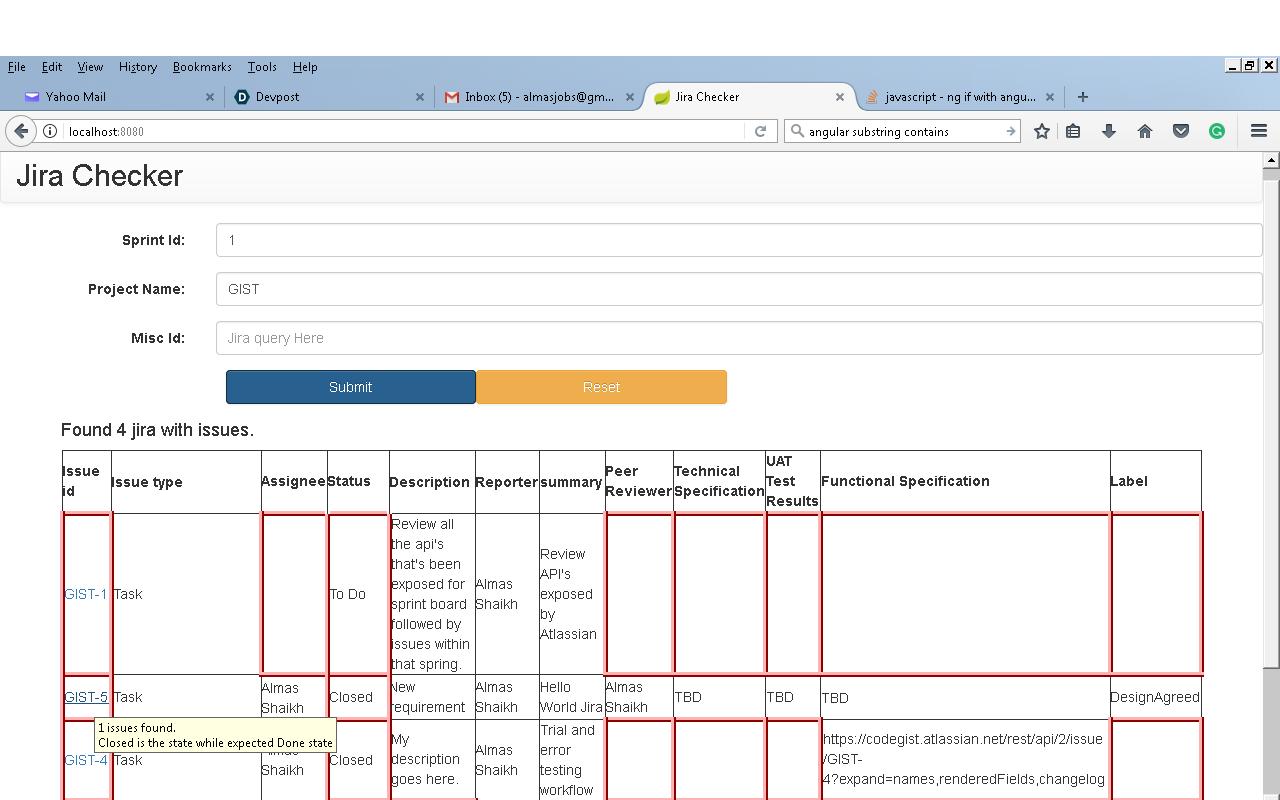
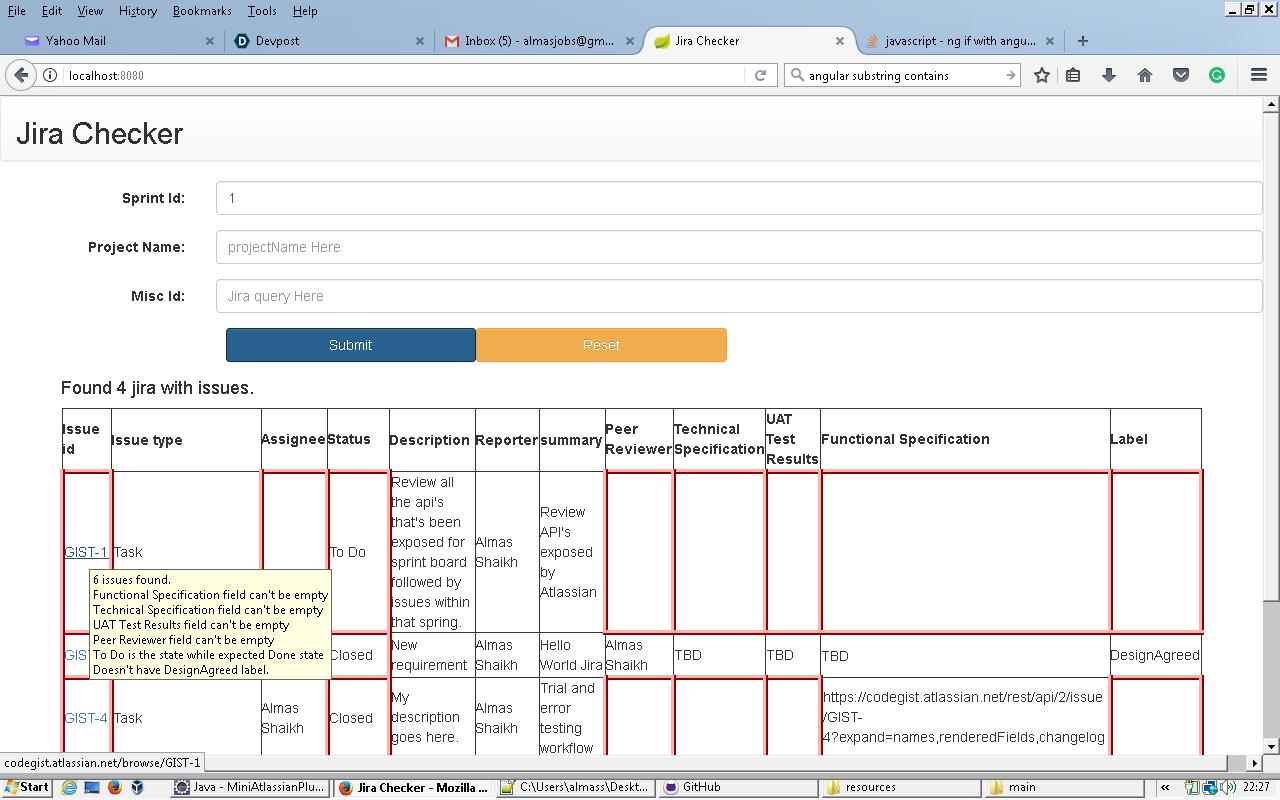
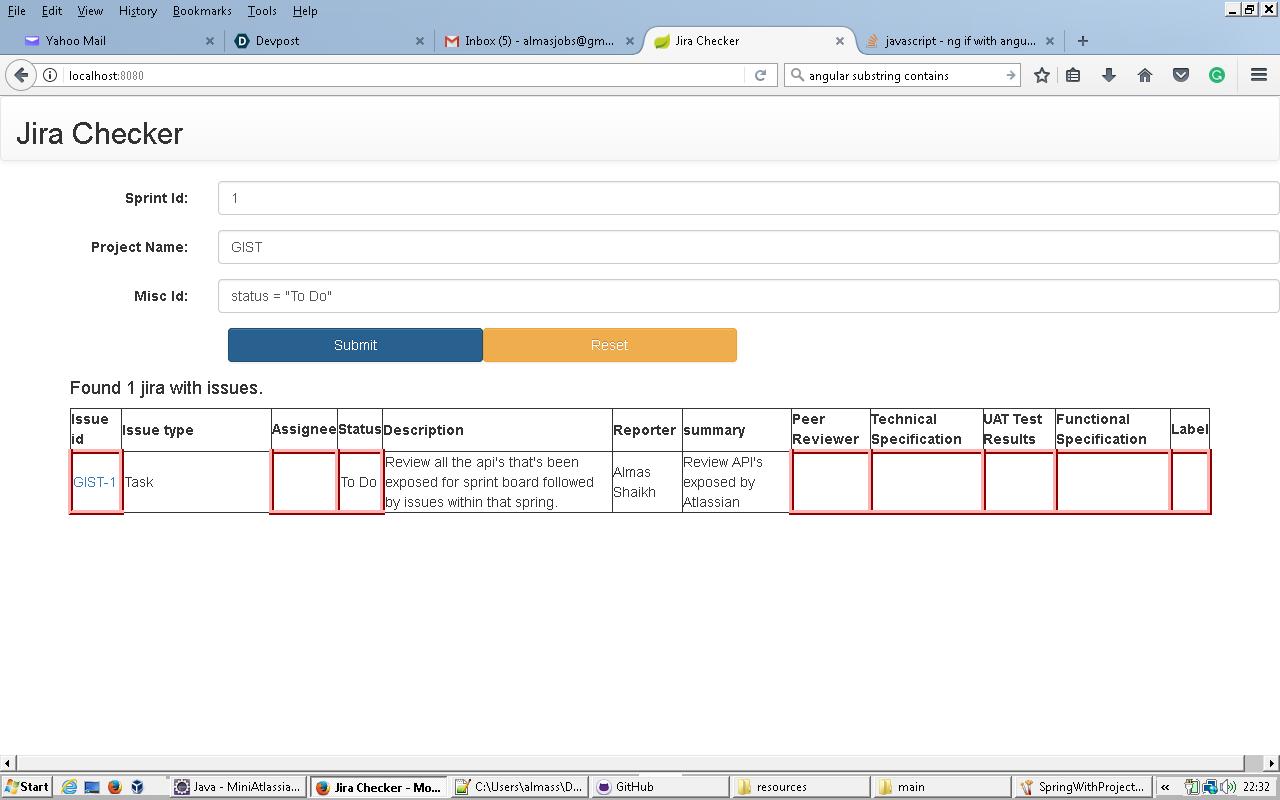
Goal
Produce a simple web application which would display the Jira status.
Requirement
It's a pain for a release manager during the release where the could not confirm whether SDLC has been followed or not. Also whether the user has added test results, whether the code has been reviewed or design has been discussed and so on.
This web application would help users to display jira violations in easy to read way. It would highlight which fields are missing for e.g. and show that as the violation. Not only that it would help users to track where Jira's are using a dashboard which can be made onto Jira dashboard.
It's configurable where we can select which fields we want to display on UI.
This project would work as below:
- UI to ask the user to enter sprint id and optionally can ask project name and allow the user to enter a miscellaneous query that user would enter onto Jira dashboard.
- Based on data provided on the GUI, backend would perform the following:
- Form the query using data provided on the GUI.
- Get all the issues associated with the query formed.
- Do the validation on each and every issue.
- Form the response and return it back to GUI.
- Display the violation in easy to read way on GUI.
- Display proper error when say Sprint is invalid or Jira service is down for e.g.
Instructions to build and run the application.
Pre-requisite for this project:
- Install Java8 using the instruction mentioned https://www.ntu.edu.sg/home/ehchua/programming/howto/JDK_HowTo.html
- Install Maven using the instruction mentioned https://maven.apache.org/install.html
To build the application:
- Download the solution to a directory and unzip it into MiniAtlassianPlugin folder.
- Change the URL and credentials of Jira dashboard in application.properties.
- Once done, you could create executable jar using "mvn clean package"
- Once done, you should be able to run the application using "java -jar target/*.jar"
highlights of this project:
1. Based on SOLID design principle.
2. Monitoring is available https://localhost:8080/health (change port if its explicitely provided)
3. Added Integration test. We could have Unit tests for each and every classes and methods explicitely by mocking out dependencies.
4. Light weighted UI and considering to be running both on the same host as of now for this exercise.
Technologies used to build backend services:
1. Java 8
2. Spring Boot framework
3. Atlassian rest java client
4. Spring-Test
5. Tomcat
6. Maven
Technologies used to build front end services:
1. Bootstrap
2. Angular JS
3. Html 5
Assumptions:
1. The team is following agile.
2. We could slice and dice the data later so we could see how many issues are violating norms based on user for e.g.
3. We can extend UI to hide/show certain fields. It's currently a bespoke dashboard with additional fields (In addition to what's default by Atlassian)
4. All the mandatory fields and labels can be defined in application.properties.
5. To make it usable for your Jira service, please change the Jira URL along with credentials in application.properties. Jira dashboard that i used is trail one which is due to expire on 5th August 2017.
Built With
- angular.js
- bootstrap
- css
- html
- java
- javascript
- spring-boot


Log in or sign up for Devpost to join the conversation.