Inspiration
We’ve always interacted with powerful systems like Windows and Android, but the internal workings felt like a “black box.” Our curiosity inspired this project to break that box open and understand how an OS actually thinks, manages, and responds.
What it does
Mini OS is a simplified operating system simulation that brings core OS concepts to life. It can: Execute user commands through a CLI Manage basic processes Simulate file operations Demonstrate how scheduling works
Think of it as a learning playground for understanding how real operating systems function—without the overwhelming complexity.
How we built it
We built Mini OS using Python, focusing on clarity and modularity.
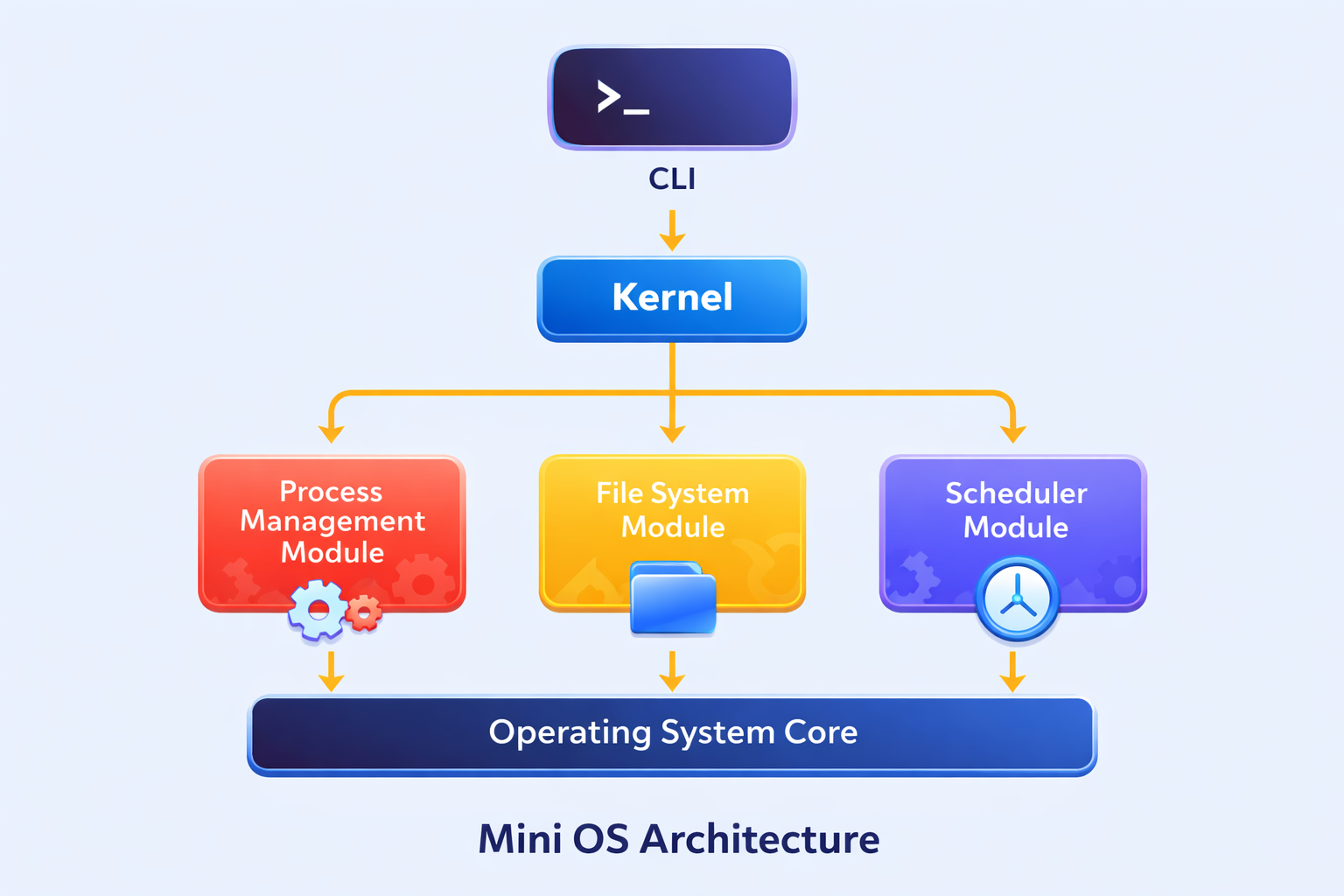
The system is divided into:
Kernel Logic – handles core operations Command Line Interface (CLI) – interacts with the user File System Module – manages files Process Scheduler – simulates task execution
We used data structures like queues and lists to manage processes.
Challenges we ran into
Understanding real OS concepts like process scheduling and simplifying them Managing communication between modules without breaking the system Debugging logic where one small mistake affected the entire workflow
At times, it felt like building a puzzle where every piece depended on another.
Accomplishments that we're proud of
Built a functional Mini OS from scratch Successfully simulated core OS behaviors Created an interactive and user-friendly CLI Turned theoretical concepts into practical implementation
What we learned
This project taught us more than just coding:
How operating systems actually work behind the scenes Writing clean, modular, and scalable code Debugging complex logic step-by-step Thinking like a system designer, not just a programmer
What's next for Mini OS
Next steps include:
Adding a GUI interface Implementing advanced scheduling algorithms Simulating memory management Adding basic security features Expanding into a more realistic OS environment

Log in or sign up for Devpost to join the conversation.