Neuron
What problem Neuron solves and why I built it
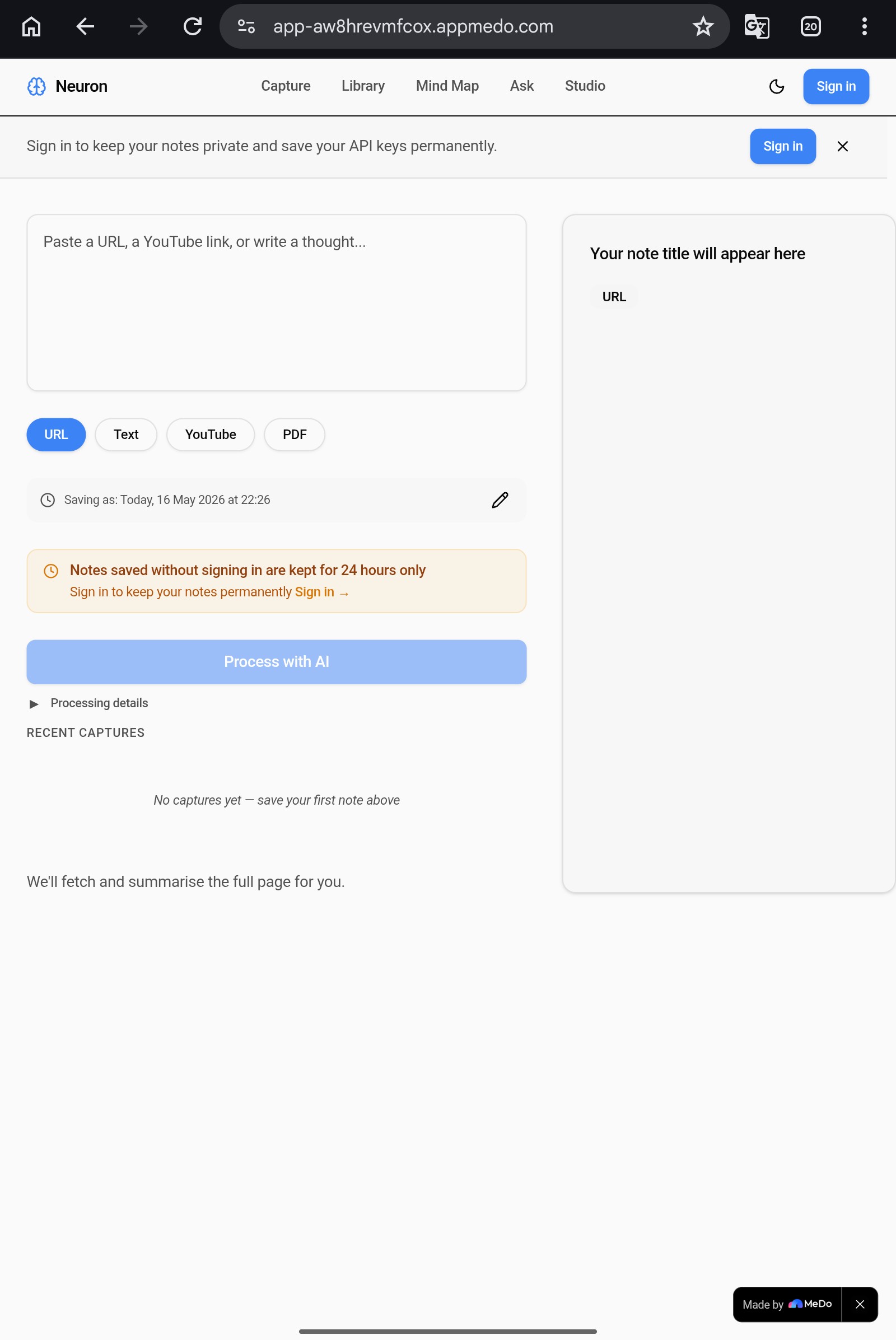
Every day we consume articles, videos, research papers, and ideas — and forget almost all of them. Traditional note-taking apps store information but cannot make sense of it. They give you a filing cabinet, not a thinking partner.
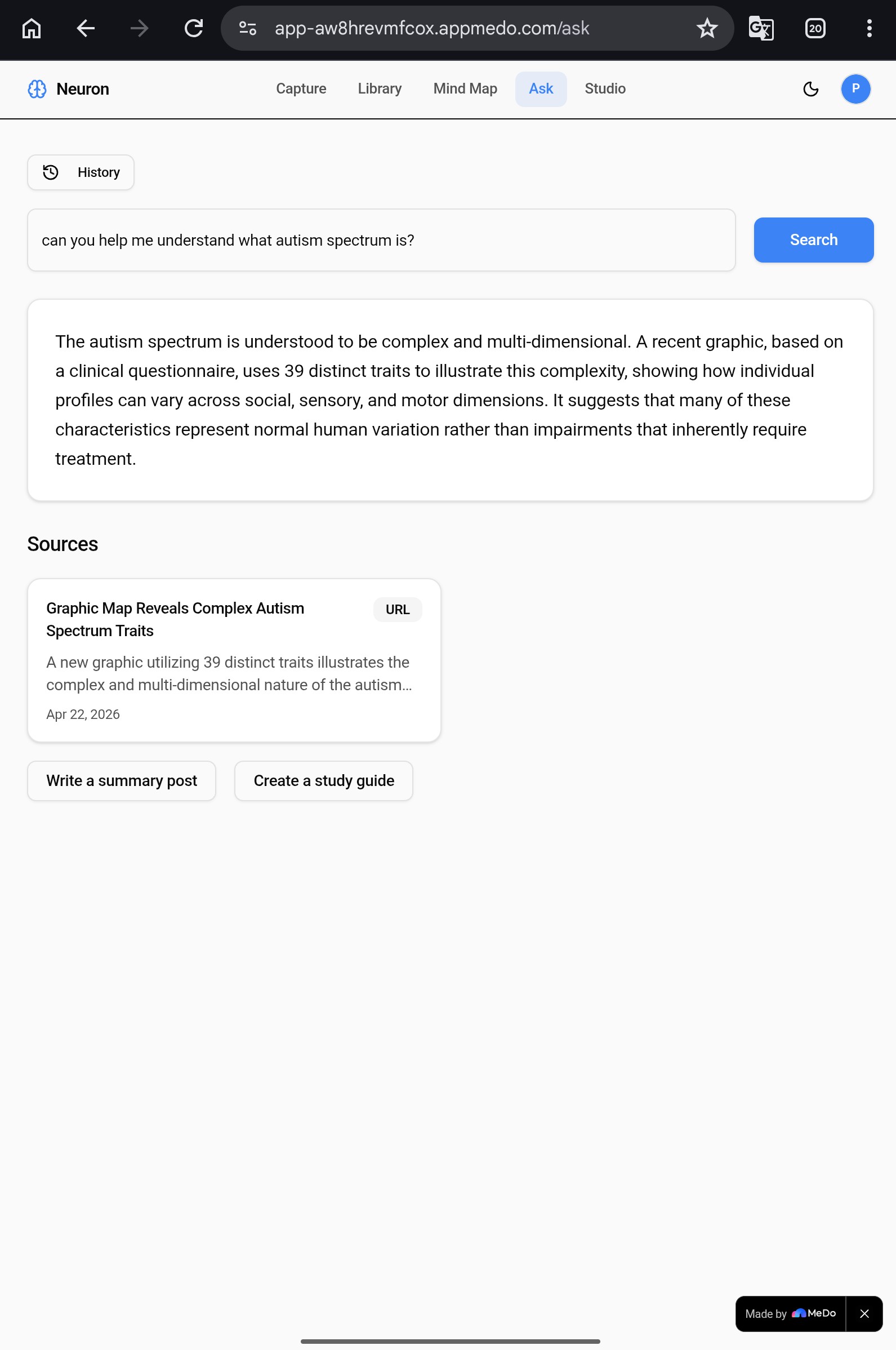
I built Neuron to be a genuine second brain — an AI-powered personal knowledge vault that doesn't just save what you read, but understands it, connects it to everything else you know, and lets you query your entire knowledge base in plain English. The goal was to make captured knowledge actually useful rather than just archived.
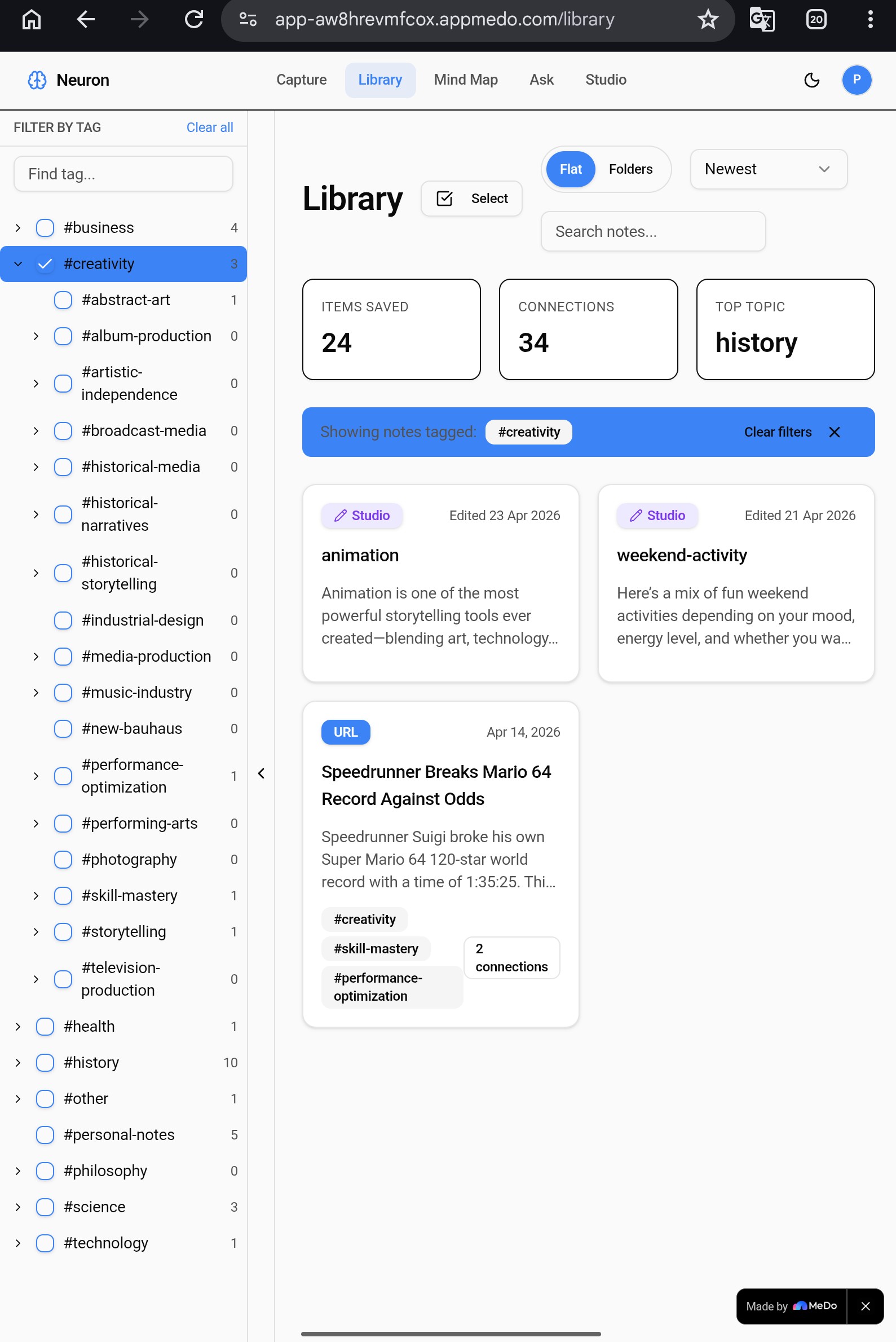
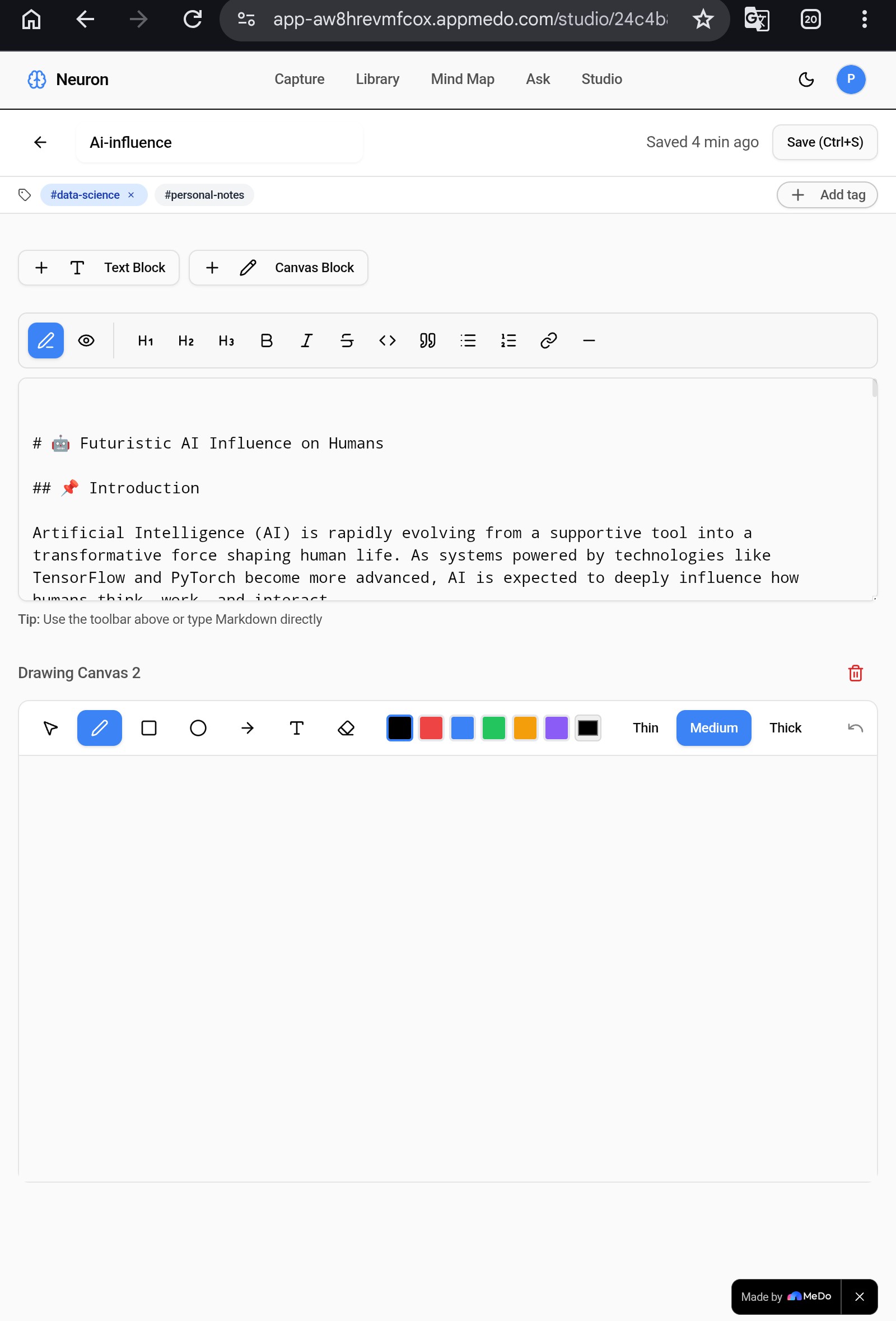
The challenge I set myself was ambitious: build a production-quality, full-stack knowledge management app with AI summarisation, semantic connection detection, a multi-mode interactive mind map, OCR-powered PDF extraction, a document editor with drawing canvas, and a hierarchical tag system — without writing a single line of backend code. MeDo made this possible.
How I structured conversations with MeDo
My approach was to treat MeDo as a senior full-stack developer who needed precise, detailed briefs rather than vague requests. I learned quickly that MeDo responds best to descriptions of user experience — what the user sees, what they click, what happens next — rather than technical commands like "create a database schema."
I structured the build in five distinct phases, each as a focused conversation:
Phase 1 — Foundation. I described the complete app in a single master prompt covering all four initial screens (Capture, Library, Mind Map, Ask), the data model, and the AI processing pipeline. This gave MeDo the full picture before generating anything, which produced a coherent skeleton rather than disconnected fragments.
Phase 2 — Feature depth. Each subsequent conversation focused on one feature at a time. I described the exact UI in detail — pixel sizes, colours, hover states, animations, edge cases — because MeDo generates better code when it can visualise the output precisely.
Phase 3 — API integrations. I introduced external services one at a time: Jina Reader for URL scraping, YouTube oEmbed for video metadata, and PaddleOCR for PDF extraction. Each integration was described as a user flow with exact API endpoints and expected response structures included in the prompt.
Phase 4 — Debugging. When something broke silently, I asked MeDo to add detailed debug logging panels rather than guessing at fixes. Reading the actual error messages from the debug output let me write surgical fix prompts that targeted the exact failing line rather than regenerating large sections of code.
Phase 5 — Polish. Final prompts covered UI consistency, animation, dark mode, mobile responsiveness, and the tag hierarchy system — all described visually so MeDo could apply changes without breaking existing functionality.
The most important discipline I maintained throughout: one feature per message, test in preview before the next prompt, and never bundle multiple fixes together.
The most impressive feature MeDo helped me create
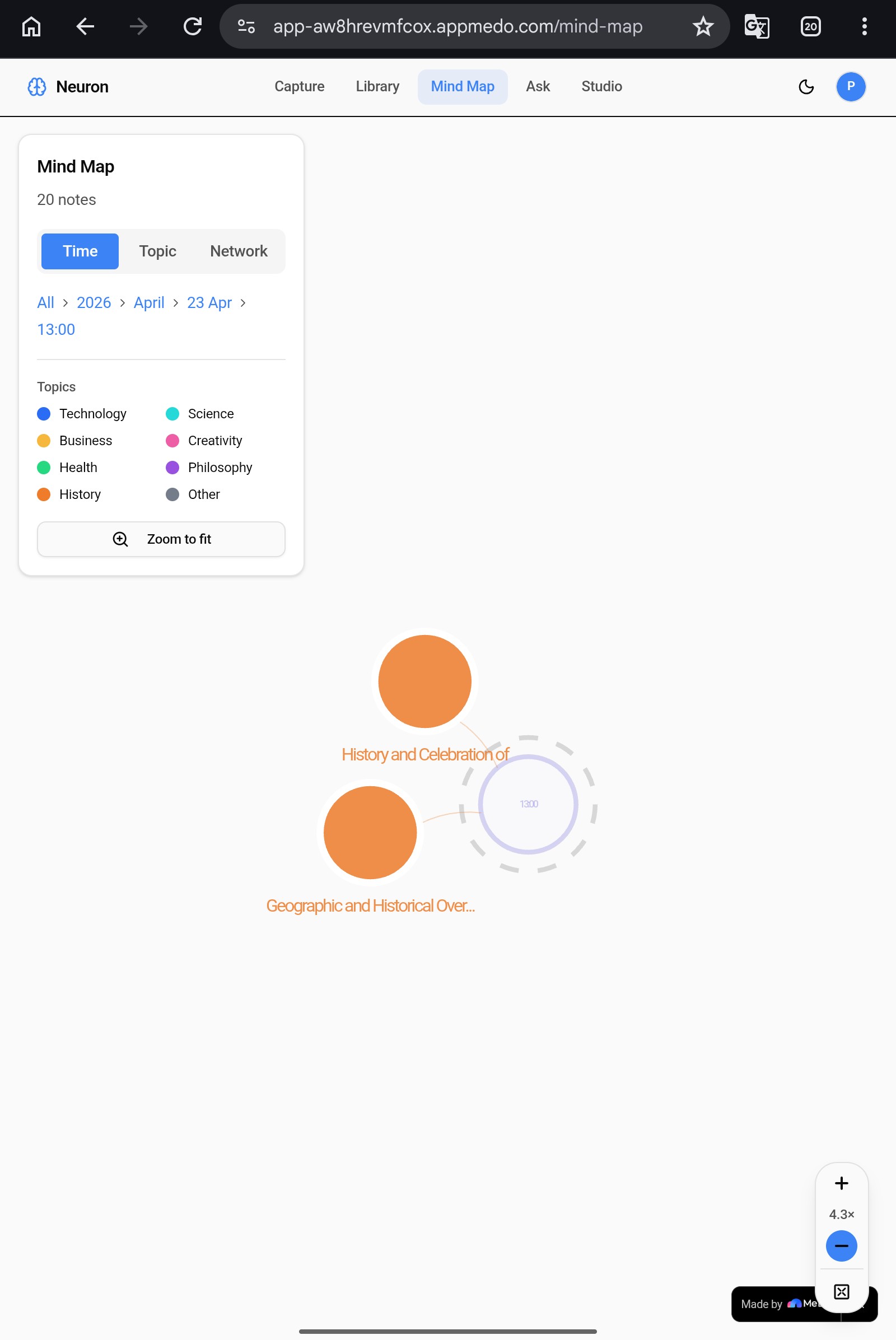
The multi-mode zoomable mind map is the feature that most surprised me with what MeDo was capable of generating.
I described three completely different visualisation modes in a single detailed prompt — Time Drill, Topic Drill, and Network — each with their own zoom levels, node styles, interaction behaviours, and mathematical layout algorithms. I specified the level-of-detail unfolding mechanic: as the user zooms in, parent nodes become ghost anchors at 30% opacity so the user never loses context of where they are in the hierarchy. I described bezier connection lines that animate in using SVG stroke-dashoffset. I specified the orbital layout algorithm for Network mode with ring radii and the golden angle spiral fallback for overlap prevention.
MeDo generated working SVG-based visualisations from these descriptions. The ghost parent mechanic — where drilling into a year node leaves a dim outline of the year behind as spatial context — came directly from a single paragraph I wrote describing the desired behaviour. The breadcrumb navigation that tracks your drill path and lets you jump back up to any level was generated from one sentence.
What would have required a specialist data visualisation engineer and several weeks of work was generated through careful, specific natural language descriptions of what the user should experience.
How I used API integrations to extend functionality
Neuron integrates four external APIs, each solving a specific capture problem:
Jina Reader (r.jina.ai) extracts clean readable text from any webpage, solving the problem of scraping behind paywalls and complex page layouts. I described the integration as a fetch call that fires when the user selects URL as their source type, with a Microlink API call running in parallel to retrieve the page title and metadata.
PaddleOCR via Baidu AI Studio is the most technically sophisticated integration. The challenge was that browser security prevents direct API calls to the OCR endpoint due to CORS restrictions. I described this problem explicitly to MeDo and asked it to create a server-side proxy route — the frontend sends the base64-encoded PDF to the app's own backend, which then calls the Baidu endpoint server-to-server where CORS does not apply. MeDo generated both the proxy route and the frontend fetch logic. The response parsing — extracting rec_texts arrays from prunedResult objects nested inside ocrResults — was described using the actual JSON structure from the API documentation, which MeDo translated directly into working parsing code.
Supabase serves as the full backend — database, authentication, edge functions for AI processing, and real-time data. MeDo wired all data operations to Supabase without any manual backend configuration. The tag hierarchy system — where tags form a parent-child tree with the eight topic categories as permanent root nodes — required careful prompting to get the findOrCreateTag function matching on both name AND parent_id simultaneously to prevent duplicates, but once described precisely MeDo generated a robust implementation.
Why MeDo was the right tool for this
The most honest thing I can say about building Neuron with MeDo is that the limiting factor was never the platform — it was the quality of my descriptions. Every time something didn't generate correctly, the fix was always to describe the desired behaviour more precisely, not to work around MeDo's capabilities.
The features I was most sceptical MeDo could generate — the SVG mind map with three zoom modes, the server-side OCR proxy, the hierarchical tag tree with parent-child relationship resolution, the rich text editor with inline drawing canvas — all came from detailed natural language descriptions. The platform handled the engineering. I provided the product thinking.
Neuron is a genuinely useful application that I will continue using and developing. It was built in days rather than months. That is what MeDo makes possible.
Built With
- javascript
- jina
- paddleocr
- supabase
- typescript

Log in or sign up for Devpost to join the conversation.