Inspiration
The inspiration for ContentSpark came from a common struggle faced by anyone who creates content: the friction in the creative process. For writers, marketers, and students, the journey from a blank page to a polished piece involves multiple, disconnected steps. We wanted to build a single, cohesive application that streamlines this entire workflow, creating an intelligent partner that helps overcome writer's block and handles the tedious parts of content creation. We were particularly inspired by the idea of making this partner fast, free, and completely private by leveraging the on-device power of models like Gemini Nano.
What it does
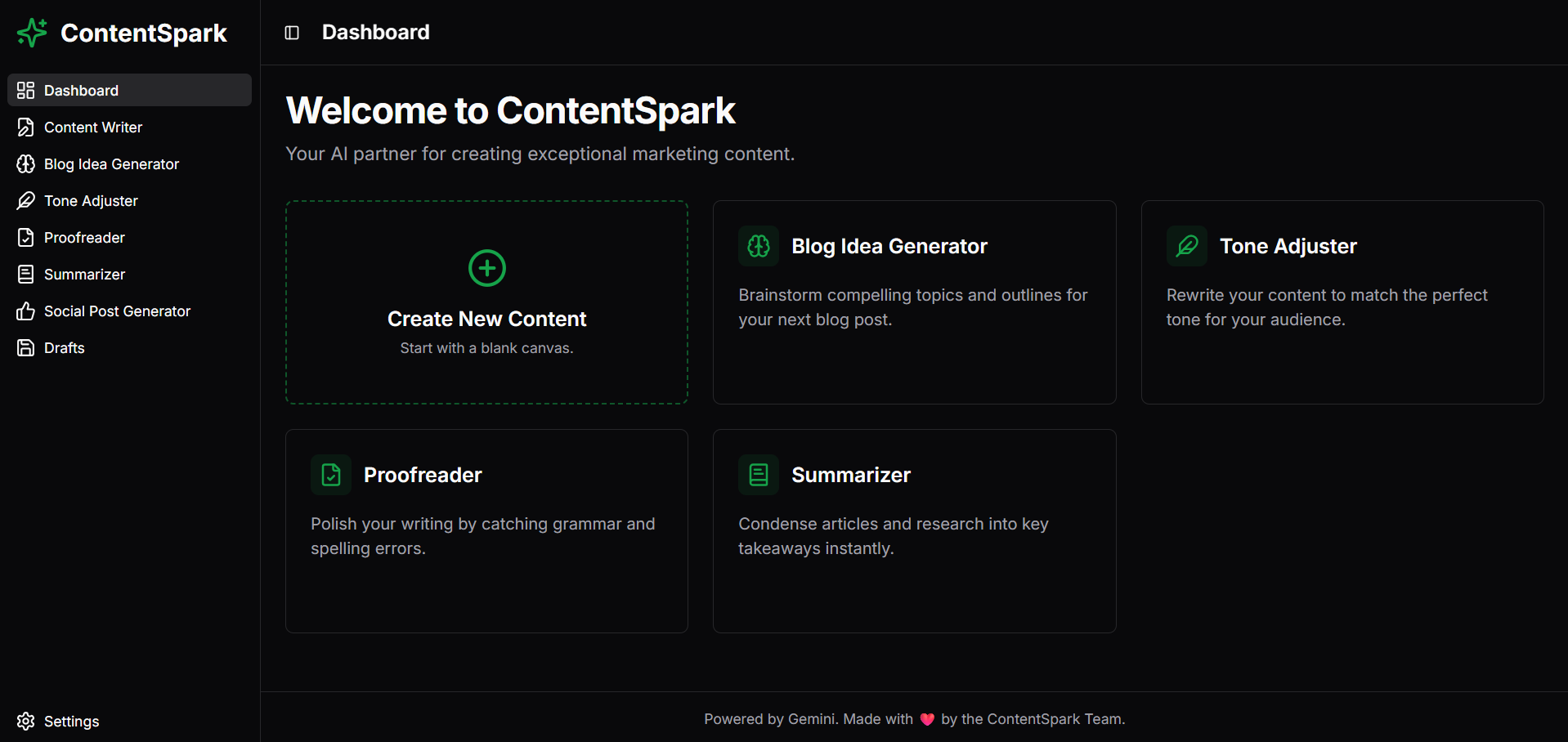
ContentSpark is an all-in-one content creation toolkit. It offers a suite of AI-powered features, built as client-side APIs, to assist you at every stage of the writing process:
- Blog Idea Generator: Brainstorms new content ideas, complete with catchy titles, target audiences, relevant keywords, and a structural outline.
- Writer & Rewriter API: A powerful interface to write content and then rewrite it in various tones (Formal, Casual, Creative, Concise) to match your intended audience.
- Proofreader API: Checks your text for grammar, spelling, and punctuation errors, providing corrected text and actionable suggestions.
- Summarizer API: Condenses long articles or documents into brief, easy-to-digest summaries.
- Social Media Post Generator: Creates tailored posts for Twitter, LinkedIn, and Instagram based on a topic, complete with appropriate formatting and hashtags.
- Save Drafts: All generated content can be saved locally in your browser using IndexedDB, allowing you to revisit your work at any time, even offline.
How we built it
ContentSpark was built iteratively, starting with a modern foundation and then refactoring to meet the core on-device AI requirement.
- Foundation: The project began with a Next.js 15 starter template, configured with Tailwind CSS and ShadCN UI for a modern, component-based design system.
- Initial Server-Side AI: We first developed a suite of AI services using Genkit and server-side flows to prove out the features like the Rewriter, Proofreader, and Summarizer.
- Major Pivot to Client-Side: Realizing this violated the "on-device" requirement of the hackathon, we performed a major refactoring. We removed all server-side AI logic and integrated the client-side
@google/generative-aiSDK. - Implementing On-Device Logic: We created a smart AI client (
src/lib/ai-client.ts) that first checks for Chrome's built-inwindow.aiAPI. If Gemini Nano is available, it uses it for instant, private responses. If not, it seamlessly falls back to the cloud API. - Drafts Feature: To allow users to save their work offline, we implemented a client-side database using IndexedDB, creating a simple library to handle all database operations (add, get, delete).
Challenges we ran into
The most significant challenge was also our biggest learning experience: a complete architectural pivot from server-centric to client-centric AI. We initially built the application using Genkit, a powerful server-side framework. After realizing this violated the core "on-device" requirement, we had to re-architect the entire application. This involved removing all the Genkit flows, integrating a new client-side AI library, and rewriting every component that made an AI call. Overcoming this was critical to aligning the project with the hackathon's goals.
Accomplishments that we're proud of
- Building a True On-Device AI Application: We are proud of successfully creating a tool that embodies the principles of local, private, and offline-first AI, rather than just building another cloud-based wrapper.
- Executing a Major Technical Pivot: Making the decision to refactor the entire AI backend mid-project was difficult, but it was the right decision. We successfully executed this pivot without sacrificing features.
- Creating a Seamless User Experience: From the intelligent AI model selection (on-device vs. cloud) to the ability to save drafts locally, we focused on creating an intuitive and resilient experience for the end-user.
What we learned
- The Power of On-Device AI: This project was a deep dive into the practical application of client-side models. We learned how to use the
window.aiAPI and design a system that prioritizes privacy and offline functionality. - The Importance of Reading the Rules: Our initial mistake taught us a valuable lesson: understand the core constraints of a project before writing a single line of code. Our pivot was a direct result of re-reading the hackathon requirements carefully.
- Pragmatic Fallbacks: We learned that while targeting the latest technology (Gemini Nano) is great, building a robust fallback system is essential for creating a usable application for everyone.
What's next for ContentSpark
- Translator API: Activating our planned Translator API to support rewriting and proofreading in multiple languages.
- Chrome Extension: Packaging the core features into a Chrome Extension for use on any webpage, bringing the power of ContentSpark directly into a user's existing workflow.
- Advanced Proactive Patterns: Using the freedom of on-device AI to build features that analyze text as you type, offering suggestions and corrections in real-time.

Log in or sign up for Devpost to join the conversation.