
Inspiration
This project was built by us to help tackle mental health issues. Specifically, we wanted to provide support for those who needed a companion to talk to when nobody else had time for them.
What it does
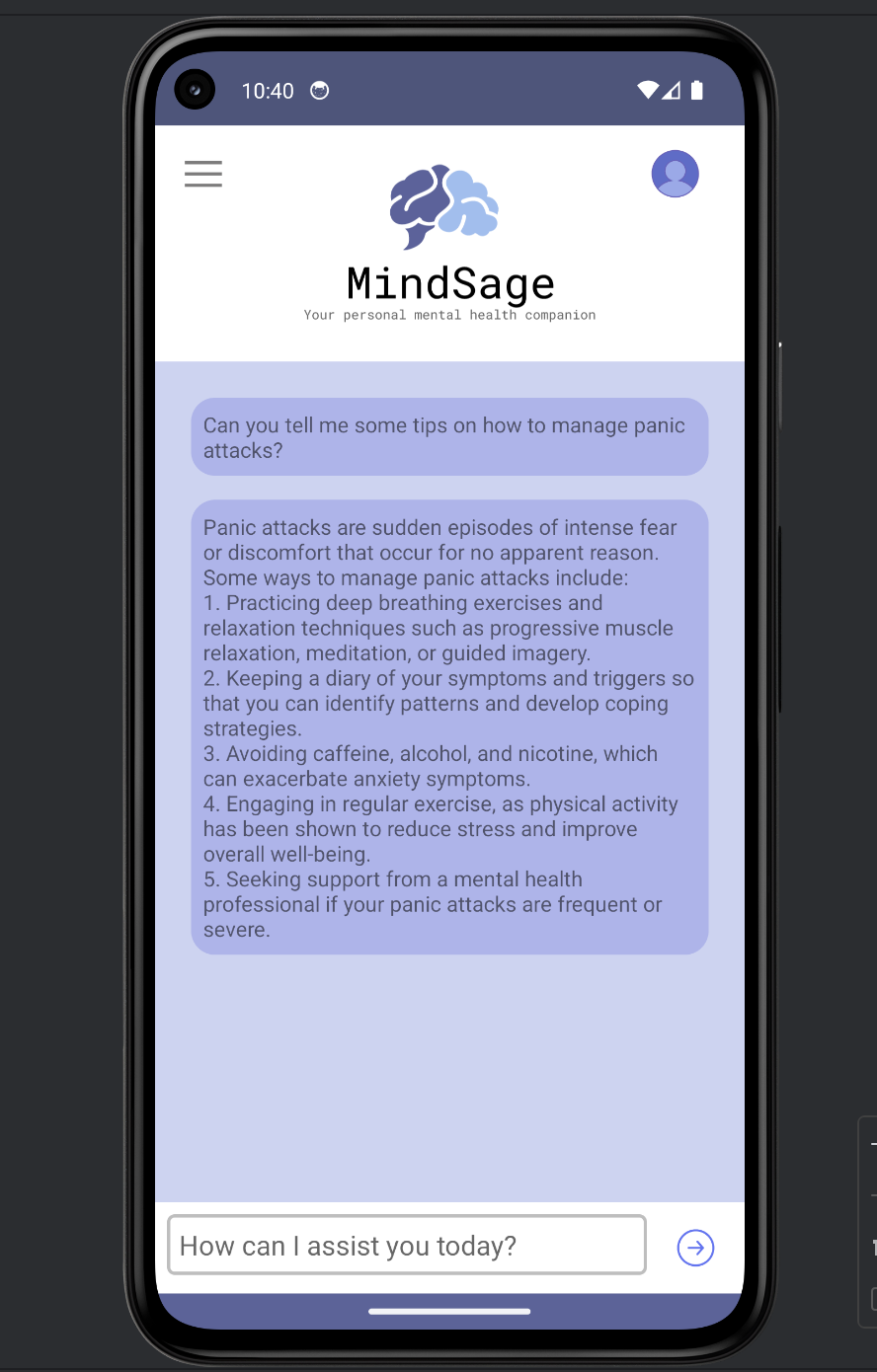
MindSage is an chat app designed to support people suffering from mental health issues. It provides a virtual companion to talk to, offering personalized interactions to help users feel heard and understood.
How we built it
We built the app using Kotlin for mobile development and integrated LLaMA-3 as the AI-driven backend.
Features
- Real-time Mental Health Support: Provides immediate responses to mental health-related questions.
- User-friendly Interface: Designed with an intuitive and easy-to-use interface.
- AI Integration: Uses the Ollama AI model for generating responses.
- Prompt Engineering: Fine-tuned to ensure the chatbot focuses exclusively on mental health topics.
Getting Started
Prerequisites
- Android Studio: To build and run the application.
- Ollama: To be installed and configured locally.
- Java Development Kit (JDK): Ensure you have the correct version installed.
Installation
- Clone the Repository ```bash git clone https://github.com/Erlisja/MindSage.git cd MindSage
Open in Android Studio
- Open Android Studio.
- Select
File > Openand navigate to the cloned directory. - Open the project.
Set Up Ollama Locally
(We are currently testing our project with ollama, as such you need a local setup of ollama for running this project properly)
- Download and install Ollama from the official website: Ollama Download
- Follow the installation instructions for your operating system.
- Ensure Ollama is running locally.
Configure API Endpoint
- Ensure the local server API for Ollama is up and running.
- Update the API endpoint in your project configuration to point to the local instance of Ollama.
Running the Application
Open Android Studio and connect your Android device or start an emulator. Click on the Run button in Android Studio. The application should build and deploy to your device/emulator.
Usage
Once the application is running, you can start interacting with the chatbot. Simply type your mental health-related queries into the chat interface, and the chatbot will respond with relevant information and support.
Technical Details
Backend Integration
The backend system is designed to handle user requests efficiently, utilizing the Ollama AI model for generating responses. The OllamaClient class is responsible for interacting with the local server API of Ollama.
Prompt Engineering
The chatbot is fine-tuned using prompt engineering techniques to ensure responses are relevant and accurate. Prompts are designed to cover various aspects of mental health, and the model is continuously evaluated and improved based on user feedback.
Future Improvements
We have several exciting features planned for future releases of Mind Sage:
- Login and Sign-Up Pages: -Implementing user authentication to provide a personalized experience.
- Menu Bar: Adding a menu bar where users can find:
- Emergency Contacts: Quick access to important emergency contacts.
- Saved Daily Affirmations: Allowing users to save and access daily affirmations.
Video Demo
Here's a video / GIF that demos all of the app's implemented features:

Built With
- kotlin
- ollama

Log in or sign up for Devpost to join the conversation.