-
-
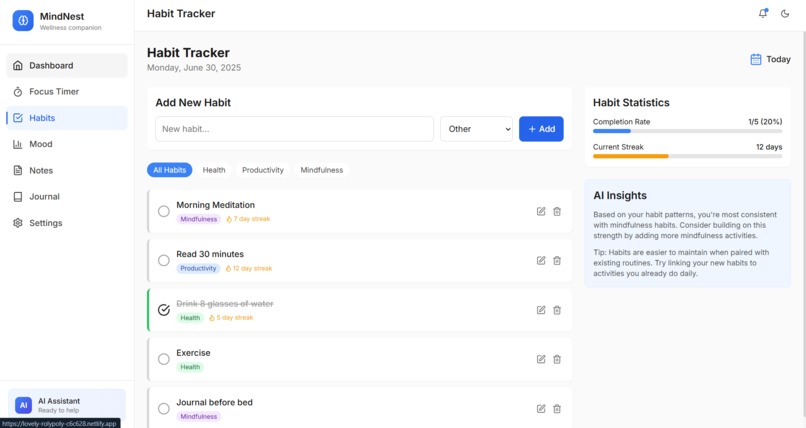
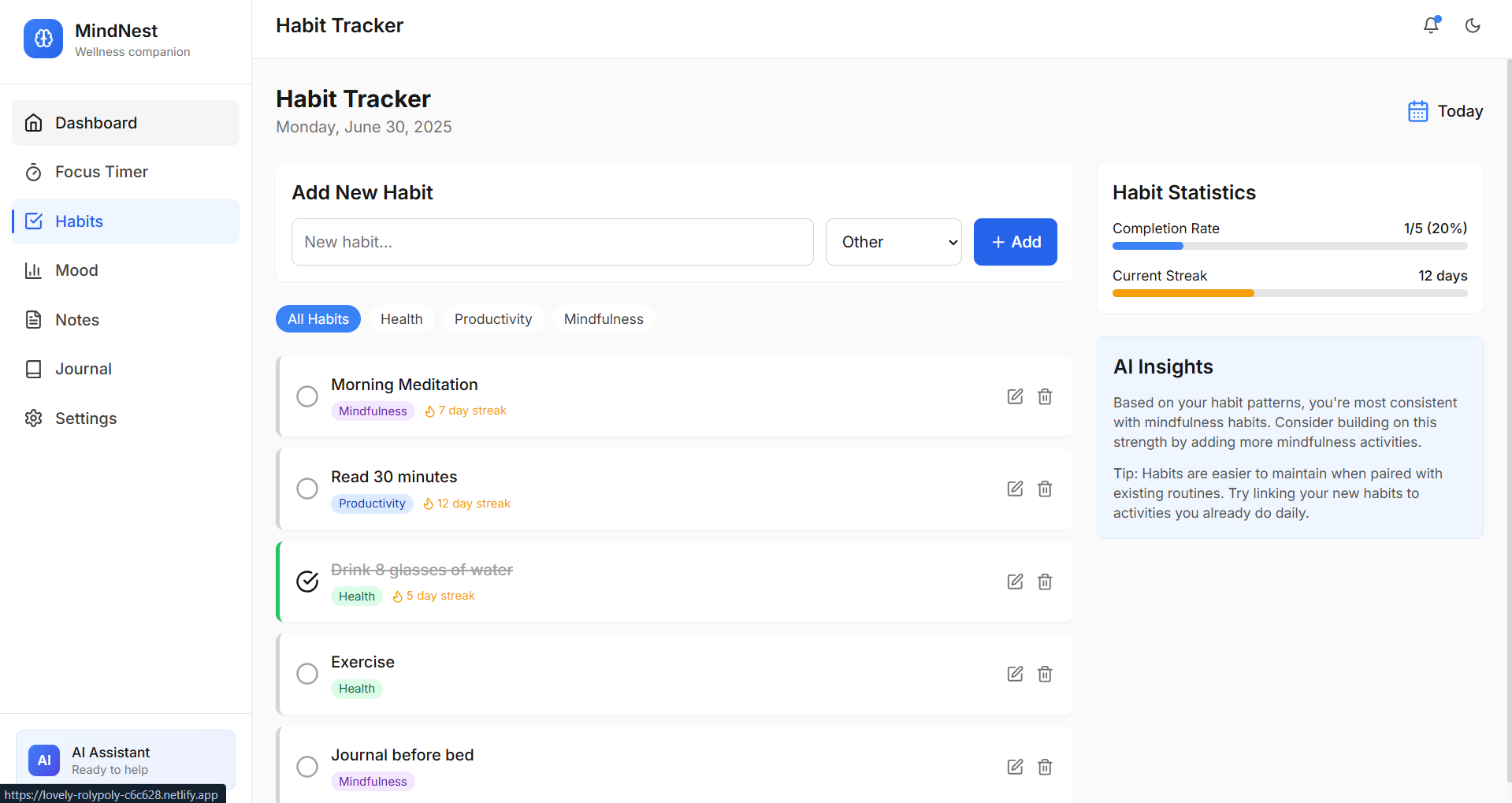
Habit page
-
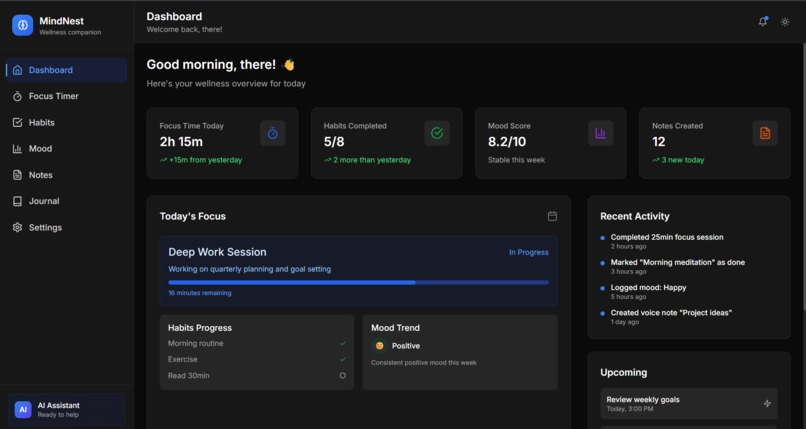
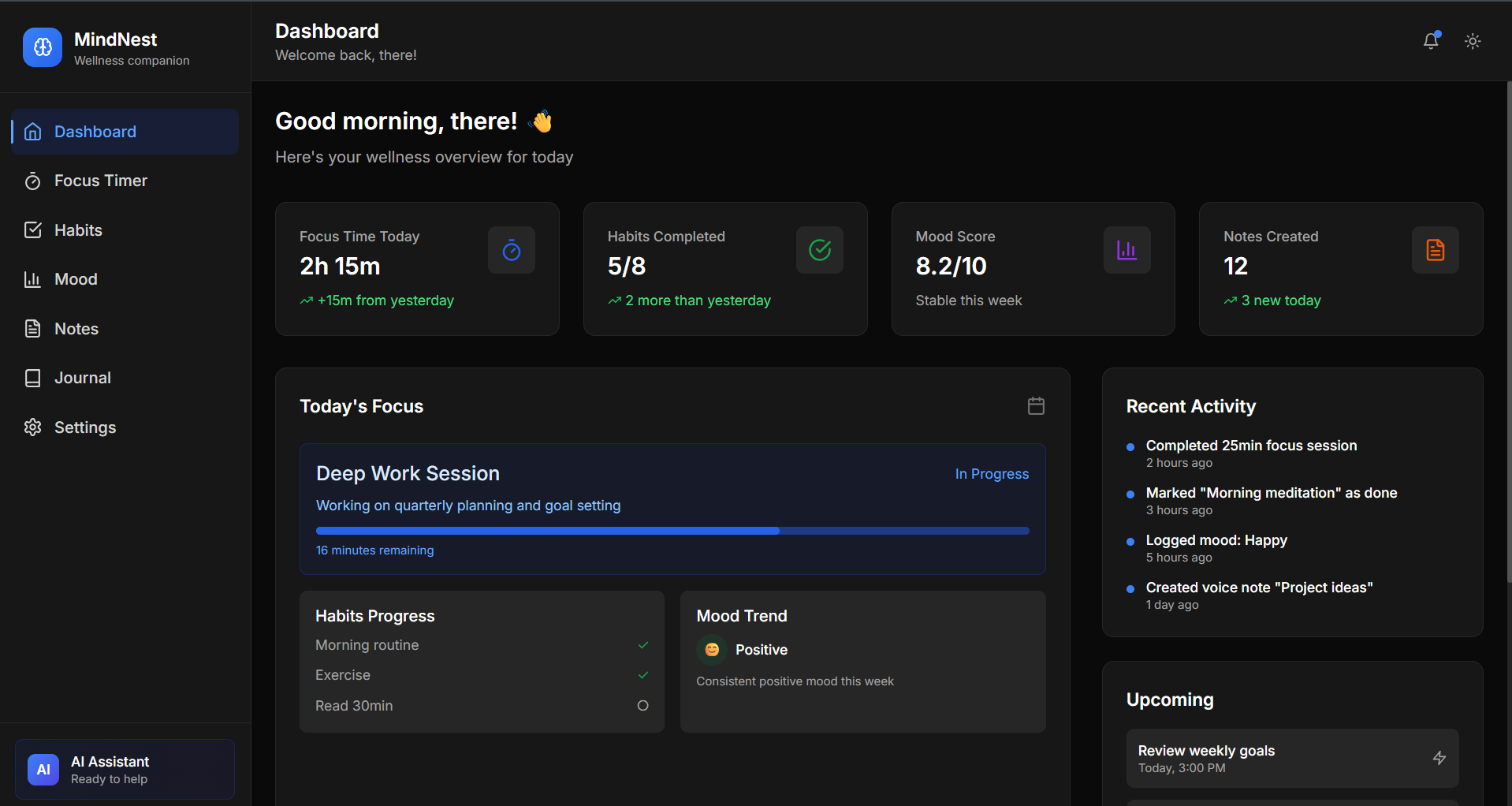
Dashboard
-
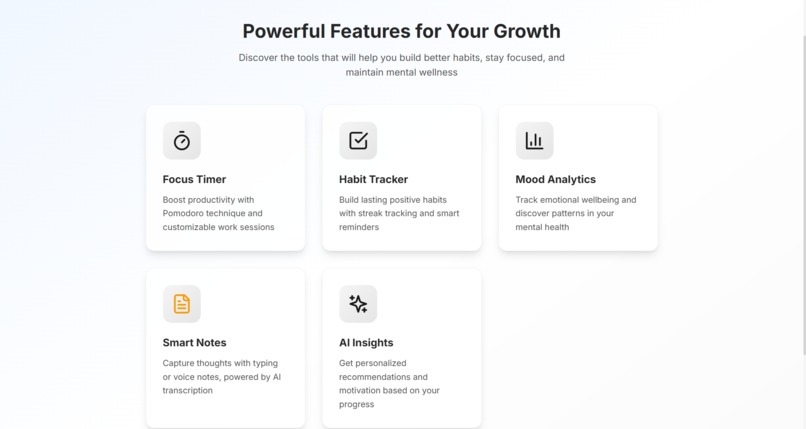
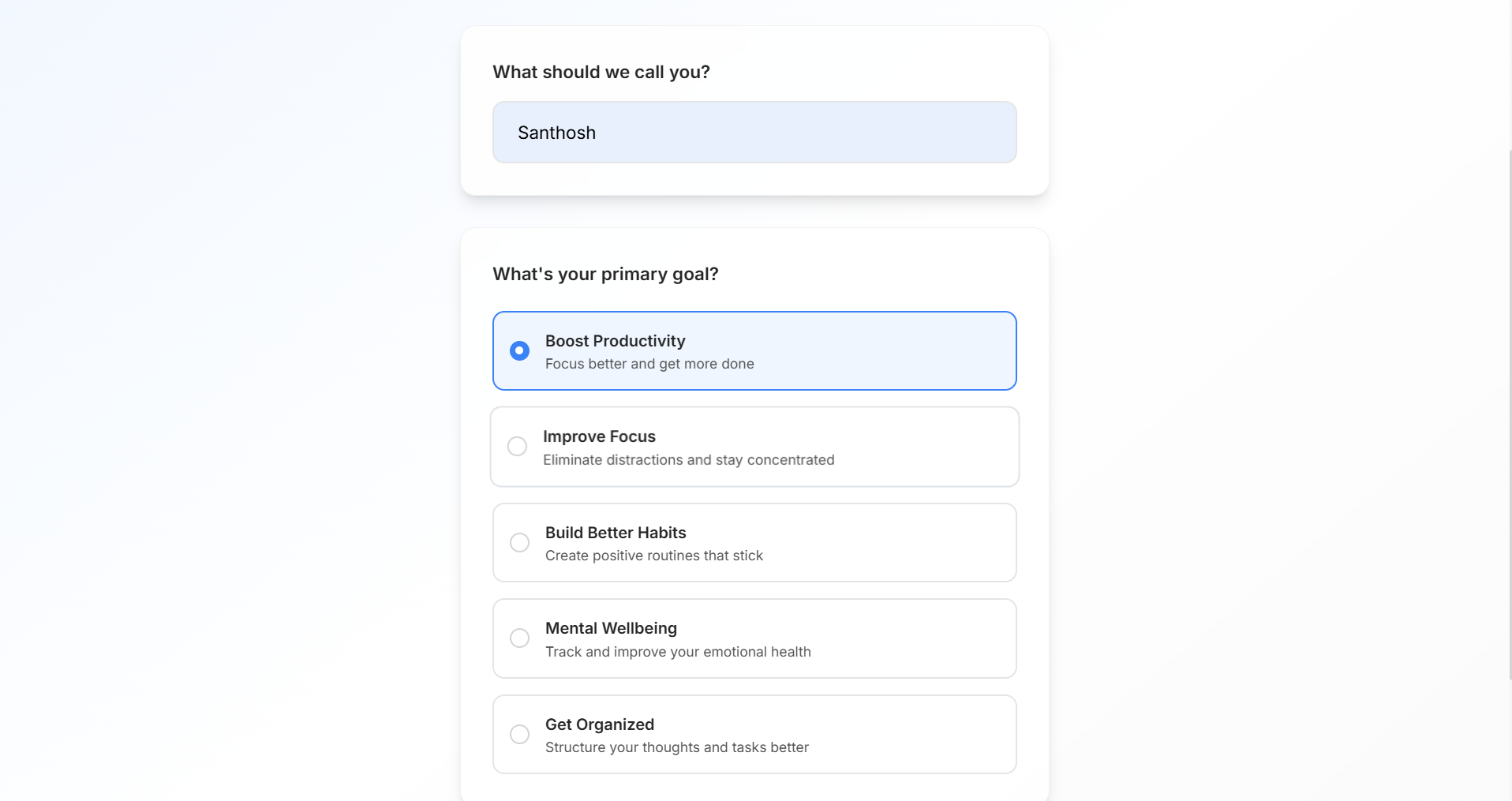
Welcome slide 2
-
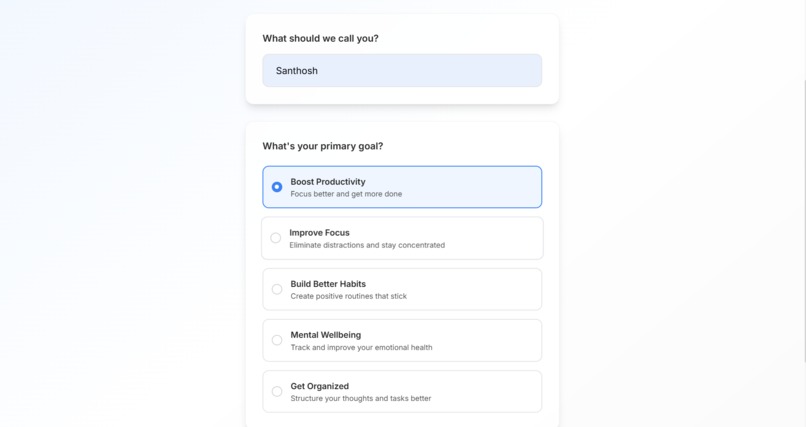
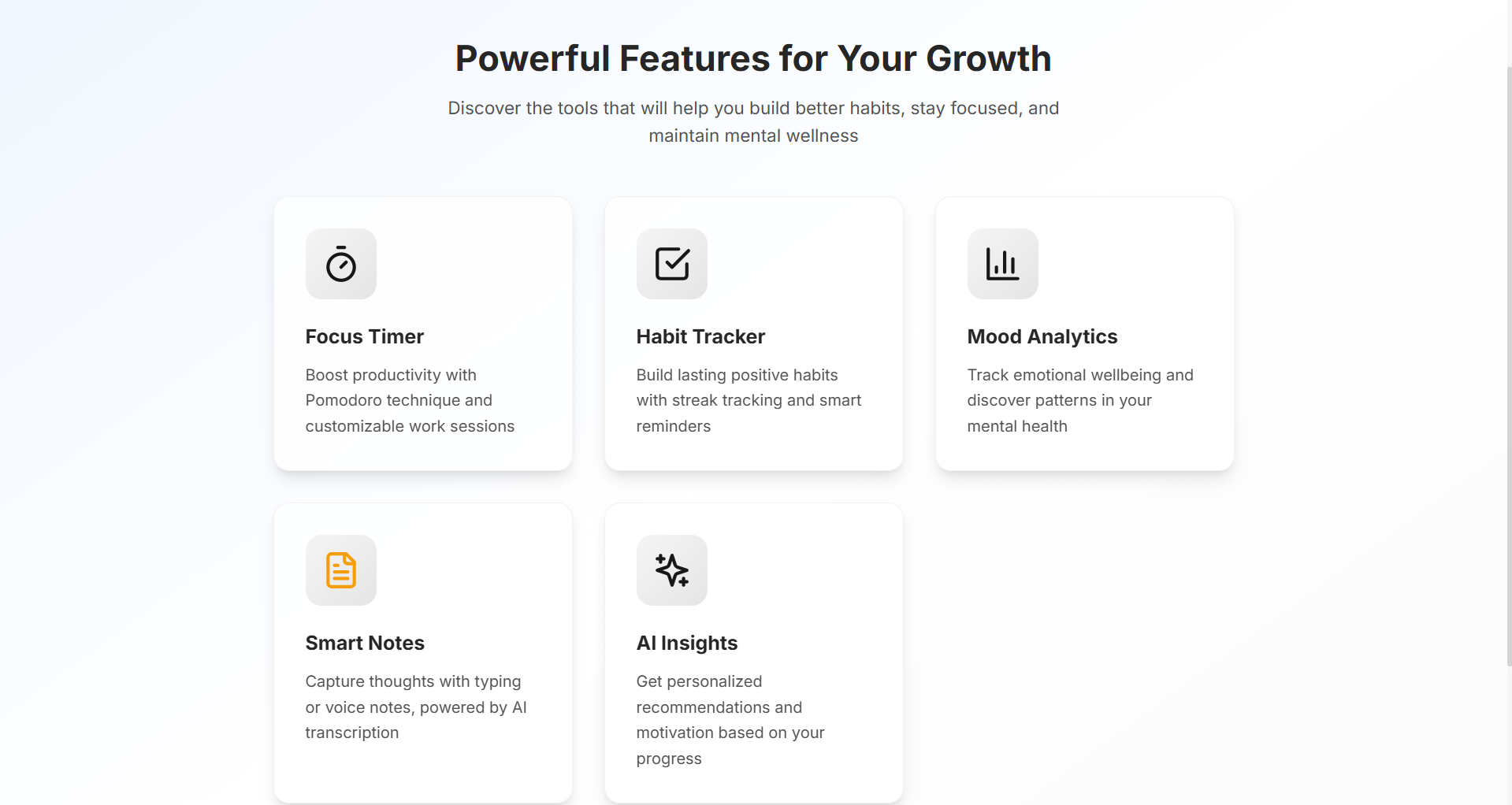
Welcome slide 3
-
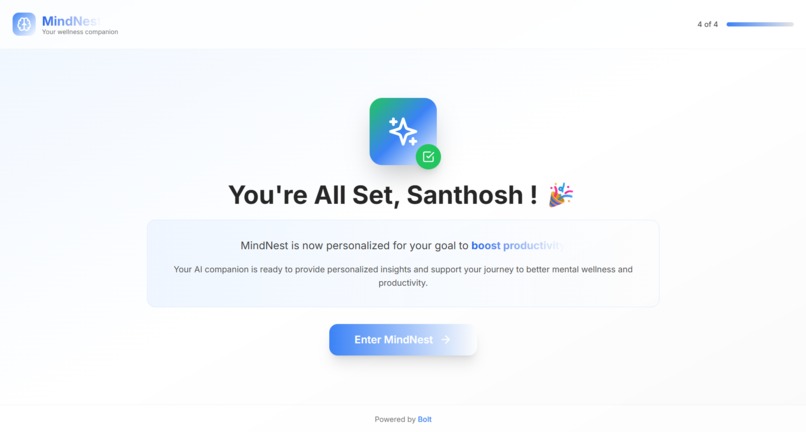
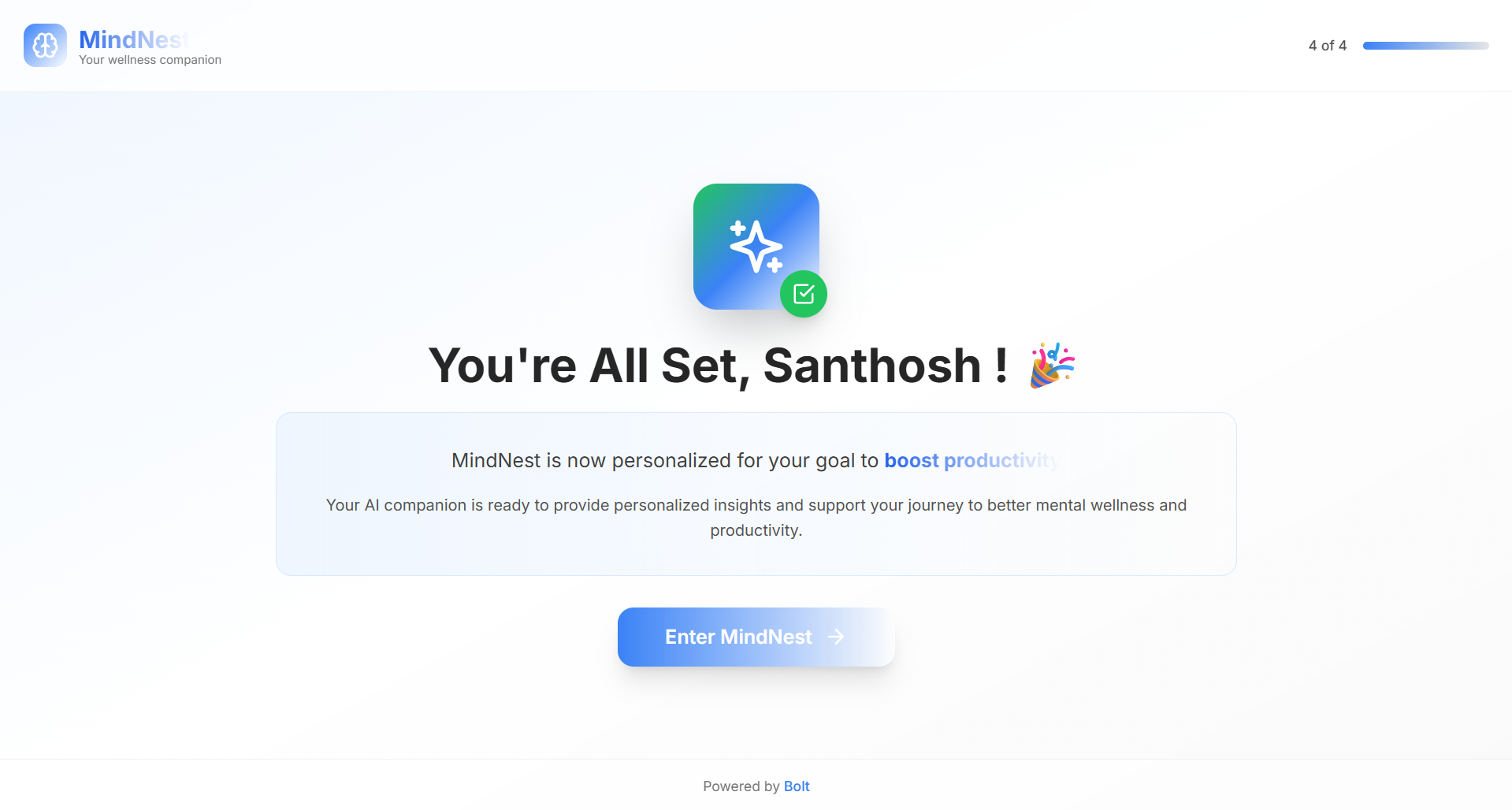
Welcome slide 4
Inspiration
What it does
How we built it
Challenges we ran into
Accomplishments that we're proud of
What we learned
What's next for MindNest
📱 MindNest - AI-Powered Wellness & Productivity Companion
Your intelligent sanctuary for mental wellness and peak productivity. Transform your daily routines with AI insights, mindful practices, and personalized guidance.

🌟 Overview
MindNest is a comprehensive wellness and productivity application that combines the power of artificial intelligence with proven wellness techniques. Built with modern web technologies, it offers a seamless experience across all devices while maintaining your privacy and data security.
Key Highlights
- 🧠 AI-Powered Insights - Personalized recommendations based on your patterns
- ⏰ Smart Focus Timer - Pomodoro technique with intelligent break suggestions
- 📈 Habit Analytics - Track and build lasting positive habits
- 🎯 Mood Intelligence - Understand emotional patterns and triggers
- 📝 Smart Notes - Text and voice notes with AI transcription
- 🌙 Mindful Journaling - Guided reflection with writing prompts
🏗️ Technical Architecture
Core Technologies
| Technology | Version | Purpose |
|---|---|---|
| React | 18.3.1 | Frontend framework with hooks |
| TypeScript | 5.5.3 | Type safety and developer experience |
| Vite | 5.4.2 | Build tool and development server |
| Tailwind CSS | 3.4.1 | Utility-first styling framework |
| Framer Motion | 11.0.3 | Animation and micro-interactions |
| Zustand | 4.5.0 | Lightweight state management |
| React Router | 6.22.0 | Client-side routing |
| Chart.js | 4.4.1 | Data visualization |
| Lucide React | 0.344.0 | Beautiful, consistent icons |
| Date-fns | 3.3.1 | Date manipulation utilities |
Development Tools
{
  "devDependencies": {
    "@eslint/js": "^9.9.1",
    "@types/react": "^18.3.5",
    "@types/react-dom": "^18.3.0",
    "@vitejs/plugin-react": "^4.3.1",
    "autoprefixer": "^10.4.18",
    "eslint": "^9.9.1",
    "eslint-plugin-react-hooks": "^5.1.0-rc.0",
    "eslint-plugin-react-refresh": "^0.4.11",
    "globals": "^15.9.0",
    "postcss": "^8.4.35",
    "tailwindcss": "^3.4.1",
    "typescript": "^5.5.3",
    "typescript-eslint": "^8.3.0"
  }
}
📁 Project Structure
mindful-productivity-companion/
├── 📁 public/
│   └── favicon.svg
├── 📁 src/
│   ├── 📁 components/
│   │   ├── 📁 dashboard/
│   │   │   ├── AiInsight.tsx          # AI-powered insights component
│   │   │   ├── HabitSummary.tsx       # Daily habit overview
│   │   │   ├── PomodoroSummary.tsx    # Focus time statistics
│   │   │   ├── StatCard.tsx           # Reusable metric cards
│   │   │   └── TodaysMood.tsx         # Current mood display
│   │   └── 📁 layout/
│   │       ├── Header.tsx             # Top navigation bar
│   │       ├── Layout.tsx             # Main app layout wrapper
│   │       └── Sidebar.tsx            # Navigation sidebar
│   ├── 📁 pages/
│   │   ├── Dashboard.tsx              # Main dashboard view
│   │   ├── HabitTracker.tsx           # Habit management interface
│   │   ├── Journal.tsx                # Mindful journaling space
│   │   ├── MoodTracker.tsx            # Mood logging and analytics
│   │   ├── Notes.tsx                  # Note-taking with voice support
│   │   ├── Pomodoro.tsx               # Focus timer interface
│   │   ├── Settings.tsx               # App configuration
│   │   └── Welcome.tsx                # Onboarding experience
│   ├── 📁 stores/
│   │   └── themeStore.ts              # Theme state management
│   ├── App.tsx                        # Root application component
│   ├── main.tsx                       # Application entry point
│   ├── index.css                      # Global styles and utilities
│   └── vite-env.d.ts                  # Vite type definitions
├── 📄 Configuration Files
├── package.json                       # Dependencies and scripts
├── tailwind.config.js                 # Tailwind CSS configuration
├── tsconfig.json                      # TypeScript configuration
├── vite.config.ts                     # Vite build configuration
└── README.md                          # This documentation
🎨 Design System
Color Palette
/* Primary Colors */
--primary-50: #eff6ff;
--primary-500: #3b82f6;
--primary-900: #1e3a8a;

/* Semantic Colors */
--success-500: #22c55e;    /* Positive actions, completed states */
--warning-500: #f59e0b;    /* Cautions, neutral moods */
--error-500: #ef4444;      /* Errors, negative states */

/* Neutral Palette */
--neutral-50: #f9fafb;     /* Light backgrounds */
--neutral-500: #6b7280;    /* Text, borders */
--neutral-900: #111827;    /* Dark text, backgrounds */
Typography Scale
/* Font Family */
font-family: 'Inter', system-ui, sans-serif;

/* Type Scale */
.text-xs    { font-size: 0.75rem; }    /* 12px */
.text-sm    { font-size: 0.875rem; }   /* 14px */
.text-base  { font-size: 1rem; }       /* 16px */
.text-lg    { font-size: 1.125rem; }   /* 18px */
.text-xl    { font-size: 1.25rem; }    /* 20px */
.text-2xl   { font-size: 1.5rem; }     /* 24px */
.text-3xl   { font-size: 1.875rem; }   /* 30px */
.text-4xl   { font-size: 2.25rem; }    /* 36px */
Spacing System
/* 8px Base Unit System */
.space-1  { margin: 0.25rem; }   /* 4px */
.space-2  { margin: 0.5rem; }    /* 8px */
.space-3  { margin: 0.75rem; }   /* 12px */
.space-4  { margin: 1rem; }      /* 16px */
.space-6  { margin: 1.5rem; }    /* 24px */
.space-8  { margin: 2rem; }      /* 32px */
.space-12 { margin: 3rem; }      /* 48px */
Component Styles
/* Reusable Component Classes */
.btn {
  @apply px-4 py-2.5 rounded-lg font-medium transition-all duration-200
         focus:outline-none focus:ring-2 focus:ring-offset-2
         disabled:opacity-50 disabled:cursor-not-allowed;
}

.btn-primary {
  @apply bg-blue-600 text-white hover:bg-blue-700 focus:ring-blue-500
         shadow-sm hover:shadow-md;
}

.card {
  @apply bg-white dark:bg-neutral-900 rounded-xl p-6 shadow-sm
         border border-neutral-200 dark:border-neutral-800;
}

.input {
  @apply w-full px-3 py-2.5 bg-white dark:bg-neutral-900
         border border-neutral-300 dark:border-neutral-700 rounded-lg
         focus:outline-none focus:ring-2 focus:ring-blue-500
         focus:border-transparent dark:text-white
         placeholder-neutral-500 dark:placeholder-neutral-400;
}
🧩 Feature Documentation
1. Dashboard Overview
The dashboard serves as the central hub, providing users with a comprehensive view of their wellness journey.
Key Components:
- Welcome Section - Personalized greeting with current date
- Statistics Grid - Focus time, habits completed, mood score, notes created
- Today's Focus - Current session progress and upcoming tasks
- Recent Activity - Timeline of user actions
- AI Insights - Personalized recommendations and tips
Technical Implementation:
// Dashboard data structure
interface DashboardStats {
  focusTime: string;
  habitsCompleted: string;
  moodScore: string;
  notesCreated: string;
  trends: {
    focusTime: 'up' | 'down' | 'stable';
    habits: 'up' | 'down' | 'stable';
    mood: 'up' | 'down' | 'stable';
    notes: 'up' | 'down' | 'stable';
  };
}
2. Pomodoro Focus Timer
A sophisticated implementation of the Pomodoro Technique with intelligent features.
Features:
- 25-minute focus sessions with 5-minute short breaks
- 15-minute long breaks after every 4 pomodoros
- Visual progress tracking with animated circular progress
- Session statistics and productivity scoring
- Customizable timer lengths in settings
Timer States:
type TimerMode = 'focus' | 'shortBreak' | 'longBreak';

interface PomodoroState {
  mode: TimerMode;
  timeLeft: number;
  isActive: boolean;
  pomodoroCount: number;
  settings: {
    focus: number;      // Default: 25 minutes
    shortBreak: number; // Default: 5 minutes
    longBreak: number;  // Default: 15 minutes
  };
}
3. Habit Tracking System
Comprehensive habit management with streak tracking and analytics.
Habit Categories:
- 🏃 Health - Exercise, nutrition, sleep
- 💼 Productivity - Work tasks, learning, organization
- 🧘 Mindfulness - Meditation, journaling, reflection
- 📚 Other - Custom categories
Data Model:
interface Habit {
  id: number;
  name: string;
  streak: number;
  completed: boolean;
  category: 'health' | 'productivity' | 'mindfulness' | 'other';
  createdAt: string;
  completionHistory: string[]; // Array of completion dates
}
4. Mood Tracking & Analytics
Emotional wellness monitoring with pattern recognition.
Mood Options:
- 😊 Happy - Positive, energetic, content
- 😐 Neutral - Balanced, calm, stable
- 😔 Sad - Low energy, stressed, overwhelmed
Features:
- Daily mood logging with optional notes
- Tag system for mood triggers and context
- Trend visualization over time periods
- AI pattern recognition for insights
interface MoodEntry {
  id: number;
  date: string;
  mood: 'happy' | 'neutral' | 'sad';
  note: string;
  tags: string[];
  energy: number;    // 1-10 scale
  stress: number;    // 1-10 scale
}
5. Smart Note-Taking
Flexible note-taking with text and voice support.
Note Types:
- 📝 Text Notes - Rich text with formatting
- 🎤 Voice Notes - Audio recording with AI transcription
- 🏷️ Tag System - Organize and search notes
- 🔍 Full-text Search - Find notes quickly
Voice Features:
- Real-time recording with visual feedback
- AI transcription (simulated for demo)
- Playback controls with progress tracking
- Export capabilities for backup
interface Note {
  id: number;
  title: string;
  content: string;
  date: string;
  type: 'text' | 'voice';
  duration?: string;        // For voice notes
  transcription?: string;   // AI-generated
  audioUrl?: string;        // Audio file reference
  tags: string[];
}
6. Mindful Journaling
Guided reflection space for personal growth.
Features:
- Daily prompts for guided writing
- Mood integration with journal entries
- Writing streak tracking for motivation
- AI writing assistant for inspiration
- Privacy-focused local storage
Benefits Highlighted:
- 🧠 Mental Clarity - Organize thoughts and reduce clutter
- ❤️ Emotional Processing - Express and understand emotions
- 😌 Stress Relief - Regular journaling reduces anxiety
- ⏰ Self-Reflection - Track personal growth over time
7. Settings & Customization
Comprehensive app configuration for personalized experience.
Setting Categories:
- 🌙 Appearance - Dark/light mode, theme preferences
- 🔔 Notifications - Reminders, alerts, quiet hours
- ⏱️ Pomodoro - Timer lengths, break preferences
- 🎤 Voice - Recording quality, transcription settings
- 👤 Account - Data export, privacy controls
- 🛡️ Privacy - Data handling, security options
🚀 Getting Started
Prerequisites
# Required software
Node.js >= 18.0.0
npm >= 8.0.0
Installation
# Clone the repository
git clone https://github.com/yourusername/mindnest.git
cd mindnest

# Install dependencies
npm install

# Start development server
npm run dev

# Open browser to http://localhost:5173
Available Scripts
# Development
npm run dev          # Start development server with hot reload
npm run build        # Build for production
npm run preview      # Preview production build locally
npm run lint         # Run ESLint for code quality
Environment Setup
# Create .env file for environment variables
VITE_APP_NAME=MindNest
VITE_APP_VERSION=1.0.0
🎯 User Experience Flow
First-Time User Journey
Welcome Screen
- App introduction with animated logo
- Brief overview of benefits
- Call-to-action to begin setup
Feature Showcase
- Interactive demonstration of key features
- Visual examples of each tool
- Benefits explanation for each feature
Personalization
- Name collection for personalized experience
- Goal selection (productivity, focus, habits, wellbeing)
- Preference configuration
Setup Completion
- Confirmation of personalized setup
- Quick start guide
- Entry into main application
Daily Usage Patterns
Morning Routine:
- Check dashboard for daily overview
- Set focus intentions for the day
- Review and plan daily habits
- Log current mood and energy
Work Sessions:
- Start Pomodoro timer for focused work
- Take mindful breaks between sessions
- Capture quick notes and ideas
- Track productivity metrics
Evening Reflection:
- Complete habit check-ins
- Log end-of-day mood
- Write journal entry for reflection
- Review daily achievements
📱 Responsive Design
Breakpoint Strategy
/* Mobile First Approach */
/* Default: Mobile (320px+) */

@media (min-width: 640px) {
  /* Small tablets and large phones */
}

@media (min-width: 768px) {
  /* Tablets */
}

@media (min-width: 1024px) {
  /* Small desktops */
}

@media (min-width: 1280px) {
  /* Large desktops */
}
Layout Adaptations
Mobile (< 768px):
- Single-column layouts
- Collapsible sidebar navigation
- Touch-optimized controls
- Simplified data displays
Tablet (768px - 1024px):
- Two-column layouts where appropriate
- Expanded sidebar with labels
- Larger touch targets
- Enhanced data visualization
Desktop (> 1024px):
- Multi-column layouts
- Persistent sidebar navigation
- Hover interactions
- Full feature accessibility
🔧 State Management
Zustand Store Architecture
// Theme Store
interface ThemeState {
  darkMode: boolean;
  toggleDarkMode: () => void;
}

export const useThemeStore = create<ThemeState>()(
  persist(
    (set) => ({
      darkMode: window.matchMedia('(prefers-color-scheme: dark)').matches,
      toggleDarkMode: () => set((state) => ({ darkMode: !state.darkMode })),
    }),
    {
      name: 'theme-storage',
    }
  )
);
Local Storage Schema
// User Preferences
localStorage.setItem('userName', string);
localStorage.setItem('userGoal', string);
localStorage.setItem('hasVisitedBefore', 'true');

// App Data
localStorage.setItem('habits', JSON.stringify(Habit[]));
localStorage.setItem('moodEntries', JSON.stringify(MoodEntry[]));
localStorage.setItem('notes', JSON.stringify(Note[]));
localStorage.setItem('journalEntries', JSON.stringify(JournalEntry[]));

// Settings
localStorage.setItem('pomodoroSettings', JSON.stringify({
  focusLength: number,
  shortBreakLength: number,
  longBreakLength: number
}));
🎨 Animation System
Framer Motion Implementation
// Page Transitions
const pageVariants = {
  initial: { opacity: 0, y: 20 },
  animate: { opacity: 1, y: 0 },
  exit: { opacity: 0, y: -20 }
};

// Staggered List Animations
const containerVariants = {
  animate: {
    transition: {
      staggerChildren: 0.1
    }
  }
};

const itemVariants = {
  initial: { opacity: 0, y: 20 },
  animate: { opacity: 1, y: 0 }
};

// Micro-interactions
const buttonVariants = {
  hover: { scale: 1.05 },
  tap: { scale: 0.95 }
};
Animation Principles
- Purposeful - Every animation serves a functional purpose
- Performant - GPU-accelerated transforms and opacity changes
- Accessible - Respects user's motion preferences
- Consistent - Unified timing and easing across components
🔒 Privacy & Security
Data Handling
- Local Storage - All user data stored locally on device
- No External APIs - No data transmitted to external servers
- Privacy by Design - Minimal data collection principles
- User Control - Complete data export and deletion capabilities
Security Measures
- Input Validation - All user inputs sanitized and validated
- XSS Protection - React's built-in XSS protection
- Content Security Policy - Strict CSP headers in production
- Secure Dependencies - Regular security audits of npm packages
📊 Performance Optimization
Build Optimization
// Vite Configuration
export default defineConfig({
  plugins: [react()],
  build: {
    rollupOptions: {
      output: {
        manualChunks: {
          vendor: ['react', 'react-dom'],
          router: ['react-router-dom'],
          ui: ['framer-motion', 'lucide-react']
        }
      }
    }
  },
  optimizeDeps: {
    exclude: ['lucide-react']
  }
});
Performance Metrics
- First Contentful Paint - < 1.5s
- Largest Contentful Paint - < 2.5s
- Cumulative Layout Shift - < 0.1
- First Input Delay - < 100ms
- Bundle Size - < 500KB gzipped
Optimization Techniques
- Code Splitting - Route-based lazy loading
- Tree Shaking - Unused code elimination
- Asset Optimization - Image compression and modern formats
- Caching Strategy - Aggressive caching for static assets
🧪 Testing Strategy
Testing Pyramid
# Unit Tests (70%)
- Component logic testing
- Utility function testing
- State management testing

# Integration Tests (20%)
- Component interaction testing
- API integration testing
- User flow testing

# End-to-End Tests (10%)
- Critical user journey testing
- Cross-browser compatibility
- Performance testing
Testing Tools
{
  "devDependencies": {
    "@testing-library/react": "^13.4.0",
    "@testing-library/jest-dom": "^5.16.5",
    "@testing-library/user-event": "^14.4.3",
    "vitest": "^0.34.0",
    "jsdom": "^22.1.0"
  }
}
🚀 Deployment
Build Process
# Production Build
npm run build

# Build Output
dist/
├── assets/
│   ├── index-[hash].js
│   ├── index-[hash].css
│   └── [other-assets]
├── index.html
└── favicon.svg
Deployment Platforms
Recommended Platforms:
- Vercel - Zero-config deployment with automatic HTTPS
- Netlify - Continuous deployment with form handling
- GitHub Pages - Free hosting for open-source projects
- Firebase Hosting - Google's fast and secure hosting
Deployment Commands:
# Vercel
npx vercel --prod

# Netlify
npm run build && npx netlify deploy --prod --dir=dist

# GitHub Pages
npm run build && npx gh-pages -d dist
🔮 Future Roadmap
Phase 1: Core Enhancements (Q1 2025)
- [ ] Cloud Synchronization - Cross-device data sync
- [ ] Advanced Analytics - Detailed insights and trends
- [ ] Export/Import - Data portability features
- [ ] Accessibility Improvements - WCAG 2.1 AA compliance
Phase 2: AI Integration (Q2 2025)
- [ ] Real AI Transcription - ElevenLabs API integration
- [ ] Smart Recommendations - ML-powered insights
- [ ] Predictive Analytics - Mood and productivity forecasting
- [ ] Natural Language Processing - Intelligent note analysis
Phase 3: Social Features (Q3 2025)
- [ ] Team Workspaces - Collaborative productivity
- [ ] Habit Challenges - Social motivation features
- [ ] Progress Sharing - Achievement celebrations
- [ ] Community Insights - Anonymous trend sharing
Phase 4: Platform Expansion (Q4 2025)
- [ ] Mobile Apps - React Native implementation
- [ ] Desktop Apps - Electron wrapper
- [ ] Browser Extension - Quick capture tools
- [ ] Wearable Integration - Apple Watch, Fitbit support
🤝 Contributing
Development Setup
# Fork the repository
git clone https://github.com/yourusername/mindnest.git
cd mindnest

# Create feature branch
git checkout -b feature/your-feature-name

# Install dependencies
npm install

# Start development
npm run dev
Code Standards
- TypeScript - Strict type checking enabled
- ESLint - Airbnb configuration with React hooks
- Prettier - Consistent code formatting
- Conventional Commits - Semantic commit messages
Pull Request Process
- Create Issue - Describe the feature or bug
- Fork & Branch - Create feature branch from main
- Develop - Implement changes with tests
- Test - Ensure all tests pass
- Document - Update documentation as needed
- Submit PR - Detailed description with screenshots
📄 License
This project is licensed under the MIT License - see the LICENSE file for details.
MIT License

Copyright (c) 2025 MindNest

Permission is hereby granted, free of charge, to any person obtaining a copy
of this software and associated documentation files (the "Software"), to deal
in the Software without restriction, including without limitation the rights
to use, copy, modify, merge, publish, distribute, sublicense, and/or sell
copies of the Software, and to permit persons to whom the Software is
furnished to do so, subject to the following conditions:

The above copyright notice and this permission notice shall be included in all
copies or substantial portions of the Software.

THE SOFTWARE IS PROVIDED "AS IS", WITHOUT WARRANTY OF ANY KIND, EXPRESS OR
IMPLIED, INCLUDING BUT NOT LIMITED TO THE WARRANTIES OF MERCHANTABILITY,
FITNESS FOR A PARTICULAR PURPOSE AND NONINFRINGEMENT. IN NO EVENT SHALL THE
AUTHORS OR COPYRIGHT HOLDERS BE LIABLE FOR ANY CLAIM, DAMAGES OR OTHER
LIABILITY, WHETHER IN AN ACTION OF CONTRACT, TORT OR OTHERWISE, ARISING FROM,
OUT OF OR IN CONNECTION WITH THE SOFTWARE OR THE USE OR OTHER DEALINGS IN THE
SOFTWARE.
📞 Support & Contact
Getting Help
- Documentation - Comprehensive guides and API reference
- GitHub Issues - Bug reports and feature requests
- Discussions - Community support and questions
- Email Support - Direct contact for urgent issues
🙏 Acknowledgments
Inspiration & Resources
- Design System - Inspired by Apple's Human Interface Guidelines
- Color Palette - Based on Tailwind CSS default colors
- Icons - Beautiful icons from Lucide React
- Fonts - Inter font family from Google Fonts
- Images - Stock photos from Pexels
Open Source Libraries
Special thanks to the maintainers and contributors of:
- React Team for the amazing framework
- Tailwind Labs for the utility-first CSS framework
- Framer for the powerful animation library
- Lucide for the beautiful icon set
- All other open-source contributors
Built with ❤️ by the MindNest Team
Empowering individuals to achieve mental wellness and peak productivity through intelligent technology.
Built With
- chart.js
- node.js
- react
- tailwind
- typescript

Log in or sign up for Devpost to join the conversation.