-
-
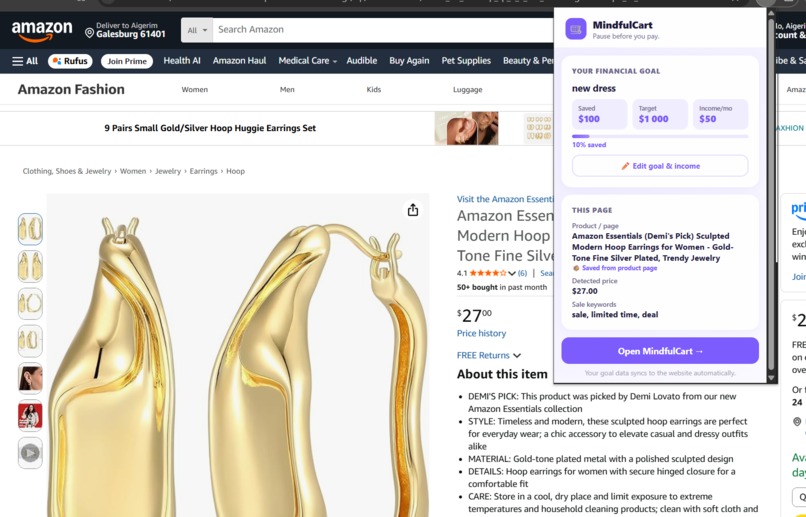
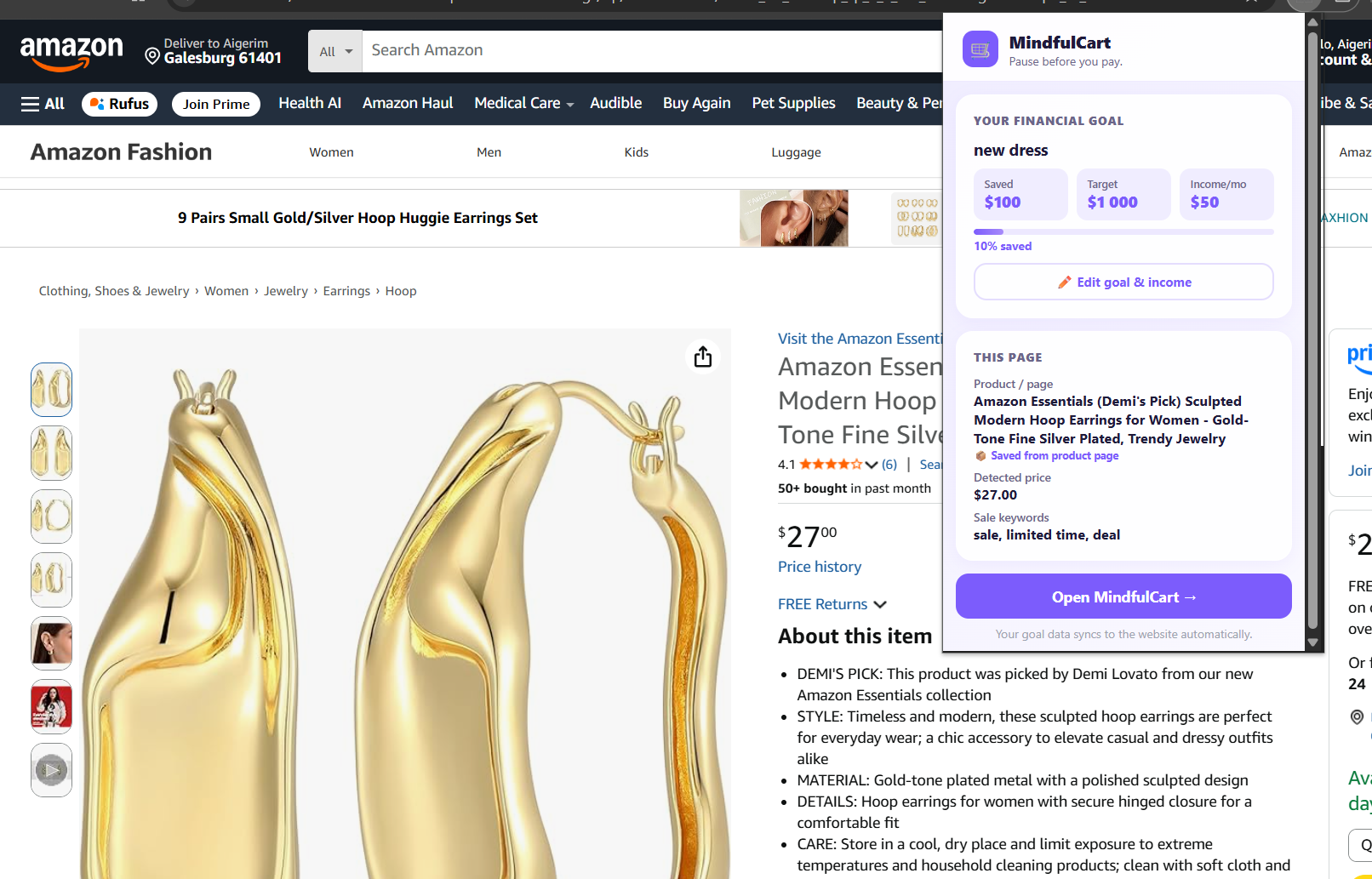
Chrome extension reads data from the marketplace about the product and price
-
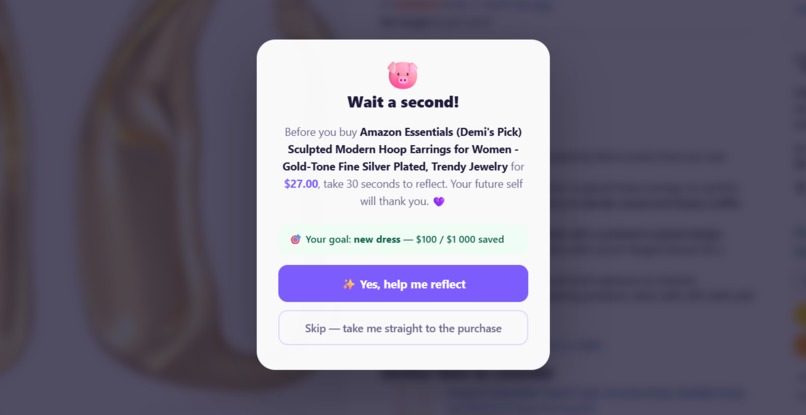
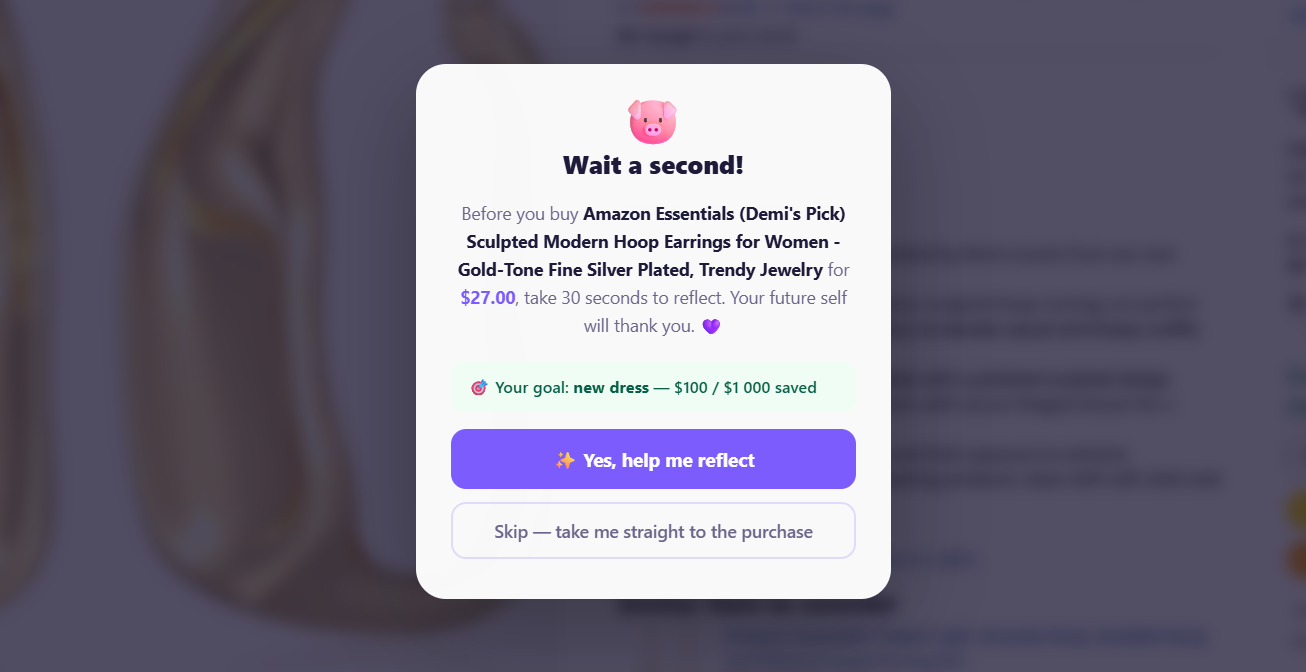
A pop-up window after user clicks the "buy" button.
-
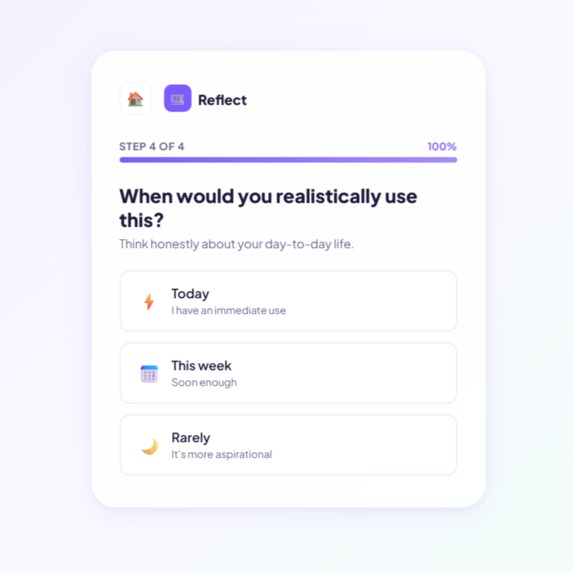
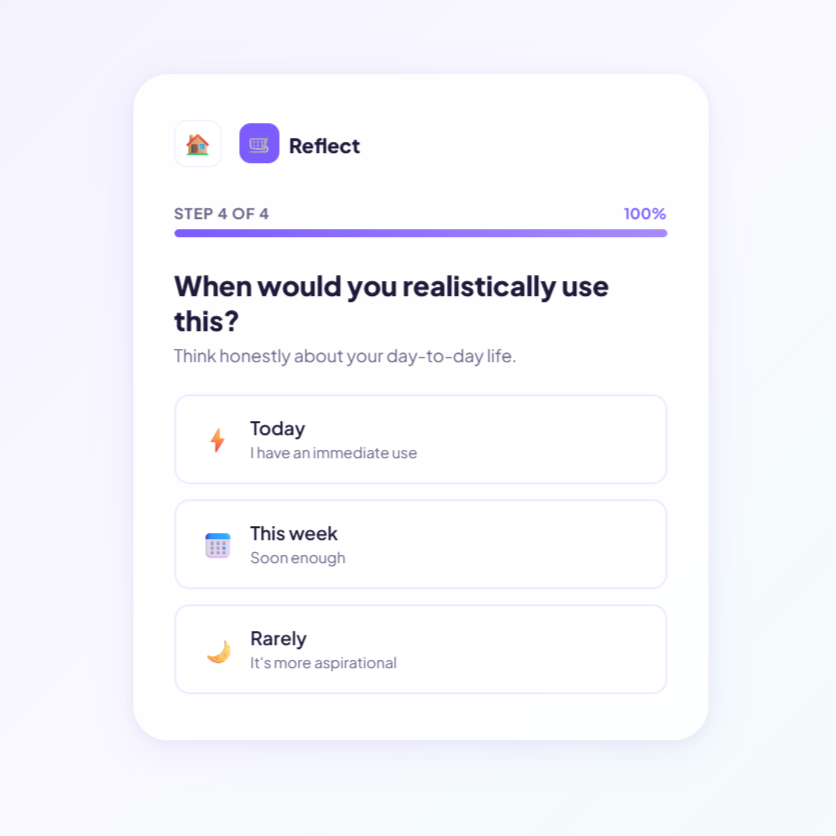
One of the multiple choice questions, that lets user analyze their purchase
-
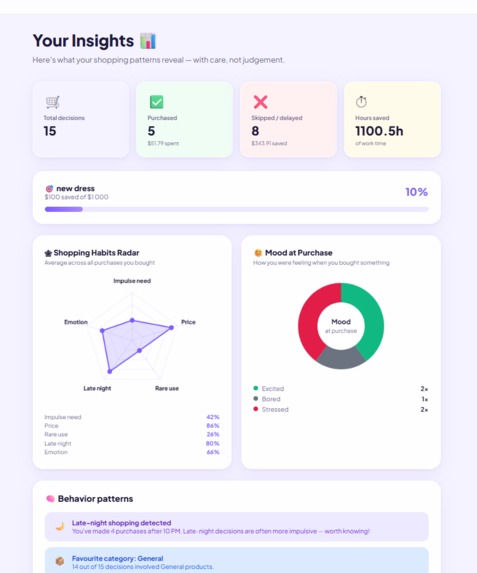
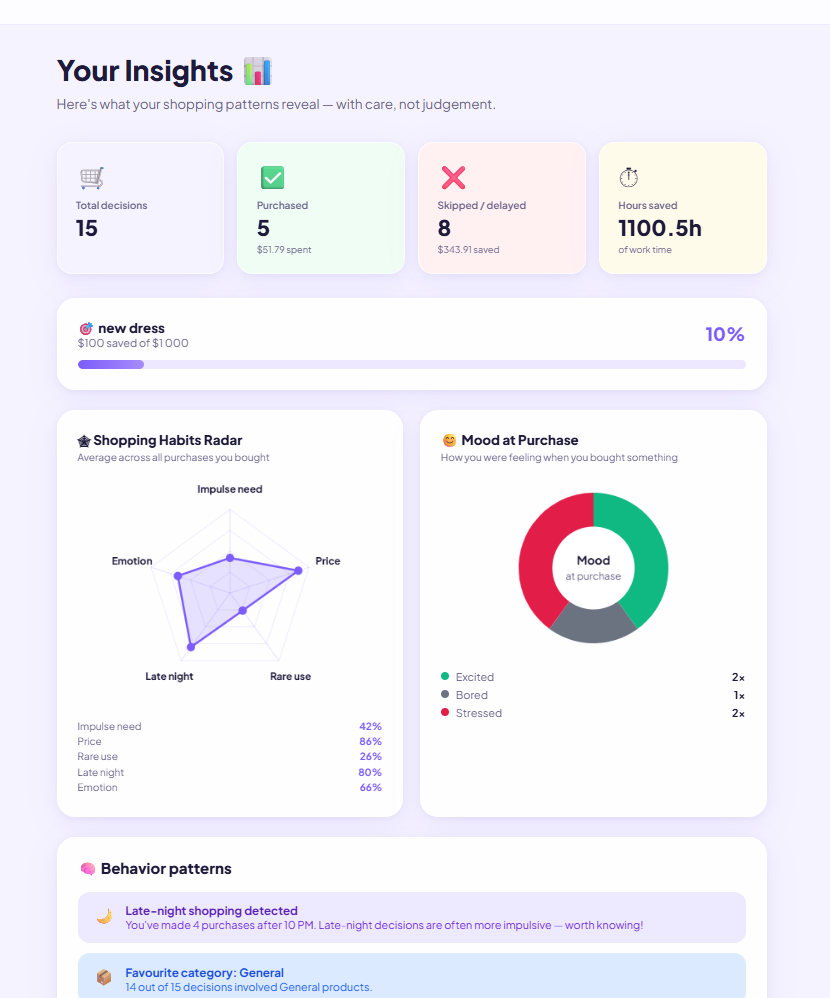
Final analysis of all purchases in history of the user
Inspiration
We've all been there. It's 1 AM, you're stressed, and somehow you end up on Amazon about to buy something you definitely don't need. Not because you're bad with money - just because the entire design of online shopping is built to make you not think.
We wanted to build the opposite of that. Not an app that blocks you or judges you, but one that just gives you 30 seconds to be intentional. The idea came from a situation where I was opening a package and I did not even remember what I ordered.
What it does
MindfulCart is a Chrome extension paired with a web app. When you go to checkout on any shopping site, the extension detects it, reads the product name and price from the page, and opens our website with that data and your personal financial goal to remind you your long-term goals. You answer four quick questions about your mood, whether you actually need the item, and how often you'd use it. Then you see the purchase translated into real terms - how many hours of work it costs, how many days further it puts you from your savings goal. An AI summarizes everything into a short, warm insight. Then you make your own call: buy, delay 24 hours, skip, or find an alternative. No final answer is given to you. That part is always yours.
Your decisions are saved over time so you can see patterns - are you shopping late at night? Always buying from the same category? The insights page shows a radar chart of your buying habits and a breakdown of your mood at time of purchase, across all the things you actually bought.
How we built it
Three folders, three people.
The backend is Node.js and Express. It takes the answers from the questionnaire, runs a scoring algorithm to estimate how impulsive a purchase is, and calls the Anthropic Claude API to turn that score into a human sentence. If the API key isn't set, it falls back to rule-based messages so the app still works.
The frontend is React with Vite. We built our own routing, our own CSS from scratch, and the charts on raw Canvas API - no chart libraries. The Chrome extension is Manifest V3. The trickiest part of the extension was realizing that Amazon's checkout page shows "Place Your Order - $1.99 shipping" as its title and price, not the actual product. So we added logic to silently save the product name and price when the user is on the product page, then retrieve that saved data when checkout is triggered.
Challenges
Getting the three parts to actually talk to each other took most of the first day. The extension runs on chrome-extension://, the frontend on localhost:5173, and the backend on localhost:3001 — three different origins. CORS, URL parameter passing, and Chrome storage all had to be wired together carefully.
The biggest gotcha was the extension intercepting clicks on our own website. When a user clicked "Buy Now" inside MindfulCart's decision flow, the extension saw the button text and fired its overlay again — creating an infinite loop. The fix was one line: if the hostname is localhost, return immediately.
Price detection on Amazon was also harder than expected. The .a-price-whole selector exists but the checkout page has a different price visible than the product page. We solved it by treating product pages and checkout pages differently - save on product pages, retrieve on checkout. We also noticed that the extension reflects the actual price of the item only if the web page of the product is fully loaded.
What we learned
Altynai had an experience of building a Chrome extension before, however it was new for the teammates. We also learned that CORS will personally come after you if you're not careful, that sessionStorage doesn't persist across tabs (which matters a lot when you're redirecting users), and that detecting a "buy" button reliably across every shopping site on the internet is genuinely hard.
We also learned that a hackathon is mostly just people not sleeping and figuring things out as fast as possible. And the result and the progress graph is highly unpredictable: we have been stuck for 7 hours and then figured out everythig in just 3 hours. Turned out fine.
What's next
Real user accounts with a proper backend database so purchase history doesn't live only in the browser. Possible connection with the bank account, so the progress of savings gets updated in real time. Support for more shopping sites with better price detection. A weekly summary email showing your spending patterns. And maybe making the piggy bank cuter =).

Log in or sign up for Devpost to join the conversation.