Inspiration
Many children and elderly people struggle with modern digital interfaces. Typing, complex menus, and small screens can make technology frustrating instead of helpful. At the same time, AI systems are becoming more powerful, but they are often not designed with accessibility, safety, or age-appropriate interaction in mind.
I wanted to build a voice-first AI companion that feels friendly, simple, and safe — something that children can use to learn and ask questions, and elderly users can rely on for daily assistance and companionship without needing advanced technical skills.
This idea led to MindFlayer, a voice-based AI buddy focused on accessibility and human-centered design.
What it does
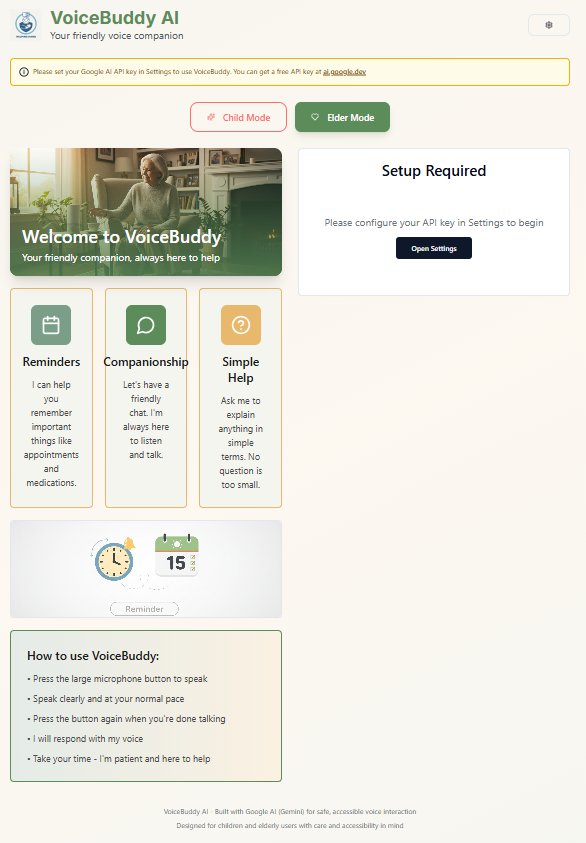
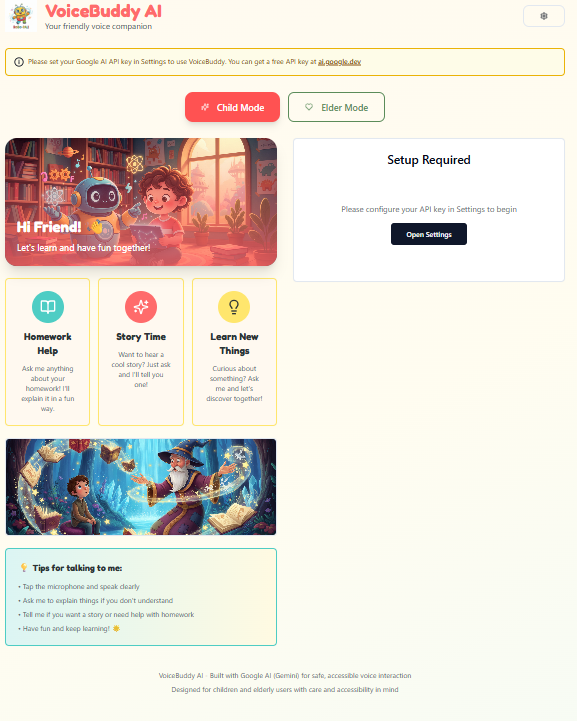
MindFlayer is a voice-powered AI assistant designed specifically for:
- Children (learning, curiosity, simple explanations)
- Elderly users (daily reminders, clear answers, friendly conversation)
The system works entirely through voice interaction:
- Users speak naturally using a microphone
- The AI responds in short, calm, and easy-to-understand sentences
- The assistant adapts its tone and behavior based on the selected user mode (Child or Elder)
Safety and clarity are core priorities. The assistant avoids harmful, medical, or unsafe advice and encourages users to consult parents, caregivers, or professionals when appropriate.
How I built it
The project was built as a simple full-stack web application:
Frontend
- HTML & CSS for a clean and accessible interface
- JavaScript for handling voice input and output
- Browser-based Speech Recognition for capturing user voice
- Text-to-Speech for spoken AI responses
Backend
- Node.js with Express to handle requests
- A lightweight API that processes user input and mode selection
- Prompt logic designed to be compatible with Google Gemini (AI.dev)
AI Integration
- The AI behavior is controlled through carefully designed prompts
- Separate prompt logic is used for Child Mode and Elder Mode
- Responses prioritize simplicity, politeness, and safety
Due to temporary accessibility issues with AI.dev in my local environment, I validated and demonstrated the same prompts using an alternative AI testing platform. The prompt logic and structure are fully transferable and designed to work with Google Gemini models.
Challenges I faced
- Platform accessibility: Some AI lab tools were unavailable in my local setup, so I had to adapt by using a compatible alternative while keeping the design aligned with Google AI principles.
- Safety design: Designing AI responses that are helpful but not unsafe required careful prompt wording.
- Voice interaction: Making voice input and output feel natural while keeping the system simple was a key challenge.
- Time constraints: Building a complete, demo-ready project within a short hackathon timeframe required focusing on core features and clarity over complexity.
What I learned
- Voice-first design can significantly improve accessibility
- Prompt engineering plays a critical role in AI behavior and safety
- Clear explanations matter as much as technical implementation
- Honest prototyping and transparent documentation are essential in hackathons
What’s next
Future improvements for MindFlayer include:
- Full deployment with Google Gemini APIs
- Multilingual voice support
- Smarter reminder and scheduling features
- Optional parental or caregiver controls
- Integration with smart devices for hands-free assistance
MindFlayer demonstrates how AI can be designed to be inclusive, safe, and human-centered, especially for users who are often overlooked by traditional interfaces.
Built With
- ai
- ai.dev?compatible
- api
- browser
- css
- engineering
- express.js
- gemini
- generative
- html
- javascript
- node.js
- prompt
- recognition
- speech
- synthesis
- web

Log in or sign up for Devpost to join the conversation.