Inspiration
Living in a busy city, I realized how hard it is to find a moment of genuine peace. I saw a need for a mental wellness tool that wasn't complicated, didn't harvest my personal data, and felt like a calm space rather than another demanding app. I was inspired by the "solarpunk" idea, using technology to create a better, more harmonious life. I wanted to build something that uses the power of generative AI not for novelty, but to provide genuine, personalized support in a completely private way.
What it does
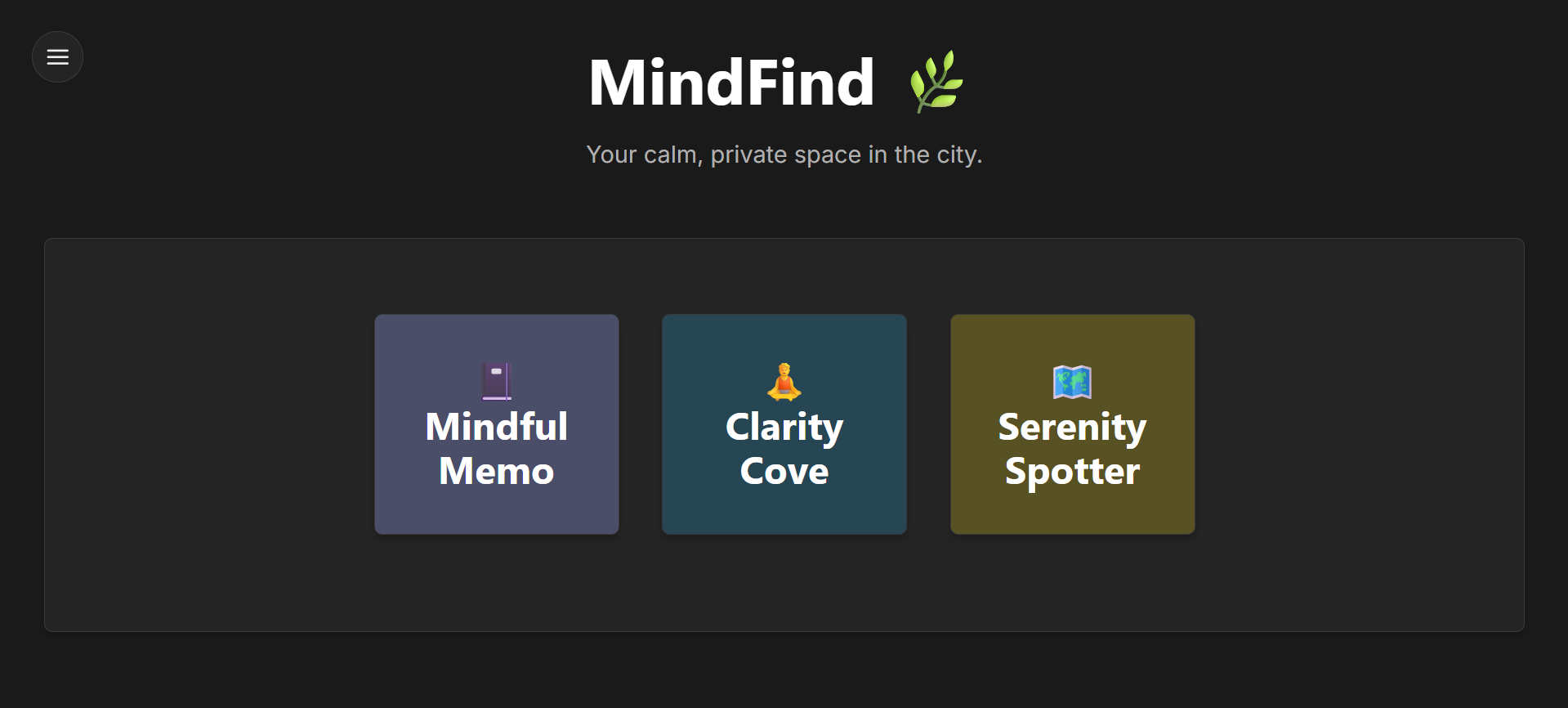
MindFind is a privacy-first, generative AI wellness companion that runs entirely in the browser. It offers three core features to help users find calm and clarity:
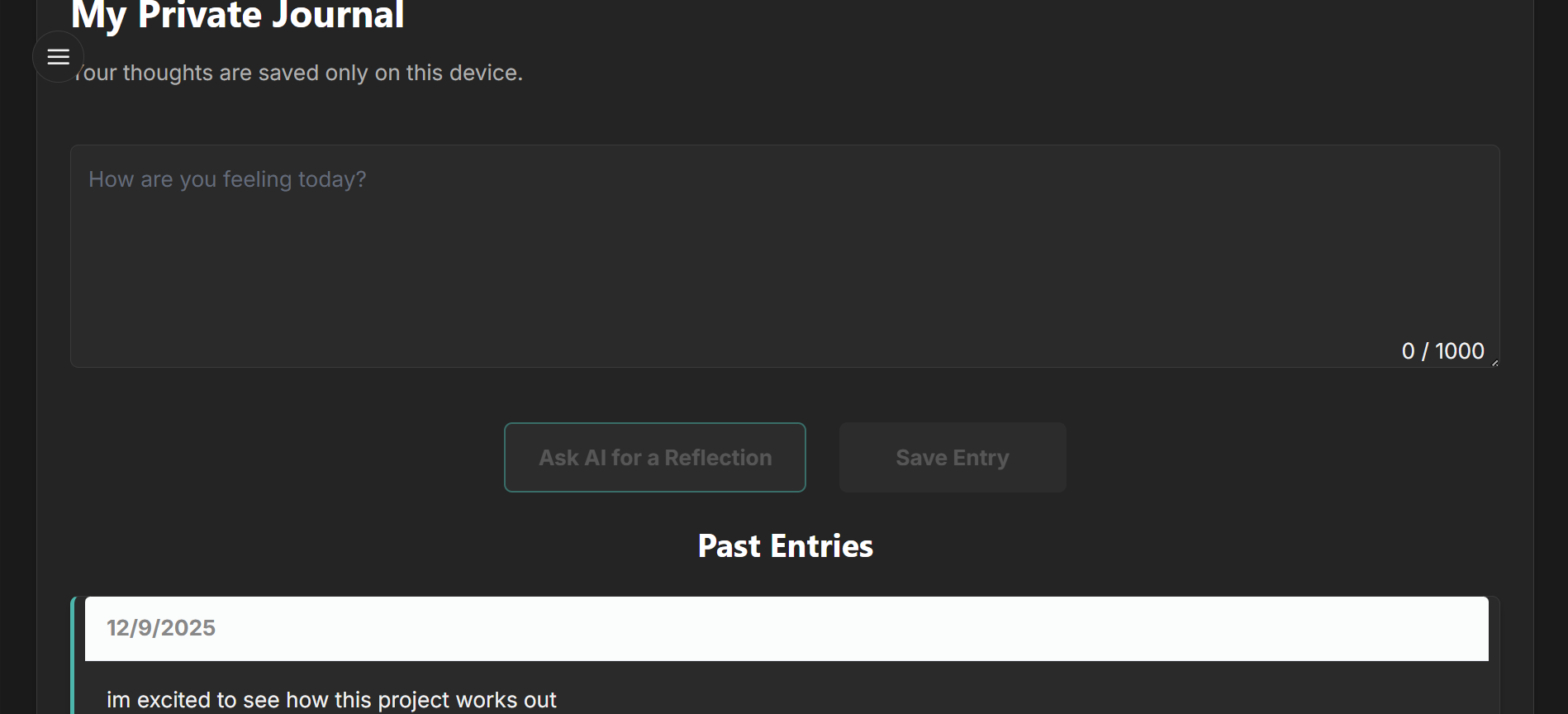
Mindful Memo: A secure, local-storage journal where I can write my thoughts and receive a gentle, concise reflection from an AI companion to help gain perspective.
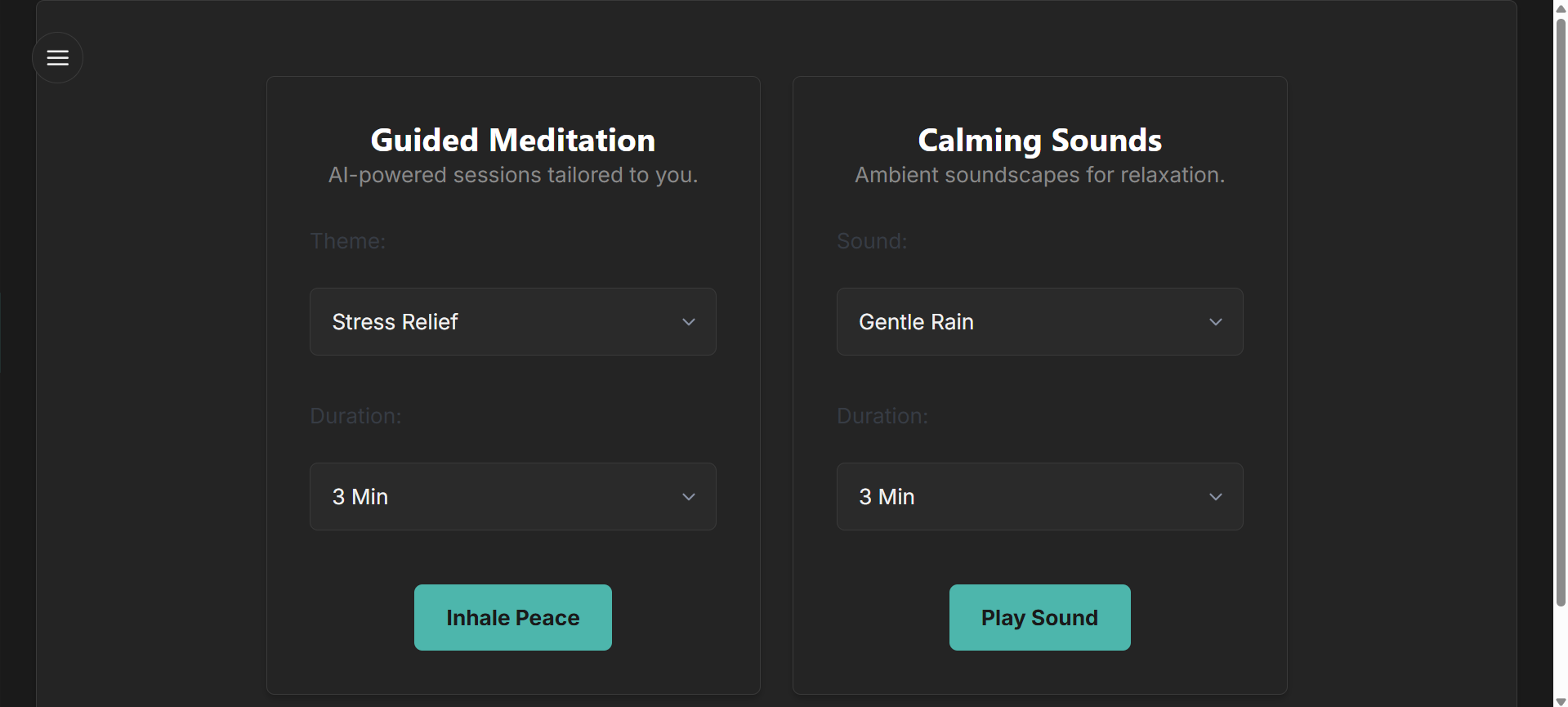
Clarity Cove: An on-demand relaxation hub that can either generate a unique, guided meditation script (and speak it aloud) or play calming ambient sounds like rain or waves.
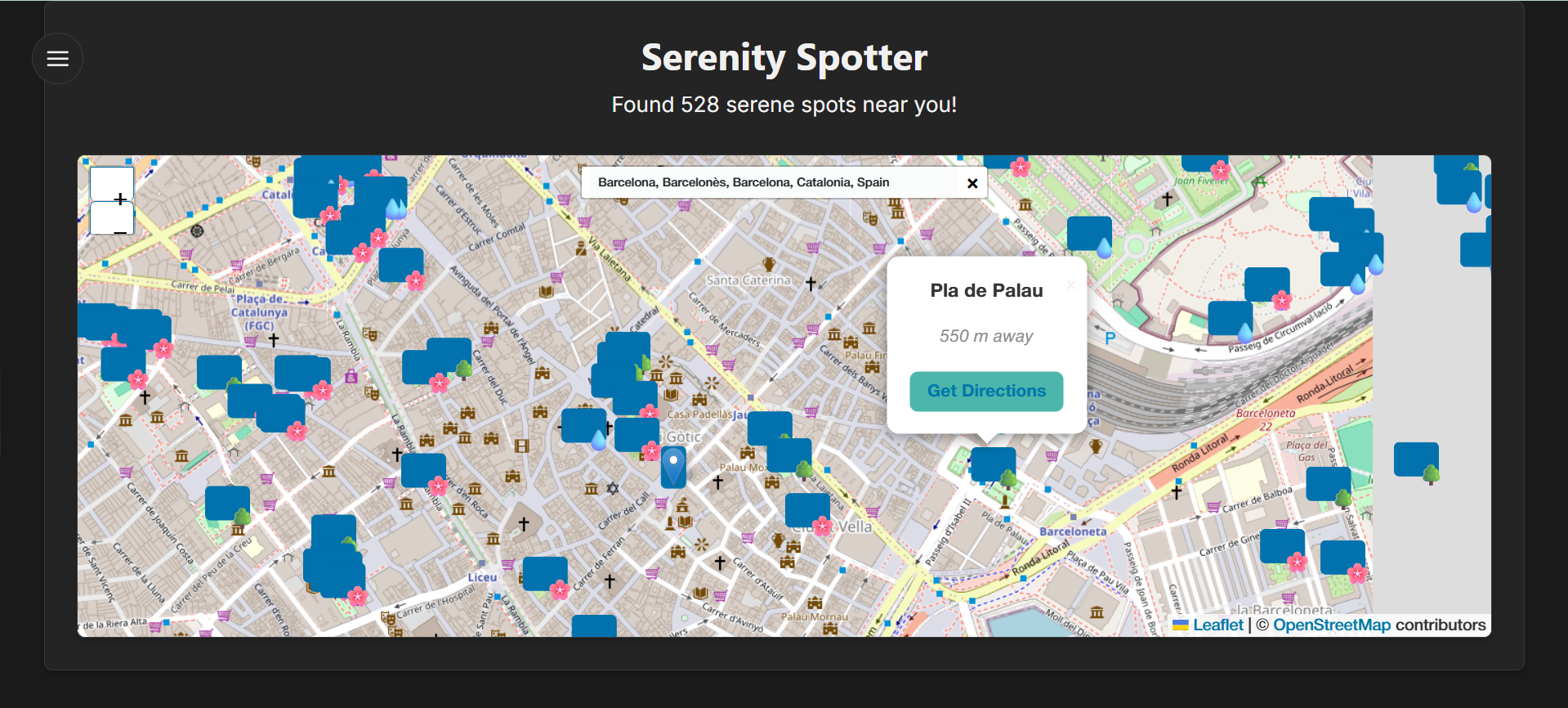
Serenity Spotter: An interactive map that allows me to search for any location and instantly discover nearby quiet places like parks, gardens, and water bodies, complete with custom icons and distance information.
How I built it
I built MindFind as a modern single-page application using React and Vite. The core intelligence comes from the Google Gemini API, which I used for all generative tasks, from creating meditation scripts to providing journal reflections.
The user interface was built with a custom dark theme on top of a Pico.css base for a clean, responsive layout. For the mapping feature, I used an entirely open-source stack with Leaflet.js to render the map and the Overpass API to query live data from OpenStreetMap. All user data, like journal entries, is stored exclusively in the browser's localStorage to guarantee privacy. All the audio playback for both meditation and ambient sounds is handled by the native Web Speech and HTML5 Audio APIs.
Challenges I ran into
The biggest challenge was wrestling with the browser's native audio APIs. The Web Speech API and HTML5 Audio have security features and behavioral quirks that made audio playback unreliable at first. There were frustrating moments where sound would work once and then fail. Overcoming this required a deep dive into the APIs' state management and building a more robust system that could reliably handle play, pause, and interruptions. Another challenge was perfecting the CSS layout, especially for the Clarity Cove feature, to ensure it was both beautiful and perfectly responsive across all devices without using a heavy UI library.
Accomplishments that I'm proud of
I'm incredibly proud of building a fully functional, multi-feature application in such a short time. My biggest accomplishment is the privacy-first architecture. Creating a useful AI tool where the user can be confident that their personal thoughts never leave their own device is something I'm very passionate about. I'm also proud of the successful integration of APIs into a cohesive user experience. Finally, getting the pop-up audio player to work reliably for both generated speech and ambient sounds was a major victory.
What I learned
This hackathon was a powerful learning experience. I learned how to rapidly prototype with a powerful generative AI like the Gemini API and the importance of careful prompt engineering to get the exact output you need. I gained a much deeper, practical understanding of the complexities of browser audio APIs. Most importantly, I learned how to persevere through frustrating bugs and layout issues, and the importance of simplifying a design to make it more robust and reliable.
What's next for MindFind
The foundation is strong, and there's so much potential for growth. The next steps would be:
Implement Voice Selection: Allow users to choose from different system voices for the guided meditations.
Expand Serenity Spotter: Add more categories of quiet places, like libraries or cafes, and include user ratings or reviews.
Offline Functionality: Convert the application into a Progressive Web App (PWA) so it can be "installed" on a device and used even without an internet connection (with the AI features disabled offline).


Log in or sign up for Devpost to join the conversation.