-
-
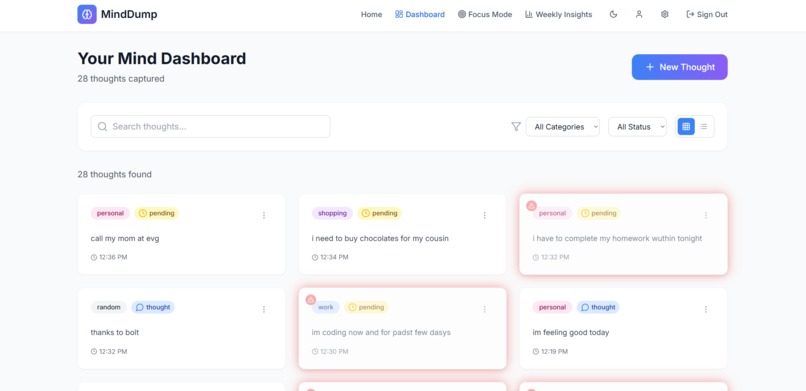
Dashboard
-
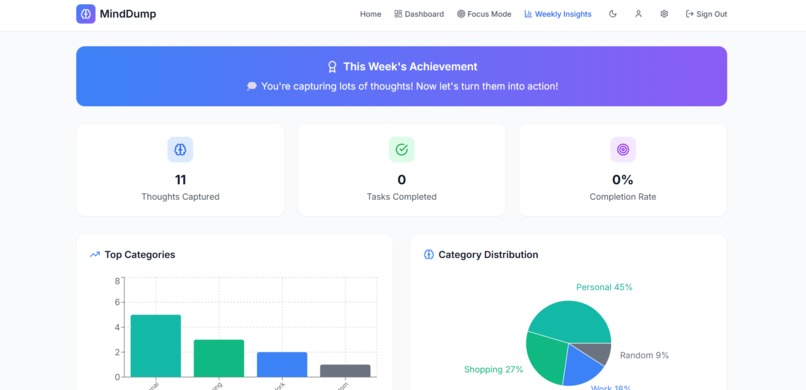
Weekly Insights
-
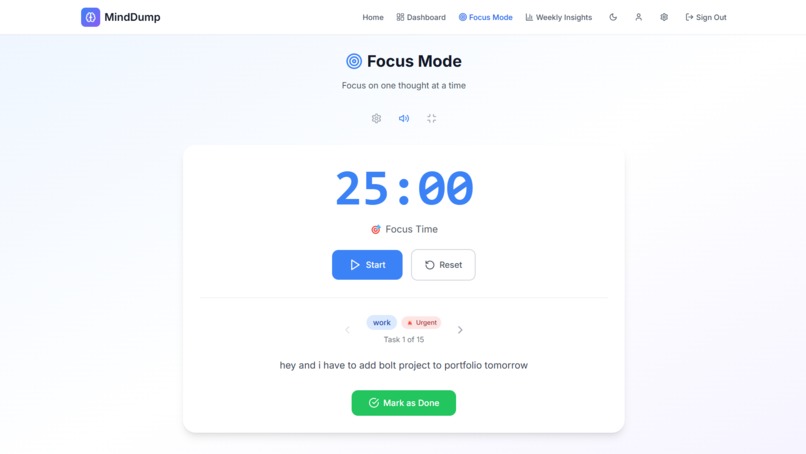
Focus Mode
-
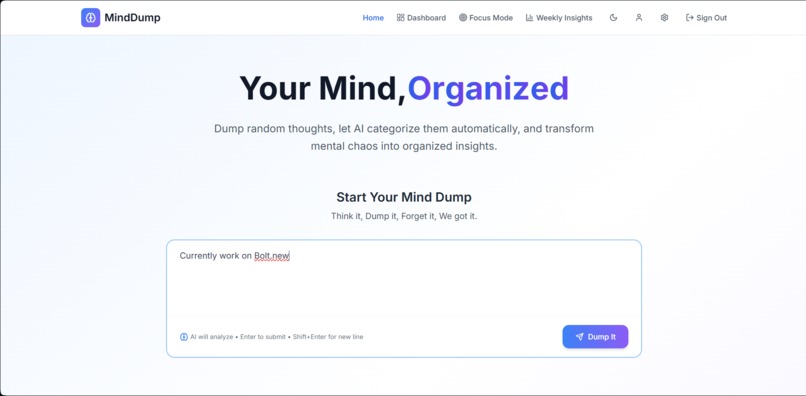
Home
Inspiration
The idea for MindDump came from a common, frustrating feeling that is mental clutter. I noticed this pattern especially among students, professionals with ADHD, and even myself. As someone who juggles thoughts, deadlines, dreams, and doubts all at once, I often found myself forgetting tasks, misplacing ideas, or getting overwhelmed by thoughts that had no place to go. Task managing apps felt too rigid and robotic. Notes apps were a mess. So, I imagined a place that simply said: “Dump it here. We’ll take care of it.” That’s where MindDump started, a mental inbox for everything on your mind, where thoughts could be smartly organized without judgment. Moreover, I was always inspired to create a productivity app since childhood, thanks to Bolt.
What it does
MindDump is a web app that gives your cluttered thoughts a home — and then helps you make sense of them.
At its core, it allows users to freely write whatever is on their mind, whether it's a random idea, a personal feeling, or a to-do item. Once a thought is "dumped," the app intelligently classifies it using the Gemini API — sorting it into meaningful categories like Tasks, Personal Reflections, Shopping Lists, Reminders, or Random Thoughts.
But MindDump doesn’t stop there.
If the thought is actionable, it’s treated like a task, and users can:
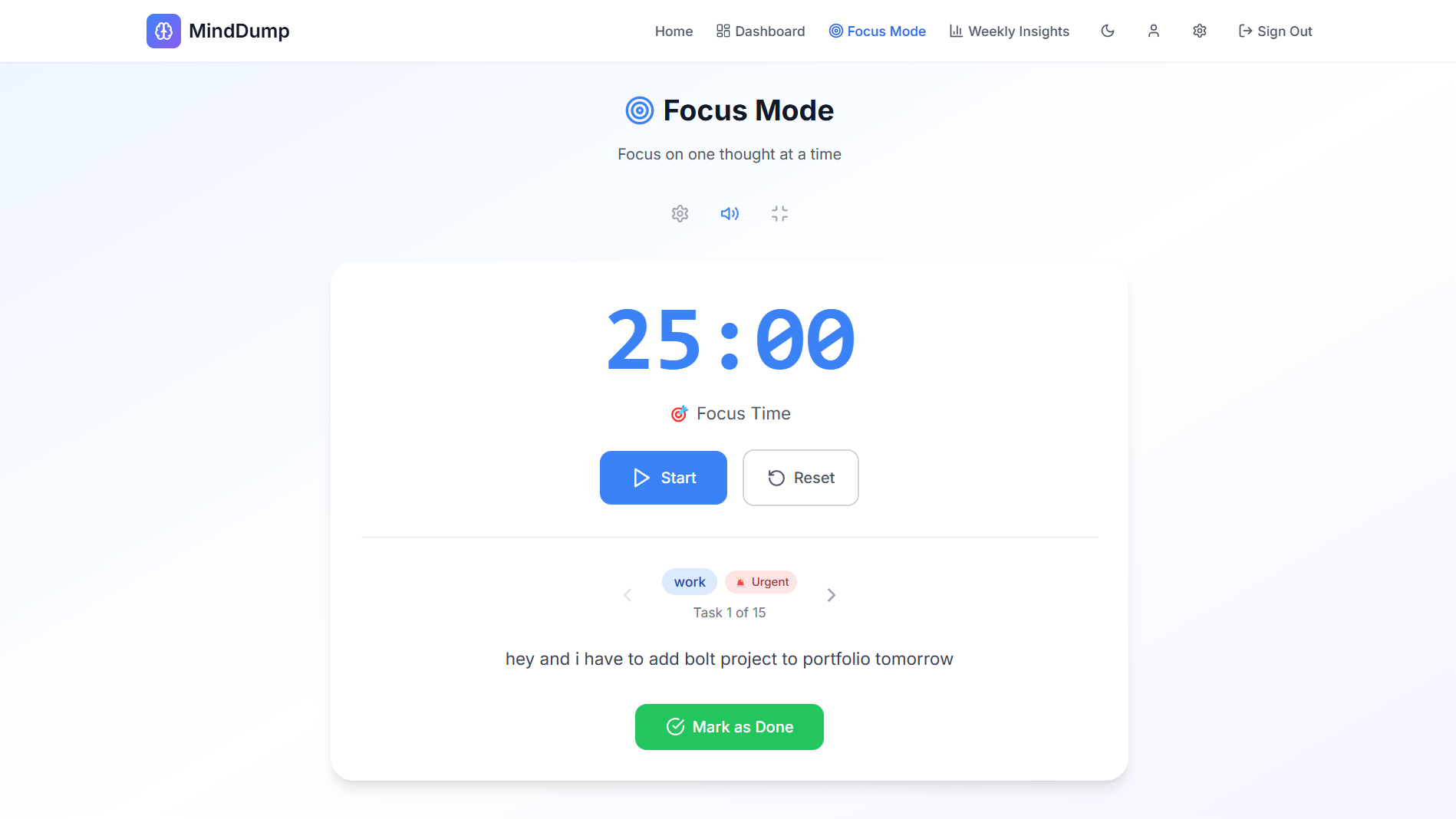
- Set it to Focus Mode, where a Pomodoro timer helps them complete the task in a distraction-free space with sound alerts and a visual progress tracker.
- Mark it as “done” when completed or like it as a form of self-validation.
- Update the status, move it between categories, or edit/delete as needed.
How we built it
This project was built entirely during the Bolt.new Hackathon using prompt-based development, with intense focus on React, Supabase, and Gemini API. Here’s a snapshot of the journey:
- Started with a React-Tailwind template
- Implemented a basic thought box (dumping feature) with auto-save to Supabase
- Authentication via Supabase (with conditional UI for dumping)
- Prompt-engineered Gemini to smartly categorize thoughts (shopping, personal, etc.)
- Fixed issues where dumps without login still worked
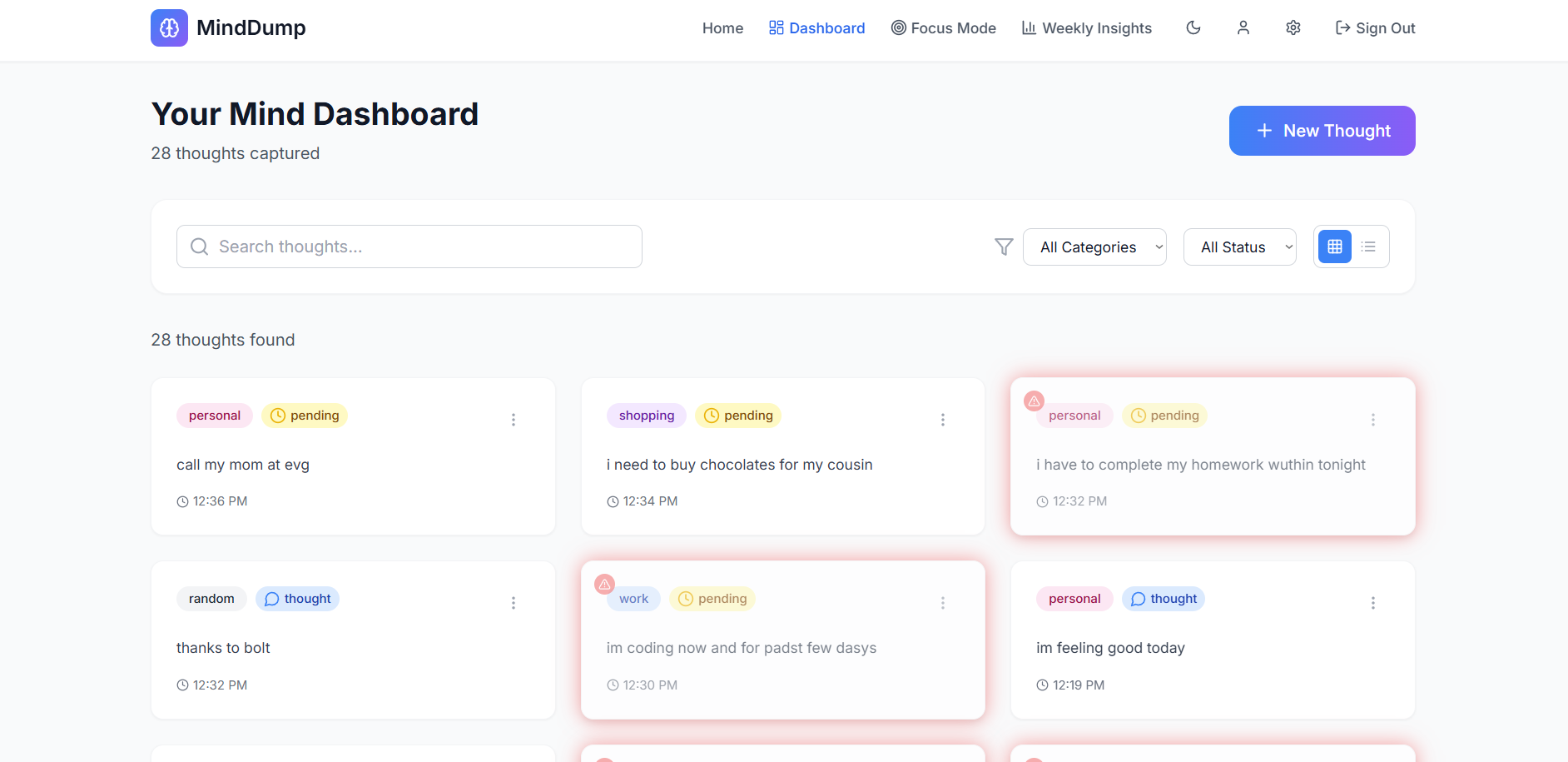
- Built a dashboard showing categorized thoughts with filters (pending/done/urgent)
- Added AI urgency detection for urgent tasks with red animation alerts in dashboard
- Designed and integrated a Pomodoro-based Focus Mode with sound alerts, allowing users
to move between tasks using visible
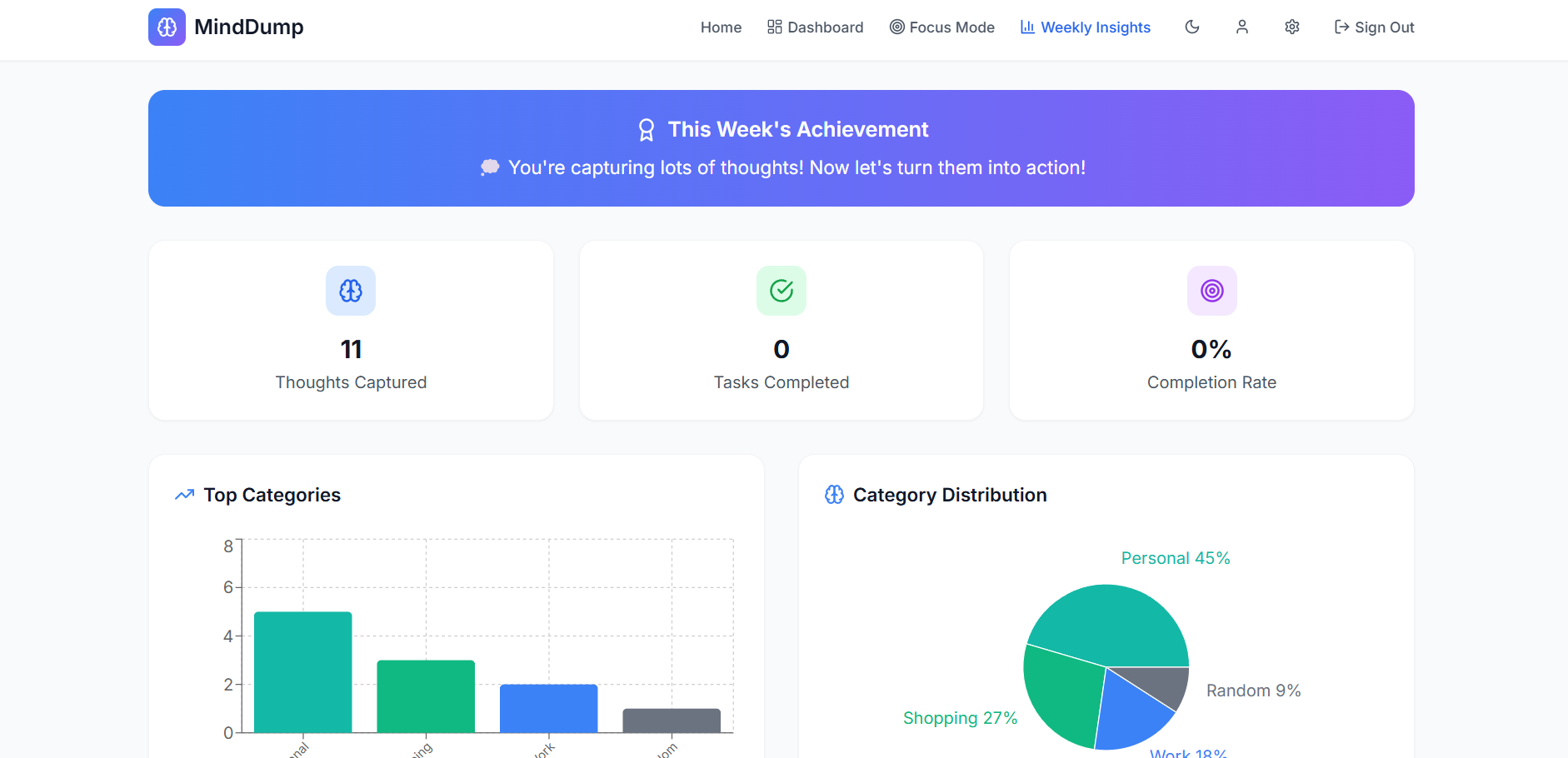
<and>navigation buttons - Developed a Weekly Insights feature showing data visualizations (bar charts, graphs) of user activity with motivational messaging
- Enabled functions like editing, deleting, marking done/undone, moving tasks between categories
- Implemented thought vs task classification, for example, "life is boring" is recognized as a thought (non-actionable) and treated differently than a task
- Added a complete dark mode toggle that reflects across all UI components
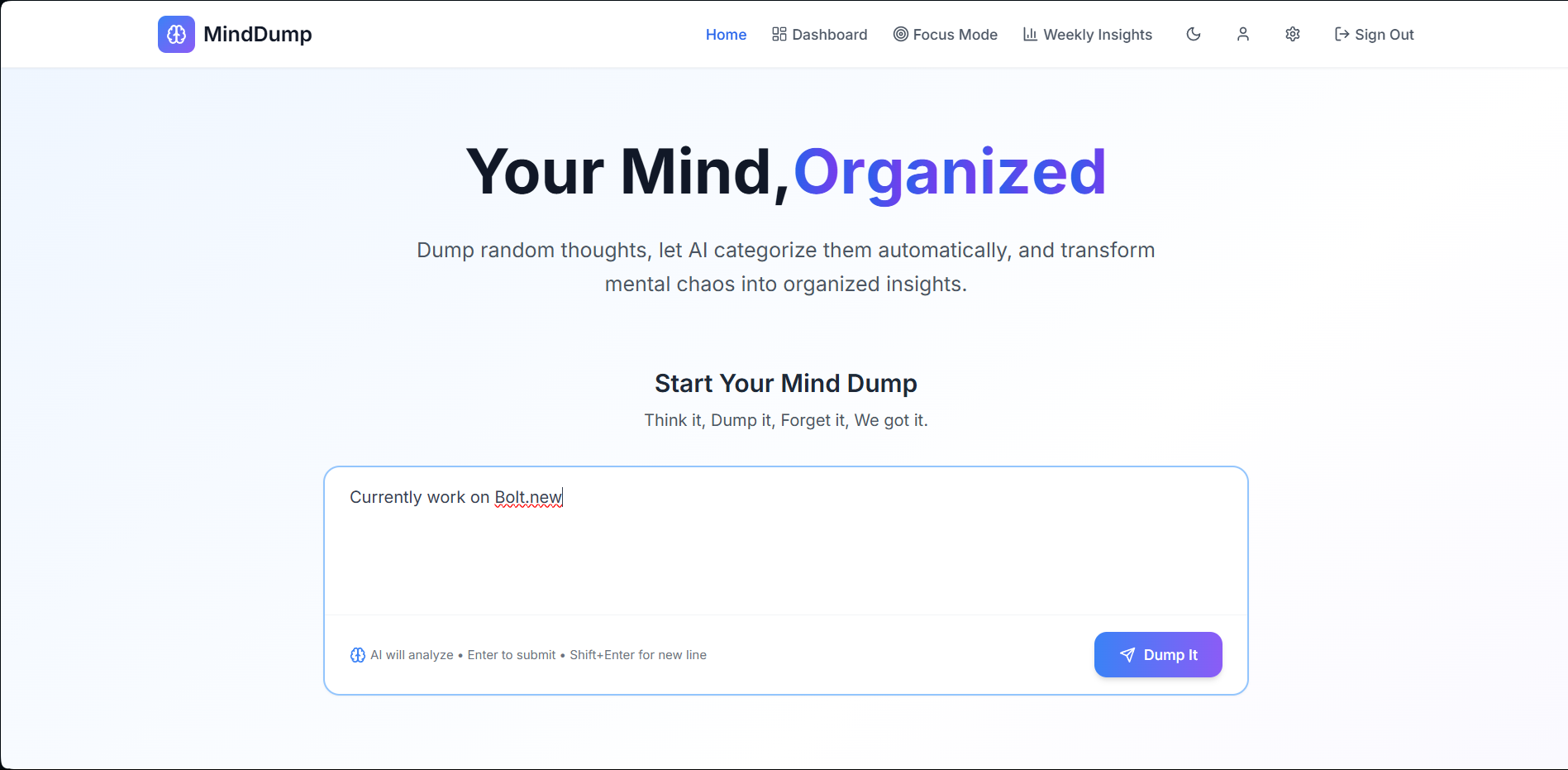
- Designed an animated shuffle-to-organized word transition for the homepage
- Created a realistic footer by attaching the Bolt badge and repositioning text as required
Challenges we ran into
Throughout this project, we encountered both expected and surprising challenges, especially given our AI-heavy workflow:
- Supabase email authentication links failed due to localhost redirection issues during early testing.
- We initially tried using DeepSeek API for categorization, but it lacked reliability in identifying nuanced thoughts leading to a switch to Gemini.
- Categorization sometimes resulted in inappropriate statuses, like marking non-actionable thoughts (e.g., “life is boring”) as “pending tasks.”
- The first design for red alerts on urgent tasks was visually aggressive and clashed with the dashboard UI, so we redesigned it with smoother animations.
- Dark mode was only partially applied initially (only headers), and extending it across the entire app needed manual overrides.
- The “blur” effect on the “Dump it” button before login was unreadable; we had to fine-tune it to maintain both aesthetics and clarity.
- Gemini also struggled with edge cases and sometimes misclassifying thoughts was handled by us.
- Achieving clean, responsive spacing across components while maintaining visual hierarchy took multiple layout passes.
Accomplishments that we're proud of
- Smart task categorization using Gemini API
- Clean distinction between "thoughts" and actionable "tasks"
- Fully responsive and dark-mode compatible UI
- Pomodoro timer with audio alert and focus navigation
- Creative homepage animation showing word “ORGANIZED” being shuffled then aligned
- Integrated Bolt Badge with styled footer
- Proper authentication gating with memory option (“remember me”)
- Advanced dashboard features (edit, delete, status toggle, category switch)
- Weekly analytics & mood-based motivational summary
What we learned
- Prompt engineering needs iteration, one wrong word can misguide AI
- Always clarify UI intent, Bolt sometimes misinterprets instructions
- Simpler UI wins when handling complex data
- Categorizing human thoughts is not rule-based; it requires true AI understanding
- Test every state of app like unauthenticated, typo-heavy, and edge cases
What's next for MindDump
- Add voice-based input using API
- Enable shared boards for friends, families, or workspaces
- Google Calendar sync for date-based dumps
- Stickers, avatars, and more user personalization
Built With
- bolt.new
- chart.js
- framer-motion-(animation)
- gemini-1.5-flash-api
- lucide-icons
- react.js
- supabase-(auth-and-db)
- tailwind-css

Log in or sign up for Devpost to join the conversation.