-
-
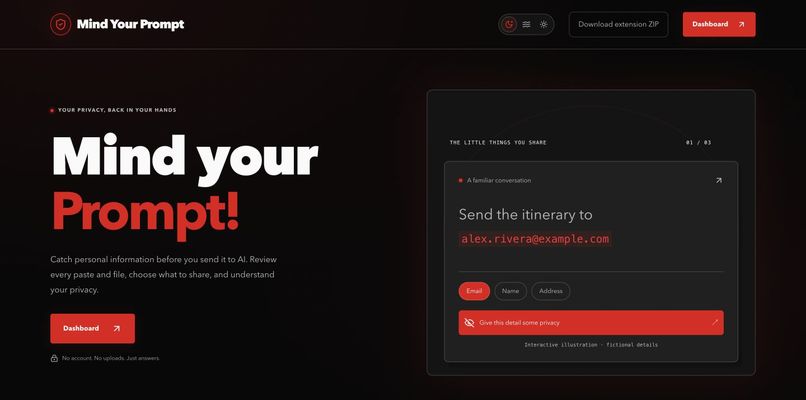
Review your AI history and take control of what you share next.
-

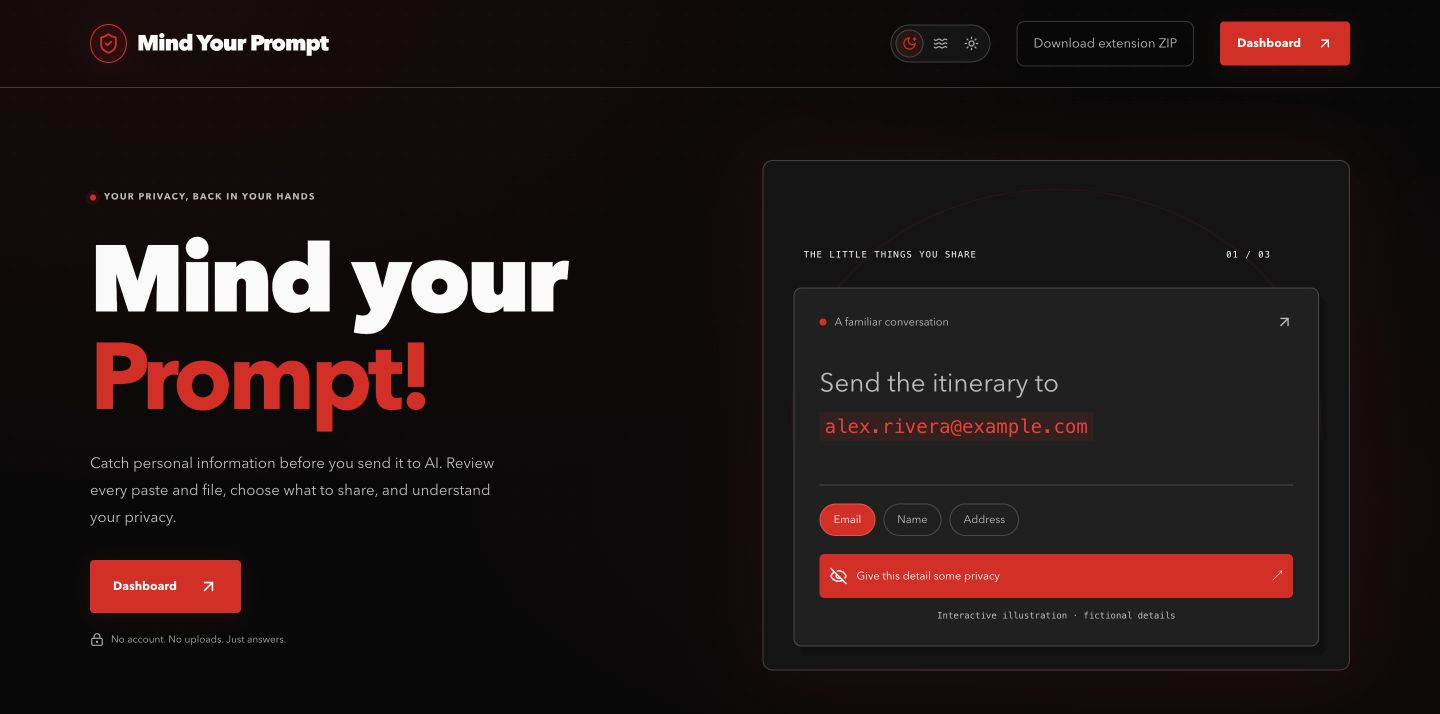
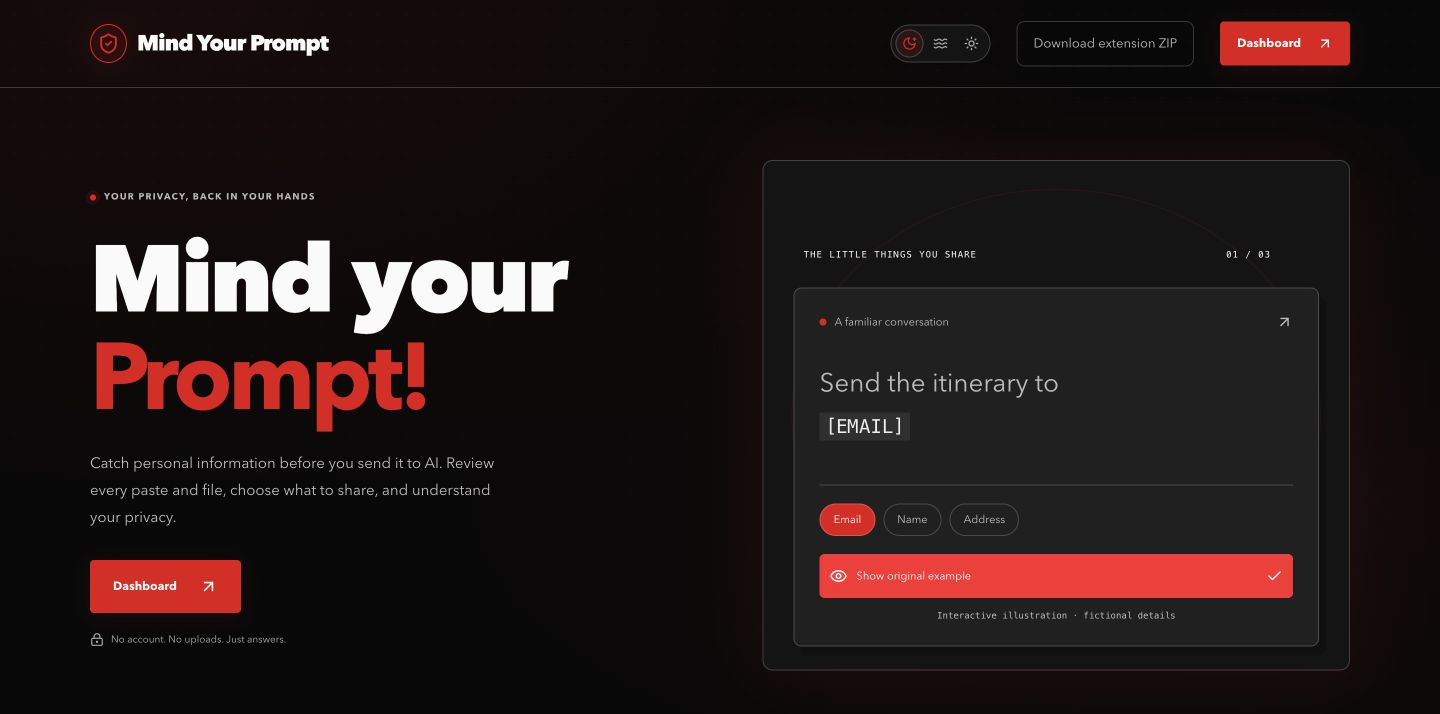
A fictional email becomes a placeholder in the homepage illustration.
-
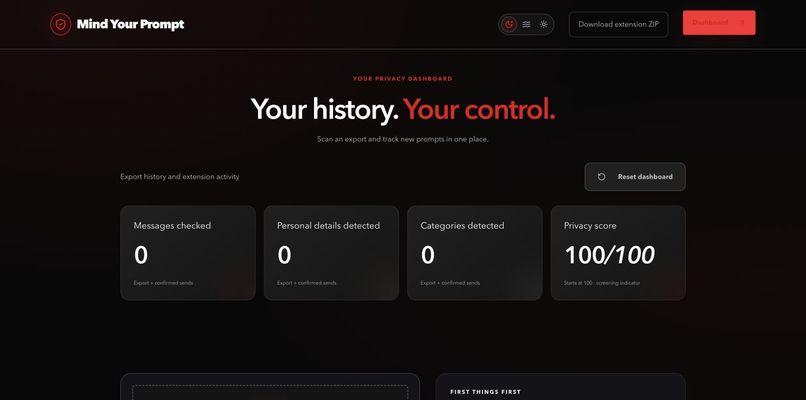
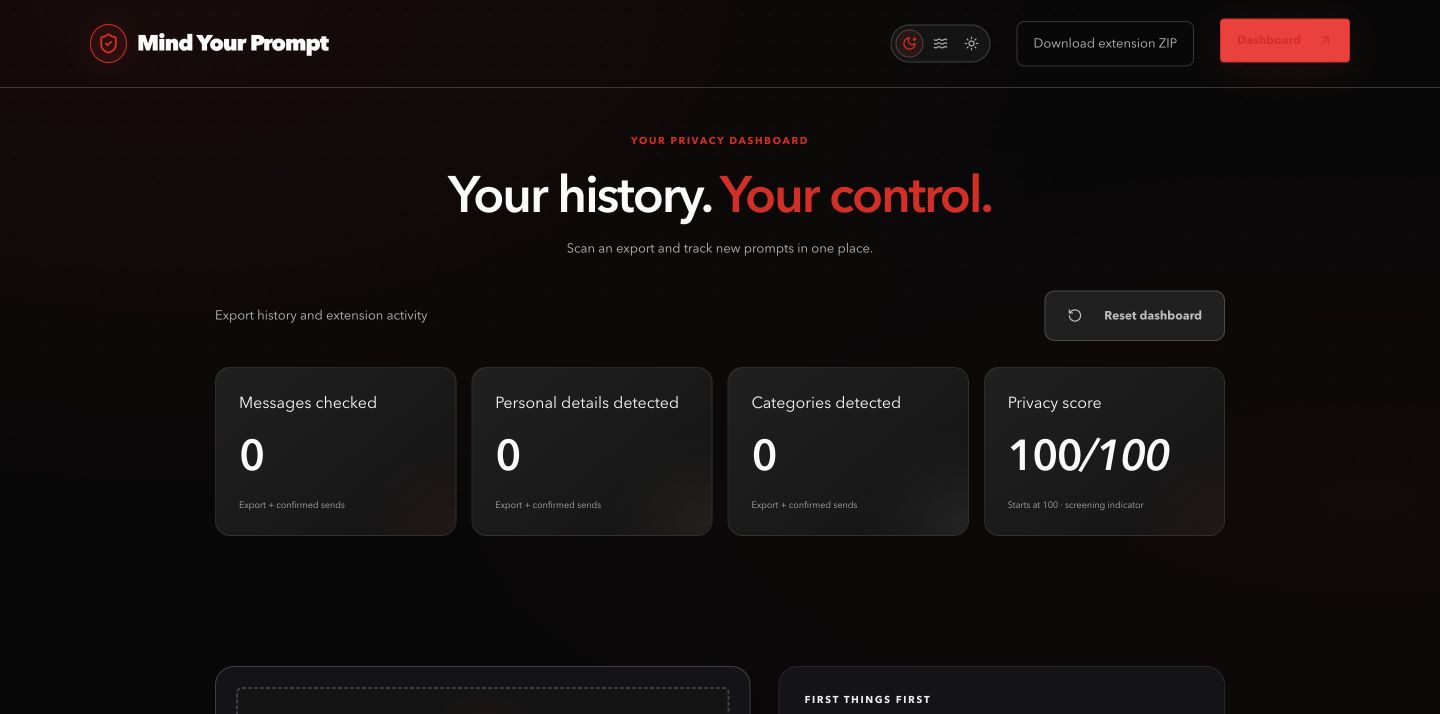
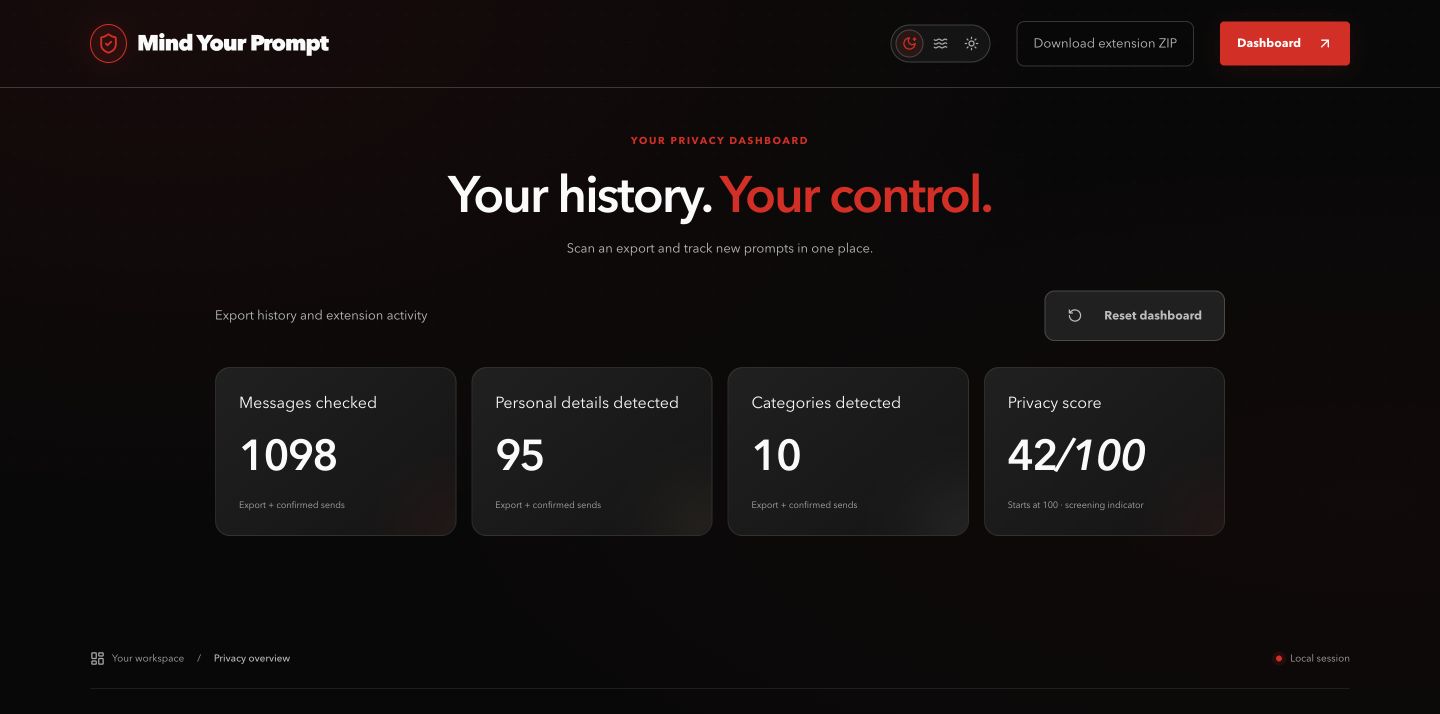
Counts start at zero; the privacy score starts at 100 and is a screening indicator.
-

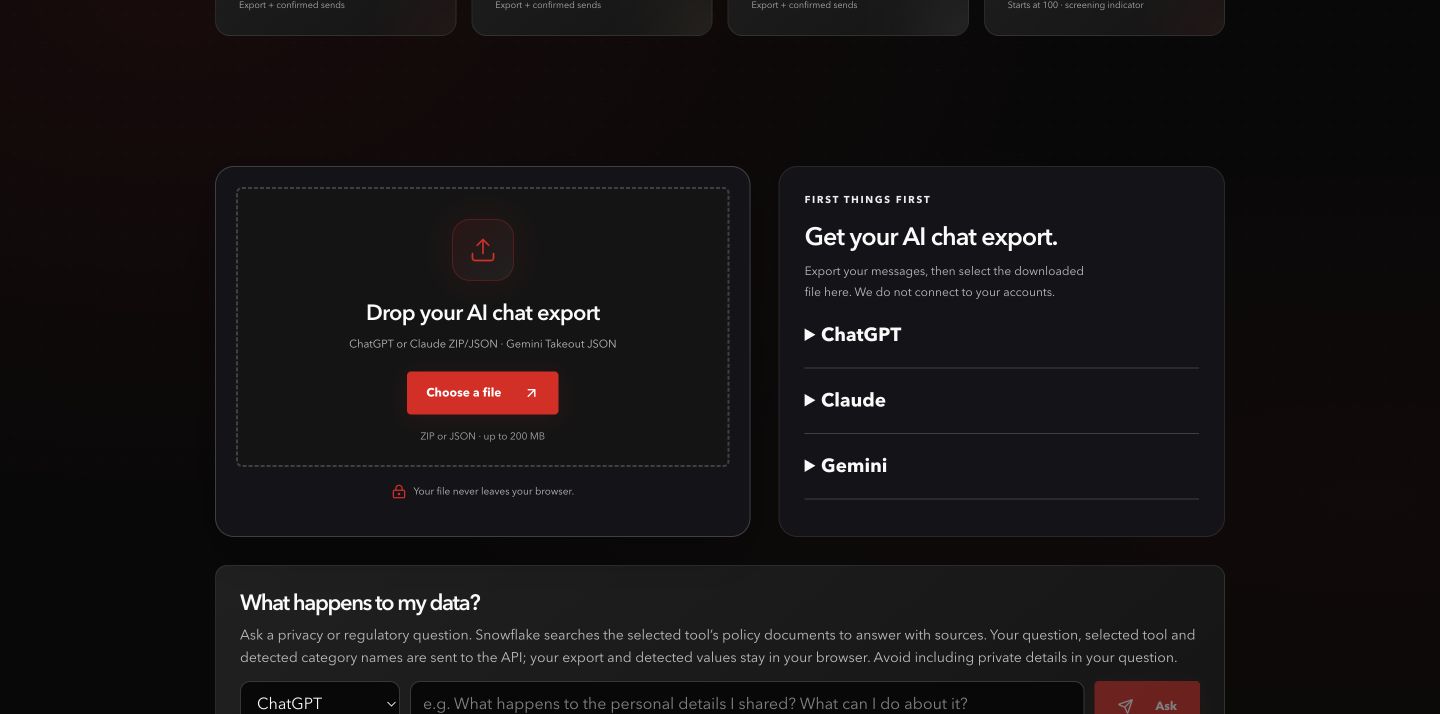
Local export scanning supports ChatGPT, Claude, and Gemini Takeout formats.
-
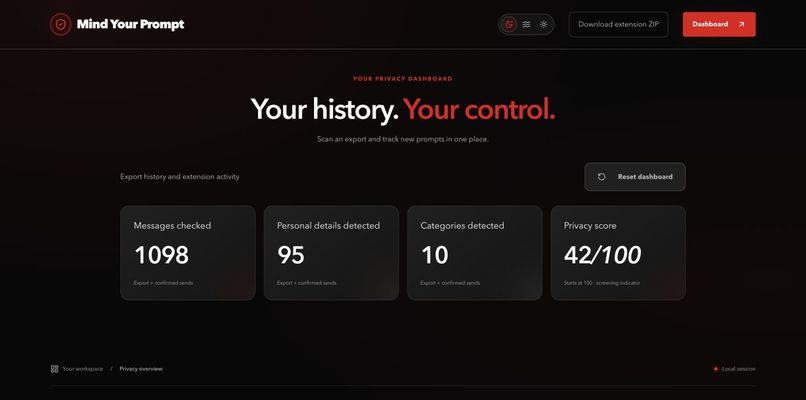
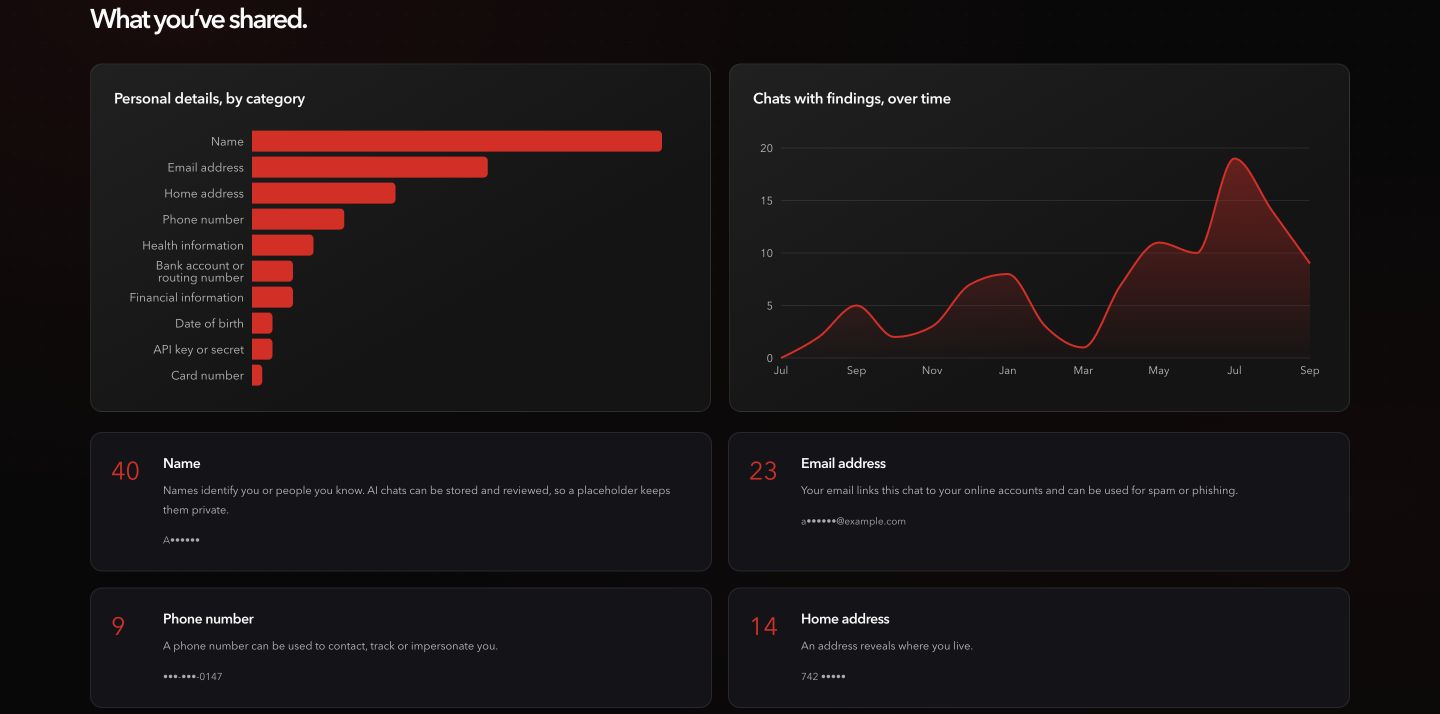
The synthetic export produced 1,098 checked messages, 95 personal-detail occurrences, 10 categories, and a score of 42.
-
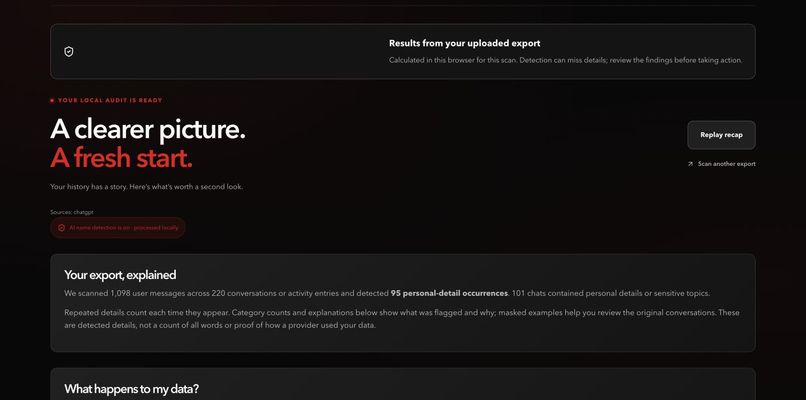
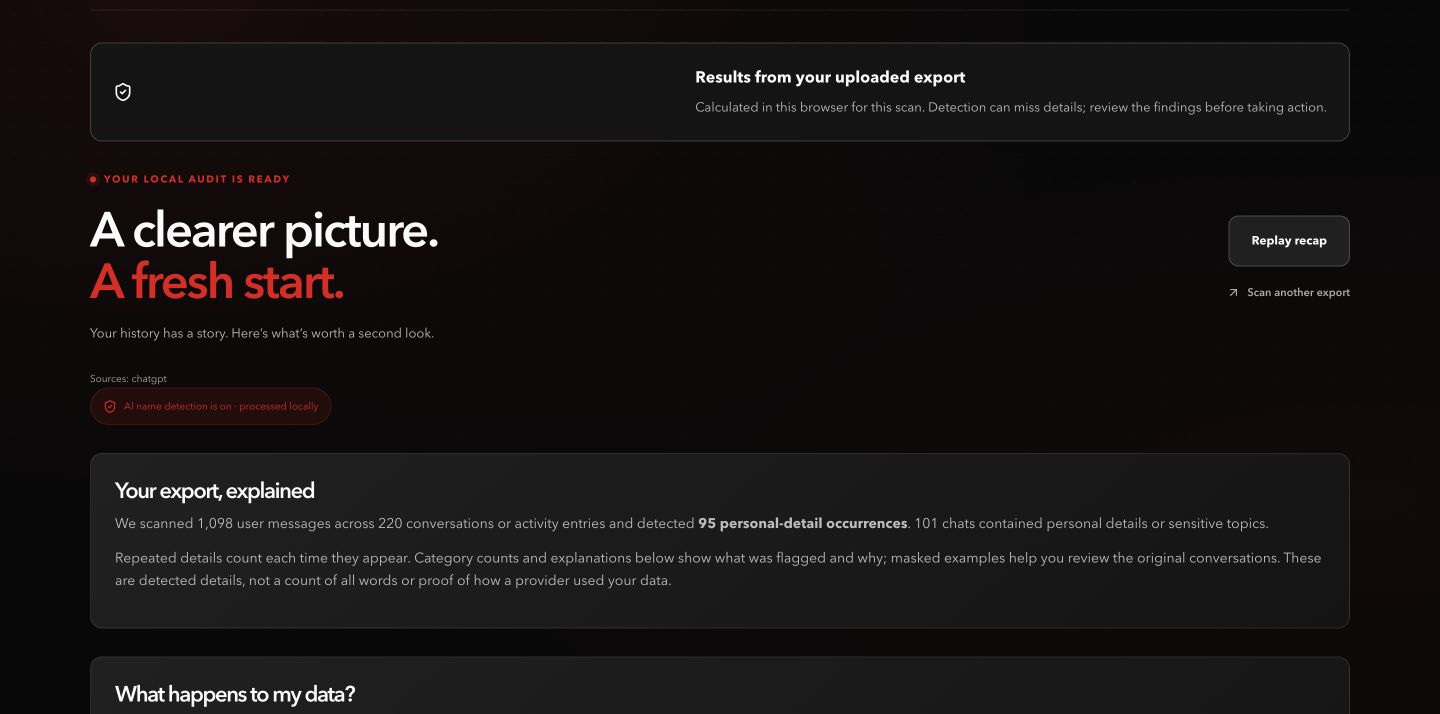
The report explains the scan scope: 220 conversations and 101 chats containing details or sensitive topics.
-
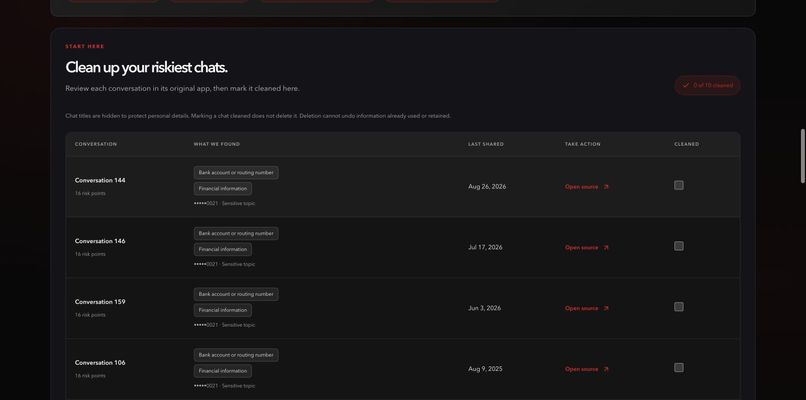
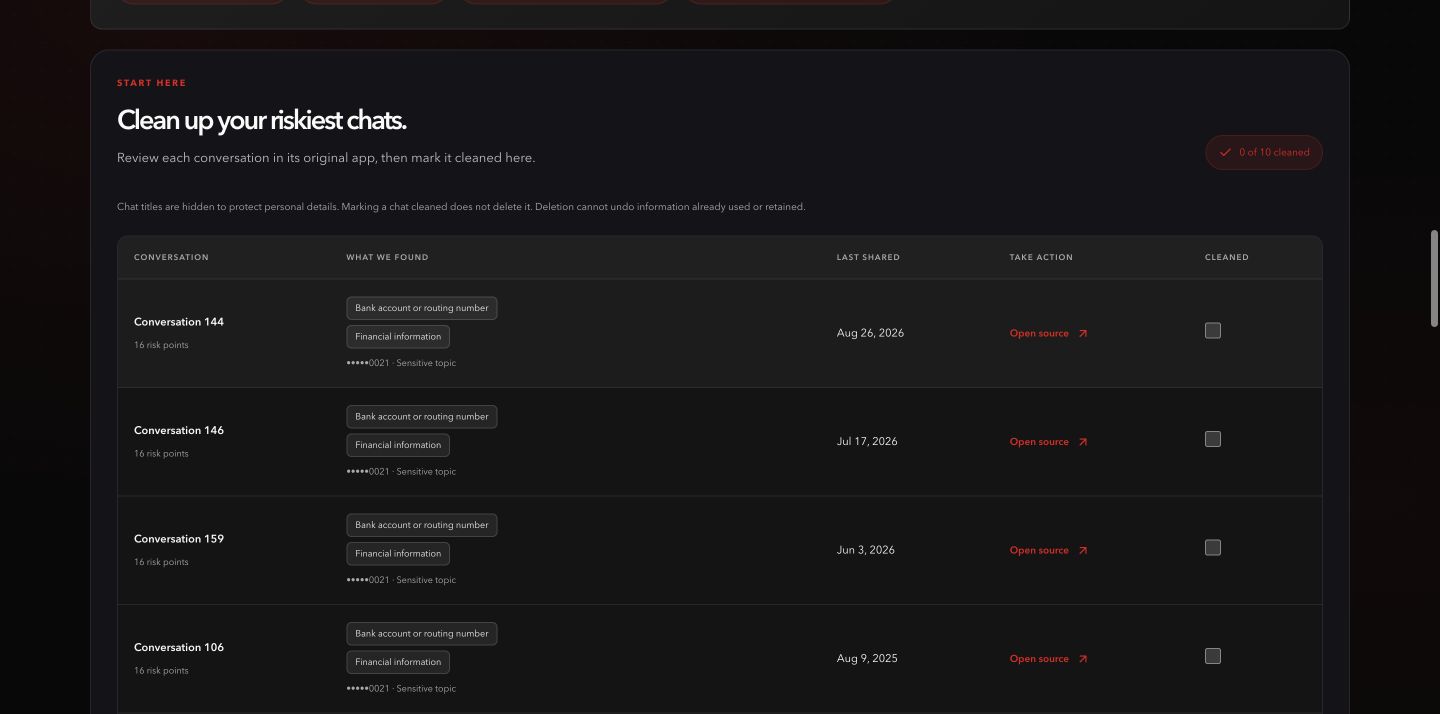
Masked findings and source links help prioritize review. Marking cleaned does not delete a provider conversation.
-
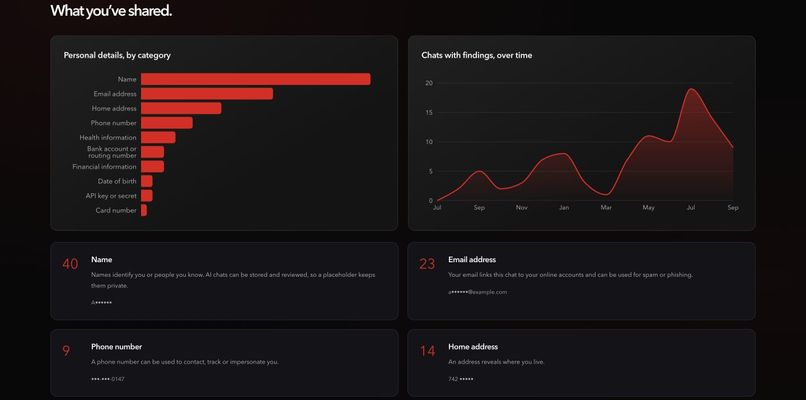
See which categories occur in the export and how chats with findings change over time.
-
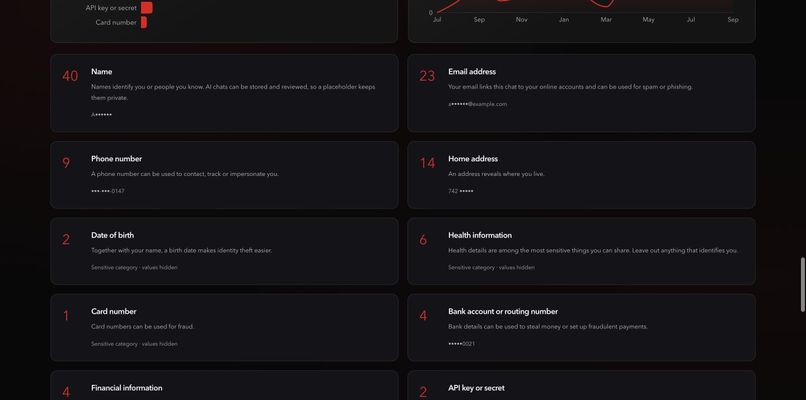
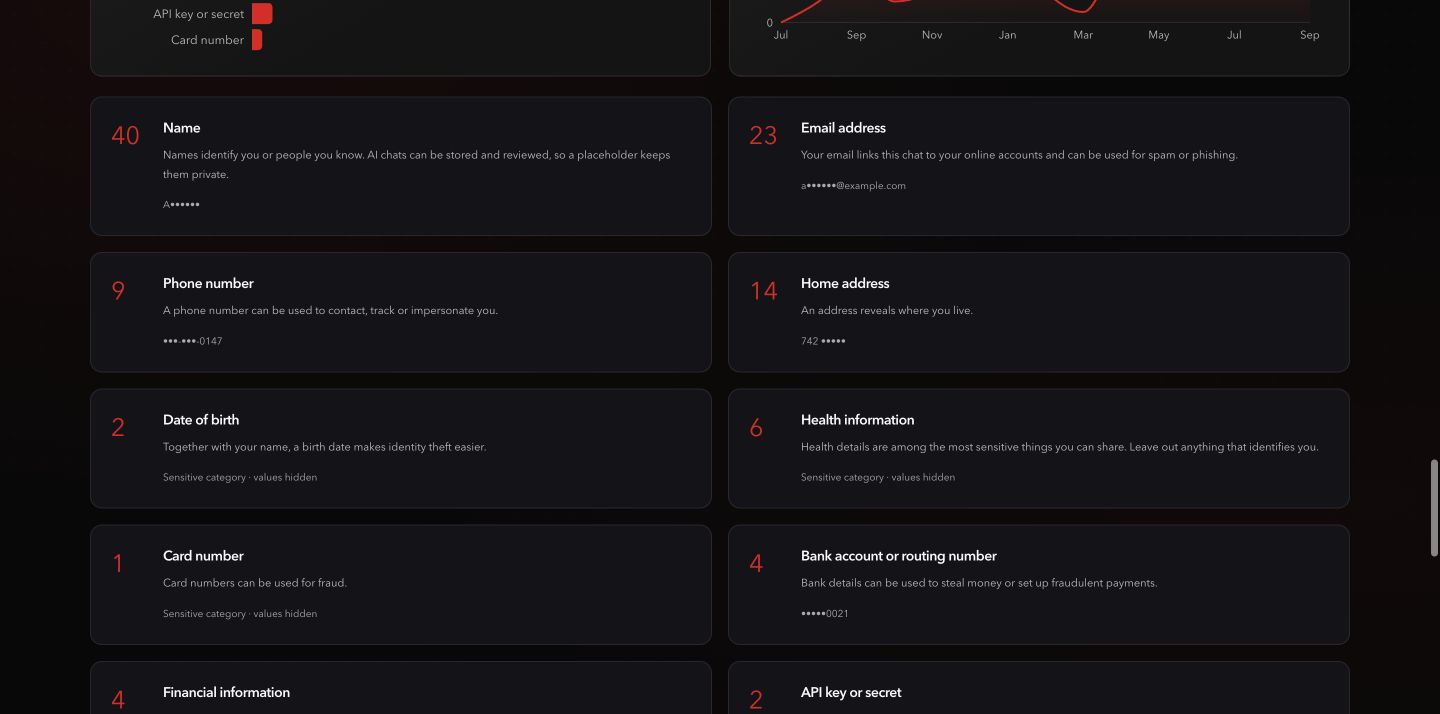
Category explanations and masked examples explain why a detail may matter.
-
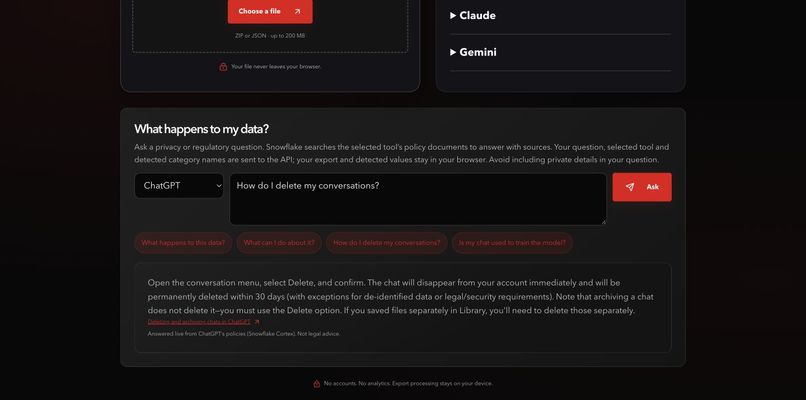
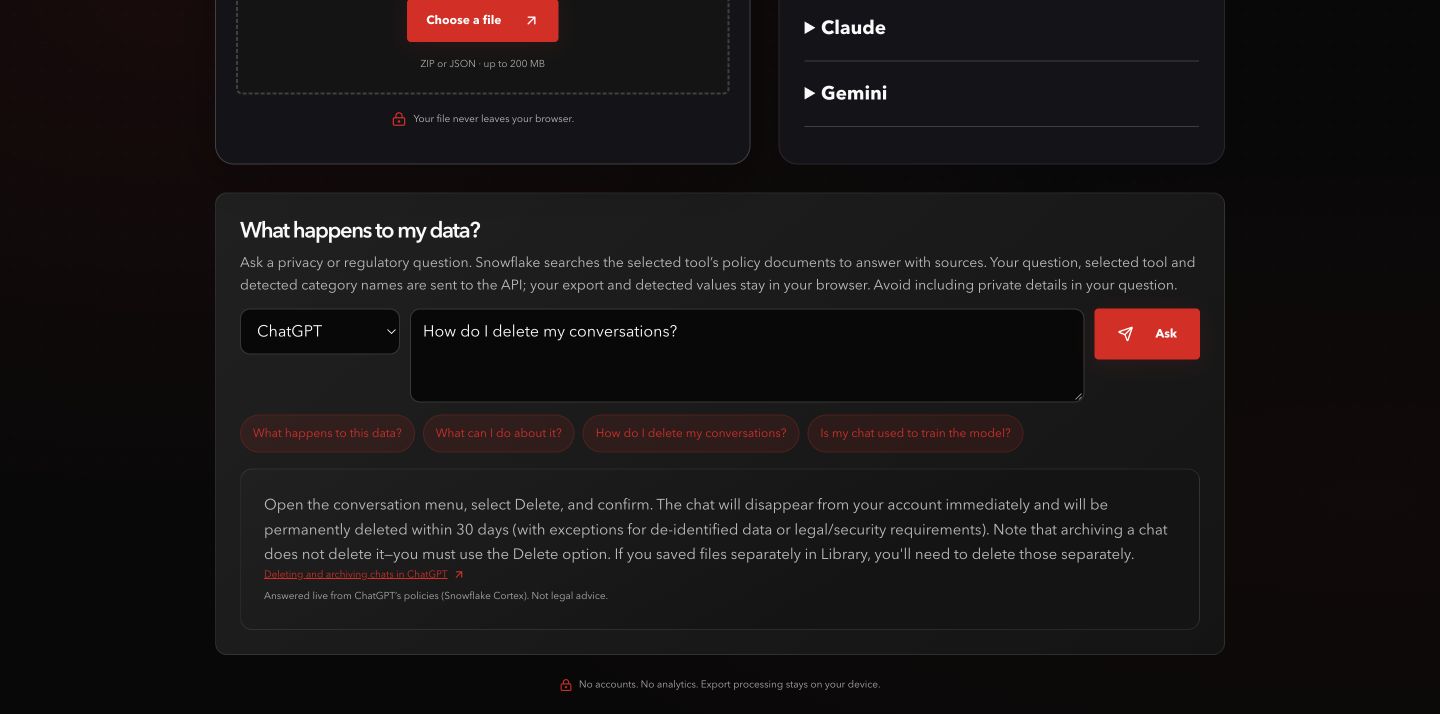
A live Snowflake Cortex answer explains conversation deletion and links its policy source.
-
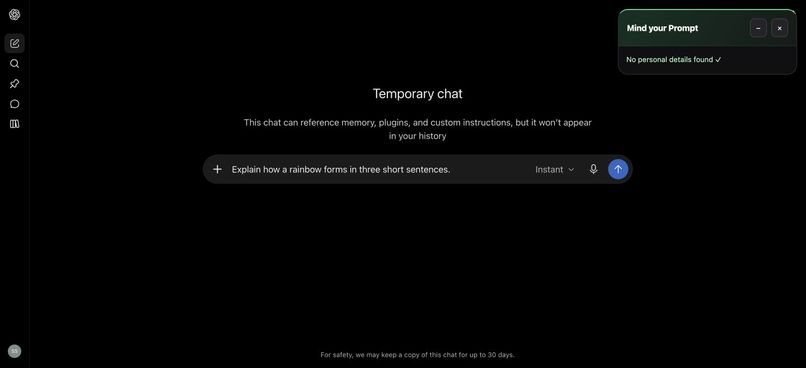
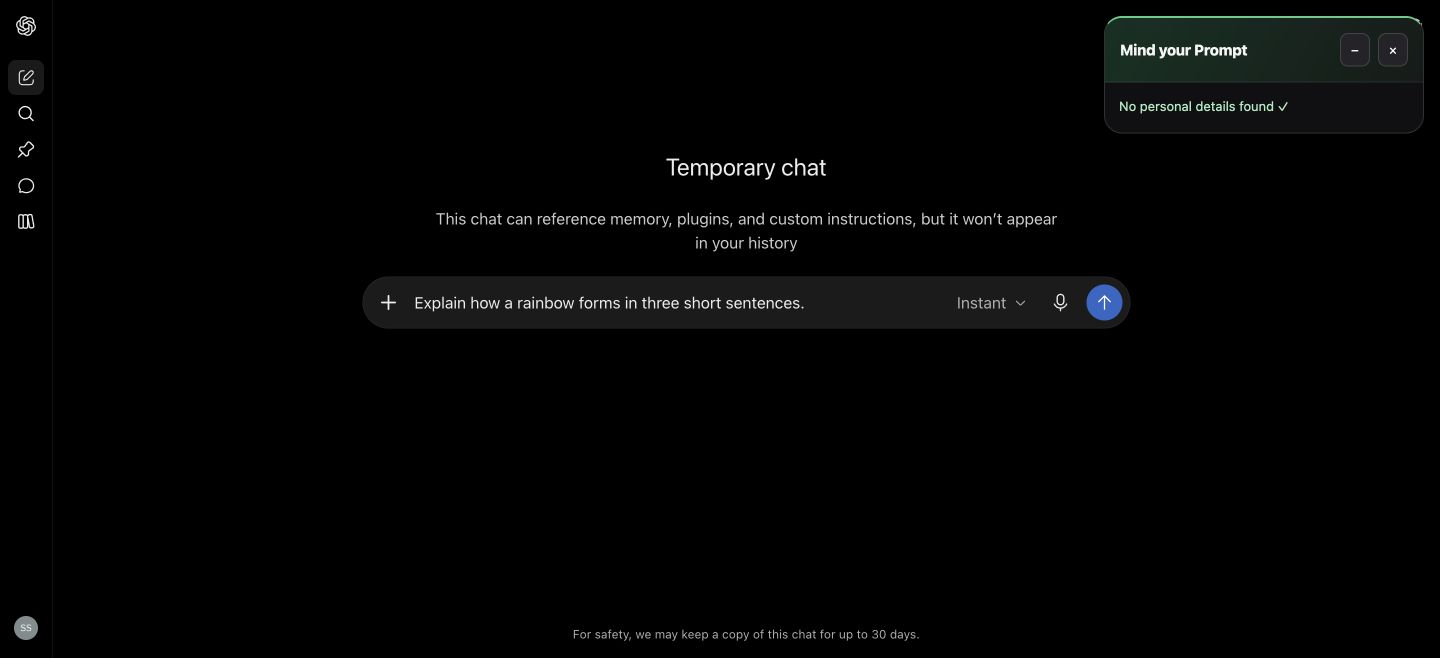
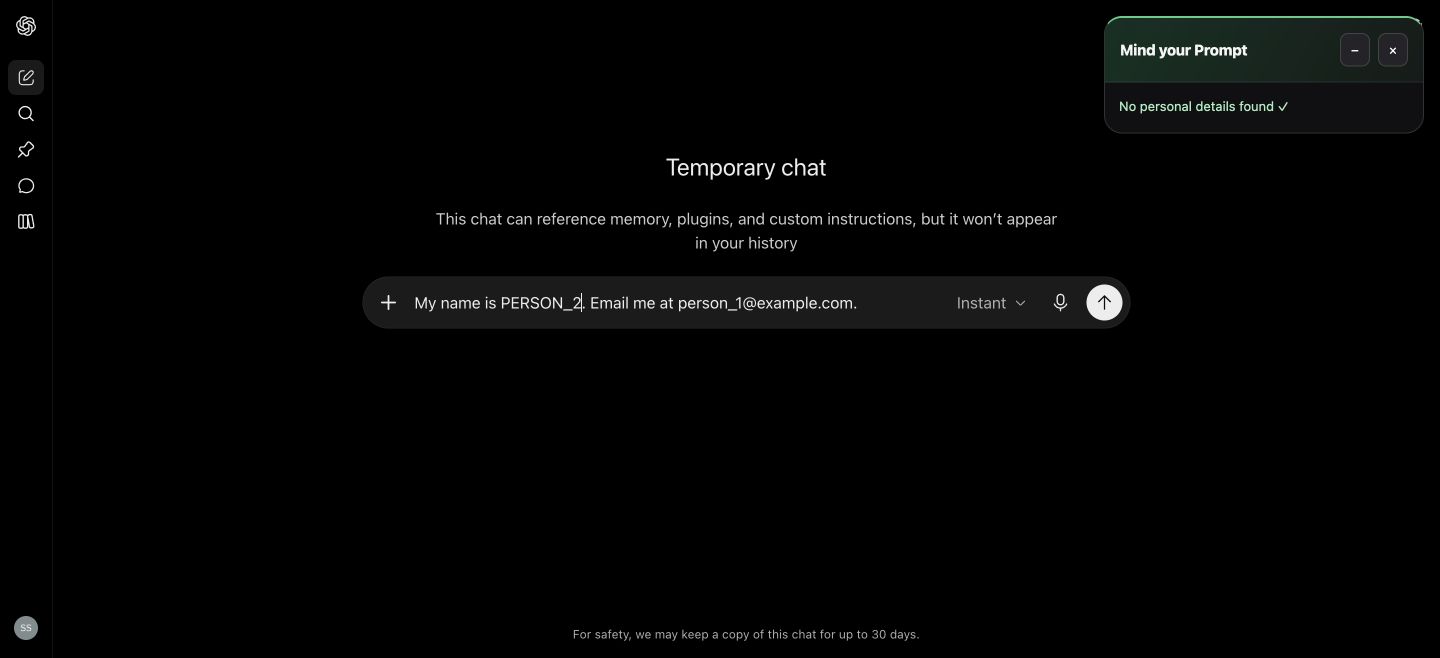
The installed extension displays a green status after checking a harmless draft.
-
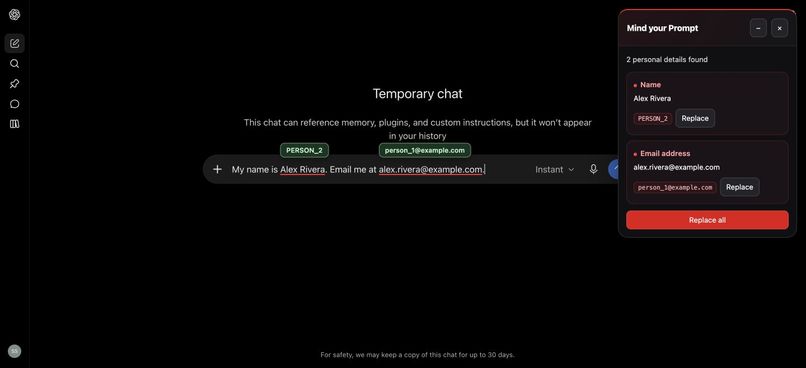
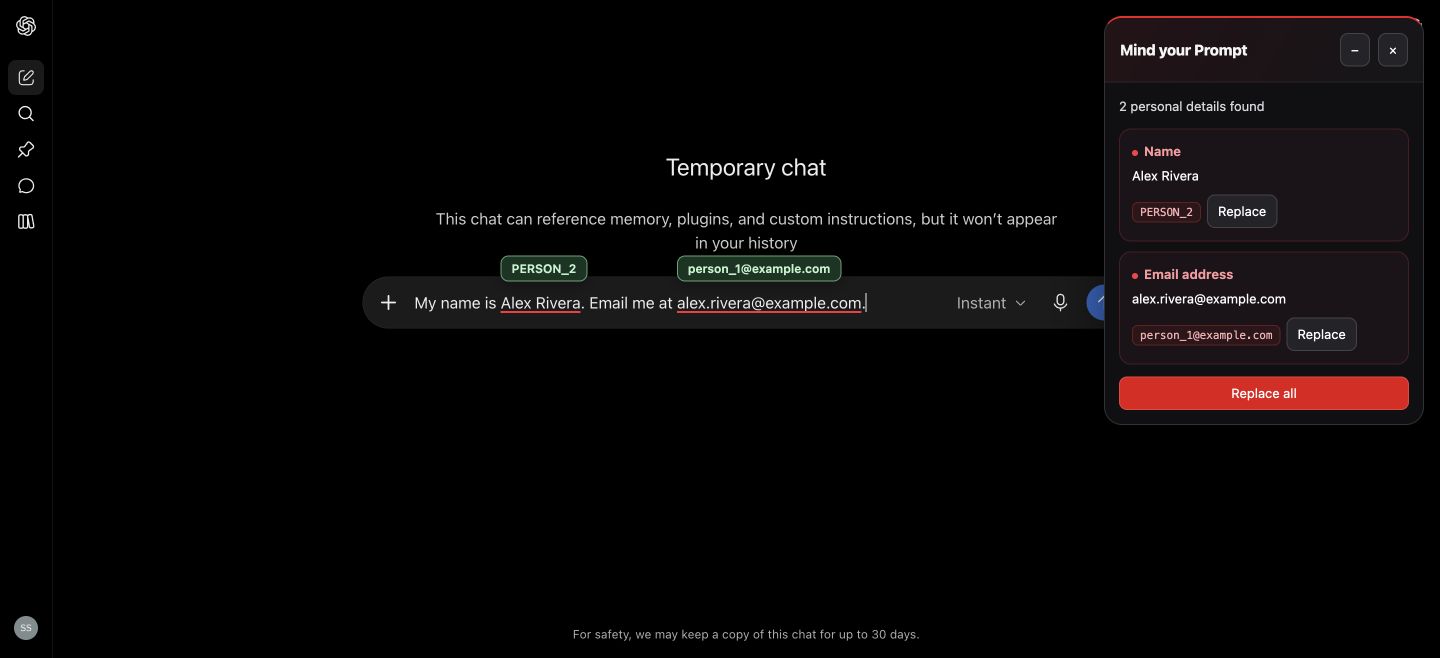
The installed extension finds a name and email, with inline replacement suggestions.
-
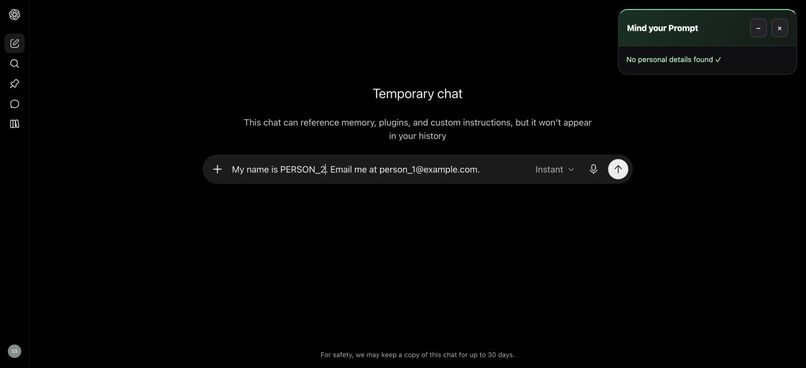
Replace all turns the name and email into placeholders before sending.
-
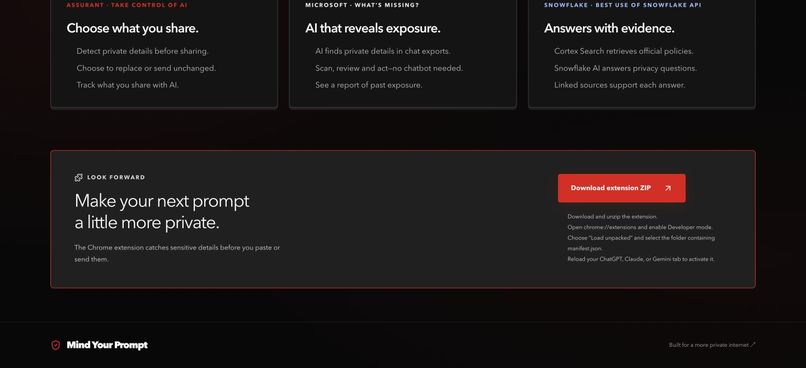
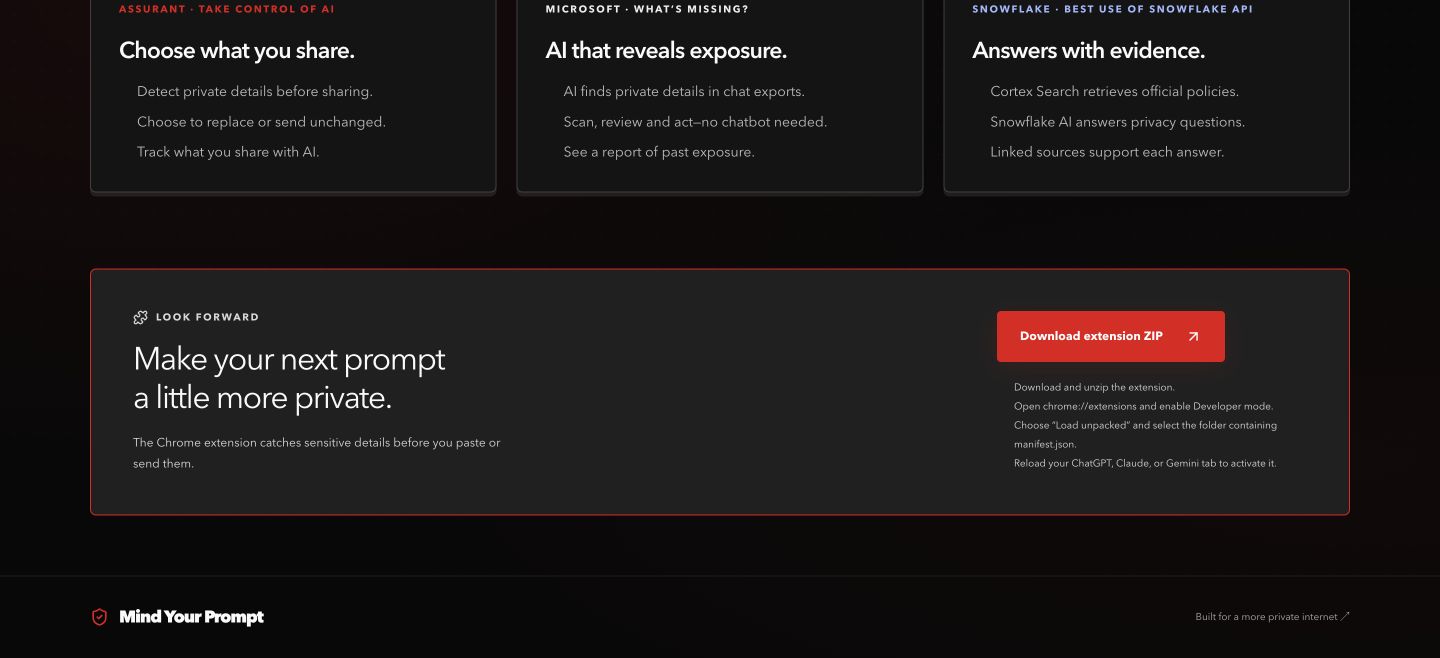
The website provides the extension ZIP and installation instructions.
-
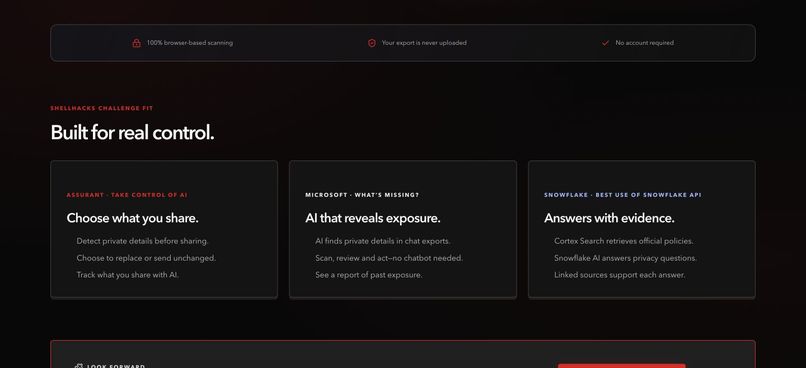
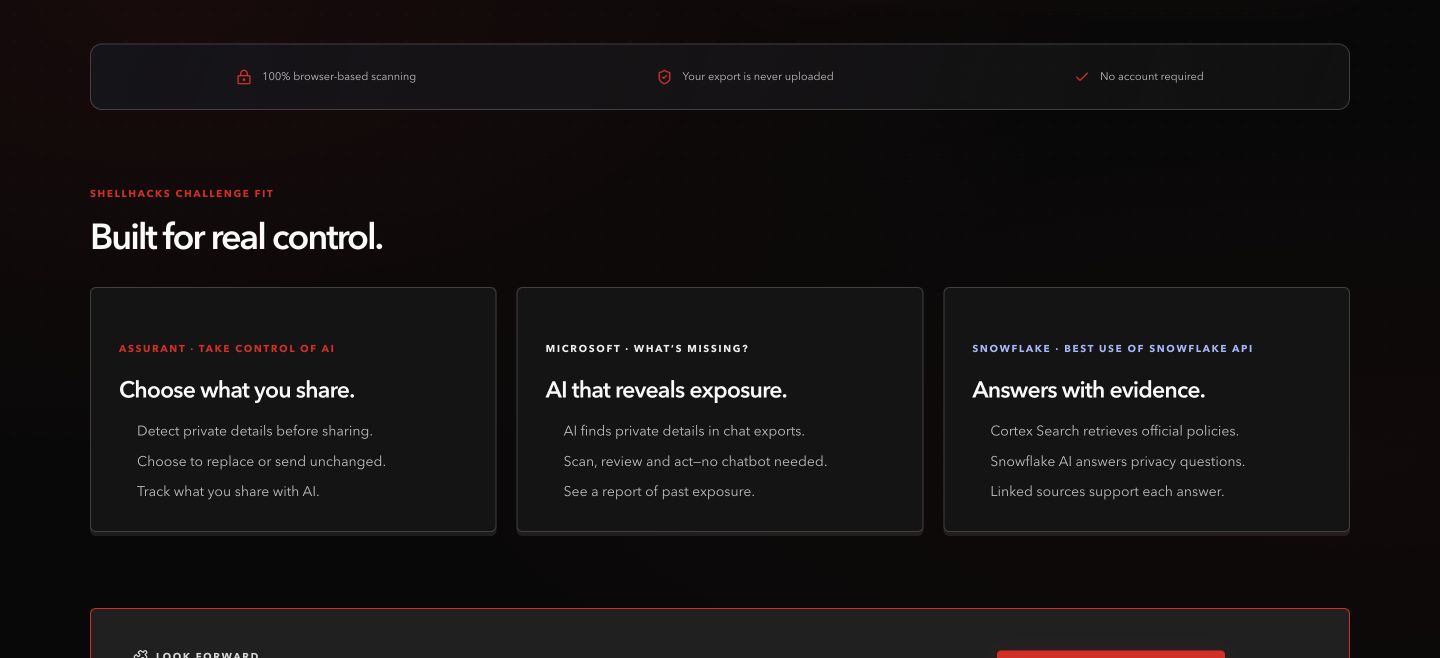
Assurant: privacy control. Microsoft: standalone AI auditing. Snowflake: retrieval-grounded policy answers.
Inspiration
We use AI for ordinary tasks: improving a resume, planning a trip, understanding a bill, or drafting a message. Along the way, we share details we might never post publicly - our names, addresses, contact information, and personal circumstances.
Those details accumulate across conversations. Reviewing them manually is difficult, and understanding what each AI provider does with them means navigating long policy documents.
We built Mind Your Prompt around two questions: What have I already shared, and what am I about to share next?
Our goal is to give people a useful moment of control without asking them to send their private conversations to another service for analysis.
What it does
Mind Your Prompt combines a website dashboard with a Chrome extension.
Look back at your AI history. Upload a supported ChatGPT, Claude, or Gemini export. The website processes it locally and produces a report with detected personal details, category breakdowns, masked examples, conversations worth reviewing, and a privacy score. This workflow works without installing the extension or connecting your chatbot account.
Review before sharing again. The extension checks typed prompts, pasted text, and supported attachments on ChatGPT, Claude, and Gemini. It highlights detected details and lets you choose whether to replace them with placeholders or send them unchanged.
Track activity in one dashboard. Export results and subsequent confirmed extension sends contribute to one set of counters. Typing a draft does not count as sharing. Live totals update after a sent message is confirmed, and replaced details do not lower the live score. A reset button lets users start over.
Understand provider policies. Users can ask questions such as “Is my chat used for training?” or “How do I delete my conversations?” Snowflake retrieves relevant policy passages and supports answers with source links.
The privacy score starts at 100 and changes with detected exposure. It is a screening indicator, not a guarantee of safety.
How we built it
We built a TypeScript monorepo with a shared detection engine powering both the website and extension.
The website uses Next.js, React, Tailwind CSS, Framer Motion, and Recharts. Browser workers parse exports and run detection while keeping the interface responsive. Provider-specific parsers normalize ChatGPT conversations, Claude messages, and Gemini Takeout activity into a common format.
The extension uses WXT and Chrome Manifest V3. It connects local detection, placeholder replacement, attachment review, and confirmed-send tracking. A restricted bridge shares aggregate activity with the website without passing prompt text to the dashboard.
How we use AI
Xenova/bert-base-NER, running through Transformers.js and ONNX Runtime Web, identifies entities such as names and places directly on the device. It complements pattern detection, validation where applicable, and a first-name dictionary.
Model assets download on first use and may be cached. Export contents stay in the browser during analysis. Fast rules cover imported user messages, while the website’s AI pass examines up to 400 recent eligible messages.
Our core AI experience is an action-oriented workflow: upload an export, discover sensitive details, and review what needs attention. It does not require a chatbot or a chat window.
For policy guidance, we built a separate retrieval pipeline using Snowflake Cortex Search and Snowflake AI. Official policy documents are collected, chunked, and indexed. Our server retrieves relevant passages and requests a grounded answer with citations.
When someone asks a policy question, that question, the selected provider, and category names may go to our API and Snowflake. Their export and detected private values are not included.
Challenges we ran into
Different providers export different structures. ChatGPT uses conversation mappings, Claude uses message arrays, and Gemini Takeout can contain activity records rather than complete threads. We needed to normalize these formats without treating unrelated metadata as conversation content.
Detection needs more than regular expressions. Names and addresses vary widely. We combined rules with local AI and worked on false positives, missed examples, and readable explanations. Running the model locally also introduced download, loading-state, and performance constraints.
A draft is not a disclosure. Counting every detection would inflate the dashboard while someone was still typing. We separated preview findings from confirmed sends and excluded replaced details from live penalties.
Attachments are more complicated than text. Reviewing a file, preserving the original when requested, and returning it to a changing chatbot interface required careful event handling and upload-readiness checks.
Privacy claims must match the architecture. We had to clearly separate local scanning from remote policy questions and distinguish an initial score of 100 from evidence that someone’s history is safe.
Accomplishments that we're proud of
- Built a complete workflow connecting past conversation audits, prompt review, and policy guidance.
- Made export scanning available without an extension, account connection, or server-side upload of conversation contents.
- Integrated local AI into a practical privacy task rather than making another general-purpose assistant.
- Connected Snowflake policy retrieval to answers with supporting sources.
- Created a unified dashboard that distinguishes detected drafts from confirmed sharing.
- Built a reproducible 220-conversation synthetic export with a manifest of planted findings, giving us known examples for validation.
- Deployed the website and made the extension available directly from it.
Our sponsor challenge fit is concrete:
- Assurant — Take Control of AI: users can inspect private details, choose what to share, and track disclosures.
- Microsoft — What’s Missing?: local AI makes historical privacy auditing practical through a standalone scan-and-review experience.
- Snowflake — Best Use of Snowflake API: Cortex Search and Snowflake AI power policy answers grounded in retrieved documents.
What we learned
Privacy is as much an interaction-design problem as a detection problem. A warning helps only when people understand it and have a clear next step.
We learned that local AI is practical for a focused task, but model loading, performance limits, and fallback behavior must be visible and honest. We also learned that useful metrics require precise definitions: a detected detail, a conversation containing a finding, and a confirmed disclosure are different things.
Most importantly, we learned to treat user control as part of the system design. Where data is processed, when a message counts as sent, and what information reaches an API all matter as much as the interface.
What's next for Mind Your Prompt
We want to expand multilingual name and address detection, support more export formats, and improve attachment redaction while preserving document formatting.
We also plan to strengthen deduplication between imported history and live activity, expand automated browser testing as chatbot interfaces change, and keep the policy knowledge base current.
Our goal remains simple: help people understand their AI history and make their next sharing decision more deliberate.
Team
Built by Sai Sri Krishna Teja Sanku, Rohith Vaka, Jyothi Nandhan, and Bhoomika Mudi.
Try it: https://www.mindyourprompt.us
Source code: https://github.com/krishnatejasai/ShellHacks_2026
Built With
- bert
- chrome
- faker
- framer-motion
- hugging-face
- javascript
- next.js
- node.js
- onnx-runtime
- python
- react
- recharts
- snowflake
- snowflake-cortex
- tailwindcss
- transformers.js
- typescript
- vercel
- wxt


Log in or sign up for Devpost to join the conversation.