Inspiration
The inspiration behind the MindMap Builder is to empower visual learners. Many people find it difficult to process and retain large blocks of text from notes, articles, or slides. Mind maps and other visual diagrams are a scientifically backed method for improving comprehension and memory by organizing information spatially. We wanted to automate the often tedious process of creating these diagrams, building a tool that could instantly transform any source material into a clear, structured, and insightful visual—making learning and revision faster and more effective.
What it does
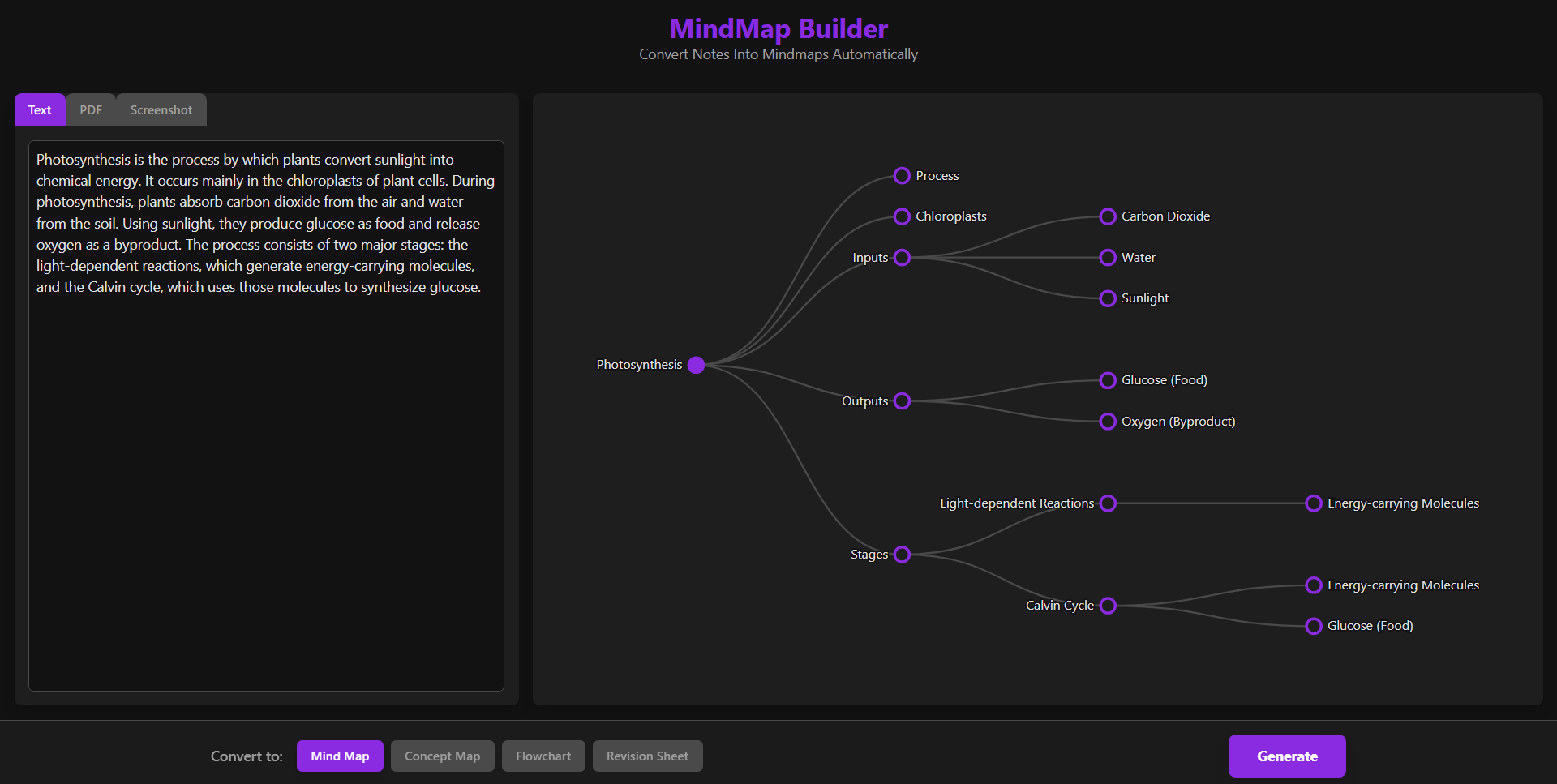
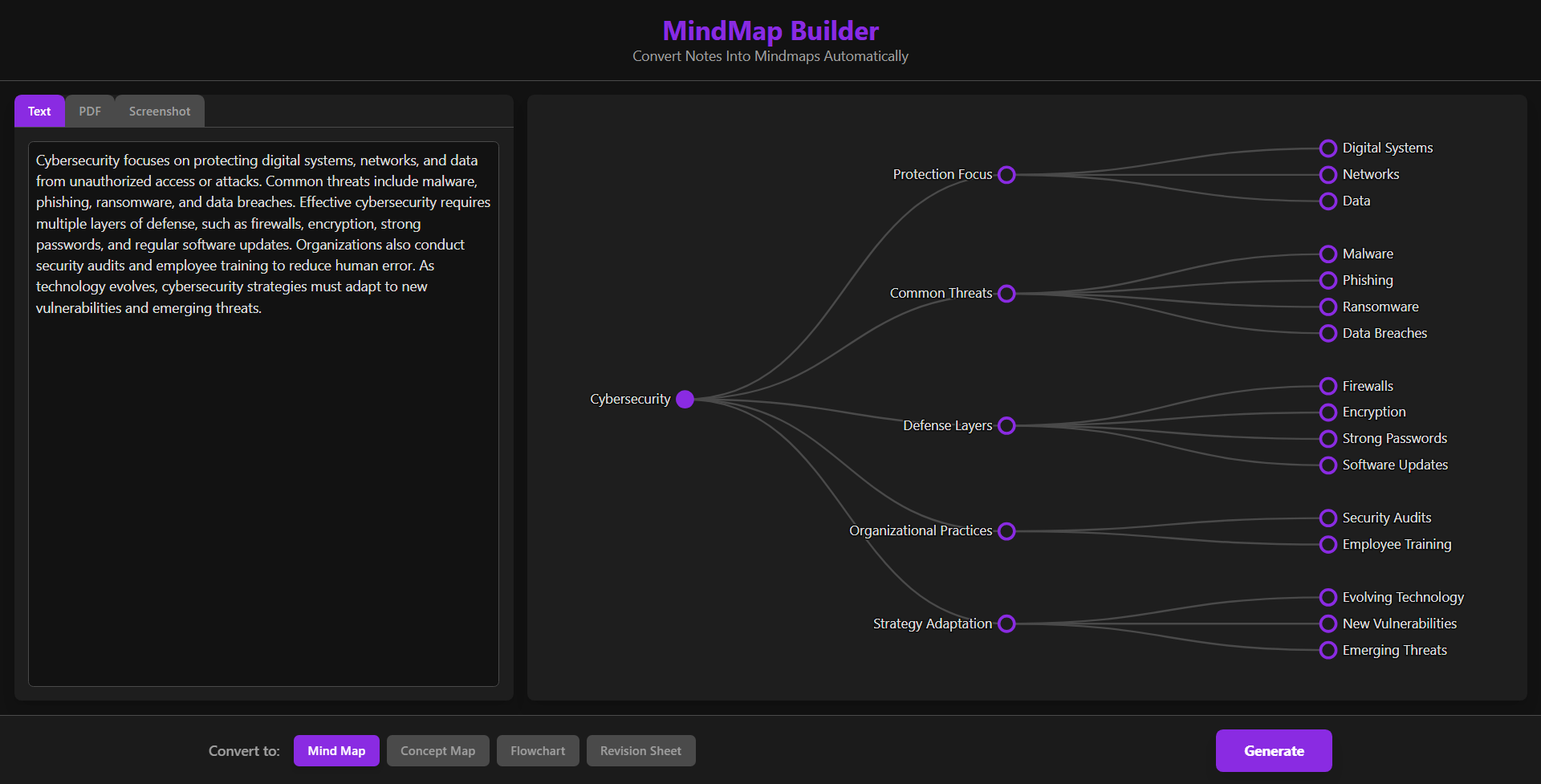
MindMap Builder is an intelligent web application that automatically converts user-provided content into a variety of structured diagrams. It accepts three types of input:
- Raw Text: Users can paste any text, like lecture notes or an article summary.
- PDF Files: Users can upload a PDF document, and the app will extract its text content.
- Screenshots/Images: Users can upload an image, and the AI will analyze its content.
Based on this input, the application generates one of four types of visualizations chosen by the user: a Mind Map, Concept Map, Flowchart, or Revision Sheet. The resulting diagram is interactive, allowing users to zoom and pan to explore the connections between concepts.
How we built it
Core AI Engine:
The application's intelligence is powered by the Google Gemini API, using thegemini-2.5-flashmodel for its balance of speed and analytical capability. A key feature is our use of Gemini's JSON mode with aresponseSchema, which forces the AI to return data in a precise{ nodes, edges }graph structure. This ensures clean, predictable output without complex parsing.Frontend Framework:
The user interface is built with React and TypeScript, providing a modern and type-safe development environment.Data Visualization:
We use D3.js to render mind maps as interactive SVGs. A custom function converts the flat list of nodes and edges from the AI into the hierarchical structure required by D3’s tree layout, complete with smooth zoom and pan.Styling:
The application uses Tailwind CSS for rapid, consistent styling within React components.Client-Side File Processing:
To ensure privacy and speed, all processing happens directly in the browser using:- The FileReader API for images
- PDF.js for extracting text from PDFs
- The FileReader API for images
Architecture:
The entire application is a zero-backend, client-side web app. It uses modern web standards like ES Modules and importmap to load dependencies from CDNs, eliminating the need for bundlers like Webpack or Vite.
Challenges we ran into
Ensuring Reliable AI Output:
Generating valid JSON consistently was initially difficult. Implementing Gemini’sresponseSchemasolved this by enforcing a strict structure on the model’s output.Data Structure Transformation:
The Gemini API returns a flat graph, but D3 requires a hierarchical tree. We developed a robustbuildHierarchyalgorithm to reconstruct the structure—even handling multiple roots with a virtual root node.Integrating D3 with React:
Since D3 manipulates the DOM directly and React uses a virtual DOM, we needed to bridge the two. UsinguseRefanduseEffect, we created a stable SVG container that D3 could draw into without interfering with React’s rendering cycle.
Accomplishments that we're proud of
Multi-Modal Input:
Supporting text, PDFs, and images seamlessly. Uploading a screenshot of a slide and instantly generating a structured mind map is a standout capability.Robust and Interactive Visualization:
The D3 visualization is smooth, explorable, and features an automatic zoom-to-fit that frames the map perfectly on load.Serverless Architecture:
Building a fully client-side AI tool is a major achievement. It’s fast, privacy-friendly, and has zero infrastructure cost.
What we learned
The Power of Structured AI Output:
Using Gemini’s JSON mode and response schemas is essential for reliable, structured AI-driven applications.Client-Side Capabilities:
Modern browsers can handle far more than expected—from PDF extraction to real-time graph rendering—making fully client-side apps both feasible and advantageous.Modern JavaScript Without Build Tools:
By using importmaps, we realized how simple development can be without heavy bundlers.
What's next for MindMap Builder
Editing and Customization:
Allowing users to manually move nodes, change colors, edit text, and create new links.Export Functionality:
Options to export the visualization as PNG, SVG, or JSON.Advanced Layouts:
Support for alternative D3 layouts, such as force-directed graphs for concept maps and flowcharts.Save & Load:
Enabling users to save mind maps to local storage and revisit or continue editing them later.
Built With
- css
- d3.js
- geminiapi
- google-ai
- html5
- pdf.js
- react
- tailwind
- typescript

Log in or sign up for Devpost to join the conversation.