-
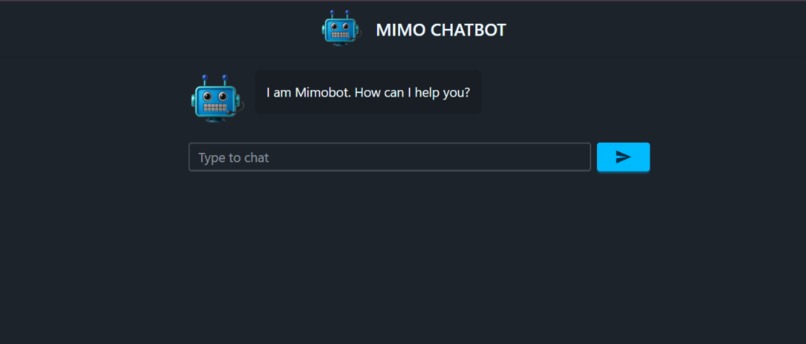
Chatbot Interface
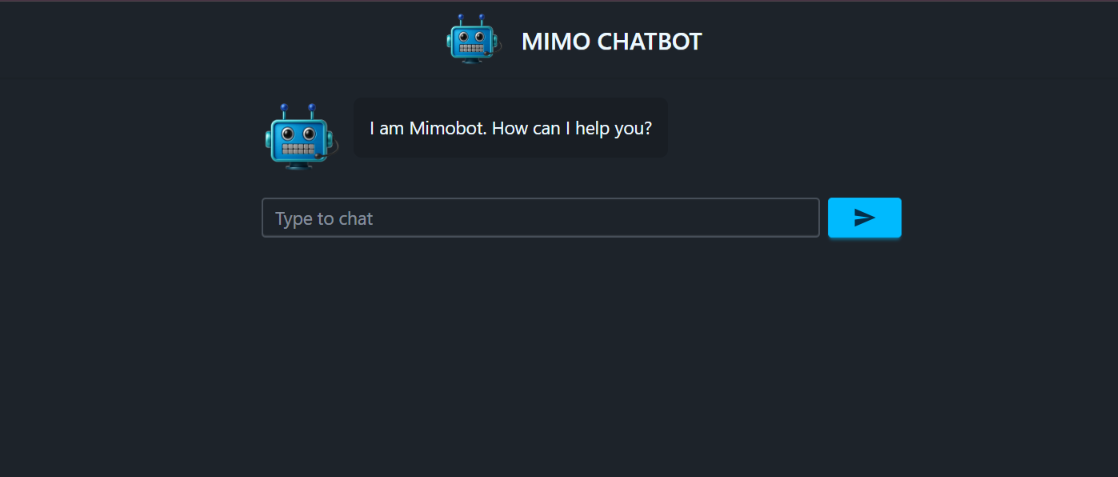
MIMOBOT - AI Chat Application
Mimo Chatbot (MIMOBOT) is a full-stack streaming chat application powered by Google's Gemini AI model, featuring a Flask backend and React frontend with real-time message streaming.
Features
Backend
- Real-time streaming responses - Get AI responses as they're generated
- Session-based chat history - Maintains conversation context per session
- Concise responses - Optimized for clear, brief answers
- CORS enabled - Ready for frontend integration
- In-memory storage - Fast session management
Frontend
- Real-time streaming UI - Messages appear word-by-word as AI generates them
- Clean chat interface - Modern UI with user/bot message separation
- Loading states - Visual feedback during message processing
- Keyboard support - Press Enter to send messages
- Responsive design - Adapts to different screen sizes
Prerequisites
Backend
- Python 3.7+
- Google Gemini API key
Frontend
- Node.js 14+
- React 18+
Installation & Setup
Backend Setup
Navigate to the backend directory:
cd backendInstall Python dependencies:
pip install flask flask-cors python-dotenv google-genai
Or using requirements.txt:
pip install -r requirements.txt
Create a
.envfile in the backend directory:GEMINI_API_KEY=your_gemini_api_key_hereStart the Flask server:
python app.py
The backend will run on http://localhost:5000
Frontend Setup
Navigate to the frontend directory:
cd frontendInstall npm dependencies:
npm install
Or install specific packages:
npm install @mui/icons-material @mui/material @emotion/react @emotion/styled
- Start the development server:
bash
npm start
The frontend will typically run on http://localhost:3000
Quick Start
Option 1: Manual Start
Terminal 1 - Backend:
cd backend
python app.py
Terminal 2 - Frontend:
cd frontend
npm start
Option 2: Using package.json scripts (if configured)
Backend:
cd backend
npm run start-backend
Frontend:
cd frontend
npm run dev
Project Structure
.
├── backend/
│   ├── app.py              # Flask application
│   ├── .env                # Environment variables
│   └── requirements.txt    # Python dependencies
│
├── frontend/
│   ├── src/
│   │   ├── components/
│   │   │   └── ChatBox.jsx # Chat component
│   │   └── App.jsx         # Main app
│   └── package.json        # npm dependencies
│
└── README.md
Configuration
Backend Configuration
The AI assistant uses:
- Model: Gemini 3 Flash Preview
- Temperature: 0.4
- Max tokens: 500 per response
Environment Variables
Create a .env file in the backend directory:
GEMINI_API_KEY=your_actual_api_key_here
API Endpoint
POST /chat-stream
Endpoint: http://localhost:5000/chat-stream
Request Body:
{
  "message": "Hello, what's your name?",
  "session_id": "user123"
}
Parameters:
message(required): User's input messagesession_id(optional): Unique identifier for conversation context
Testing
Test Backend API:
curl -X POST http://localhost:5000/chat-stream \
  -H "Content-Type: application/json" \
  -d '{"message": "Hello!", "session_id": "test123"}'
Stopping the Application
Backend:
- Press
Ctrl + Cin the terminal running Flask
Frontend:
- Press
Ctrl + Cin the terminal running npm
Troubleshooting
Backend Issues
Port already in use:
# Kill process on port 5000 (Linux/Mac)
lsof -ti:5000 | xargs kill -9

# Or change port in app.py
app.run(debug=True, port=5001)
Missing API key:
- Ensure
.envfile exists in backend directory - Verify
GEMINI_API_KEYis set correctly
Module not found:
pip install -r requirements.txt
Frontend Issues
Port already in use:
- React will automatically suggest running on a different port
- Or manually specify port:
PORT=3001 npm start
Dependencies missing:
rm -rf node_modules package-lock.json
npm install
Connection refused:
- Ensure backend is running on
http://localhost:5000 - Check CORS is enabled in Flask app
Requirements Files
backend/requirements.txt
flask
flask-cors
python-dotenv
google-genai
frontend/package.json dependencies
{
  "@mui/icons-material": "^5.x",
  "@mui/material": "^5.x",
  "@emotion/react": "^11.x",
  "@emotion/styled": "^11.x",
  "react": "^18.x",
  "react-dom": "^18.x"
}
Notes
- Chat histories are stored in-memory and reset when the backend restarts
- Each session maintains its own conversation context
- The bot identifies itself as "MIMOBOT"
- Backend must be running before starting the frontend
Support
For issues or questions, please check:
- Backend is running on port 5000
- Frontend can connect to the backend
- API key is valid and properly configured
- All dependencies are installed

Log in or sign up for Devpost to join the conversation.