-
-
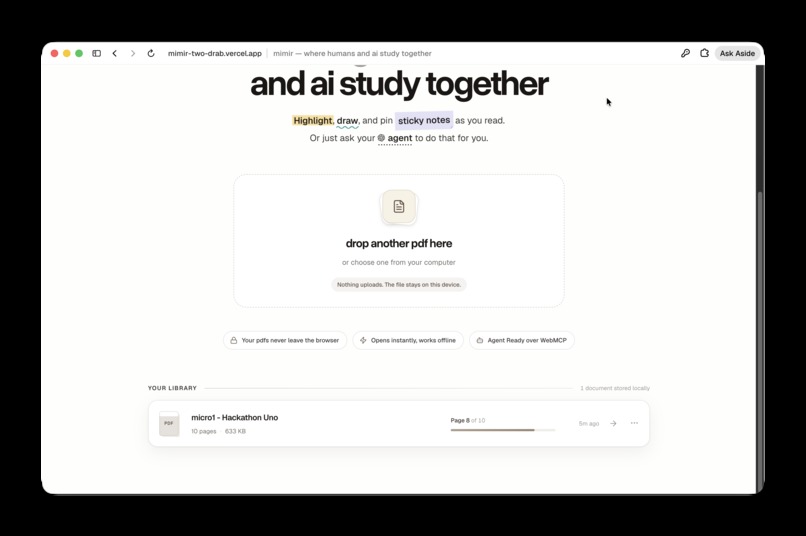
Opening a Pdf
-

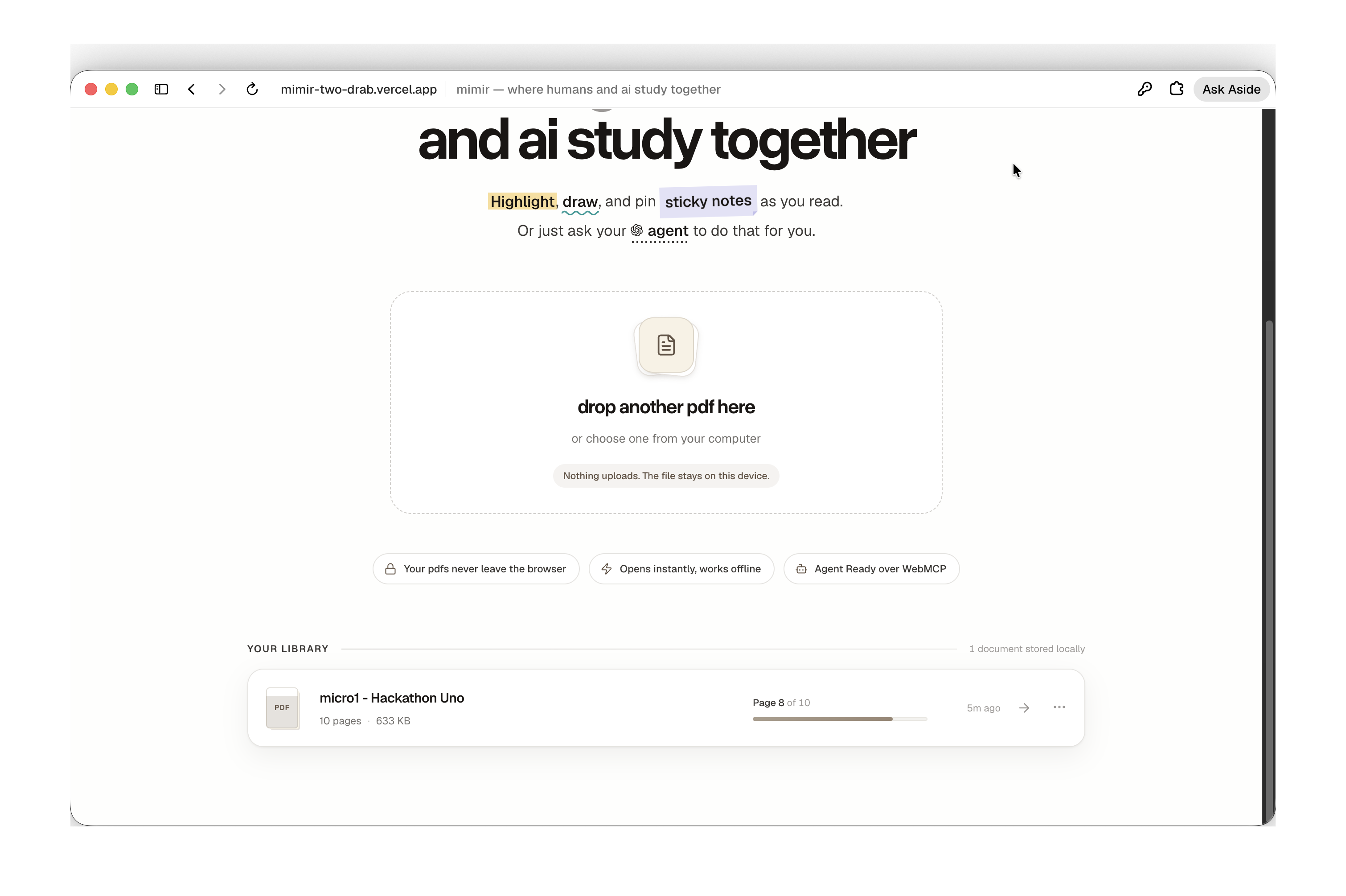
Landing Page
-
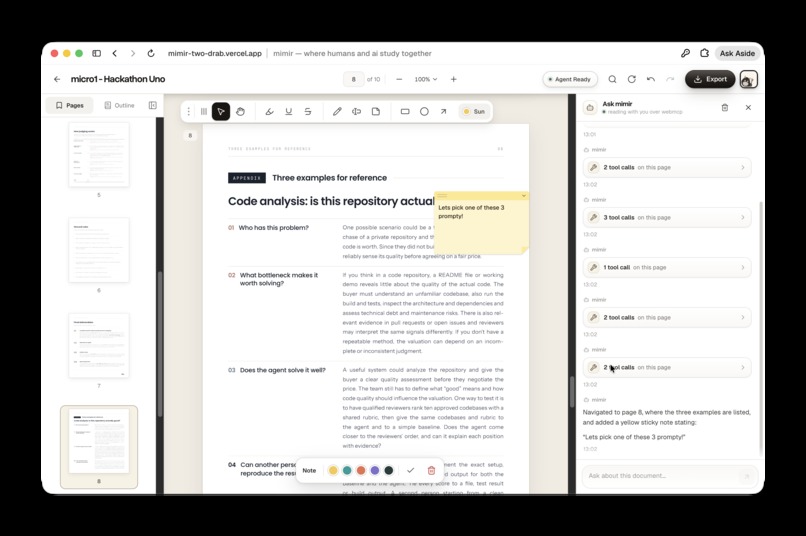
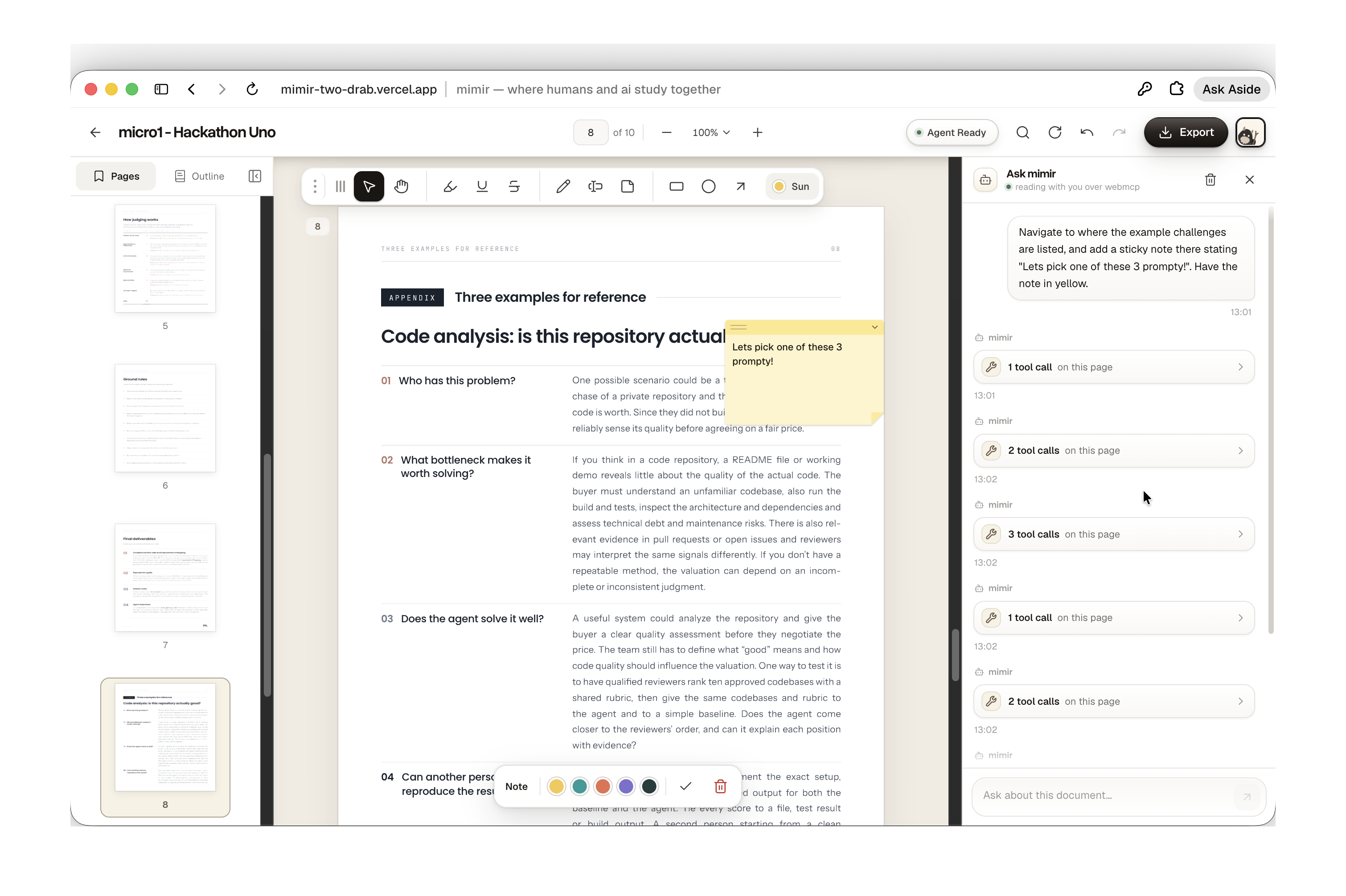
Webmcp Usage - II
-
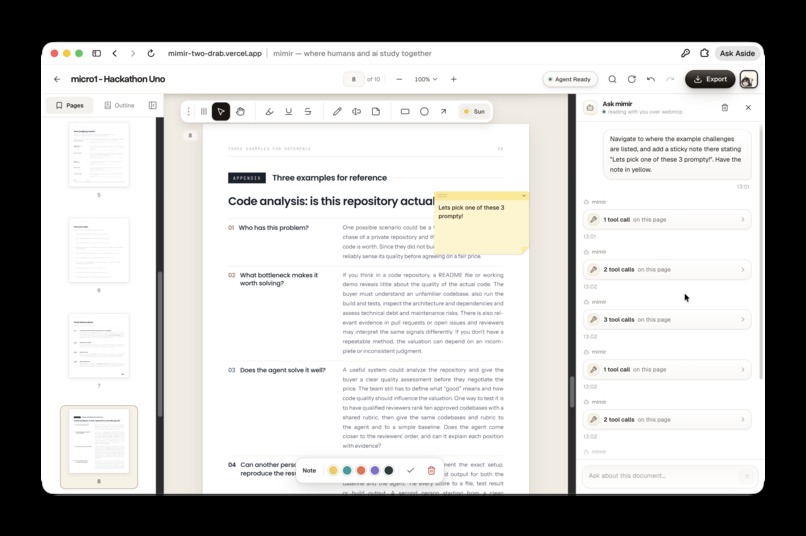
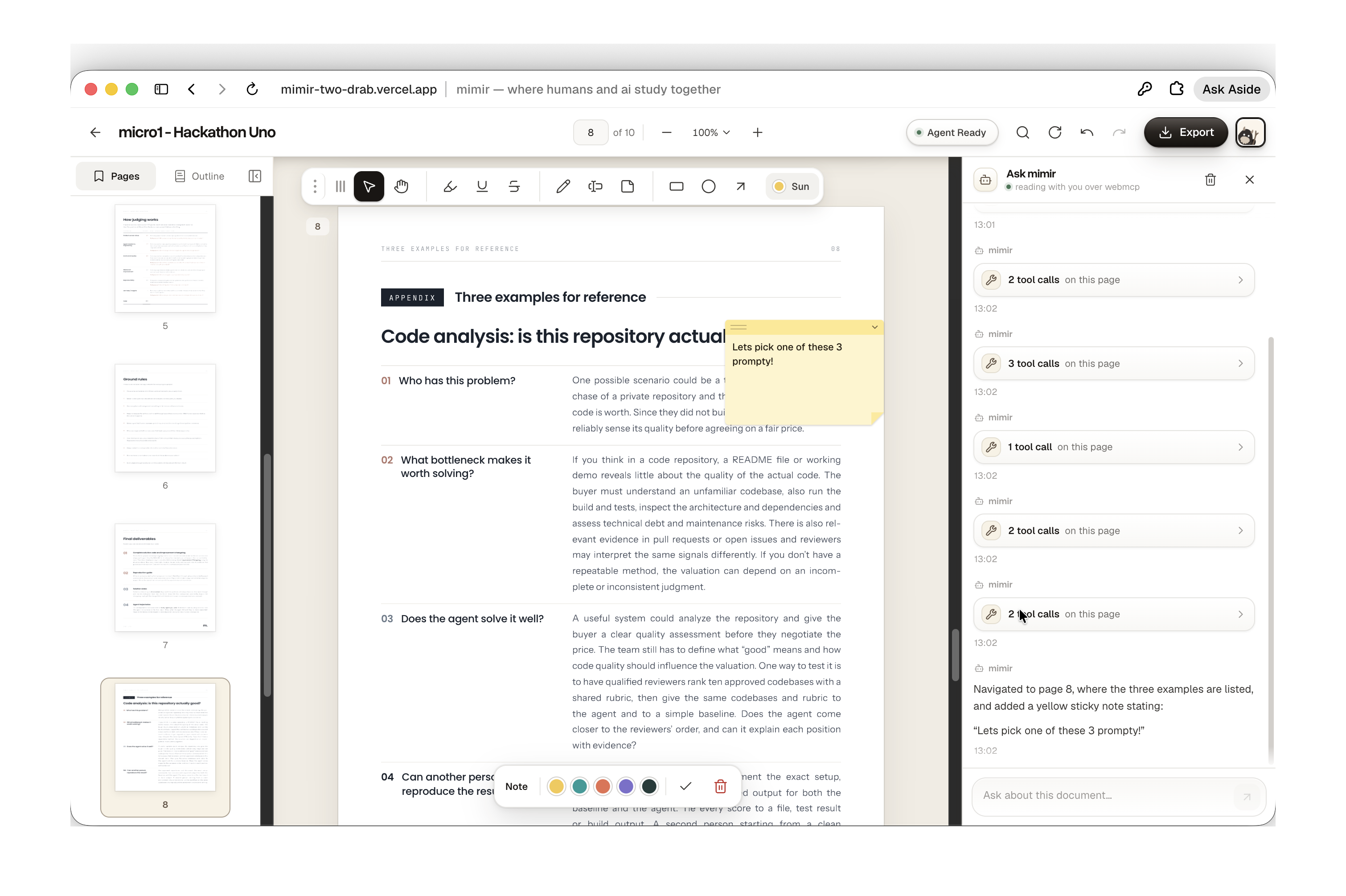
Webmcp Usage - I
-
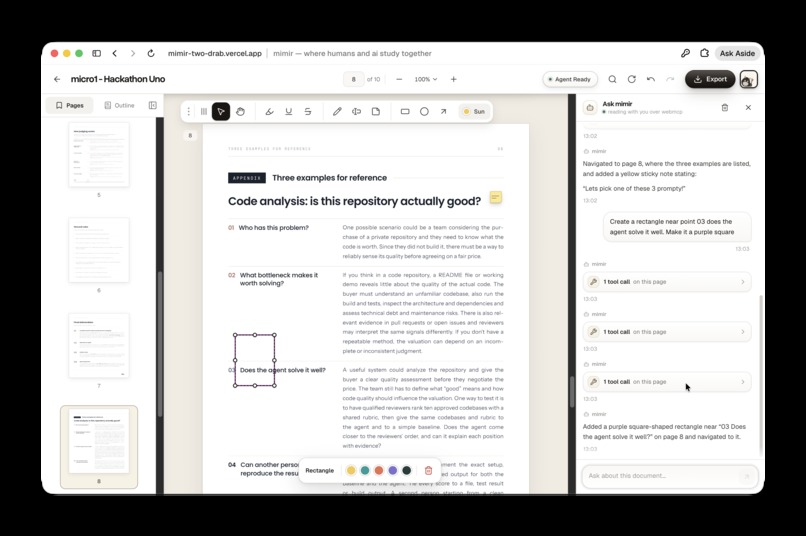
Webmcp Usage - III
-
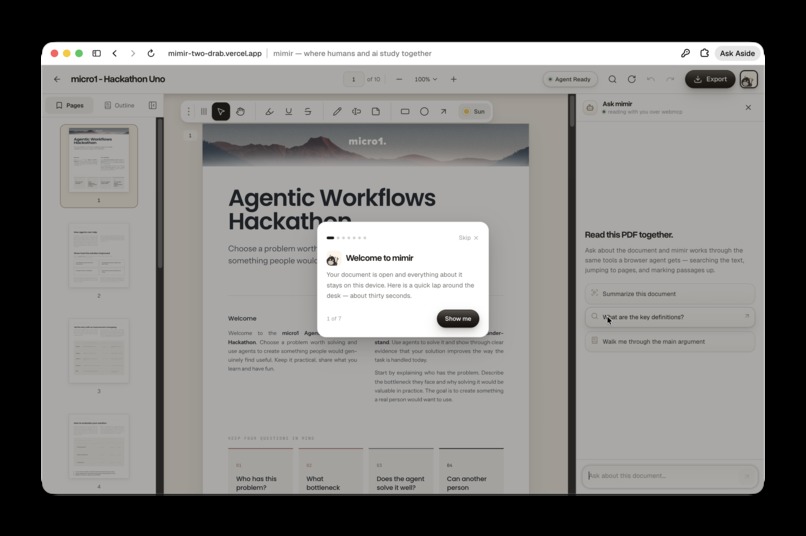
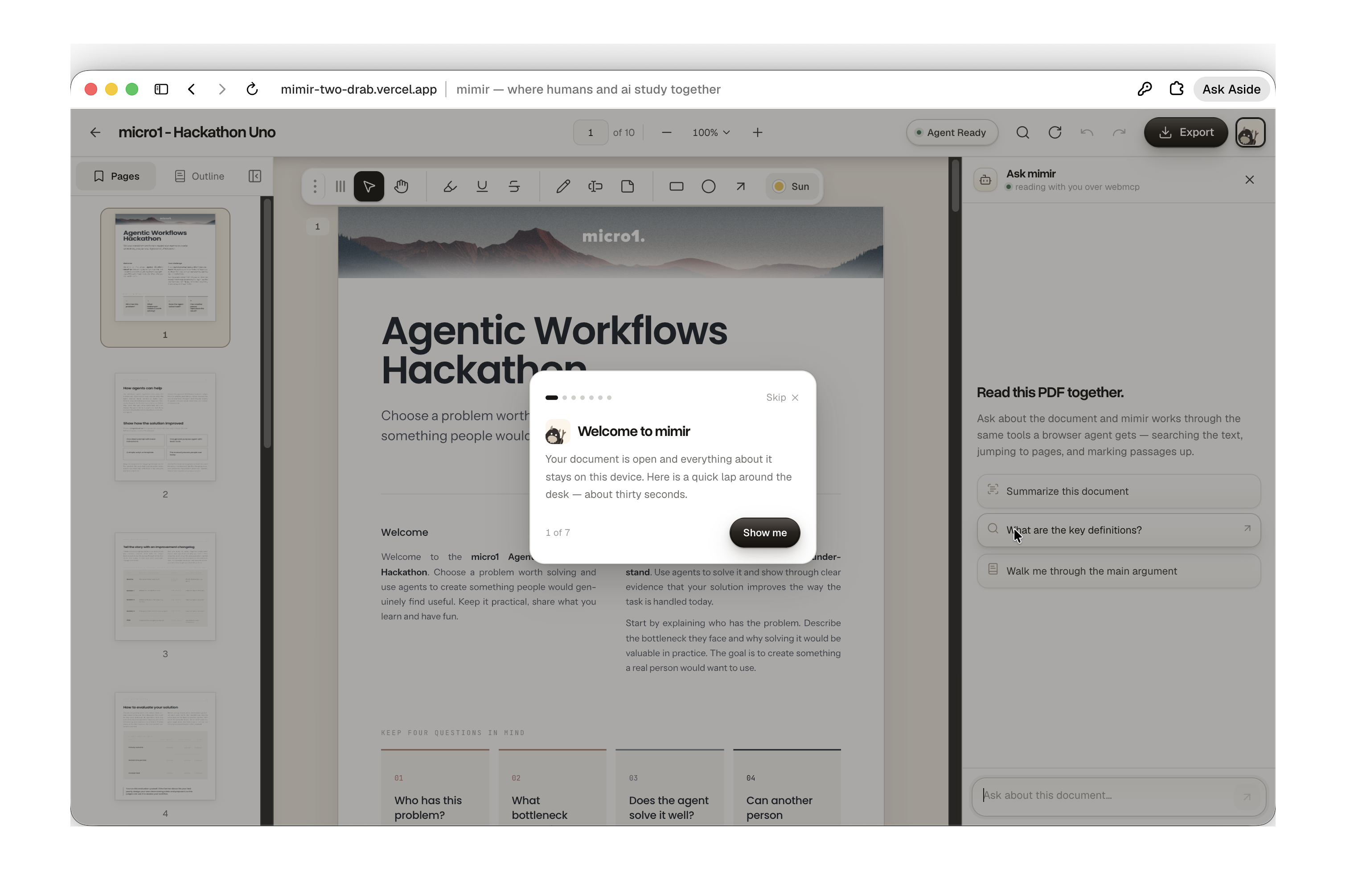
Walkthrough Tour

Inspiration
Me and my friends have been using Preview (the macos app) extensively past years, where we are constantly reading research papers, lecture notes. Annotations, sticky notes, mind maps constitute a big part of our learning, but we have faced constant issues in Preview, ranging from random crashes, ram usage bloat, and biggest being inability to quickly search or modify any annotation. And there is no current satisfactory alternative available. So building a web alternative was something which was on my mind for a long time, and when I came to know about this webmcp challenge, I was excited by the ability to actually bring this vision to reality.
What it does
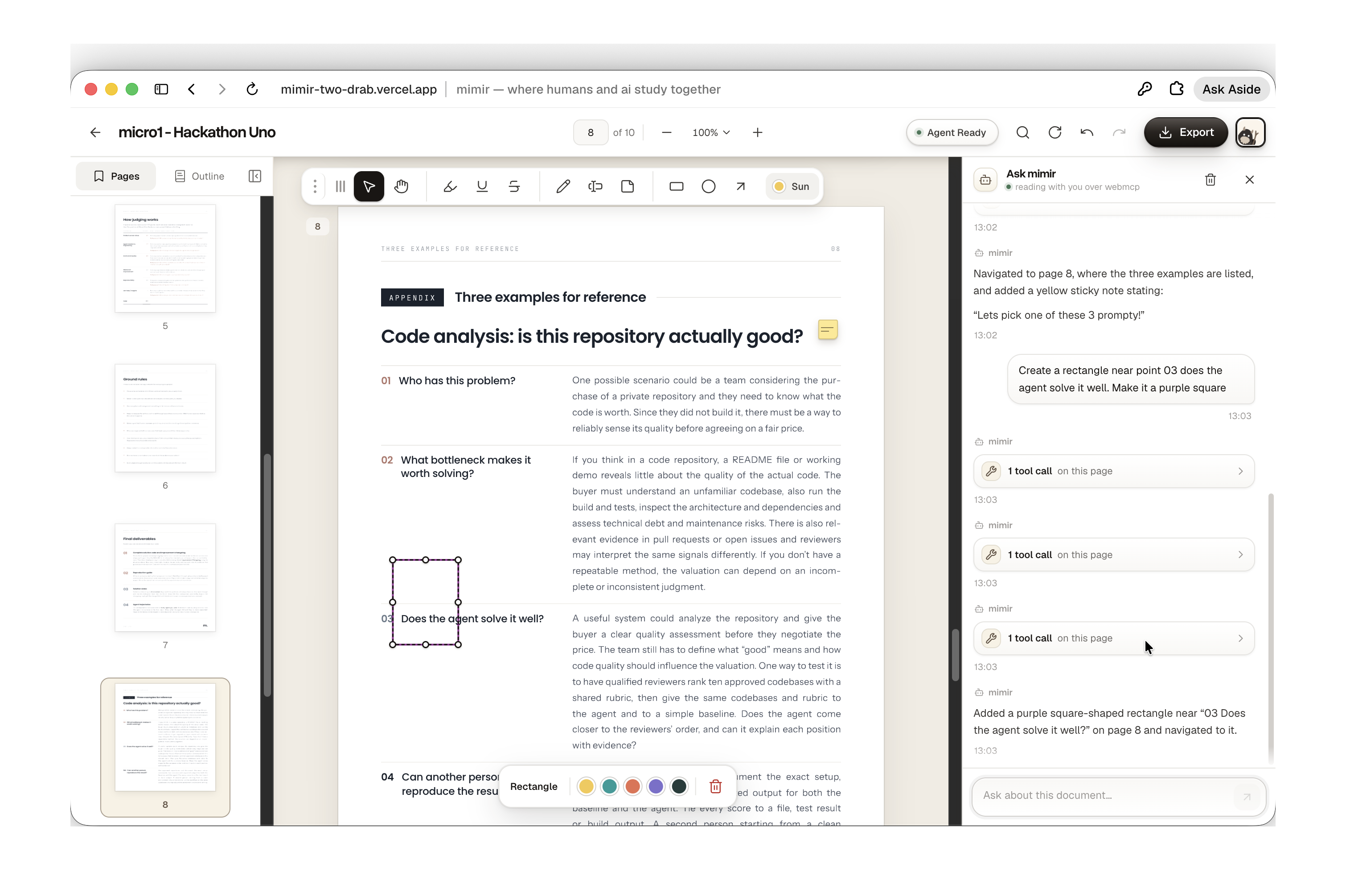
mimir (named after Norse God of Wisdom) is a local-native pdf reading workspace that runs entirely in your browser. You open a paper, highlight it, draw on it, pin sticky notes to it, and export an annotated copy anytime. But the interesting highlight, and which is relevant to the challenge, is that the opened document is a live tool surface. Your browser agent can do everything you can, much better and (for the most part) faster. It can search a pdf, read and navigate to specific pages, create any custom annotation you want. Sure, summarising and learning from pdf via chat tools like Chatgpt works, but there are a lot of people (researchers, lawyers, students preparing for their competitive exams, to name a few) who are visual learners, and value reading pdf the old fashioned way, but also want agentic capabilities to let their agent handle that part for you. mimir is built exactly for them, for this collaboration, and this is where browser native mcp in the form of webmcp holds a significant role.
How we built it
Tanstack start with react 19 and vite, typescript throught, bun for the toolchain, and tailwind v4 for styling interface. The initial cut was simple, pdf.js renders pages and extracts text in a web worker. pdf-lib draws annotations back into the original vector pages on export, so sticky notes come out as numbered pins with a comments appendix. As this is a local-first app, we heavily utilise IndexedDB (via Dexie) for the pdf and chat storage, while local storage is used to store user preferences etc. Zustand holds the editor state.
Tools are registered in two scopes. Library tools (list_documents, open_document) are always live, so an agent that lands on the home page has somewhere to begin. 14 document tools register when a pdf is opened and deregistered on close - reading text, search, outline, navigation, annotation CRUD operations, context lookup around a mark, undo, export.
Every tool's published json schema is generated from the zod schema that validates its input, so the contract it an agent reads is exactly the contract which is held. Ensures that agent never drifts from what it intended.
Also, just wanna highlight, I felt there were 3 things it could achieve that a server-side MCP server could not, or atleast not that "beautifully".
The tool surface is scoped to what is on screen. Document tools only exist while a document is open. An agent cannot annotate a file you closed, because the tool for it is not registered.
Agent edits go through the human command path. There is no separate agent
write path. create_annotations runs the same transaction a mouse drag runs,
lands as one undo step, and is attributed. If the agent gets it wrong, ctrl+z.
Consent stays where the consequences are. delete_annotations will not
touch marks the reader made unless the caller explicitly opts in.
prepare_export opens the export panel and stops. The human clicks save. The
agent can do the tedious ninety percent and still cannot write a file to your
disk on its own.
Challenges we ran into
- Errors do not cross the agent boundary. A tool that throws hands the caller "the script function threw an error" and nothing else. An agent given no reason does not stop, it guesses, retries with a different irrelevant field, and then reports the guess to the reader as fact. Every tool in mimir now returns failures as data: a flag and one readable sentence with a recovery hint. Zod issues get flattened into field paths a model can act on. This one change did more for reliability than any prompt I wrote.
- Getting an agent to stay in bounds. Early on, asking for a summary would get me a summary plus eleven highlights nobody asked for. Some of that is prompting, but most of it is contract design: batch limits (twenty marks a call), geometry fixed by subtype through a discriminated union so a rectangle cannot arrive carrying line endpoints, and tool descriptions that say what to call first and what a failure means rather than just naming parameters.
- Availability. WebMCP needs a flag or an origin trial today, and a demo that
only works on one machine is not a demo. So the tools are tracked locally as
well as registered, and the app ships its own chat sidebar that calls the exact
same tool objects through an in-page path. The sidebar reads the live catalogue
with
getTools()rather than a hardcoded list, so it is genuinely exercising the WebMCP surface and not a parallel API. The UI says which path a call took. - Pixel-perfect PDF annotations Though not exactly related to WebMCP, working with PDF annotations and ensuring each annotation respects the render it is intended to be was pretty challenging in itself, more so forcing agent to do the same. Codex computer use plus webmcp debug logging helped a lot here.
Accomplishments that we're proud of
There were times when for some unknown reasons I wasn't able to properly test my webapp in the chatgpt app's in-built browser (stating it doesnt have access to webmcp capabilities). So I decided to build a built in webmcp chatbar in my web app as well. It was fun architecturing how to emulate webmcp there, but with couple of iterations I was able to achieve this. Essentially it follows a chat app using tanstack-ai to call gpt-5.6-luna api. For any user prompt, the LLM in itself has access to list_webmcp_tools mcp, allowing it to discover what all webmcp tools are present, and it returns relevant tool to call along with input args. Then on client side, the mcp toolcall execution takes place and output is relayed back to llm. In this way, entire processing works on client side only. Also so, I went one step further, and in case browser doesnt support webmcp, it is still artificially simulated (by calling tool function directly instead of going via document.modelContext route). So it makes the platform a beast.
What we learned
I learned a lot from the project. I had some experience building mcp agents before, but working with webmcp forces you to think mcp interactions from frontend perspective, how to achieve things in the DOM without relying on any backend call. So it was an extremely fun web design learning tbh. Plus this was my first time working with pdfs and vector graphic overlays, so I learned a lot of stuff about optimising the page renders and things to take care of for a seamless user experience.
What's next for mimir
I plan to build mimir to a fully fledged product in the coming days - few things like introducing file upload, voice chat, cloud storage and obsidian are on my mind, which would highly be beneficial for the target audience of the product.
Built With
- bun
- codex
- dexie
- gpt-5.6
- model-context-protocol
- nitro
- openai
- oxlint
- pdf-lib
- pdf.js
- playwright
- tailwind
- tanstack-ai
- tanstack-start
- typescript
- vite
- webmcp
- zod
- zustand


Log in or sign up for Devpost to join the conversation.