
MIMIC — Privacy-First AI Avatars
Build AI avatars that genuinely reflect your personality, not generic chatbots.
Live Demo: https://mimic-eta.vercel.app/
Render Deployment: https://mimic-zyb3.onrender.com
Video Demo: https://youtube.com/shorts/xD5wGwz724k?si=mCXV4I_gls4C9QjV
WHAT IS MIMIC?
Mimic is a privacy-first AI avatar platform where users create personal AI identities that evolve only through explicit, trusted inputs. Instead of passively learning from every interaction, Mimic uses user-curated memories stored as embeddings and recalled using vector similarity. This ensures accuracy, personality consistency, and minimal hallucination.
THE PROBLEM
Traditional AI chatbots:
Learn passively from every interaction
Cannot be trusted to remember information correctly
Produce generic responses without personality
Give users little control over their data
THE SOLUTION
Mimic provides:
Explicit control: only what you choose gets remembered
Vector-based recall using semantic similarity
Trust weighting to control how strongly memories influence responses
Full transparency showing which memories shaped each reply
Privacy-first architecture with ephemeral conversations and deliberate memory
KEY FEATURES
Smart Memory Add discrete memories such as opinions, preferences, or facts that define your avatar.
Vector Retrieval Memories are stored as embeddings and recalled semantically for accurate context.
Trust Weighting Each memory has a confidence level, allowing high-trust inputs to influence responses more.
Explainability Every response shows exactly which memories were used.
Separate Streams Conversations are temporary. Long-term memory only grows intentionally.
Reduced Hallucination Responses are grounded in trusted, relevant memories.
Scalable Architecture Pluggable vector databases and model backends support enterprise use.
ARCHITECTURE OVERVIEW
User Interface Frontend (Next.js) API Routes Convex Backend
Memory Management Vector Store LLM Integration
MongoDB for metadata Vector database for embeddings Google Generative AI for responses
TECH STACK
Frontend:
Next.js 16
TypeScript
Tailwind CSS
Shadcn UI
Backend:
Express.js
Convex
MongoDB
Google Generative AI
Infrastructure:
Vercel for frontend deployment
Render for backend deployment
QUICK START
PREREQUISITES
Node.js 18+ or Bun
pnpm (preferred) or npm
Git
INSTALLATION
Clone the repository git clone cd mimic
Install dependencies pnpm install
Set up environment variables cp .env.example .env.local
Edit .env.local with your API keys
Start development servers pnpm dev
ENVIRONMENT VARIABLES
Create a .env.local file in the root directory:
NEXT_PUBLIC_CONVEX_URL=your_convex_url DATABASE_URL=your_mongodb_url JWT_SECRET=your_jwt_secret GOOGLE_API_KEY=your_google_genai_key ASSEMBLYAI_API_KEY=your_assemblyai_key
HOW IT WORKS
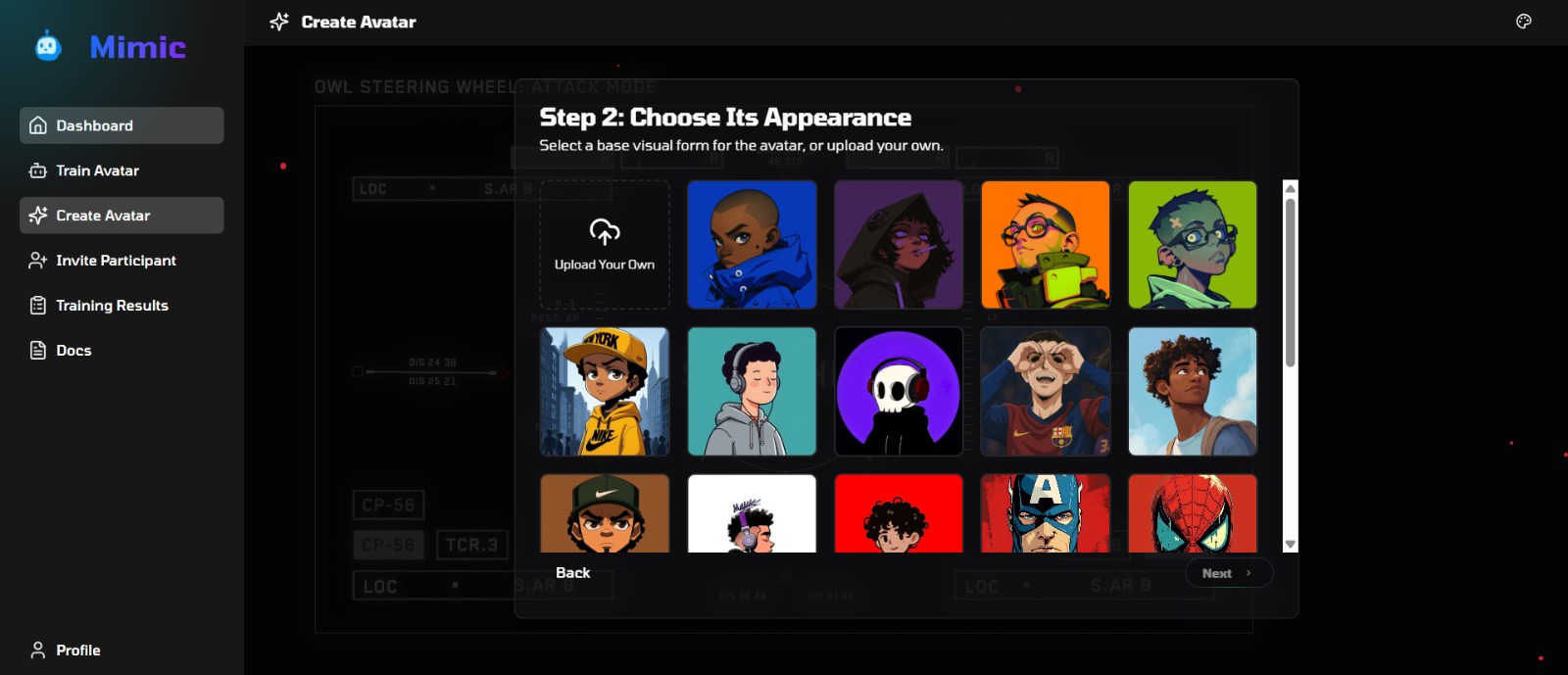
Create an Avatar Choose a name and avatar image. Define an initial personality using a master prompt.
Add Explicit Memories Add facts, opinions, or preferences. Each memory includes metadata such as author, trust level, and timestamp. Memories are embedded and stored in a vector database.
Start a Conversation Chat naturally. The system retrieves the most relevant, trust-weighted memories and generates responses using:
Retrieved memories
Temporary conversation context
The avatar’s master prompt
Review and Control See which memories influenced responses. Edit, delete, or re-weight memories at any time. Conversations are cleared automatically.
RUNNING THE PROJECT
DEVELOPMENT MODE
Frontend: cd apps/frontend npm run dev Runs on http://localhost:3000
Backend: cd apps/backend npm run dev Runs on http://localhost:8000
PRODUCTION MODE
Frontend: cd apps/frontend npm run build npm start
Backend: cd apps/backend npm run build npm start
PROJECT STRUCTURE
mimic apps frontend
Next.js web app
app routes
reusable UI components
shared utilities
backend
Express + Convex server
Convex functions
API routes
backend utilities
packages shared
shared types and utilities
CONTRIBUTING
Contributions are welcome.
Steps:
Create a feature branch
Commit your changes with clear messages
Push the branch
Open a pull request with a clear description
Code standards:
TypeScript for all new code
Follow existing style
Write tests for new features
Keep commits small and descriptive
DOCUMENTATION
Frontend Setup: ./apps/frontend/README.md Backend Setup: ./apps/backend/README.md API Documentation: ./apps/backend/convex/README.md Architecture Guide: ./docs/architecture.md
LINKS
Live Demo (Vercel): https://mimic-eta.vercel.app/
Live Demo (Render): https://mimic-zyb3.onrender.com
Video Demo: https://youtube.com/shorts/xD5wGwz724k?si=mCXV4I_gls4C9QjV
Support: [email protected]
LICENSE
This project is licensed under the MIT License. Free to use and modify.
SHOW YOUR SUPPORT
If you find Mimic useful, consider starring the repository and sharing it.
Built with care by the Mimic team. Privacy-first. Personality-driven. Truly yours.
Built With
- convex
- express.js
- huggingface
- langgraph
- nextjs
- node.js
- openai
- typescript
- vercel

Log in or sign up for Devpost to join the conversation.