Inspiration
In the Philippines, MikroTik routers are everywhere. Small ISPs, WISPs, Piso WiFi shops and home users all rely on them. The problem is that RouterOS is powerful but not friendly. One wrong line in a script and your customers lose internet. I kept seeing the same questions in Facebook groups and on my YouTube channel Net Route Academy: how do I set up PPPoE, how do I load balance two ISPs, how do I fix lag for Mobile Legends. So I built a tool that writes the script for you.
What it does
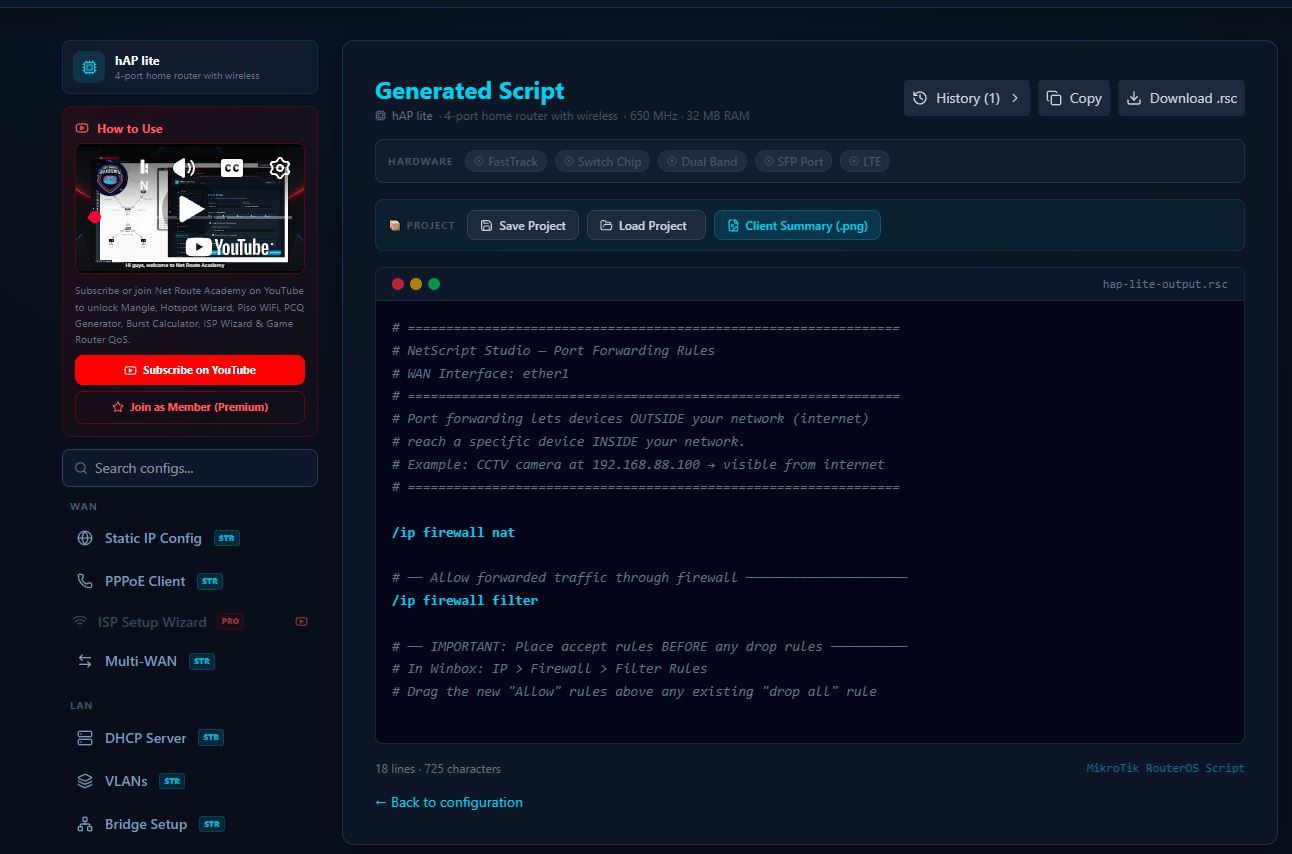
You pick your MikroTik model, fill in a short form, and the tool gives you a clean RouterOS script you can copy or download and paste straight into your router.
Free features:
Static IP and PPPoE client setup
DHCP server, VLAN and bridge setup
Gaming QoS to reduce lag
Copy and download the script
Pro features:
ISP setup wizard, including VLAN setup for common fiber modems
Multi WAN load balancing and failover (PCC, ECMP, failover)
Game traffic routing for titles like Mobile Legends, Valorant and Free Fire
PCQ generator and burst limit calculator for fair bandwidth sharing
Piso WiFi setup, hotspot wizard, vouchers and custom login page
PPPoE server and bulk user management
Firewall, mangle, port forwarding, scheduler and remote access with WireGuard or L2TP
How we built it
It's built with React, TypeScript and Vite, styled with Tailwind, and deployed on Vercel. Everything runs in the browser, so your router details never leave your device. The tool knows the port layout of common MikroTik models, from the hAP lite up to the CCR2004, so it only shows interfaces your router actually has. It also writes scripts that work on both RouterOS v6 and v7, and warns you when a setting doesn't fit your hardware.
Challenges we ran into
RouterOS v6 and v7 handle some features differently, so the same setup can need different commands depending on the version. Making sure every generated script is valid and safe to paste took a lot of testing. Another challenge was turning advanced setups like PCC load balancing into a simple form that a beginner can still follow.
Accomplishments that we're proud of
People with no scripting background can now set up things like dual ISP failover or a Piso WiFi hotspot in minutes. It turns hours of trial and error into a copy and paste.
What we learned
The hardest part of networking for most people isn't the theory, it's the syntax. A good form can remove a lot of fear. I also learned a lot about the differences between RouterOS versions and hardware models.
What's next for MikroTik Config Generator
More ready made templates for common setups, a script checker that explains what each line does, and Tagalog explanations so beginners can learn while they configure.
Built With
- mikrotik
- react
- routeros
- tailwindcss
- typescript
- vite

Log in or sign up for Devpost to join the conversation.