-
-
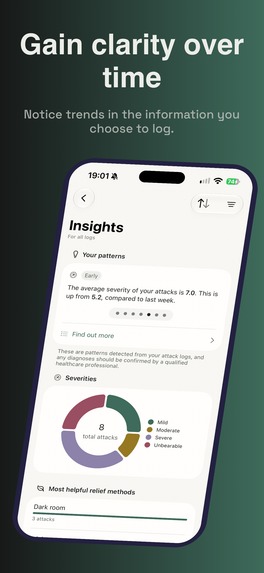
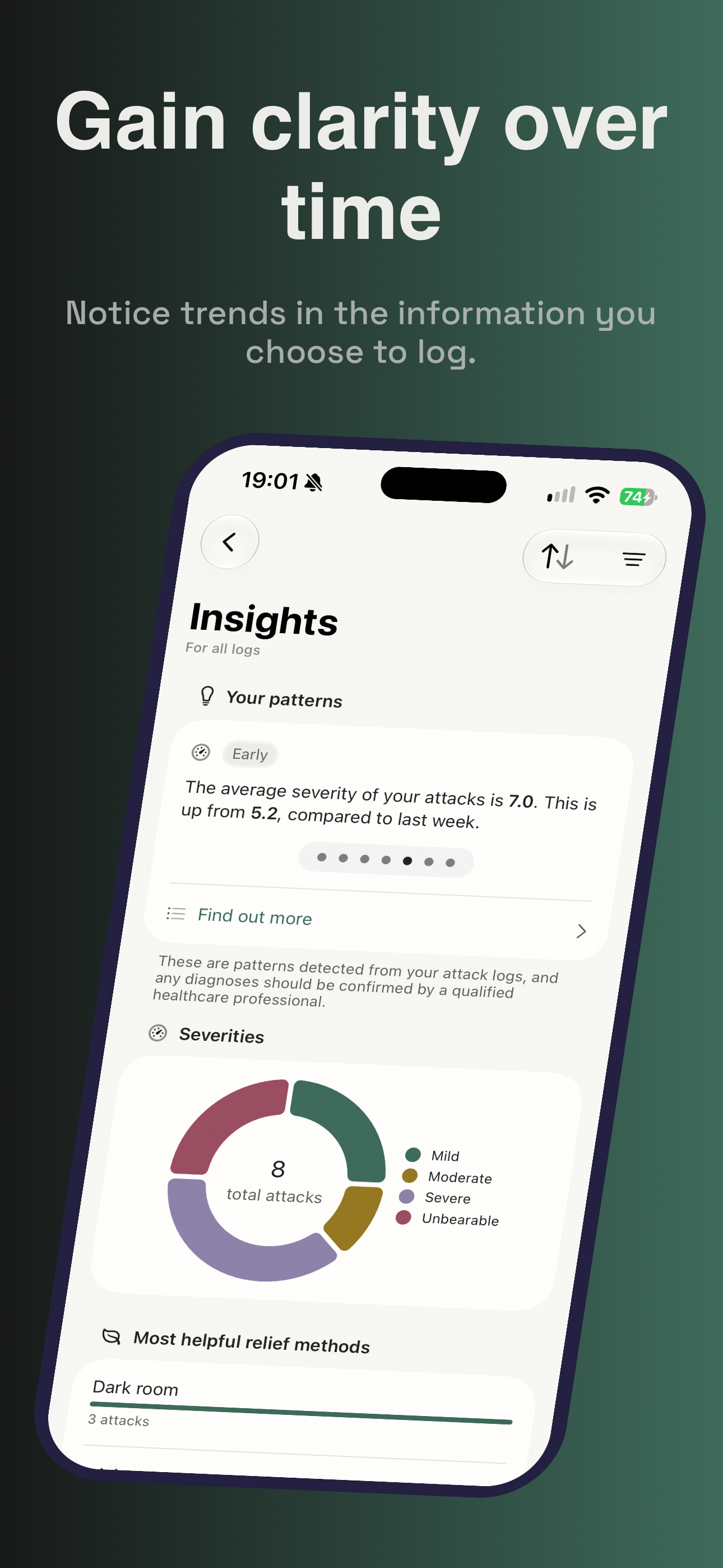
Gain clarity over time
-
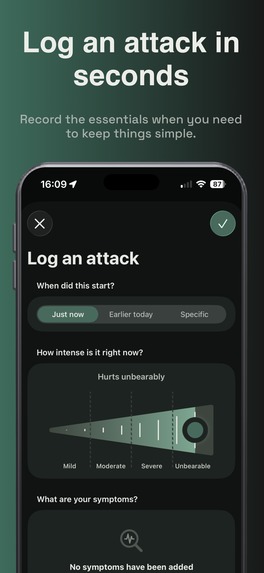
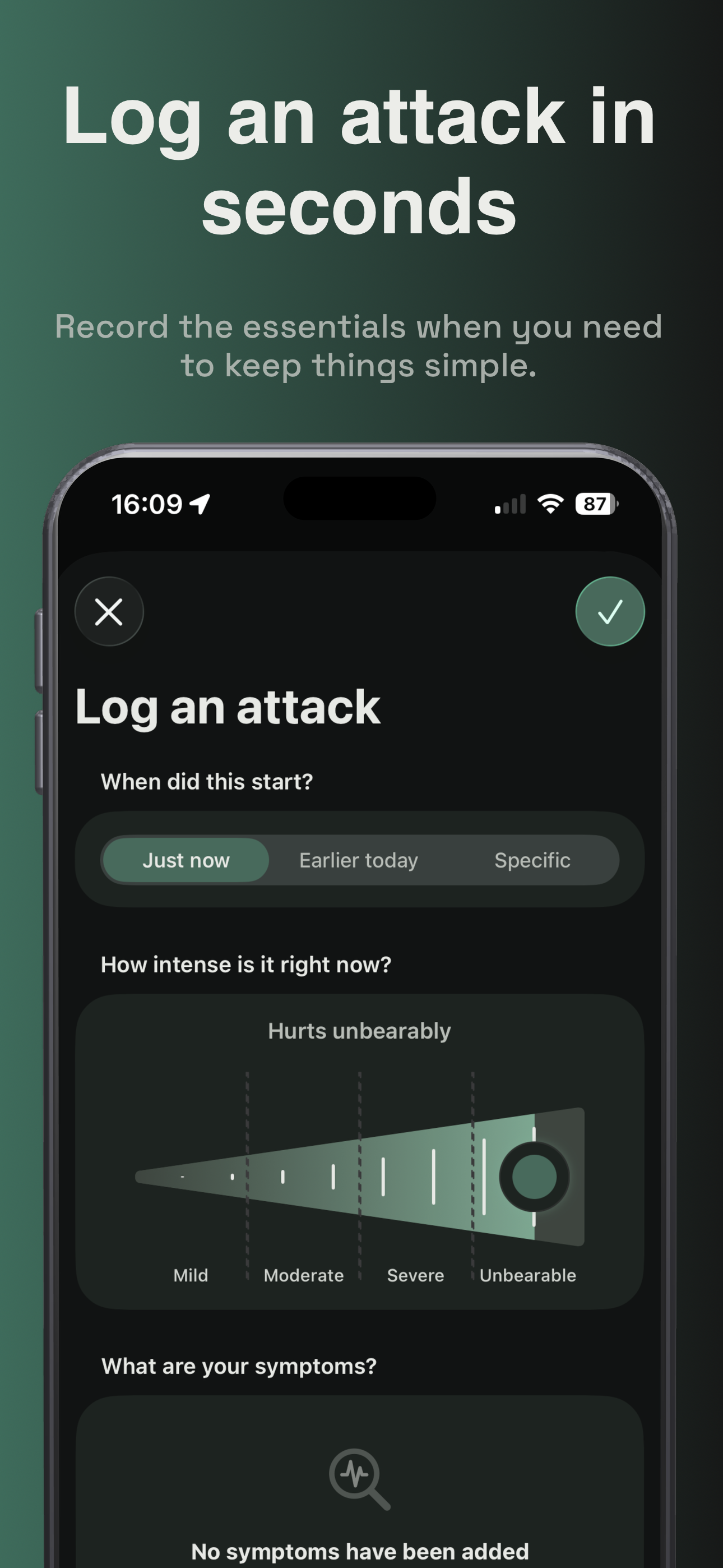
Log an attack in seconds
-
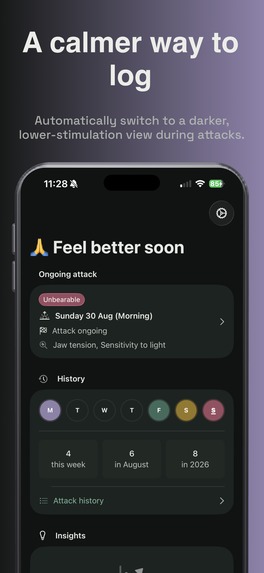
A calmer way to log
-
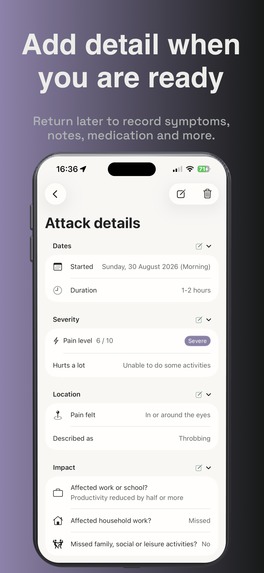
Add detail when you are ready
-
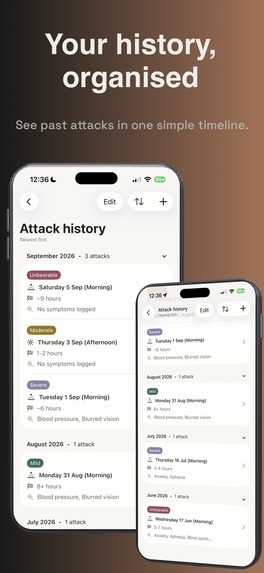
Your history, organised
-
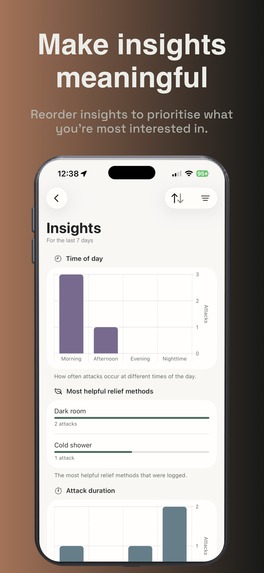
Make insights meaningful
-
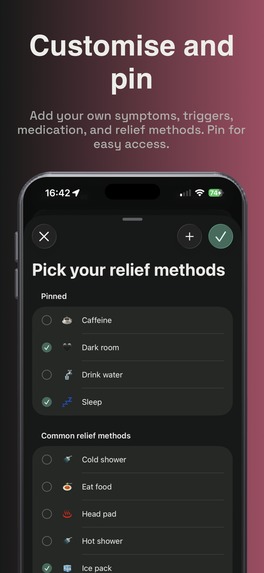
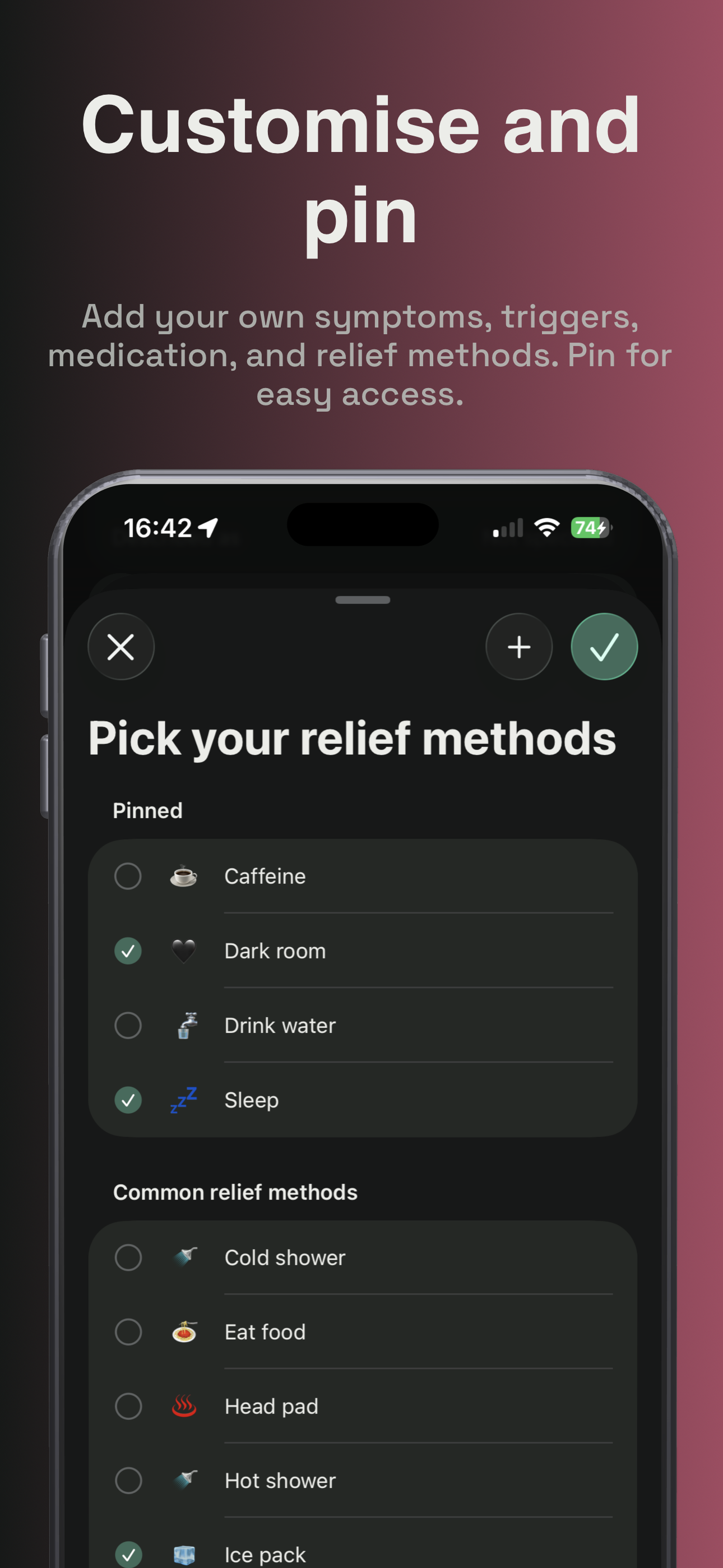
Customise and pin
-
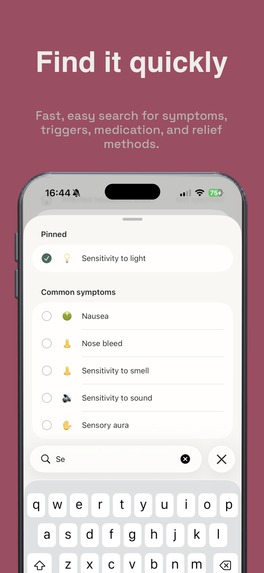
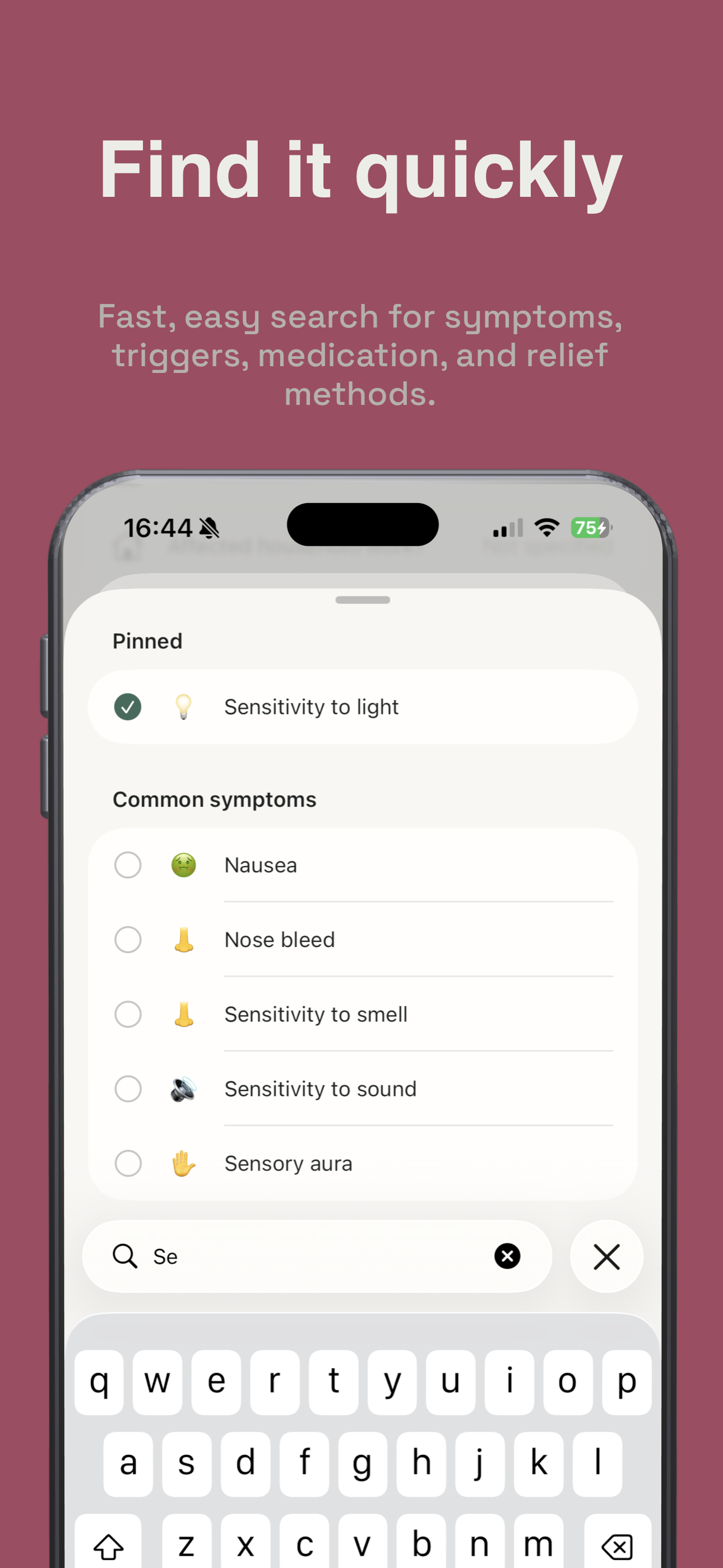
Find it quickly
-
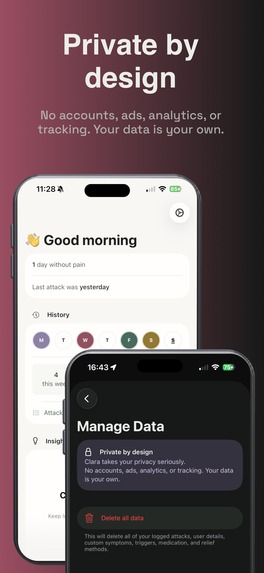
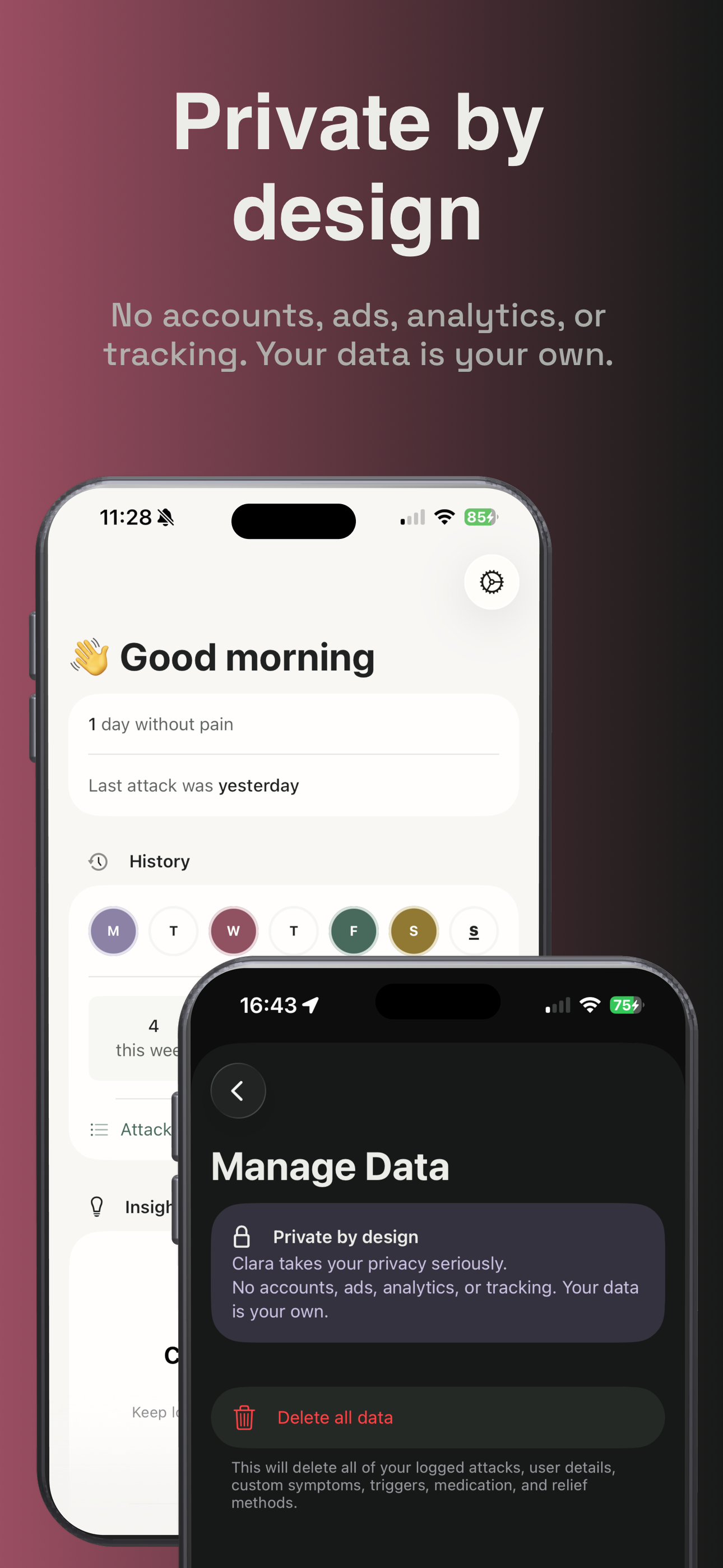
Private by design
-
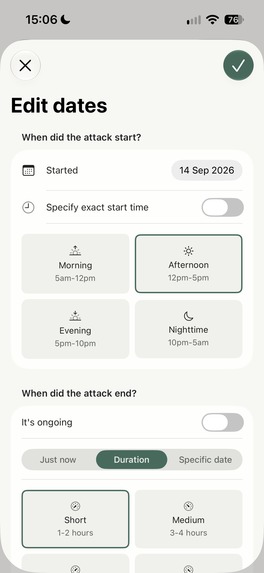
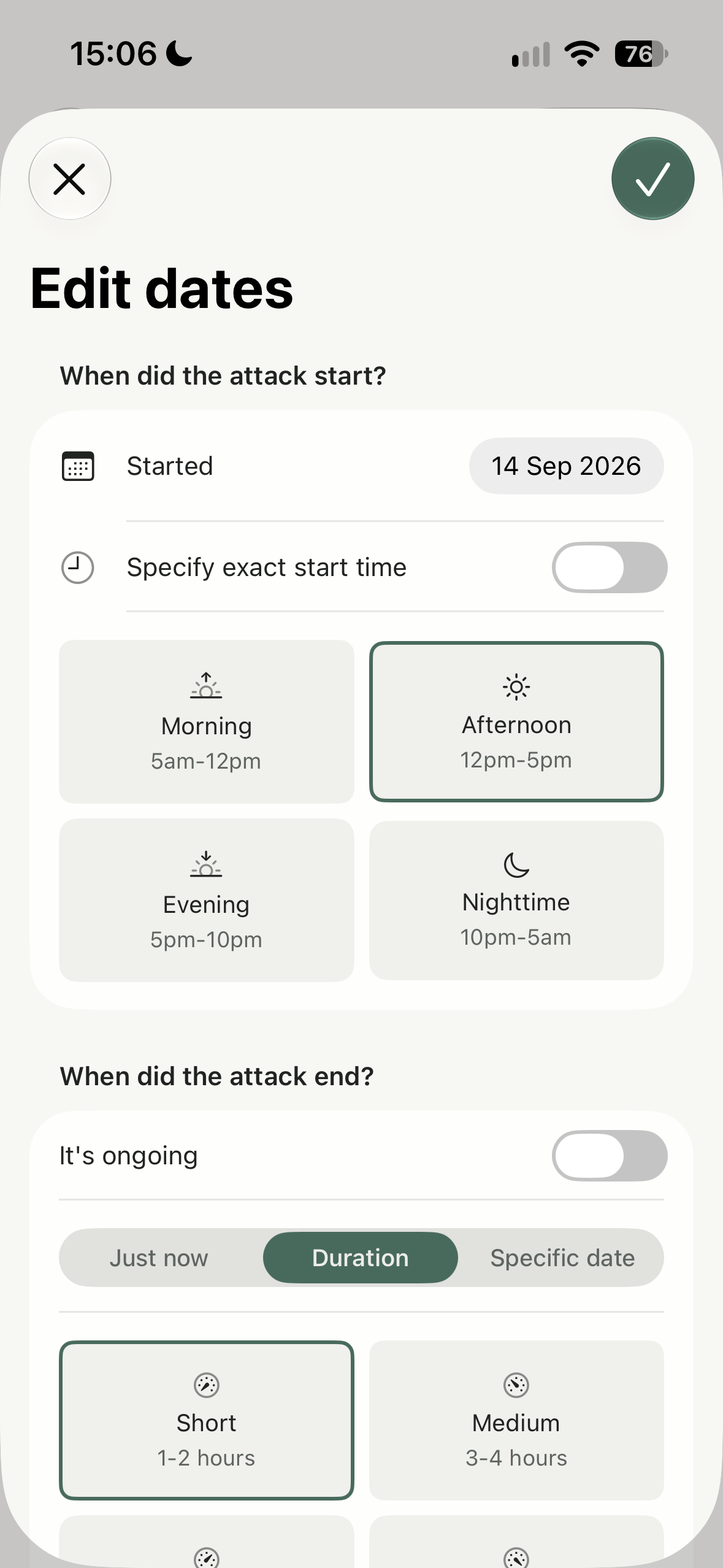
Log attacks with specific start times and ends or choose ranges and durations
-
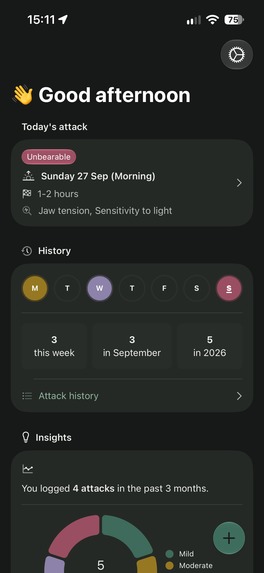
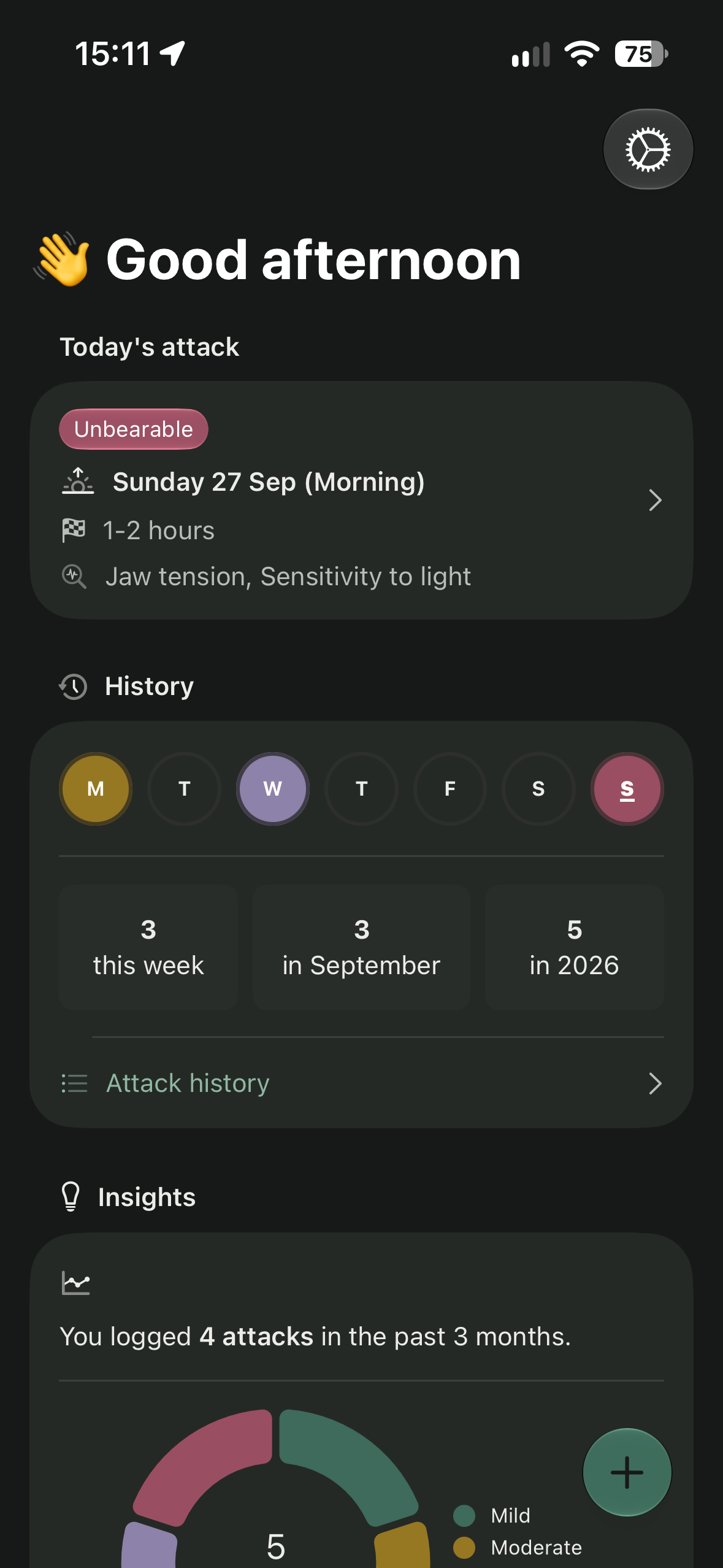
A personal, glanceable dashboard for your attacks
-
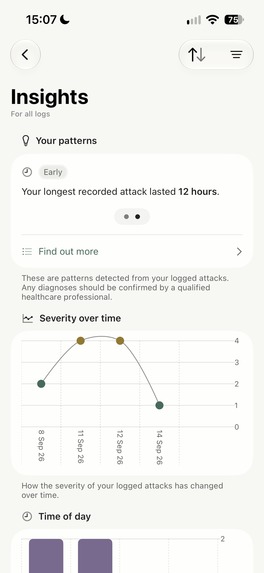
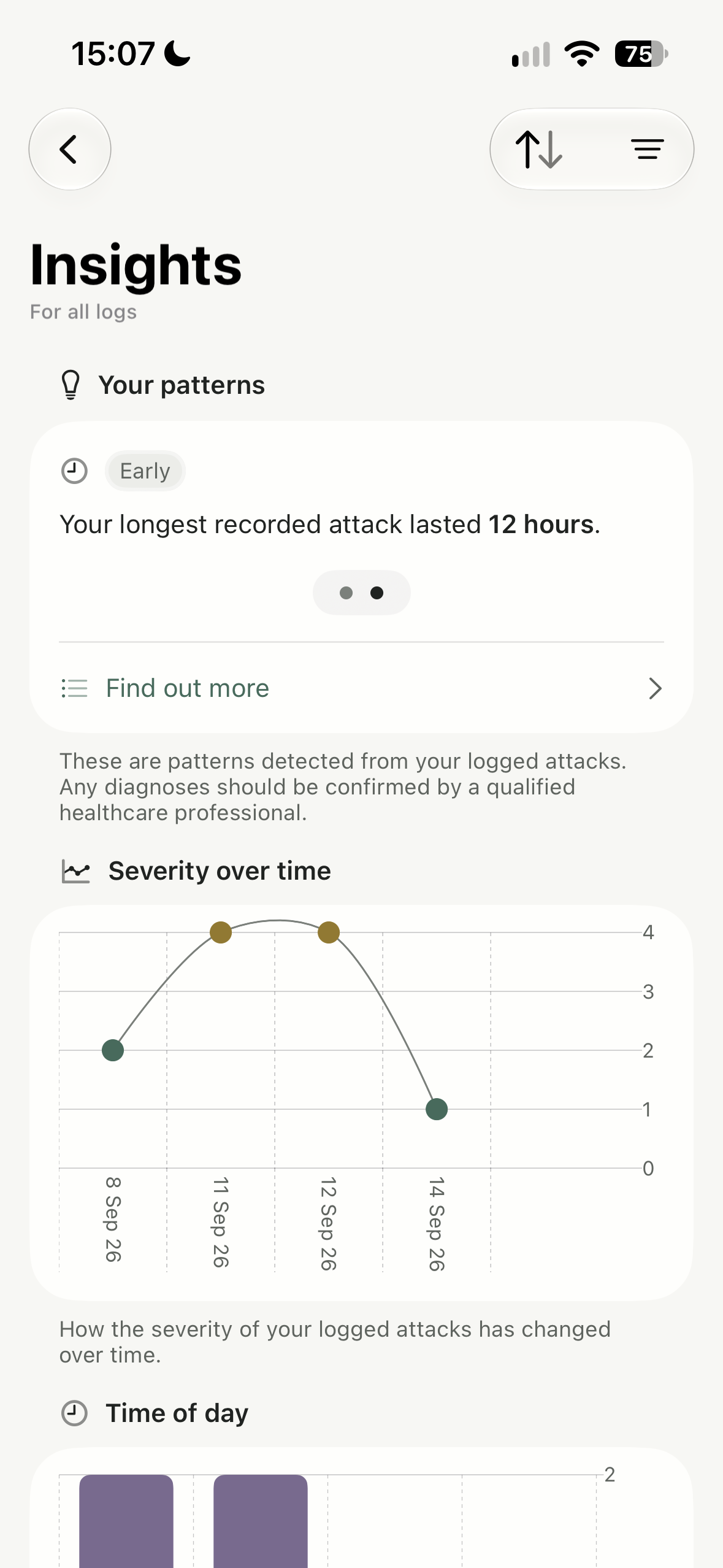
Insights grow with the attacks that are logged
-
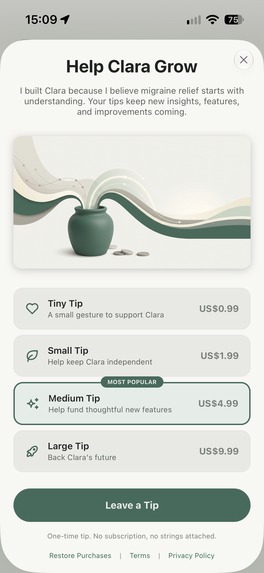
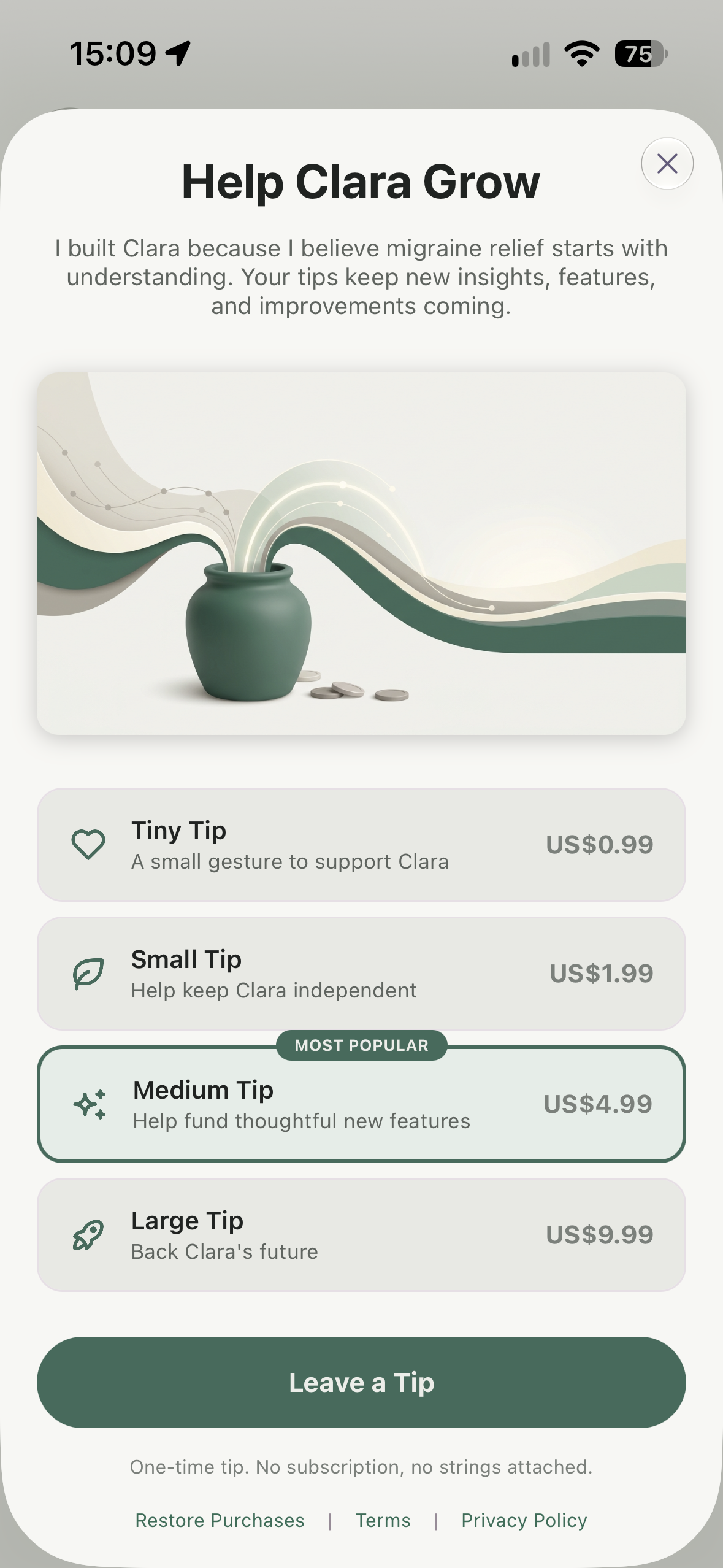
Leave a tip to support the future development of Clara
-
App Icon (1024 x 1024 un-cropped)
Inspiration
Migraines affect roughly 1 in 7 people worldwide, but many go undiagnosed. There is also still a lot of stigma around them being treated as “just a headache.” I suffer from migraines myself and, like many others, find it difficult to identify how they originate and when I am most at risk of an attack.
I wanted an app that allows me to easily log my attacks at times where I want minimal interaction with a phone and screen, but powerful enough to add more details later and have insights surfaced based on symptoms, triggers, relief methods, and medication.
Most of the apps that I tried out were either bloated with unnecessary content, gated behind an account or unnecessary paywall, or used/sold my data. This wasn’t good enough! So, I decided to build Clara to address these pain points and be a simple yet powerful, privacy-conscious and accessible migraine tracker that would help me and hopefully others too.
What it does
Clara is a private, local and fully-offline iOS app that helps people log migraine attacks quickly and easily. It can be used to build a personal migraine history, and gain clarity over time as trends, patterns and insights become available.
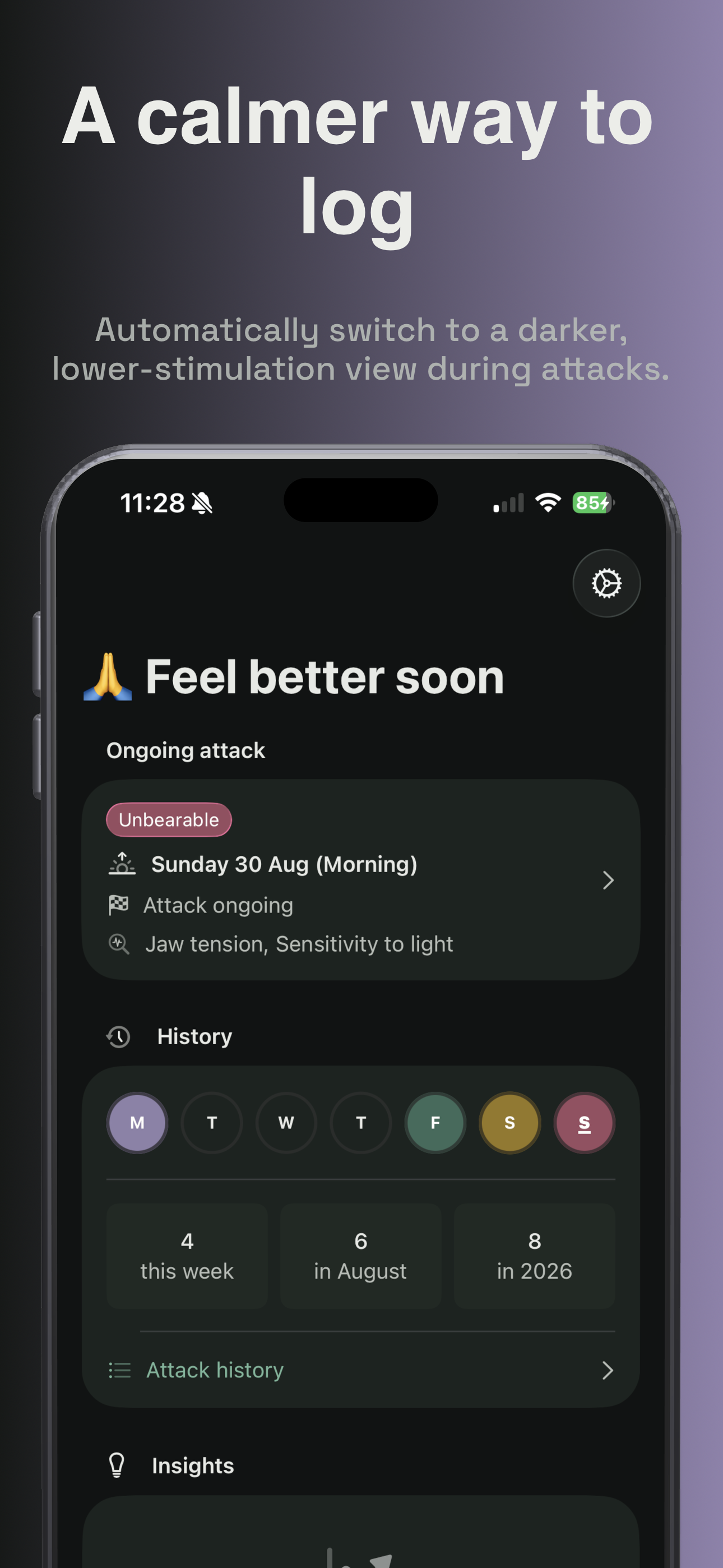
Attack mode automatically switches to a darker, lower-stimulation view during attacks, and the process for logging a migraine takes seconds, with the choice to add more detail later, after the attack has subsided.
Clara was designed with simplicity in mind, with a minimalist UI that embraces Liquid Glass and animates smoothly with zoom transitions. I was aiming for an app that feels at home alongside other native apps.
Privacy and accessibility have been baked in from the start, with all data remaining on-device, no ads, analytics or tracking, and no need for accounts. Complete VoiceOver, Voice Control and Dynamic Type support allows blind and low-vision users, as well as users with motor disabilities, to use the app.
How I built Clara
Clara was built using native Swift and SwiftUI. It uses Point-Free’s Composable Architecture and SQLiteData for a local database. I wanted to take this opportunity to build an app from scratch using Point-Free’s stack, and leverage exhaustive test coverage for each of my features using their TestStore .
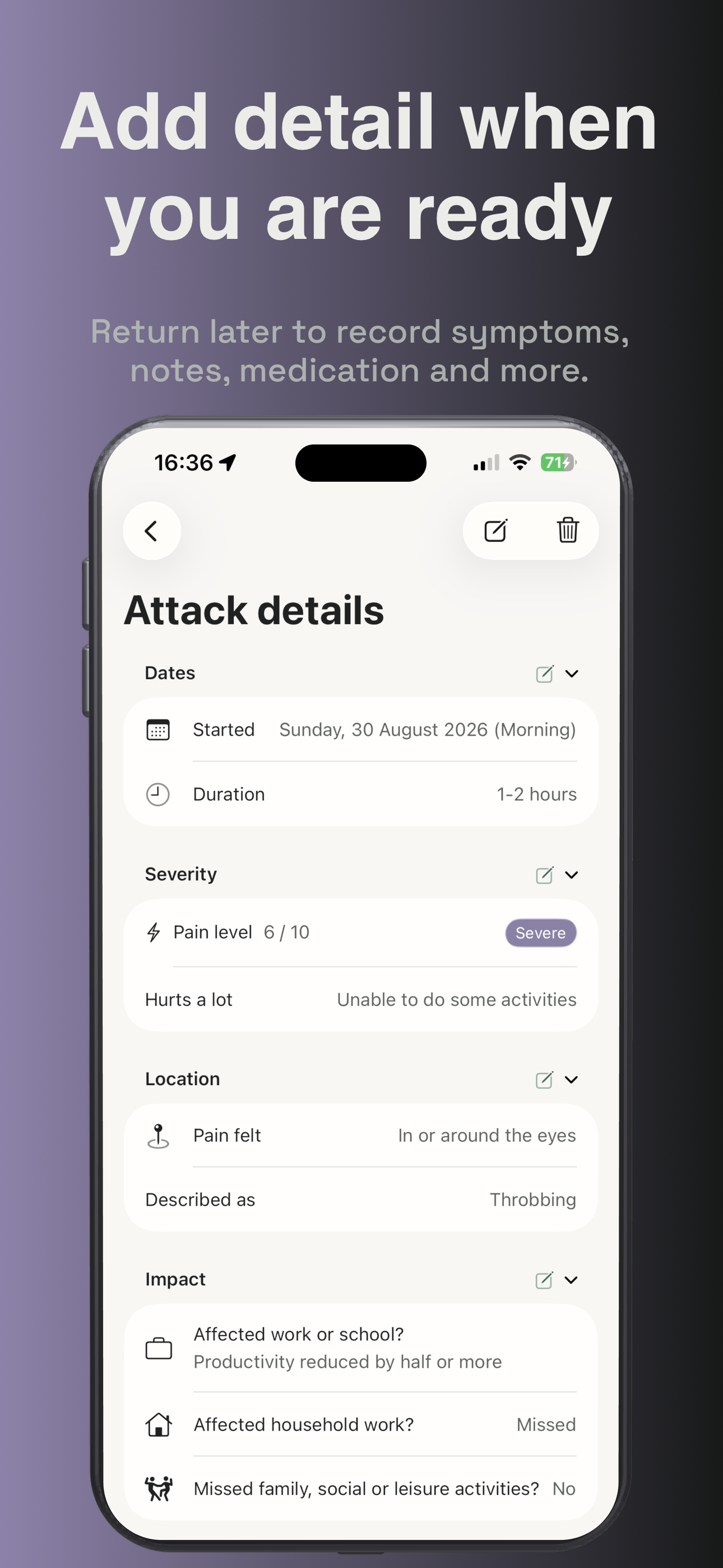
I started off by building a barebones scaffold that focused on adding the core ability to log migraine attacks and display the attack history. I initially started purely with a multi-step form that could be saved after any step had been completed. However, after feedback, I pivoted to introducing a quick form for the initial attack log. This allowed users to quickly log attack time (defaulting to “just now”), severity, symptoms (optional) and medication (also optional) from one simple screen. They can then choose to edit more detail and transition to the longer, multi-step form, or save their log within a matter of seconds and then fill in more details at a later point when they are feeling better.
I obsessed over the core attack form, providing flexible yet extensive start date/duration logging options for frictionless logging. I also ensured that each symptom/trigger/relief method/medication picker offered full search and the ability to pin frequently-chosen options to make selection faster and easier for the user.
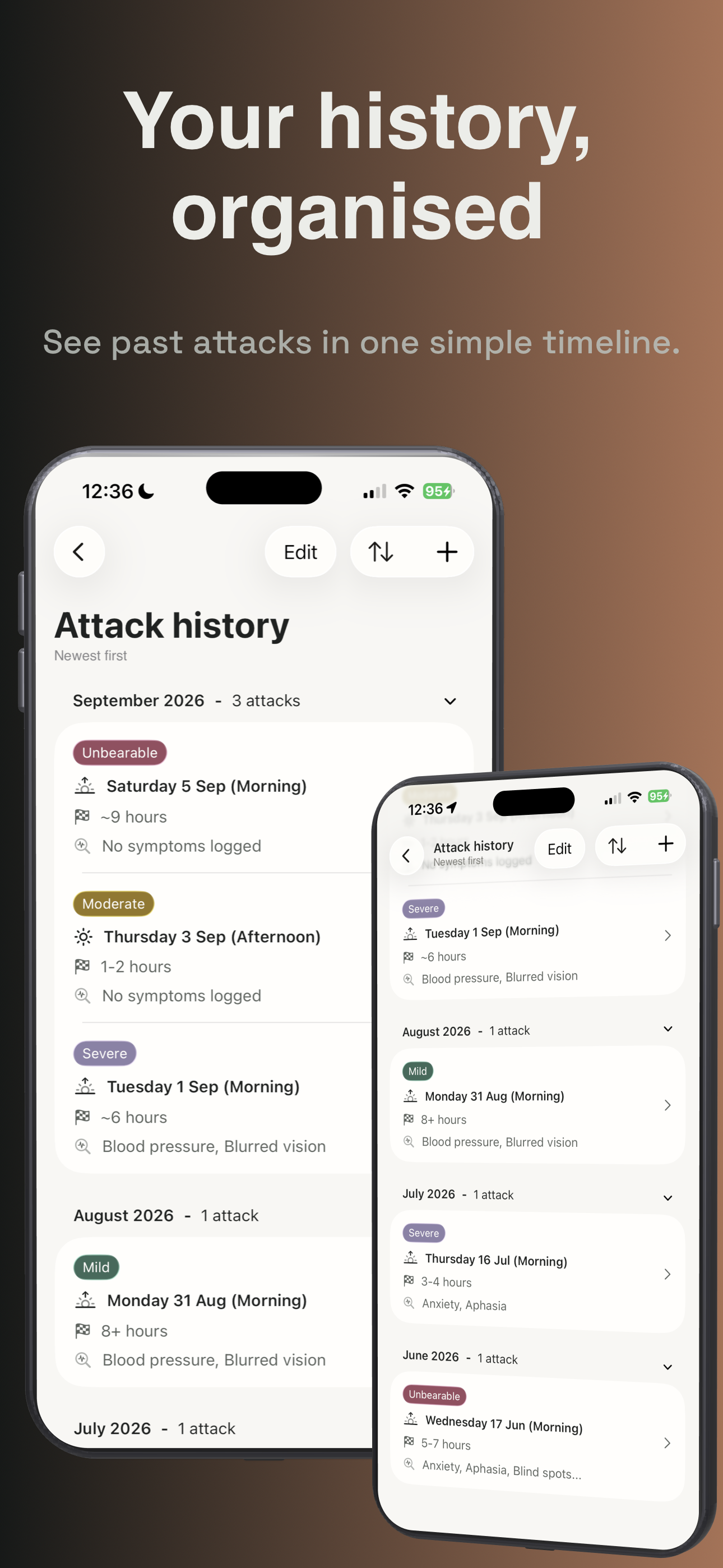
The history feature was iterated on to provide the ability for users to order their logs by newest first, oldest first, and severity (highest first or lowest first). I then introduced the attack detail screen, where users can drill down into their history and see more details about each attack. I wanted to provide the ability to easily edit the attack, so introduced section-based edit buttons for ease of use.
The app’s theming took a lot of iteration, as I needed to mix a neutral, calm colour palette with the attack mode feature to ensure the app transitioned smoothly between both states. I settled on an extensive design system theme that included the primary sage colour alongside three other severity colours: ochre, lavender and berry. When users enable Attack Mode, regardless of whether the user has light or dark mode enabled on their device, the entire app colour palette transforms to a darker, lower-stimulation UI to avoid unnecessary glare and strain on the user. This attack mode continues throughout the duration of an ongoing attack. Then, when they mark the attack as complete, the app theme transitions back.
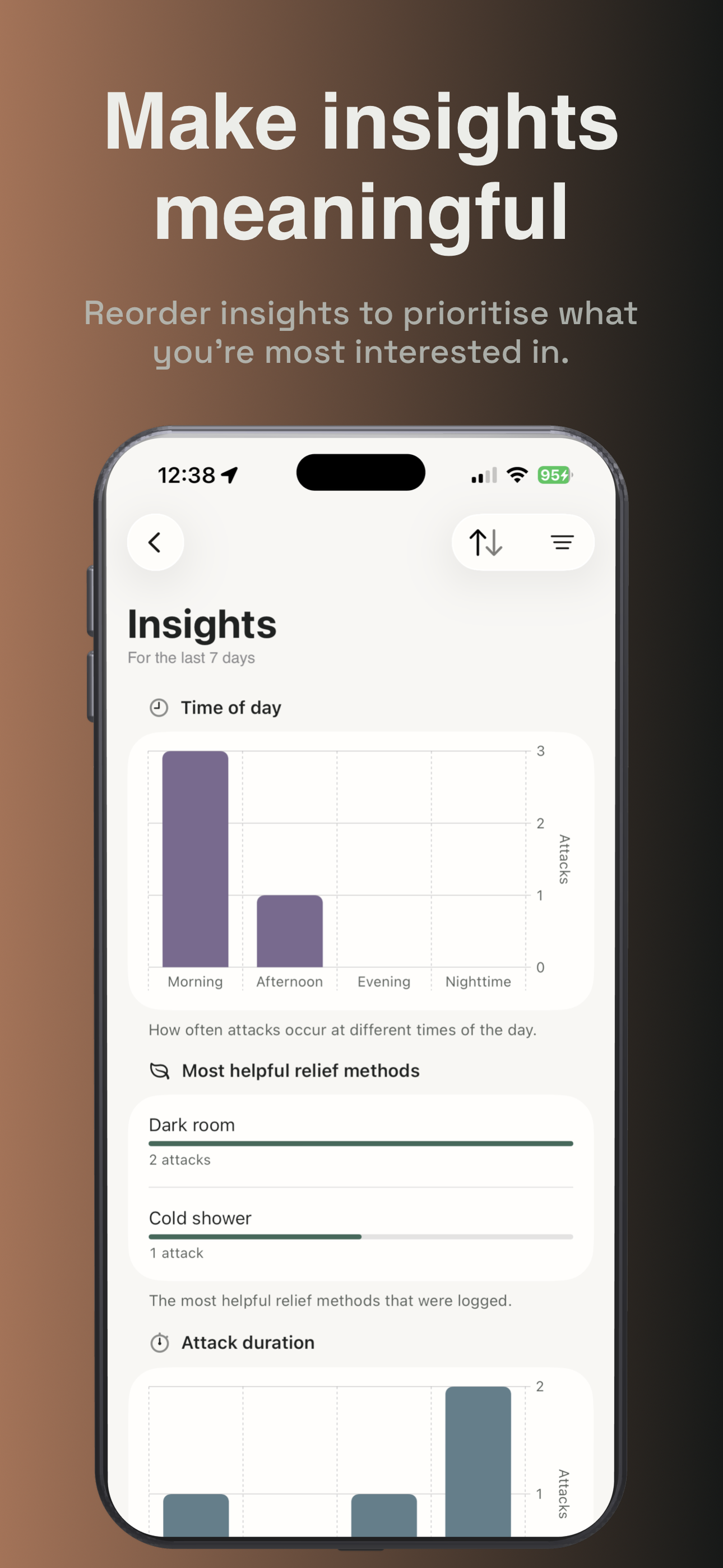
Another core feature that was requested by users was added: insights. This provides graphs and statistics ranging from severity over time, to visualising how often attacks occur at different times of day or by weekday, to the most common symptoms and triggers, and identifiable patterns. Users can drill into each pattern to see the attack log evidence that was used to define it. Insights are also customisable and can be reordered according to what the user is most interested in. They can also be filtered by the last 7 days, 4 weeks, 8 weeks, 12 weeks, or all time.
Finally, I introduced HealthKit integration, whereby users can sync with the Apple Health app to allow Clara to access external factor information (state of mind, active summary, sleep change and analysis, water and caffeine intake), in order to gain deeper insights into how these may be impacting a user’s migraines. This was done with privacy in mind, and no data is shared. This is made clear to the user before they choose to sync with Health.
Challenges and what I learned
One of the biggest challenges I faced was deciding on an optimal theme for the app that could switch between normal mode and attack mode. I created a design system and swapped out the colour tokens used between modes so this could be achieved fluidly and dynamically. This way, if I ever choose to tweak colours, I only actually need to change the colour set values.
Another challenge was deciding which features to prioritise and which ones should be left out completely. As a developer, the temptation is to include absolutely everything in the app. However, I needed to take a step back and evaluate what the benefits are for the user and whether it goes against the first principles I’ve set out to achieve with Clara (simplicity, privacy and accessibility).
For example, I was considering introducing a daily check-in feature where users could log their sleep, water and caffeine intake etc. and would be prompted to fill this in each day. However, upon evaluation, this went against two of my first principles, as it would introduce friction for users having to manually enter these details into the app, and would violate privacy by potentially spamming users with notification reminders to check in. Instead, I opted to support users syncing with Apple’s Health app, which will already have the data for each external factor I’m interested in. This allows users to provide data for state of mind, active summary, sleep change and analysis, water and caffeine intake etc. using whichever apps they already use, which can then be surfaced in Clara in a privacy-first approach via HealthKit.
Another challenge was the fact that I deliberately didn’t want monetisation to be a barrier to using certain features in the app. I wanted to provide an app for good, so didn’t want to introduce friction and hide lots of features behind a paywall. In order to mitigate this, I introduced the option for users to **contribute a tip **to support the future development of Clara from the app’s settings.
As part of my development of Clara, I learned a lot about how to develop with VoiceOver and Voice Control in mind. This was a great experience and I hope that it results in a better app experience for all users.
Setting up and configuring RevenueCat was super straightforward, and thankfully I was aware of common pitfalls for App Store review, so the actual process of getting the app approved was painless. I learned a lot about building according to user feedback, and it is fantastic to have an app in the wild that I find useful, and that others are using too.
What’s next for Clara
There are so many exciting features planned for Clara! A few include:
- Ability to export reports for doctor’s appointments
- More in-depth insights
- Forecasting and warnings of potential attacks
- User-run experiments to see how different lifestyle changes impact attack frequency
I can’t wait to continue developing Clara and see where things go!
Built With
- charts
- composablearchitecture
- healthkit
- pointfree
- revenuecat
- sqlitedata
- swift
- swiftui

Log in or sign up for Devpost to join the conversation.