-
-
pic-1
• # Mighty Coding Machine (MCM)
## Inspiration
I had a great desire to build some thing new, more than a chatbot that writes code. My goal was a practical Windows desktop workspace where users prompts to create, inspect, run, search, test, and rediscover their real local projects with the help of local tool using their api credentials without heavy costs.
Mighty Coding Machine, or MCM, was inspired by the daily coding practices and workflow: you ask for a feature, review the generated change, save and run it, debug and inspect errors, search the codebase, commit the result in git, and also use a database or external tools using MCP. MCM gathers this workflow into one native IDE-style application.
## What It Does
MCM is a Windows-native AI coding workspace built around a multi-agent architecture. It supports:
- AI-assisted code generation, debugging, review, testing, planning, frontend work, database work, Git operations, security review, and deployment-oriented tasks.
- Monaco-based code editing and an integrated Windows terminal.
- Workspace project management, file exploration, semantic search, and local RAG.
- Git status, diffs, staging, commits, branches, and history.
- SQLite and SQL query tools with schema browsing and result grids.
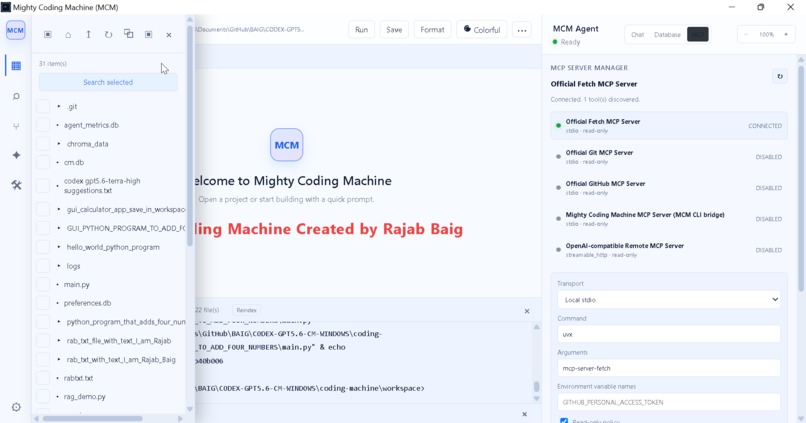
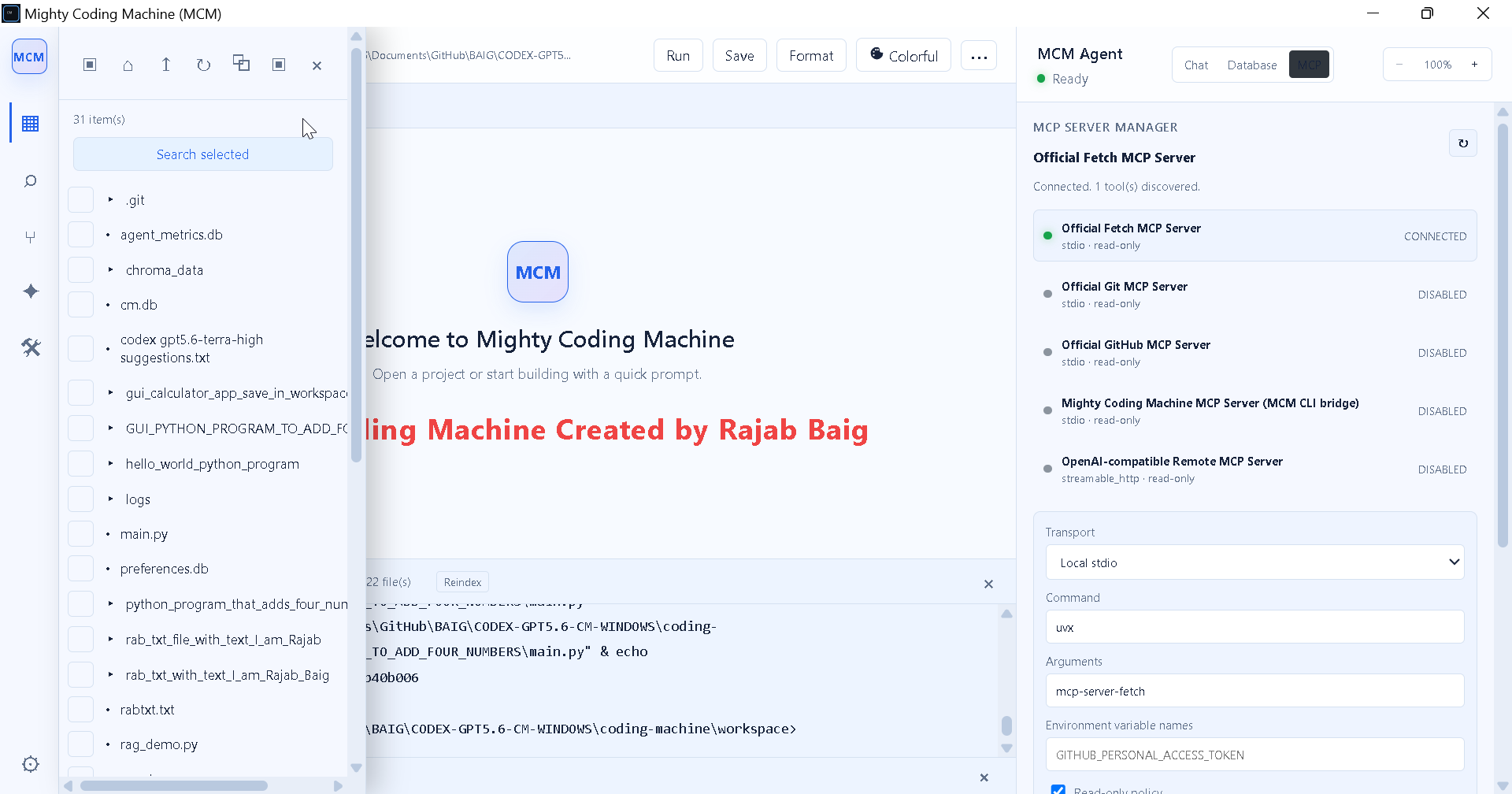
- MCP integration for approved external tools such as Fetch, Git, GitHub, and Codex CLI bridges.
- Session persistence, agent traces, progress feedback, tool approval controls, and Windows EXE packaging.
- prompt cashing to save api costs.
## How I Built It
The application uses Python, Flask, Flask-SocketIO, PyWebView, HTML, CSS, JavaScript, Alpine.js, Monaco Editor, ChromaDB, SQLite, SQLAlchemy, Git, and PyInstaller.
The frontend is served by Flask and wrapped in PyWebView to provide a native Windows desktop experience. Flask-SocketIO provides real-time agent updates, streamed responses, terminal output, indexing status, and tool activity. The backend uses conditional agent routing. Instead of invoking every agent for every request, MCM selects the most suitable specialist based on the user’s prompt and intent. Skills and tools are injected dynamically, while sensitive actions such as destructive SQL, shell commands, Git writes, deployment, and external MCP actions are protected by approval policies. RAG Implementation-For local code intelligence, MCM indexes the configured workspace using ChromaDB and local embeddings. This allows users to search and ask questions about a growing codebase without depending on an API key for retrieval. ## How GPT-5.6 and Codex Helped GPT-5.6 and Codex accelerated the engineering workflow throughout development. They helped with repository analysis, architecture decisions, debugging startup and UI synchronization issues, improving the multi-agent workflow, writing focused tests, strengthening security boundaries, preparing PyInstaller packaging, and improving the documentation. Codex is master in coding and was especially valuable for tracing complete workflows across frontend JavaScript, Flask routes, agent orchestration, workspace paths, terminal execution, and Git integration. Working with codex and gpt 5.6 was a fantastic experience we work like a team of three. I really enjoyed working with them.
## Challenges I Faced The most difficult challenge was maintaining GUI and its functionality that is a slight change in gui interface affects entire codebase. For example when I added zoom function in right and left panels left panel changed its functionality entirely while right panrl remains the same.Also synchronization between the workspace explorer, search panel, Monaco editor, active project, Save button, Run button, and integrated terminal. A generated file could exist on disk but still fail to appear in the editor or execute from the correct location. I resolved this by making workspace paths explicit, refreshing the tree after generation, opening the generated file automatically, and ensuring Run always uses the active editor file. In this regard workplace address is very important . Correct workspace address in windows explorer and settings and specially in Explorer and Search necessary for correct workflow of project. Another major challenge was Windows compatibility. Flask-SocketIO, PyWebView, subprocess execution, system tray behavior, and packaging require careful threading and lifecycle handling. MCM uses standard threading instead of eventlet, daemon server tasks, Windows-safe subprocess pipes, and PyInstaller --onedir packaging.
Security was also essential. I added system drive and files protection. Since MCM can write files, run code, query databases, and connect MCP tools, I also added workspace path validation, destructive SQL detection, approval levels, tool restrictions, and safe execution guards. Another important point was avoiding chaining agents, by implementing it I saved lot of resources in terms of api budget and time. AS MCM is using 12 agents if i apply chaining for every task, it would have to pass 1 to 12 agents and after that project was producing result. But currently orchestrator takes the decision according to the prompt that which agent it would use, which skill and tool it would select to accomplish a task. And one most important thing is Retry attempts. If your system stuck in infinite loop of retry attempts, surely you would lose your entire budget. So I set retey attempts =2 only to protct our budget.
## What I Learned I learned that an effective coding agent with a model is more efficient than simple prompt and response workflow. Also that specializing the agents is one more step ahead in agentic workflows. Now I have specialized agents for each project phase for example, planning, coding, debugging, testing, documentation and so on. Reliability depends on the complete workflow around the model: secure tool execution, UI feedback, workspace synchronization, review gates, source control, error visibility, and clear recovery paths. I also implemented conditional routing, confidence signals as well.
## What’s Next Future improvements include broader automated workflow i.e. user just writes one or two sentences of prompts and AI system produces the finished product by implementing AI system. Future enhancement could be to create more skills and tools and also more agents to complete our tasks. I would create its web , Unix, ubuntu, apple and android versions. Also its web browser and vs code extensions. Mighty Coding Machine is designed to make AI-assisted development more practical, transparent, and reliable for Windows developers.
Built With
- ai-agents
- alpine.js
- chromadb
- codex
- css
- developer-tools
- flask
- flask-socketio
- git
- gpt-5.6
- html
- javascript
- mcp
- monaco-editor
- multi-agent-systems
- openai-api
- pyinstaller
- python
- pywebview
- rag
- socket.io
- sqlalchemy
- sqlite
- windows

Log in or sign up for Devpost to join the conversation.