Inspiration
My university notes live in Microsoft OneNote, in notebooks on my school account. OneNote is great for writing notes, but not for reading and revising them: I wanted to read a notebook like a textbook, highlight it, and write notes in the margins. I also wanted my notes as ordinary files that I own, files that will still open in ten years without any particular app or account.
That became Mnote: a file format for OneNote pages, and a reader for it.
What it does
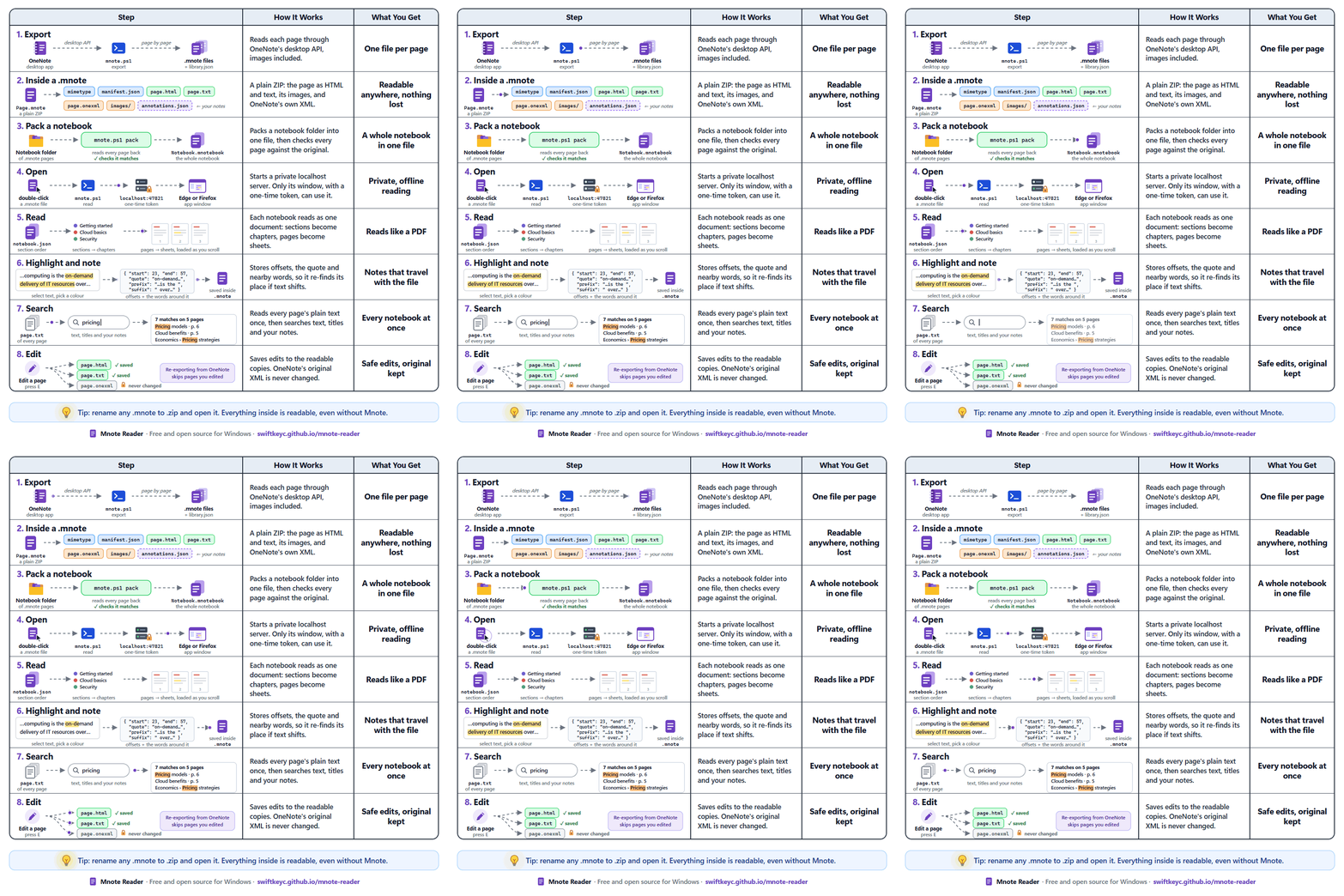
- Exports every page of the notebooks open in the OneNote desktop app to a
.mnotefile, one per page, in OneNote's section order. - Packs a whole notebook into a single
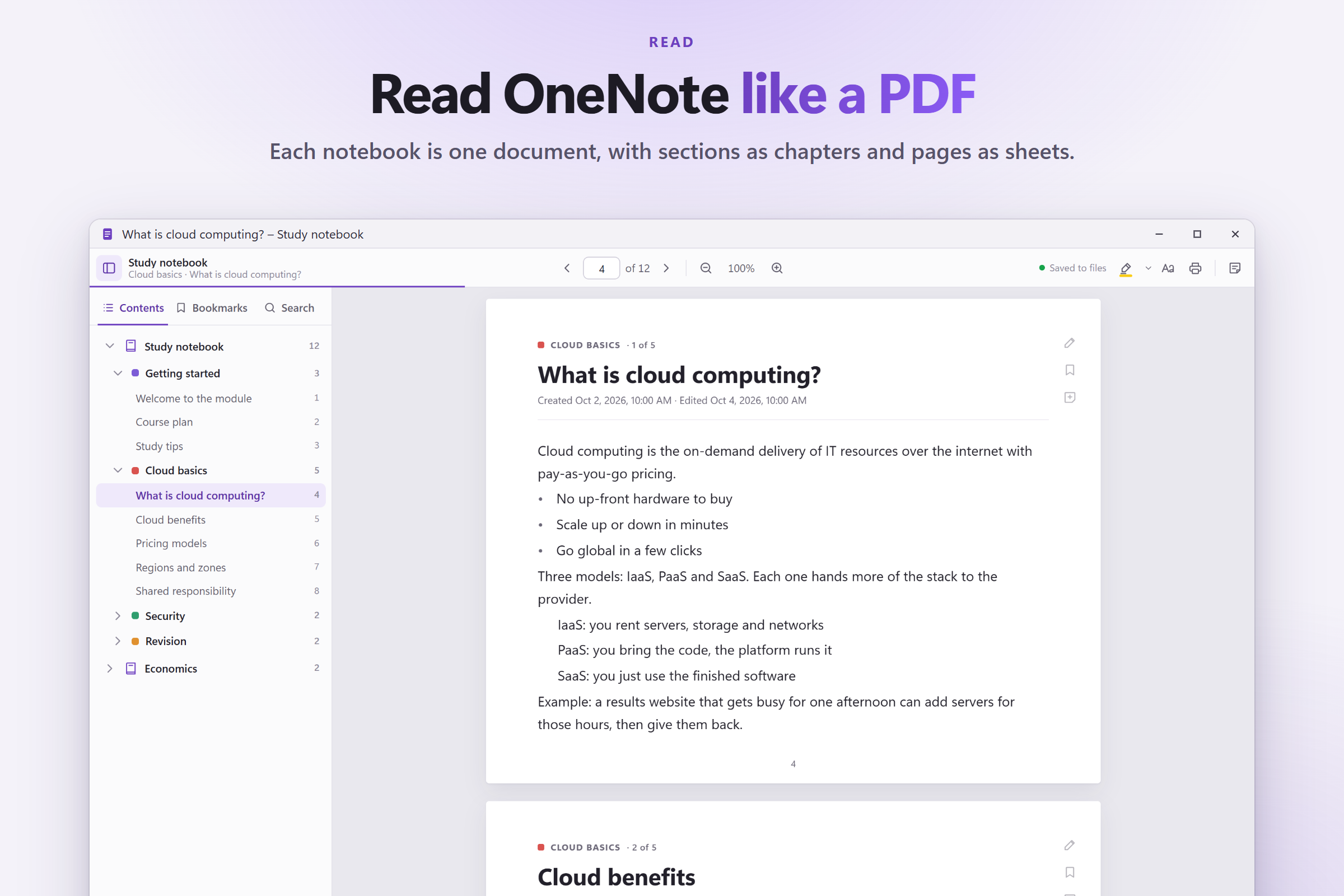
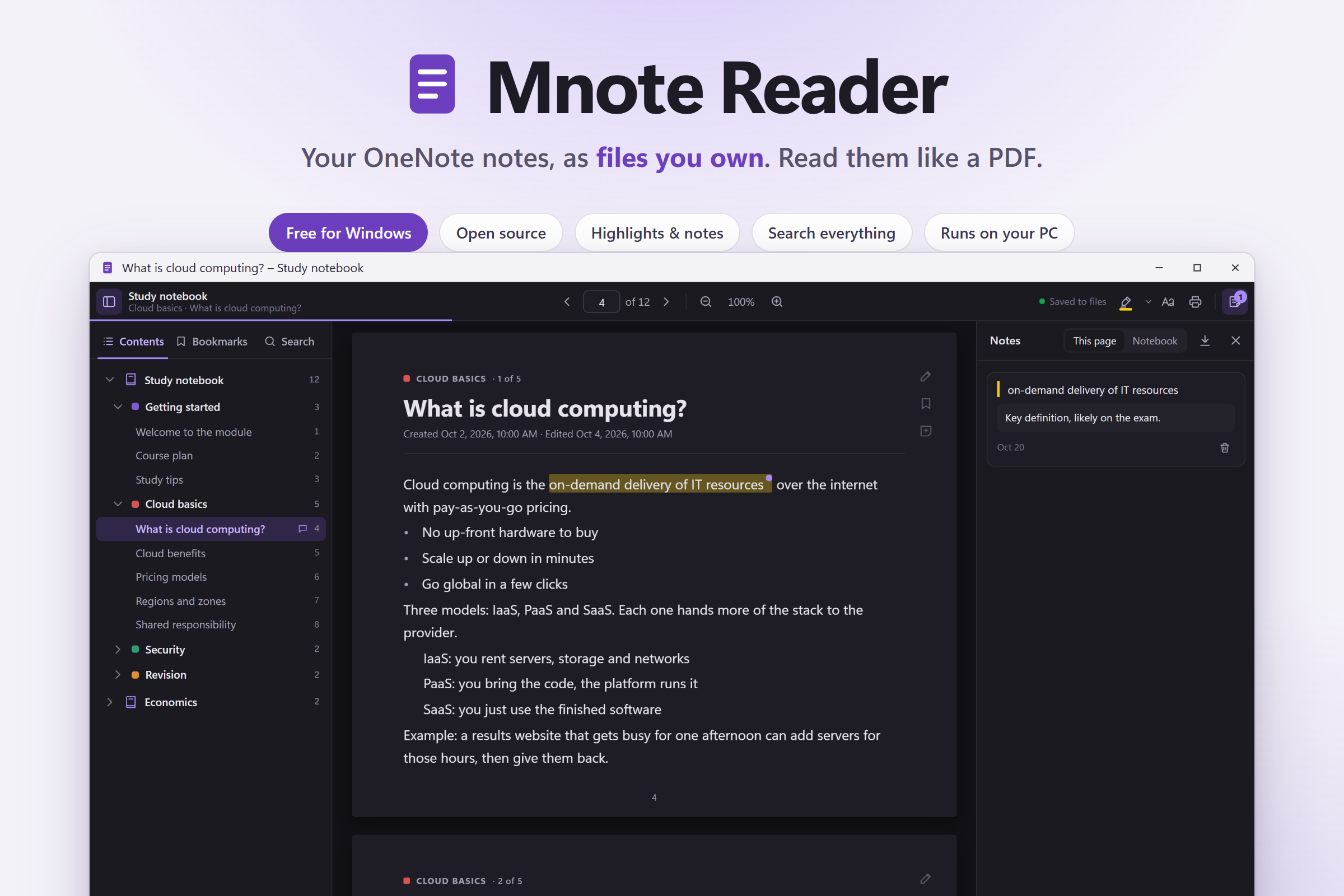
.mnotebookfile. - Mnote Reader opens them like a PDF: a contents sidebar, page numbers, zoom, light, sepia and dark themes, highlights in four colours, notes, bookmarks, search across every notebook, and a page editor.
- Everything runs on your own PC. There's no account, no cloud and no tracking.
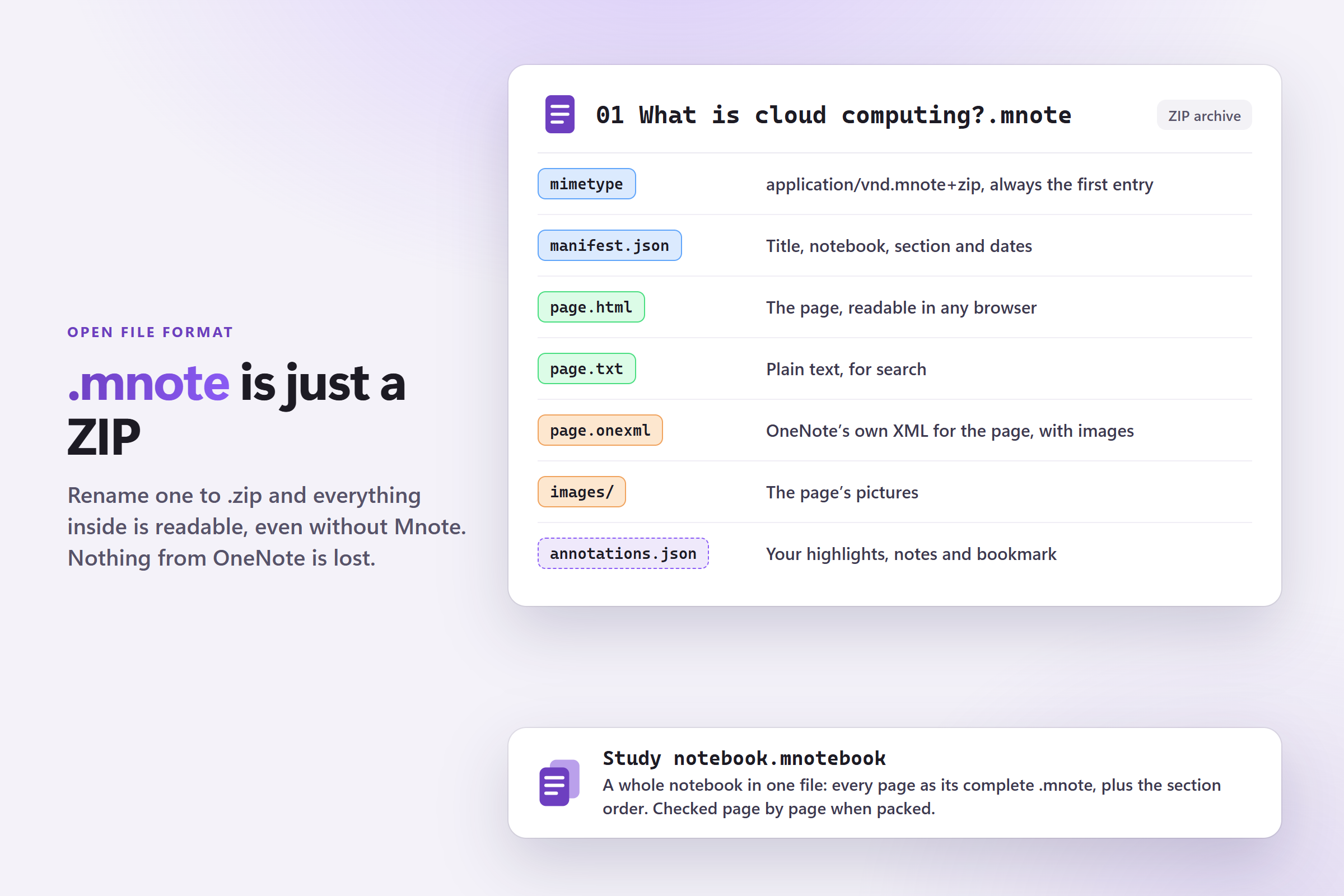
A .mnote file is just a ZIP:
mimetype           application/vnd.mnote+zip (stored first, uncompressed)
manifest.json      title, notebook, section, dates
page.html          the page, readable in any browser
page.txt           plain text, for search
page.onexml        OneNote's own XML with images inlined: nothing lost
images/            the page's pictures
annotations.json   highlights, notes and bookmark, written by the reader
Rename one to .zip, and everything inside is readable even without Mnote.
How I built it
- Exporter: PowerShell 5.1, the version that ships with Windows. It talks to OneNote's desktop COM API (
GetHierarchy,GetPageContent,GetBinaryPageContent) and turns OneNote's XML outline into clean HTML and plain text. - File format: I borrowed the trick EPUB and OpenDocument use. An uncompressed
mimetypeentry comes first, so a file can be identified from its first bytes, and everything else is plain JSON, HTML and text. - Reader: a single HTML file with no framework.
mnote.ps1 readserves it from a smallHttpListeneronlocalhost.- It opens in its own app-style window: Edge's app mode, or a dedicated Firefox profile with the tabs and address bar hidden.
- Pages load as you scroll, using an
IntersectionObserver. - Search matches are painted with the CSS Custom Highlight API, so searching never changes the page's DOM.
- Windows integration: per-user file types for
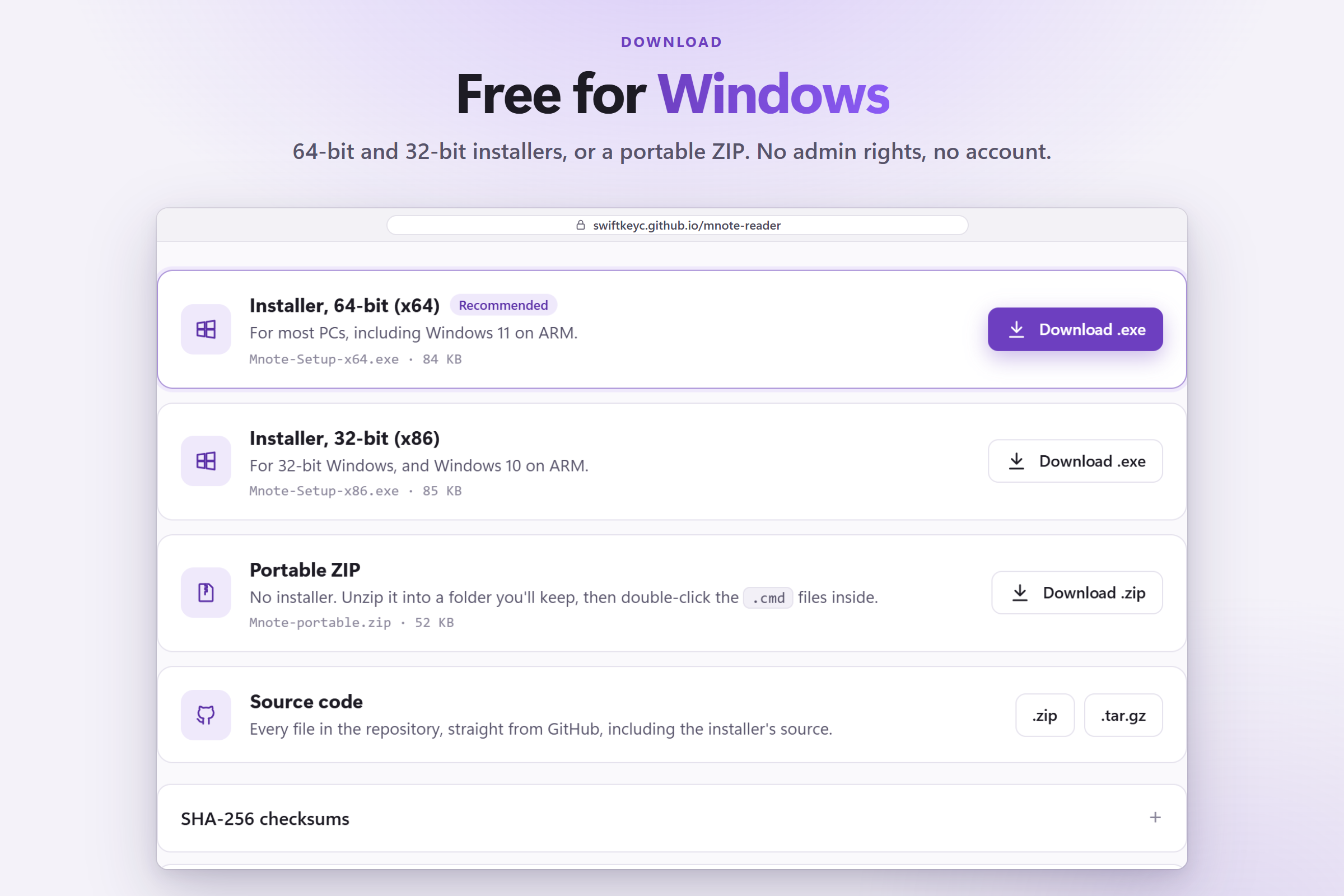
.mnoteand.mnotebook, with icons drawn in code, and Start menu shortcuts. The installer is written in C# and compiled for x64 and x86 with the C# compiler that comes with Windows. Nothing needs administrator rights. - Website: a static page on GitHub Pages with the installers, a portable ZIP and SHA-256 checksums.
Keeping highlights in the right place
A highlight can't just store "characters 23 to 57", because re-exporting or editing a page shifts the text. So each highlight stores:
- its start and end offsets \(s\) and \(e\),
- the quoted text \(q\),
- 32 characters of context on each side.
That's the same idea as the W3C Web Annotation text-quote selector.
To put a highlight back, the reader first checks whether \(q\) is still at \(s\). If not, it considers every position \(i\) where \(q\) occurs and picks the one with the best score:
$$ \text{score}(i) = 2\cdot\mathbf{1}[\text{prefix matches at } i] + 2\cdot\mathbf{1}[\text{suffix matches at } i] - \frac{|i - s|}{10^{6}} $$
The context decides. The distance term only breaks ties, in favour of the occurrence closest to where the highlight used to be.
Keeping the local server private
Any web page you visit can send requests to a server on localhost. So each run of the reader generates a random 32-character hex token, which gives \(16^{32} = 2^{128}\) possibilities, and every request must carry it. The server also refuses requests whose Host header isn't its own, which blocks DNS rebinding, and it can't be framed by other pages.
Challenges I ran into
- Missing images. Cloud notebooks only download images when you look at them. Asking OneNote for a page with its images inline silently dropped the ones it didn't have yet. The fix: request each image separately. If one is missing, ask OneNote to navigate to that page so it downloads the image, then retry. Anything still missing is listed at the end.
- PowerShell 5.1 quirks.
- Returning a byte array from a function unrolls it into an object array, unless you put a comma in front of it.
- Variable names are case-insensitive, so a local
$portsilently overwrote the-Portparameter. - A single non-ASCII character can break parsing of a
.ps1file, so the whole script is plain ASCII.
- Never losing a note. Highlights are saved inside the
.mnotefile itself, so a crash halfway through a save could corrupt the page. Saves now go to a temporary file first, which replaces the original in one step withFile.Replace. - The reader opening on the wrong page. Pages and images keep loading above and below as you read, and every layout change nudged the scroll position. I replaced a timer-based fix with an anchor (the page at the top of the view, and how far into it you are) that is restored after every resize.
- The installer.
- My first build crashed before its window appeared, because it tried to focus a button before the window was visible.
- At 125% display scaling, its labels ran off the edge of the window, because WinForms' automatic DPI scaling enlarged them twice.
- The window now scales its layout from the screen's DPI directly.
What I learned
- A file format gains a lot from being boring. A ZIP of HTML, text and JSON will outlive any app.
- How to anchor annotations so they survive edits, and why a quote with context beats a position.
localhostisn't automatically private, and I learned what it takes to make it so.- A lot about Windows: COM automation, per-user file types, icons, DPI scaling, and packaging an installer.
- Test the real thing at real settings. The bugs I shipped were in exactly the paths I hadn't run: the installer's window, and 125% scaling.

Log in or sign up for Devpost to join the conversation.