-
-
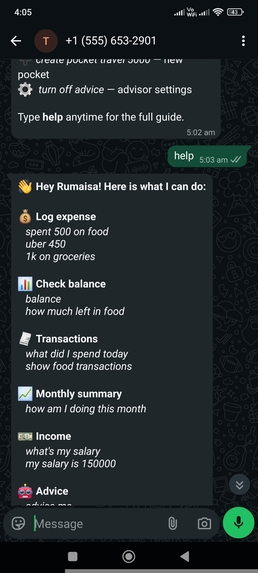
Help Menu
-
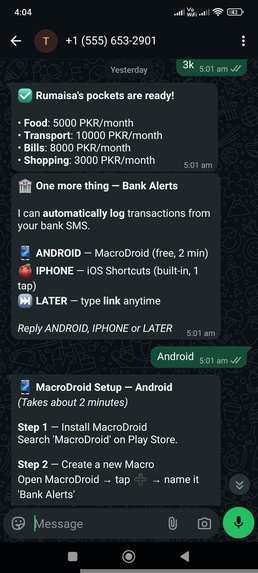
Onboarding Complete + Bank Alerts
-
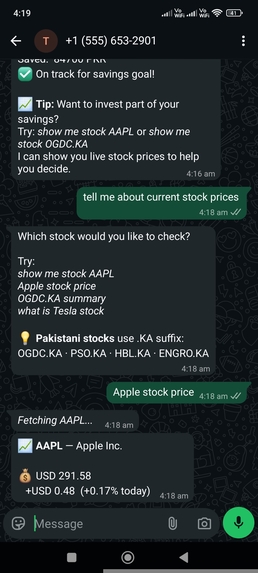
Stock Prices
-
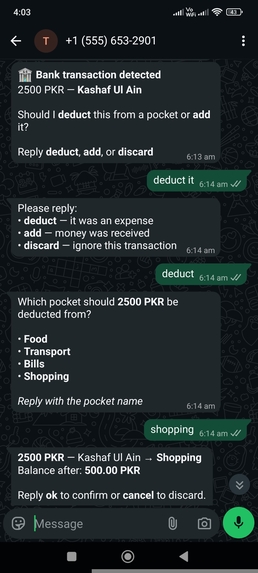
Bank SMS Auto-Capture
-
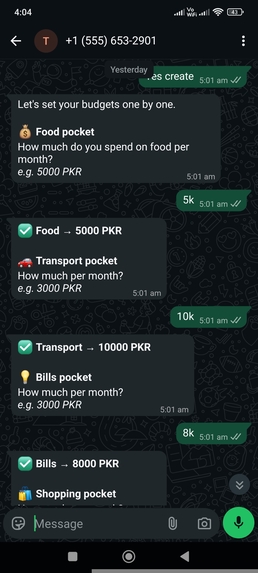
Budget Setup
-
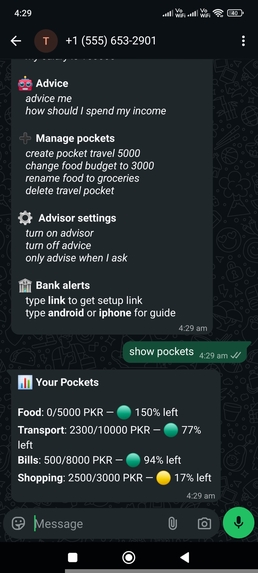
Full Feature Overview + Balance
-
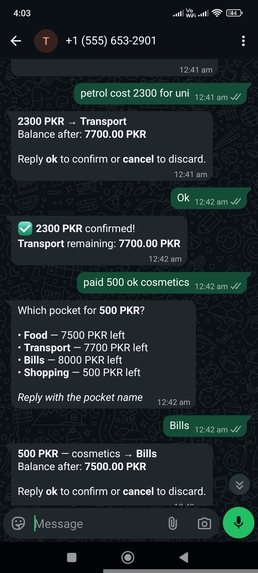
Natural Language Expense Logging
-
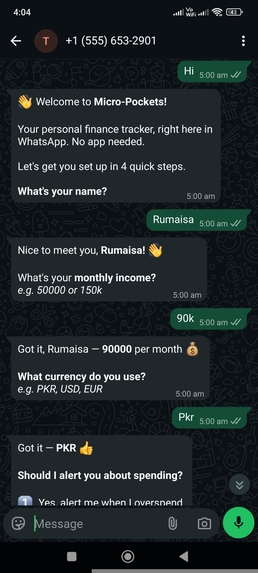
Onboarding Start
-
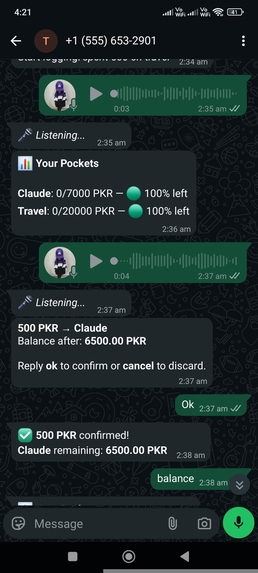
Voice Note Expense Logging
-
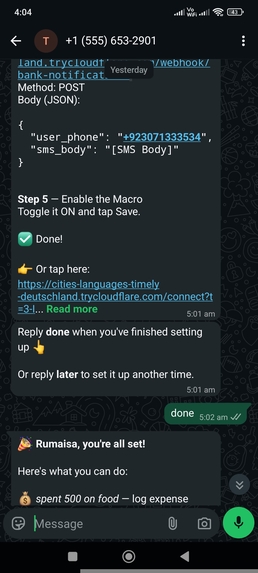
MacroDroid Setup + Done Flow
-
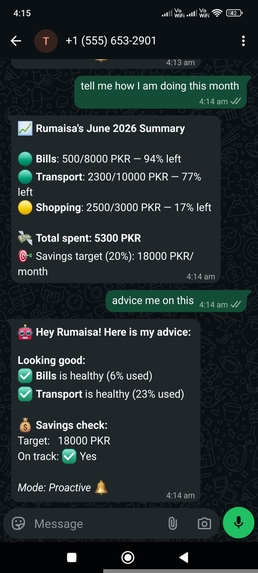
Monthly Summary + Advisor
-
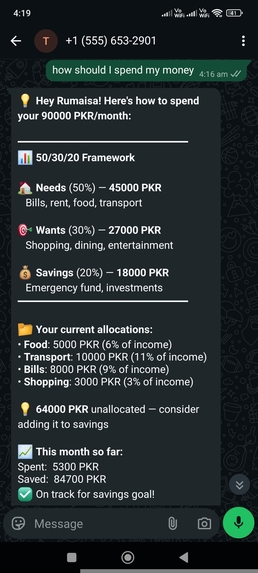
50/30/20 Budget Breakdown
-
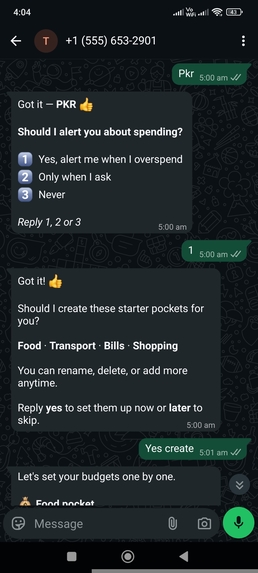
Advisor Mode + Pocket Setup
-
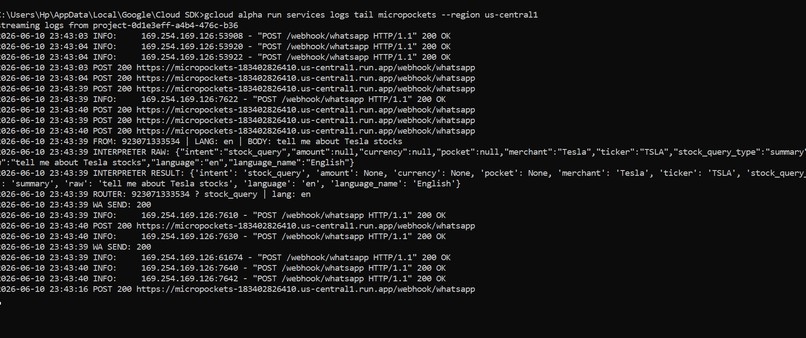
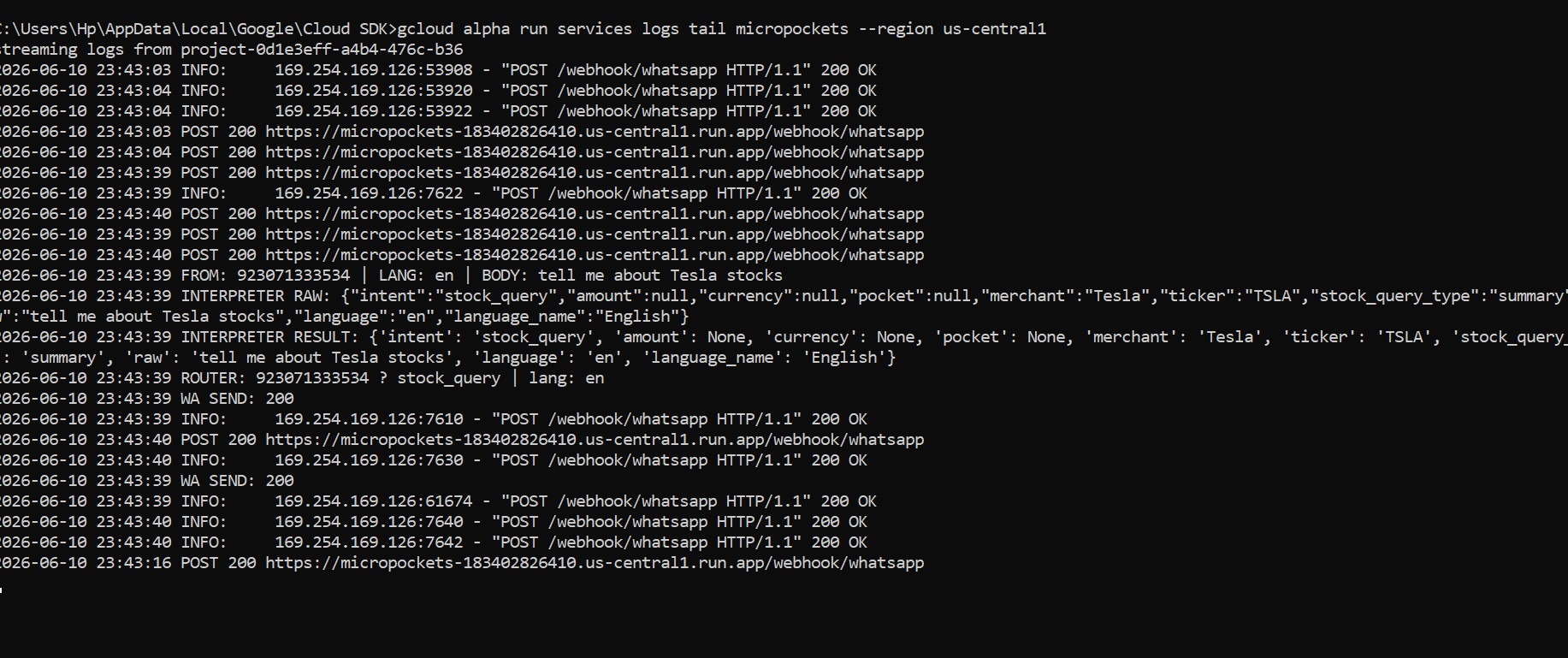
gcloud terminal logs
-
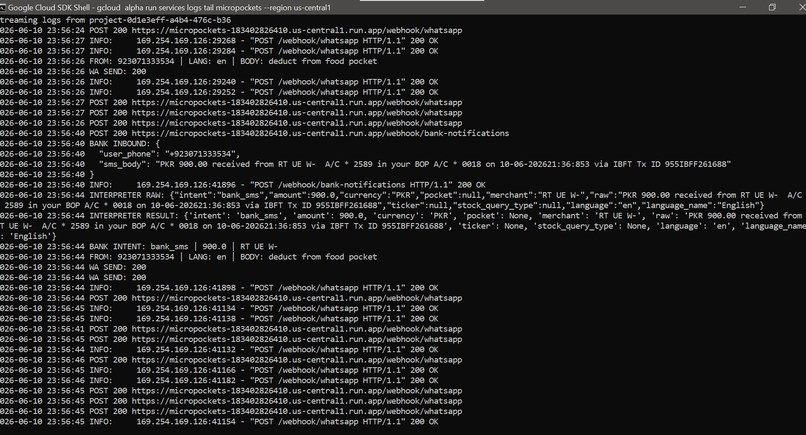
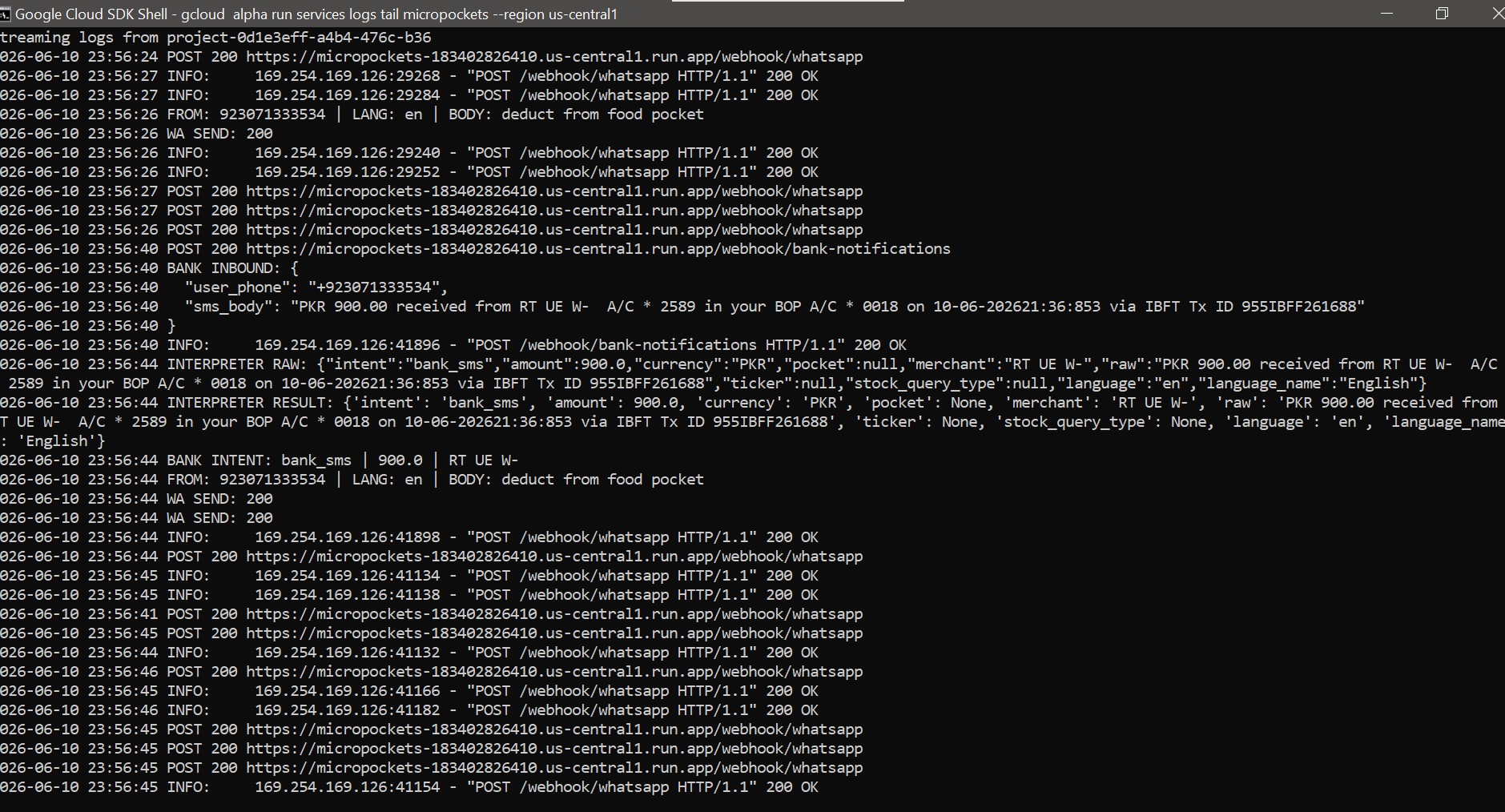
gcloud terminal logs
-
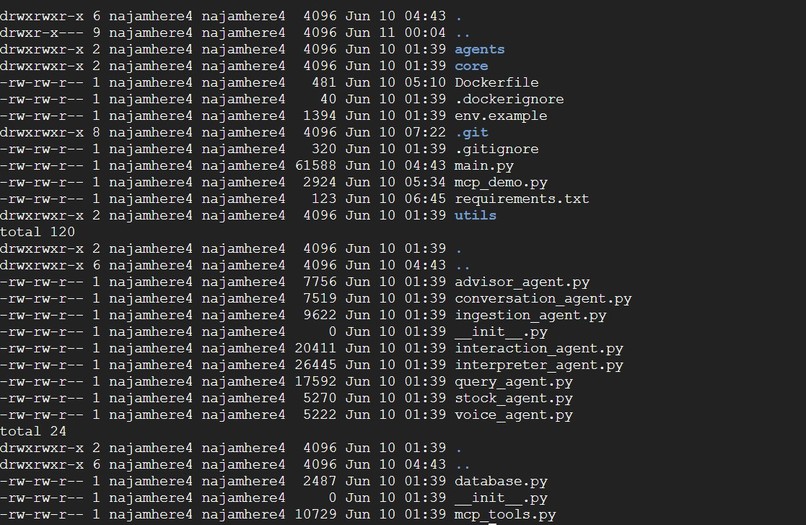
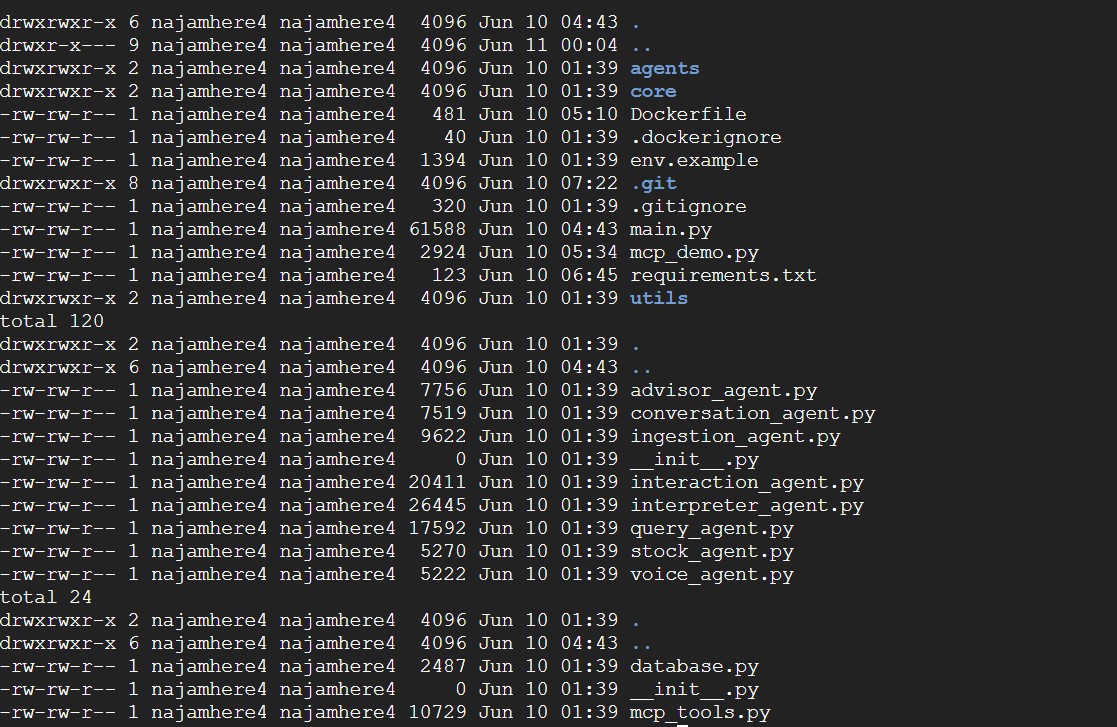
Folder Structure


Inspiration
Last year, a friend and I were travelling across multiple countries. Every time we made a transaction through card or by cash to buy a meal, book a cab, a hostel — one of us had to stop, open a notes app or some expense tracker, and manually log it. It broke the flow every single time.
That's when it hit me: why is expense tracking still so friction-heavy in 2025? Everyone already has WhatsApp open. Imagine a tool that can automatically record transactions or let you simply text your expenses—just like you’d text a friend.
A tool that can tell me how I'm doing, warn me when I'm overspending, and nudge me toward saving and investing. A financial friend, not a finance app.
That's Micro-Pockets.
What it does
Micro-Pockets is a WhatsApp-based AI expense tracker. No app to download. No account to create. If you have WhatsApp, you're ready.
- Automatic bank SMS logging — your bank sends a transaction alert, MacroDroid (Android) or iOS Shortcuts captures it and forwards it to Micro-Pockets automatically. You just confirm or discard.
- Budget pockets — create named categories (Food, Transport, Bills, Shopping) and track spending against each one.
- Voice notes — send a voice message in any language, Micro-Pockets transcribes it and logs the expense.
- AI advisor — proactive alerts when you're overspending, monthly summaries, and 50/30/20 budget breakdowns based on your actual income.
- Stock queries — ask for any stock price, Pakistani or global, in plain language.
- Multilingual — responds in whatever language you message in.
The entire interface is WhatsApp. It feels like texting a friend who happens to be very good with money.
How we built it
The stack is built around a zero-frontend philosophy — WhatsApp is the UI, always.
Backend: FastAPI on Google Cloud Run. Serverless, scales to zero between messages, costs nothing when idle.
AI: Gemini 2.0 Flash via Vertex AI. Six specialized agents handle different intents:
| Agent | Responsibility |
|---|---|
| Interpreter | Classifies every incoming message |
| Interaction | Handles conversation + pending states |
| Query | All read operations — balances, summaries |
| Ingestion | Logs expenses, maps merchants |
| Advisor | Proactive alerts + 50/30/20 analysis |
| Voice | Transcription + language detection |
Database: MongoDB Atlas as the operational data layer. All users, pockets, and transactions live there. The MongoDB MCP Server runs as a sidecar alongside FastAPI, enabling natural language queries against Atlas data directly.
Bank SMS pipeline: Android uses MacroDroid to intercept SMS and POST it to our webhook. iOS was trickier — Apple doesn't allow third-party SMS interception, so we built an iOS Shortcut that runs as an automation trigger and forwards bank alerts the same way. Both platforms feed into the same ingestion pipeline.
Voice: WhatsApp media download → Gemini transcription with language detection → response in the same language as the user.
Challenges we ran into
The iOS bank SMS problem was the hardest to crack. Everyone said it was impossible — Apple locks down SMS access completely for third-party apps. We found a way around it using iOS Shortcuts as an automation layer. It took real engineering to get right, but it now works on both platforms with the same data pipeline.
On the infrastructure side, deployment had a chain of cascading issues:
- UTF-16 encoded
requirements.txtbreaking pip inside Docker bsonlibrary conflict with pymongo's bundled version- Gemini model names that existed in one GCP project but not another
- MongoDB MCP Server consuming over 1GB RAM on cold start
Each one took real debugging to isolate and fix.
The multi-agent architecture also required careful thought around token efficiency — making sure each Gemini call does exactly one job and nothing more.
Accomplishments that we're proud of
The thing we're most proud of is that it actually works end to end. A real bank SMS comes in, gets parsed, the user confirms it in WhatsApp, and it's logged against the right pocket. That full loop — from bank to WhatsApp to MongoDB — running live on Google Cloud Run is genuinely satisfying.
The zero-frontend philosophy held throughout. There's no dashboard, no website, no mobile app. Just WhatsApp. It stays in your chat list like a contact, not a product you have to remember to open.
Getting multilingual voice notes working — transcription, language detection, and replying in the same language — without any extra configuration from the user was also a quiet win.
What we learned
MongoDB MCP Server changed how we think about data access. Instead of writing aggregation pipelines for every query, the MCP layer lets the AI describe what it needs and get it back directly from Atlas. It's a genuinely different mental model — one that saves tokens, reduces hardcoded logic, and makes the agent smarter.
We also learned that architecture decisions made early — like choosing a rule-based router over an LLM orchestrator for intent routing — have compounding effects on latency, cost, and reliability throughout the whole system.
What's next for Micro-Pockets
- Go worldwide — more currencies, more banks, more languages
- Telegram support — same zero-frontend philosophy, new platform
- Shared pockets — split expenses with friends, track group trips, settle up at the end. The travel problem that started all of this.
- Deeper investment nudges — not just "you're overspending on food" but "based on your savings rate, here's what you could put away this month"


Log in or sign up for Devpost to join the conversation.