-
-
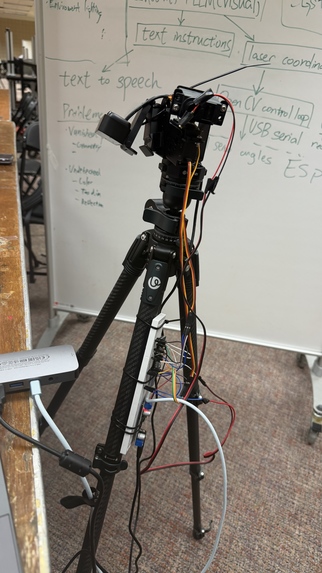
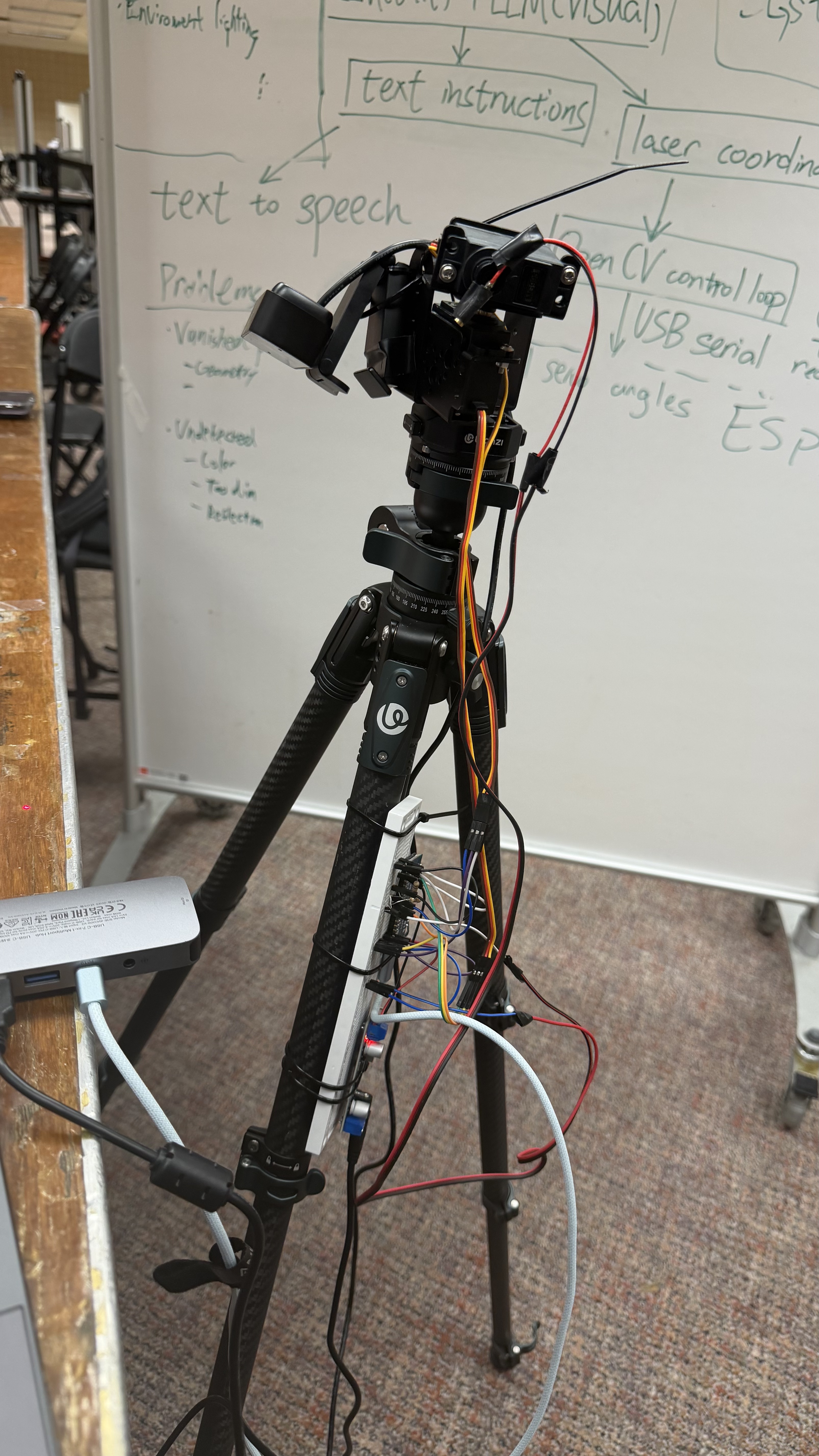
MFix prototype: a tripod-mounted camera and laser rig for guided electronics troubleshooting.
-
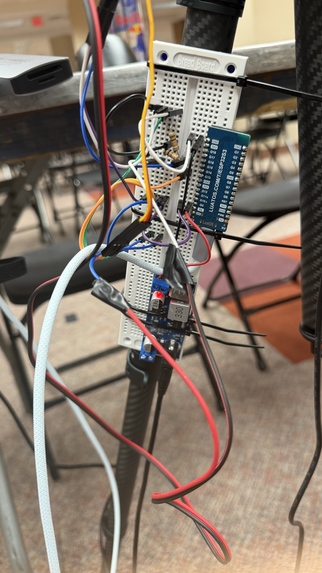
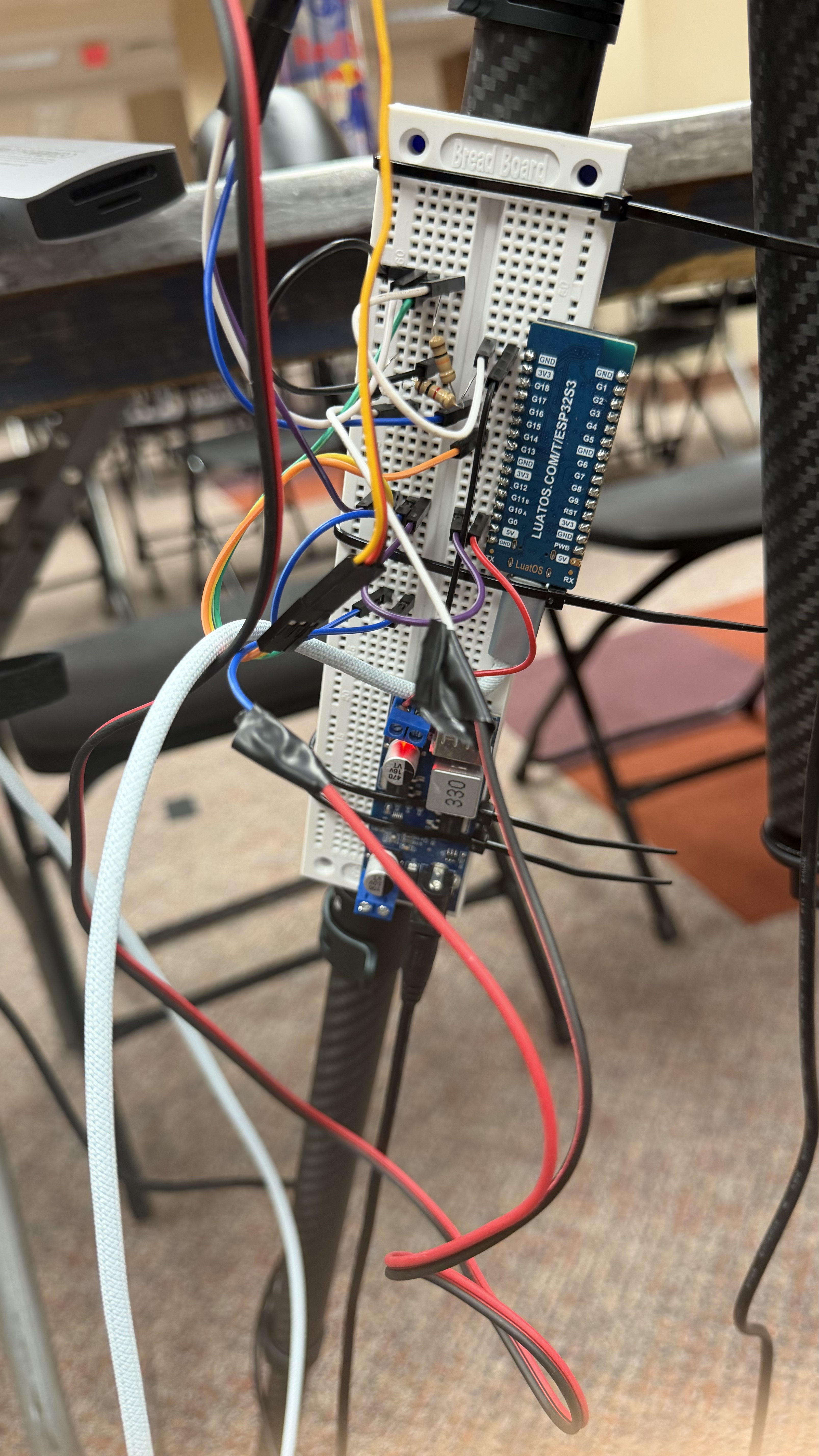
Close-up of the MFix prototype electronics and wiring for the laser pointing system.
-
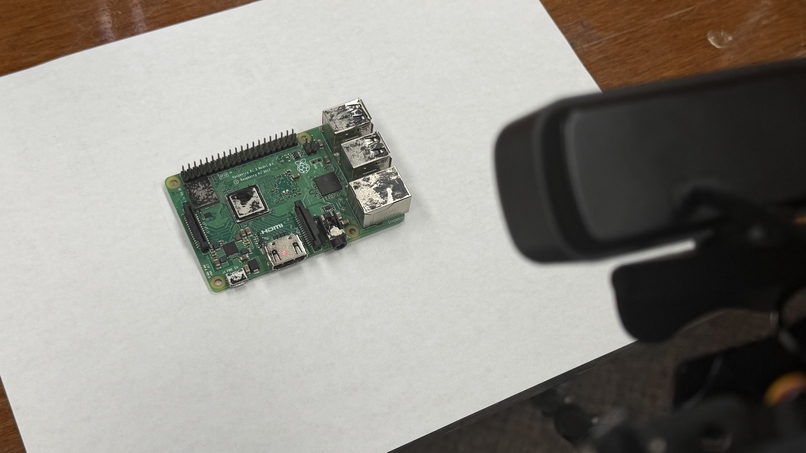
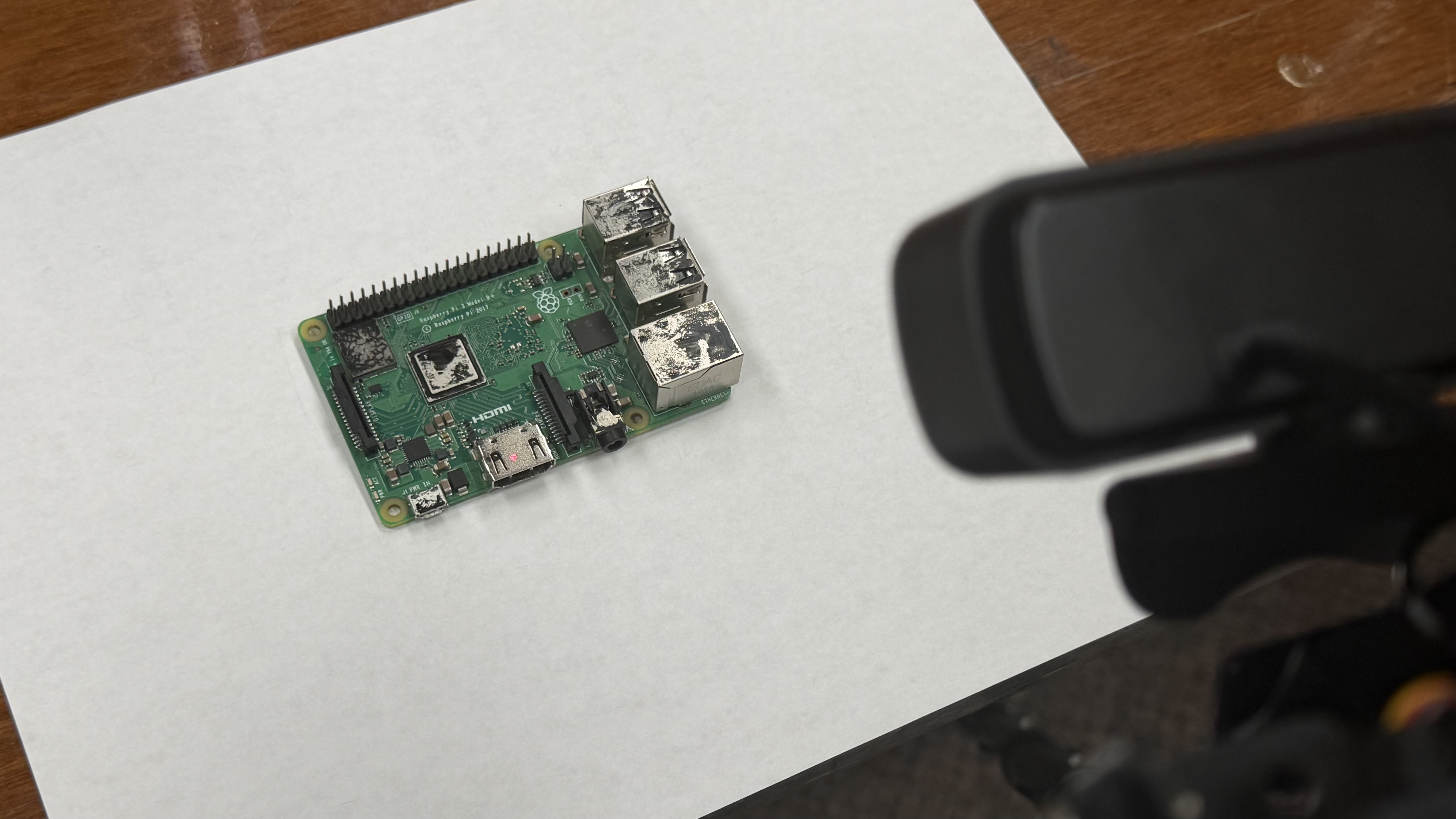
A circuit board positioned in front of the MFix camera for visual inspection and component localization.
-
Inspiration
The best repair help isn't a manual or a video. It's someone who knows what they're doing, standing over your shoulder and pointing: "no, that one."
AI chatbots made knowing what to do free. Ask one why your Raspberry Pi shows "no signal" and it'll tell you to check the HDMI port. It can't show you which of the forty small silver parts on the board is the HDMI port. Turning words into a physical place is where most people get stuck, and a device someone gives up on usually ends up in a drawer and then a landfill.
That pile is huge. The world generated 62 million tonnes of e-waste in 2022, and only 22.3% of it was documented as properly collected and recycled (UN Global E-waste Monitor 2024). Recycling is the fallback. Repair is better: a device that gets fixed doesn't need to be replaced.
So we asked: what if the AI could point?
What it does
MFix is a webcam and a laser on a two-axis servo gimbal. You set it up over whatever is broken, hold the spacebar and talk.
- You describe the problem out loud.
- It looks. While you're still talking, the camera takes a full-resolution photo of the device.
- It reasons. GPT-6.1 Sol takes your words and the photo and decides the next diagnostic step and which component that step is about.
- It speaks and points. You hear the instruction while a red dot moves to that component. When it gets there, it blinks three times to say here.
- Repeat until it's fixed. If someone bumps the tripod, the dot finds its way back to the part.
Here's the broken camping lamp from our demo. It's opened up, with the batteries out:
You: "My camping lamp won't turn on. I've opened it up. Where do I start?"
MFix: (dot lands on the white circuit board) "I can see the battery holder, the switch and this small white circuit board wired between them. When a lamp is completely dead, a broken wire is a common cause, so let's test the wires around this board with a multimeter."
You: "Okay, I have a multimeter, but I've never used one."
MFix: (dot moves to the diode/continuity setting on the dial) "Turn the dial to this setting and press Select. This is continuity mode: when the two probes are connected, it reads zero and beeps, and a good wire will do the same."
You: "It beeps and shows zero."
MFix: (dot moves to the bottom battery connector) "Good, the meter works. Put one probe on this battery connector, then follow the red wire to the top-left pad of the white board and touch the other probe there."
You: "That one beeps."
MFix: (dot slides to the board's top-right pad) "Then that wire is fine. Now put a probe on this pad and follow the black wire to the switch with the other probe."
You: "No beep. Oh, the wire has come off the pad."
MFix: (dot holds on the empty pad) "That's the fault. The black wire broke off this pad, so no power reaches the switch. Solder it back onto this pad and the lamp should turn on again."
Five turns, one solder joint and no screen. The lamp stays out of the trash.
How we built it
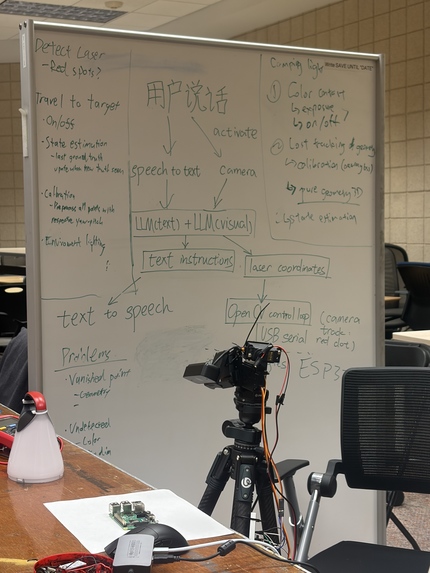
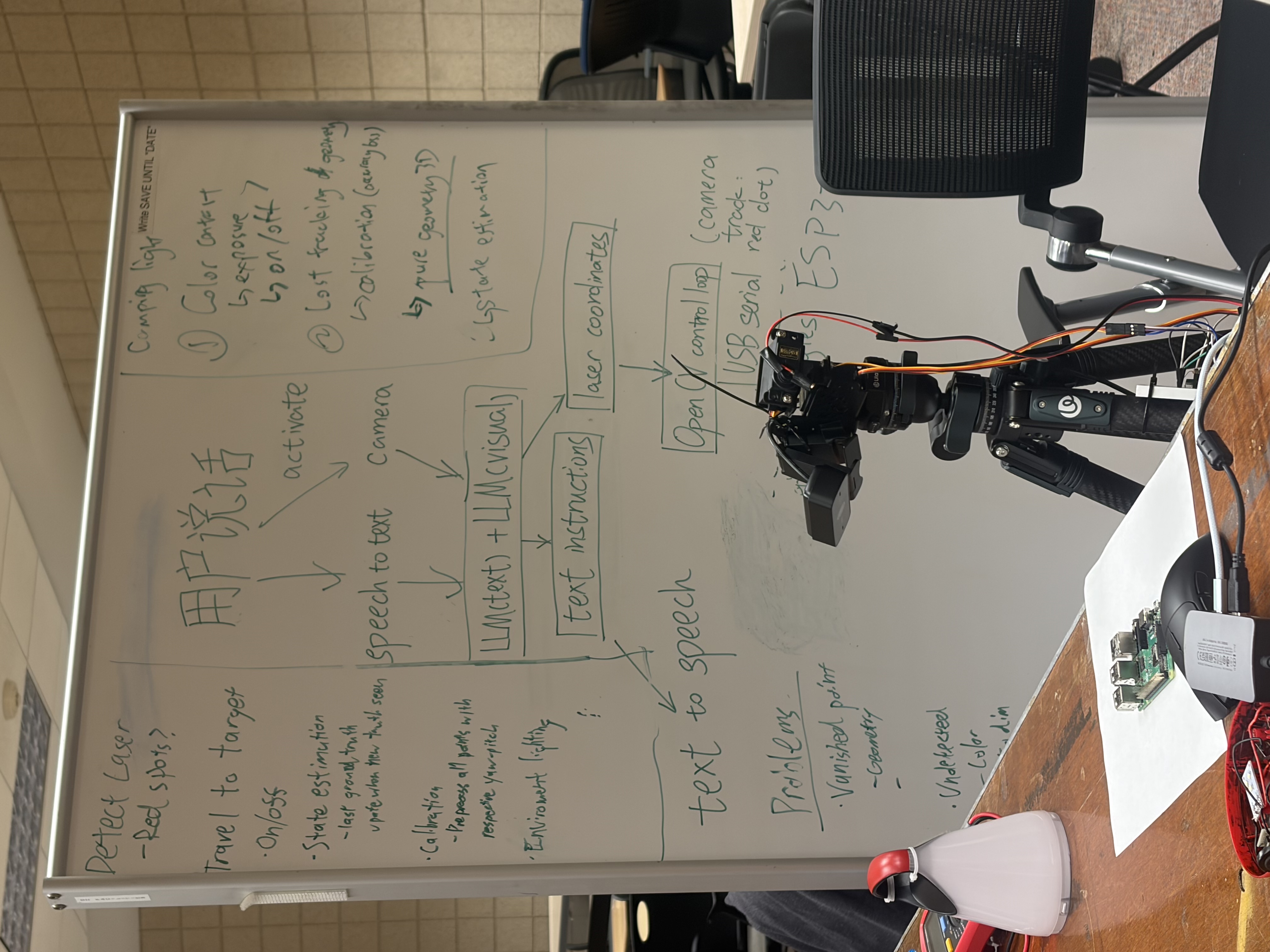
MFix runs two loops. A slow one is smart but imprecise and decides what to point at. A fast one is precise but doesn't know what it's pointing at, and decides where the dot goes.
  hold SPACE + speak          1080p photo (laser off)
        |                            |
        v                            v
  ElevenLabs STT  ------->   GPT-6.1 Sol   ------->  ElevenLabs TTS
                                  |                  "Solder it back onto this pad..."
                                  v
                   bounding box in photo pixels
                                  |
                 map to 640x480 tracking view
                                  |
      +---------------------------v-----------------------------+
      |  calibrated model -> jump to predicted servo angles      |
      |  detect dot (laser-off differencing)                     |
      |  error = target - dot  ->  Newton step via Jacobian      | <--+
      |  USB serial -> ESP32-S3 -> 2x MG995 servos               | ---+
      +----------------------------------------------------------+
                                  |
              dot inside the box for 5 frames -> blink x3
The slow loop decides what. Push-to-talk audio goes to ElevenLabs speech-to-text. The transcript and the photo go to GPT-6.1 Sol, which returns structured JSON with a spoken instruction and a bounding box around the component. We run it at low reasoning effort and allow at most one web search per turn, so it can look up a part without stalling the conversation. ElevenLabs reads the step aloud while the laser is already moving.
The fast loop decides where. This is the part we're proudest of.
Seeing the dot. A circuit board is full of red LEDs, red parts and shiny solder, so looking for "red" doesn't work. We lock the camera's exposure, gain, white balance and focus, then compare each frame with a reference frame taken with the laser off. Everything that isn't the laser cancels out. The detection threshold scales with the frame's measured noise. When tracking is unsure, the ESP32 blinks the laser, and a pixel only counts if it brightened on every toggle. That rules out blinking LEDs and moving hands. We measure the camera's latency at startup so the blinks line up with the right frames.
Calibration with no measuring tape. Press C and walk away for 20 seconds. The rig steers the dot to a 7×5 grid of points in the image, records where it actually lands and fits a cubic polynomial map from servo angles to pixels, plus the inverse. Lens distortion, the offset between camera and laser and our crooked gimbal mount all end up in the fit. On the next startup, MFix checks the saved calibration against what the camera sees and tells you if the rig has moved.
Closing the loop. Calibration gets the dot close, and feedback puts it on target. After the first jump, MFix measures the remaining pixel error $e = p^{*} - p$ and corrects with a Newton step through the Jacobian of the calibrated model:
$$\Delta\theta = g\,J(\theta)^{-1}\,e$$
The controller works in a PID style:
- P: the pixel error goes back through the Jacobian, so a single correction usually lands. 18 of our 27 confirmed aims needed one correction or none.
- D-like damping: if the dot moved but got no closer, the gain drops (×0.6, minimum 0.3) to stop overshoot. If the dot didn't move at all, the command is still inside the servo's deadband, so the gain stays put.
- I: leftover error feeds a running offset, $o \leftarrow o + 0.5\,(r - o)$, which corrects for drift that persists from one aim to the next.
An aim counts as valid only after the camera sees the dot inside the target box for 5 frames in a row.
Hardware and firmware. An ESP32-S3 drives two MG995 hobby servos and takes a custom byte protocol over USB serial: moves in hundredths of a degree, travel speed and a ping. Everything else runs in Python on one laptop. We also built a simulated rig and end-to-end tests, so we could work on the control loop without the hardware attached.
Challenges we ran into
Our servos ignored 4 out of 10 commands. The ESP32Servo library generates PWM at 10-bit resolution, which works out to 1.76° per step, so 4 in 10 whole-degree commands didn't move the servo at all. The library's setting for higher resolution re-attaches the pin, and on the ESP32-S3 that put both servos on the same output: yaw started copying pitch. We skipped the Servo class and wrote 14-bit PWM directly, which gives 0.11° per step, 16× finer, on the same cheap servos.
Deadband and feedback don't get along. Small corrections fall inside the MG995's deadband and do nothing. A simple controller either stalls or overshoots and keeps hunting around the target. The adaptive gain fixed the hunting. For the stalls, we round any step up to the smallest move the protocol can express.
One webcam with two jobs. The model needs a bright, sharp 1080p photo. Tracking needs a dark 640×480 stream where the laser is the brightest thing in view. We switch the camera between the two mid-turn while the user is still talking, then map the model's box from photo pixels into the tracking view, which is the middle 1440×1080 of the photo.
The dot disappears into ports. When MFix points into an HDMI port or USB socket, the dot can vanish into the hole. Instead of failing, MFix reports predicted when the calibrated model places the dot inside the target, and keeps the conversation going.
Accomplishments that we're proud of
- Pixel-level accuracy on hobby servos: median error of 5.1 px from the target center in a 640×480 view, across 27 camera-confirmed aims, with targets as small as 7×6 px.
- Fast: 1.2 s median from command to camera-confirmed on target.
- Reliable: of 39 logged aims, 27 were confirmed by the camera and 10 more were placed inside the target by the model after the dot disappeared into a port or glare. The 2 failures were 8-pixel targets smaller than one gimbal step.
- Feedback does real work: the calibration fit alone has 7.1 px RMS error, and the closed loop makes up the rest.
- 20-second calibration with no user steps.
- Cheap: an ESP32-S3, two MG995 servos, a laser diode and a webcam, about $60 in parts.
- The full loop works end to end: voice in, vision, reasoning, voice out and a laser on the broken wire of a real camping lamp.
What we learned
Language models know what; control loops know where. The model is good at deciding which part matters and only roughly good at saying where it is. The pixel loop can hit a 7-pixel target but can't tell an HDMI port from a heatsink. MFix works because we split the job between them.
Cheap hardware is mostly a software problem. MG995s have deadband, slop and jitter. We got 0.11° steps by reading the PWM driver, not by buying better servos.
Feedback makes up for a lot. With a wobbly tripod and a crooked mount, a calibration and a closed loop were enough.
Design for uncertainty. Separate statuses for valid, predicted, lost and failed, plus the arrival blink, mean users never mistake a dot that's still moving for one that has arrived. Pointer problems never interrupt the conversation.
What's next for MFix
- Checking meaning, not just pixels. After the dot settles, MFix takes a snapshot and asks the model, "Is the dot on the solder pad?" so the pointer can check its own work.
- Pointing while talking. Multi-step instructions with the dot moving in sync with the voice: "from this pin… to this one."
- Manuals and repair guides. Pull the official service documentation for a device once, then reason over it every turn.
- Safety by default. Face detection that cuts the beam, and hard warnings before any mains-voltage step.
- Where it belongs. Repair cafés, makerspaces and school labs: places where one expert can't be at every table, but a $100 pointer can.


Log in or sign up for Devpost to join the conversation.