
Inspiration - Recipes for all
We can often remember a time in which a recipe we want to follow isn't quite right, maybe we can't eat meat, its too sugary, or not enough protein. This would allow for seamless changes in a given recipe for the user.
Many people have the shared experience of finding the perfect online recipe, only to find that it is not within their dietary needs. We set out to create an app that allows users to tell us their dietary goals and restrictions, such as vegan or low-fat for example, and modify any recipe to be the perfect meal for them.

What it does
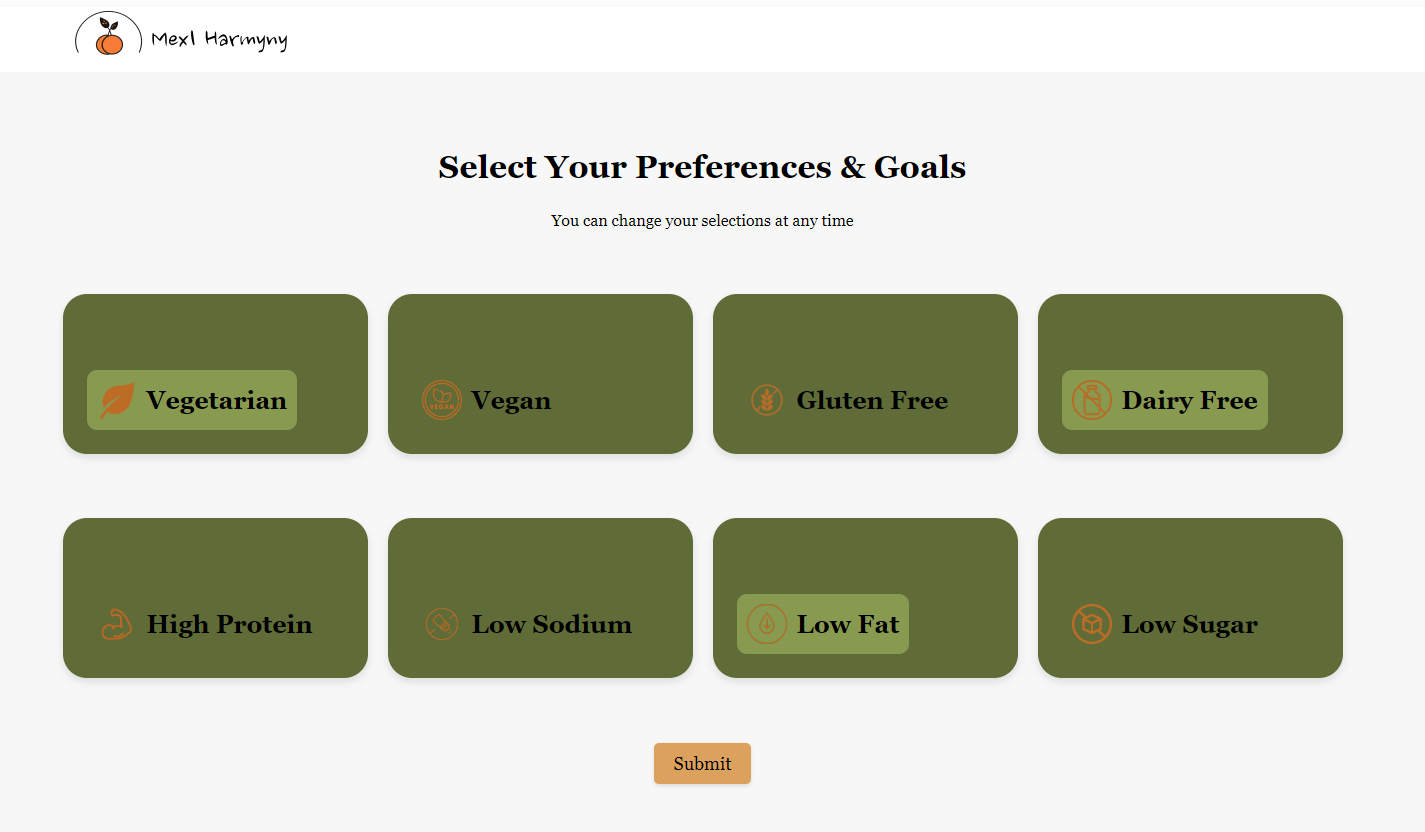
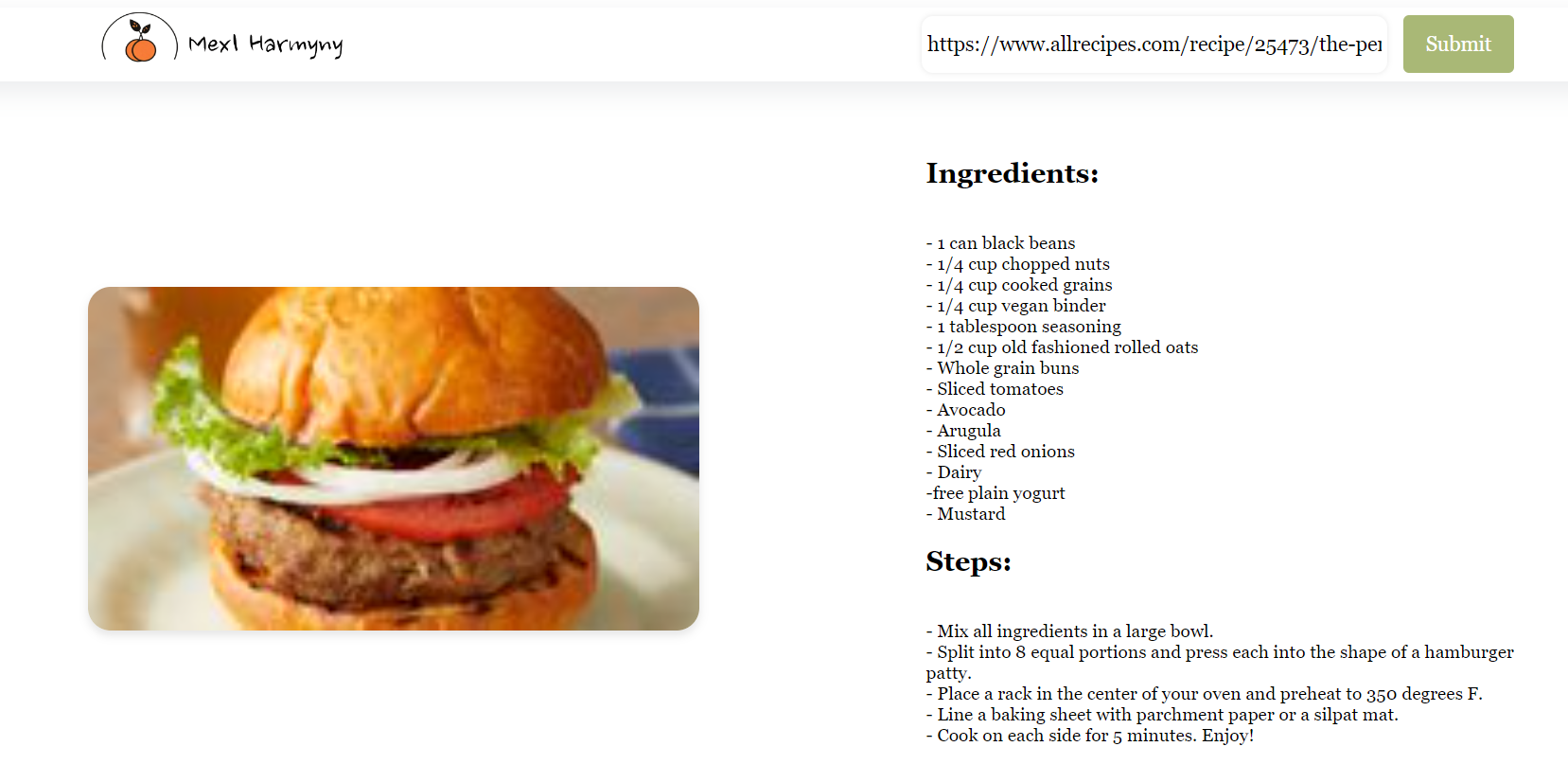
First, a user can select their dietary needs and preferences including but not limited to, Vegetarian, Gluten Free, High Protein, and Low Sodium. Next, the user can submit the URL to their favorite recipe which is then extracted, formatted, and fed into a LLM to adjust the recipe to the user. This new recipe is then outputted in an understandable format with ingredients and steps clearly listed.
When a user first visits the page, they are given 8 dietary options, including vegetarian, gluten-free, low-sodium, or high-protein just to name a few. They can toggle any of these options based on their personal needs, and once finished the user is redirected to our recipe tab. Here, users can post a link to their favorite online recipe, and once they hit submit, our system finds the appropriate ingredient substitutions and recipe modifications. The new recipe is displayed for the user, and from there they get to enjoy a delicious meal crafted just for them.

How we built it
Our web app is built using Flask to handle any server requests and scripting. The front end is primarily html/css, with some js. To handle passing data between the user interface and Flask server, we have multiple js scripts. We used Flask sessions to save user preferences so that they can modify their options at any time, and when they return to the site their selections are saved. The main backend component of our site is a Python script to parse data, load the front end, and run our AI model. We use the beautiful-soup library to find the recipe data from the link provided by the user. The AI API we are using is Cohere because it has access to the web to compare alternative recipes and make logical substitutions, and it is a semantic search based model which means it has a context-based process regarding our prompts. This makes asking for changes such as vegetarianism far more accurate.
Challenges we ran into
We ran into a continuing difficulty in sufficiently executing the prompts that the AI uses to adjust and format the recipe. The cohere model we are using is free, so despite being the proper tool for our use case, we struggled to make substitutions for quite some time, and the output format took a lot of prompting to get right.
Another challenge we faced was creating a full-stack web app within the time frame of the hackathon. Early on in the day, we got a lot of our backend components completed. The session variables from the quiz were saved correctly, we had calls and responses to the Cohere API, and our web scraper was gathering the proper data. Putting all of these parts together and building an appealing front end took a lot of effort especially since it is an aspect of development in which we are less experienced.
Accomplishments that we're proud of
We are very proud of the integration of our app as a whole. The user experience feels quite finished despite being done within 24 hours. Another thing that we take pride in is the multiple backend components we were able to complete. We have never done any web-scraping, saving of session variables, or calls to LLM APIs, but this project combined all three.
What we learned
From this project, we learned a lot about using html/css/js to create full-functioning web apps. We also got good experience in using Flask and handling data using json files. This is also our first time creating a project that utilized newer LLMs as a core function.
What's next for Mexl Harmyny
In the future, we plan to add a tab where users can take a photo of their completed meal, and using image recognition they will be able to add a drink pairing based off of what they are having for dinner.


Log in or sign up for Devpost to join the conversation.