Inspiration
JIRA is very powerful when it comes to managing multiple projects, but offers no good way to label them out of the box. It does, however, feature custom fields for issues. So we thought - what if you had custom fields for projects?
What it does
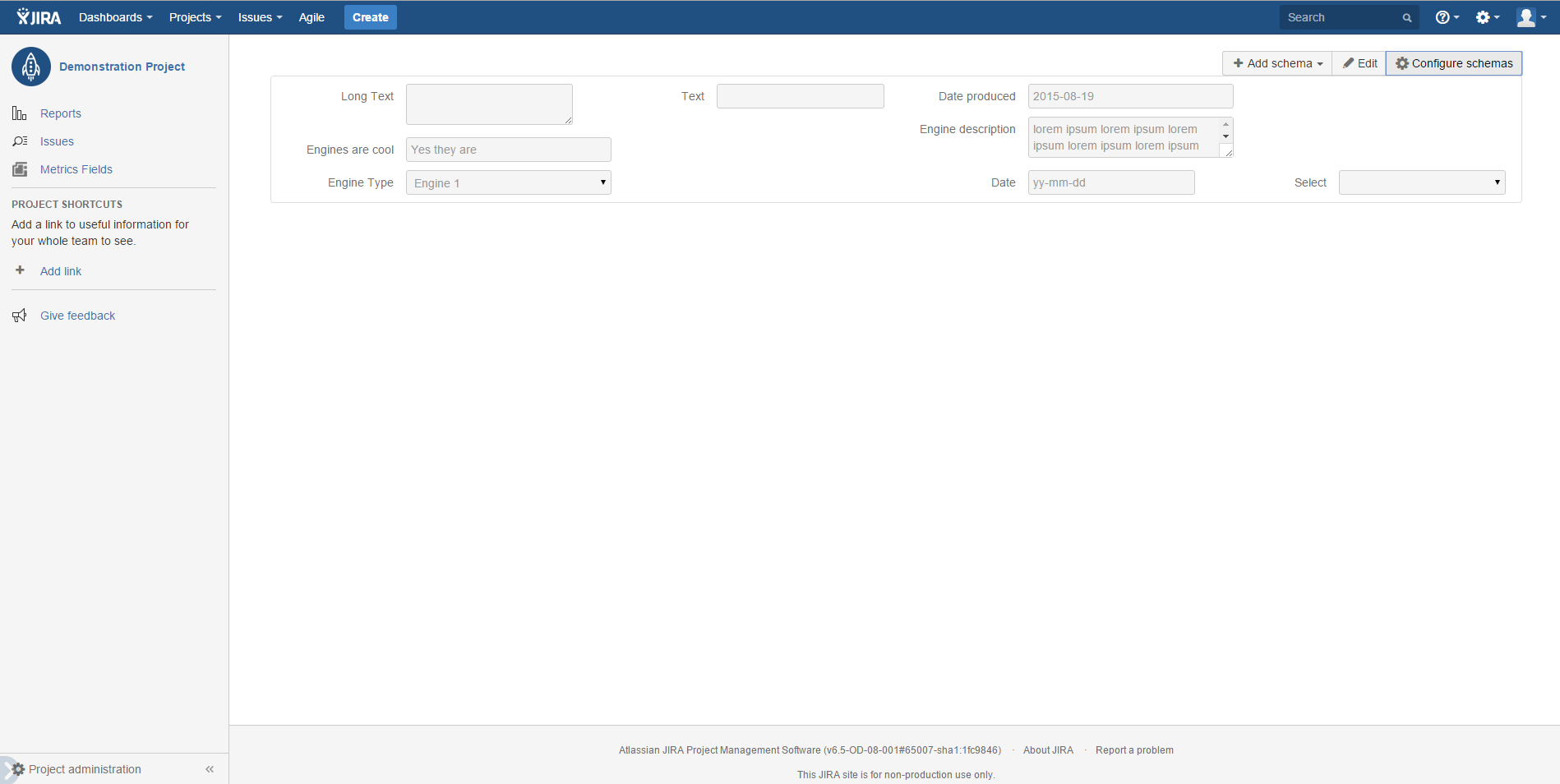
Magic! Namely, our plugin lets users label their projects as they see fit. Say bye-bye to pen and paper, remembering what is where, or doing strange workarounds with putting deadlines into issues. Every project is now neatly described and distinguishable from others.
For instance, instead of just "Our new product", you can easily define and see fields like:
Responsible Team - Team A
Market: City youth
Budget: 1,000,000 USD
Deadline: March
Marketing strategy: Social Media
Partner: GGGG
And so on. Your imagination and needs are the only limit here!
How I built it
Standard JIRA Cloud API, Hibernate and Angular.js.
Challenges I ran into
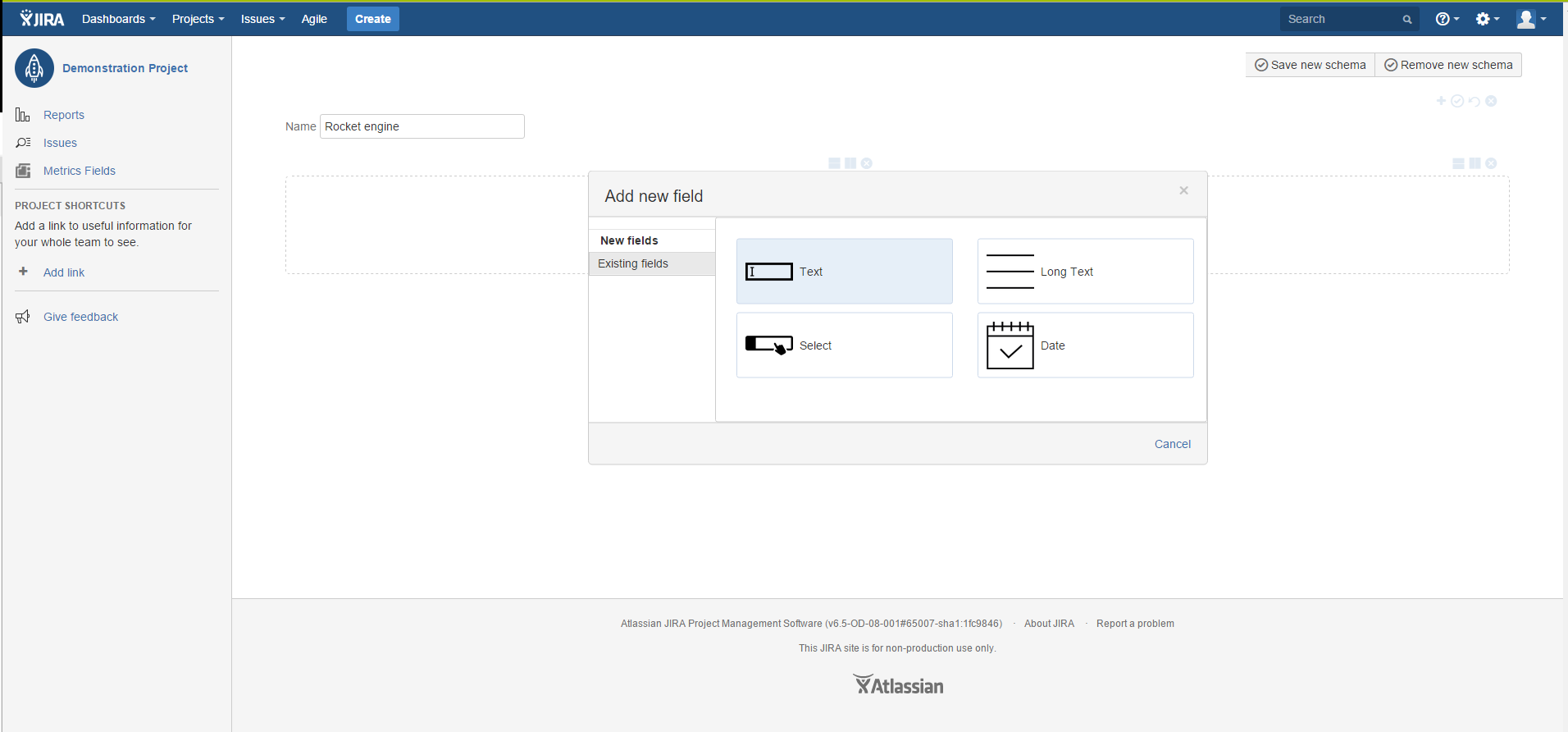
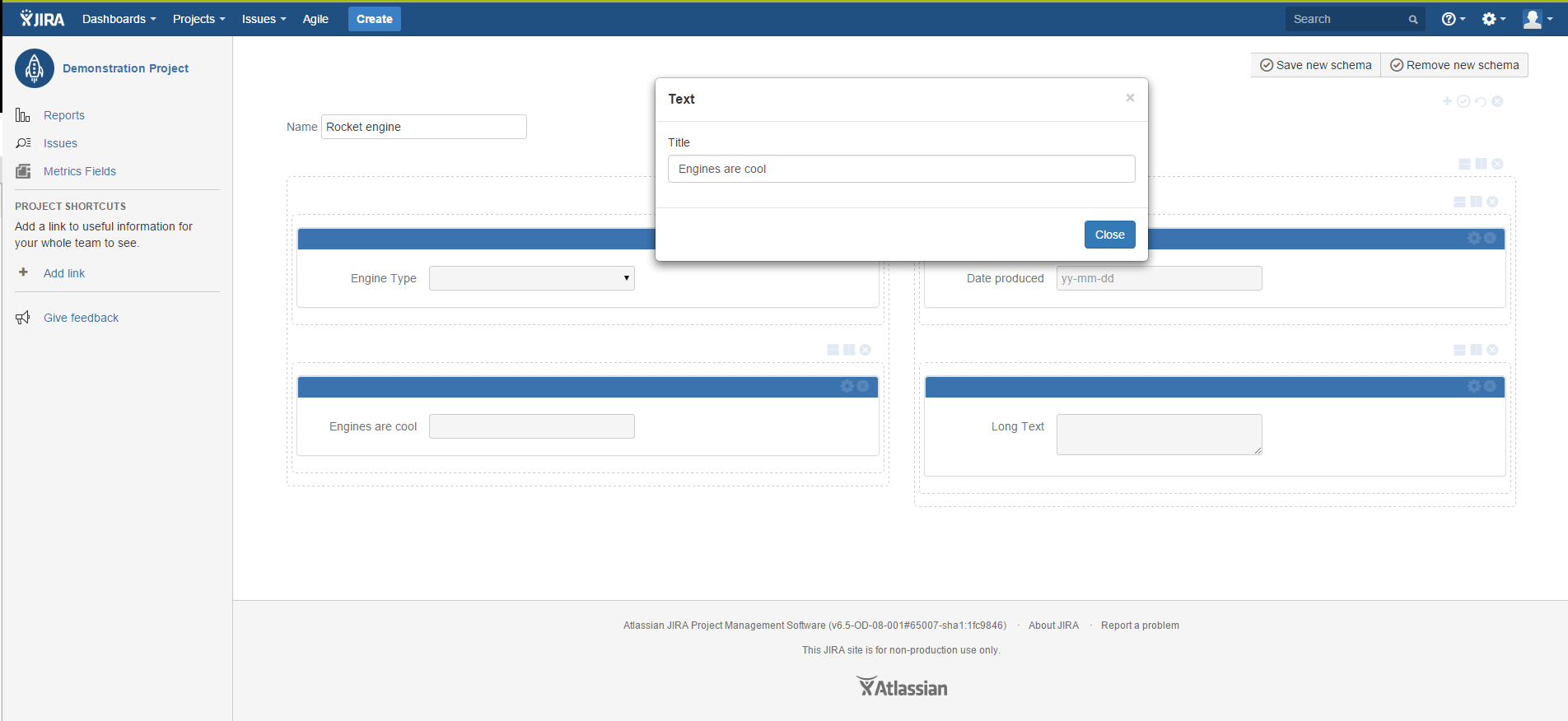
The UI was quite hard to design, as there is a lot of options, such as placing the fields on a customizeable grid, complete with any amount of columns and rows, each separately editeable. It had to be done in such a way, that all of these features are accessible without a ton of buttons and menus everywhere.
Accomplishments that I'm proud of
Speed of development was very good, and designing the UI was fun - we were showing it to other SoftwarePlant members, and asking them to do stuff without ever seeing the plugin before. If they were struggling, the UI was analysed and corrected.
What I learned
Sometimes simple ideas are the best ones (we are all using Metrics since beta for all our JIRA instances!). UI is hard. Life is beautiful.
What's next for Metrics for JIRA Cloud
- More field types available
- JIRA Server version
- Full support for JIRA 7
- Integration with BigPicture
Built With
- angular.js
- hibernate
- spring4


Log in or sign up for Devpost to join the conversation.