-
-
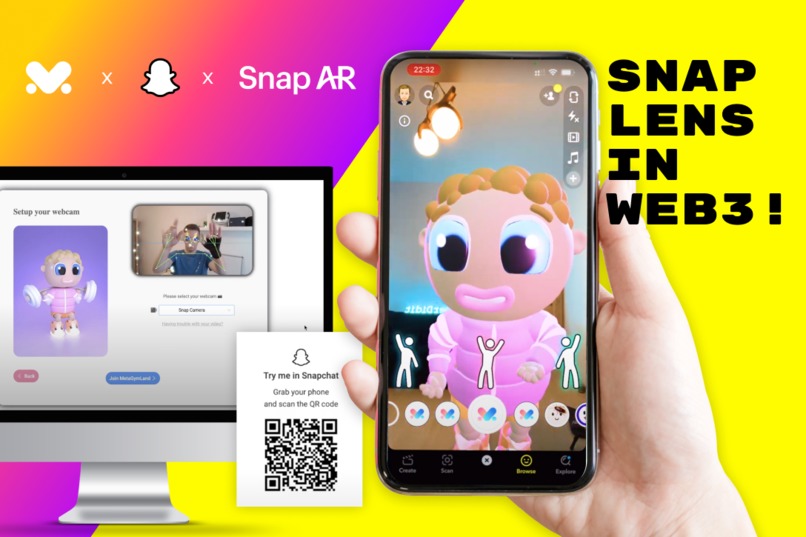
MetaGymLand - Snap Lens in Web3!
-
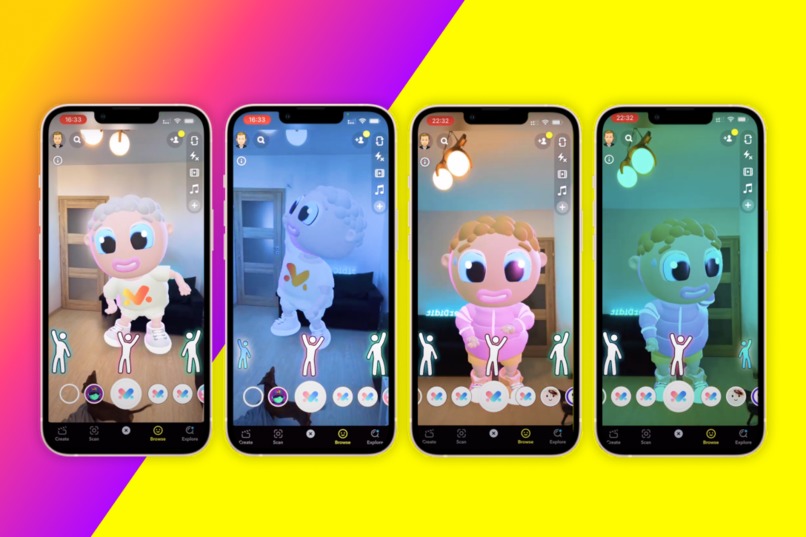
Become your GymBuddy NFT and have fun!
-
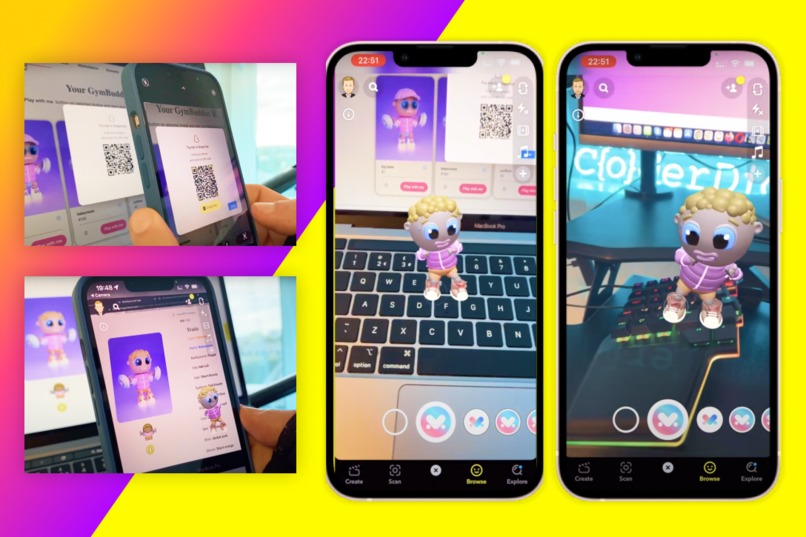
Bring your GymBuddy NFT to life with Snap Lens

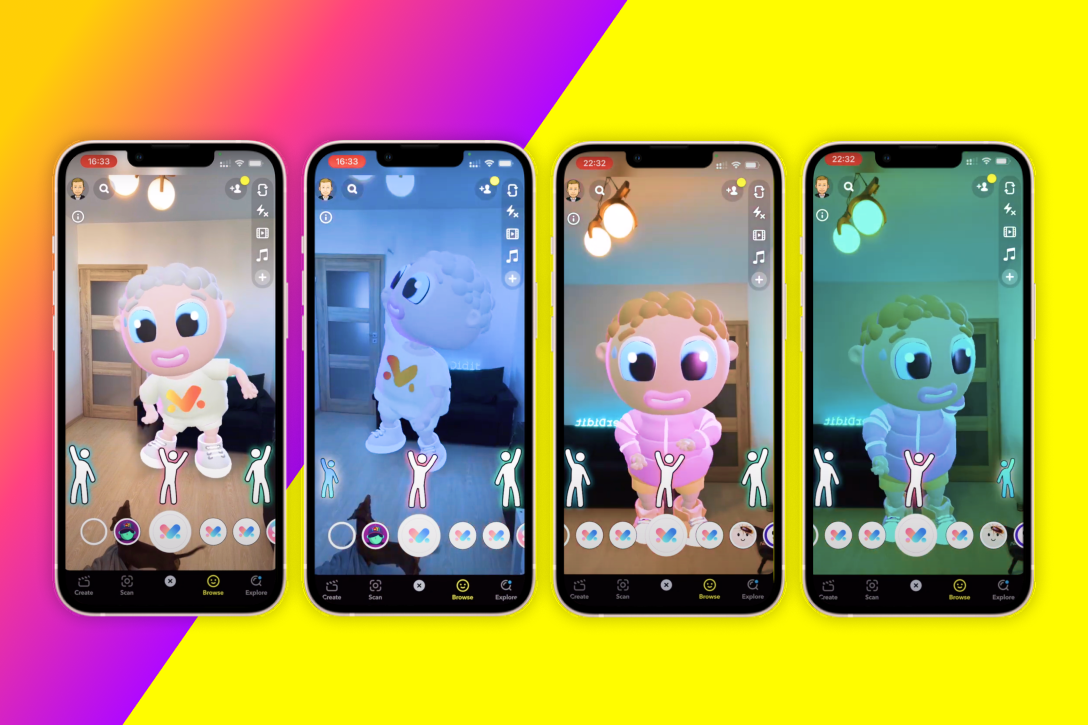
Idea
We want to connect Snap lenses and Web3 in our NFT and AI wellness project MetaGymLand.com that makes daily fitness routine fun!
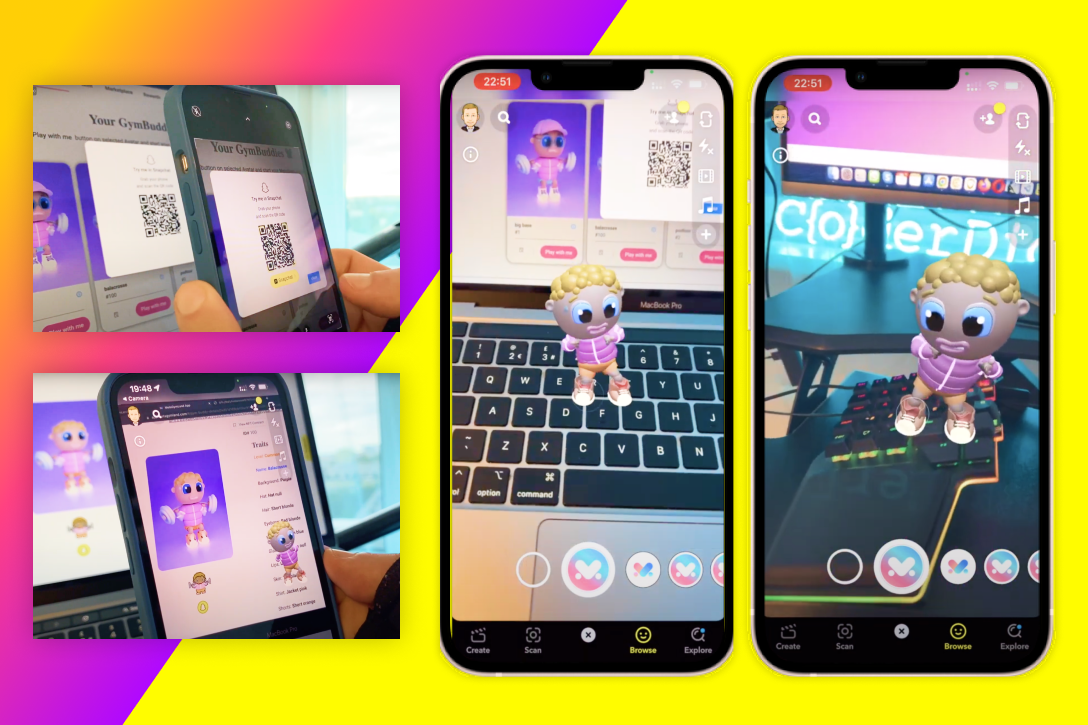
We took Snap lenses to the next level and used it to bring MetaGymLand NFTs to life!
Even though we could only submit one lens per submission on the Hackathon, in order to provide the best experience to MetaGmLand users we have created 2 types of lenses for 4 MetaGymLand NFTs (8 lenses in total)❕ 💪 🥳
- You can view your NFT avatar (GymBuddy) brought into life ▶️ see example of lens type 1
- Or even become your NFT GymBuddy and dance like crazy ▶️ see example of lens type 2
You can find Links to all lenses created at the bottom 🤩 👇
How it works:
Each NFT have 2 lenses assigned and linked in NFT metadata on the blockchain:
- Lens that allows you to see your GymBuddy NFT alive and dancing 🩰 in your environment
- Lens that allows you to become your GymBuddy NFT and have a fun, silly dance 👯
New to the blockchain world and NFTs? Dont worry, you can use our Demo GymBuddy without the need of connecting a crypto wallet. Just follow the steps below:
- Go to metagymland.com
- Click
Go to app - Click on
Try with Demo GymBuddy - If you want to see the Demo GymBuddy brought into life:
- Click on Snapchat logo in the top-right corner of the GymBuddy NFT
- Scan QR code
- Tap on the screen of your phone to place the Demo GymBuddy
- Have fun
- If you want to enter metaverse and become Demo GymBuddy:
- Click
Play with meon Demo GymBuddy - Allow access to your webcam, so you can control your avatar with your body
- You can select
Snap Camerafrom the dropdown if you like - Click
Join MetaGymLand- you will be taken to MetaGymLand metaverse - Move Demo GymBuddy using stretches as per instruction and search 🔎 for
Snap mat - Click
Xbutton on your keyboard once on Snap mat - Scan the
QR codeusing the camera in your mobile device - you will be redirected to Snap lens where you can become your GymBuddy and fool around 🤩
- Click
Note: Alternatively you can open both Demo GmBuddy lenses from Snapchat directly. Just search for GymBuddy Demo and GB Demo
What you can do if you are familiar with Blockchain and NFTs:
Mint GymBuddy NFT (with Snap lens feature)
- Go to www.metagymland.com
- Click
Go to app - Connect your wallet
- Switch to Avalanche Testnet [you can find that network on chainlist.org]
- Click on
Minton the website menu - Click on
Mint NFT with Snap Lensbutton - Now you can view your GymBuddy through lens in
Your GymBuddiessection
View your GymBuddy alive
- Go to
Your GymBuddies - Look for GymBuddy with Snapchat logo
- Click on Snapchat logo
- Scan the QR code using the camera in your mobile device - you will be redirected to Snap lens where you can see your GymBuddy fooling around 🕺
Note: Alternatively you can open the lens from Snapchat directly. Just search for
GB [name of the GymBuddy]- Go to
Enter metaverse with your NFT
- Click
Play with meon your GymBuddy NFT - Allow access to your webcam, so you can control your avatar with your body
- You can select
Snap Camerafrom the dropdown if you like - Click
Join MetaGymLand- you will be taken to MetaGymLand metaverse - Move your GymBuddy using stretches as per instruction and search for Snap mat
- Click
Xbutton on your keyboard once on Snap mat - Scan the QR code using the camera in your mobile device - you will be redirected to Snap lens where you can become your GymBuddy and fool around 🤩
Note: Alternatively you can open the lens from Snapchat directly. Just search for
GymBuddy [name of the GymBuddy].- Click
Become your GymBuddy
- Once you have the lens open, step away from your phone 📱 or switch to front camera 📷 and direct it on your friend
- Now the fun part starts, you can see yourself as your GymBuddy NFT!
- Dance and try to follow one of the 3 recommended moves for the disco lights 🪩 and have fun!
Watch this short video for more info
Potential Impact of the lens/lenses:
MetaGymLand mission is to make the busy world more healthy through regular, fun stretching/fitness routines.
We want people who are working a number of hours every day from their computers to cant wait to stretch their mussels through fun games and own their NFTs in gym metaverse.
Only a few minutes of dancing or stretching every day and regular quick work breaks makes a massive difference in overall physical and mental health. Incorporating lenses into the amazing MetaGymLand metaverse allows us to make the experience unique and extremely engaging. Who wouldn`t want to take a short break for a quick muscle stretch as their own GymBuddy NFT now?!
Note: In order to create all lenses, below resources have been used:
- Full body triggers template
- Animated object template
- All 3d elements (GymBuddies) have been created by MetaGymLand 3d designer using Blender from scratch
- We have all rights to use MetaGymLand brand (project fully created by us)
Challenges we ran into:
- How to introduce Snap Lens into web3 world in a clear and fun way
- Not all lens ideas could be materialised due to lack of more in depth knowledge of Lens Studio (hope we will get there with more time 🙃 )
Accomplishments that we're proud of:
- We are the first to use Snap Lens in web3!
- Smooth integration with Snap Camera
- Great UX in journey from MetaGymLand to Snapchat and from computer to mobile device
- MetaGymLand ended up being a very unique and original concept of integrating even more fun into boring daily fitness routines - Thank you Snapchat!
What we learned:
- Lens Studio as a tool to create amazing AR experiences
- Many new ideas for new lenses
- Redirecting user from one device to another can be painless
Contact us:
If you want to collaborate, invest, or simply chat, please don't hesitate to contact us - [email protected]
Join our Social Channels, you can find them here 👉 metagymland.com
We are mostly active in our Discord 🙂
Links to all lenses:
GymBuddy in your home:
Become your avatar:
Built With
- avalanche
- javascript
- lensstudio
- snapchat
- solidity
- tensorflow


Log in or sign up for Devpost to join the conversation.