-
-
MetaCodex splash
-
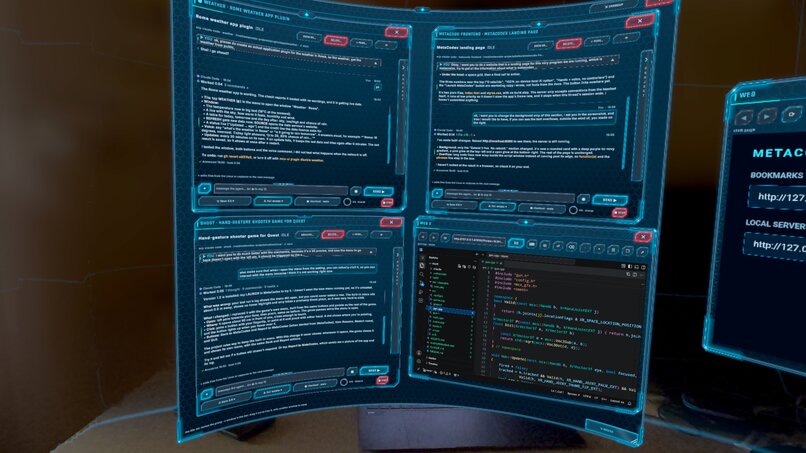
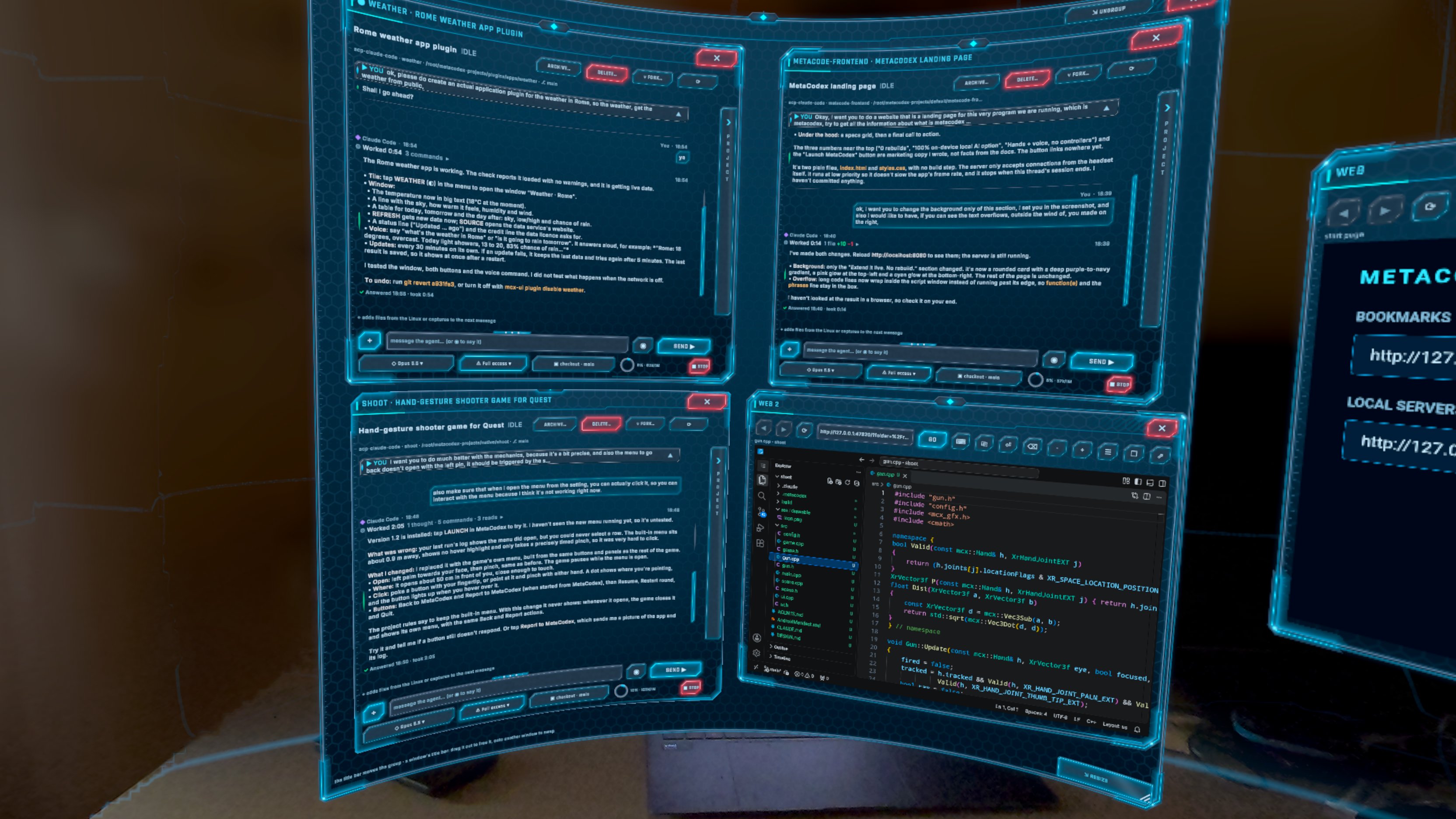
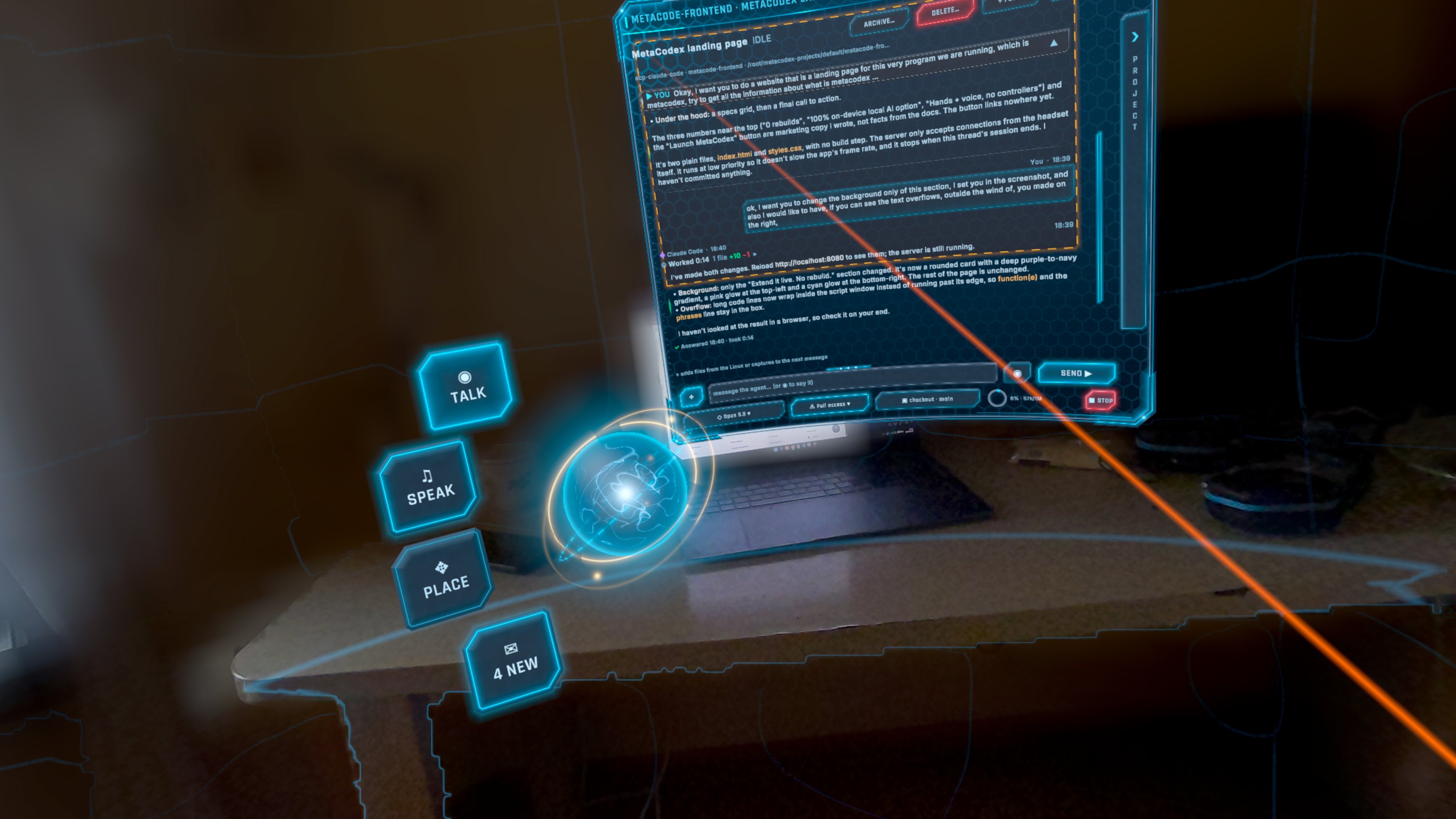
Grouped Threads
-
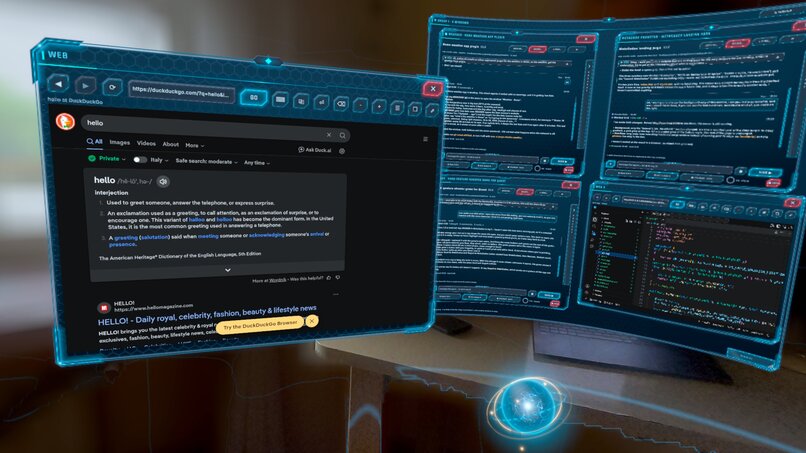
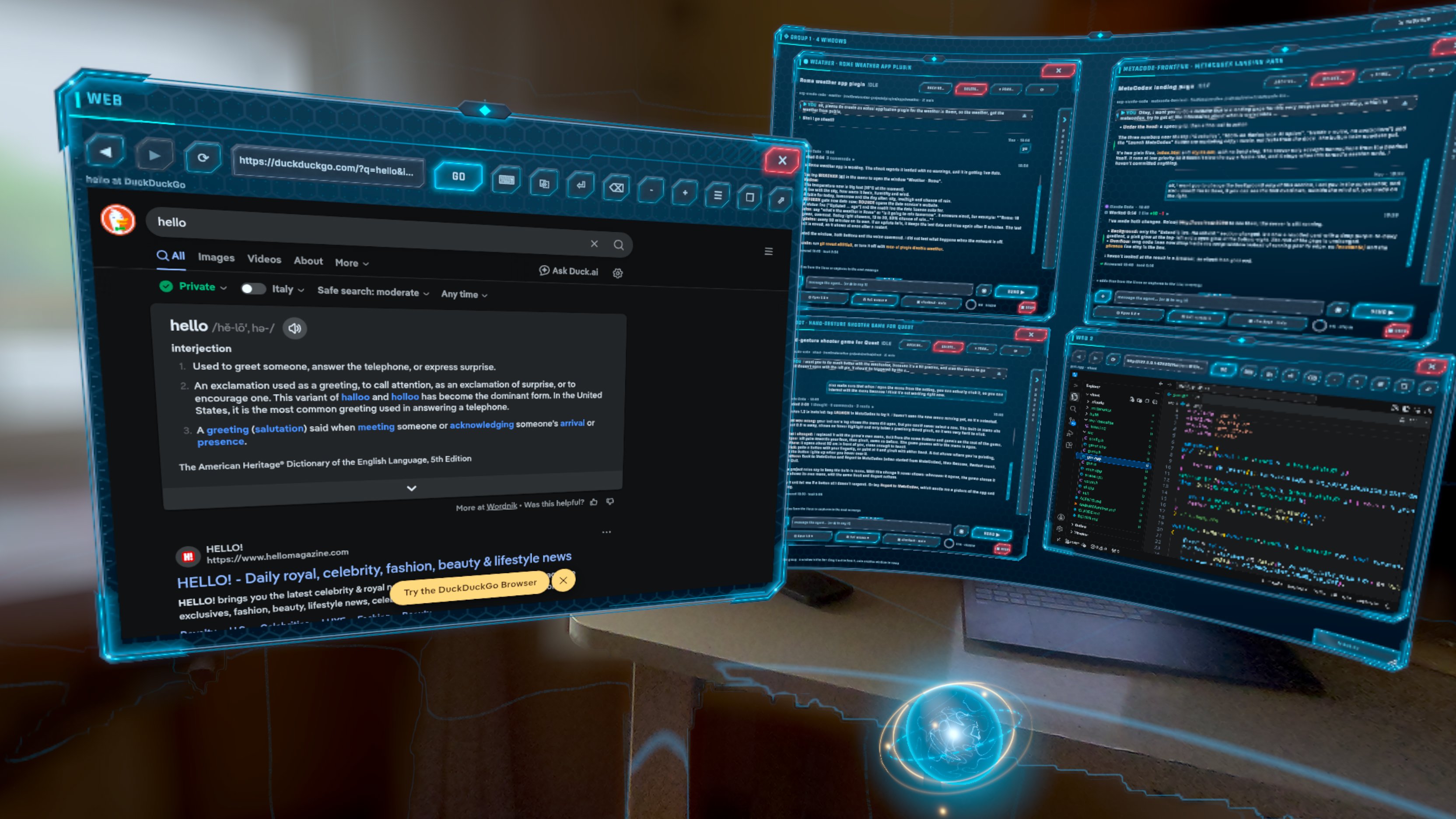
Web browser
-
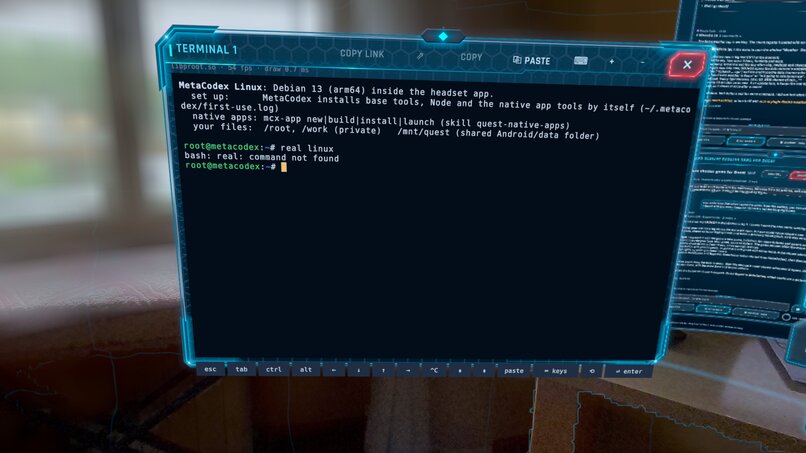
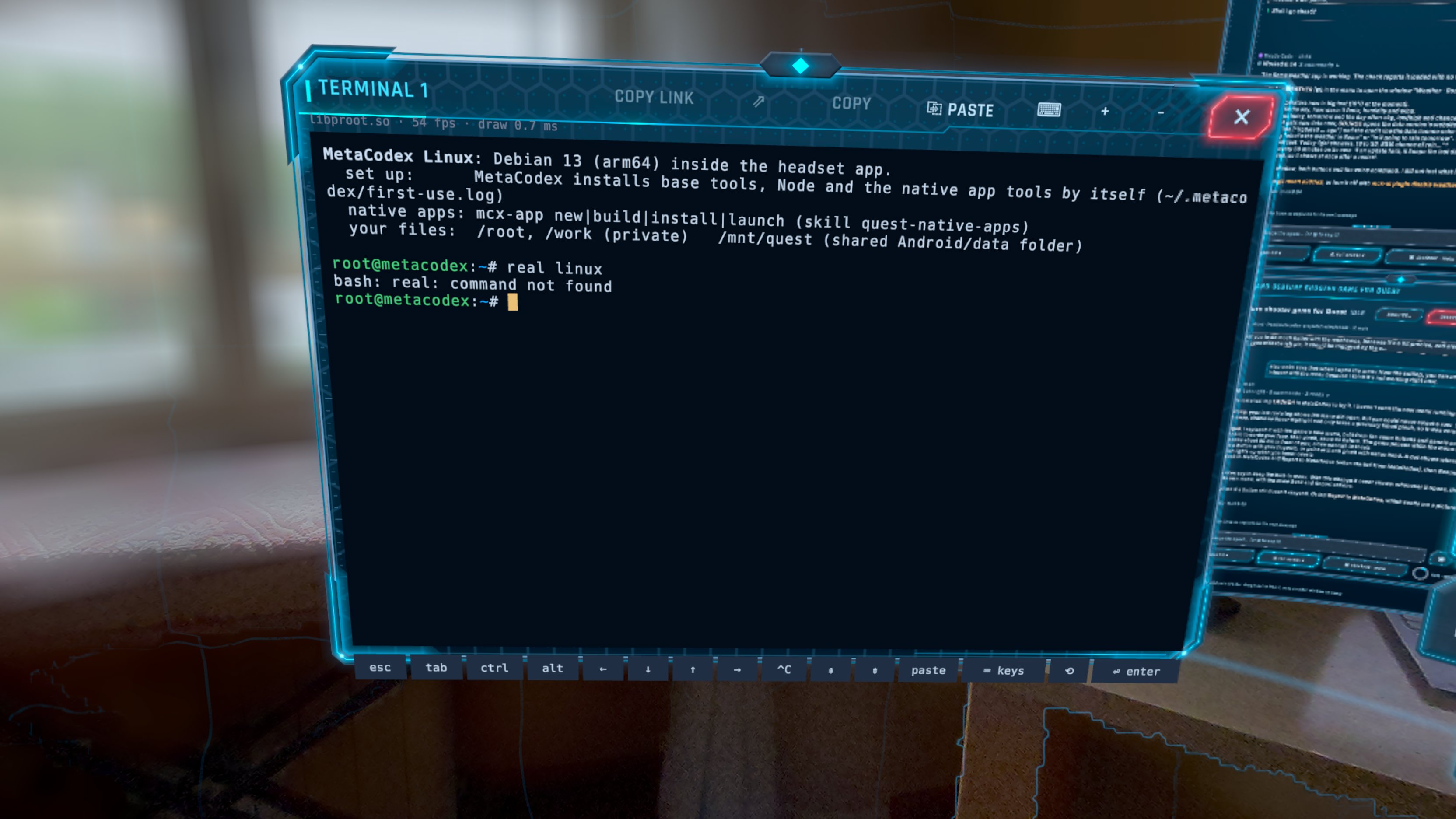
Linux Debian terminal
-
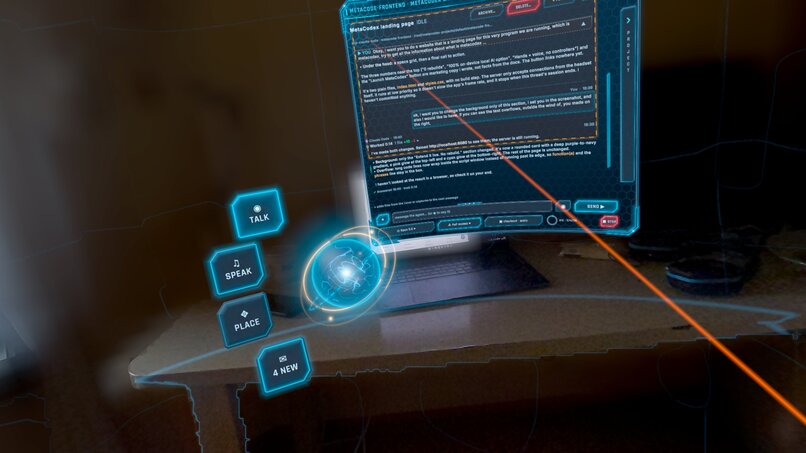
Taking a screenshot of a window
-
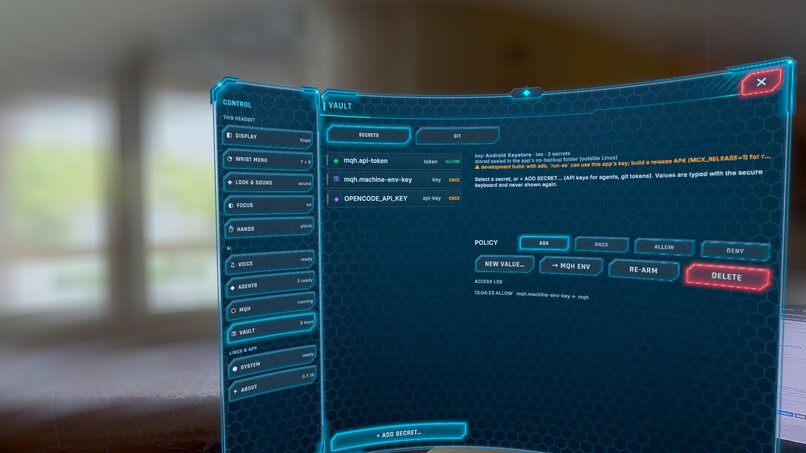
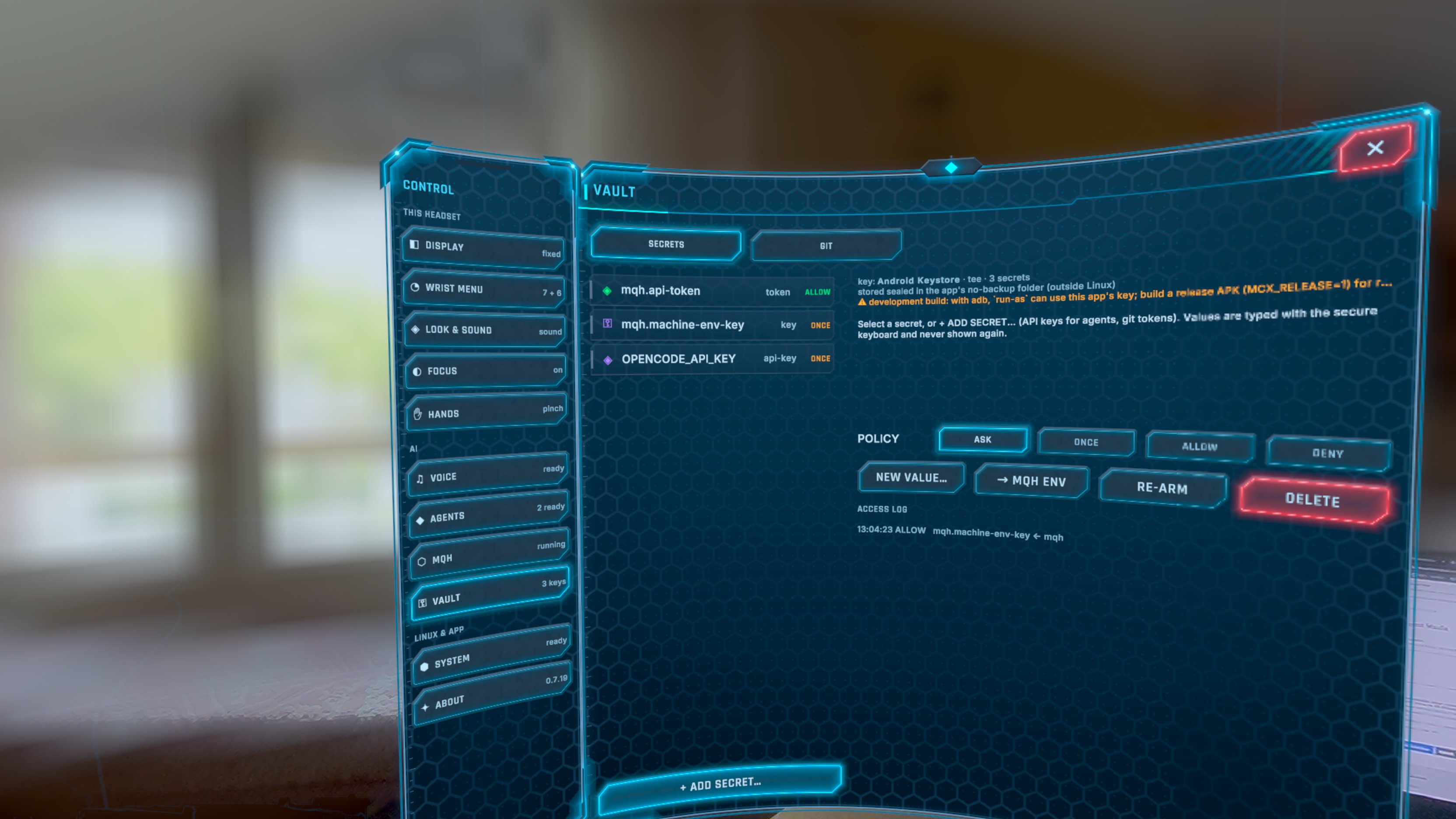
Settings - MQH ACP providers
-
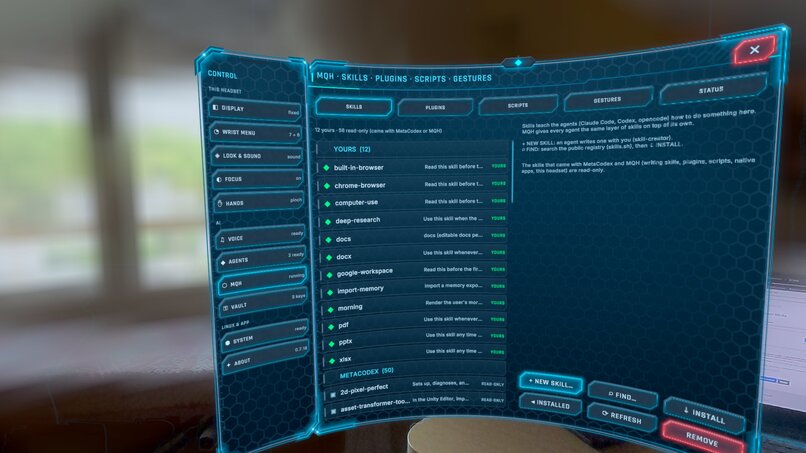
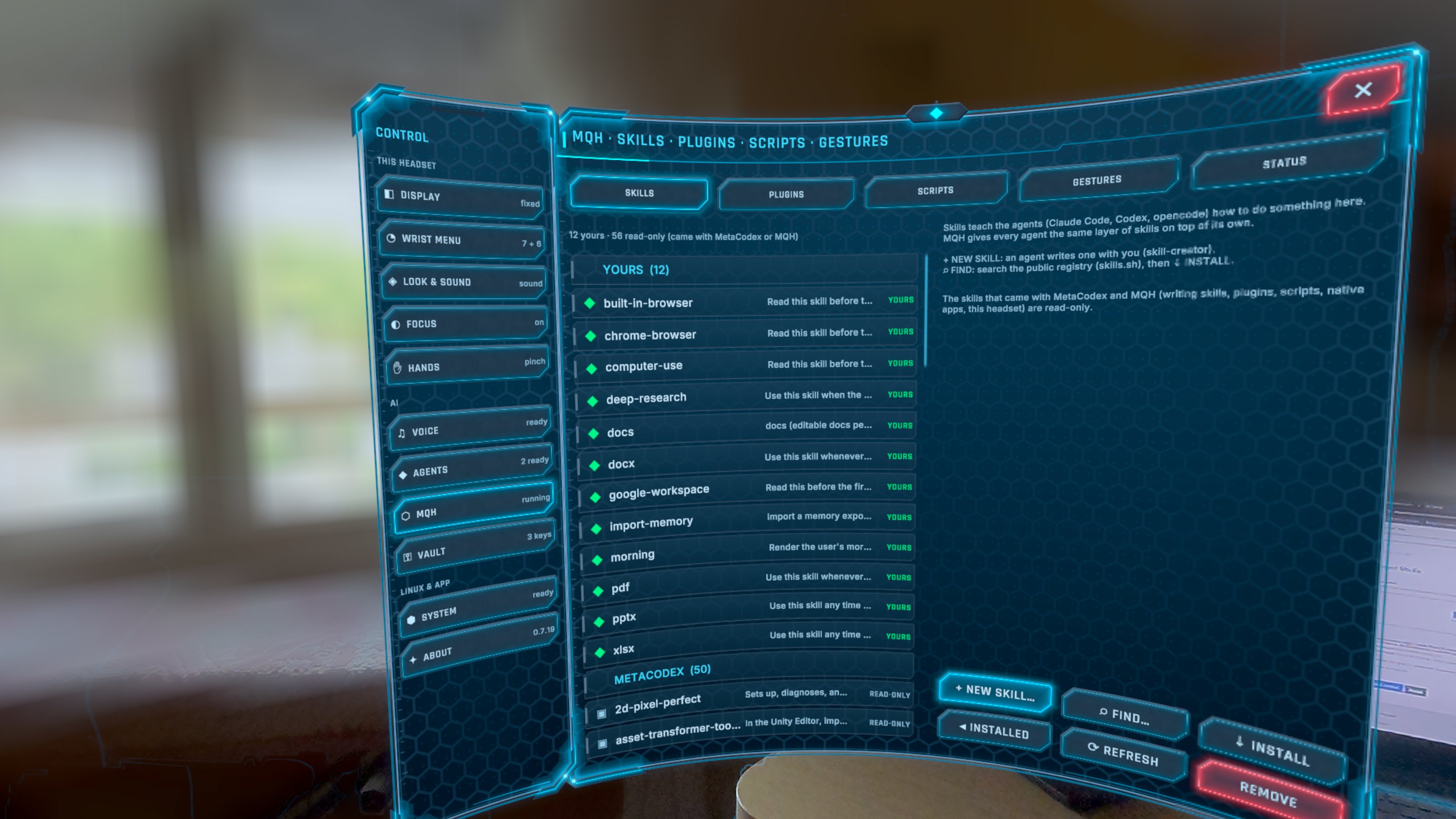
Settings - Harness Skills
-
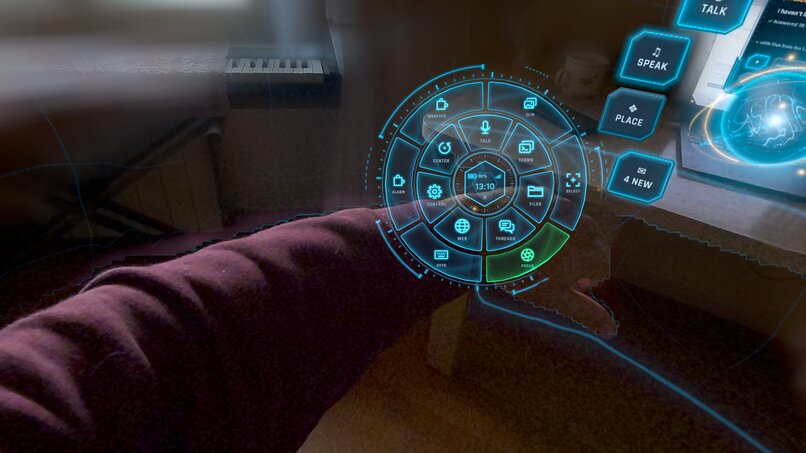
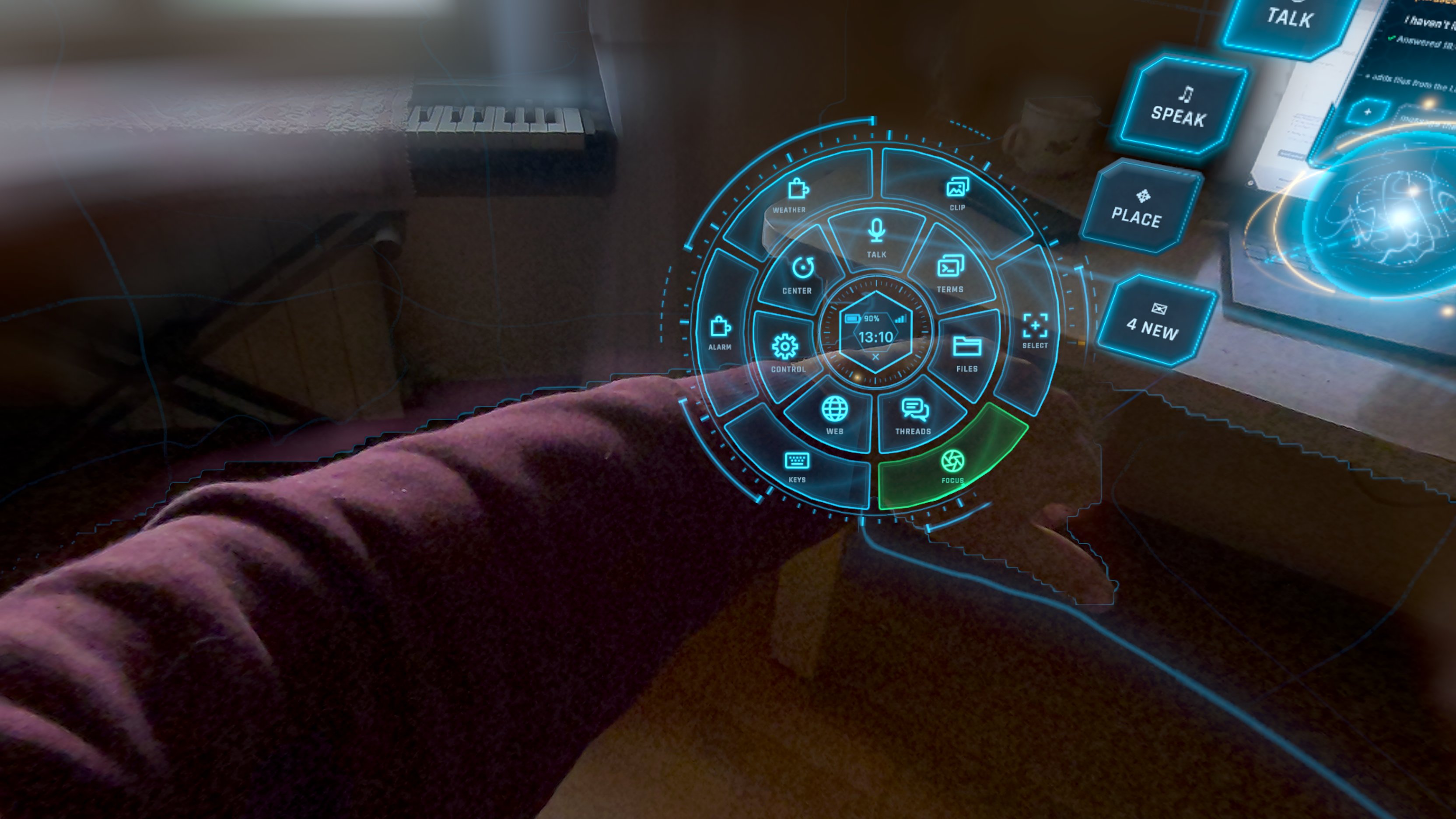
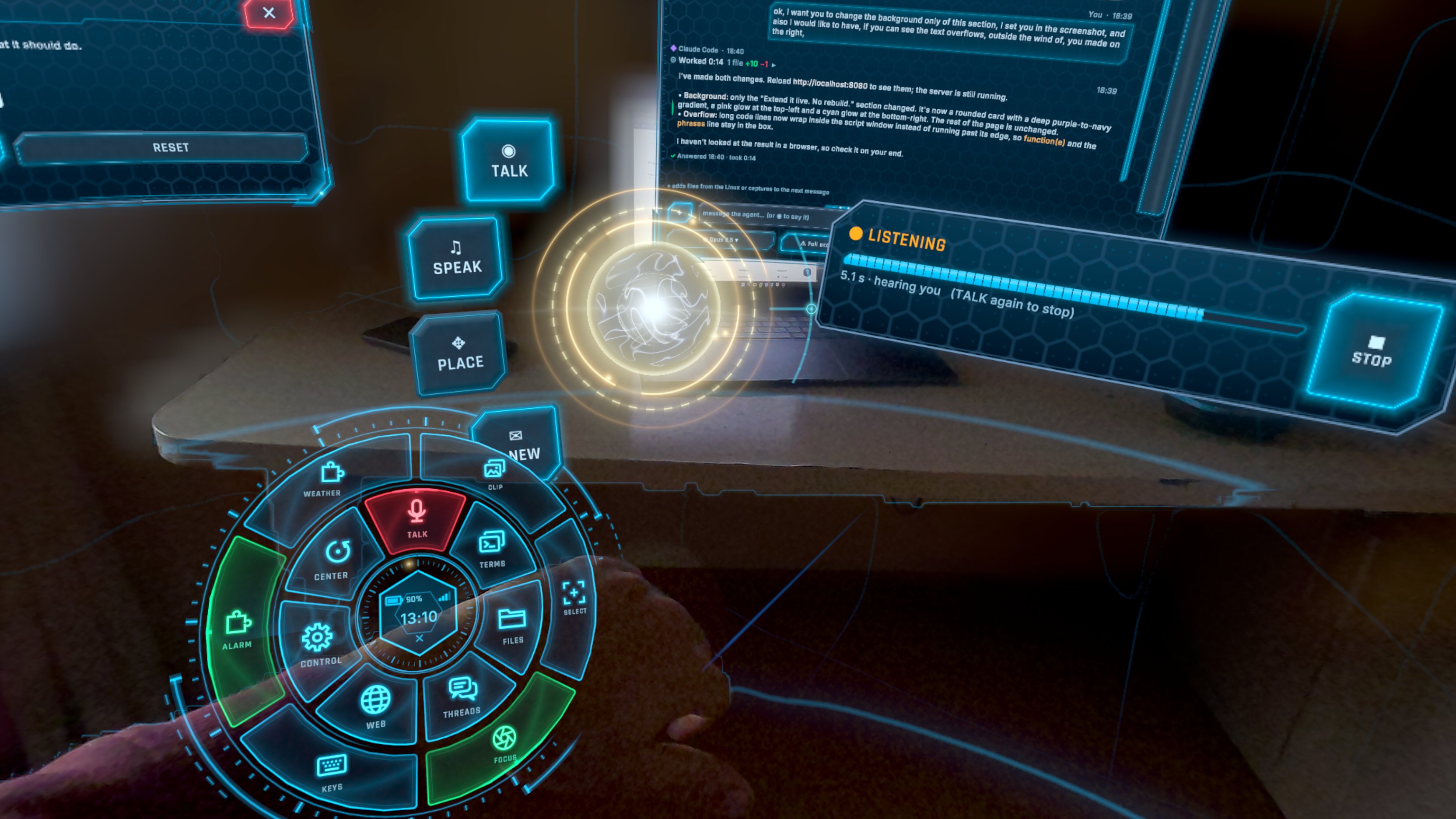
Radial Menu
-
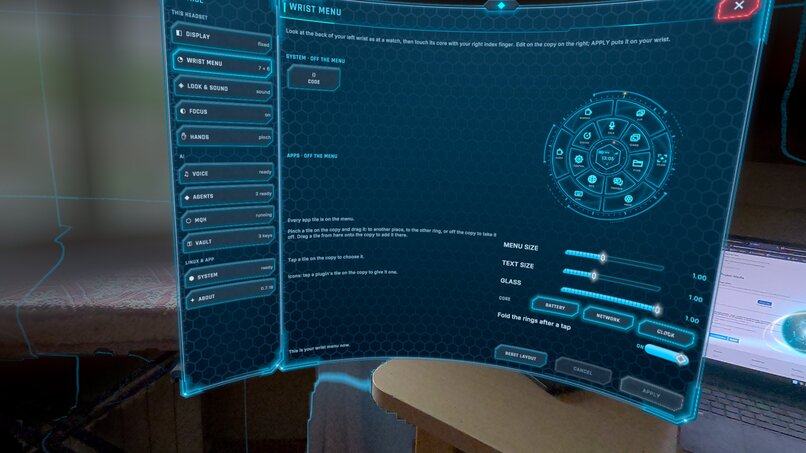
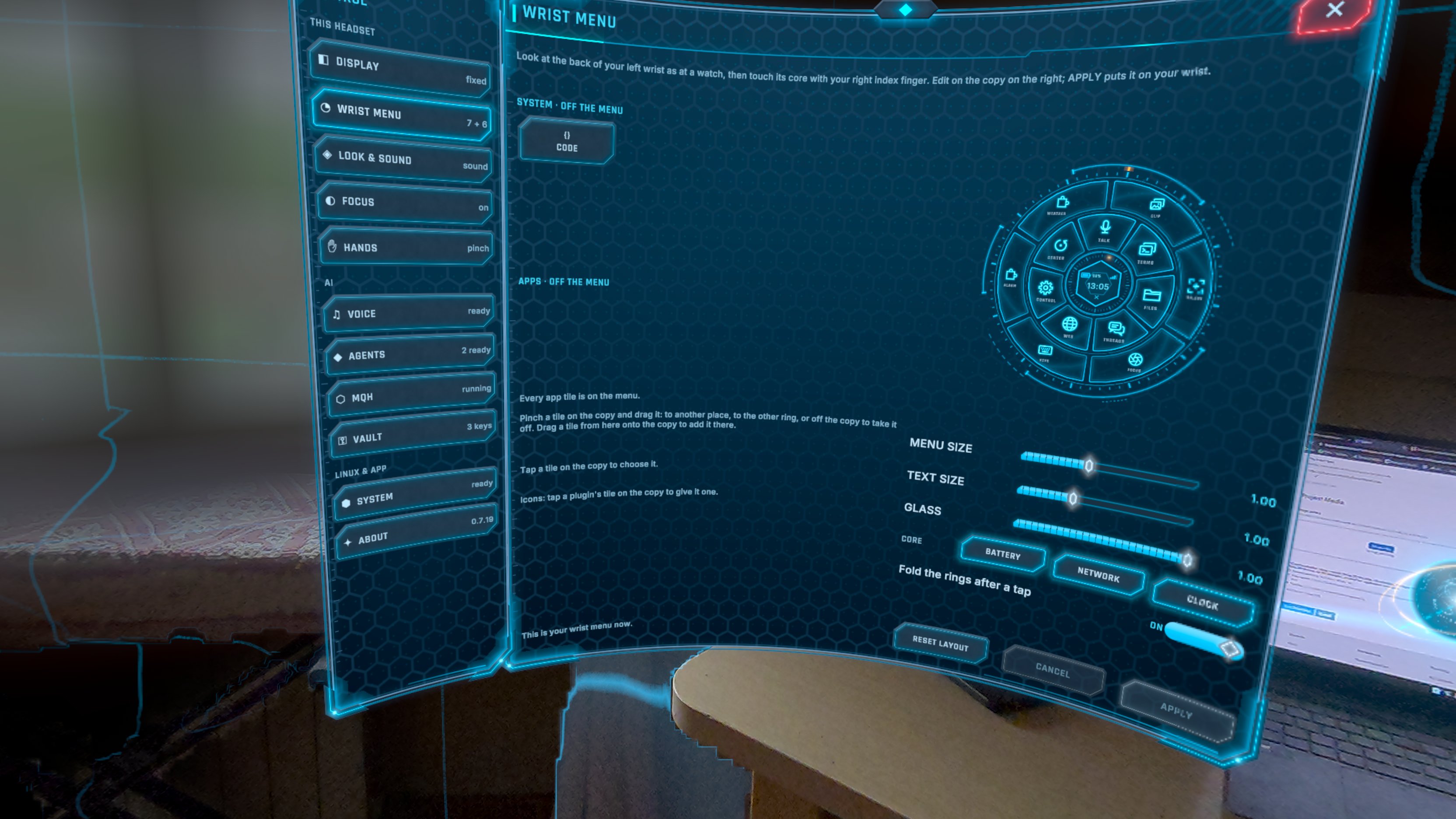
Setting - Radial Menu
-
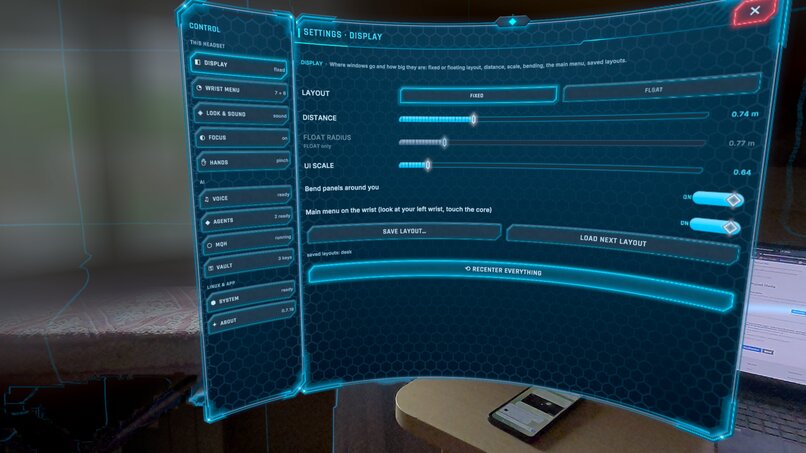
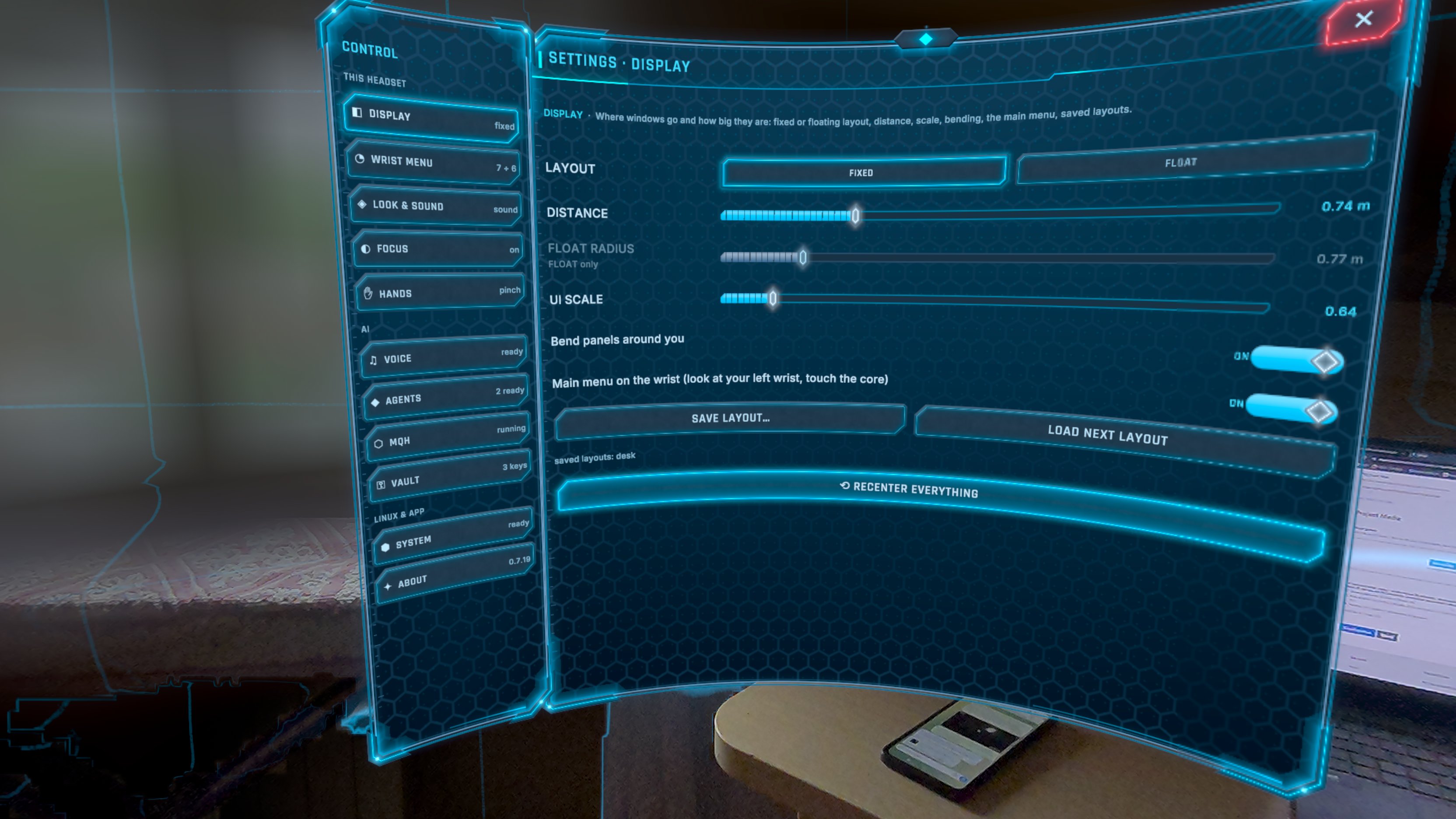
Settings - Display
-
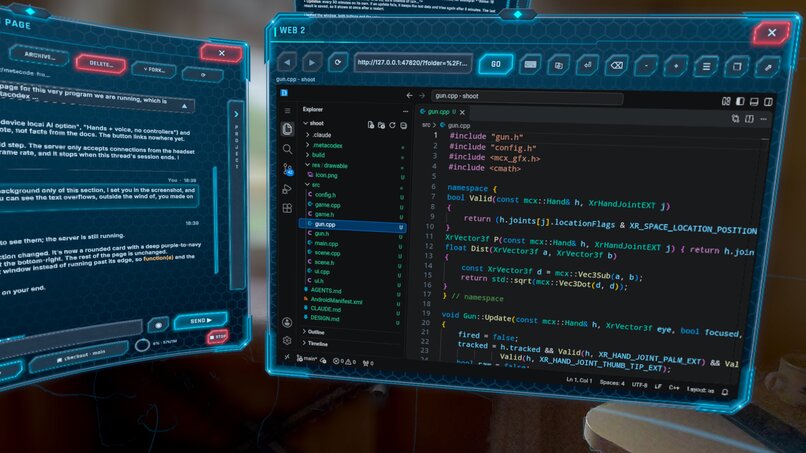
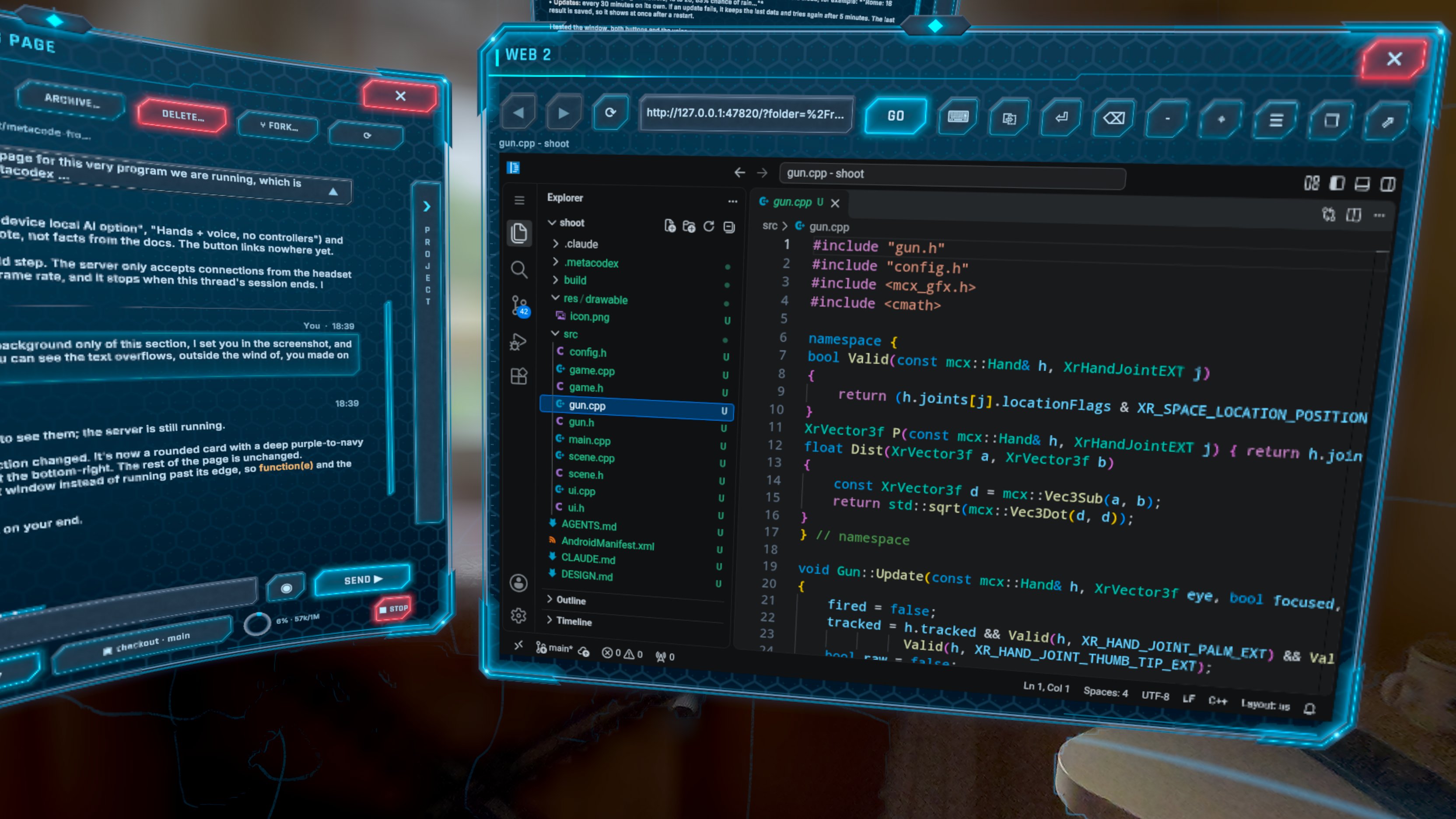
VS Coding in Metacodex
-
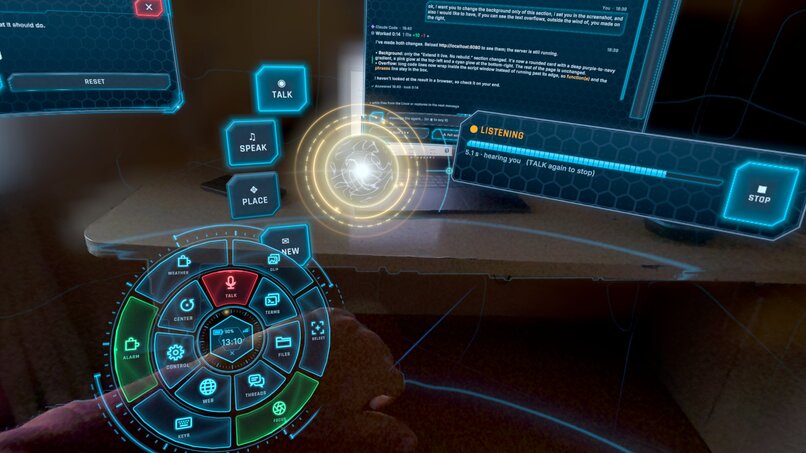
Local Vocal UI
For the judges: try the coding agents for free, with no account
- In MetaCodex, open CONTROL > AGENTS > GET and install OpenCode (about a minute).
- Open NEW THREAD, choose OpenCode, then the free model opencode/big-pickle.
- Type: "Create index.html: a landing page with a heading that says Hello World."
The file appears in the thread's side bar (CHANGES / FILES) in under a minute. No sign-in and no API key are needed for this model: you can ignore the "add an API key or SIGN IN" hint after the install.
The small local coding model on the headset is an experiment and is slow: for real work, use opencode/big-pickle or your own Claude Code / OpenCode account. Future releases will bring better options for local coding: a coding agent optimized for small on-device models, and delegated inference over a peer-to-peer network to your own devices, such as your PC or a home inference station, so a larger model can code for the headset with no cloud account.
Note: the release-channel build can build native apps on the headset but cannot install them (the store does not allow the install permission). The full loop (build, install, launch, back) is shown in the demo video.
Inspiration
Metacoding (vibe coding done well: specs, skills, review) is now very efficient, and very boring. You sit at a desk, give instructions to an agent, and wait. Nothing needs you in the chair, yet you are stuck there. And if you build for a headset, you keep taking it on and off: write at the PC, put it on, test, take it off.
I wanted to remove both problems. The desk moves inside the headset: as many virtual monitors as you want, room to roam, and agents that work on any project because a real Linux runs under the windows. My second goal was a lower barrier: a beginner describes a spatial app, an agent builds it, and it installs and launches from the same place. Not one app, but many, with ease.
Optional: pair a Bluetooth keyboard in the headset settings for long typing sessions; everything also works with hands, voice and the system keyboard.
What it does
- A real Linux in the headset. A Debian arm64 userland (proot) ships ready inside the APK: 2,677 files laid down in 1.6 s on first start. Node, git, compilers and coding-agent CLIs run in floating terminal windows.
- MQH, my agent harness. A trimmed fork of an open-source agent IDE backend: threads, skills, plugins, providers, workspaces. Several threads can share a branch without colliding, and worktrees are managed for you. The VR chat view streams the answer, keeps your last prompt in view and pulses when a thread needs you.
- A spatial desktop. Windows are cast by an orb, placed clear of walls and of what you are looking at. Real things (your hands, a table) stay in front of windows, using the headset's depth sensor. Gestures and small spatial apps are Lua plugins that an agent can write for you.
- Local voice control. Speech-to-text, an embedding command router and a small LLM for recaps all run on the device, so private data stays there.
- A vault. Secrets are sealed in a hardware-backed key store. Each secret has a policy (ask, once, allow, deny) with an approval prompt in VR.
- Native apps built on the headset. An agent writes an OpenXR app, a builder on the headset compiles, checks and signs it, and you tap Launch. A menu inside the built app brings you back to the thread that made it, with a screenshot and the last log lines, so the agent can fix what you saw.
How I built it
A 3D engine (C#) draws the interface. Everything heavy lives outside its process, in a separate Android service pinned to CPU cores 0–2 at low priority. That service holds Linux, the harness, the build daemon and the local models. The frame loop keeps cores 3–5 and the GPU to itself, and the frame rate is the gate for every feature.
- Voice. An embedding model matches each spoken command against a registry of commands. It replaced an LLM router: 59 % → 93 % exact, 209 ms → 17 ms per decision (PC bench, 355 sentences). I removed the samples that came from the bench, and a test fails if one comes back.
- Build pipeline. I wrote my own on-device build tool: a shared precompiled header, an APK writer, a built-in signer. One changed file builds in 1.9 s (my first pipeline took 9.0 s), and a check alone takes 0.7 s.
- Skills. The agents use 13 skills for native apps and XR, with a gate that checks every command, flag and path in them.
- Tests. I wrote about 340 UI checks (52 sections, run in a headless Editor), 62 checks that compare my terminal emulator with tmux, and bench scripts for the voice router.
Challenges I ran into
- Linux inside an app that may not run its own files. Android 10+ forbids executing anything an app writes, so only libraries in the app's native directory can run. I shipped proot and my own pty library as native libraries, and wrote the process-spawn path in C with
vfork. proot fakes hard links with symlinks that remember the exact path used at install, so the same file under two spellings of the app's data path brokeopencode's install. Debian's login profile also resets the PATH. - Sharing a small chip with the renderer. With passthrough on, the GPU is capped at 640 MHz, so a frame has 13.9 ms. The headset puts the app and all its children on cores 3–5, so a model started from the app competes with rendering. Only a separate Android process reaches cores 0–2, so the AI service had to be one. The GPU was no help: the LLM ran at 13.8 tok/s on it and 37 on two CPU threads, and the NPU is closed to apps. Inference also slows the whole chip through memory bandwidth, so I gate on frame time while it runs. Result: 72 fps with the AI working, and 72.5 on average (70 minimum) during five builds in a row.
- Android kills what runs in the background. Android stops an app's child processes at 25 % CPU when the app is in the background. I made the service a foreground service with a wake lock only while a build runs, and the build daemon pauses a job itself when it nears the limit. A low-memory killer then took the service twice after several switches between MetaCodex and the apps built in it: memory in the main process had grown to 5.4 GB. This one is still open.
- A JVM-free build chain on a headset. Gradle and a JVM signer are too heavy for 8 GB shared with the app, so I replaced them. The builder also has to catch what the headset OS would reject later: a verify step maps each vendor API an app uses (depth, passthrough, hand tracking, anchors) to the permission or feature it needs, and lists what is missing.
- Installing, launching and coming back, safely. Android 14 identifies who launched an app, and no overlay permission is available to bring MetaCodex forward after a crash. So the way back uses a launch ID that only MetaCodex hands out for one package, and a picture and logs travel in the return intent only. Nothing launches without the user's tap, in any approval mode. I also found a freeze on "Back" (the app kept waiting for a frame after the session ended); the fix is in the XR layer the apps are built on.
- Small models misbehave. The 0.5B local coder writes tool calls in about six different formats and echoes JSON instead of answering. I wrote a parser that accepts all of them, slimmed the harness prompts to three tools, and made voice wait while it codes.
- Security on a device where every app can reach 127.0.0.1. Each local service has its own token. Sign-in pages never open in the app's own web view, so a web session cannot stay inside it. I cut the harness fork's web UI, tunnels, account, self-update and telemetry. Every shipped part is in a licence file with the full texts, and there are no third-party logos in the app.
- Mixed reality that does not look broken. Sharp depth edges from a 320 × 320 sensor, windows that must hide behind a real table, and a UI shader that runs on every pixel of every window. I cut each pass until it cost about 1 ms: for example, drawing the stone border only near the frame saved about 290 operations per pixel.
- Starting. The first start does a one-time setup (Linux, models, harness). I built the shell in pieces behind a splash at no more than 20 ms of main-thread time a frame, and a locked UI that opens by itself as each step ends.
Accomplishments that I'm proud of
- A full Linux with real coding agents on a standalone headset, in one 195 MB APK that is ready on first launch.
- The whole loop on one device: talk, code, build, install, launch, look, report back, fix.
- A voice router at 93 % and 17 ms, fully local, with the frame rate held at 72.
- A build that takes 1.9 s for one file, made without a JVM.
- A vault, launch-on-tap, per-service tokens, and a licence proof, built in from the start and not added at the end.
- An agent that, from the bundled skills, one-shot a working gesture plugin.
What I learned
- Put slow, risky work in another process, and make the frame time the gate for every feature.
- Measure what the user sees. A benchmark and a headset recording disagreed more than once.
- A small model is enough when the task is narrow, like routing a command, and a good registry matters more than a bigger model.
- Say "compiles", "builds on the headset", "offered" or "ran" instead of "works".
- The best place to build spatial apps is the space itself.
What's next for MetaCodex - Metacode in XR
- A community marketplace for plugins, skills and gestures: signed, versioned, with a permission list shown before install, and agents that can publish what they write.
- Fine-tuned small models. QLoRA adapters on the command router and on the local coder, trained on the tool-call formats and on my own command registry. A tuned model needs a shorter prompt, so it saves context and latency.
- A stronger local coder. More capable offline agent work when bigger quantized models, or access to the GPU or NPU, make it fit the frame budget.
- Performance. Find and fix the memory growth across app switches, move Linux off the render cores, a release build for everyone, and cheaper shaders and depth.
- Ready for a public release. Remove the install-packages permission from a store build, add a sandbox between agents and the Linux files, publish the GPL source offer, and replace the placeholder icon.
- Spatial panels from plugins. Render the
spatial.jsonpanels so a plugin written on the headset can show its own interface, with no APK. - Bring the PC into the room. Stream real PC windows into the space and connect to remote machines, so the headset is the desk for projects that live elsewhere.
- Teams. Shared rooms and shared threads, so two people can review one agent's work in the same space.
- On-device perception. Passthrough camera and local models so agents can see the room they build for.


