-
Logo
-
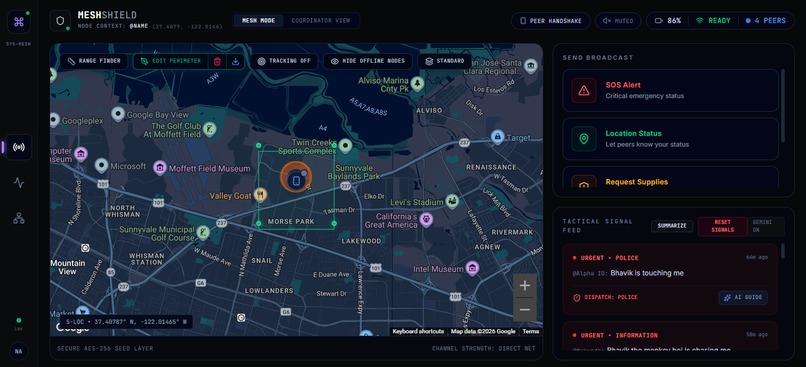
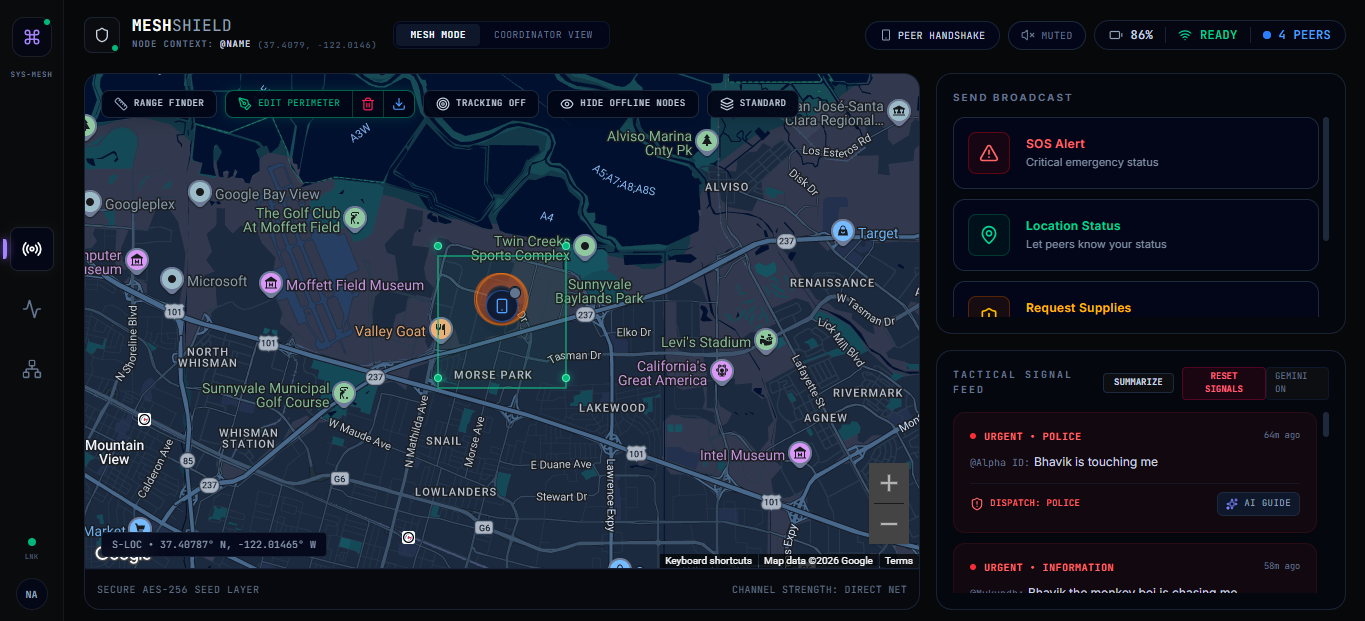
Map and "Report an Issue" area
-
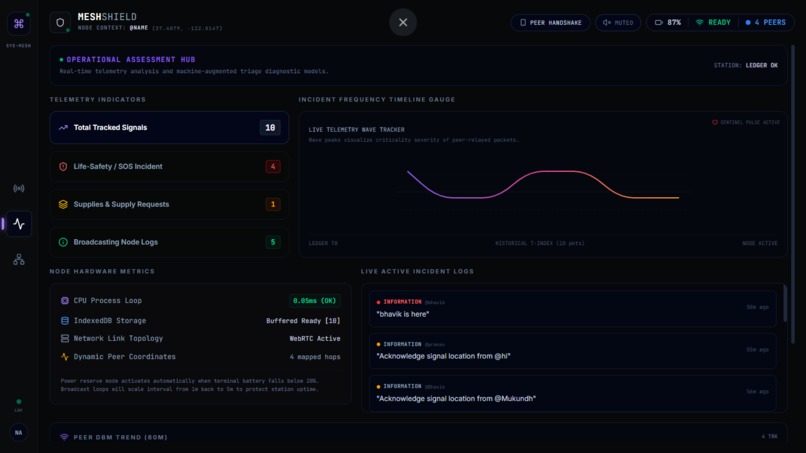
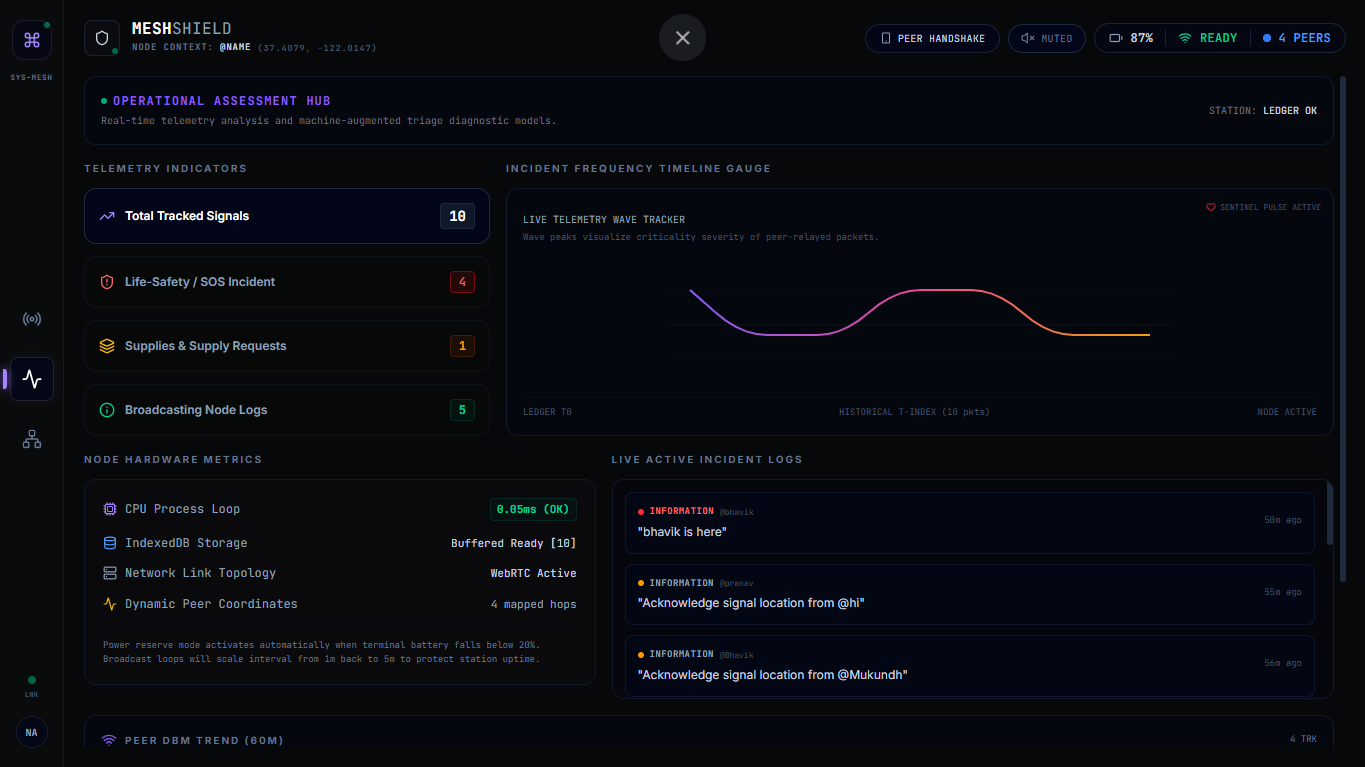
Data
-
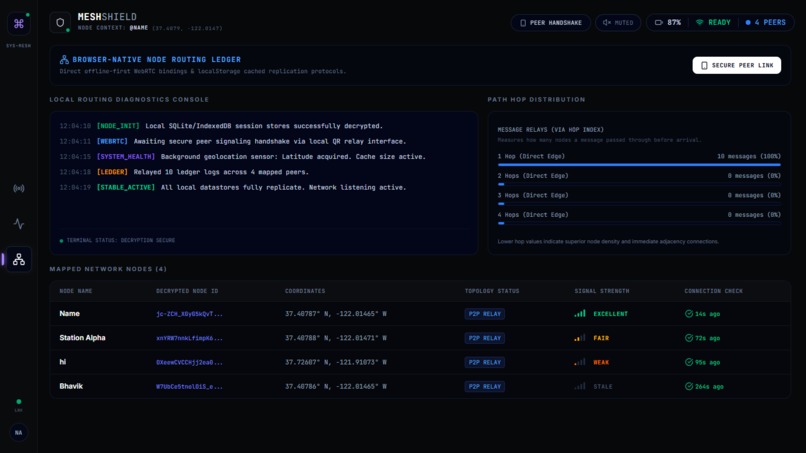
Data of reports sent
-
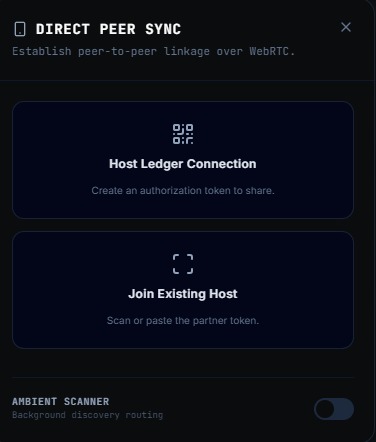
Peer Sync
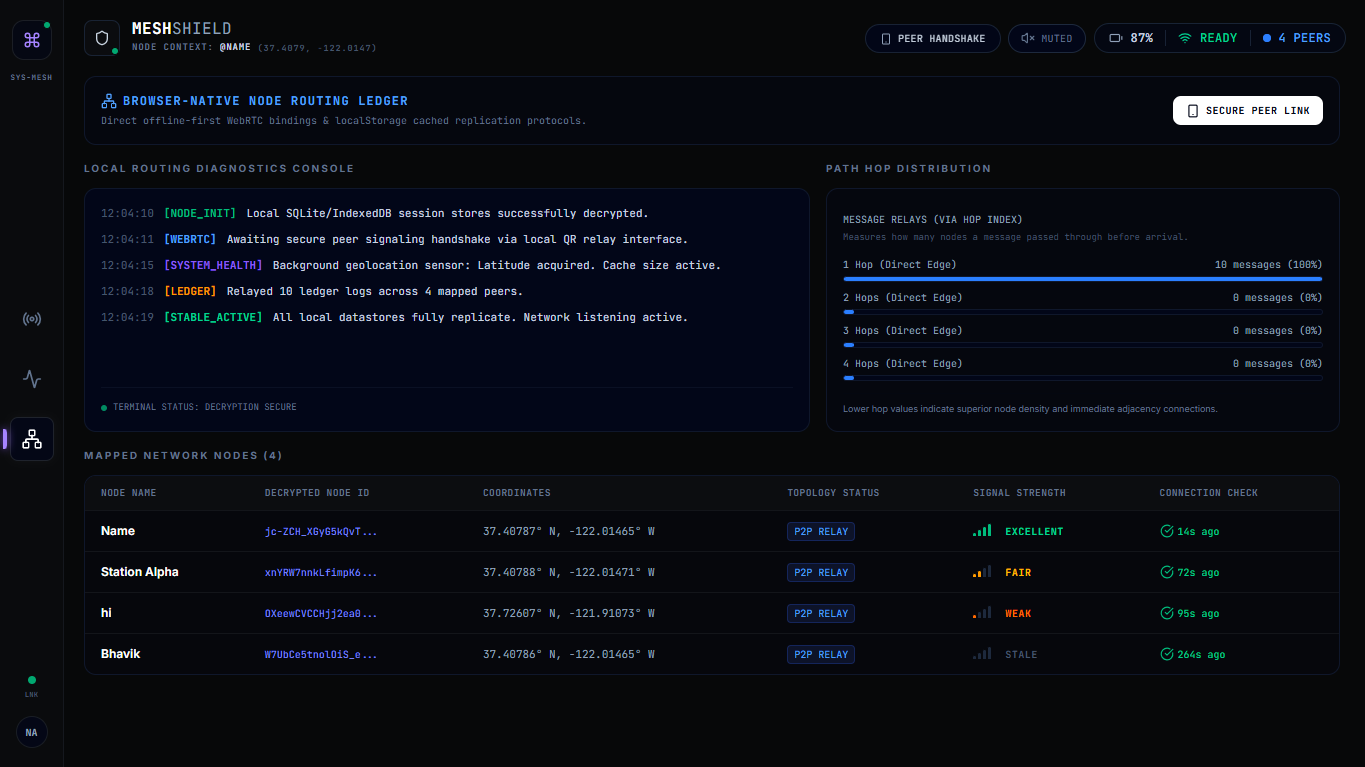
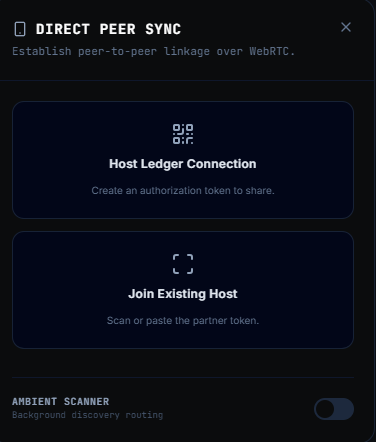
Inspiration
The idea started with a simple, uncomfortable question: What happens when the disaster app on your phone needs the internet to tell you there's a disaster? We looked at the 2023 Maui wildfires. Cell service went down across Lahaina within the first hour. People were trying to coordinate evacuations on apps that had already stopped working. Emergency managers had no real-time picture of where civilians were or what they needed. Search-and-rescue teams were driving blind. This isn't a rare edge case — it's the rule. Earthquakes knock out towers. Hurricanes flood cell infrastructure. Wildfires destroy repeater stations. The 10 worst hours of a disaster are almost always the 10 hours with the worst connectivity, and every existing alert system assumes you have a signal. We wanted to build something that gets harder to destroy the more people use it.
What it does
MeshShield turns any browser-equipped phone into a node in a local communication mesh. No app install. No account. No internet required after the initial page load. When a user opens MeshShield, their device joins the mesh automatically — connecting to nearby nodes via WebRTC peer-to-peer data channels and Bluetooth Low Energy discovery. They can send one of four message types: SOS, status update, resource request, or information relay. Messages hop device-to-device across the mesh until they reach a node with internet access, where they surface on a coordinator dashboard. The AI layer runs on Gemini. When online, every incoming message is classified in real time — urgency level, category, recommended responder type, and relay priority on a 1–10 scale. Messages with a priority of 8 or higher are re-broadcast automatically every 60 seconds until acknowledged. When offline, a cached keyword classifier takes over, so triage never stops. Emergency coordinators get a live Mapbox dashboard showing every active node, color-coded by urgency. The AI generates a plain-English summary of the situation — "3 critical cases in a 0.4-mile radius northwest of downtown" — and lets coordinators assign teams with a single click. There's also an SMS bridge via Twilio. People on feature phones with no data can text a shared number and appear on the mesh instantly.
How we built it
The frontend is a React PWA built with Vite. Workbox handles the Service Worker, which caches the app shell, the Gemini triage responses for common message patterns, and Mapbox tile data for the local area — so the whole thing works cold, without a network request. Peer discovery runs on two channels in parallel. WebRTC handles the actual data transfer once peers are connected, but it needs a signaling handshake first. Online, that goes through a lightweight WebSocket server. Offline, we handle the handshake by generating a connection QR code that the other device scans — completely serverless. The BLE Web API handles advertisement and discovery so devices can find each other passively in the background. Messages are stored in IndexedDB on each node and synced whenever two nodes connect. Each message carries a GPS coordinate, timestamp, sender pseudonym, message type, and hop count. Relay logic is dead simple: if the message is new and the hop count is under 12, pass it on. The Gemini integration uses Gemini Pro 3.1. The system prompt instructs it to return structured JSON with urgency, category, recommended responder, and relay priority. We parse that directly into the triage panel UI. The offline fallback is a keyword lookup table — not as smart, but fast and reliable. The coordinator dashboard runs on a separate route that requires an internet connection. It connects to Supabase, which acts as the bridge between mesh nodes that have gone online and the central command view.
Challenges we ran into
WebRTC without a signaling server is genuinely hard. The entire WebRTC protocol assumes two devices can negotiate a connection through a third-party server. In a true offline scenario, that server doesn't exist. Our QR-based handshake works for the demo, but getting two devices to auto-discover and connect without any pre-existing connection requires going deeper into BLE advertisement payloads than we expected. The Web Bluetooth API is also still experimental in some browsers, which narrowed our test surface. The second big problem was message deduplication across a mesh. When you have 10 nodes and a high-priority message gets rebroadcast every 60 seconds, every node receives 10 copies of the same message. We went through three different deduplication schemes before landing on a hash-based approach where each message gets a content fingerprint on creation — nodes only relay a message if that fingerprint is new to them. Offline map tiles were also more storage-intensive than we planned. Caching a useful amount of Mapbox tiles for a city-scale area burns through IndexedDB quota fast on mobile. We had to get aggressive about only caching the tiles for the demo area rather than anything adaptive.
Accomplishments that we're proud of
Getting a message to travel across three devices with no internet, in under two seconds, and show up correctly classified on a coordinator dashboard — that moment in testing was genuinely exciting. It felt like the thing actually worked, not just in theory. The QR-based offline peer handshake is probably the part we're most proud of technically. It's a simple idea, but it took real work to make it feel instant and reliable. You open MeshShield, tap "connect nearby device," and scan the QR. The WebRTC connection is up in about 1.5 seconds. No typing, no account, no friction. We're also proud of the Gemini triage quality. We tested it on 40 real-sounding disaster messages and found it correctly identified priority 9–10 cases (trapped person, medical emergency) with no misses, while appropriately ranking "I'm safe, just checking in" at priority 2–3.
What we learned
WebRTC is more powerful than we realized and more fragile than the docs suggest. The peer connection logic that works perfectly in Chrome breaks in subtle ways in Safari, and BLE behavior varies enough across Android versions that you have to test on real hardware, not emulators. We also learned that AI triage is most useful when it fails loudly rather than silently. Early versions would return a classification with medium confidence but no signal that it was uncertain, so a vague message like "help, something happened" would get a low relay priority when it probably deserved a high one. We changed the prompt to instruct Gemini to escalate ambiguous cases upward rather than downward, treating uncertainty as a reason to prioritize rather than deprioritize. The bigger lesson was about constraints as design tools. Every feature decision — 4 message types, 12-hop limit, 50-message local store — came from asking what happens when this runs on a 4-year-old Android phone with 2GB of RAM and no connection. Those constraints produced a cleaner product than we would have built without them.
What's next for MeshShield
The most important next step is real-world testing in environments that actually simulate disaster conditions — a county emergency management exercise, a search and rescue drill, something with actual radio interference and unpredictable node density. Lab tests tell you a lot, but they don't tell you everything. On the technical side, we want to replace the QR handshake with a proper gossip protocol for peer discovery over BLE, so joining the mesh requires zero manual steps. We're also exploring voice message support — compressed audio blobs that are relayed over WebRTC and transcribed and triaged by Gemini on the receiving end. Long-term, the SMS bridge is the feature with the biggest real-world impact. Most people in rural disaster zones don't have smartphones. A bidirectional Twilio integration that can receive a text message, route it through the mesh, and send a response back — that extends MeshShield's reach to people who would never open a PWA. We'd also like to work with actual emergency management agencies. The coordinator dashboard is useful, but the workflows it should support — resource tracking, team assignments, situational reports — need to be built with the people who actually run incident command, not guessed at.
Built With
- ai
- mapsapi
- studio

Log in or sign up for Devpost to join the conversation.