-
-
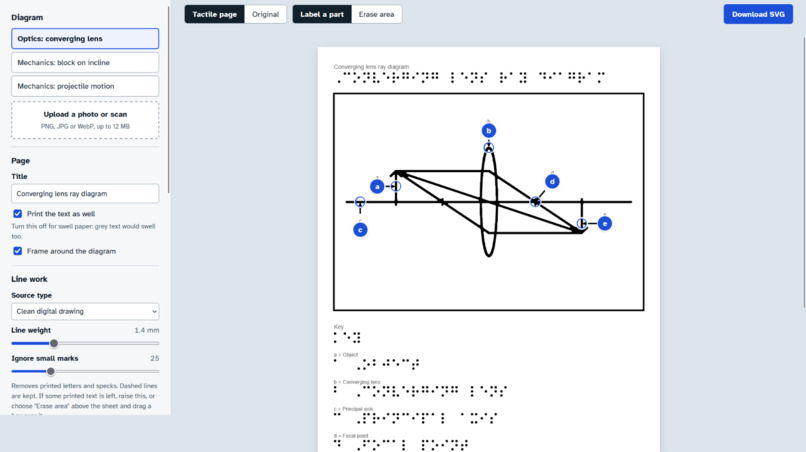
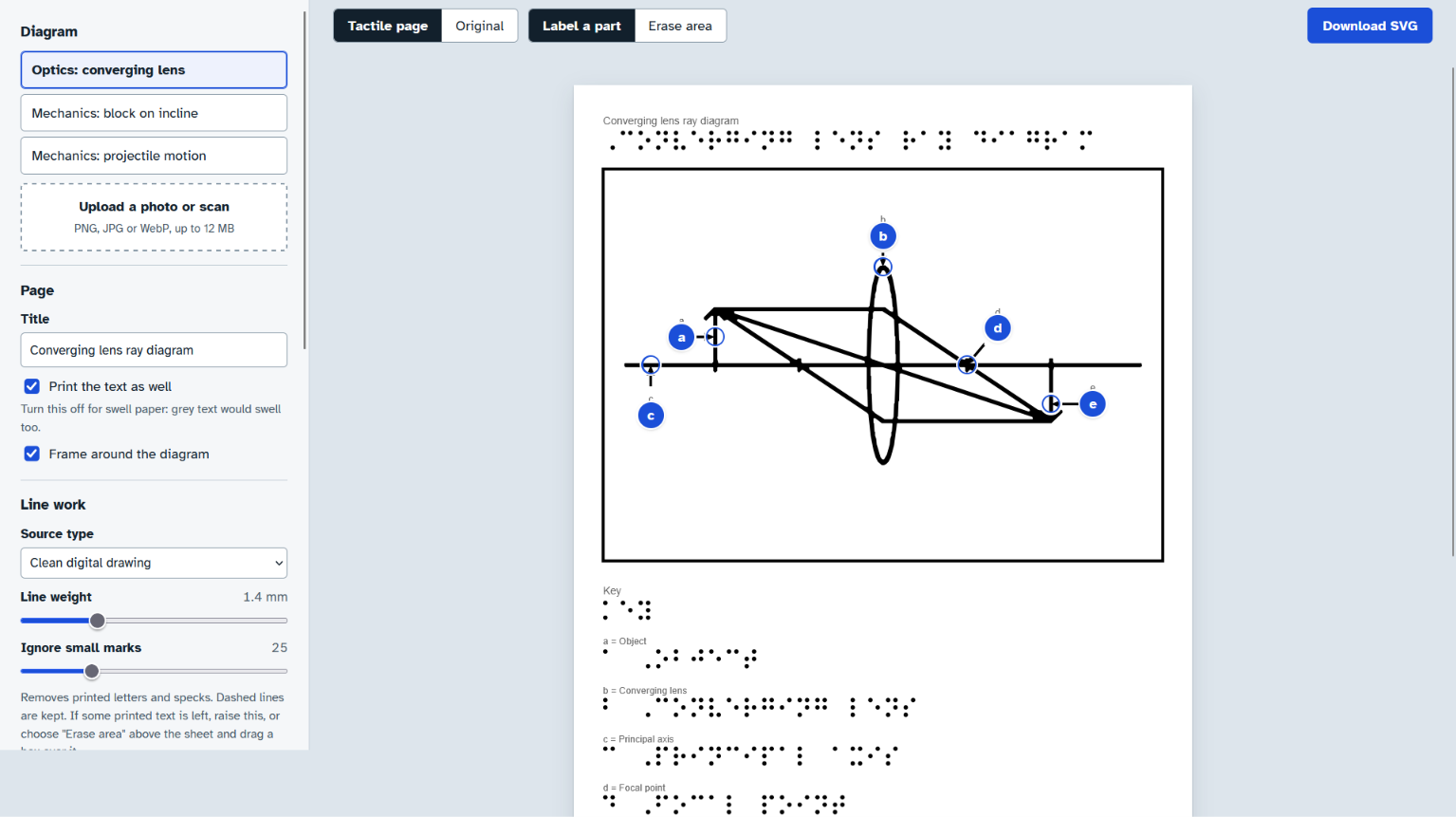
Lens ray diagram: outline simplified to thick lines, with Braille key letters placed on the lens, rays and focal points.
-
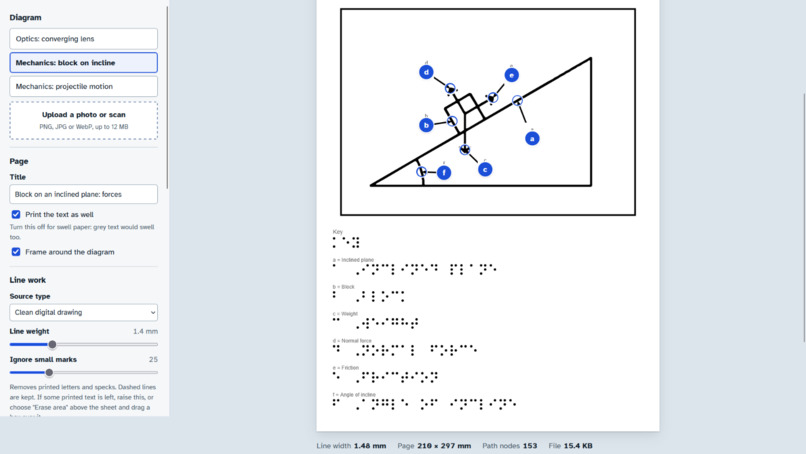
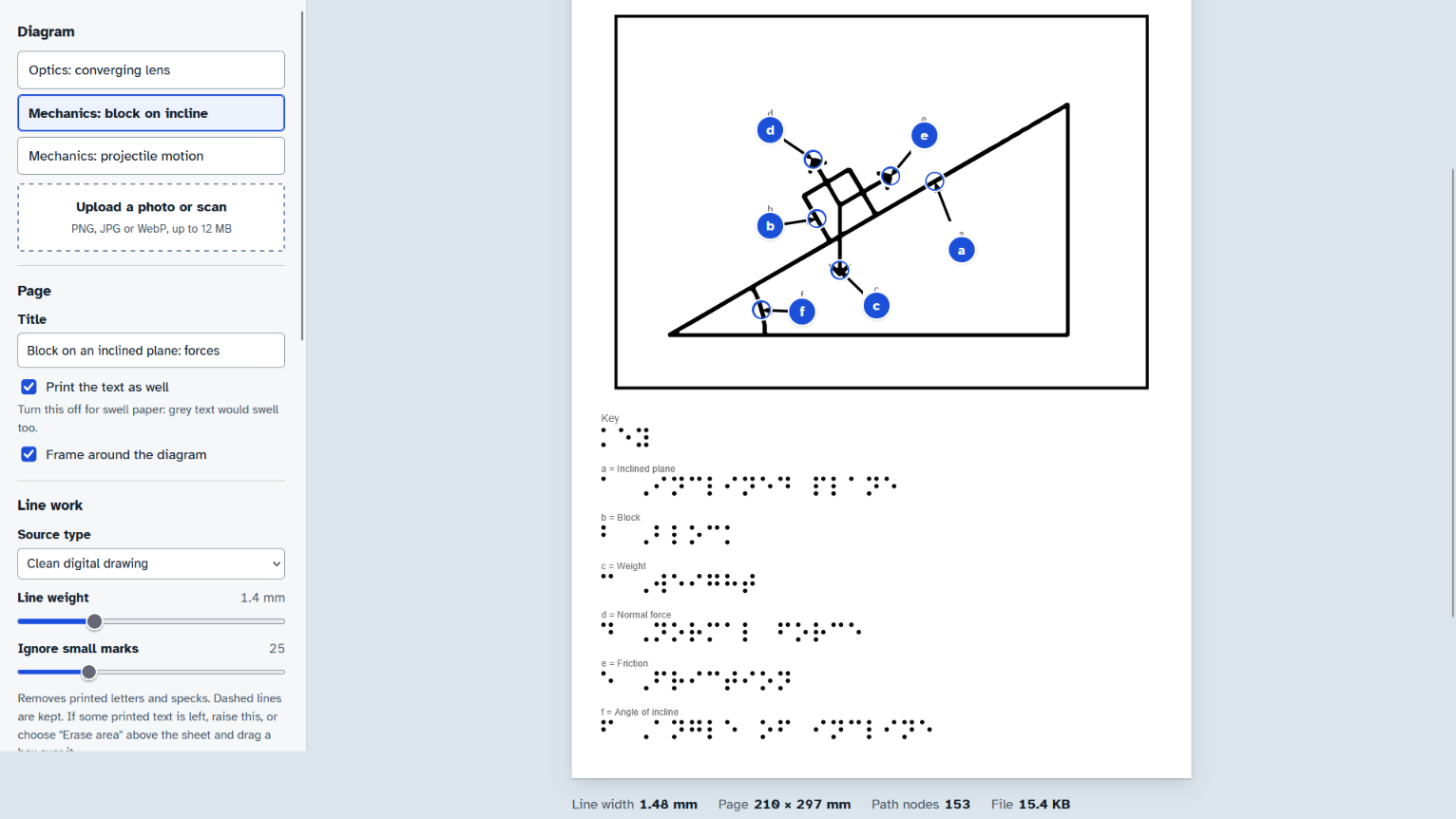
Inclined plane: forces become one-cell Braille key letters on the diagram, with the full Braille key table beneath it
-
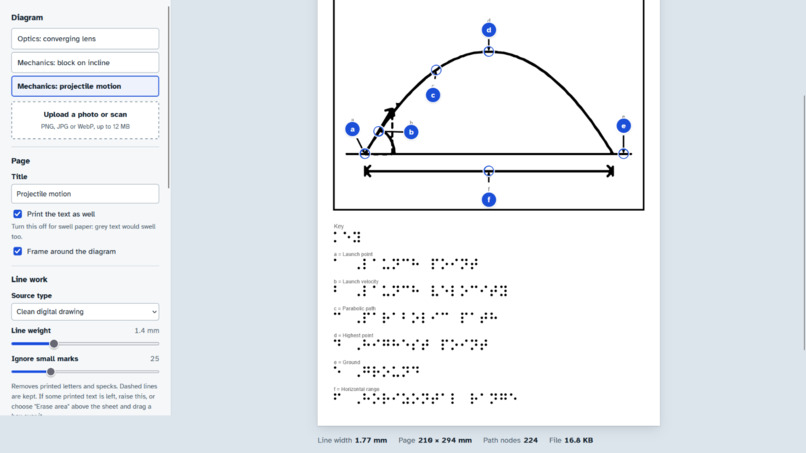
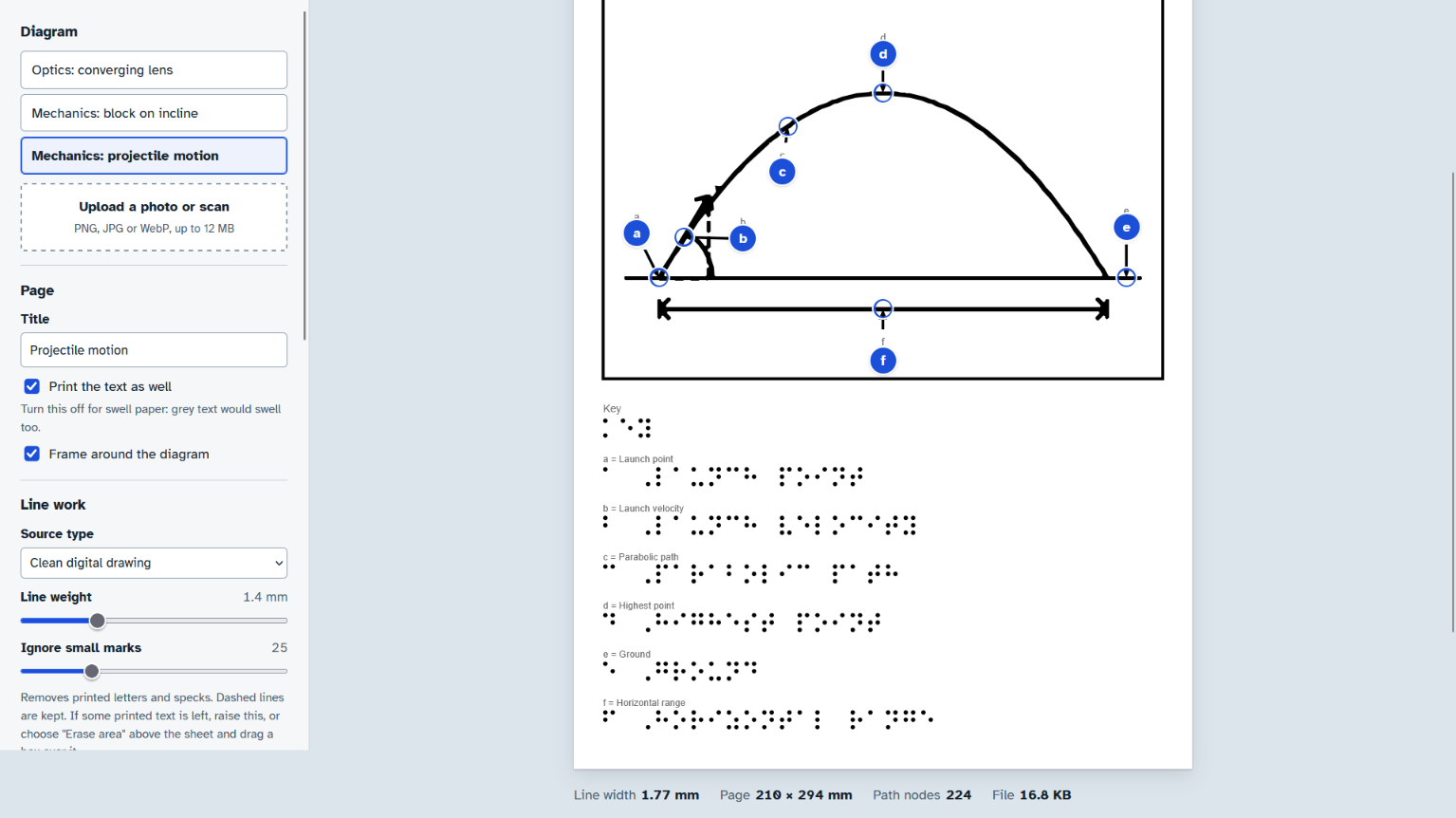
Projectile motion: trajectory, range and launch angle marked in Braille, ready to print on swell paper and feel.
Inspiration
STEM is where visually impaired students get left behind. Text converts to Braille easily, but a lens ray diagram or a free-body diagram is the hardest material to get in tactile form. Transcription services charge per page and take weeks, so a student often gets the figure after the class has moved on.
The slow step is not the Braille. It is turning a cluttered textbook figure into clean line work that fingers can actually read. I wanted to automate that step and keep a teacher in the loop for the one thing that needs judgement: where each label goes.
What it does
Upload a diagram (photo, scan or digital drawing) and get a tactile page back:
- Simplified line work: the figure is cleaned and thickened to a target line weight in mm, so it is readable by touch. Printed text is removed on purpose, because it is too small to feel.
- Braille key letters on the diagram: each label becomes a one-cell Braille letter with a white knock-out and an optional leader line. The full label sits in a Braille key table below the figure.
- Auto-labelling with a human check: a vision model suggests the parts and where they go. The teacher drags markers or uses the arrow keys to fix them. Dragging a pointer onto another part re-names it.
- A4 SVG in millimetres: print it on swell paper, or import it into embosser software or CAD for embossing and 3D printing. The Braille dots are real circles at standard spacing (1.5 mm dots, 2.5 mm dot pitch, 6 mm cell pitch).
- Honest warnings: the tool warns when lines are too thin to feel, when the diagram is too dense, when the key overflows one page, and when a character can't be encoded.
How we built it
- Backend: Python and Flask. All the diagram processing runs locally.
- Outline pipeline (OpenCV, NumPy, Pillow): it decodes the image, fixes EXIF rotation, flattens transparency and normalises to 1000 px wide. It then picks adaptive threshold (scans and photos), Otsu (clean art) or Canny (object photos). It drops specks and printed letters but keeps dashed lines that line up with each other. It measures stroke width, dilates to the target weight, and traces the result to a single filled SVG path.
- Braille encoder: a Grade-1 encoder written from scratch, with number sign, letter sign, capital indicators and word wrap. It is tested against known cells.
- Vision labelling: Gemini through its native generateContent API with a JSON schema. It also supports OpenRouter and any OpenAI-compatible endpoint, including local Ollama, so the tool can run with no cost and nothing leaving the machine.
- Frontend: a single-page UI in plain HTML, CSS and JavaScript, with draggable label markers and a live preview of the page.
Challenges we ran into
- Keeping dashed lines but dropping text: a naive size filter deletes both. I had to keep small marks that line up with each other, such as dashed construction lines, and remove isolated ones, such as printed letters.
- Making it readable by touch: a clean line on screen is not a clean line on swell paper. The pipeline measures stroke width and thickens to physical millimetres.
- Unreliable model output: free vision models return coordinates that are slightly off, or text instead of JSON. I added a strict JSON schema, tolerant parsing of several response shapes, and drag-to-fix markers, so the teacher always has the final say.
- Working without a key: I built a stub server and tests (encoder, naming endpoints, HTTP transport, UI in jsdom) so the whole flow can be demoed and verified offline.
Accomplishments that we're proud of
- A full flow from image to a printable tactile page, with three worked physics examples: lens, inclined plane and projectile motion.
- Tested on 10+ diagrams across biology, physics and maths, with about 95% accuracy.
- It works on free tiers only, and can run fully local.
What we learned
- For accessibility tools, the physical output is the real product. Dot spacing, line weight in mm and the page layout matter more than the model.
- AI should suggest and a human should confirm, especially when the reader cannot easily spot a wrong label.
What's next
- Nemeth math notation, so symbols like θ, μ and Δ stop being skipped.
- Grade-2 (contracted) Braille.
- Review of the output by a Braille reader or a teacher of the visually impaired.
- Batch mode for a whole chapter.

Log in or sign up for Devpost to join the conversation.