Inspiration
I have a project called Sonny with around 264,464 lines of code. When Bhavya tried to understand its architecture, going through hundreds of source files and Markdown documents was extremely inefficient. We realized that the easiest way to understand a codebase this large was to see its architecture visually.
This was not only our experience. GitHub Next independently identified the lack of visual explanations as a major limitation of current agent workflows. Their research explains that agents generate text much faster than humans can process it, while text is often the wrong medium for understanding complex relationships and architectural systems. That is exactly the problem Mermaid Atlas addresses.
Existing Mermaid viewers also struggled with large diagrams and made them difficult to explore. In our testing, Mermaid Atlas could handle diagrams with more than 500 nodes that mermaid.live could not handle properly.
That is what sparked the idea, and Bhavya came up with Mermaid Atlas.
What it does
Mermaid Atlas is a visual workspace for exploring large Mermaid diagrams.
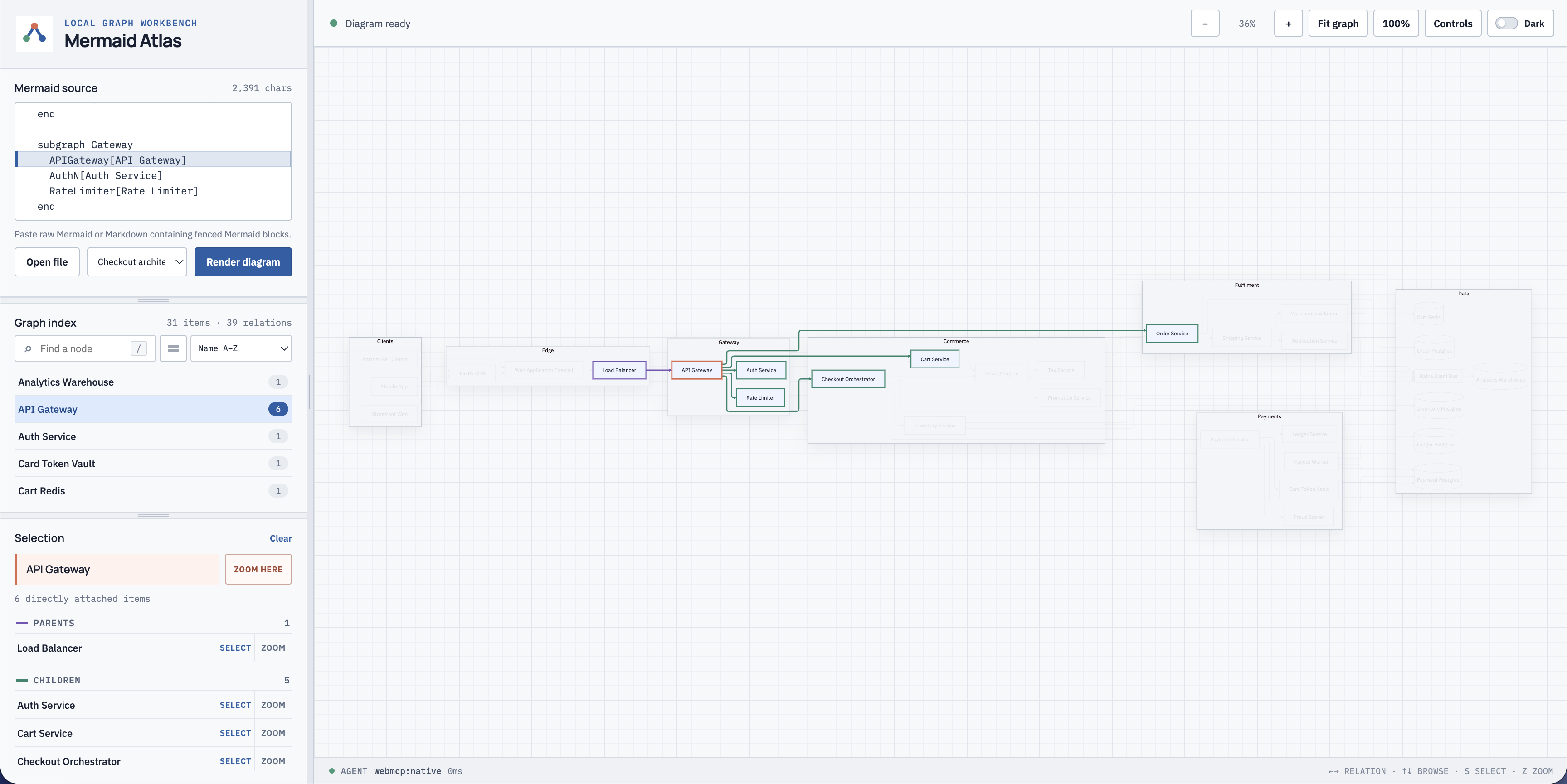
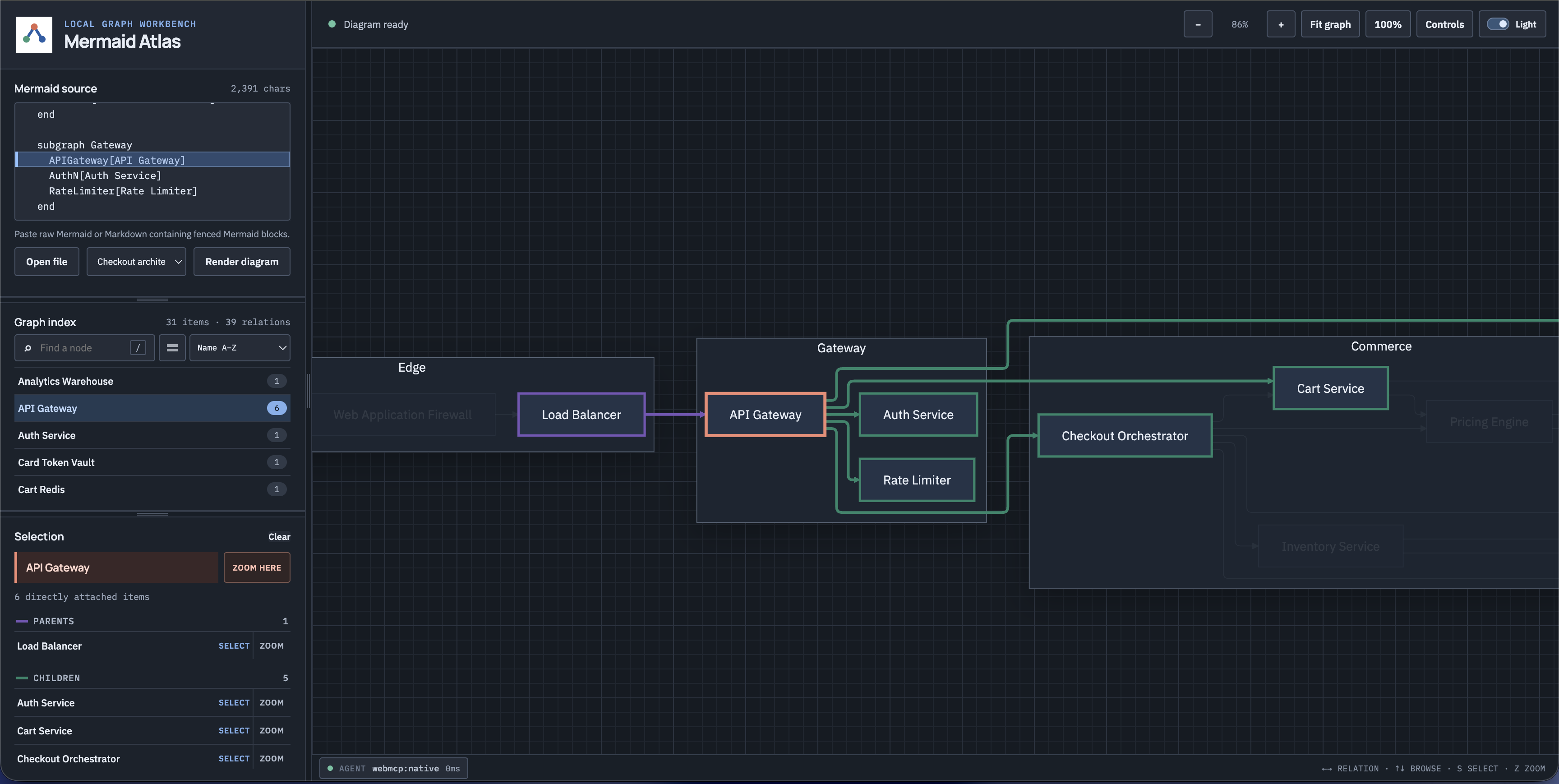
A person can import Mermaid or Markdown files, search for nodes, inspect relationships, navigate through dependencies, and edit the source while viewing the rendered result.
Through ten WebMCP tools, an AI agent can work with the same live graph. It can:
- Find components using natural language
- Inspect dependencies and blast radius
- Trace paths between services
- Detect cycles, isolated nodes, entry points, and dead ends
- Create guided walkthroughs
- Make validated source changes
- Undo its latest change safely
Everything the agent does is visible on the canvas through selections, walkthroughs, source updates, and the Agent activity history.
The app opens with a complete Northwind architecture, so judges can start using it immediately without creating an account or uploading anything.
How we built it
Mermaid Atlas originally started as a proof of concept built with HTML and JavaScript.
When we joined the OpenAI WebMCP Challenge, we migrated it to React and built the current version. We used Mermaid for rendering and ELK for laying out large graphs.
Different Mermaid diagram types generate completely different SVG structures, so we built adapters that connect the original Mermaid source to the correct rendered nodes, edges, groups, and source lines.
We then added the WebMCP layer, the diagram library, Graph Index, walkthroughs, safe editing, activity history, themes, and automated tests.
Challenges we ran into
The most frustrating challenge was that WebMCP does not currently support prompt primitives. Registering tools was not enough because the agent also needed to understand when and how to use them.
We solved this by creating get_atlas_guide, a tool that teaches the agent the correct workflows, tool order, limits, and safety rules.
We also found that tool behavior differed between models. Some descriptions worked well with GPT-5.6 Sol but were not followed as reliably by GPT-5.6 Terra. We reworked our WebMCP tool descriptions, schemas, results, and error messages until both models could use the tools consistently.
Another major challenge was supporting different Mermaid renderers. Flowcharts, sequence diagrams, class diagrams, states, and architecture diagrams all generate different SVG structures. A generic solution caused incorrect highlighting and sometimes changed the appearance of diagram elements. We had to build renderer-specific semantic adapters instead.
Safe agent editing was also difficult. We needed to prevent invalid Mermaid syntax, stale edits, and undo operations that could overwrite newer human changes.
Accomplishments that we're proud of
We are most proud that Mermaid Atlas works reliably for humans and agents even with massive Mermaid diagrams.
We built ten WebMCP tools that operate on the same graph the human is viewing, made agent actions visible and reversible, and tested the application across 46 Mermaid fixtures.
We also made diagrams with more than 500 nodes practical to search, navigate, and understand.
What we learned
We learned that building agent tools is not only about exposing functions. Tool names, descriptions, schemas, limits, and error messages determine whether an agent can use them reliably.
We also learned that human control means making agent actions visible and reversible, not just asking for confirmation.
Most importantly, we learned that handling large diagrams is both a rendering problem and an information-retrieval problem. Agents need focused graph queries instead of the entire diagram.
What's next for Mermaid Atlas
Next, we want to add optional accounts, cloud synchronization, and real-time collaboration so teams can work on architecture diagrams together like they would in Google Docs.
The current local, no-account version will remain available.
Built With
- codex
- css3
- html5
- javascript
- react
- vercel
- vite
- webmcp


Log in or sign up for Devpost to join the conversation.