-
-
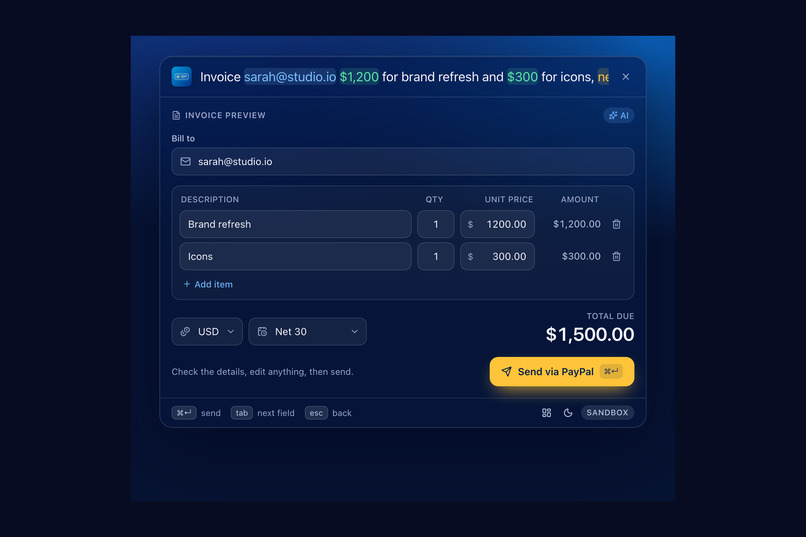
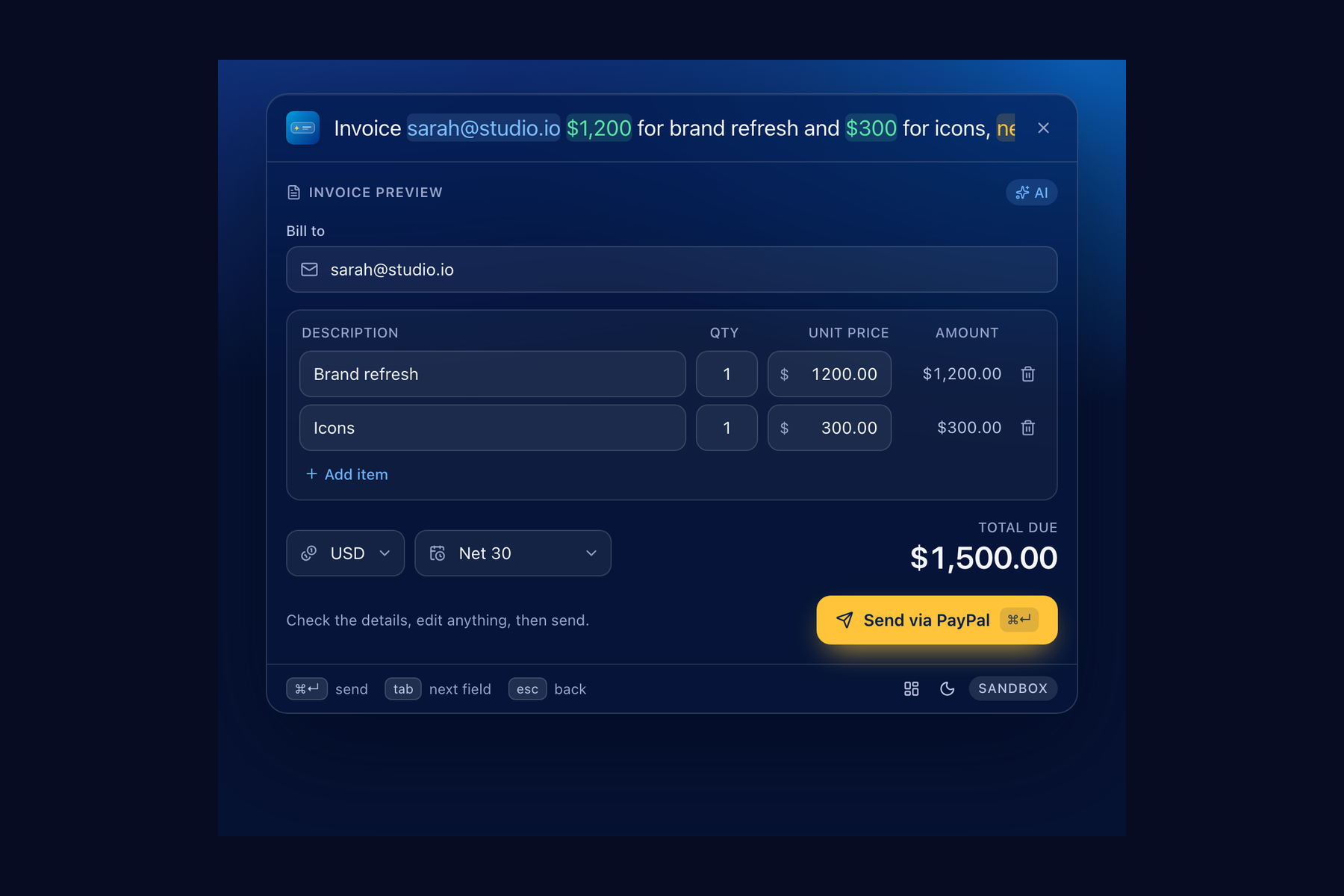
An editable preview, checked against your own words before anything is sent
-
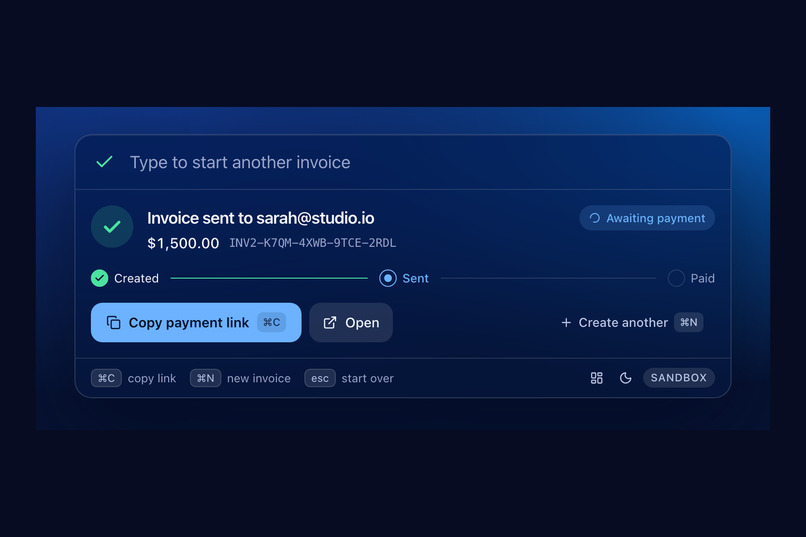
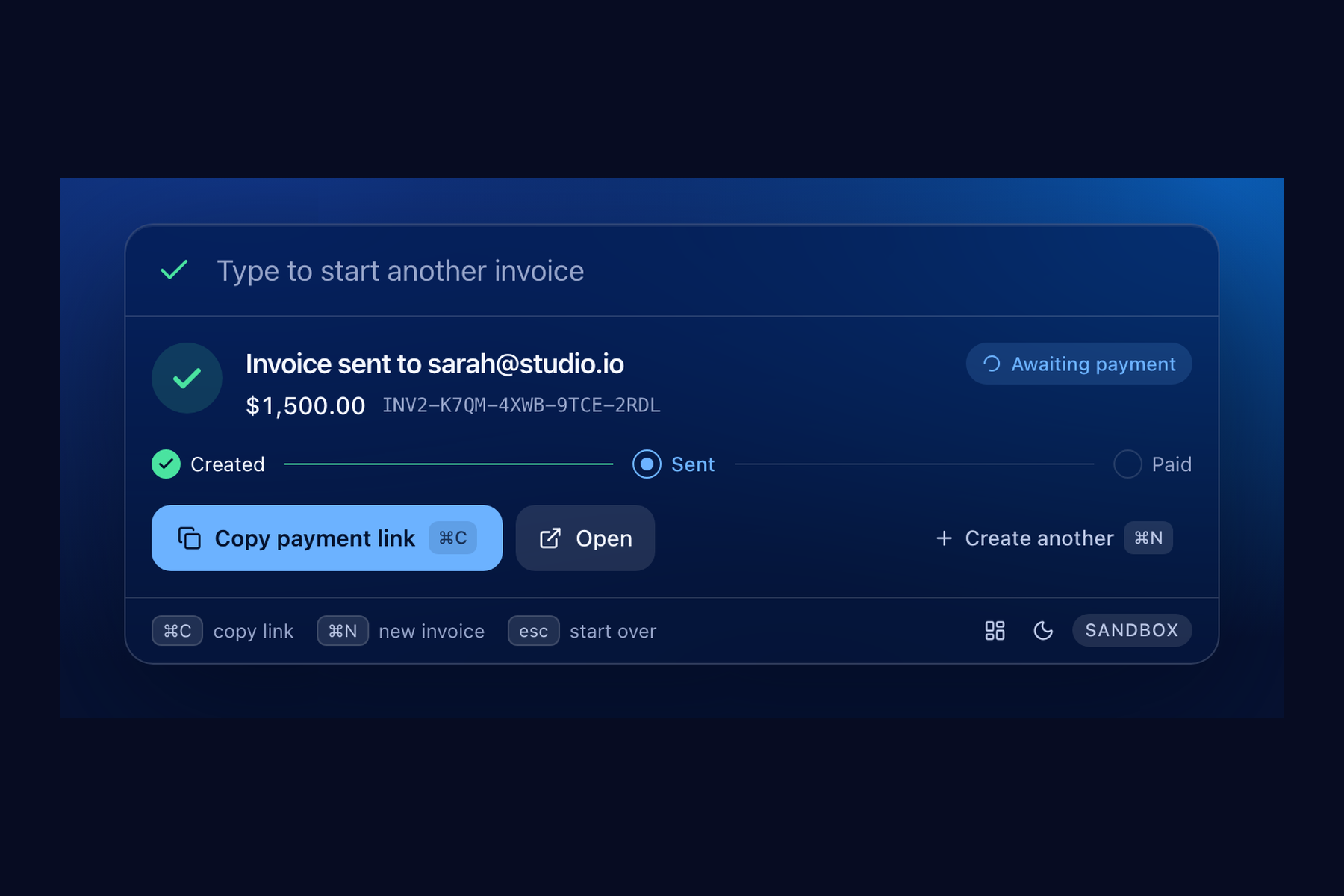
Created and sent through the PayPal Invoicing API (sandbox)
-
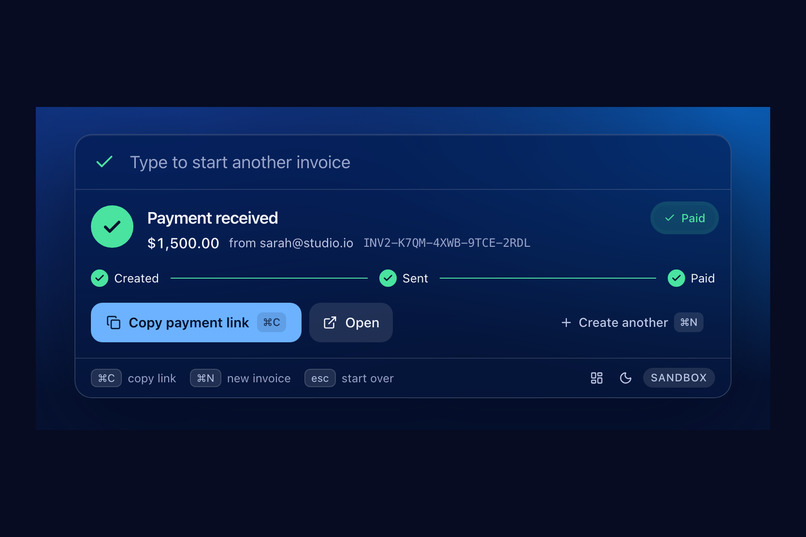
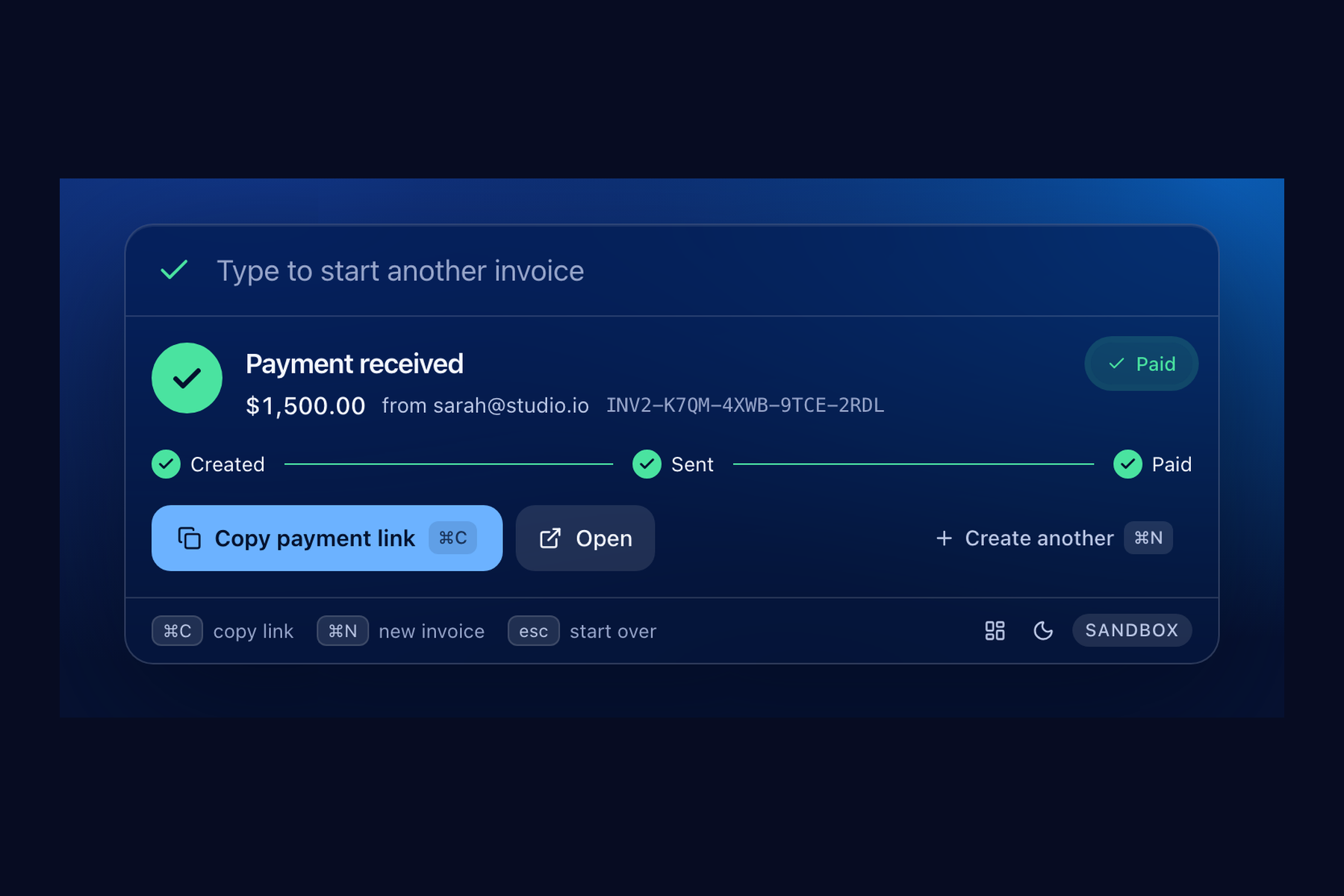
The status updates to Paid on its own when the client pays
-
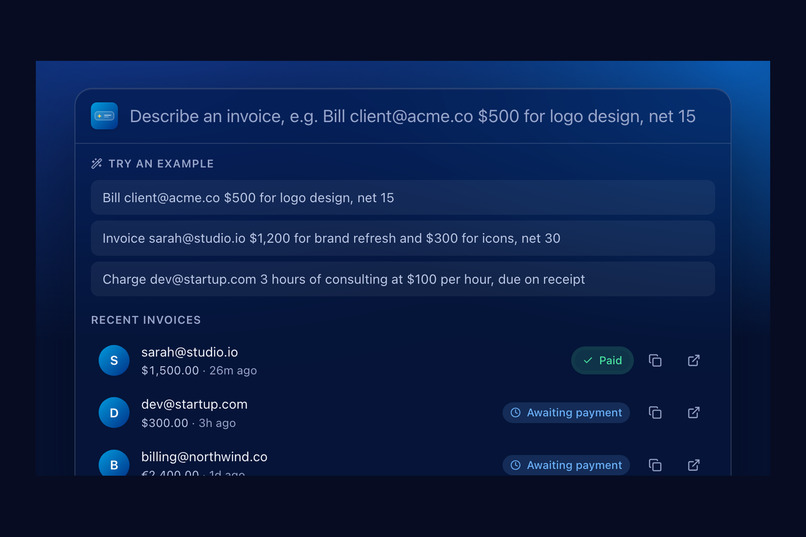
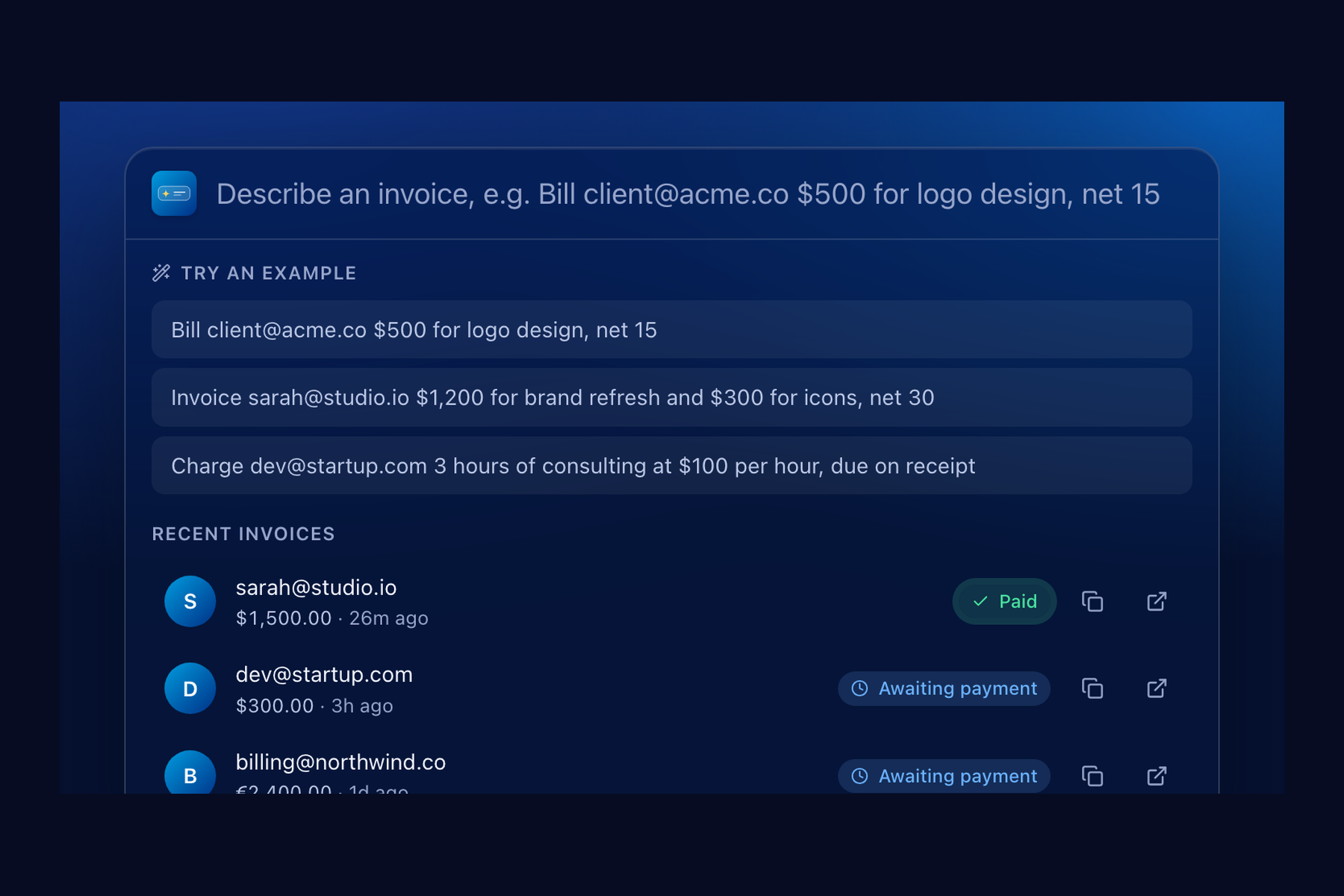
Press ⌘⇧Space anywhere and describe the invoice in one sentence
-
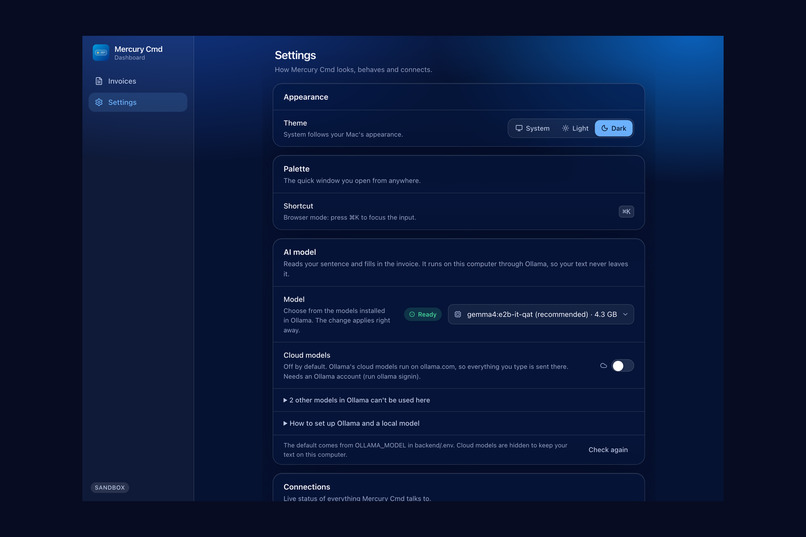
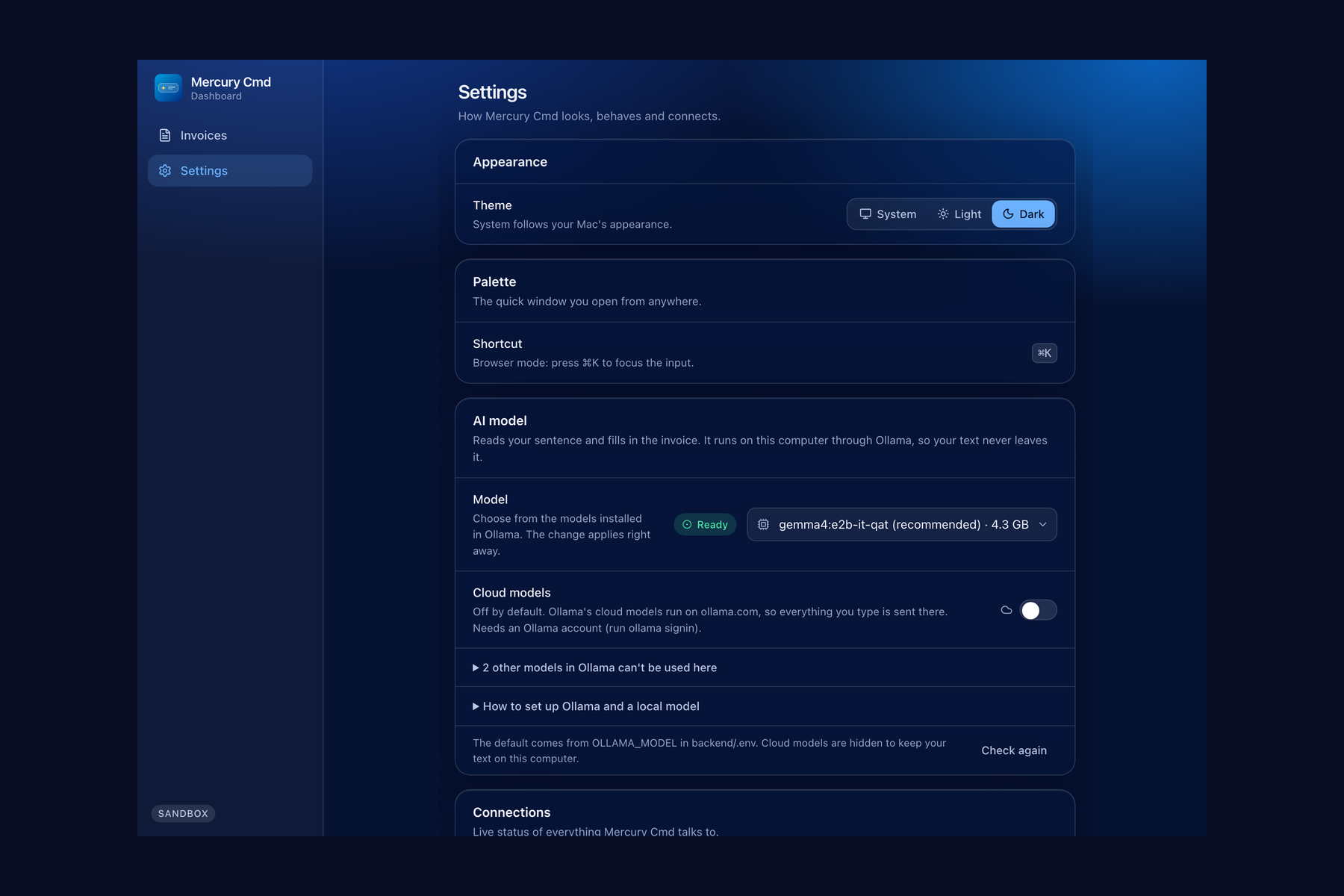
Settings: theme, shortcut, pin, live health and model picker
-
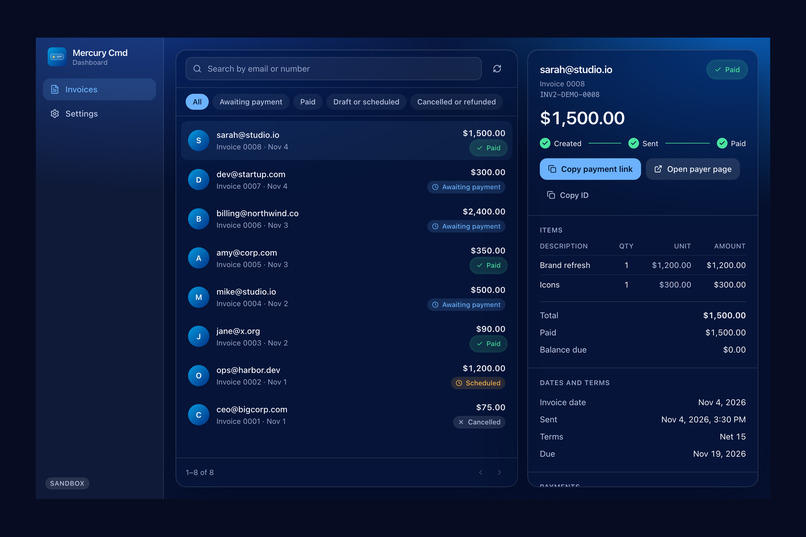
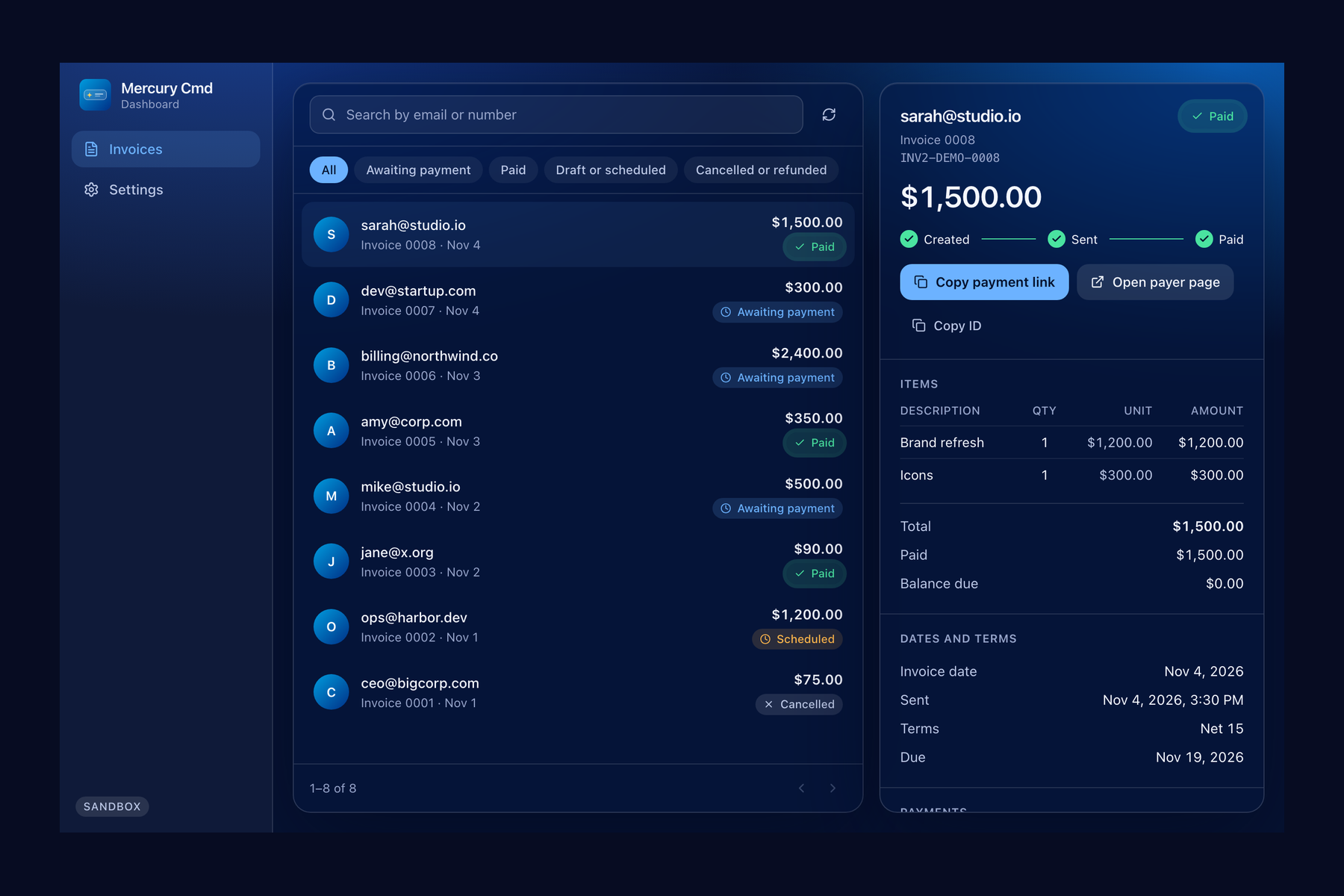
Dashboard: invoice history, filters and detail, read from PayPal
-
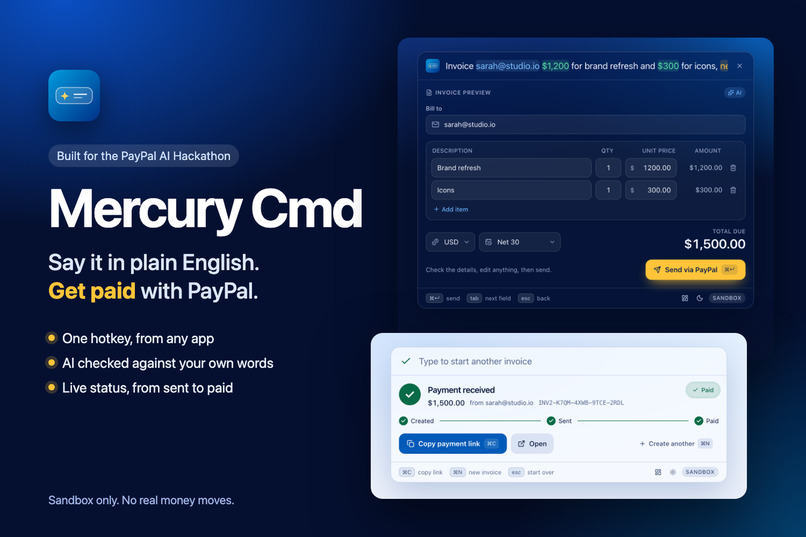
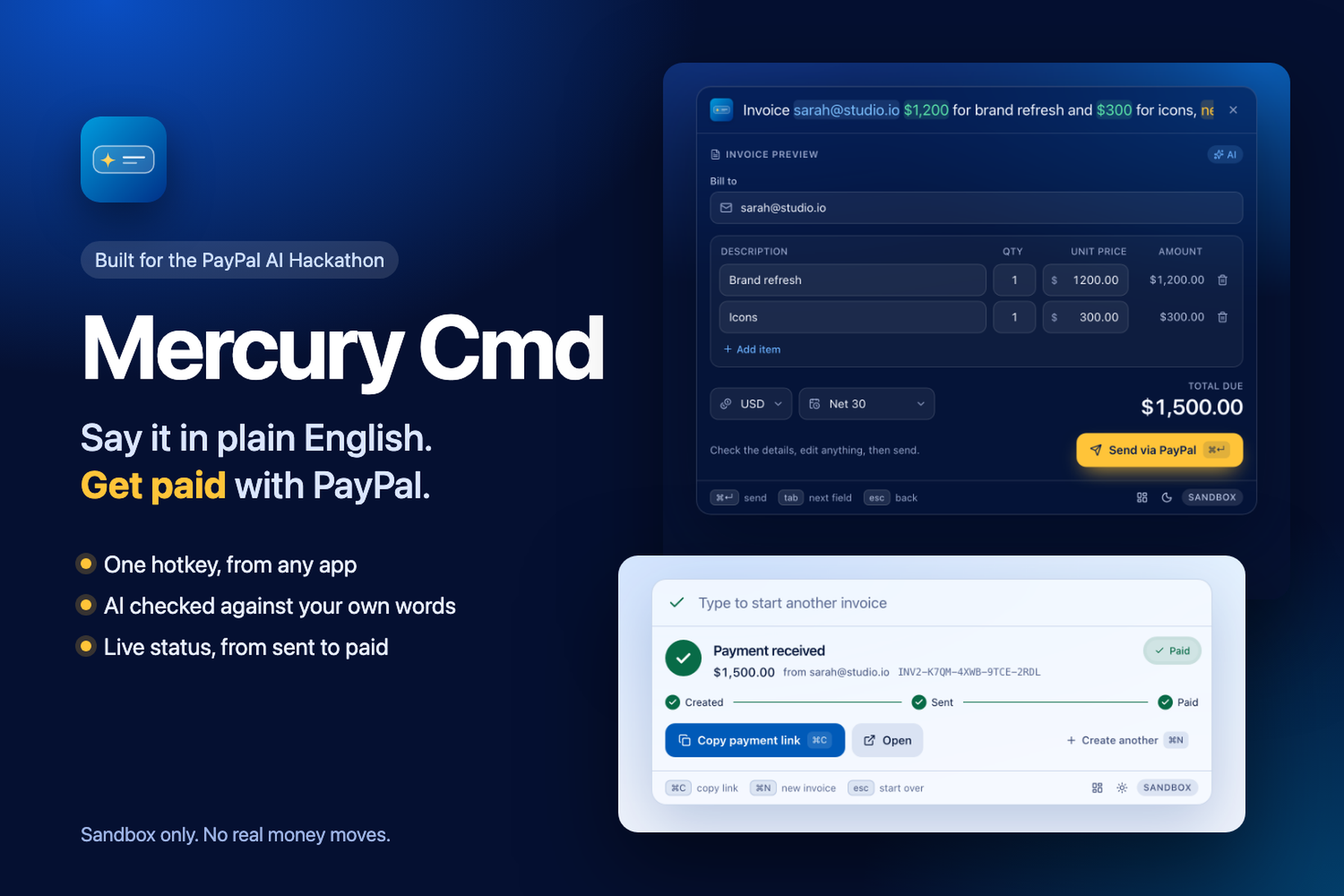
Mercury Cmd: say the invoice in plain English, get paid with PayPal
Inspiration
What it does
The problem
Invoicing breaks your flow. You finish a call, the fees are right there in your notes, and then you have to leave what you are doing, open PayPal, add the client, type every line, pick the payment terms, send it and copy a link. For freelancers and small studios that is a dozen small steps, repeated for every job.
What Mercury Cmd does
Mercury Cmd is a command palette for PayPal invoices. A global shortcut (⌘⇧Space) opens it over whatever you are working in. You type a sentence like:
Bill [email protected] $1,200 for brand refresh and $300 for icons, net 30
A language model reads it and fills in an editable invoice preview: the client, each line item, quantities, currency and payment terms. You check it, press ⌘↵, and Mercury Cmd creates the invoice in PayPal and sends it. The success card shows the payment link and a Created, Sent, Paid timeline that updates by itself, so you see the moment the client pays.
The AI part you can trust with money
The model only proposes. A server-side grounding layer then drops anything the person did not actually type: an email address that is not in the sentence, an amount that is not in the sentence, an invented quantity or payment term. Whether the invoice is complete is decided by the server, never by the model. Nothing is sent until you press send on a visible, editable preview. If the model is missing, slow or returns junk, a rule-based parser takes over and the preview says "Basic mode".
The PayPal part
The whole product is a PayPal Invoicing API v2 flow, run against the sandbox only:
- OAuth token (cached, refreshed once on a 401)
- Create a draft invoice
- Send it (retried with backoff, because PayPal can answer 404 right after create)
- Read the payer link and poll the status until
PAID - Search invoices to power a Dashboard with the full history, filters and a detail view for each invoice
Safety is built in: a double submit creates one invoice, a failed send keeps the draft and offers "Retry send", and invoicing your own merchant account is blocked before any API call. The backend refuses to start against a non-sandbox PayPal host.
Around the palette
A real Dashboard window with your invoice history from PayPal, status filters, search and per-invoice detail (items, totals, dates, payments). Settings include dark and light themes, the shortcut, a pin that keeps the palette open, live PayPal and backend health, and a model picker with an Ollama setup guide. The interface is keyboard-first, labelled for screen readers, respects reduced motion, and its text contrast is checked by tests in both themes.
Privacy
By default the model runs on your own Mac through Ollama, so the sentence you type stays on your computer. Ollama's cloud models are available only if you turn on an opt-in switch in Settings, which warns that your text is then sent to ollama.com. It is off by default.
How it was built
- Desktop shell: Tauri v2 (Rust) for the global shortcut, the glass window, the menu-bar icon and the Dashboard window.
- Interface: React 19, TypeScript, Tailwind CSS v4 and Motion.
- Backend: Python FastAPI with async httpx and Pydantic. It binds to
127.0.0.1and requires a shared token on every route except health. - AI: a local Ollama model (
gemma4:e2b-it-qatby default) using JSON-schema structured output at temperature 0, then the grounding layer. - Tests: 180 backend and 121 frontend automated tests (PayPal and Ollama mocked), including axe accessibility and WCAG contrast checks, plus a 33-case parsing corpus run against the real model and a smoke script that does a real sandbox round trip. The corpus is written by the developer, so it is a regression suite, not an independent benchmark.
Challenges
Working against the live sandbox turned up behaviors the docs do not spell out, all handled in code and written down in the repo's spec:
- Creating an invoice returns a link object, not an
id, so the id is parsed from the link. - PayPal can answer an error with a misleading top-level name; the real reason is in
details[0]. - Sending a local
invoice_datecan leave an invoiceSCHEDULEDinstead of sent when your calendar day is ahead of the US, so the date is left to PayPal. - Invoicing has to be enabled on the sandbox app before its first token, or the token returns
403 NOT_AUTHORIZED. - Sandbox accounts in some countries (for example India) cannot send invoices (
INR_FOREIGN_CURRENCY_BLOCKED), so the README says to use United States accounts. - The first payment test found a polling bug (the status card stopped checking after five minutes). It is fixed and covered by regression tests.
What is next
Cancelling and reminding from the Dashboard, more currencies, and Windows and Linux builds. Today the desktop app is macOS only.
Built With
- fastapi
- httpx
- ollama
- paypal-invoicing-api-v2
- paypal-sandbox
- pydantic
- python
- react
- rust
- tailwindcss
- tauri
- typescript
- vite

