-
-
MerchantHQ
Inspiration
Every WebMCP demo I looked at was built for the shopper: search a catalog, add to cart, check out. Even Shopify's own storefronts ship this out of the box now. But nobody's building for the person actually running the store. Most small merchants are one person juggling orders, stock, customer messages, and everything else on their own. That felt like the real gap.
What it does
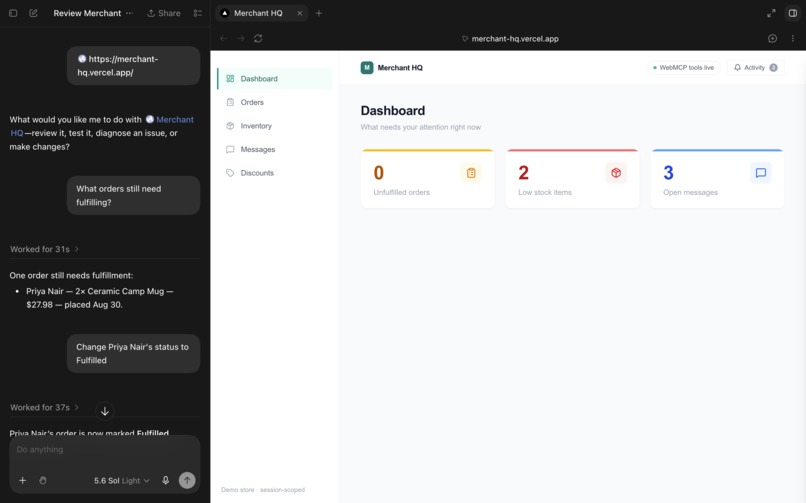
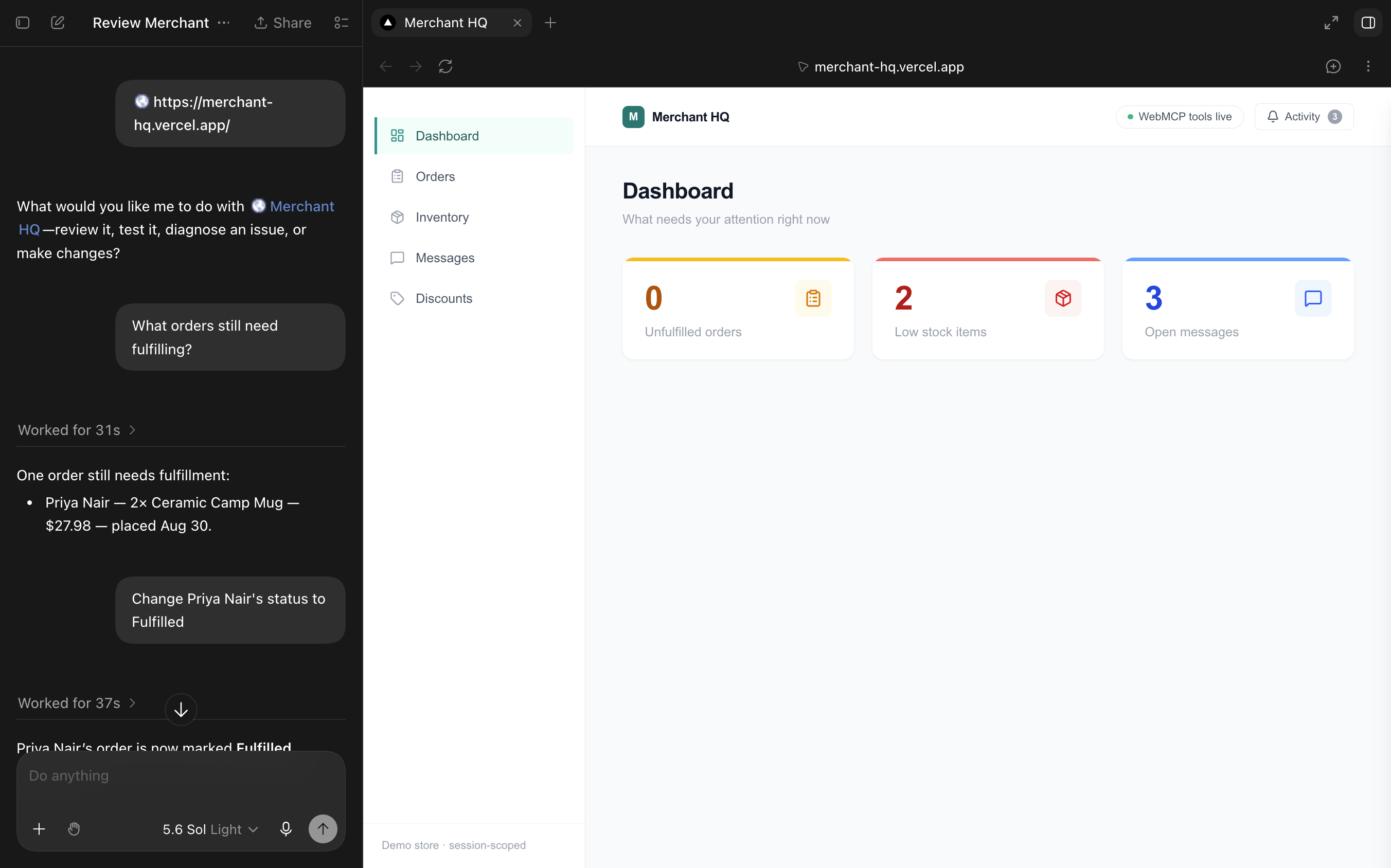
Merchant HQ is a back-office dashboard for a small store. You can click around it normally, or hand it to a WebMCP agent and ask it to check what orders need fulfilling, restock something low, draft a reply to a customer, or set up a discount code. Whatever the agent does shows up live on your screen, the same page you're looking at, no refresh needed. Each change gets a quick colored flash so you can tell at a glance whether you did it or the agent did, and everything gets logged in an activity panel with the full details of what happened.
Eight tools cover four areas: orders, inventory, messages, and discounts. Creating a discount code is the one action that actually costs the merchant money, so that specific tool won't run without the human approving it first, using WebMCP's requestUserInteraction API.
How I built it
Next.js on Vercel, with the data (orders, inventory, messages, discounts) stored in Vercel KV so it actually persists. Each visitor gets their own sandboxed demo store. The tools are registered with document.modelContext.registerTool, and every one of them calls the same functions the regular UI buttons call, so there's never two different versions of what "true" looks like.
Challenges
The trickiest bug: WebMCP tool calls were updating the server correctly, but the dashboard just sat there until you refreshed. Turned out the UI panels were holding their own local copy of the data instead of reading from something shared. Had to rebuild that part so every panel reacts live to any change, no matter which path it came from.
The other one: requestUserInteraction is real, spec-defined, and I built it correctly, but I couldn't get either Chrome's tool inspector or ChatGPT's browser to actually trigger it end to end. Rather than silently skip the confirmation when that happens, the tool just refuses and says so clearly.
What I learned
The interesting part of WebMCP isn't "an agent can click things for me," it's that a page can hand an agent something completely different from a UI: structured, chainable, inspectable actions instead of a screen to guess at. Building the activity log also made it obvious that trust is the real problem in agentic commerce right now, not capability. Knowing an agent technically can do something isn't the same as knowing what it actually did to your store.

Log in or sign up for Devpost to join the conversation.