Inspiration
Robotics learners often know what they want to build but struggle to understand sensor readings, troubleshoot problems and decide what to check next. We wanted to create a lab assistant that remembers project details and explains findings using actual evidence. Meraki brings those capabilities into a workbench designed to demonstrate an Alexa+ style experience.
What it does
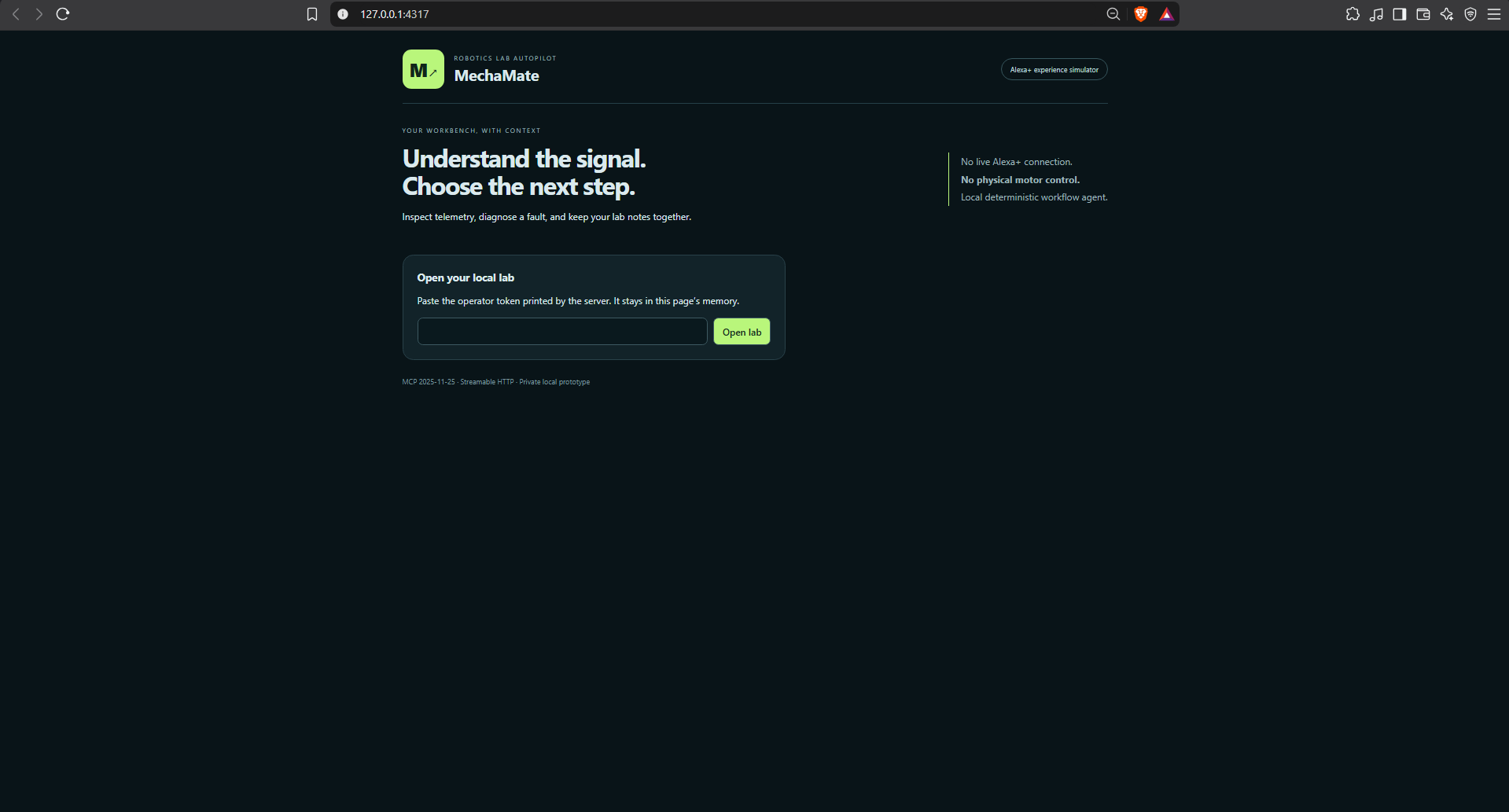
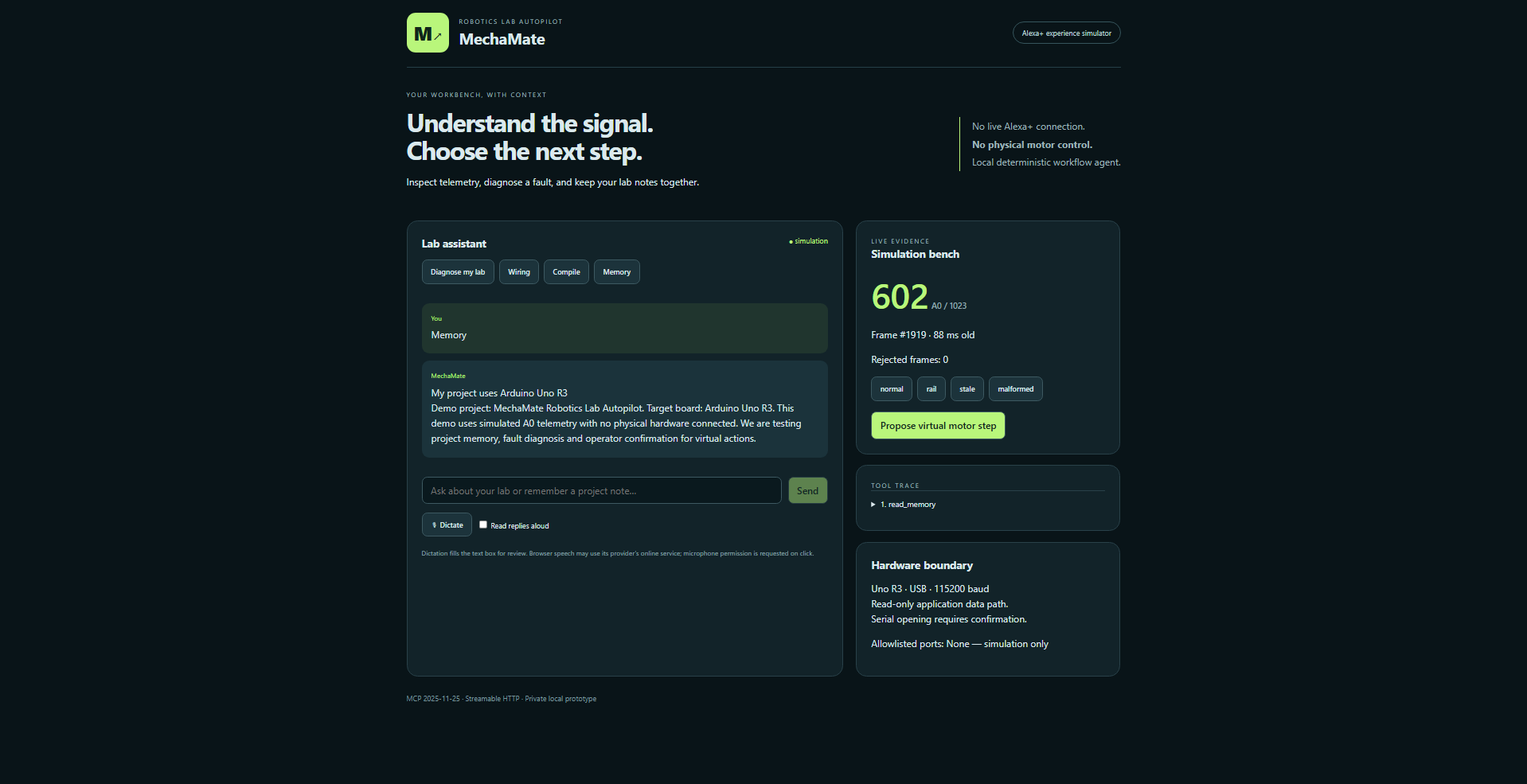
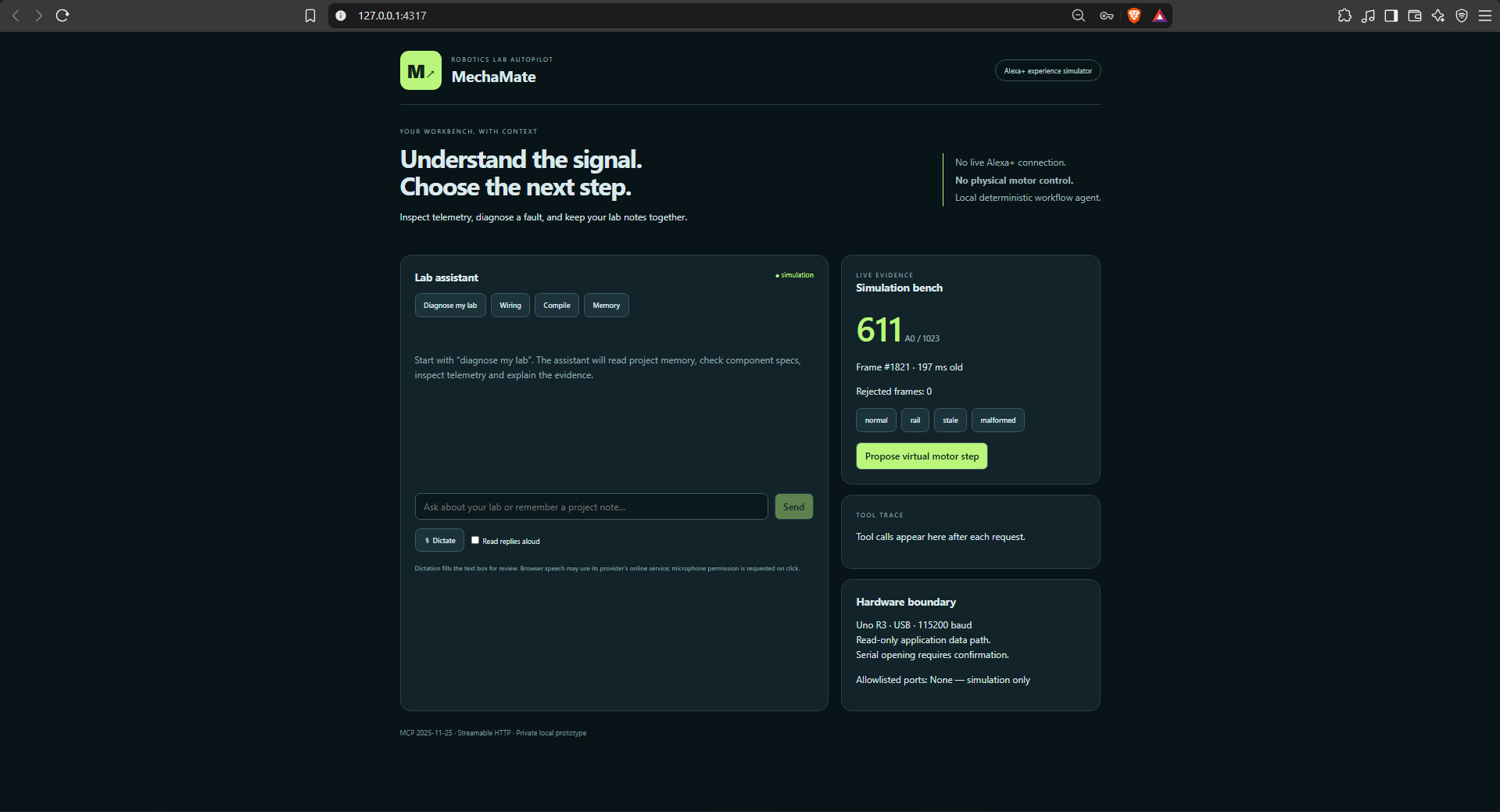
Meraki reads simulated Arduino telemetry, identifies common data problems and saves project notes for later use. Users can simulate invalid messages, missing readings and ADC values at their limits, then inspect the MCP tool calls behind each diagnosis. The interface also demonstrates explicit confirmation for virtual motor actions. Our current demonstration uses text input and simulation only, without physical motor control or a live Alexa+ connection.
How we built it
We built the frontend with React and TypeScript, supported by a Node.js and Express backend. The official MCP TypeScript SDK connects our workflow agent to an MCP 2025-11-25 Streamable HTTP server. The agent follows deterministic workflows to retrieve project notes, component specifications and telemetry before presenting diagnostic findings. Local JSON storage preserves notes, while a separate operator approval mechanism controls proposed actions. The repository also includes an optional Arduino Uno read-only telemetry adapter and firmware.
Challenges we ran into
A major challenge was distinguishing observations from conclusions. For example, an ADC reading at its limit can be expected and does not necessarily indicate faulty wiring. We also needed to prevent the agent from approving its own actions, so we separated operator confirmation from MCP tool access. Browser speech recognition produced network and secure-context errors in our environment, making text input the reliable choice for our demonstration.
Accomplishments that we're proud of
We completed a working browser-to-MCP workflow with visible tool traces, persistent project notes and simulated fault diagnosis. Seven automated tests passed in the configured development environment, and browser checks verified the main user interactions. We also successfully compiled the included Arduino telemetry firmware without uploading it to hardware. The simulation makes the project accessible to users who do not yet own an Arduino.
What we learned
We learned that useful robotics assistance depends on clear evidence and honest limitations. A valid reading does not prove a circuit is safe, and missing telemetry should never be interpreted as normal operation. Simulation helped us test diagnostic behaviour and confirmation flows before introducing physical hardware. Making tool calls visible also made the system easier to understand and debug.
What's next for Meraki
We plan to validate read-only telemetry on a physical Arduino Uno, improve voice-input reliability and extend diagnostics to additional sensors. We also want to explore richer AI explanations and future Alexa+ integration when the appropriate developer tools become available. As the project grows, we will preserve transparent evidence and independent operator approval.

Log in or sign up for Devpost to join the conversation.