Inspiration
Last year, our teammate Johnathan came to France for the first time. He loves food, so one of the first things he wanted to do was try as many French restaurants as he could.
At one of the first restaurants he went to, he could not understand the menu. He tried Google Lens, and it translated the words, but a dish name translated word for word still does not tell you what the dish is, how it is cooked, or what is in it. So he called the waiter over, and the waiter started explaining the dishes to him, one by one. Halfway through, the waiter had to leave to look after another table, and Johnathan was left with half a menu explained and the rest still a mystery.
When he told us about it, we realised that what he needed was not a better translation. He needed what the waiter had started to give him: someone who knows the food, explaining each dish, and who does not have to leave for another table. That is what we set out to build with MenuLango.
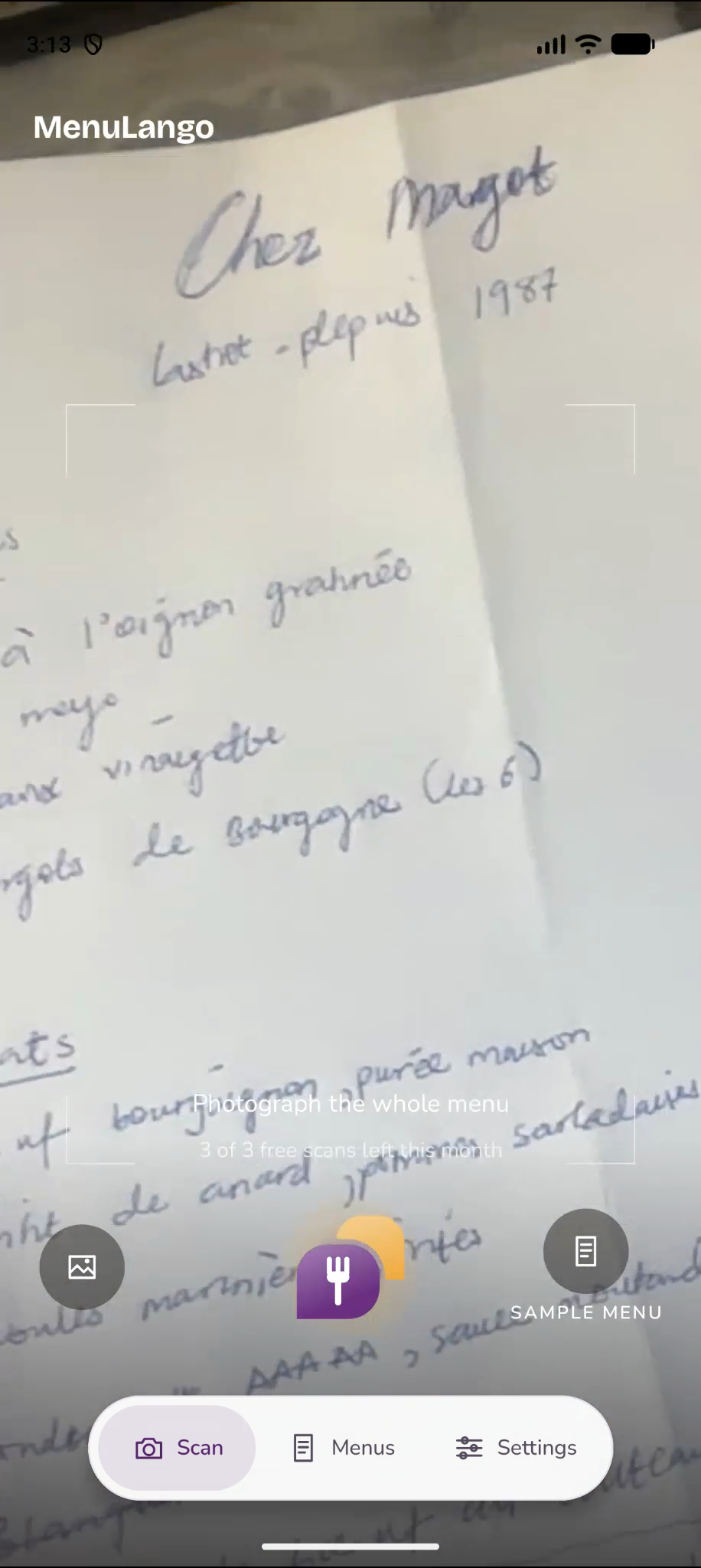
While building it, we also noticed that many restaurants, especially in France, write part of their menu by hand, on a chalkboard (ardoise) or a sheet of paper, usually for the dish of the day. Those are often the most interesting dishes, and the hardest ones for a visitor to read, so we made sure MenuLango reads handwritten menus as well as printed ones.
What it does
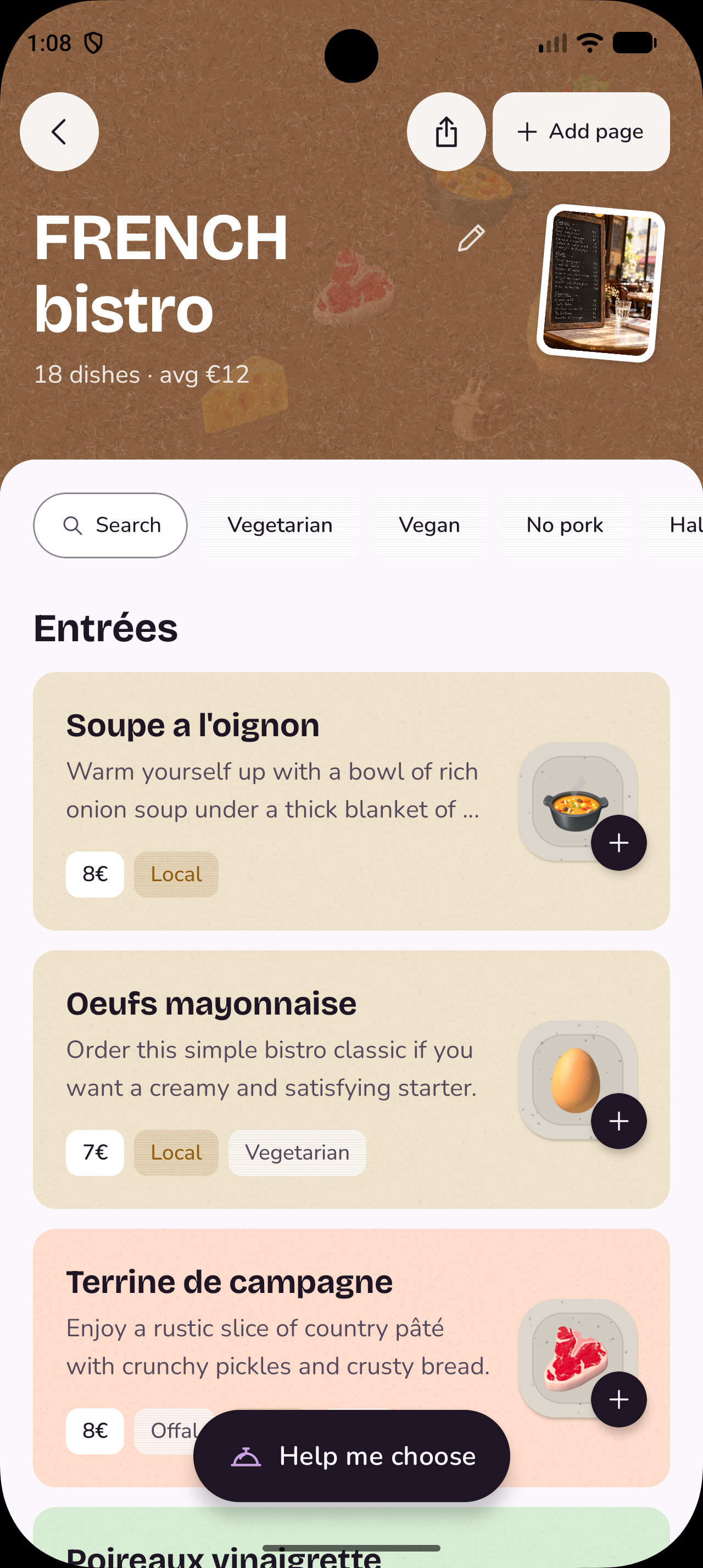
MenuLango reads a photo of a restaurant menu and explains every dish on it. It works with printed and handwritten menus, and with menus that have several pages. The dishes appear on the screen one by one while the menu is still being read, so you can start reading long before the whole page is finished.


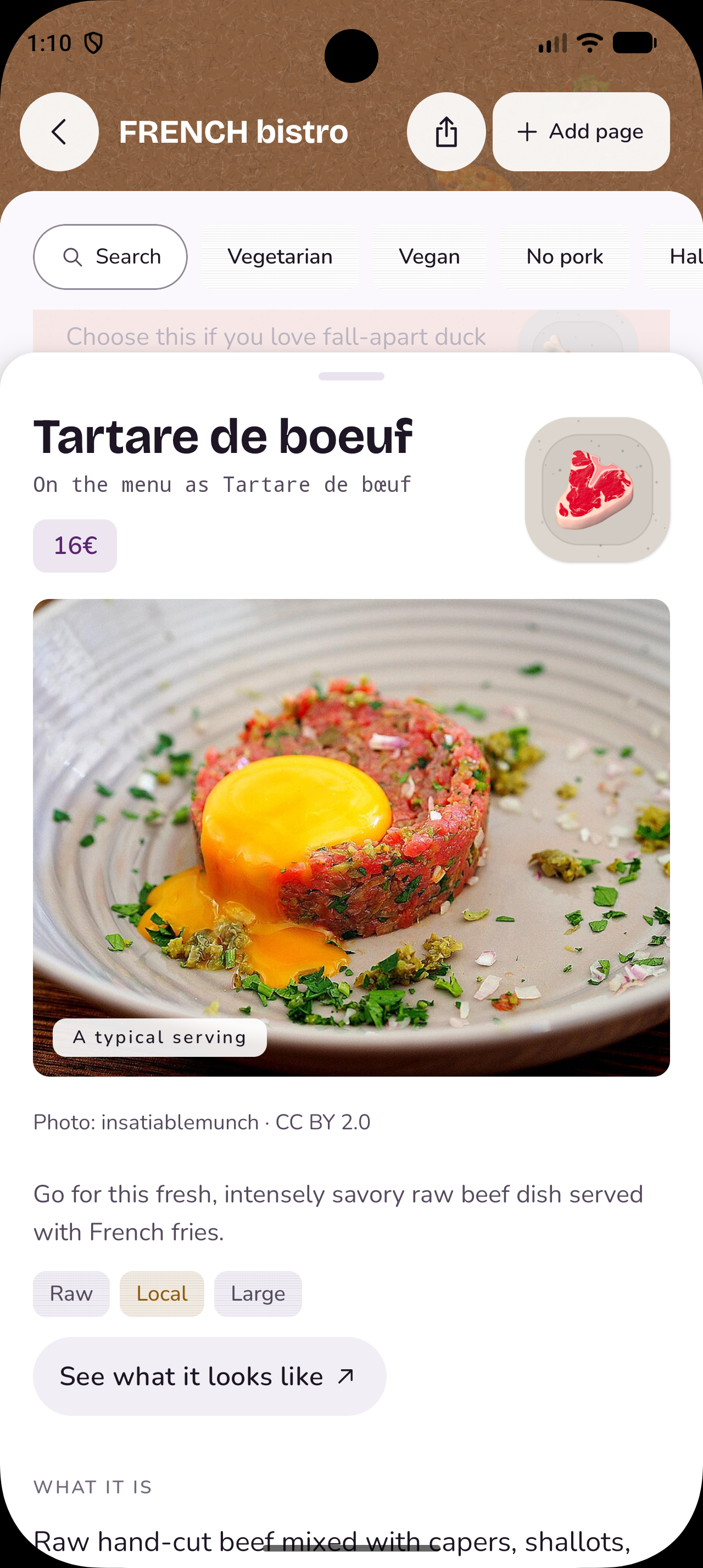
For each dish, MenuLango tells you what it actually is, in plain words. Ropa vieja, for example, is explained as slow-cooked shredded beef in tomato and peppers, instead of its literal translation, "old clothes." Opening a dish shows how it is made, with the cooking method and roughly how long and how hot, what it most likely contains, including allergens, and a rough estimate of the calories, protein, carbohydrates and fat in one plate. It also shows a photo of how the dish usually looks, from Wikimedia Commons, and a button that opens a Google Images search for more real photos. The "Help me choose" feature allows us to match dishes to your mood: something simple stays with familiar dishes, and something special looks for the ones that require more effort from the kitchen.

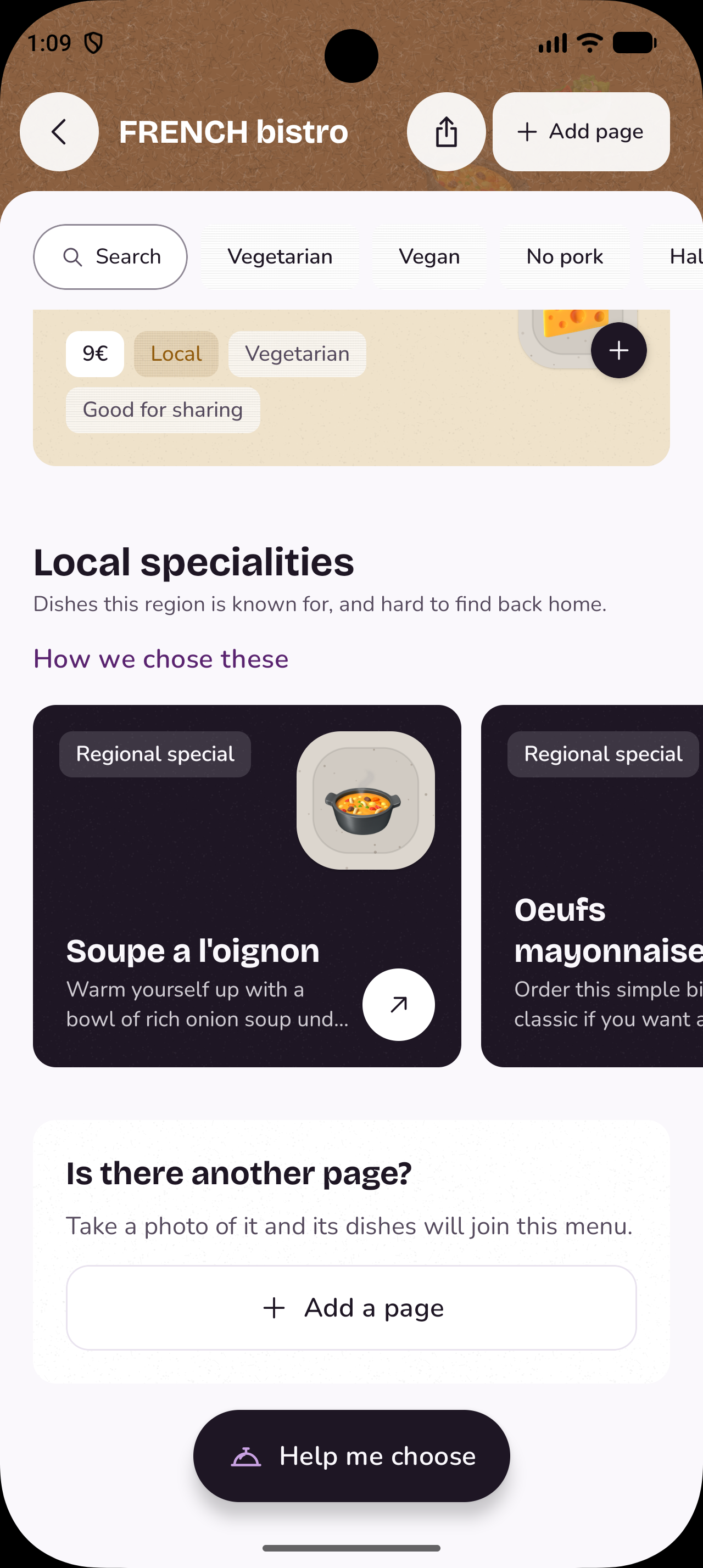
Local specialities. When a menu opens, MenuLango picks out the dishes that are hard to find outside that region and shows them at the bottom of the menu, under "Don't leave without trying." For someone who is only in a city for a few days, these are often the dishes they will remember.
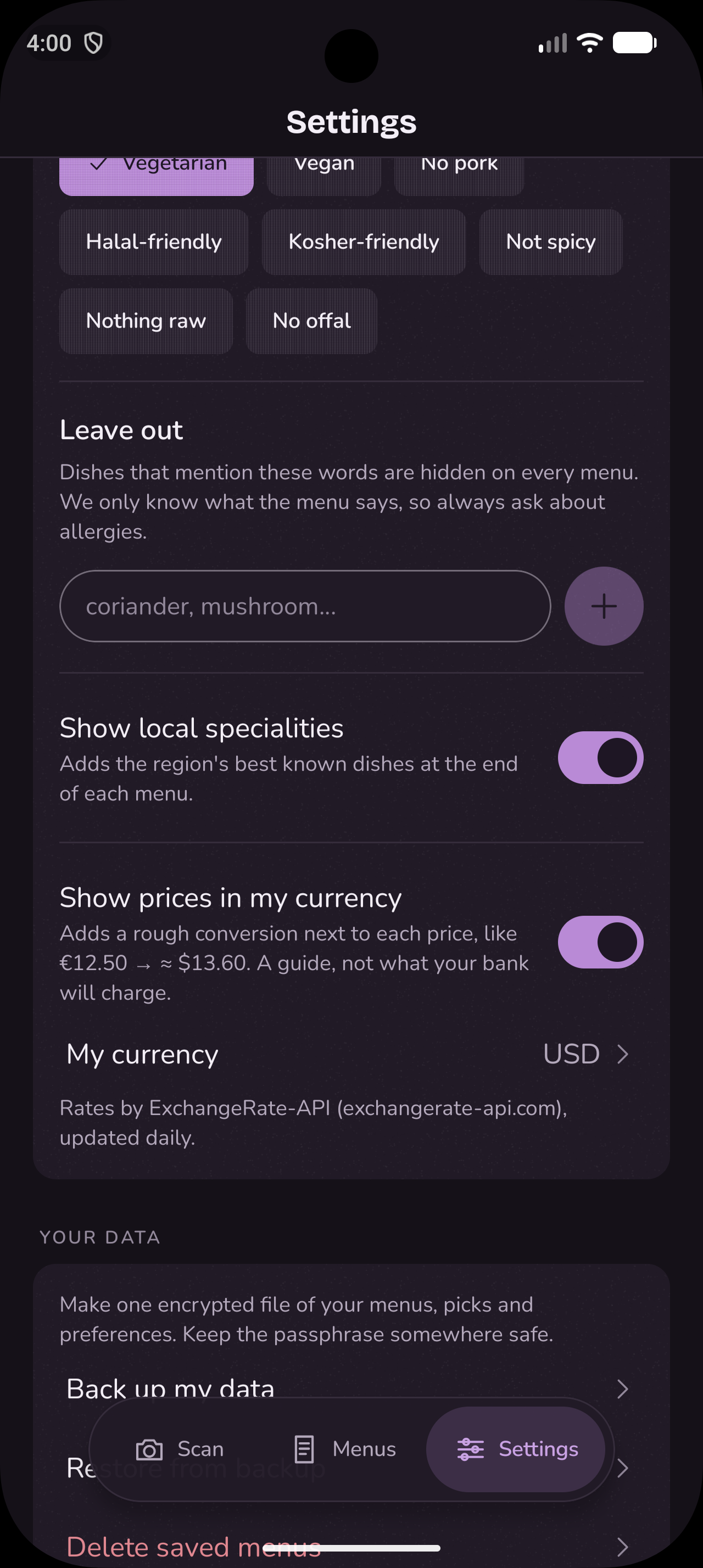
Filters and search. You can narrow a menu to vegetarian, vegan, no pork, halal-friendly, kosher-friendly, no offal, nothing raw, not spicy, good for sharing, or local specialities. A filter only appears if it would actually change that menu, so you never see a "Vegan" button on a menu with no vegan dishes. You can also add your own words to avoid, such as "coriander," and they apply to every menu you open. The search works with names, ingredients and prices, so you can type "chicken" or "chicken under 20."
Prices. At the top of each menu, MenuLango shows how many dishes there are and the average price, so you know at a glance whether it is an expensive place. The "Budget" filter shows only the dishes at or below that menu's middle price. And if you turn on price conversion in Settings, every price also shows a rough amount in your own currency, using daily exchange rates for 166 currencies, so a traveller from Nigeria sees "21 € → ≈ ₦34,000" without doing the maths.

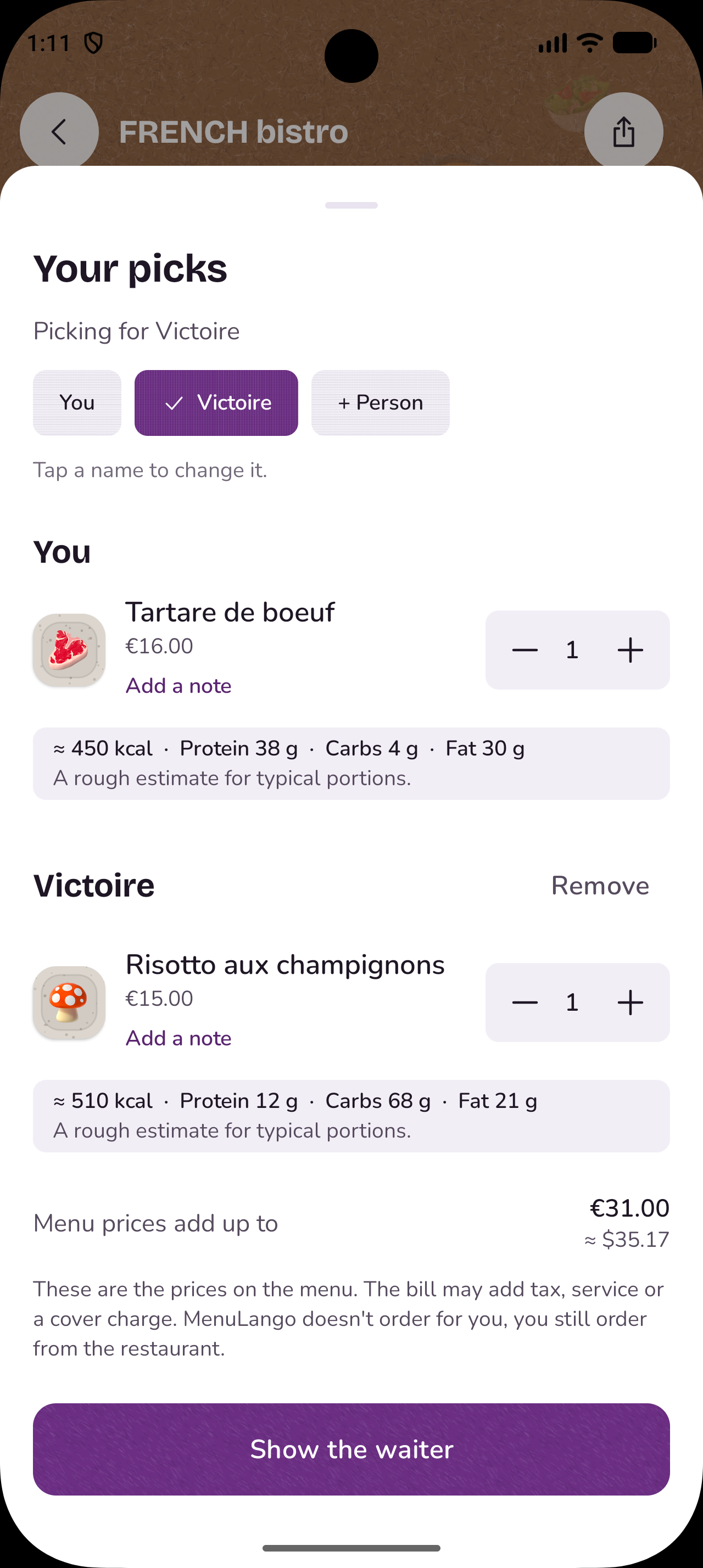
Ordering, and showing the waiter. When you are ready to order, you add dishes for each person at the table, with notes such as "no onions, please." MenuLango shows the total, the total in your own currency, and a rough nutrition estimate for each person. Then you tap Show the waiter. The screen switches to the restaurant's side: every dish appears with its name exactly as printed on their menu, and your notes are translated into their language on the phone itself, so the waiter can read the whole order at a glance. A switch at the top lets you flip between "For me," in your language, and "For the restaurant," in theirs.

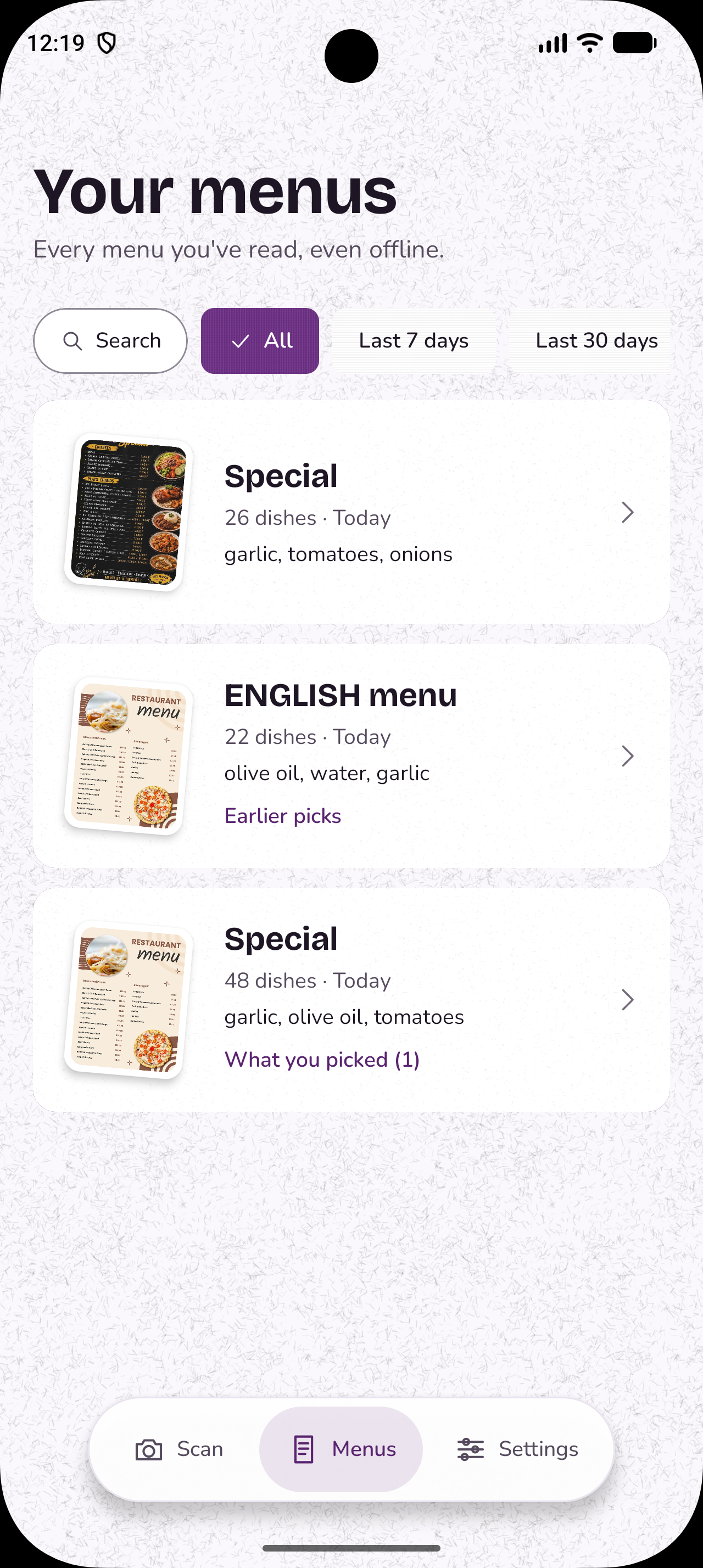
Every menu is saved on your phone. The app is available in nine languages: English, French, Spanish, Arabic, Chinese, Japanese, Korean, Russian and Hindi.
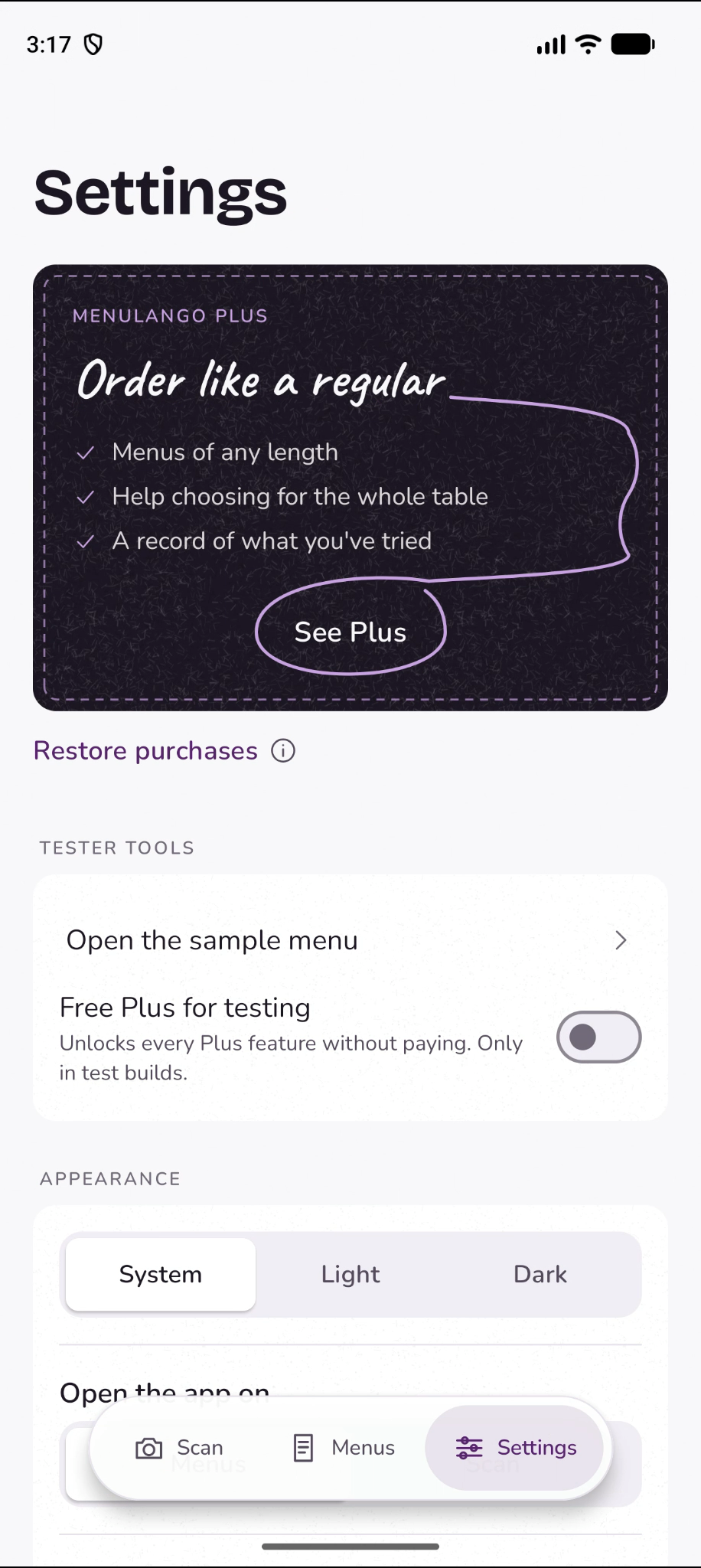
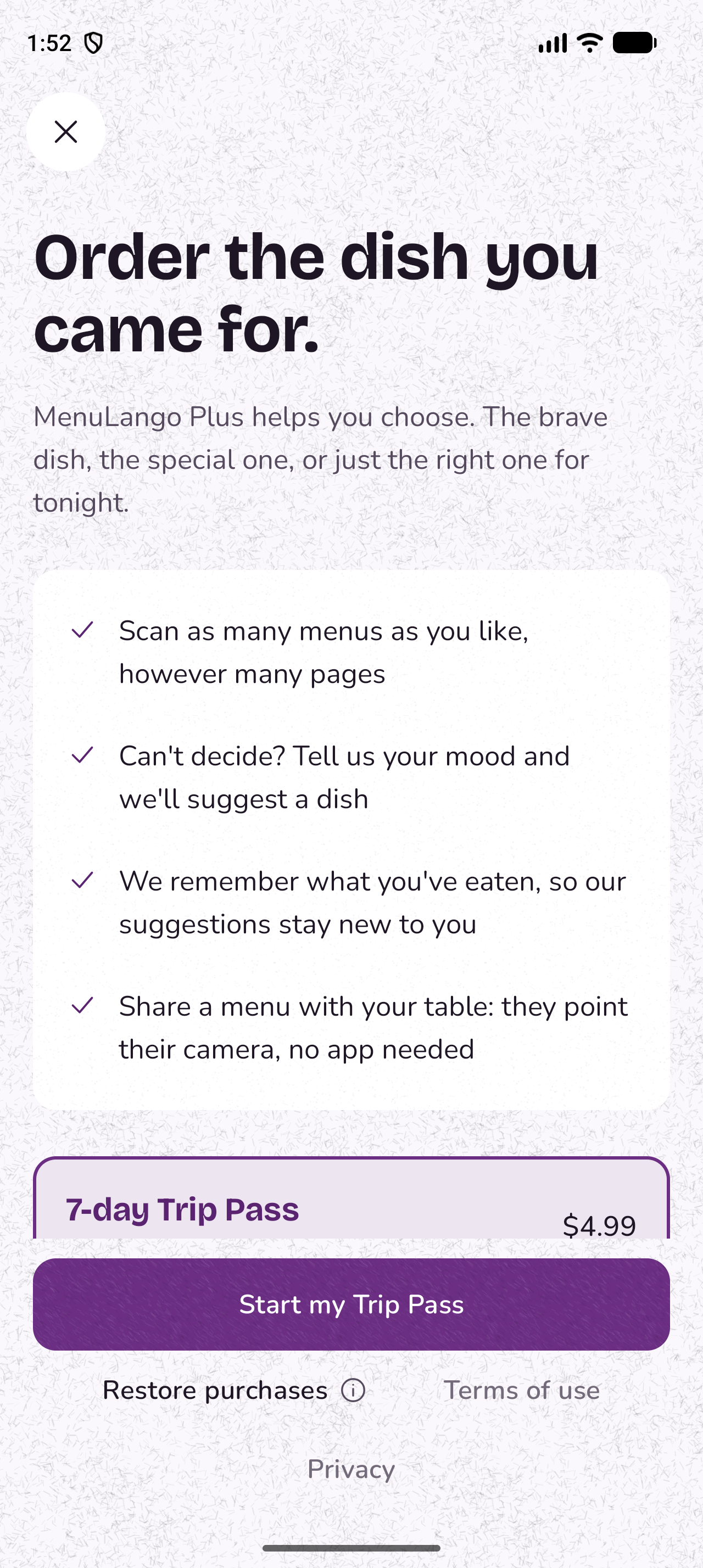
MenuLango Plus adds unlimited menus of any length, and three more things:
- Help me choose. When you can't decide, you tell MenuLango your mood, such as something new, something special, something you can only eat here, or something simple, and it suggests dishes as cards you can swipe through, for everyone at the table.
- A record of what you've eaten, so its suggestions keep showing you something new.
- Sharing a menu as a link. Usually only one person at the table has the app, so the link lets friends open the same explained menu on their own phones, look through the dishes themselves, and tell the person with the app what they want. It also gives them a real look at what MenuLango can do, which we hope makes them want to download it too.
How we built it
We built MenuLango with Kotlin Multiplatform and Compose Multiplatform, so the screens, the logic, the saved menus and the payments are written once and shared by the iPhone and Android apps. Only a few parts are written separately for each platform, such as the camera, the photo picker and saving backup files.
Our stack:
- App: Kotlin Multiplatform and Compose Multiplatform for iPhone and Android, with a thin Swift layer on iPhone
- Storage on the phone: SQLDelight
- Networking: Ktor
- Dependency injection: Koin
- Reading menus: Google's Gemini API (Gemini 3.5 Flash-Lite)
- Translating notes on the phone: Google ML Kit, on both iPhone and Android
- Server: a Cloudflare Worker, written in TypeScript
- Protecting the server: Firebase App Check
- Payments: RevenueCat, with the App Store and Google Play
- Dish photos: Wikipedia and Wikimedia Commons
- Exchange rates: ExchangeRate-API
- Coding partner: Claude

Reading the menu.* A phone camera takes photos of 3 to 10 MB, which can take a long time to send on restaurant Wi-Fi or roaming data. So before a photo is sent, the app shrinks it to 1,536 pixels on its longest side, which brings it down to about 300 KB and gets the first dishes on screen much sooner. That size is still sharp enough for Gemini to read a menu clearly, and it also keeps each scan cheaper, because Gemini charges more to read a bigger image. Gemini then reads it and answers in a fixed format that we define, with the dish's name first. As the answer streams in, the app reads each dish the moment its entry is complete and shows it straight away. Each dish is checked before it is shown, and if the answer is cut off, every dish that arrived complete is kept.
Our server. The app talks to a small Cloudflare Worker that we wrote. Photos are kept in its cache for 30 days and exchange rates for 6 hours, so each is fetched once and shared by everyone. Because the instructions we give Gemini live on the server, we can improve how MenuLango reads a difficult menu without releasing a new version of the app. We have also added Firebase App Check, which confirms that a request comes from the real MenuLango app. It is running in monitoring mode now, and we will switch it on fully once the store versions are live.
Dish photos. We understood early on that the first thing people want to know is what they are about to put in their stomach, and nothing answers that like a picture. But for a student team, getting those pictures was hard. Taking our own photos was not possible: MenuLango reads menus in any language from anywhere in the world, so the dishes it might need to show run into the tens of thousands, across every cuisine, and as students in France, we could never order or cook, and photograph, even a fraction of them. Scraping photos from other websites raises copyright problems. Generating them with AI is slow and expensive, and makes the person wait. And whichever way we got them, we would then have to store all those photos and serve them to everyone, which costs money.
Wikipedia and Wikimedia Commons solved both problems at once. Their photos are free to use as long as the photographer is credited, which MenuLango does under every photo, and Wikimedia hosts them, so we do not have to store them ourselves. Our server only looks each photo up once and keeps a copy in its cache for 30 days, so it is fetched once and shared by everyone. For anything more, a button opens a Google Images search for that dish.
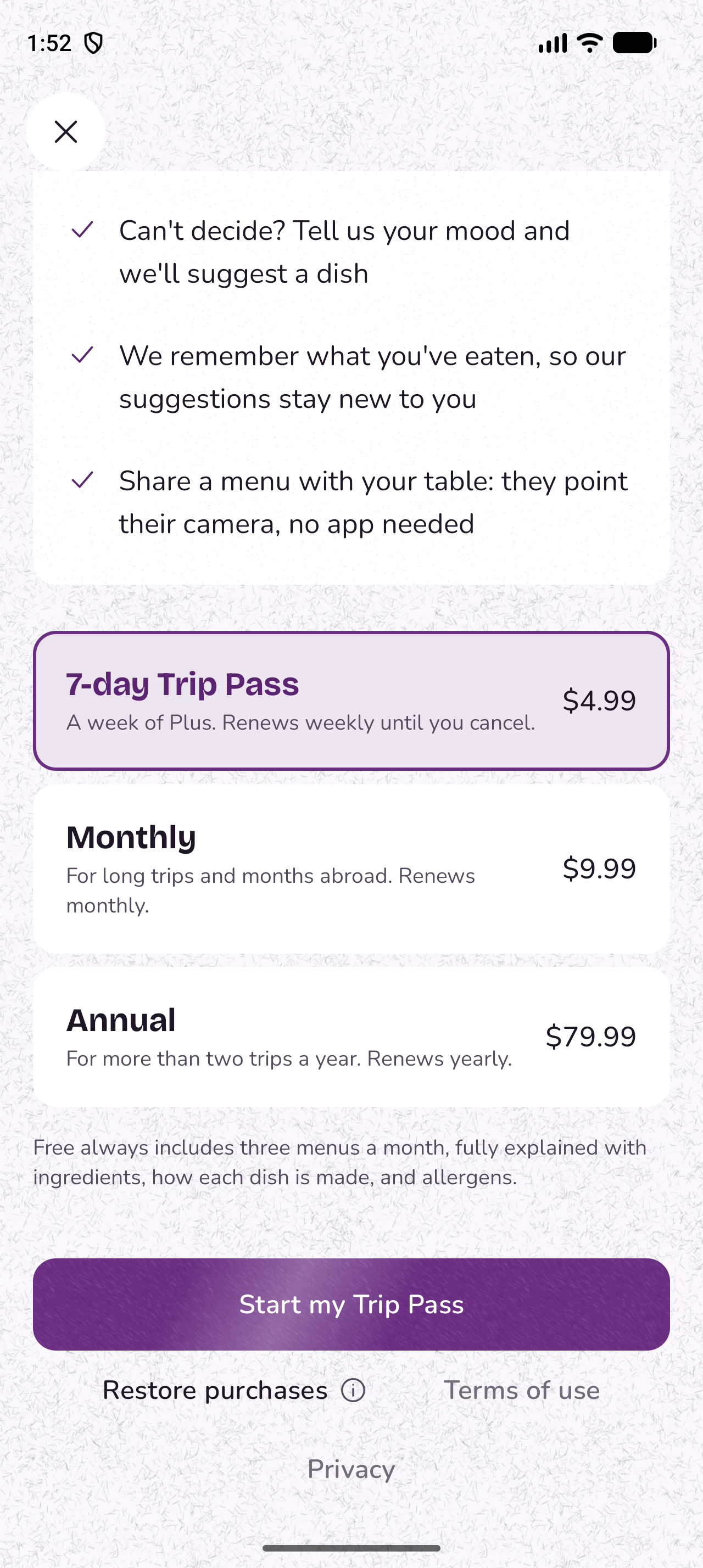
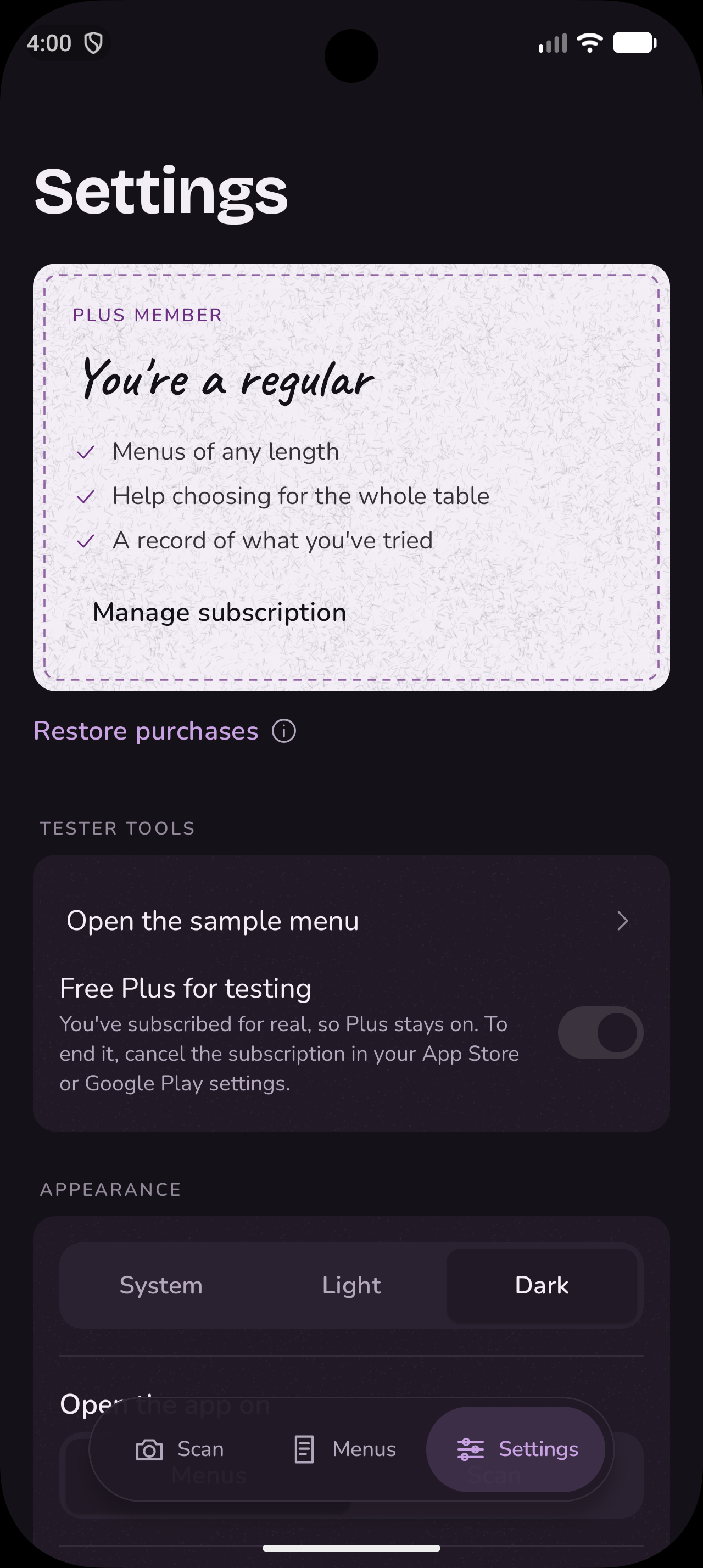
Payments. RevenueCat handles MenuLango Plus. Anyone can read three menus a month for free, with up to three pages per menu, and a free scan is only counted once you have actually seen the dishes. We chose the plans around how people actually use the app. Most travellers are only in a place for a few days, so the 7-day Trip Pass is a weekly subscription made for a single trip. The monthly and yearly plans are for people who have moved to a new country and eat out there regularly. Everything on the paywall, from which plans are shown to which one is highlighted and the headline at the top, comes from the RevenueCat dashboard, and the headline can be written separately for each language. This means we can try a different price or a different highlighted plan with a group of users, or show a different offer in a different country, without releasing a new version of the app.

Design. We designed MenuLango to be practical first, but we did not want it to feel boring. People come back to MenuLango every time they eat out somewhere new, and we want it to feel a little like opening something new each time, with warm colours, paper and fabric textures, and small moments of movement.
How we used AI. Claude wrote MenuLango's code. Our job was to decide what MenuLango should be and how every part of it should work, to explain that clearly, and then to read, question and test what Claude produced until it was right. That meant we still had to understand how Kotlin Multiplatform works: how the shared code reaches each platform, what has to be written separately for iPhone and Android, and why something worked on one phone but not the other. We were lucky that Victoria, on our team, already had experience building with Kotlin Multiplatform, so when something went wrong, we could understand why and steer the fix. Every feature, every wording and every decision in the app, from the privacy choices to how the halal-friendly filter stays safe, came from us. Claude turned those decisions into code.
Challenges we ran into
1. Making a shared app feel like a native one
This took more time than anything else. When you build an iPhone app in SwiftUI, a lot of motion comes for free: selections slide, lists animate when items are added, buttons react to your touch. With Compose Multiplatform, most of that is not there by default. A filter chip just changes colour, a new item just appears, a selection just jumps. Nothing is broken, but next to a native app it feels flat. So we built the motion ourselves into the tab bar, the paywall as we move from one card selected to another, the filter chips, the search bar, and the "words to avoid" section in the Settings.
2. Reading real menus, not clean ones
Real menus are messy, and busy ones caused our first big problem: long pages were being cut off halfway through.
When Gemini reads a menu, it writes its answer back piece by piece, and it charges for every piece, counted in "tokens." AI models also occasionally get stuck repeating themselves. So we set a limit on how much Gemini may write back for one page. That way, a single scan can never cost more than we expect. We already ask Gemini for at most 60 dishes per page, and we estimated that 60 dishes would fit in about 8,000 tokens, so that is where we set the limit.
But each dish is much more than a line of text. It has the name as printed, an explanation, how it is made, its ingredients, allergens, nutrition and price. On busy pages, our logs showed answers needing more than 10,000 tokens, so Gemini stopped in the middle of a dish, and the end of the menu was simply missing.
We raised the limit to 16,000. That fits the busiest page we have seen, with room to spare, while still capping the cost of a scan if something goes wrong. Because the limit lives on our server rather than in the app, the fix reached every phone straight away, without an app update. We also changed the app so that if an answer is ever cut off, it keeps every dish that arrived complete, instead of losing the whole page.
Prices were another problem, because menus write numbers differently from country to country. In France, "8,50 €" means eight euros fifty, with a comma where other countries use a full stop. In other places, "6.000 F" means six thousand, not six, because the full stop separates the thousands. Some dishes also list two prices, for a half and a full portion. We gave Gemini rules for all of this, so it reads each price the way that menu's country writes it. When a dish has more than one price, the app uses the lowest one for filters and totals, and still shows you the full price as it was printed.
3. Halal, kosher and allergies
This feature started with feedback. One of our classmates, who is Muslim, tried MenuLango and told us she often avoids restaurants when she travels, because she cannot tell which dishes on a foreign menu are likely to be halal. Knowing that would take away a lot of that worry. We added it for her, but also for everyone who wants to really try the food of a new country but does not feel confident enough to order.
For every dish, the AI model now answers more questions: does it contain pork, alcohol, shellfish, or meat served with dairy? We defined each one carefully. Pork includes lard, gelatine and pork stock. Alcohol includes wine or spirits used in sauces and desserts. Shellfish includes squid and octopus. Meat with dairy includes meat cooked in butter or served with cheese. These answers power the halal-friendly and kosher-friendly filters. How we keep them safe is described in the Safety section below.
4. Backups on two platforms
Because MenuLango has no accounts and no server that keeps people's data, there is nowhere for us to save someone's menus and picks for them. But people still need a way to keep them when they change phones. So we built a backup that people make and keep themselves: in Settings, you can choose the "Create backup" option, provide a passphrase, and MenuLango saves everything into one locked file that you can put wherever you like, such as your Google Drive, iCloud Drive or an email to yourself. On your new phone, you open that file in MenuLango, type the same passphrase, and everything comes back.
It took more work than we expected. The goal was to save menus' details and preferences, the dishes they had hidden, their picks and notes, or settings like Calm motion and we discovered whiles trying to do so that:
- Restoring is not just copying. The new phone might already have menus and settings, so we had to decide what wins. For food preferences, we keep the stricter choice from either phone. Your own marks on a menu on the new phone are kept, and tips you have already read do not appear again.
- iPhone needed a bridge. Our shared Kotlin code cannot open Apple's Share menu or file picker by itself, so it passes the backup to a small piece of Swift, which turns it back into a file and opens them.
- Things go wrong. A wrong passphrase, a damaged file, a backup from a newer version of the app, or a file that will not open each get their own clear message, instead of a general error
5. Pick together only worked between phones of the same kind
When friends eat together, usually only one of them has MenuLango open, and everyone else leans over to look at that one phone. So we built a feature called Pick together. One person opened a "table" on their phone, the others at the table found it from their own phones and asked to join, and once the host accepted them, each person could pick their own dishes on their own phone while the host's phone gathered everyone's choices into one order, live.
To keep it working without internet, which travellers often do not have, the phones talked to each other directly over Bluetooth and Wi-Fi. Android and iPhone each have their own system for this: Google's Nearby Connections on Android, and Apple's Multipeer Connectivity on iPhone. Both worked well, but only with phones of the same kind. The two systems cannot talk to each other, so an iPhone and an Android phone could never find each other at the table.
Most groups of friends have both kinds of phone, and so does our own team. A feature that leaves out half the table did not feel right to release, so we turned it off for now.
Accomplishments that we're proud of
Our teacher was most impressed by "Show the waiter." When we presented MenuLango in class, the part that stood out to our teacher was the full ordering flow: choosing dishes for each person at the table, adding notes, and then turning the whole order into the restaurant's own language so it can simply be shown to the waiter. This full flow is what makes MenuLango more than a way to read a menu: it takes you all the way from not understanding a single dish to actually placing your order.
- Our classmates asked for features, and we built them. The halal-friendly filter exists because a classmate told us what would make her more comfortable eating out abroad. Seeing someone want to use what we built, and shaping it around them, was the best part of the project.
- One codebase that feels like a native app on both platforms. The iPhone and Android apps are built from the same code, look the same and behave the same way, down to the animations, in nine languages. Making a shared app feel this close to a native one took most of our time, and we think it shows.
- It reads handwritten menus. Chalkboards and handwritten dishes of the day are often the most interesting part of a menu and the hardest for a visitor to read, and MenuLango reads them as well as printed ones.
- It respects people's privacy. There are no accounts, menu photos are never stored, nothing tracks what people do in the app, and backups can only be opened by the person who made them.
What we learned
For all of us, MenuLango was our first time building something that was not just an app, but a small business. We had to decide who it was for, what should be free and what people would pay for, and how to price something for a traveller who is only abroad for a week differently from someone who has moved abroad for years. That is where the 7-day Trip Pass, and the monthly and yearly plans, came from.
Because we are based in France, European privacy rules shaped the app from the very first day. Shipaton pushed us to actually understand them rather than hope for the best. We learned why we needed the paid tier of the Gemini API to serve people in Europe, why adding analytics would mean asking people for their consent first, and why we did not want an account system at all. We are grateful to RevenueCat for giving us a reason to learn this properly.
Kotlin Multiplatform taught us that sharing code between iPhone and Android saves a lot of work, but not all of it. The logic, such as reading menus, filters, saved menus and payments, was easy to share. The feel of the app was not. We had to build the motion by hand, one animation at a time, and check each one on both phones.
Getting an app into the stores was a lesson of its own. For the first time, we set up billing for the Gemini API, including our tax details in France. We paid for an Apple developer account and a Google Play developer account, created our subscriptions in App Store Connect and the Google Play Console, and connected them to RevenueCat. We ran out of time for Apple and Google to finish reviewing the app before the deadline, but we now understand the whole process from start to finish, and we are ready to launch MenuLango across Europe.
A note on our submission
We wanted to enter several Shipaton categories, all of which require the app to be live on the App Store and Google Play. We have submitted MenuLango to both stores, but Apple and Google were still reviewing it at the deadline, so it was not live in time. For this reason, we are submitting MenuLango for the Next Gen Award, which is judged on the demo video and our public code repository. We are confident that once the app is published, other people will love MenuLango the way our classmates did.
What's next for MenuLango
We have already paid for what we need to launch. We upgraded to the paid tier of the Gemini API, which allows MenuLango to be used by people in Europe, and we paid for our Apple and Google developer accounts. As soon as Apple and Google finish their reviews, MenuLango will be available on both the App Store and Google Play.
Before the official launch, we plan to open public testing, so that people beyond our classmates can try MenuLango and tell us what to improve. After that, our goal is to reach the people who need MenuLango most: travellers like Johnathan, people who have moved to a new country, and people with allergies or dietary requirements.
We also plan to:
- Let people share their picks. Today, only the person with the app can see the order. We want them to be able to send the list of dishes they picked to the rest of the table, so everyone can check their order before the waiter arrives.
- Bring back Pick together, for every phone. Instead of connecting the phones directly over Bluetooth, the person hosting the table will share a short code, and anyone at the table can join with it over the internet, whether they have an iPhone or an Android phone.
- Build our own library of dish photos. Today, a dish only has a photo if Wikipedia has one. With our own photos, many more dishes would have a picture, including local dishes that are not on Wikipedia.
- Start a MenuLango community. We want people to be able to share what they thought of a dish they ordered, so the next person reading that menu can benefit from their experience.
- Bring MenuLango into restaurants. We want to work directly with restaurants, so that when you sit down, you are invited to scan the menu, make your choices in MenuLango, and have your order sent straight to the waiter, in the same way that you can already pay at the table with a card.
- Make the free scans fairer. Today, the three free scans a month are counted on the phone, which means that clearing the app's storage resets the count. We plan to keep this count on our server instead.
- Let Plus move between iPhone and Android. Today, Plus is linked to your Apple or Google account, so if you buy it and later move to a new phone of the same kind, Restore purchases brings it back. What does not work yet is moving from an iPhone to an Android phone, or the other way round, because Apple and Google do not share purchases with each other. For the few people who switch, we will add an optional sign-in so their Plus can come with them. Everyone else will keep using MenuLango without an account, as they do today.
- Filter and search the way you would ask a friend. Today, filters are fixed buttons, and search understands dish names, ingredients and simple prices like "chicken under 20." We want people to be able to just type or say what they want, in their own words, such as "something light without meat, under 15 euros," "what's good for someone who doesn't like spicy food," or "a dessert to share," and have MenuLango narrow the menu to the dishes that fit. It would only use the menu already on the phone, so it can stay fast and private.
Privacy by design
We are based in France, and privacy shaped a lot of our decisions from the very first day. Our rule was simple: if we do not need someone's data, we do not collect it, and we do not store it.
- There are no accounts. For our current version of MenuLango, you never sign up, and you never give us an email address or a password. We decided this on day one, because an account would mean storing people's details on a server, and we did not need to. Your purchases are linked to your Apple or Google account instead: on iPhone, Plus follows your Apple ID, and on Android, it follows your Google account, so tapping Restore purchases brings it back on a new phone. We thought this made sense for MenuLango after confirming our hypothesis that very few people move between iPhone and Android. According to CIRP (Consumer Intelligence Research Partners, a US market research firm), about 87% of people who bought an iPhone in the US in early 2026 already had one, and about 86% of Android buyers stayed with Android.
- Your data stays on your phone. Your menus, your picks and notes, the people at your table and the dishes you have eaten are stored only on your phone, not on our server. The only thing our server ever stores is a menu you choose to share with your friends, and it is deleted automatically after 24 hours.
- We do not keep your menu photos. When you scan a menu, the photo goes through our small server to Gemini, only so that the menu can be read, and our server does not save it. This is part of why we pay for the Gemini API. Google's terms only allow the paid service for apps used by people in the EEA, Switzerland and the UK, and on the paid service, Google does not use what we send to improve its products..
- You hold your own backup. Instead of syncing your data to a cloud account, MenuLango saves everything into one locked file, protected by a passphrase you choose. It is locked with strong, standard encryption (AES-GCM, with the key made from your passphrase using 600,000 rounds of PBKDF2, which makes guessing the passphrase very slow). You save the file wherever you want, and we never see it or your passphrase. Because no server stores backups, this also costs us nothing to run.
- Your notes are translated on your phone. Notes such as "no nuts, please" are translated by the phone itself, not by a server.
- MenuLango never uses your location. It never asks for your location. The app works out where a menu comes from, such as its language and its currency, from the menu itself.
- There are no analytics and no tracking. In Europe, tracking what people do in an app requires their consent and careful handling of that data, so we decided not to do it. MenuLango has no analytics, no ads and no tracking. We will measure how the app grows through the number of installs and subscriptions.
- A random ID is only used to prevent abuse. When the app is installed, it creates a random ID. Our server only uses it to limit how many menus one phone can scan in a minute and in an hour, so that nobody can misuse the service. It is not linked to you, to your device or to any advertising.
- Shared menus contain nothing personal. When you share a menu with your friends, the link only includes the dish explanations, never your photo, your picks or anything about you, and it is deleted automatically after 24 hours.
Safety and trust
When people choose what to eat based on what an app tells them, the app has to be careful. These are the rules MenuLango follows:
- When MenuLango shows allergens, it tells you what a dish likely contains and what it may contain, and reminds you to ask the restaurant if you have an allergy. It never says that a dish is free of an allergen, because it cannot know for certain how the kitchen prepares it. Allergen information is always free and never behind the paywall.
- When you use the halal-friendly or kosher-friendly filters, MenuLango is judging each dish only from its likely ingredients. It cannot know whether a restaurant is officially certified as halal or kosher, or how the meat was prepared, so whenever one of these filters is on, the app says so and suggests asking the staff. The AI model is also told that whenever it is not sure whether a dish contains pork, alcohol, shellfish, or meat with dairy, it should answer yes. We would rather hide a dish that was fine than show one that was not.
- When the AI model does not recognise a dish, it leaves out the cooking method rather than inventing one, and the explanation is marked as a best guess, so you know to ask the waiter.
- When you see a dish photo, it is labelled as how the dish usually looks, because it comes from Wikipedia, not from the restaurant, and the plate you receive may look different.
- When you see a price in your own currency, it is marked with "≈," because it is based on that day's exchange rates and is not the exact amount your bank will charge.
Accessibility
We wanted MenuLango to work just as well for someone who uses a screen reader, or for someone who finds a lot of movement on screen uncomfortable.
- Everything you can swipe, you can also do another way. Every swipe in the app also exists as an action the screen reader can offer: deleting a saved menu, hiding a dish you are not interested in, and keeping or passing on a dish in Help me choose. Help me choose also has visible Keep and Pass buttons, and it tells a screen reader which card you are on.
- Changes on the screen are read out. When you tap a filter and the list changes, a screen reader says how many dishes are left, for example "7 of 20 dishes." The progress while a menu is being read, error messages and payment results are also read out as they happen, without interrupting what the screen reader is already saying.
- Selected filters do not rely on colour alone. When you select a filter, it changes colour and also shows a tick, so people who cannot tell the colours apart can still see which filters are on.
- Movement can be turned down in two ways. MenuLango follows the phone's own "reduce motion" setting, and it also has its own Calm motion switch in Settings, for people who want less movement in MenuLango without changing their whole phone. With either one on, screens change with a simple fade, the paper textures stop moving as you scroll, the small vibrations stop, the example hints in the search field stop changing, and new items simply appear instead of animating in.
- It works right to left, and in your own language. The whole app is translated into nine languages, and when it is set to Arabic, the layout flips to read from right to left. You can also choose MenuLango's language separately from your phone's language, for example to keep your phone in English while using MenuLango in French.


Log in or sign up for Devpost to join the conversation.