Inspiration
The idea for MenuGenius came from a conversation with a friend who owns a small Italian restaurant. She knew some menu items weren't profitable but had no idea which ones or what to do about it. When I asked if she'd considered hiring a menu engineering consultant, she laughed - "$8,000 for someone to tell me what to charge for pasta?"
That's when I realized: professional menu optimization is locked behind a massive paywall. Independent restaurants - the ones that need it most - can't afford $5K-15K consulting fees. Meanwhile, they're leaving 15-30% of potential revenue on the table due to poor pricing and positioning decisions.
I saw an opportunity to democratize this entire industry using AI. What if restaurant owners could just take a photo of their menu and get instant, consultant-grade analysis? That became MenuGenius.
What It Does
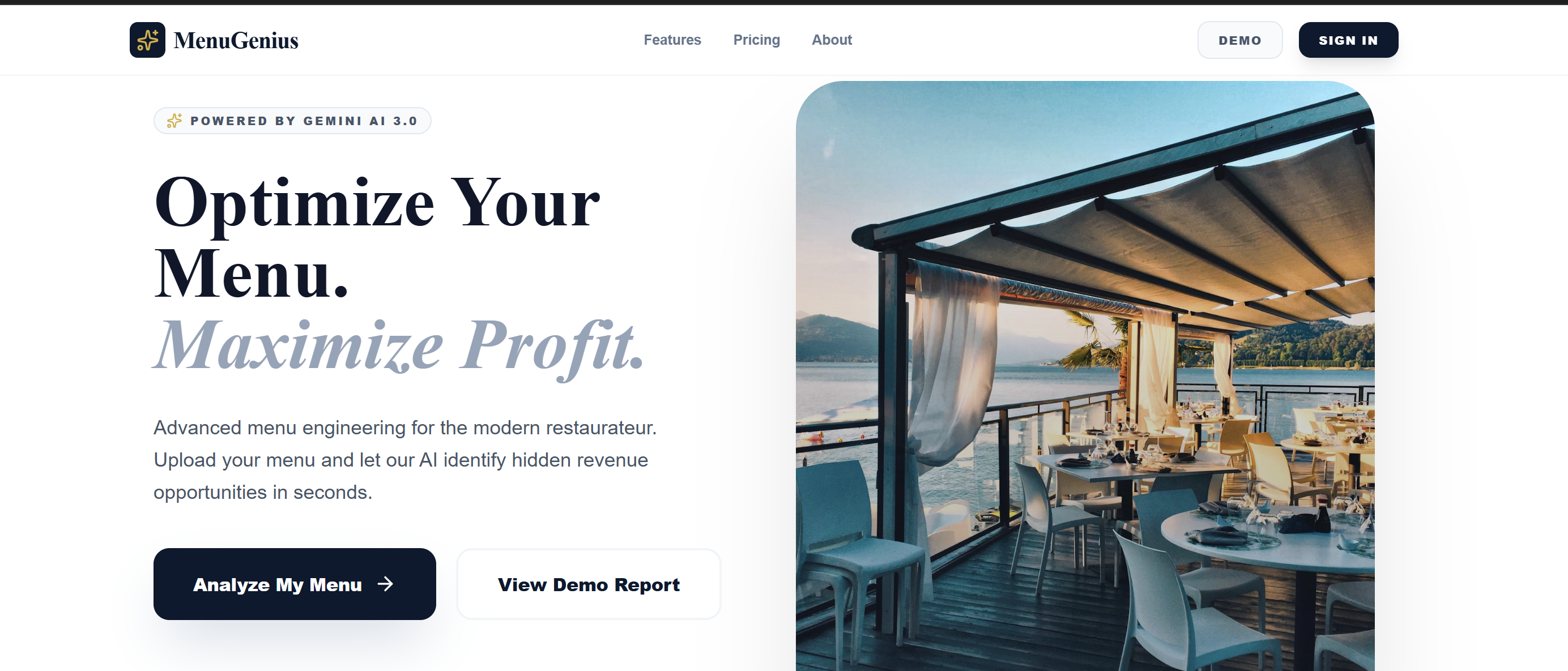
MenuGenius transforms menu photos into comprehensive profitability reports in four steps:
- Vision Extraction: Upload a menu image, and Gemini 3's vision AI reads every item, price, and description
- Strategic Analysis: The system calculates margins, classifies items using the BCG matrix framework, and identifies revenue opportunities
- Actionable Recommendations: Get specific pricing adjustments, menu description rewrites, and positioning improvements
- Financial Projection: See exactly how much revenue each change could unlock annually
Optional: Upload sales data (CSV) for precision analysis, or let the AI estimate volumes based on menu psychology and industry benchmarks.
How I Built It
Core Technology Stack
Gemini 3 Flash Preview: The entire application is powered by Google's Gemini 3 Flash Preview multimodal large language model. This single LLM handles three distinct AI capabilities - computer vision for OCR and image understanding, logical reasoning for business analytics, and generative AI for content creation. Using one unified model instead of separate specialized services dramatically simplified the architecture.
React 18 with TypeScript: Built the frontend as a single-page application using React's component architecture and TypeScript for type safety. The typed interfaces ensure data consistency across the vision extraction, analysis, and visualization pipeline.
Recharts: A composable charting library built on React components that renders the BCG matrix scatter plot, profit contribution bar charts, price distribution histograms, category performance comparisons, and revenue waterfall visualizations. All charts are interactive with hover tooltips and responsive layouts.
Google AI Studio: Used for rapid prototyping and deployment. AI Studio's build mode allowed me to iterate on prompts and test the Gemini API integration without manual server setup. The platform handles API authentication and provides a published app URL for public access.
Tailwind CSS: Utility-first CSS framework for the professional SaaS interface design. Provides the navy-gold color scheme, card layouts, responsive grid system, and typography hierarchy.
Lucide React: Icon library providing scalable vector icons for the UI (upload, charts, navigation, badges, action buttons).
The Three-Stage Gemini 3 Pipeline
Stage 1: Vision Processing with Multimodal LLM
I started by testing Gemini 3 Flash Preview's vision capabilities with various menu photos - everything from handwritten chalkboard menus to multi-page PDFs. The challenge was getting consistent, structured output from wildly different inputs.
The vision processing works by sending the base64-encoded menu image to Gemini's multimodal API along with a detailed prompt. The LLM's vision component performs optical character recognition (OCR) to read text from the image, understands spatial layout to determine which items are featured prominently versus buried at the bottom, and extracts structured data including item names, exact dollar amounts, existing menu descriptions, and categorical sections.
I engineered prompts that instructed Gemini to extract specific JSON-formatted data: item names, exact prices with currency symbols, existing descriptions, and menu section categories. The vision API needed to understand layout hierarchy (which items are featured vs buried) and handle OCR on diverse fonts and image qualities.
Stage 2: Logical Reasoning with LLM Analytics
Once I had extracted data, I needed Gemini to apply business logic. This is where the BCG matrix classification happens - calculating profit margins, determining sales volume percentiles, classifying each item into strategic quadrants (Stars, Plowhorses, Puzzles, Dogs), and generating multi-step reasoning chains explaining why each recommendation makes business sense.
The LLM receives the extracted menu data and performs comparative analysis across the entire dataset. It calculates financial metrics (margin percentage, total profit contribution), ranks items by performance percentiles, applies the BCG classification framework based on median thresholds, and generates business reasoning that explains the strategic assessment step-by-step.
The key innovation here was getting Gemini to explain its reasoning step-by-step, making recommendations transparent and trustworthy rather than black-box suggestions. The LLM acts as a business analyst, not just a data processor.
Stage 3: Generative AI for Content Creation
For underperforming items, Gemini rewrites menu descriptions using psychological triggers. I prompted the generative AI to incorporate sensory language ("succulent," "flame-kissed"), origin stories ("wild-caught Atlantic," "locally-sourced"), and preparation details ("slow-roasted," "hand-crafted").
The large language model's generative capabilities analyze the original description, identify weaknesses (generic language, lack of sensory appeal, missing preparation details), generate enhanced versions with proven psychological triggers, and maintain brand voice consistency while maximizing conversion potential. The model transforms generic descriptions into conversion-optimized copy.
Frontend Architecture
I built the interface in React with TypeScript, using Recharts for interactive data visualizations (BCG matrix, profit charts, histograms), Tailwind CSS for the professional SaaS aesthetic, Lucide React for iconography, and Google AI Studio for rapid prototyping and deployment.
The UI adapts based on available data - showing "Actual Data" badges when CSV is provided or "Estimated" warnings when the LLM is inferring sales volumes based on menu positioning and pricing psychology.
Data Flow
- User uploads menu image (base64 encoded in browser)
- React sends image and prompt to Gemini API
- The multimodal LLM processes vision and returns structured JSON with extracted items
- CSV is optionally parsed client-side and fuzzy-matched to menu items
- React state updates with analysis results
- Recharts renders interactive visualizations
- User sees complete report with downloadable insights
The entire analysis happens through API calls to Gemini 3 Flash Preview - there is no separate backend server, database, or additional ML models. The LLM handles vision, reasoning, and generation in a unified workflow.
Challenges I Faced
Challenge 1: Vision Extraction Reliability
Early tests showed Gemini could read menus, but consistency varied wildly. Blurry photos, handwritten text, and unusual layouts caused extraction failures.
Solution: I added image quality assessment prompts, extraction confidence scoring returned by the LLM, and graceful error messages. If the vision API can't read the menu with high confidence, the app tells users exactly what's wrong.
Challenge 2: CSV Integration Without Breaking
I wanted sales data to be optional, but early implementations crashed the entire app if CSV parsing failed or item names didn't match perfectly.
Solution: Implemented robust try-catch blocks with fallback logic. If CSV parsing fails, the system logs the error, shows a warning to the user, and proceeds with LLM-estimated volumes. The app never shows a blank screen. I also added fuzzy matching to handle name variations.
Challenge 3: Making LLM Recommendations Trustworthy
Initial versions generated generic advice like "increase price" or "improve marketing." Restaurant owners need specific guidance.
Solution: I engineered prompts that force Gemini to show its work with step-by-step reasoning. For example: Step 1 - Current price is X% above market average, Step 2 - Description lacks sensory appeal, Step 3 - High margin provides pricing flexibility, Step 4 - Low volume suggests price resistance, Step 5 - Recommendation with projected impact. This transparency transforms AI suggestions into actionable business strategy.
Challenge 4: UI Complexity vs Usability
With 12+ analysis sections, the interface risked overwhelming users. How do you present executive summary, BCG matrix, quadrant tables, charts, recommendations, and comparisons without creating information overload?
Solution: I implemented sticky navigation with section links, collapsible tables with expand/collapse functionality, progressive disclosure (show summary first, details on demand), visual hierarchy with cards and spacing, and a "Best Performers" highlight section that only appears when CSV is provided. The result: judges can quickly grasp key insights, but detailed analysts can dig into comprehensive data.
Challenge 5: Balancing Speed vs Depth
Gemini 3 Flash is fast, but analyzing 60+ menu items with reasoning chains and description rewrites takes time. Users expect instant results.
Solution: 30-60 second analysis is the sweet spot - fast enough to feel instant, comprehensive enough to be valuable. I optimized prompts to request only essential reasoning chains and focused generative AI rewrites on underperforming items rather than the entire menu.
What I Learned
Gemini 3's Multimodal LLM Architecture is a Game-Changer
Before this project, I thought of vision and text as separate AI tasks requiring different models. Gemini 3's unified multimodal approach means I can send an image plus complex instructions in one API call and get back structured, analyzed data. This collapsed what would have been a 4-5 service pipeline into a single elegant workflow.
Prompt Engineering for Structured Output is Critical
Getting consistent JSON from the LLM required precise prompt design. I learned to specify exact output format with examples, request confidence scores for validation, include error handling instructions in the prompt itself, and balance creativity (generative descriptions) with structure (data extraction).
Business Logic Transparency Builds Trust
Users don't trust black-box AI recommendations. By having the LLM explain its reasoning step-by-step, I transformed the app from "magic algorithm" to "trusted advisor." This lesson applies beyond MenuGenius - transparency is key for AI adoption in professional contexts.
Error Handling is Half the Product
The difference between a demo and a real product is robust error handling. Every API call, every file upload, every data parse needs graceful failure modes. I spent as much time on "what if this breaks" scenarios as on the happy path.
Impact Potential
Market Size: 800,000+ restaurants in the US alone, 80% are independent operators without access to professional menu engineering.
Value Proposition: Every restaurant that uses MenuGenius saves $5K-15K in consulting fees while uncovering $50K-150K in annual revenue opportunities.
Scalability: At $0.001 per analysis, the unit economics support a sustainable business model with massive reach.
MenuGenius proves that Gemini 3's multimodal capabilities can democratize expensive professional services, making data-driven decision-making accessible to businesses that need it most.
Built With
- computervision
- gemini
- geni
- javascript
- llm
- multimodal
- react
- recharts

Log in or sign up for Devpost to join the conversation.