-
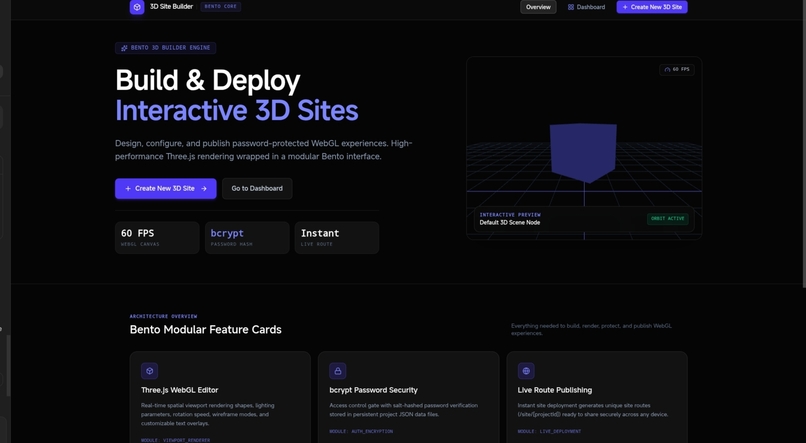
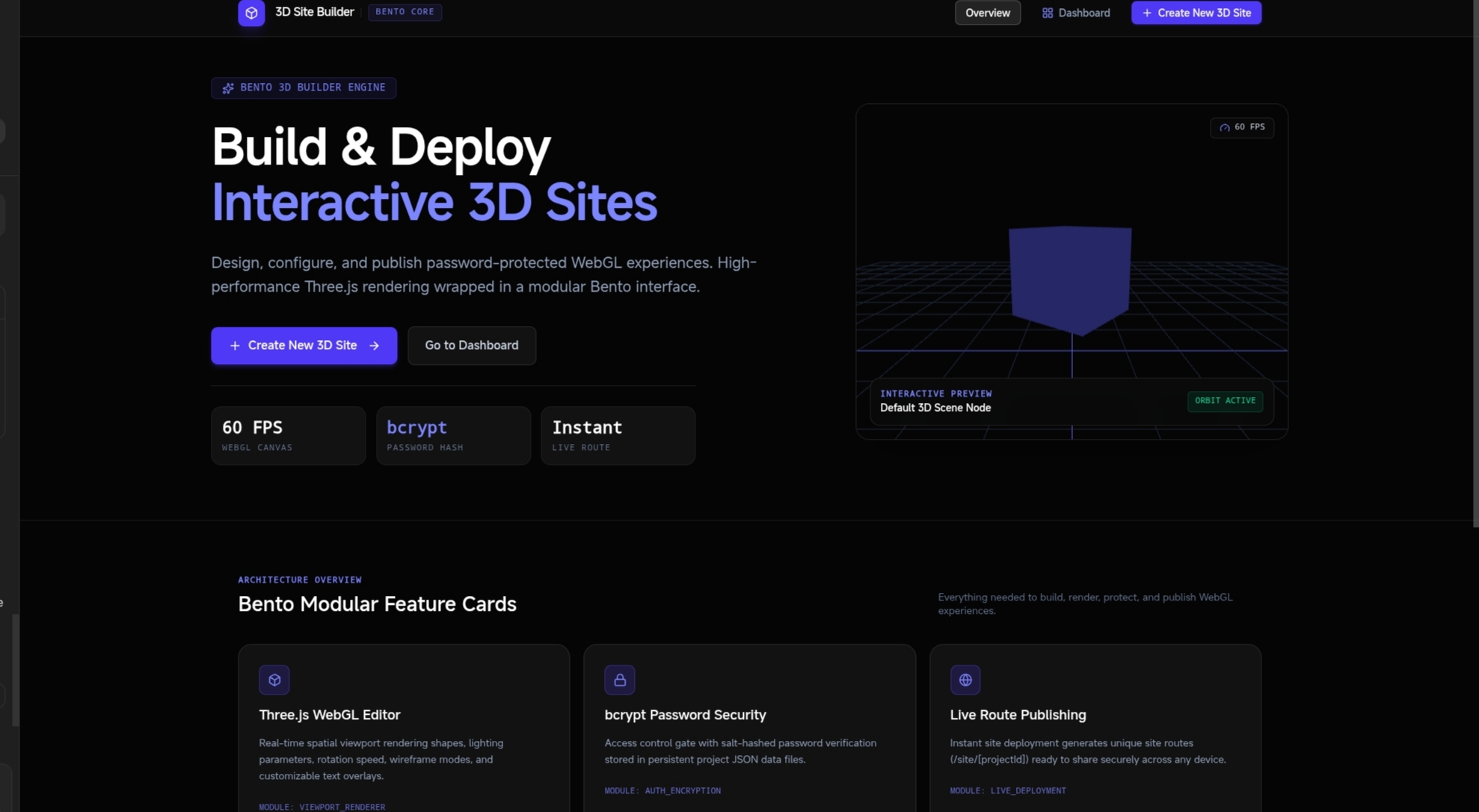
Landing page featuring an interactive WebGL hero preview, live FPS counter, and modular Bento architecture cards.
-
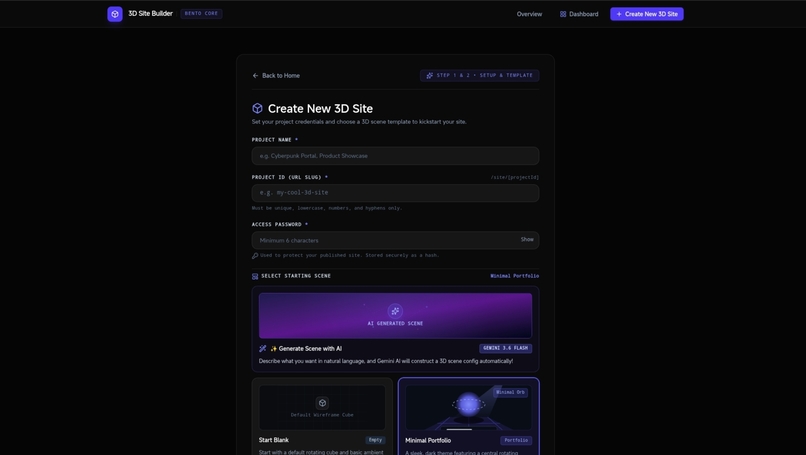
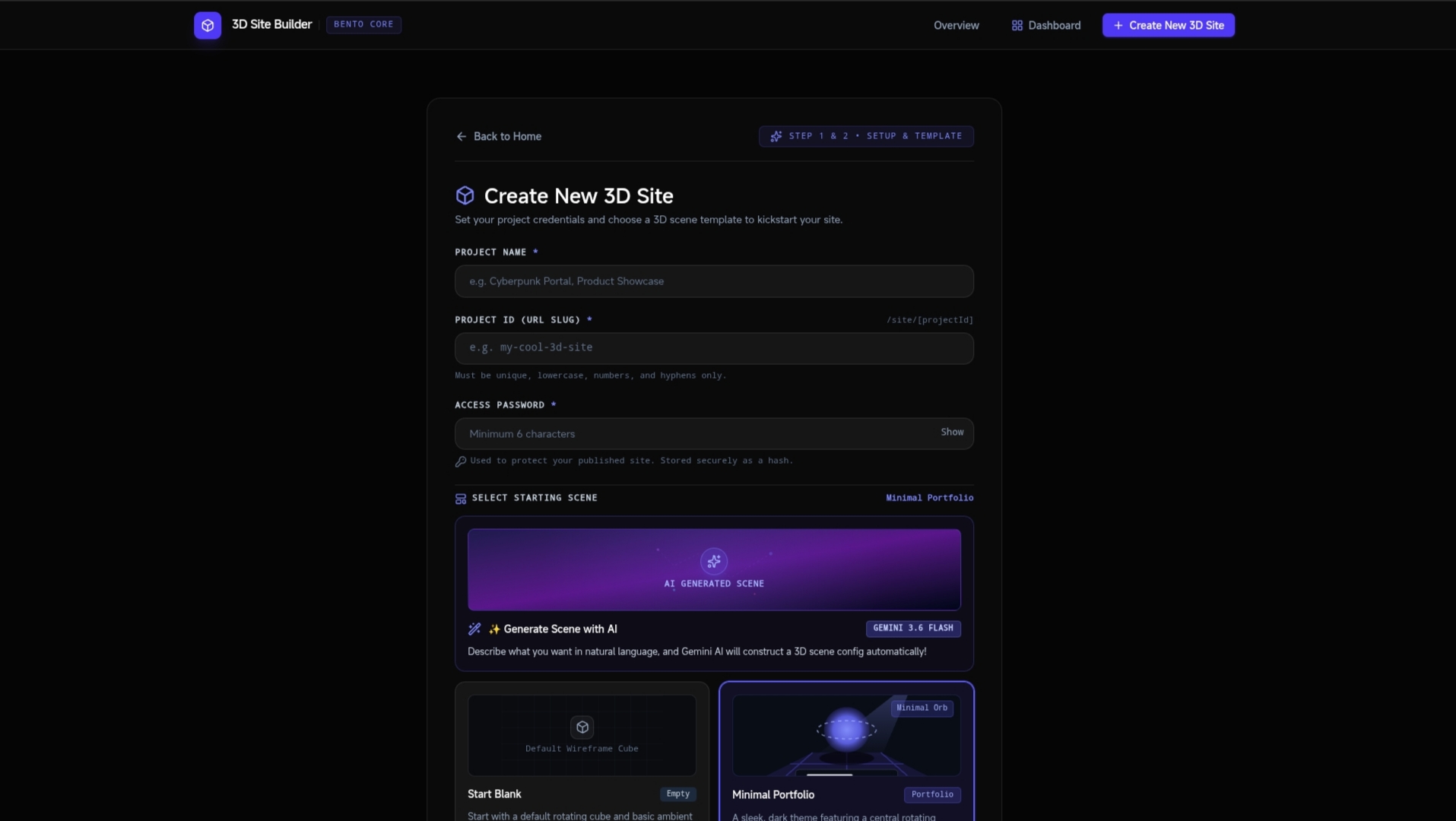
etup interface to configure project titles, custom site URL slugs, and password protection credentials.
-

Central project dashboard displaying saved 3D sites with live preview thumbnails and management option
-
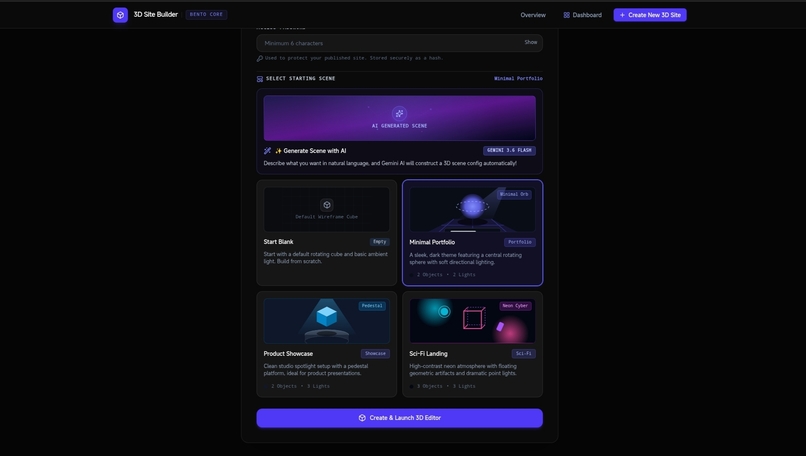
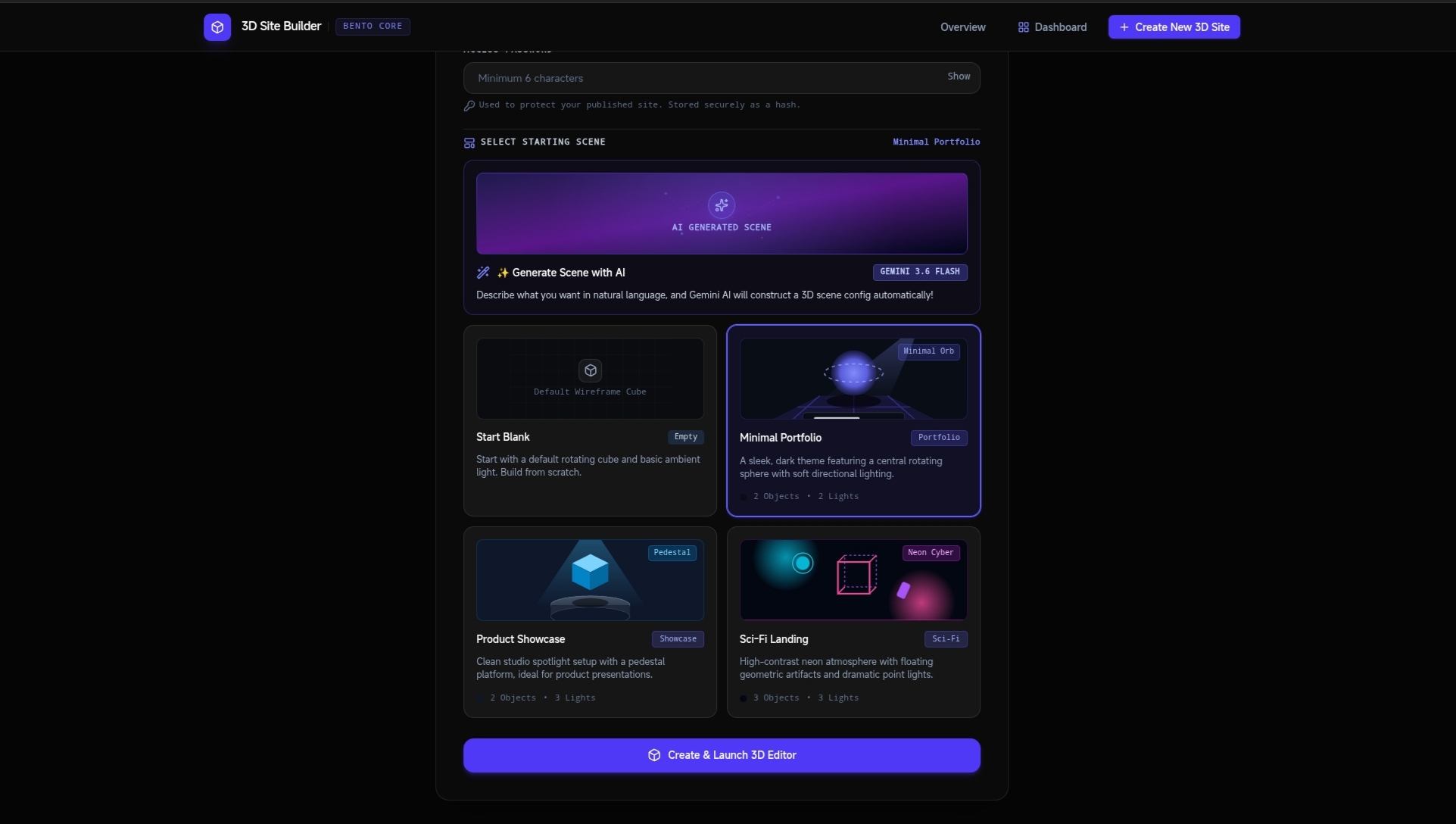
Template gallery offering pre-built 3D scene presets alongside AI prompt-based scene generation options
-

Generative prompt modal using Gemini AI to instantly assemble 3D objects, lighting, and text from plain text descriptions.
-
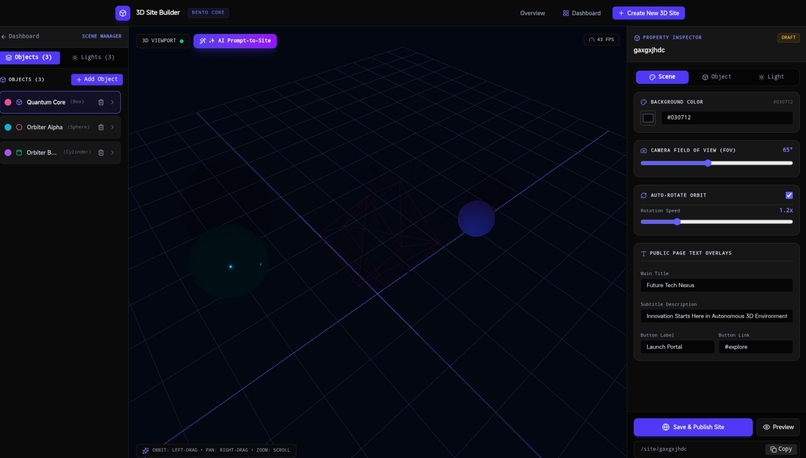
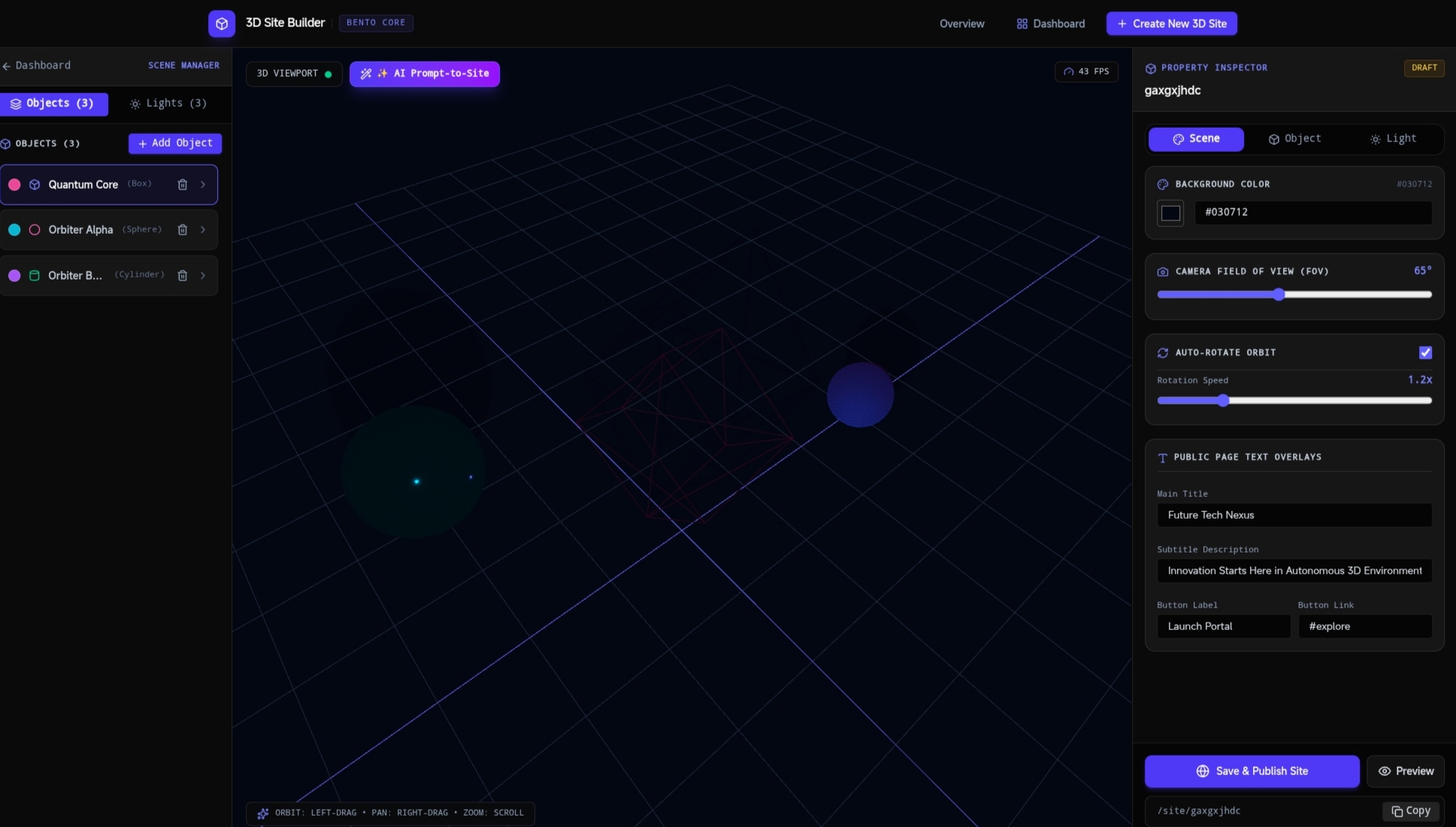
eal-time 3D visual editor with spatial canvas viewports, light object inspectors, and camera customization


Inspiration
Traditional web development can feel static and flat, while creating interactive 3D web experiences often requires complex boilerplate code, heavy setup, and low-level graphics configurations. We wanted to lower the barrier to entry by creating an intuitive, in-browser 3D editor that lets anyone design, customize, and publish 3D websites seamlessly.
What it does
3D Site Builder is a web-based interactive scene editor and publishing tool. Users can:
- Interactively design 3D web environments directly in their browser using Three.js rendering.
- Customize object properties including geometry, position, rotation, scale, materials, and colors.
- Fine-tune scene lighting with real-time ambient, directional, and point light controls.
- Choose from pre-designed 3D scene templates to kickstart new projects.
- Manage multiple 3D projects from a centralized dashboard.
- Instantly publish and preview public links to showcase interactive 3D sites online.
How we built it
- Frontend: Built with React, TypeScript, and Tailwind CSS for a modern, responsive UI component systemspan_0span_0.
- 3D Canvas: Powered by Three.js and React Three Fiber to handle dynamic, real-time client-side rendering, lighting calculations, and user interactionsspan_1span_1.
- Backend: Built with Express / Node.js (
server.ts) to manage API endpoints for creating, saving, and serving 3D project dataspan_2span_2. - Build Tools: Managed with Vite and Bun for lightning-fast module bundling and local executionspan_3span_3.
Challenges we ran into
- State Synchronization: Keeping complex 3D scene states synchronized between visual inspector panels (Object Inspector, Light Inspector) and the live Three.js canvas in real-time without introducing UI lagspan_4span_4.
- Performance Optimization: Ensuring smooth rendering and high frame rates while tweaking multi-light scenes and geometry properties dynamically in the browserspan_5span_5.
- Dynamic Route Rendering: Setting up clean routes to serve both editor state management and instant live public previews for generated scenesspan_6span_6.
Accomplishments that we're proud of
- Successfully built a fully interactive 3D site generator with zero external rendering dependencies required for end-usersspan_7span_7.
- Implemented clean, visual inspection tools that make altering scene lighting, objects, and configurations effortlessspan_8span_8.
- Created a seamless workflow from project creation in the dashboard to live scene publishingspan_9span_9.
What we learned
- Deepened our understanding of Three.js object manipulation and scene tree management inside React state cyclesspan_10span_10.
- Learned best practices for structuring real-time web-based graphic editors with TypeScript for full type safety across components and APIsspan_11span_11.
- Gained experience in optimizing canvas rendering cycles for browser-based toolsetsspan_12span_12.
What's next for "3D Site Builder"
- Adding support for uploading custom 3D models (
.gltf/.glbfile imports). - Introducing physics engines for dynamic animations and user interactions.
- Adding multi-user real-time collaborative editing.
- Expanding the template library with interactive landing page presets and e-commerce showcase layouts.
Built With
- development
- googleaistudio
- web


Log in or sign up for Devpost to join the conversation.