-
-
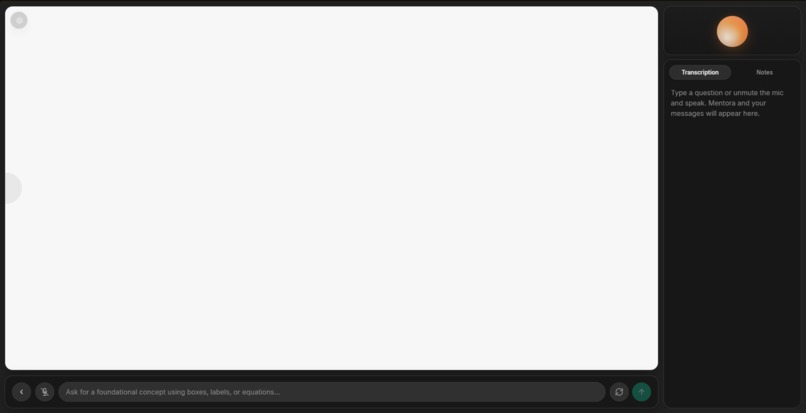
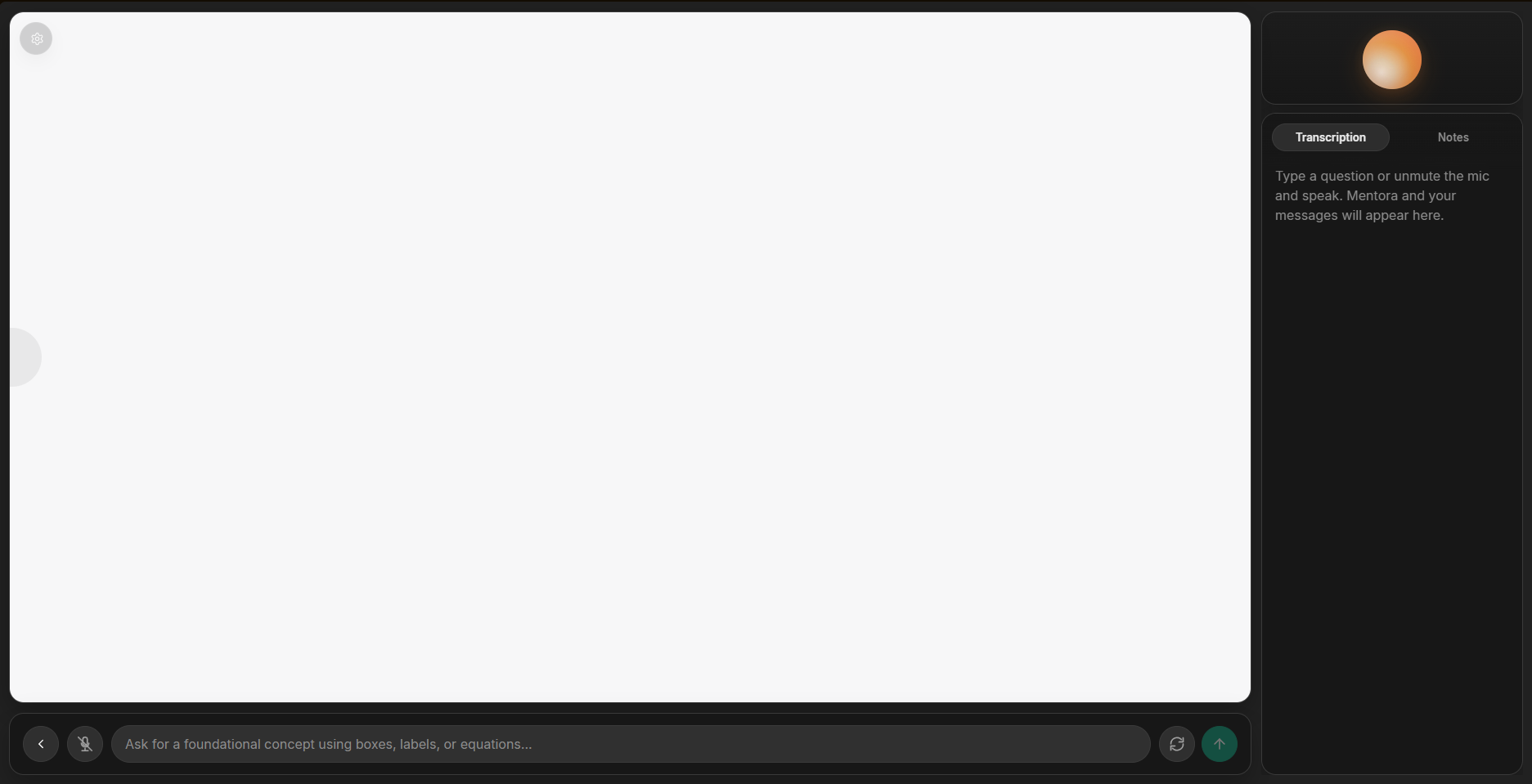
The main lesson section.
-
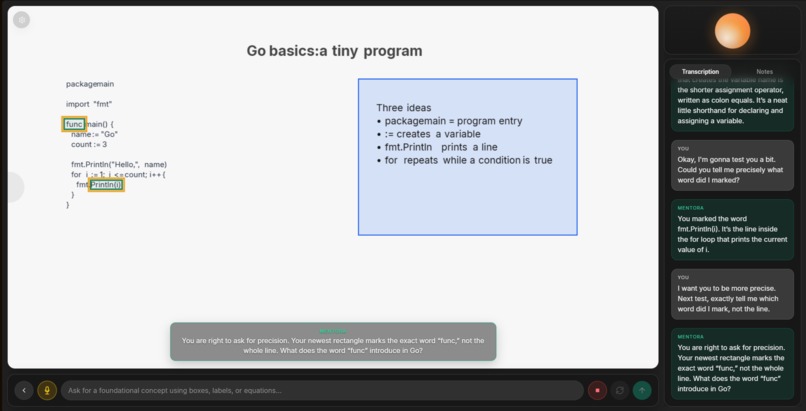
Being able to detect the marks
-
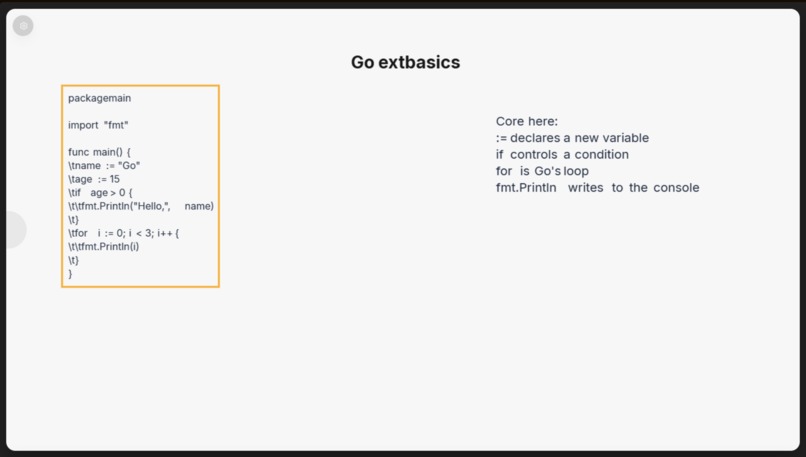
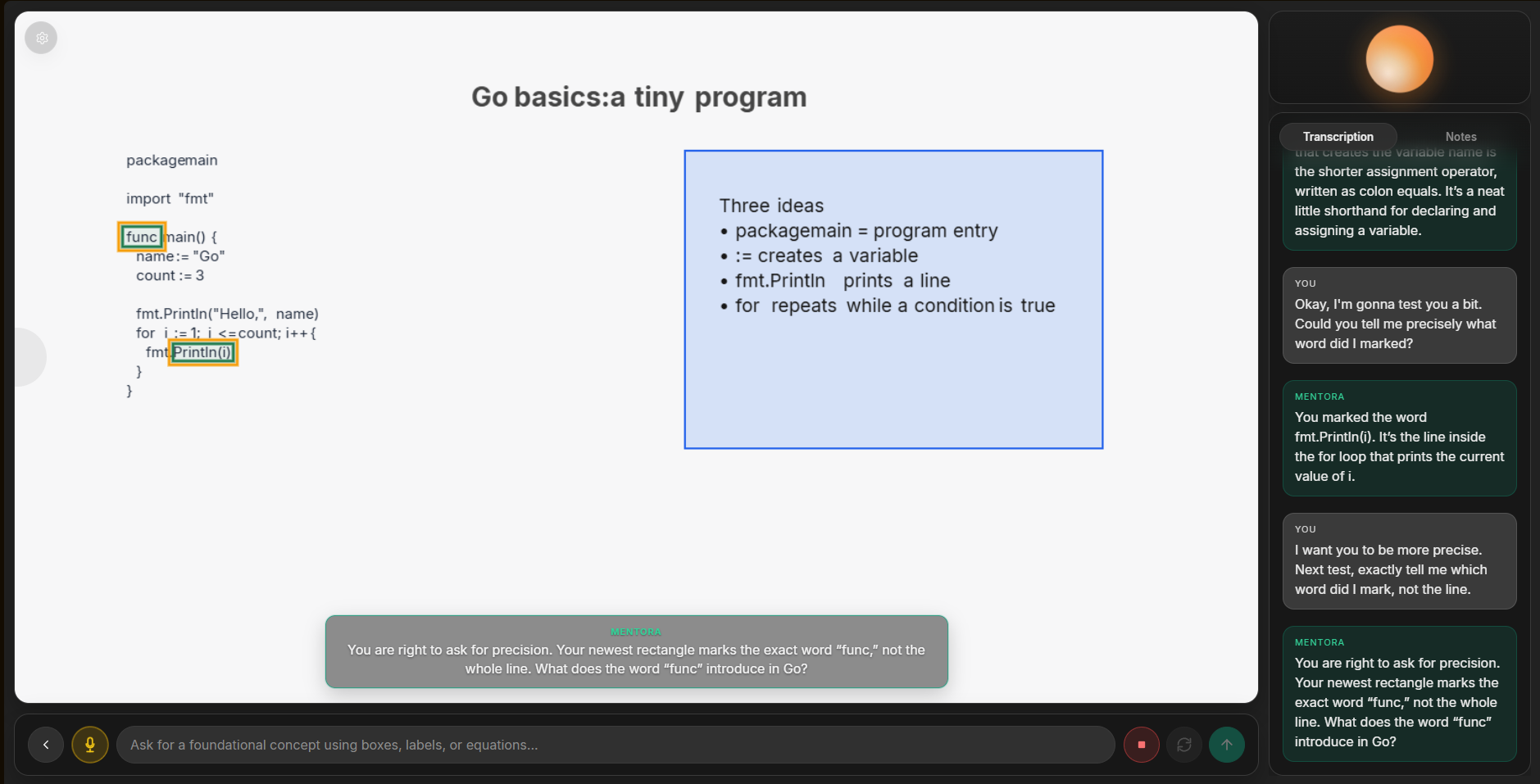
Marking the Area explicitly to show what it's teaching.
-
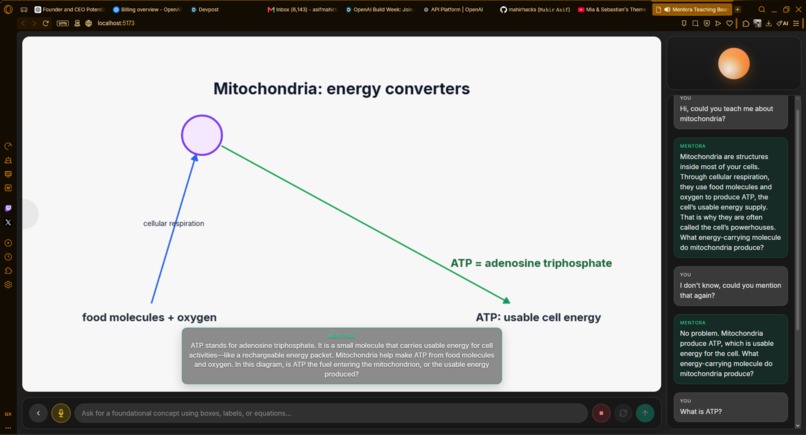
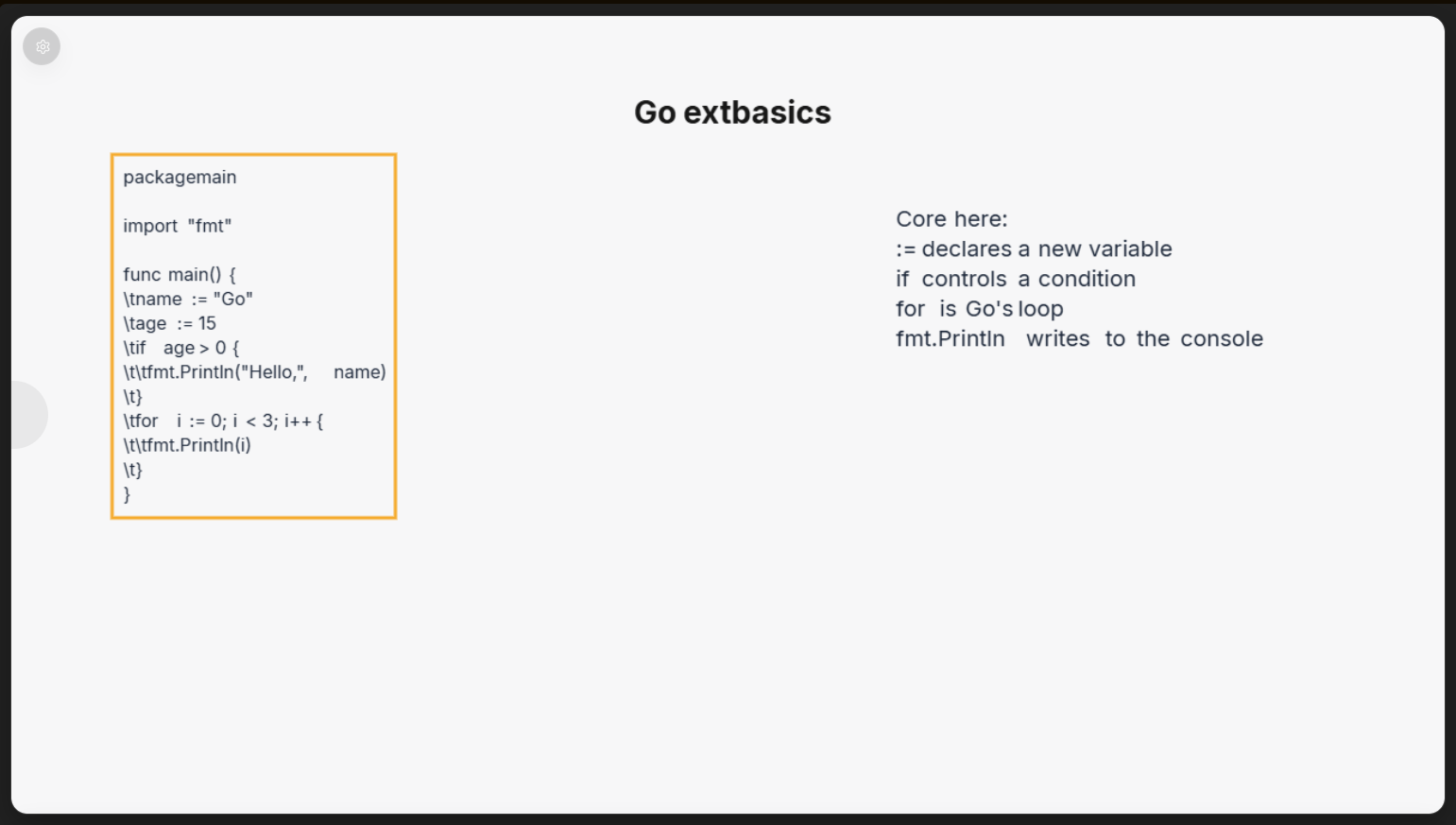
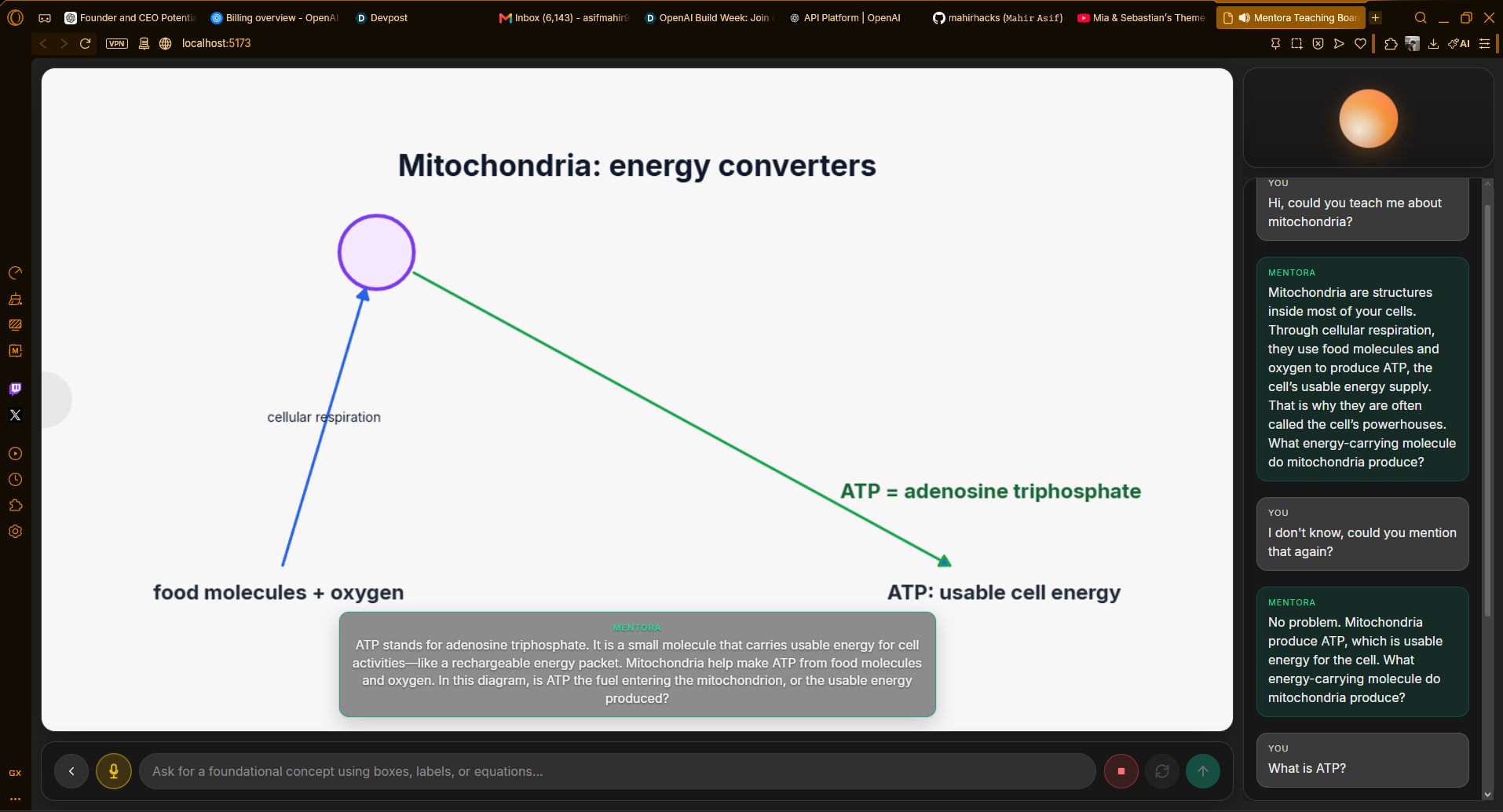
Step by step drawings to make the user understand
Mentora
Category: Education
Repo: https://github.com/mahirhacks/Mentora
Tagline: A voice-first AI tutor that teaches foundational concepts on a shared, two-way visual canvas.
Inspiration
I was watching a teacher from Bangladesh talk about why AI still fails at teaching and his point was sharp.. most AI tutors do not teach, they rephrase textbook text, format it neatly, and call that a lesson. Meanwhile, in the same classroom, he was teaching on a whiteboard: drawing, pointing, adapting when students got stuck.
That gap stuck with me. Text-only chat is a poor substitute for a shared board. Online students could talk to the teacher through chat but they had almost no way to show what they meant. So I asked a simple question:
"What if the AI taught like that teacher? on a board and the student could use the same board too?"
Mentora grew from that idea. A voice-first tutor that invents a visual metaphor for what the learner is confused about, builds it safely on a shared canvas, teaches through it, and keeps asking diagnostic questions so the next turn adapts.
Mentora is designed for beginners who remain stuck when text explanations are repeatedly rephrased, especially learners studying independently without access to patient one-to-one tutoring. The goal is not to answer faster, but to provide another explanation, another visual, and another question until the concept becomes understandable.
What it does
Mentora is a voice-first visual AI tutor for beginners learning fundamentals and not advanced research topics or dense scientific illustration.
A learner can:
- Speak, type, draw, or combine them. Voice goes through transcription; typed chat goes straight to the planner; canvas edits are observed as board state. Combined input is wrapped so the planner gets full multimodal context.
- Watch the board get built for their exact confusion. GPT-5.6 plans a short teaching turn: what to say, which visual metaphor to use, which board tools to run, and one diagnostic question.
- Mark a specific word, not a whole line. Board text is laid out as individual word objects, so when a learner circles
funcorworld, Mentora can name the exact marked word instead of guessing the entire phrase. - Interrupt mid-lesson by talking or interacting with the canvas. The system picks up where they left off and adapts.
- Resume later. Sessions persist locally so a lesson can continue from the home page.
The strongest demos today are foundational visuals that fit Mentora’s primitives: Python variables as labelled containers, fraction bars as equal regions, short arithmetic/algebra, and simple process or geometry layouts.
How I built it
I built Mentora solo in two days, starting from nothing on day one: problem → solution → architecture → product → voice → tests.
Three models, three jobs
The core design decision is strict separation of roles:
| Role | Model | Responsibility |
|---|---|---|
| Planner | GPT-5.6 (gpt-5.6-sol) |
Reads student input and board state, then creates the teaching plan, visual actions, and diagnostic question. |
| Transcriber | gpt-4o-mini-transcribe |
Converts student speech into text for the planner. |
| Voice performer | gpt-realtime-2.1-mini |
Delivers the validated teaching script naturally without independently planning the lesson or inventing board facts. |
Early on, GPT-5.6 and the Realtime voice assistant both tried to plan. That caused duplicated reasoning and hallucinations. The fix was architectural: the planner plans; the voice only performs.
Safe visual execution
The planner never gets unchecked tool access to live state. It writes a script. A local validator and ten deterministic board tools preflight that script on a cloned board. Only verified, turn-scoped snapshots reach the learner. Live canvas state is server-authoritative; the client renders sequenced SSE events and plays PCM with captions.
That boundary is the product: unconstrained diagram generation is easy to demo and hard to trust. Mentora trades breadth for a verified teaching loop.
Word-level board text for precise marking
A shared board only works if the tutor can see what the student marked. Writing a whole sentence as one text object made “hello world” ambiguous... circling one word still looked like the whole string.
The fix is deterministic, not prompt-only: write_text accepts a multi-word / multi-line snippet in one call and then expands it into one board object per word (with JSON-safe spacing marks and newline/indent handling). The planner stays light; the executor owns placement. Learners can circle a single keyword in a code snippet, and Mentora can answer with that exact word.
How I built it
(Due to funding limits and late join, I couldn't inquire for extra codex credits and my limit was depleted so I used cursor since I had some credits left, the whole project was made on an extremely tight budget of 15$ (10$ for the openAI API and 5$ for the remaining cursor usage)
I built Mentora in Cursor, pairing with Grok 4.5 and gpt-5.6-sol (xhigh) as coding agents. Not as a one-shot code dump, but as collaborators for the whole sprint:
- Expanding the whiteboard idea into a concrete multimodal teaching loop.
- Planning architecture and the tech stack needed to ship it in two days.
- Building and troubleshooting the voice → planner → tools → canvas path.
- Discovering the dual-planner failure mode and helping redesign the separation of roles.
- Reproducing defects (including off-canvas placement and oversized scripts), then turning them into strict validation, clone-only preflight, cancellation, ordering, and golden-lesson regression tests.
- Auditing the judge-facing UI so internal observation metadata stays out of the learner experience.
Those agents helped me learn what I needed, reason about tradeoffs, and ship a coherent product under a brutal time box. The product still uses gpt-5.6 as the teaching planner at runtime; the build was Cursor + Grok 4.5 + gpt-5.6-sol xhigh.
Challenges I ran into
Getting three models to cooperate. The hardest problem was not any single API call was finding an architecture where planner, transcriber, and voice work with each other’s context without interfering. The answer: each model does one job; shared context flows one way through a validated script and verified board observation.
Trustworthy visuals under time pressure. Letting a model freely mutate a canvas looks impressive until the first off-canvas object or hallucinated reference. Clone-only preflight and a narrow tool set were the reliability fix.
Scope cuts. I cut advanced progress understanding because it was not accurate enough yet. Better to ship a trustworthy fundamentals tutor than a half-working “knows how you’re doing” system.
Honest limits. The current validated scope focuses on foundational concepts that can be represented reliably through structured diagrams, labels, equations, code examples, and simple process maps.
Accomplishments that I'm proud of
- Going from zero to a working multimodal teaching product in two days, solo.
- A clean agentic boundary: planner scripts, deterministic tools execute, Realtime performs.. no role bleed.
- A two-way board: the AI draws to teach; the student draws or speaks to show what they mean; the next turn adapts.
- Word-level board text: one tool call can write a full snippet, but the board stores each word as its own object so student marks resolve to the exact keyword and not the whole line.
- A real-user moment: I tested with a friend, and we both learned Go basics through Mentora’s visual loop which is exactly the feeling I wanted when I first saw that whiteboard lesson.
What I learned
- In education products, reliability is pedagogy. A beautiful wrong diagram teaches the wrong thing.
- Separating planning from performance is not just cleaner engineering and it is how you stop voice models from inventing board facts.
- Narrow primitives beat vague “draw anything” demos when judges (and learners) need something that actually runs.
- Strong coding agents in Cursor (Grok 4.5 and gpt-5.6-sol xhigh) are most useful for architecture, failure diagnosis, and regression design and not only as autocomplete.
What's next for Mentora
With additional development time, the next priorities are capacity and lower operating cost:
- Expand the tool set so Mentora can teach harder topics without leaving the verified-execution model.
- Support multiple boards/canvases in one session, and let the tutor reason across them at once.
- Revisit progress understanding once the core visual loop is even more solid.
Mentora’s north star remains the same as the original whiteboard idea: beginners should not receive another wall of rephrased text. They should receive a visual explanation for the point where they are stuck constructed with them, taught out loud, and checked through interaction.
Built With
- cors
- css
- dotenv
- express.js
- gpt-realtime-2.1-mini
- in-memory-state
- katex
- konva
- node.js
- npm
- openai
- react
- react-konva
- rest
- tsx
- typescript
- vite
- vitest
- webrtc
- zod
- zustand

Log in or sign up for Devpost to join the conversation.