-
-
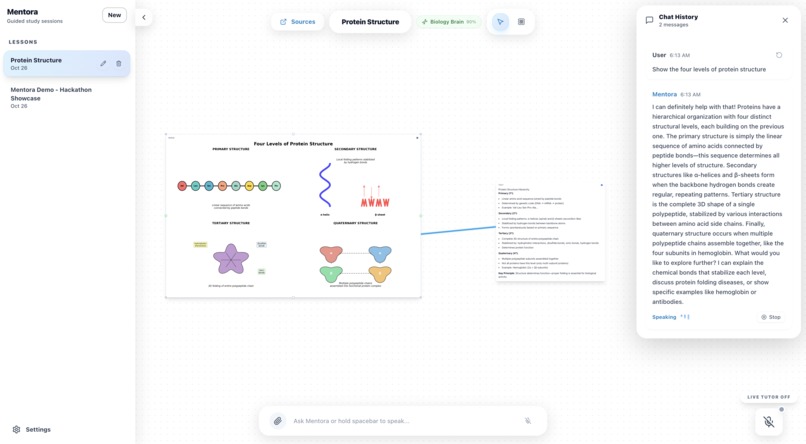
Protein Structure
-
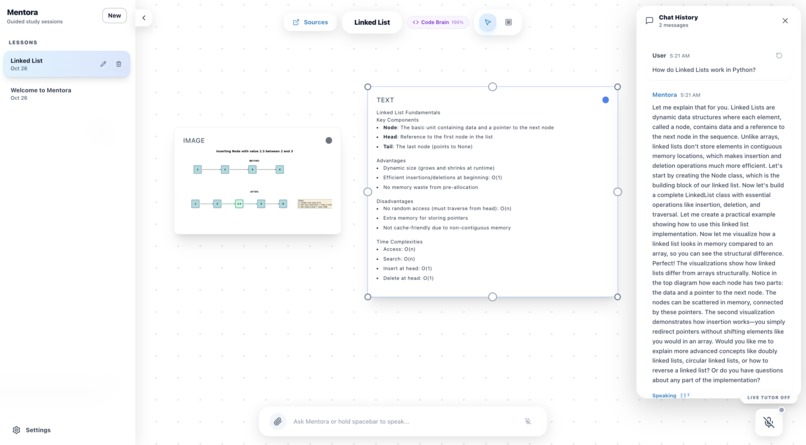
Linked List
-
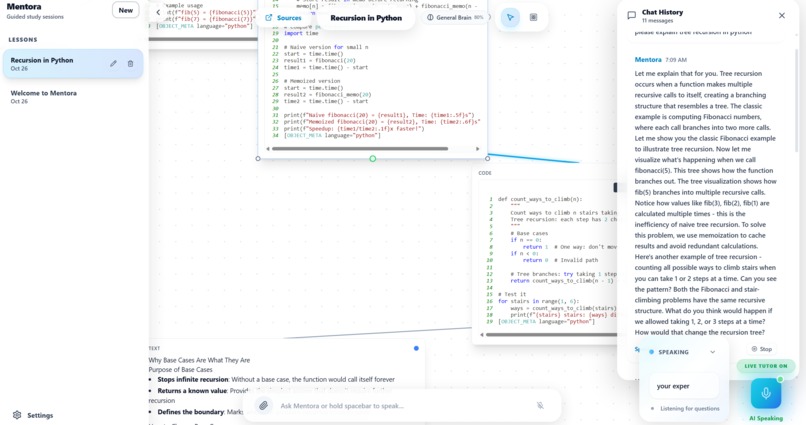
Recursion
-
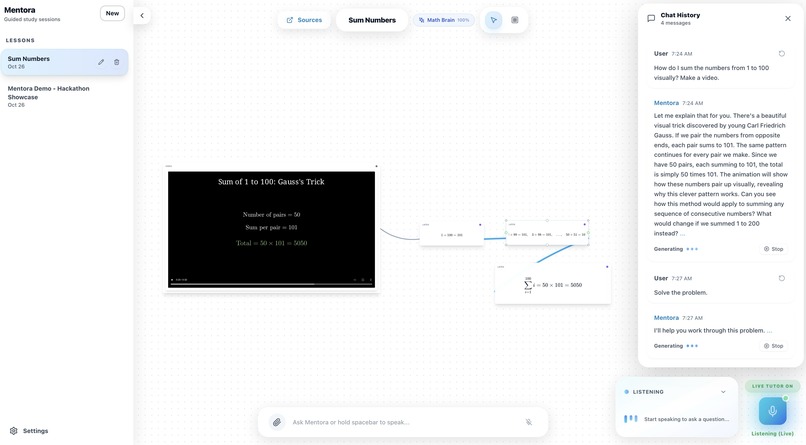
Sum
What is Mentora
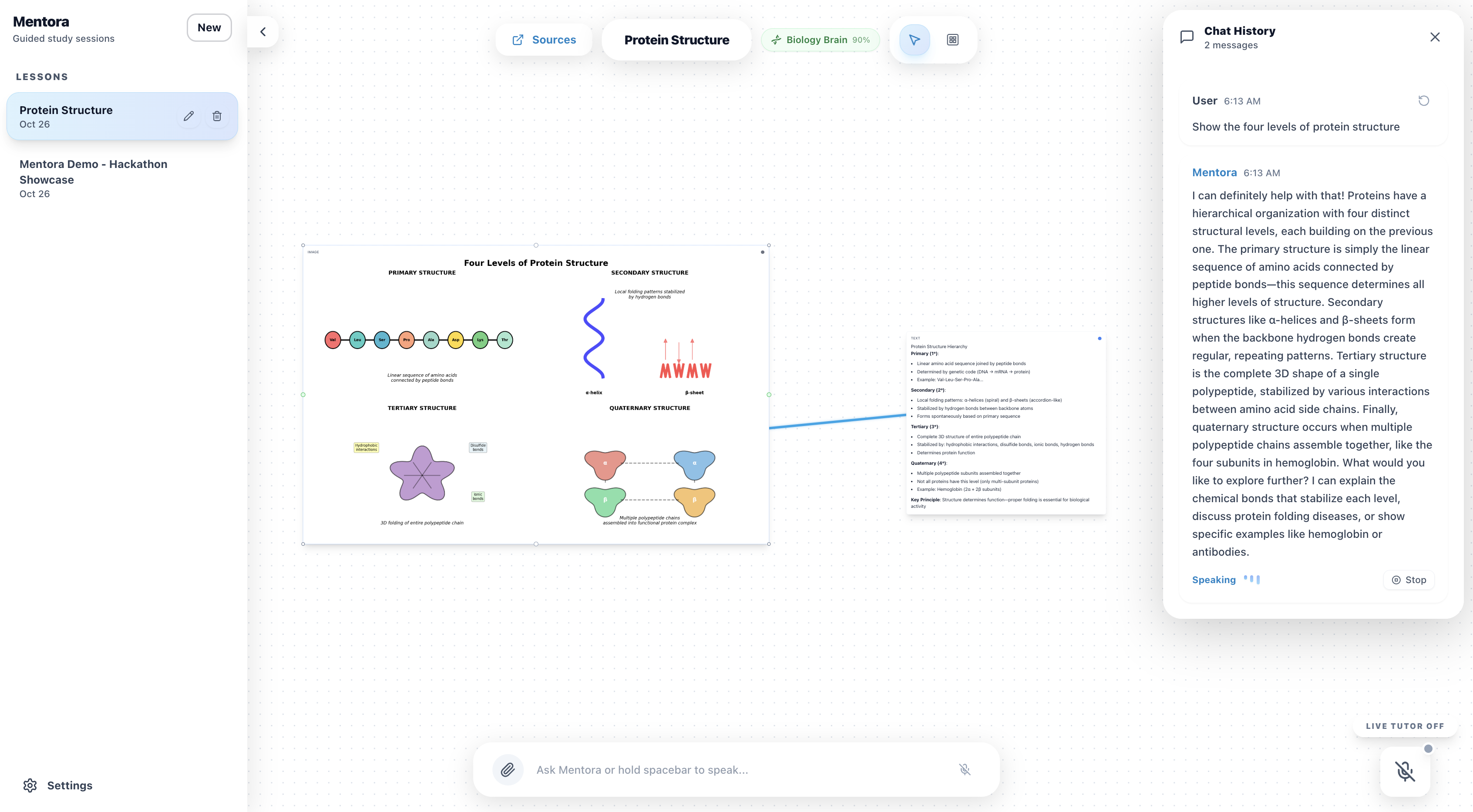
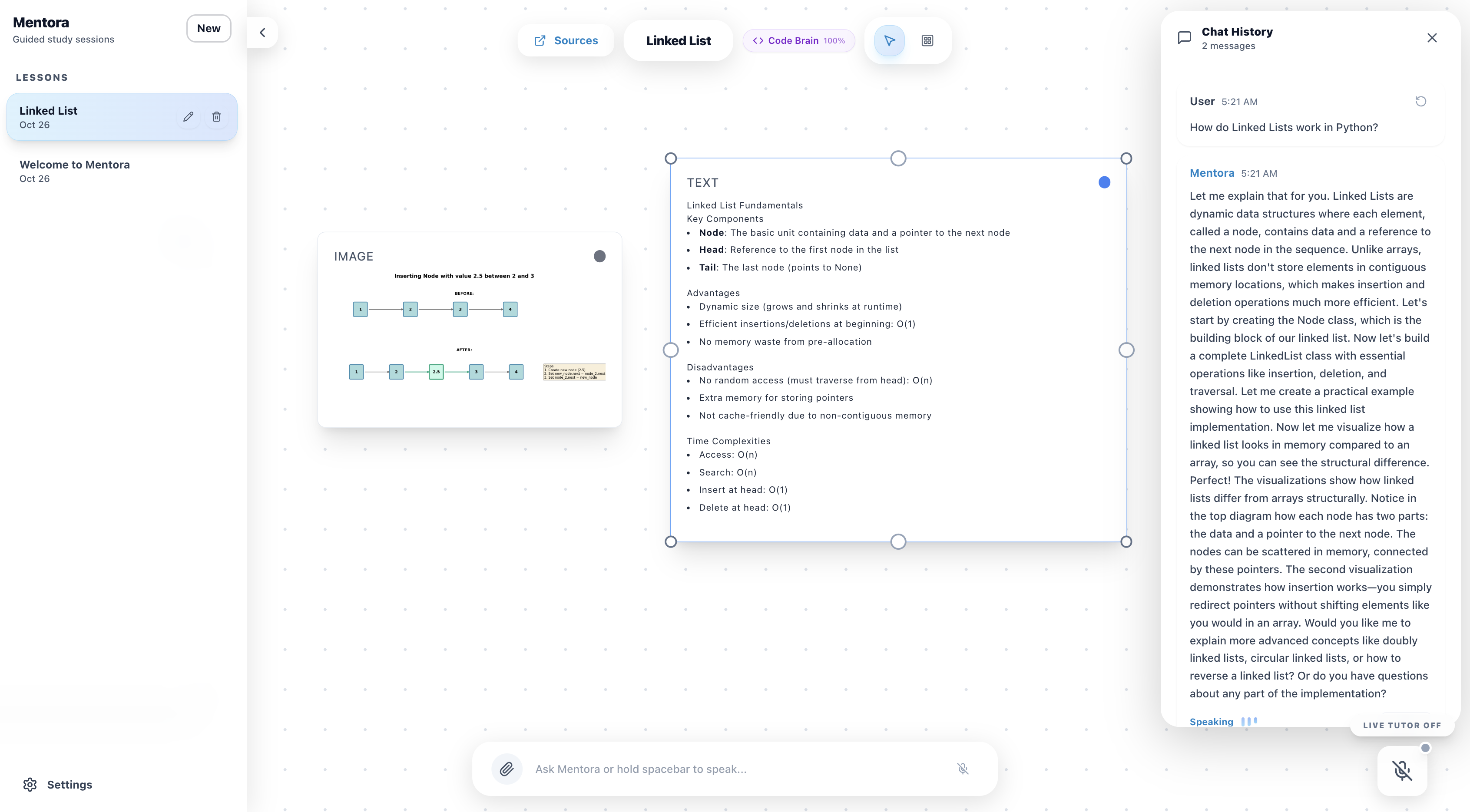
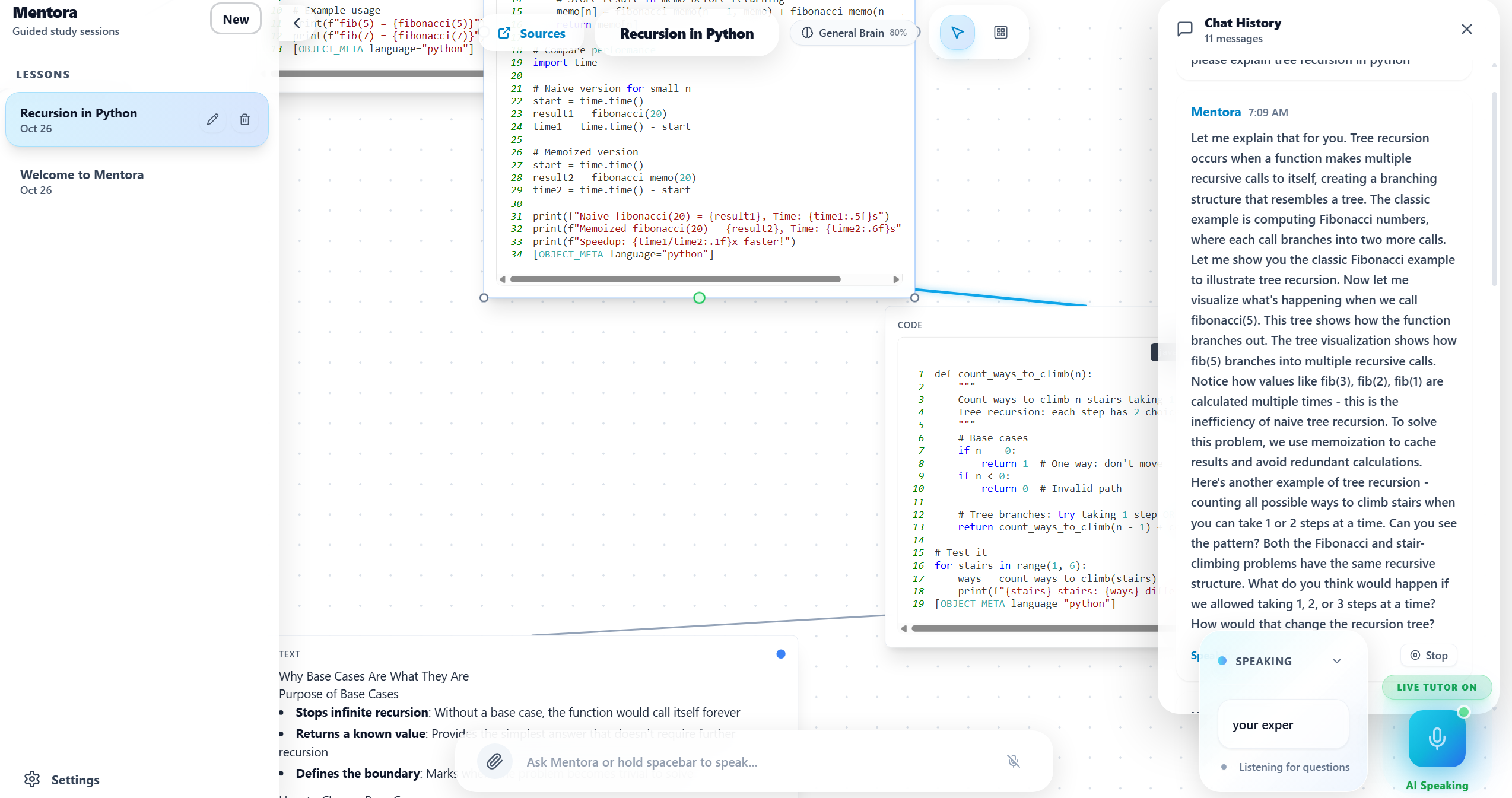
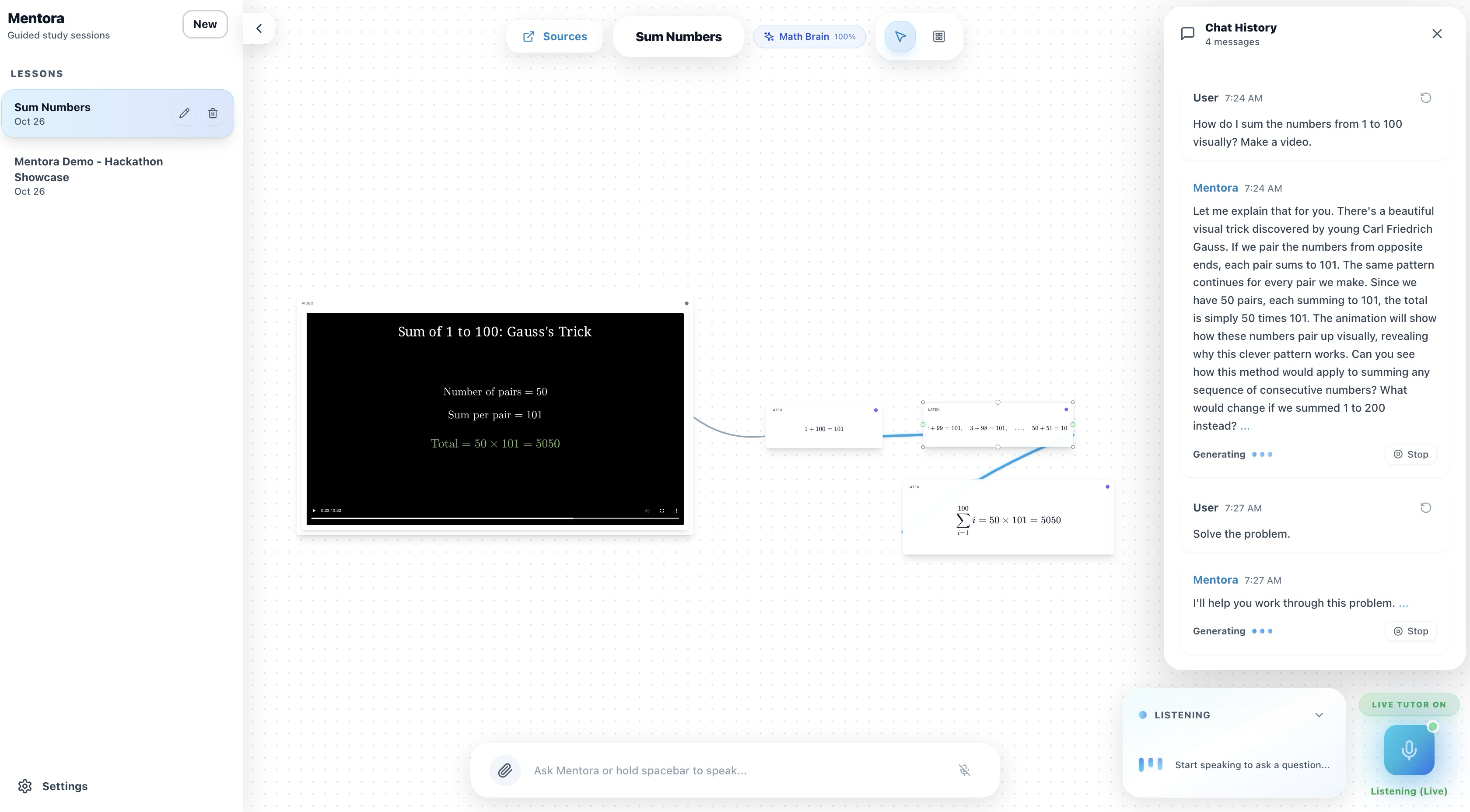
Mentora is a voice-interactive AI tutor designed to replicate the experience of learning from a human. It combines a context-aware language model with an infinite canvas workspace and real-time Text-to-Speech to provide explanations that are both auditory and visual. Mentora listens to spoken questions, transcribes them, generates step-by-step solutions (guided or direct), and produces synchronized visual aids such as LaTeX, graphs, code blocks, diagrams, and videos. Everything is coordinated so narration, visuals, and object references stay in sync, allowing learners to follow along naturally, just like in a live tutoring session.
Inspiration
- Voice agents often lack visual material to build full understanding. When we learn from a person, _they don’t just talk. _ They draw, gesture, highlight, and point to things as they explain.
- We wanted to recreate that dynamic: the feeling of someone explaining with both words and visuals, like a human conversation that unfolds naturally on a whiteboard or canvas.
How we built it
Mentora has a central streaming orchestrator that coordinates model output, tool execution, and audio generation, while the object generator and layout engine render visual content on the canvas. Session data is managed in-memory for fast iteration, and modular API endpoints connect the system’s components to deliver synchronized voice and visuals. We used Next.js, TypeScript, and Claude Sonnet 4.5 as the teaching agent, supported by OpenAI Whisper for transcription and OpenAI TTS-1 for speech synthesis.
To give the system depth, we integrated many, many Model Context Protocols (MCPs), allowing Mentora to interface with specialized “brains” for different domains math reasoning, coding, biology, or diagram creation. Each MCP module handles its own type of thinking but stays unified through the orchestrator, so Mentora can switch contexts intelligently mid-conversation. This setup enables guided reasoning, thinking aloud, explaining step-by-step, and referencing prior context like a human tutor would. The result feels less like talking to a tool, and more like learning from a friend who sketches, speaks, and reasons with you in real time.
Accomplishments that we're proud of
- Built a multimodal RAG system using ChromaDB that retrieves contextual text, equations, and visuals based on the user’s question, highlighted objects, and conversation history, allowing the tutor to reference prior discussions and provide explanations with rich continuity.
- Designed a dynamic canvas engine that renders LaTeX, graphs, code, and diagrams on demand, intelligently aligning visuals with narration and feeding new objects back into ChromaDB for future context.
- Engineered a sophisticated streaming orchestrator that coordinates Claude’s grounded response generation, TTS, and live canvas updates, ensuring smooth, interactive tutoring sessions while automatically ingesting new conversation turns and canvas content into ChromaDB.
What we learned
- RAG Systems and Context Management: Using ChromaDB for retrieval-augmented generation taught us the importance of structuring conversation history, highlighted objects, and visual references so the AI can provide grounded, accurate responses and expand on user selected components.
- Real-Time Orchestration Challenges: Streaming responses while synchronizing TTS, canvas updates, and AI output highlighted the complexity of building low-latency, live interactive systems.
- User-Centered Design: Supporting guided (Socratic) and direct modes showed us how flexibility in teaching style improves engagement and understanding.
- Scalable Architecture Principles: Implementing modular components like the context builder, canvas engine, and streaming orchestrator emphasized maintainability, testability, and future expansion.
Challenges we ran into
- Wifi was slow
What's next for Mentora
In the future, we plan to integrate Claude with more MCP tools so it can better generate diagrams and animations. We also plan for Mentora to highlight the specific parts of the current context and canvas objects it references, clearly showing which prior information it is using in its explanations.
Built With
- chromadb
- claude
- docker
- manim
- mcp
- next
- python
- typescript
- wisper


Log in or sign up for Devpost to join the conversation.