-
-

INTRO
-
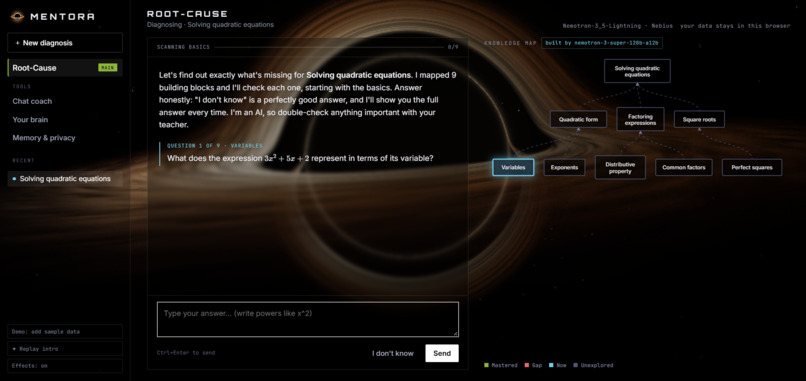
ROOT-CAUSE
-
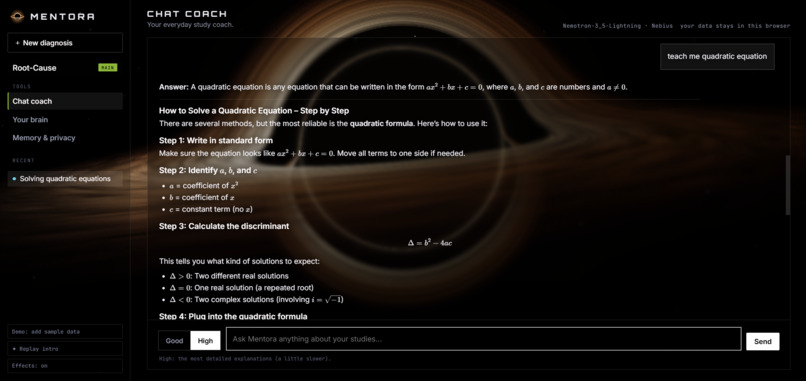
CHAT COACH
-
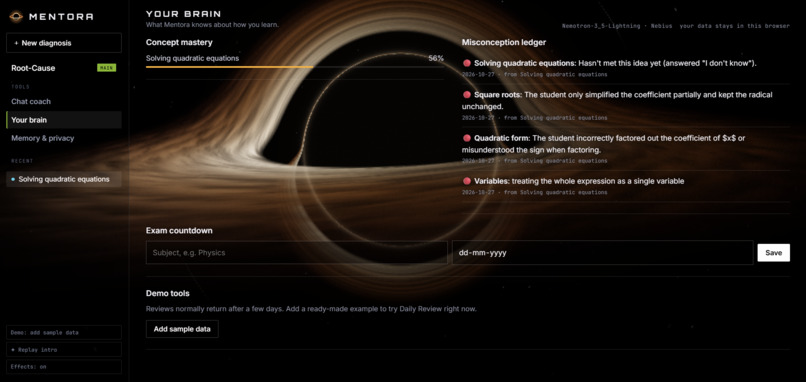
BRAIN
-
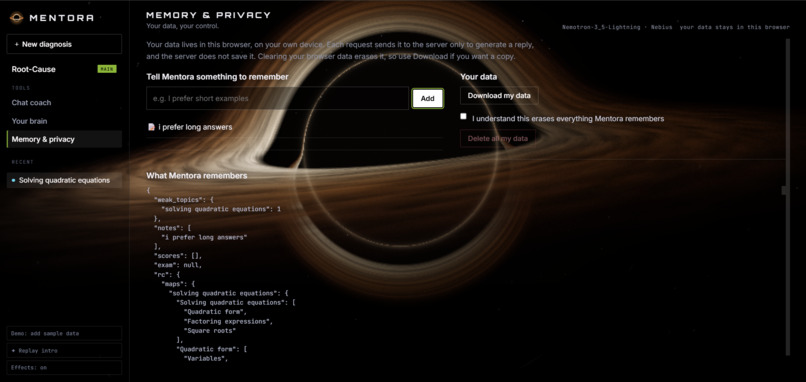
MEMORY AND PRIVACY

Inspiration
Every study app tells you to "practise more". But when I'm stuck on something like quadratic equations, practising more of the same thing doesn't help, because the real problem is usually a building block I never understood years ago (factorising, negative numbers, order of operations). A good tutor finds that gap. Most students can't afford one. I wanted to build the tutor's diagnostic skill into an AI.
What it does
Mentora is a root-cause study coach.
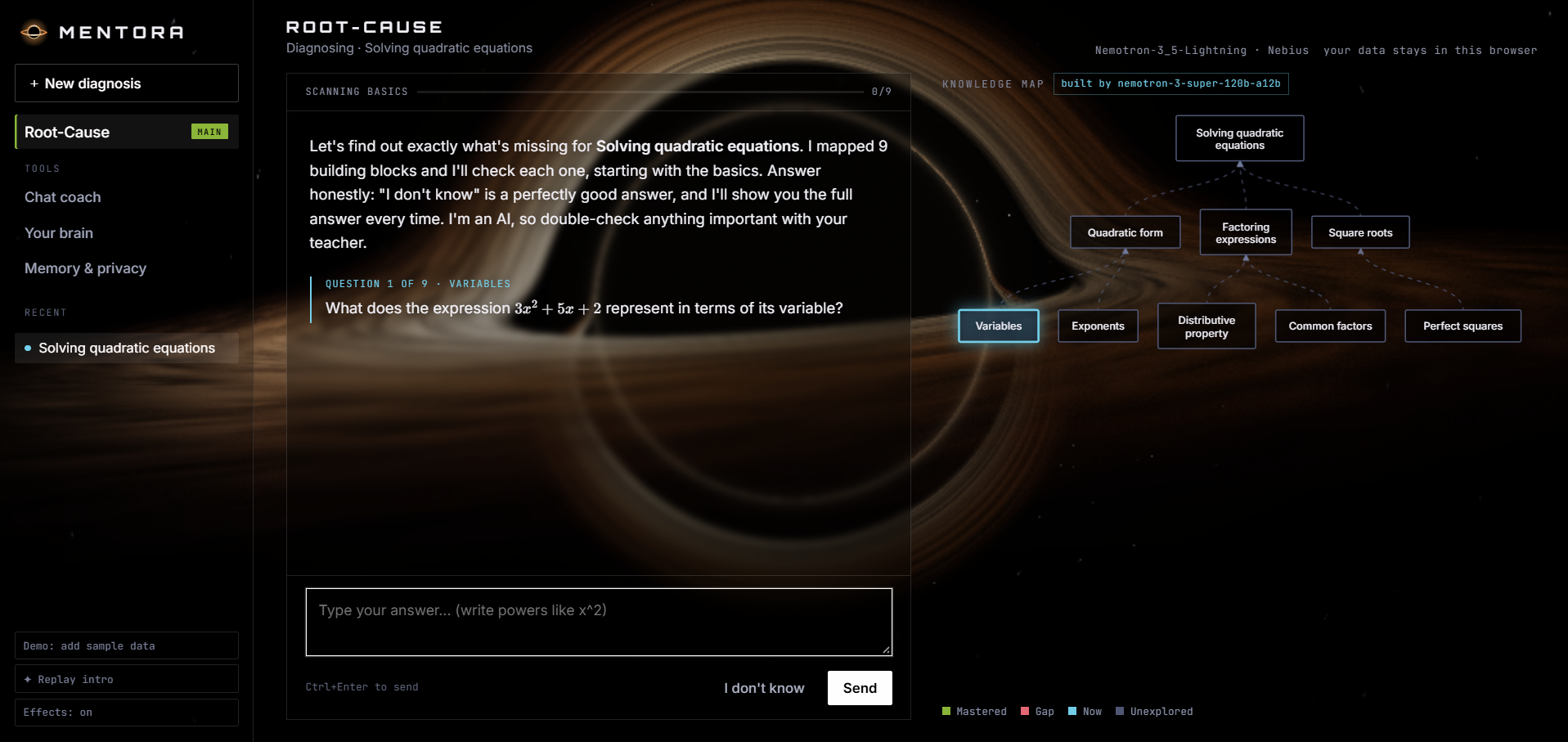
- You name something you're stuck on. Mentora maps the prerequisite concepts under it as a live knowledge map.
- It checks every building block, foundations first. "I don't know" is a fine answer, and Mentora then shows the correct answer, why it's right, and how to get it.
- It writes a Root-Cause Report naming your specific misconception, then teaches the missing blocks from the bottom up with an analogy, a worked example and memory tricks, followed by check questions.
- Daily Review brings fixed gaps back after 1, 3, 7 and 14 days (spaced repetition). If you forgot one, it turns red on your map again.
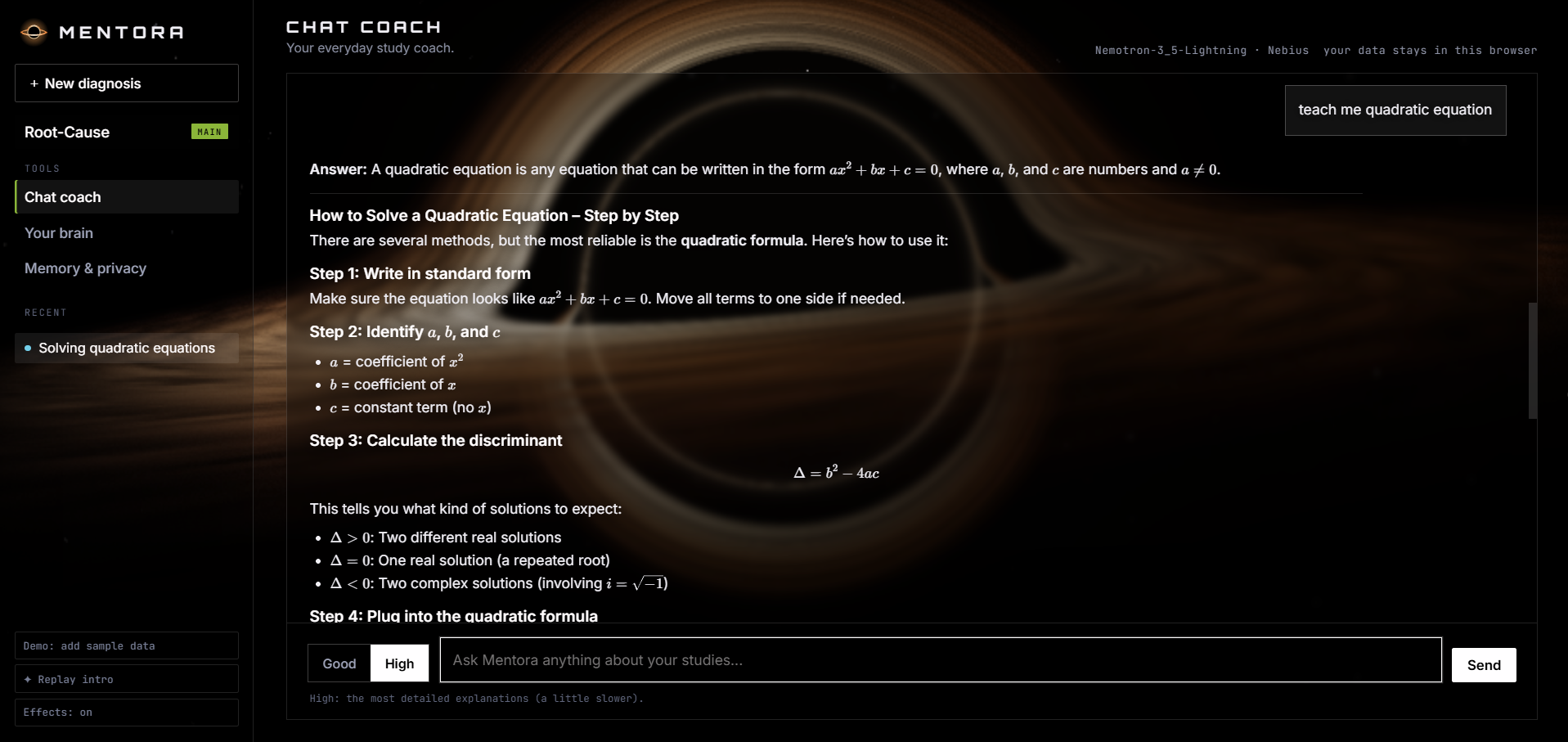
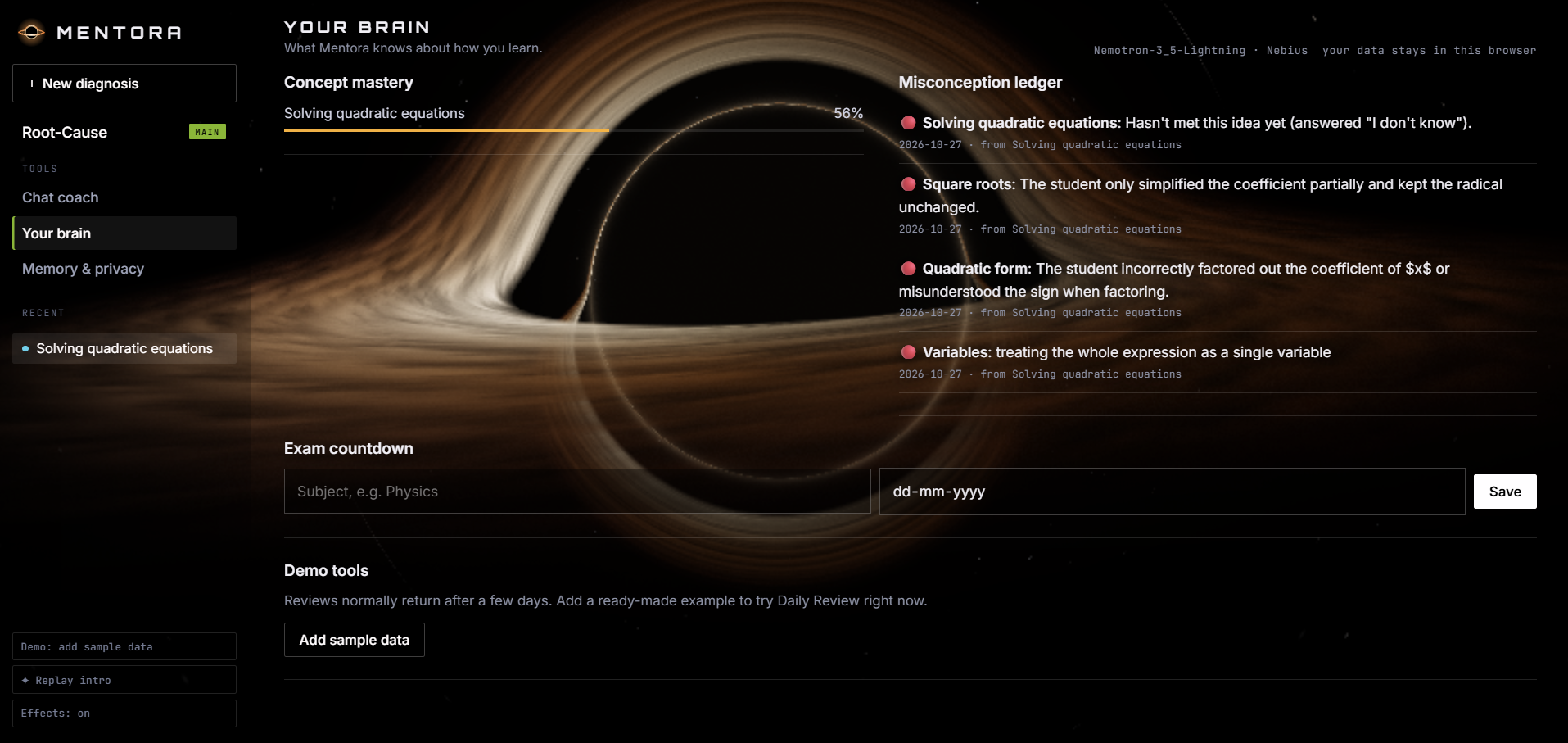
- It remembers you: a misconception ledger, an exam countdown, and a chat coach (Good or High detail) that knows your open gaps.
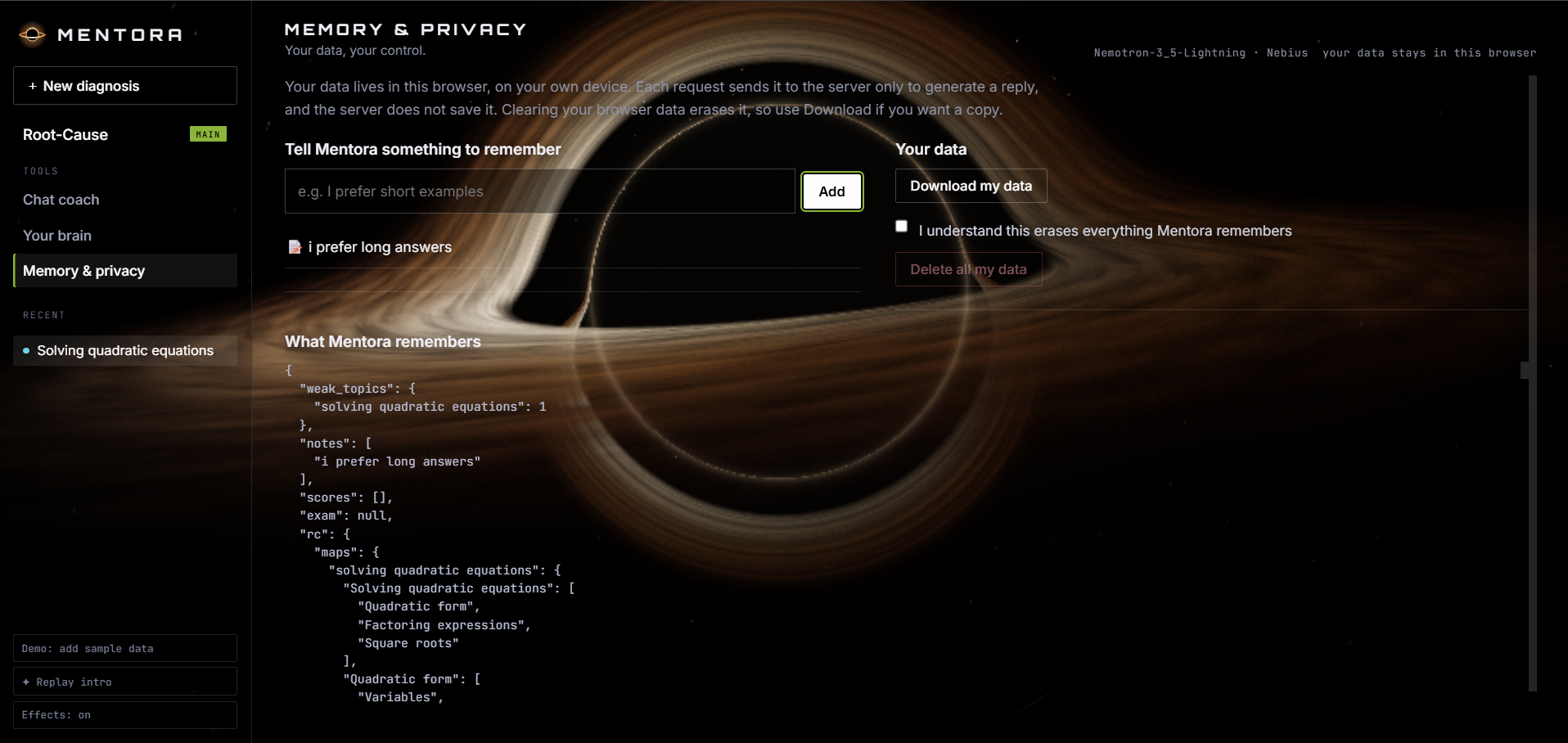
- Privacy by design: your data lives in your own browser. The server processes each request and saves nothing.
How I built it
Nemotron on Nebius Token Factory does the thinking. Nemotron 3.5 Lightning handles the fast steps (questions, grading, chat). Nemotron 3 Super handles the heavy reasoning (the prerequisite map as structured JSON, the root-cause report, lessons and full solutions), with automatic fallback to Lightning. I used streaming for chat and parallel calls so a full solution and the next question are generated at the same time. The backend is FastAPI on Vercel, and the front end is vanilla JavaScript with a WebGL black-hole shader and KaTeX for maths. Phones get a lighter look so the app stays fast.
Challenges I ran into
- Grading reliability: early on, "I don't know" was sometimes graded as correct, and short answers like "4" were mistaken for non-answers. I fixed this with code-level checks and a rule that overrides a verdict that contradicts its own explanation.
- Making the app multi-user and private on a serverless host, which I solved by keeping each visitor's data in their own browser.
- I'm a beginner. I learned Python and web development while building this.
Accomplishments I'm proud of
A complete working loop (map, diagnose, teach, review) that anyone can open and try without an account, and an honest design that tells students to double-check important answers.
What I learned
Prompting for structured output, validating AI results, running parallel model calls, and designing for privacy.
What's next
Notes and PDF upload, a teacher view of the most common gaps across a class, and checking the AI's answers against textbooks.
Demo instructions
No login or install needed. Open the live link in any browser (desktop or phone).
- On the home page type "Solving quadratic equations" (or click an example chip) and press Diagnose.
- Answer the questions, or press "I don't know" to see the full answer. Watch the knowledge map change colour.
- After the scan, read the Root-Cause Report and the lesson, then press "I'm ready, test me".
- To see Daily Review quickly, press "Demo: add sample data" (bottom of the sidebar on desktop, or the "Your brain" page on a phone), then "Start review".
- The Chat coach has a Good / High switch. Your data stays in your browser and can be downloaded or deleted on the "Memory & privacy" page. Note: AI answers can contain mistakes, and the first request after a quiet period can take a few extra seconds.


Log in or sign up for Devpost to join the conversation.