-
-
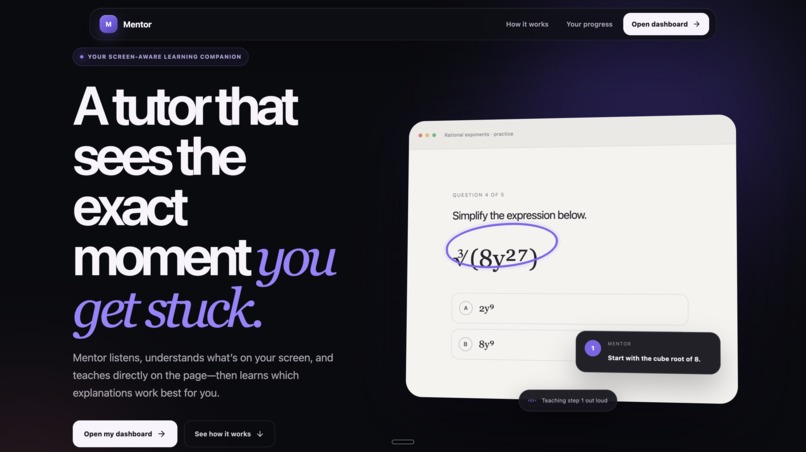
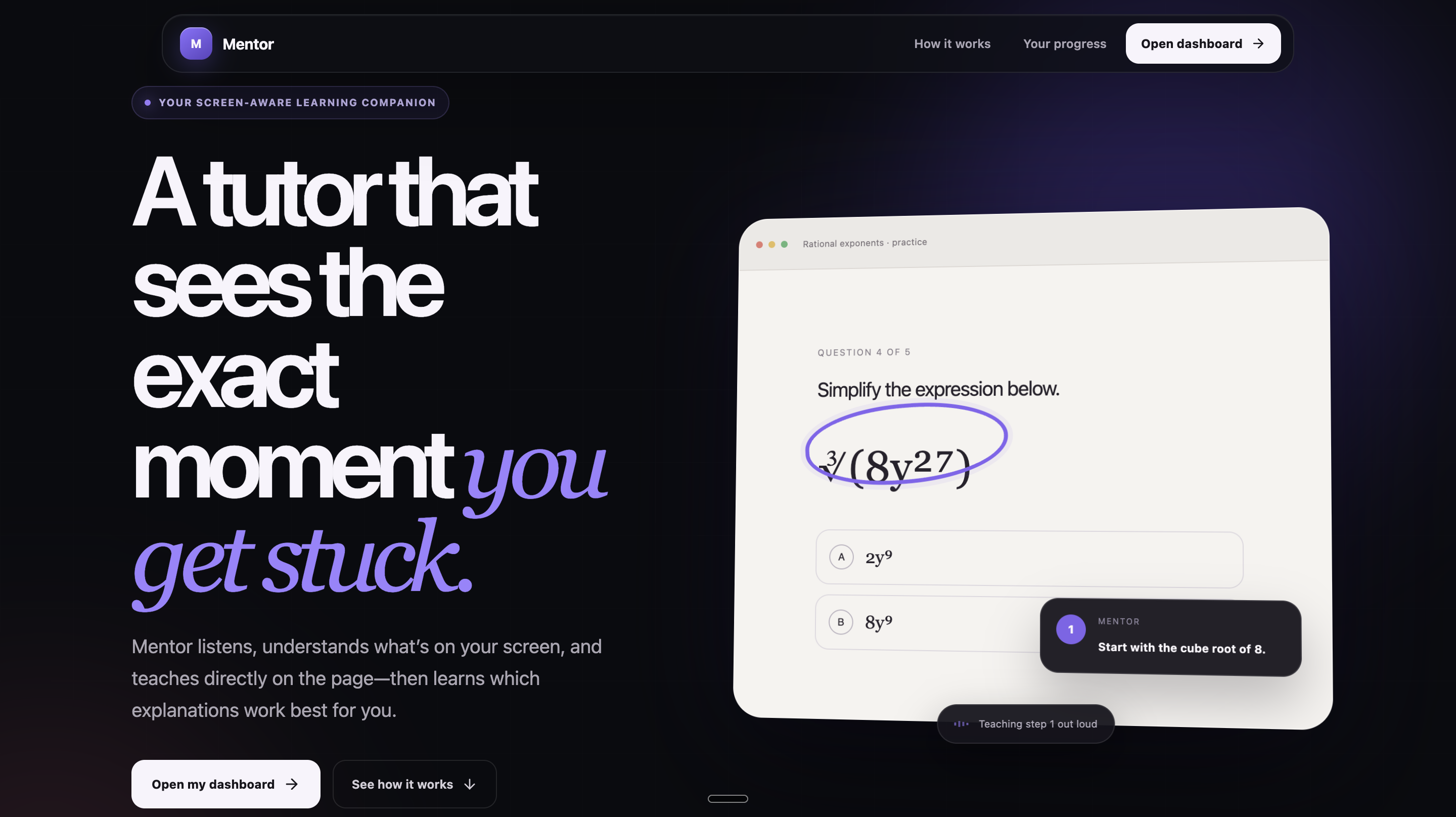
Landing page introduces Mentor’s screen-aware tutoring experience.
-
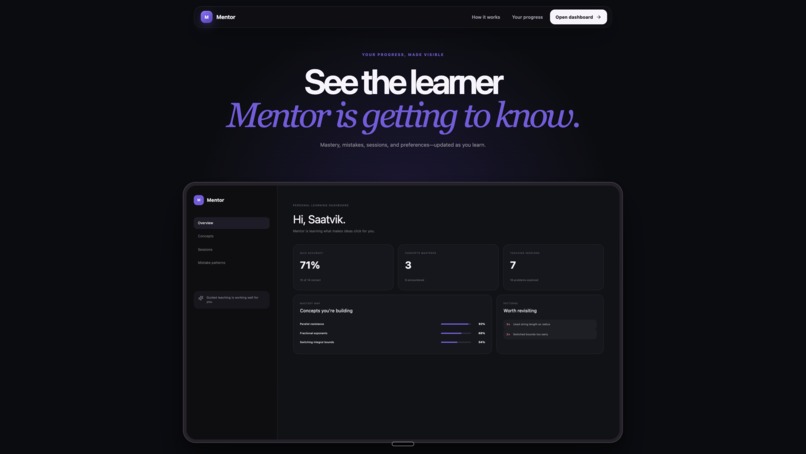
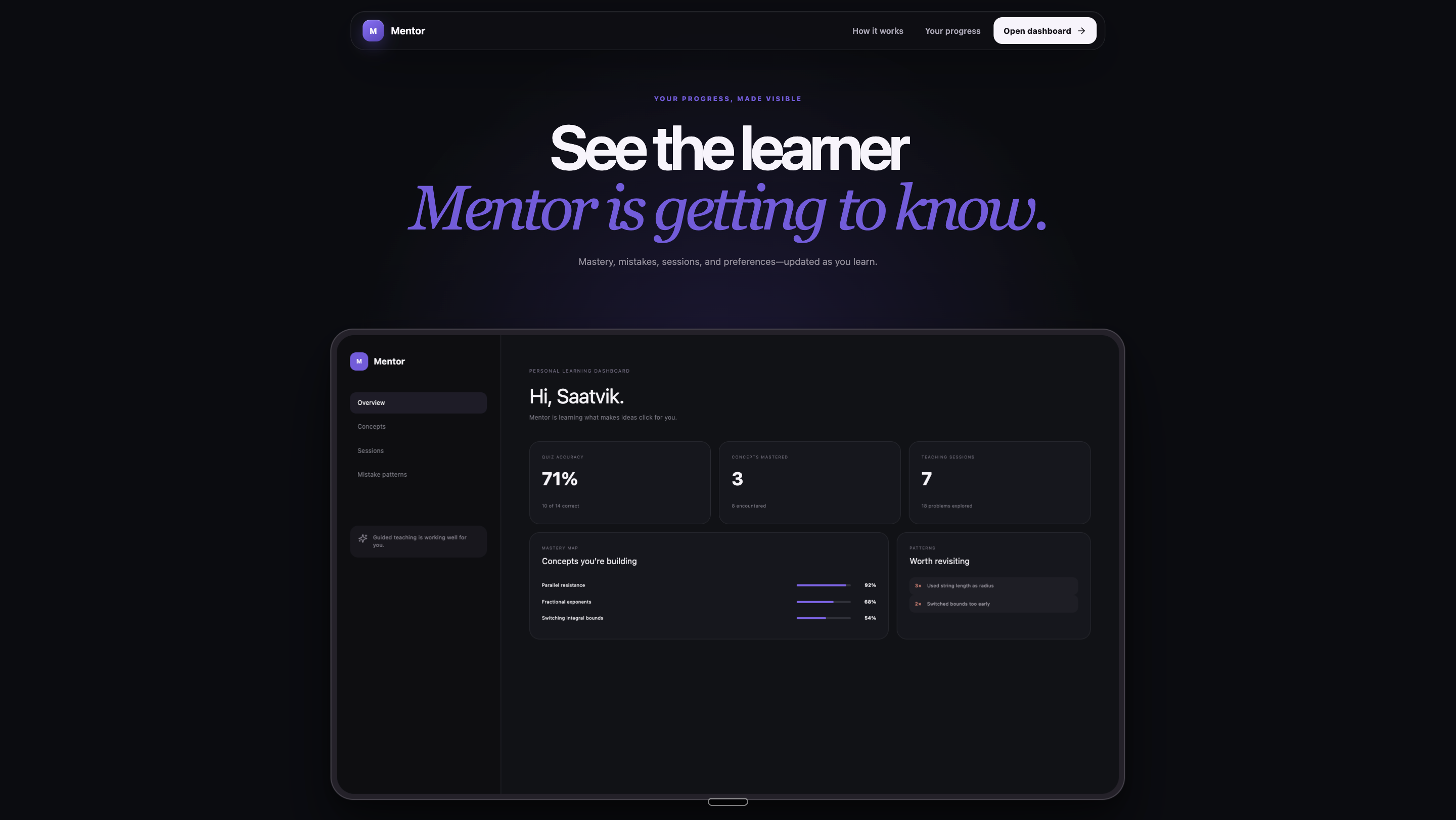
Landing page previews personalized learning progress and insights.
-
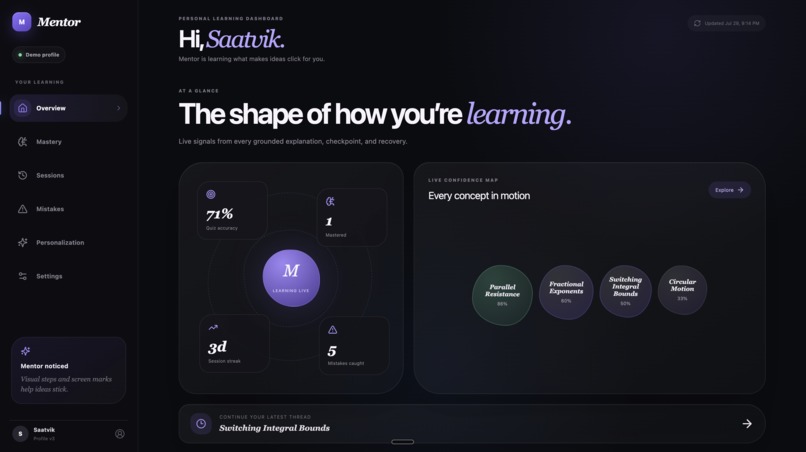
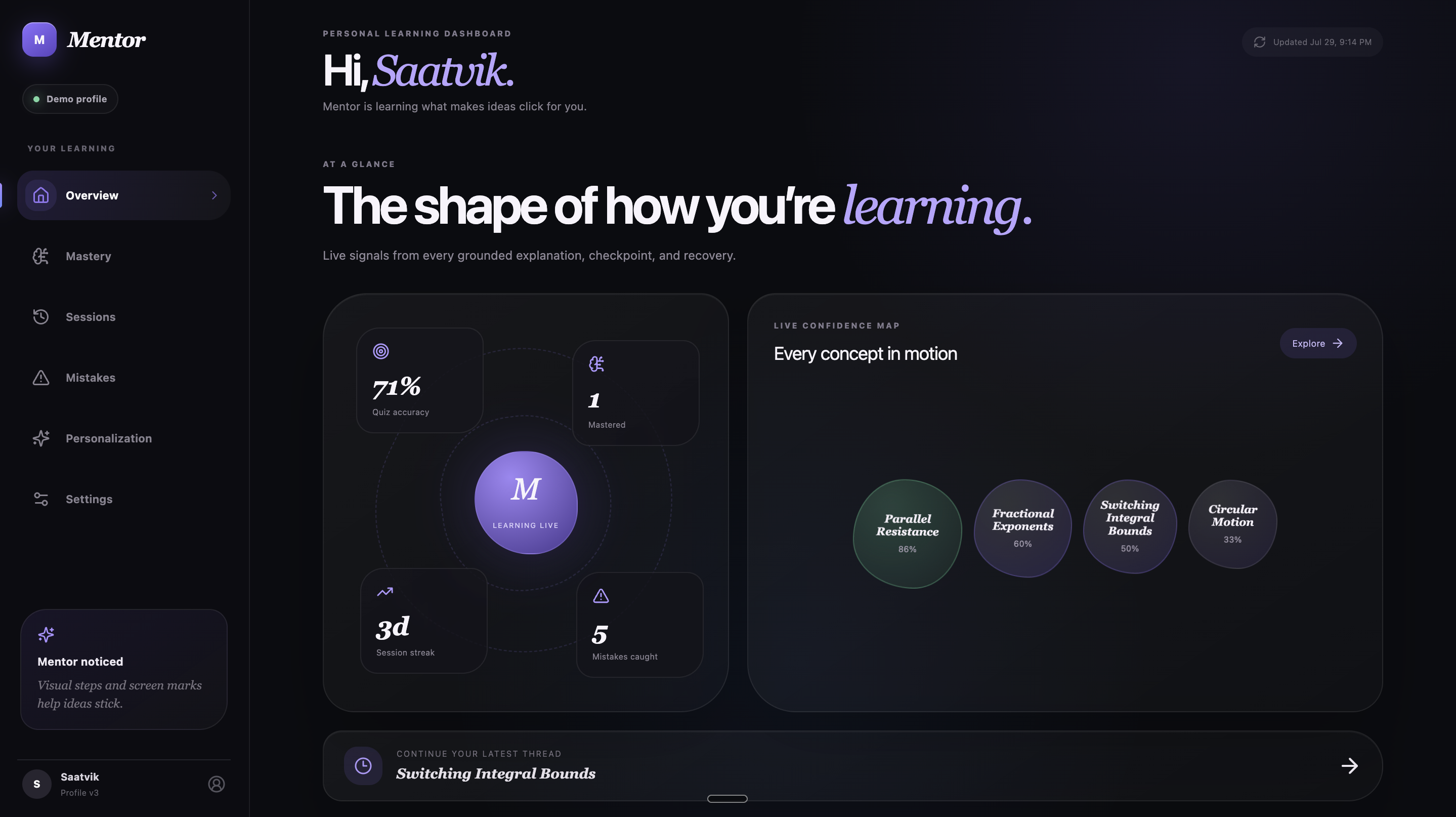
Dashboard summarizes mastery, accuracy, streaks, and active concepts.
-
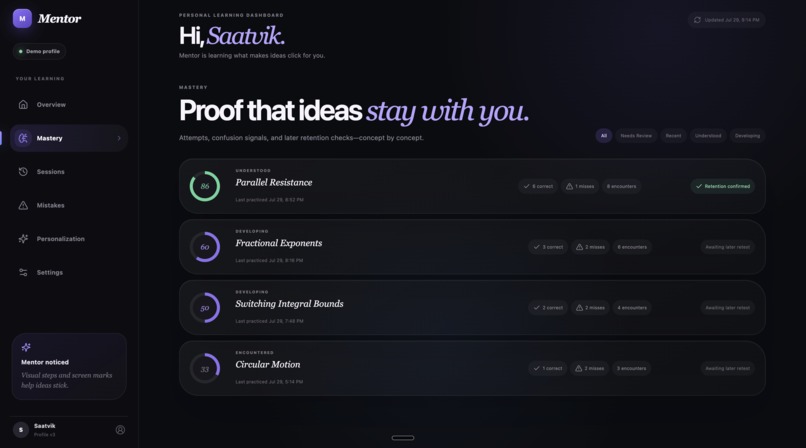
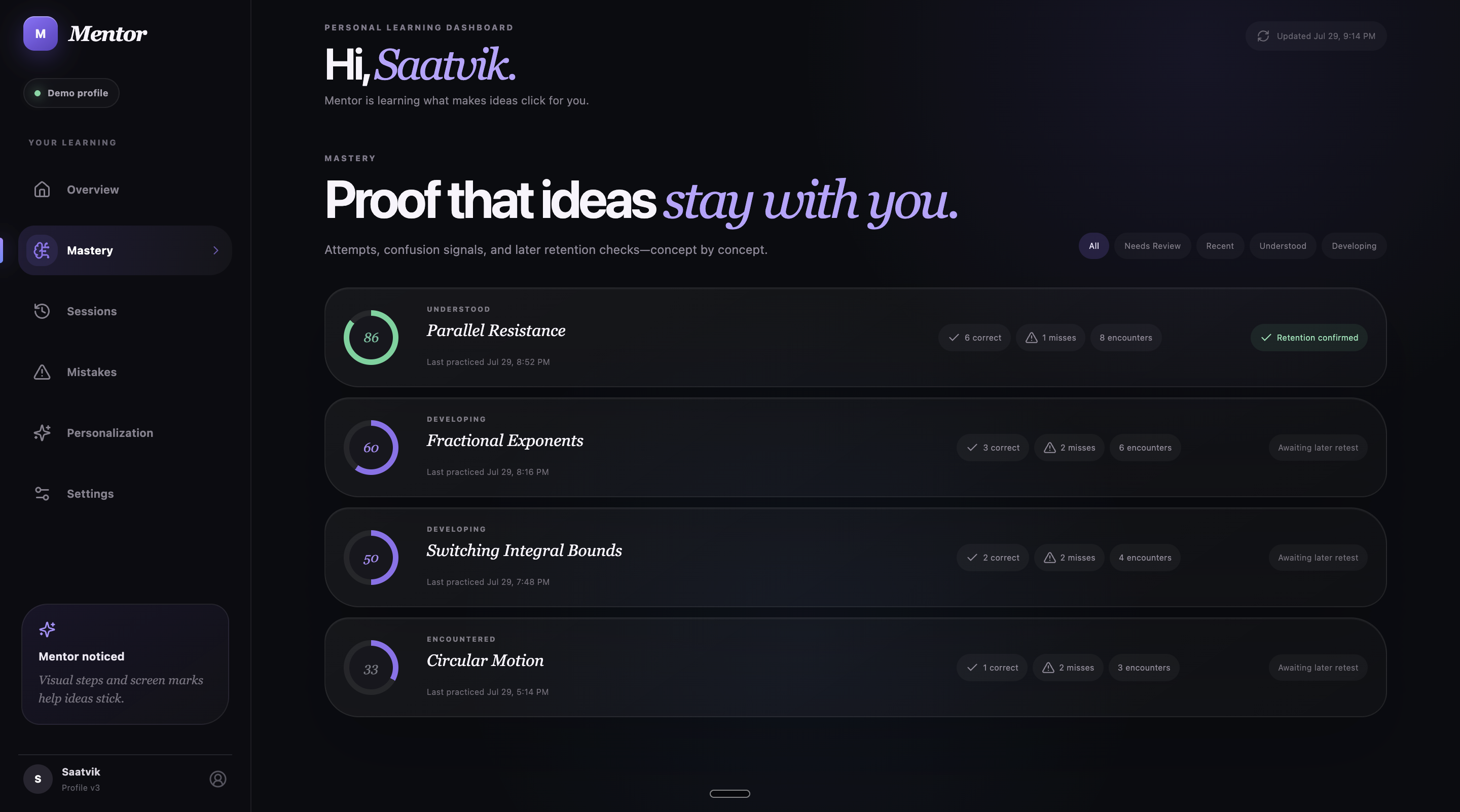
Mastery dashboard tracks performance and retention by concept.
-
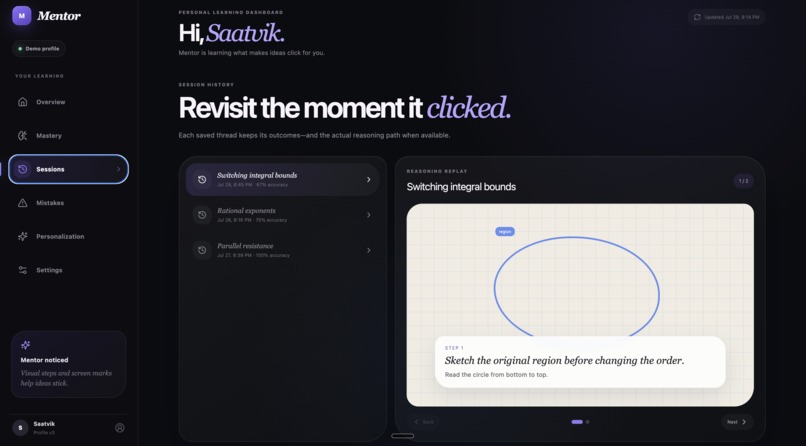
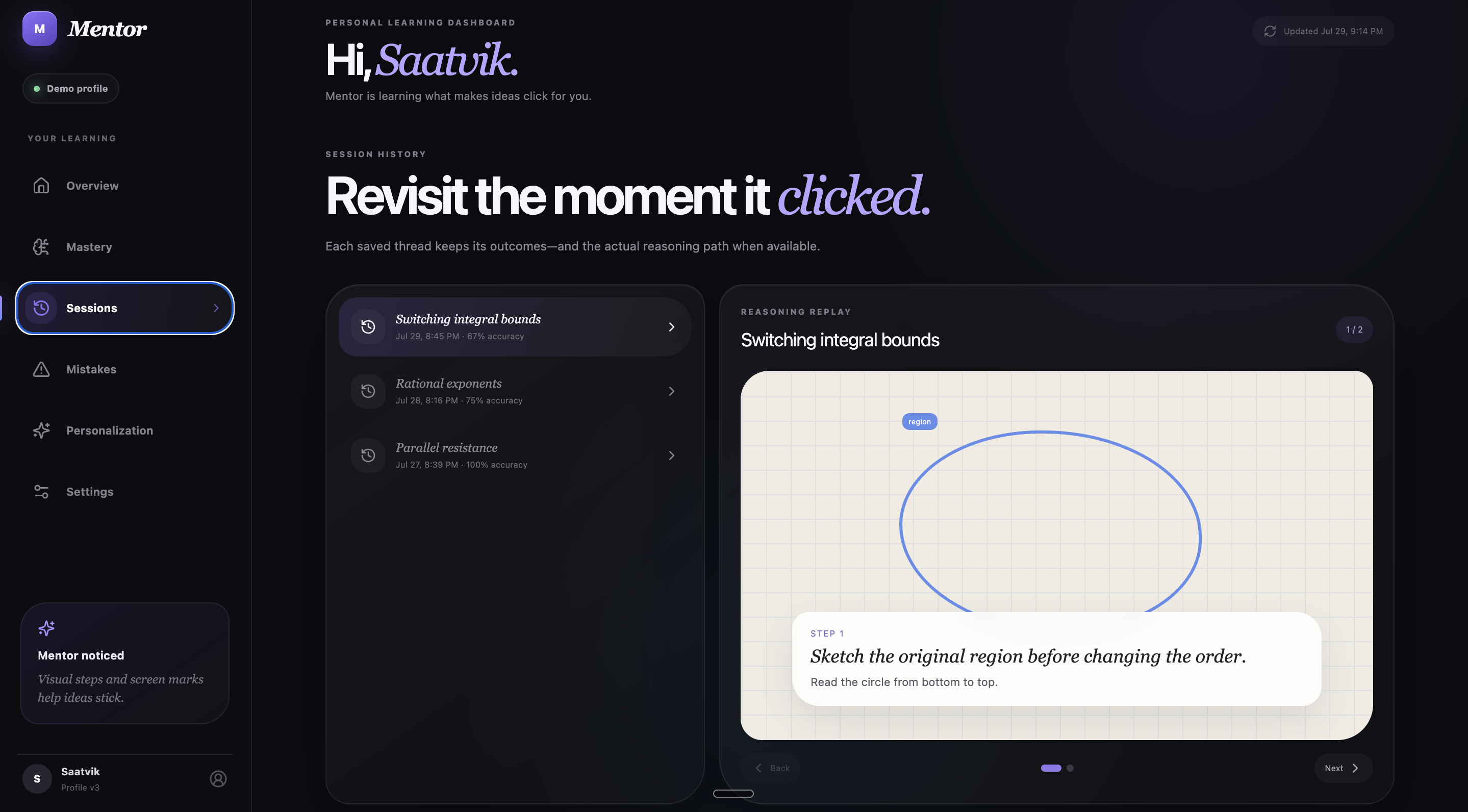
Session history replays saved reasoning and visual annotations.
-
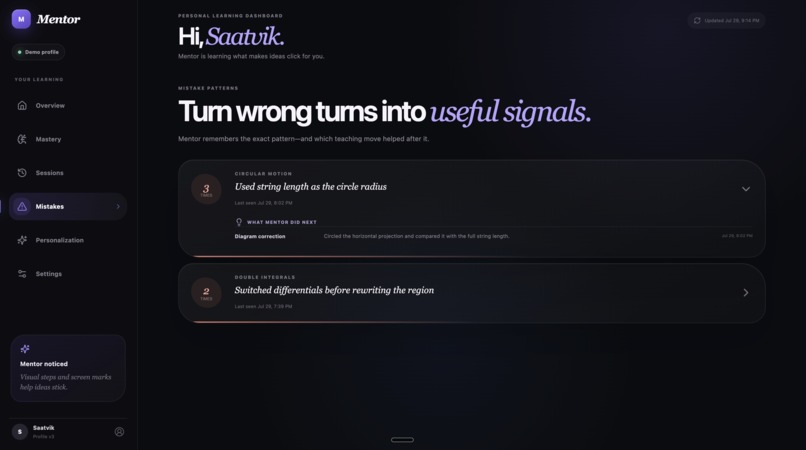
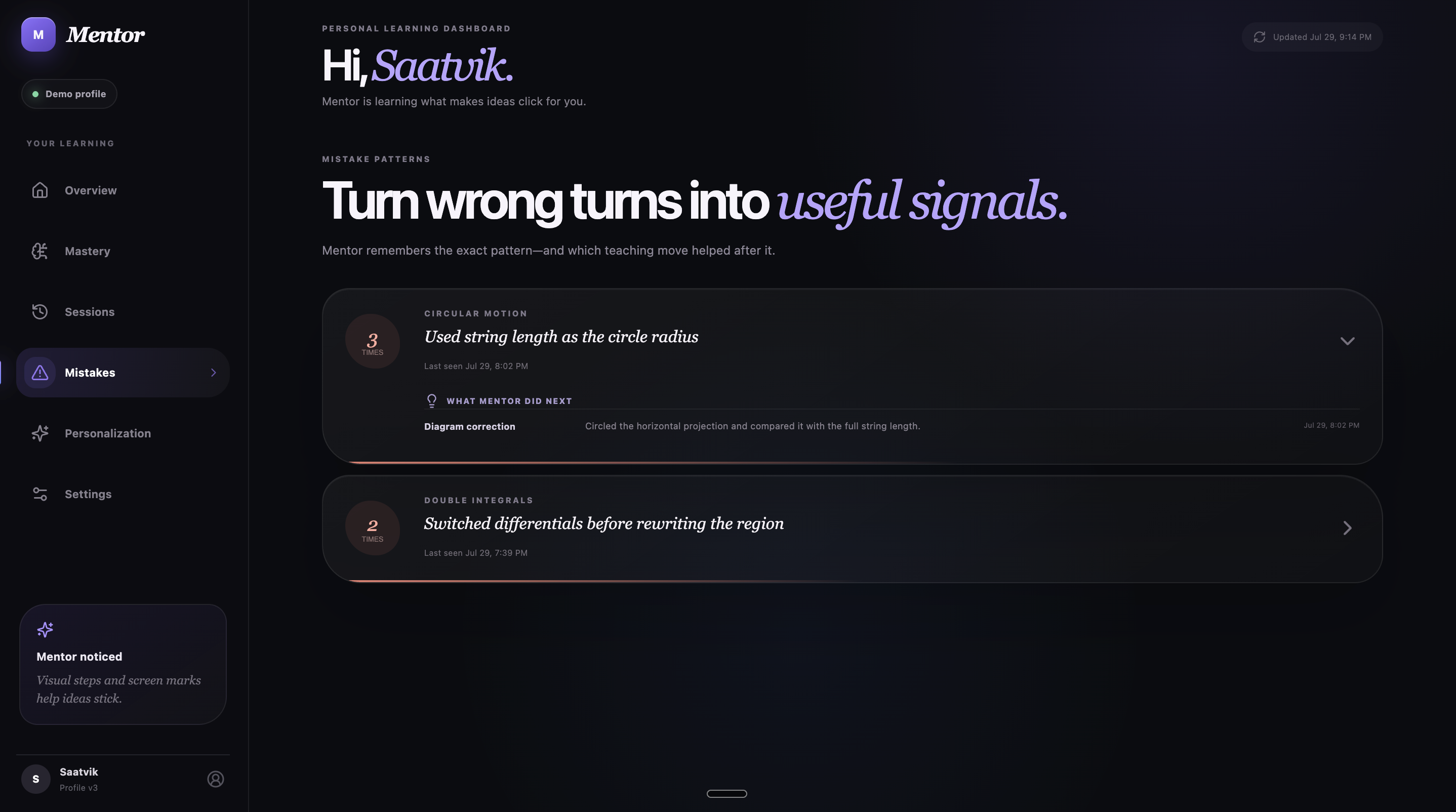
Mistake patterns reveal recurring errors and Mentor’s corrections.
-
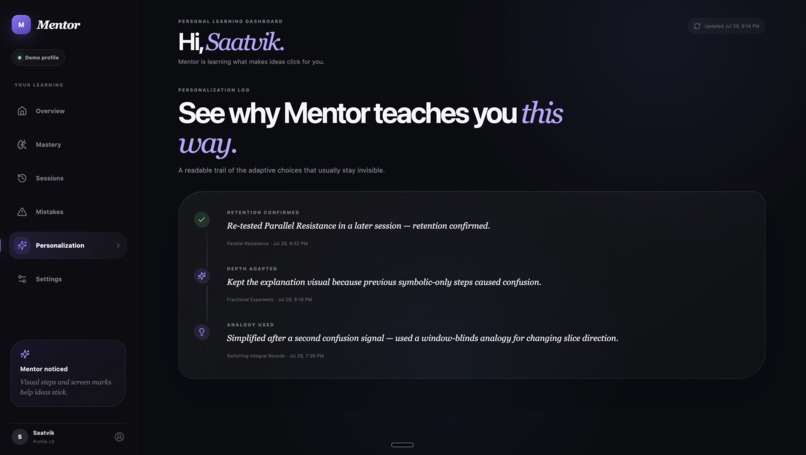
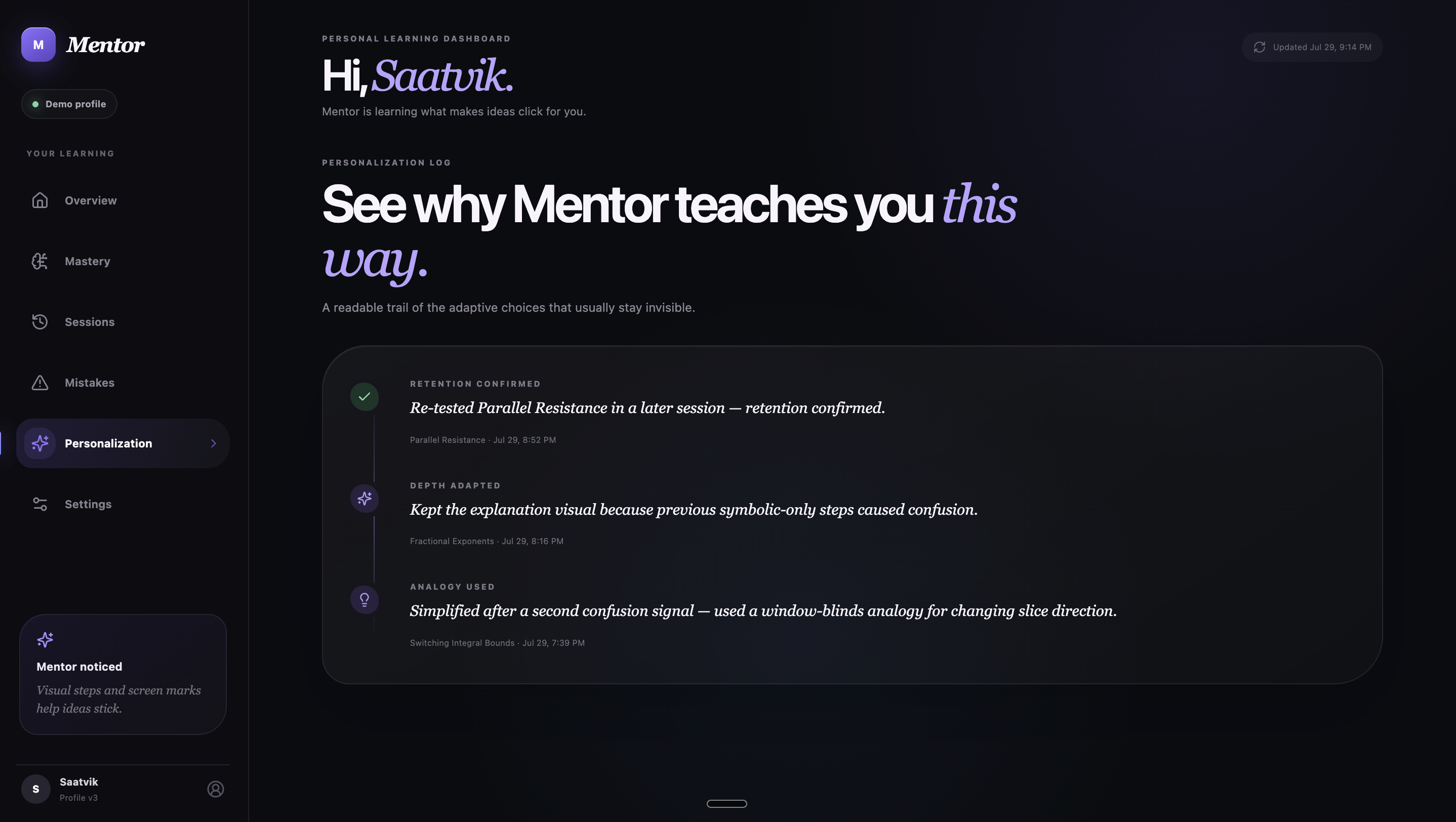
Personalization log explains why Mentor adapts its teaching.
-
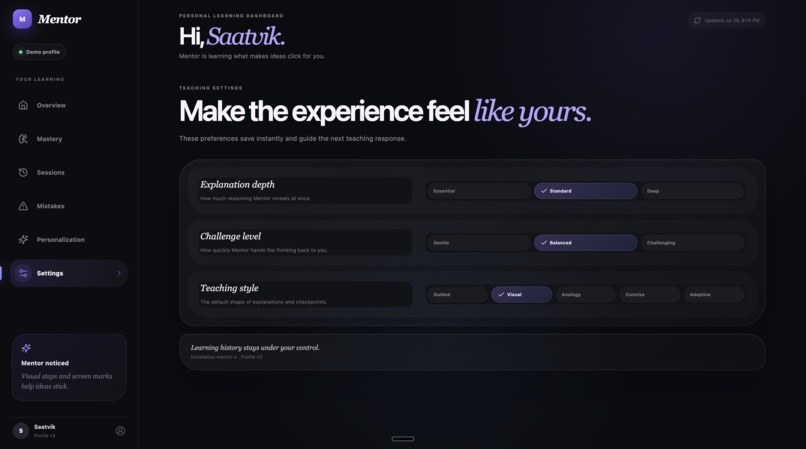
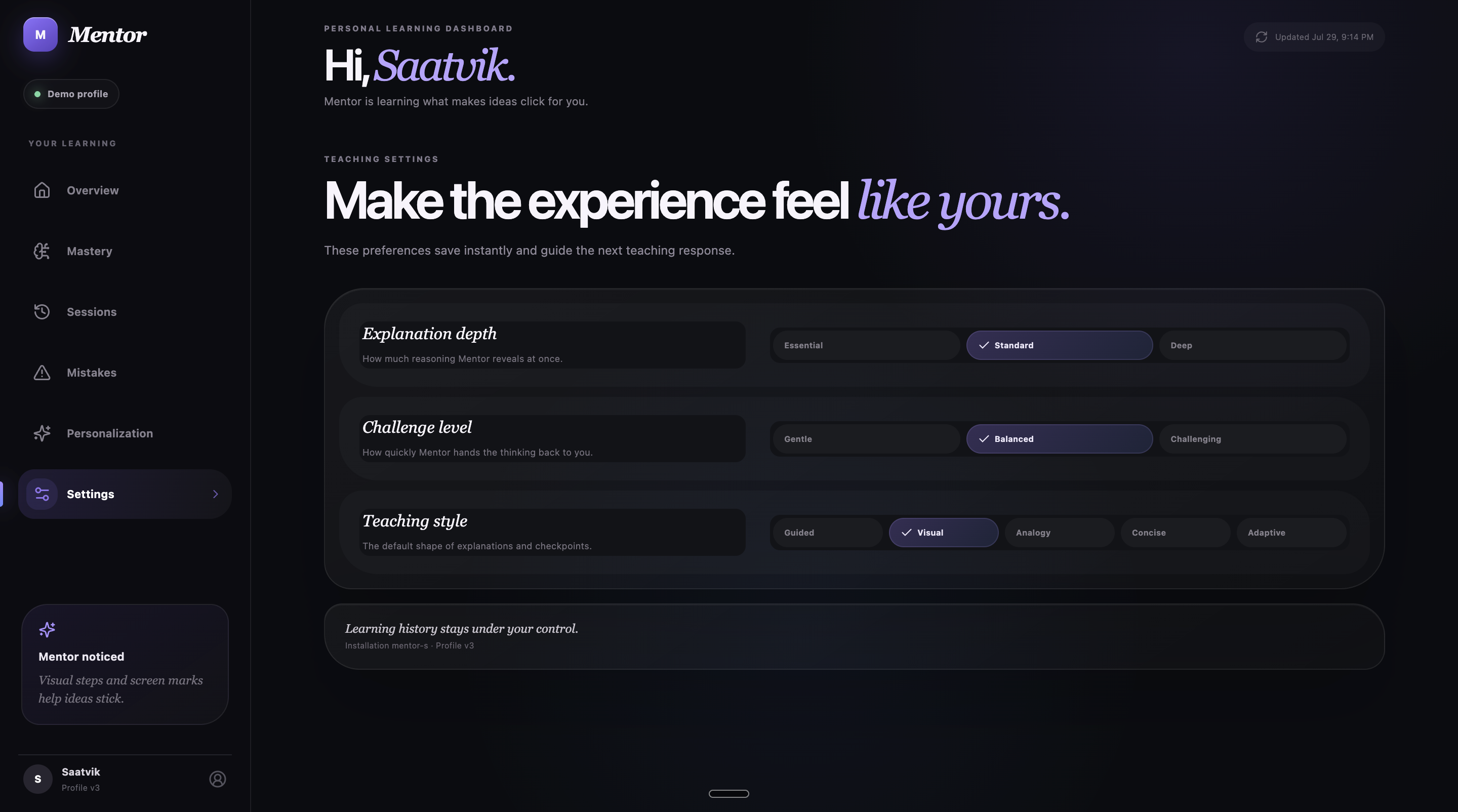
Settings personalize explanation depth, difficulty, and teaching style.
-
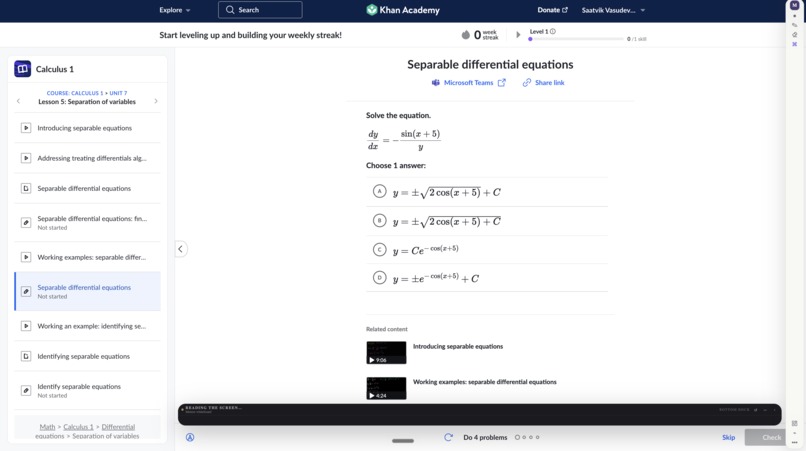
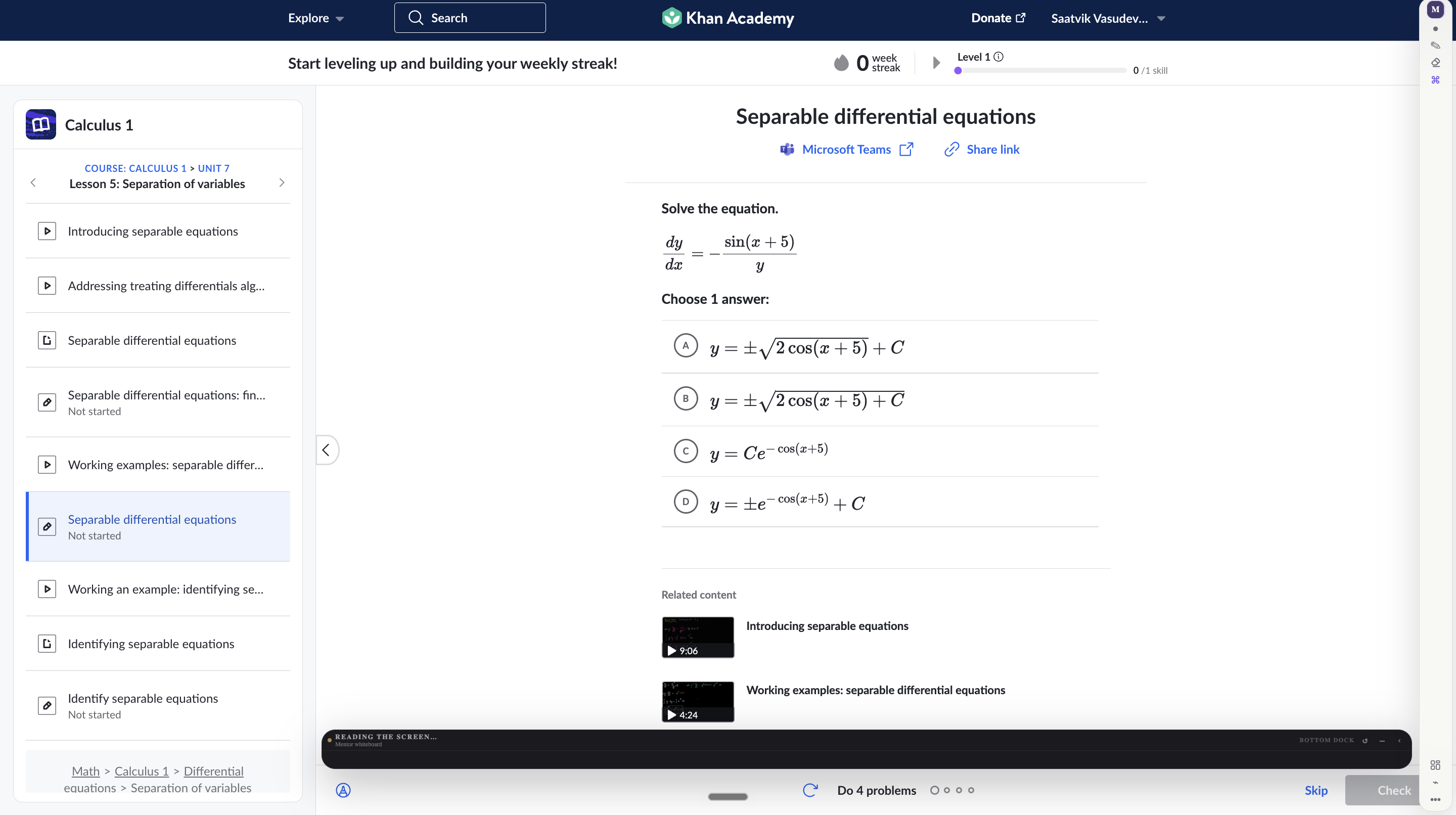
Mentor analyzes the visible problem before beginning instruction.
-
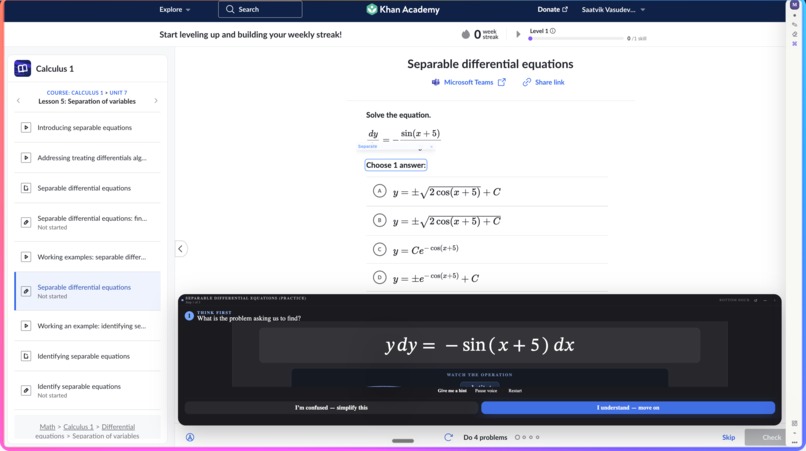
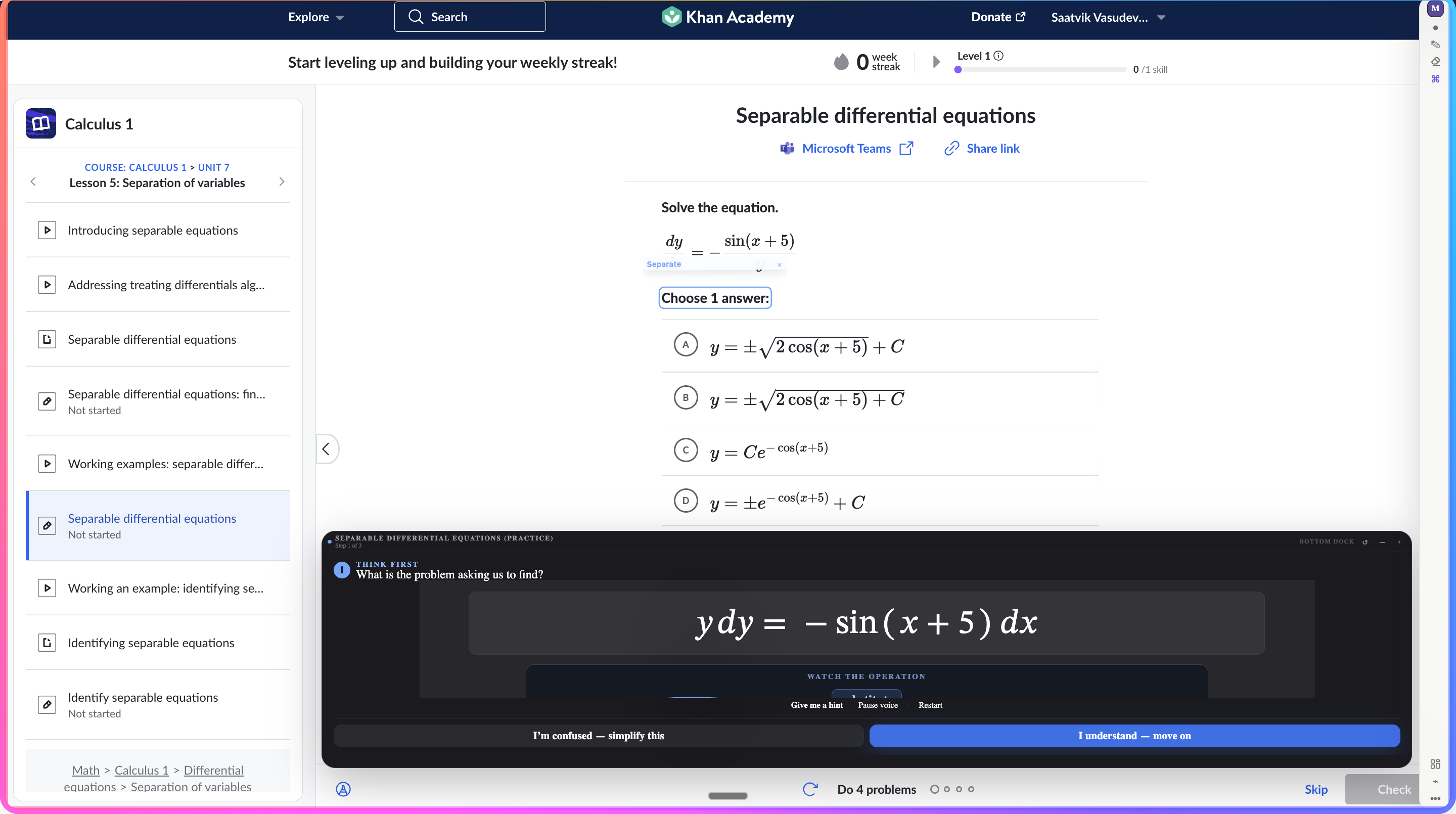
Mentor begins by separating variables on the whiteboard.
-
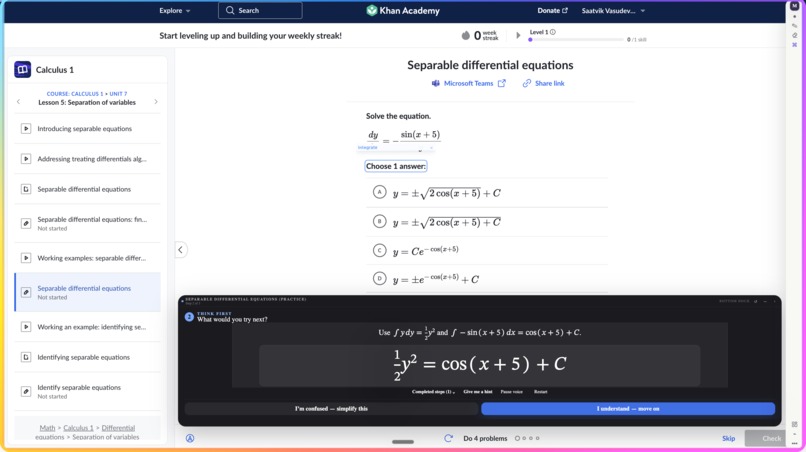
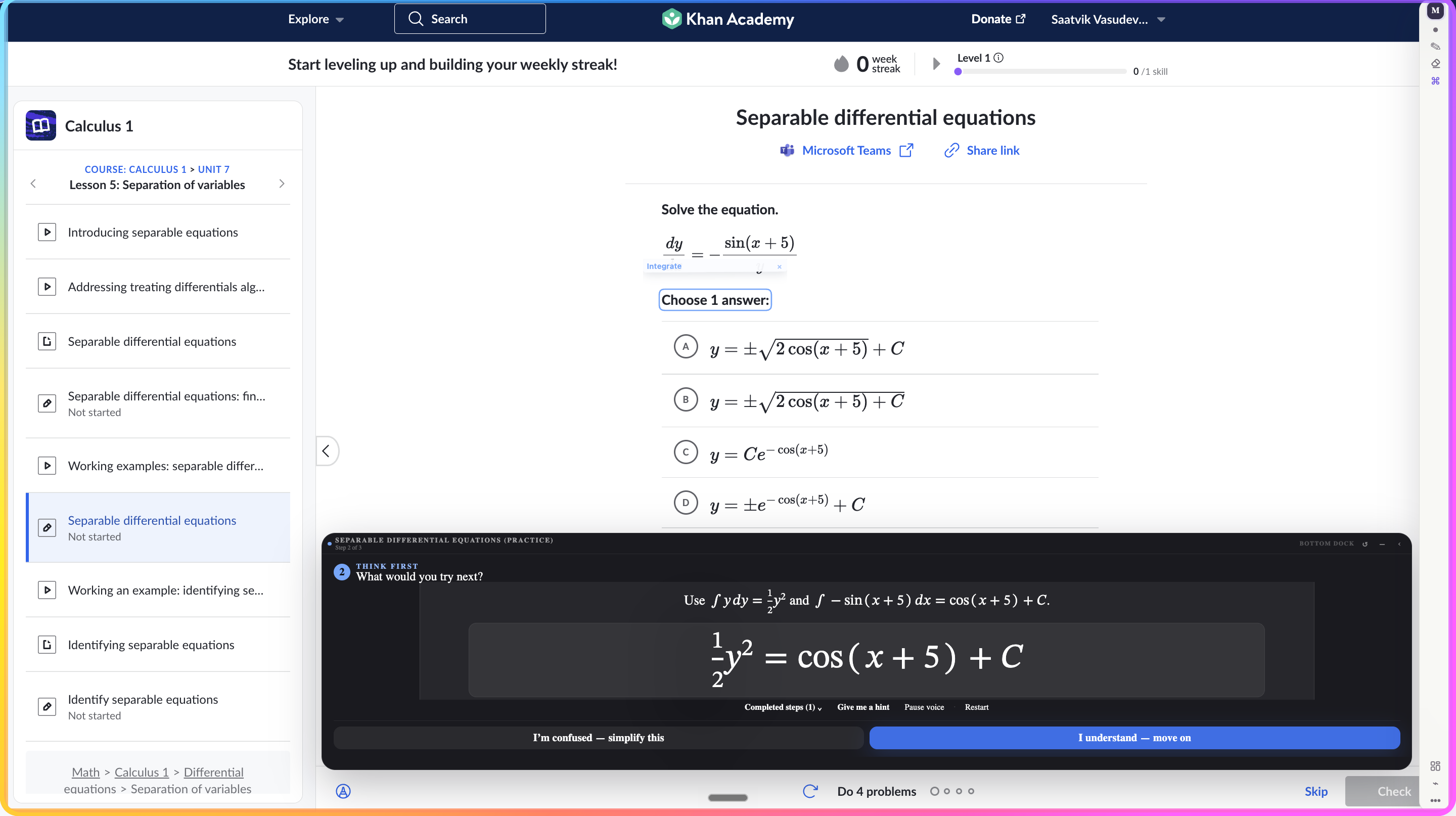
Mentor integrates both sides and displays the result.
-
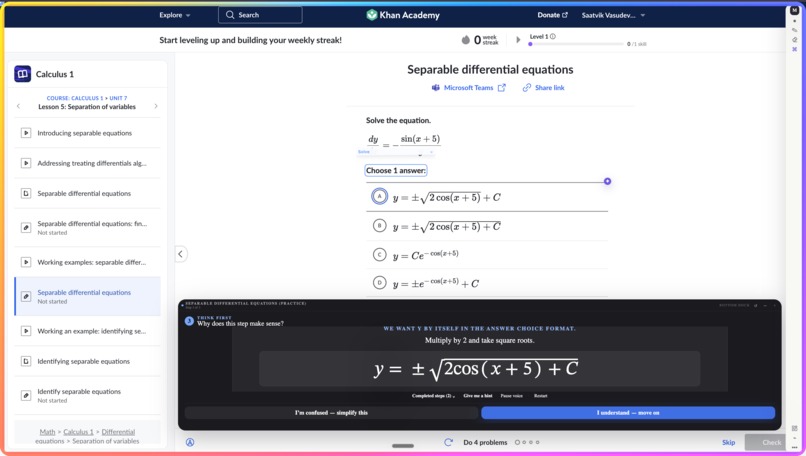
Mentor completes the final equation-solving step visually.
-
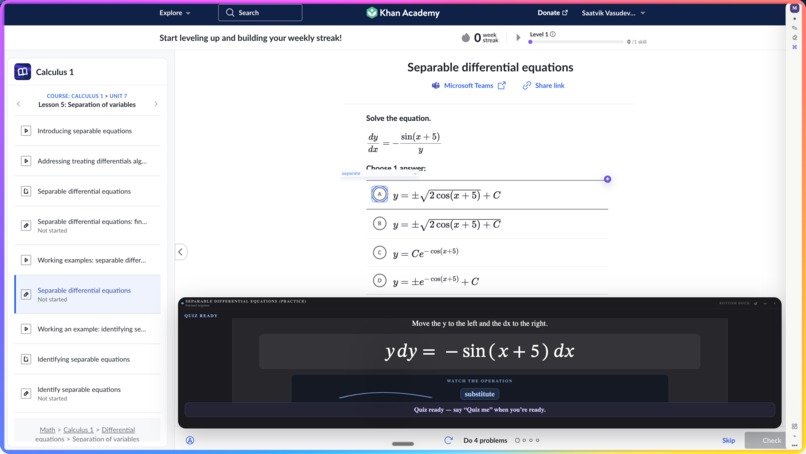
Mentor prepares a follow-up quiz after guided teaching.
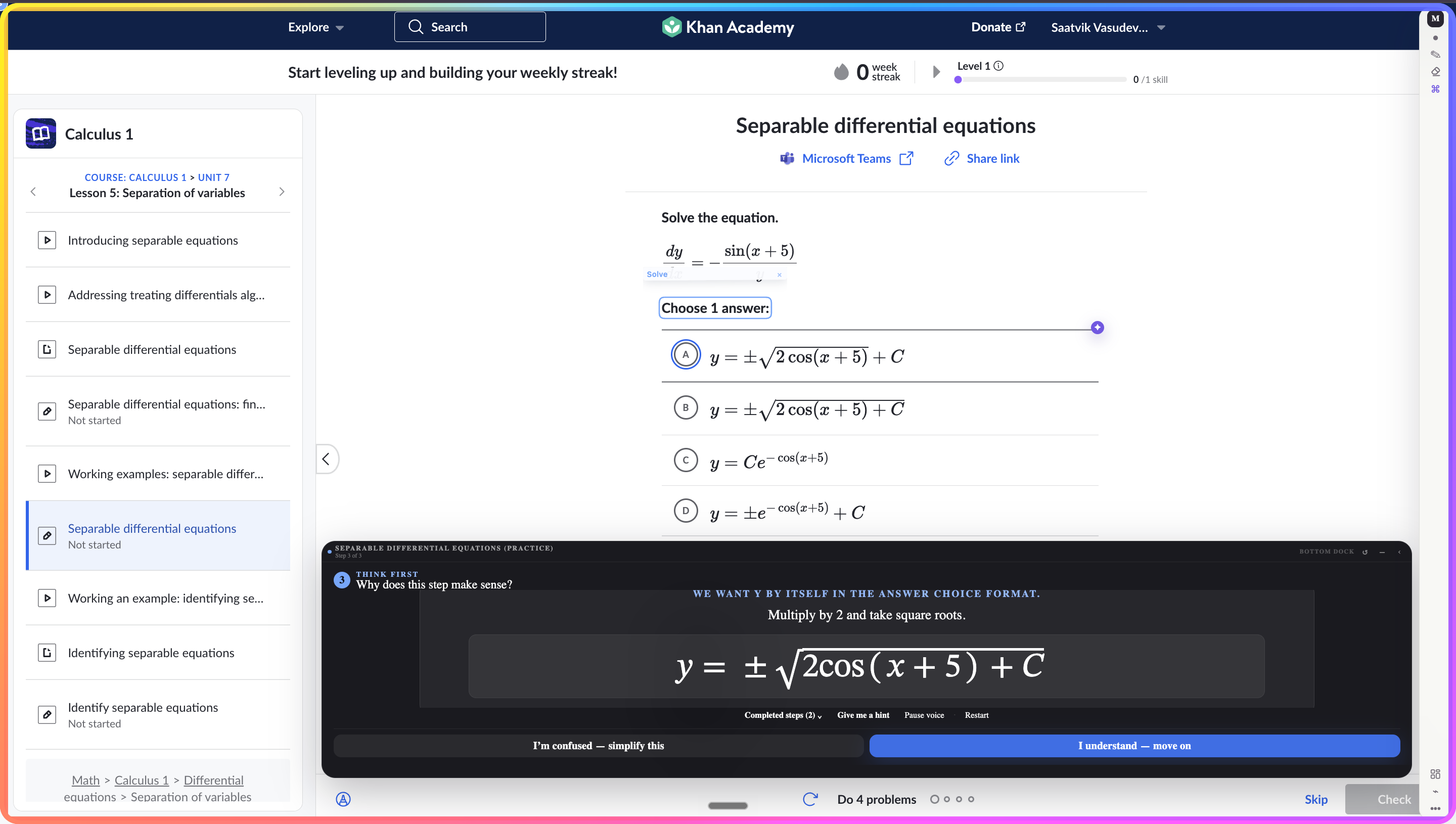
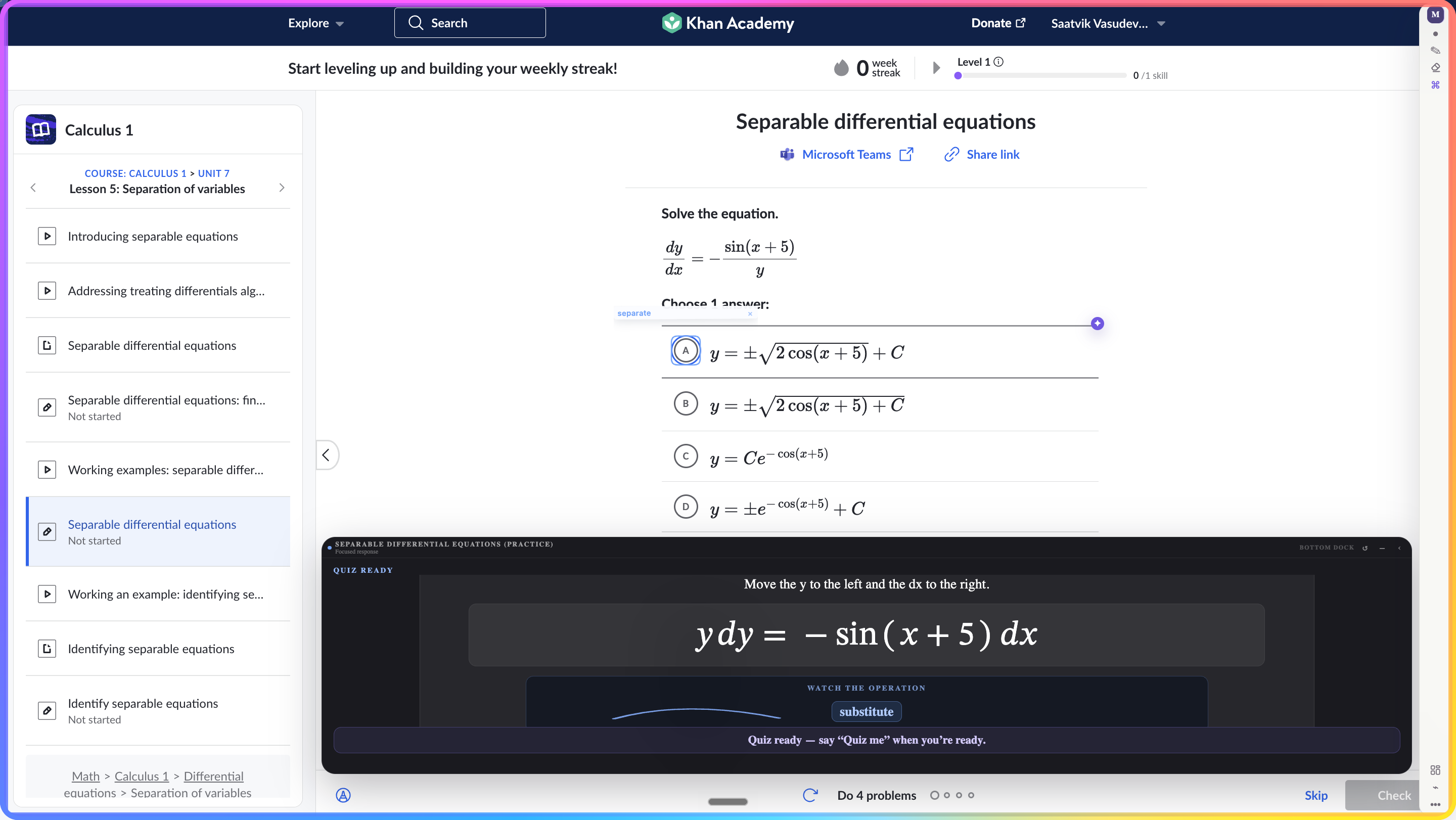
For many years a problem has followed me through school. Due to dyslexia, I struggle with reading math problems and understanding them. When I read text content to find answers, I often find myself unable to find the solution. Opening another article provides me with more text to read. Even watching videos forces me to search for the right moment to understand the problem. Most chatbots fail to provide me with an understanding of the problem and also fail to provide me with an answer. I often find myself frustrated with my inability to understand the problem. It is not the problem itself that gets to me, but rather the feeling that the available tools were not made for people who struggle with reading. I did not need to read more text or get an instant answer to the problem. I needed someone to understand the problem as well as break it down for me in a way that my brain can understand. Given this need, Mentor was conceived as a tool that would transform the browser into a learning environment. Rather than asking the student to leave the page and describe the problem to a chatbot, Mentor understands the screen that the student is viewing. When the student holds the Option button and speaks to Mentor, they can circle an area of a problem, underline part of a sentence, or point to a diagram element. Mentor can recognize that element and respond to the student, both vocally and on the screen with highlights, arrows, circles, and steps that guide the student’s attention to the relevant portion of the problem. Thus, Mentor is not merely a browser-based interface that displays answers to the student’s questions. Instead, the agentic interface decides how to break down a problem, where to focus the student’s attention, and when to pose additional questions to the student. For me, who often finds it difficult to sit through entire paragraphs of text, who becomes easily sidetracked by other relevant but unrelated information in a text, or who often finds it difficult to follow explanations that last for extended periods of time, this feature is particularly important. I can listen to part of an explanation and focus on a relevant element of a problem, only to interrupt the explanation at any time if I once again become distracted. The agentic interface was built as a Manifest V3 Chrome extension using React, TypeScript, Vite, Tailwind CSS and Framer Motion. Mentor operates within a Shadow DOM allowing for her to teach within almost any webpage without disturbing the original website. The visual representation of the current webpage and its screenshots allows Mentor for an understanding of the text, equations, diagrams, PDFs, and images. OpenAI provides the visual understanding of these elements while ElevenLabs gives Mentor her voice. A layer was built that translates math functions into how a teacher would speak them. SVG and Canvas allow for the creation of a shared whiteboard for the student and Mentor. KaTeX ensures mathematical equations are properly formatted within the application. All quiz results and information about the student’s knowledge is stored within Chrome Storage and represented within a personalized dashboard for the student. Building Mentor has presented some challenges beyond those of connecting an AI model to a web browser. An annotation placed even slightly away from the correct symbol will destroy the trust that the student places in the agent. To combat this, we created a system that grounds each annotation to the screen so that it will automatically update with any movement or change to the screen. For the voice component of the agent, Mentor had to be able to listen, reason, speak, animate, and be able to be interrupted by the student. Additionally, the speaking had to occur at an appropriate speed so that the student would remain focused on the problem. To accomplish this, we removed unnecessary context for the agent, focused the agent on the problem itself, limited the length of the agent’s responses, and created fallback methods for the agent. One of the more difficult aspects of creating this agent was ensuring that it did not become another machine for obtaining mathematical answers. To accomplish this, the agent had to be able to ask questions, provide hints, alter its teaching method, and await the student’s understanding of a concept. Overall, the aspect of the system that I am the most proudest of is that the student and Mentor are both sharing the same space on the screen. One can draw on the screen and the other can draw in response. Each annotation is part of the same conversation. Together, they form one agentic interface that observes, responds, teaches, and adapts. Mentor also ensures that simply presenting an explanation of a particular concept does not mean that the student has learned it. Only after the student passes a certain checkpoint will their progress be deemed worthy of improvement. Building Mentor taught me that educational technology also needs to feature empathy. Even if the answers are technically correct, if the content is presented in the wrong place or at the wrong time, includes too much text, or does not account for the student’s way of processing information, then the technology has failed the student in spite of its technological capabilities. Mentor was not built on the foundation of a problem that was imagined. Instead, it was built from the experience of struggling to read the screen and wishing that someone had a voice to follow along with me. The next goals for Mentor will include coding platforms, simulations, textbooks, lecture videos, and collaboration spaces. Additionally, we would also like to include features like tutoring in multiple languages, accessibility tools, mastery tracking, teacher insights, and shared learning spaces. The vision for Mentor is to create an agentic interface for learning that can join to the student wherever they may be on the web. No student should ever feel like they are incapable of learning a certain concept simply due to the way in which the information was presented to them. Wherever there is confusion, Mentor should be present to assist the student until the concept makes sense to them.
Built With
- canvas-api
- chrome
- chrome-storage-api
- computer-vision
- dom-apis
- elevenlabs
- framer-motion
- katex
- language
- manifest-v3
- multimodal-ai
- natural
- node.js
- openai-responses-api
- react
- shadow-dom
- speech-recognition
- svg
- tailwind-css
- text-to-speech
- typescript
- vercel
- vite
- web-speech-api


Log in or sign up for Devpost to join the conversation.