Inspiration
I spend a lot of time bouncing between tabs, trying to make sense of dense webpages, PDFs, and forms. English isn't my first language, so things like tax forms or government pages can feel like a wall of text. I kept wishing I could just ask a quick question out loud and get a helpful answer right where I was.
So I built Mentelo—a Chrome extension that brings an AI helper into the page you're already on. No copy-paste. No tab switching. And yes, you can talk to it. Mentelo is the tool I wanted while filling out forms, learning from long articles, and writing in a second language.
What it does
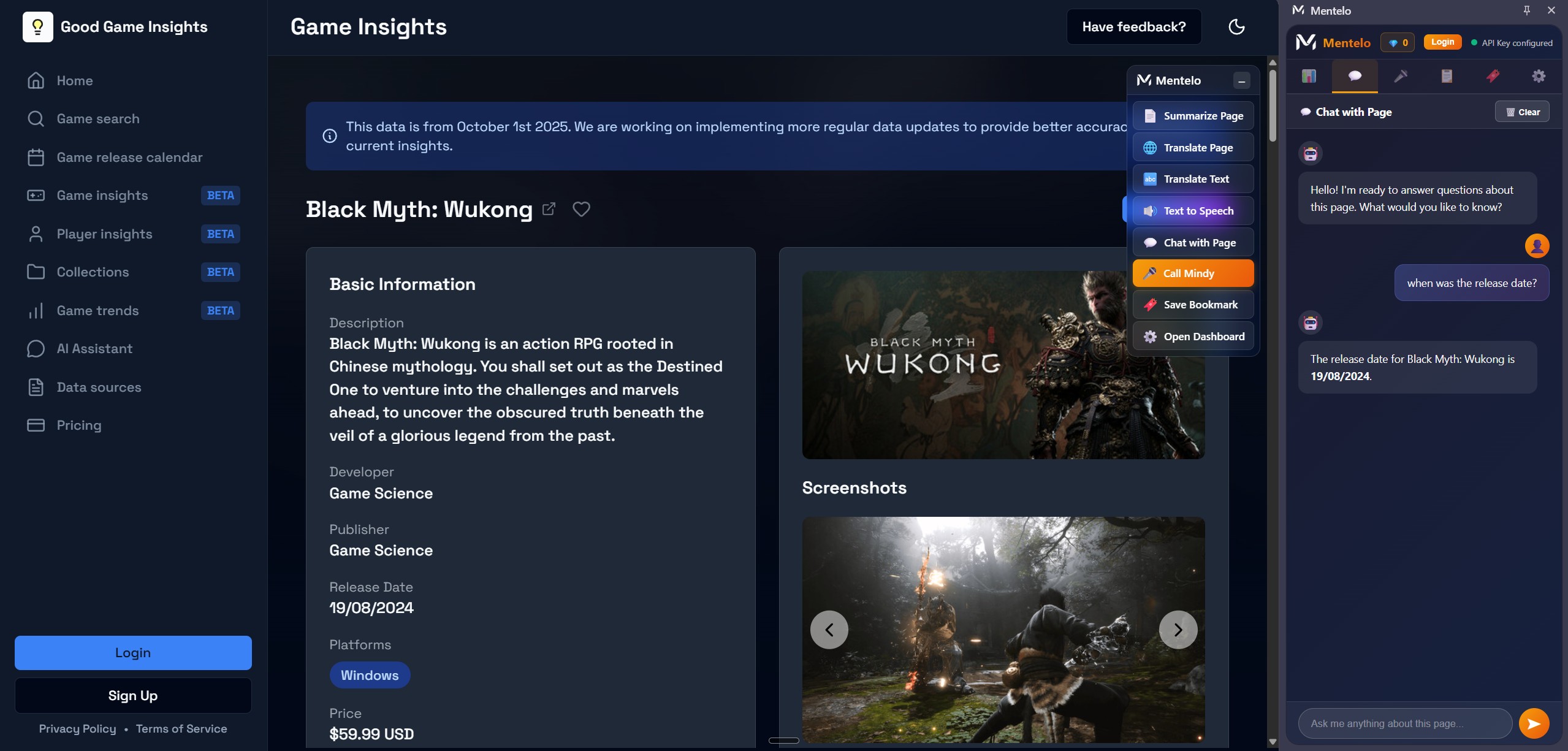
Mentelo has two UIs that work side by side: a floating menu and a side panel.
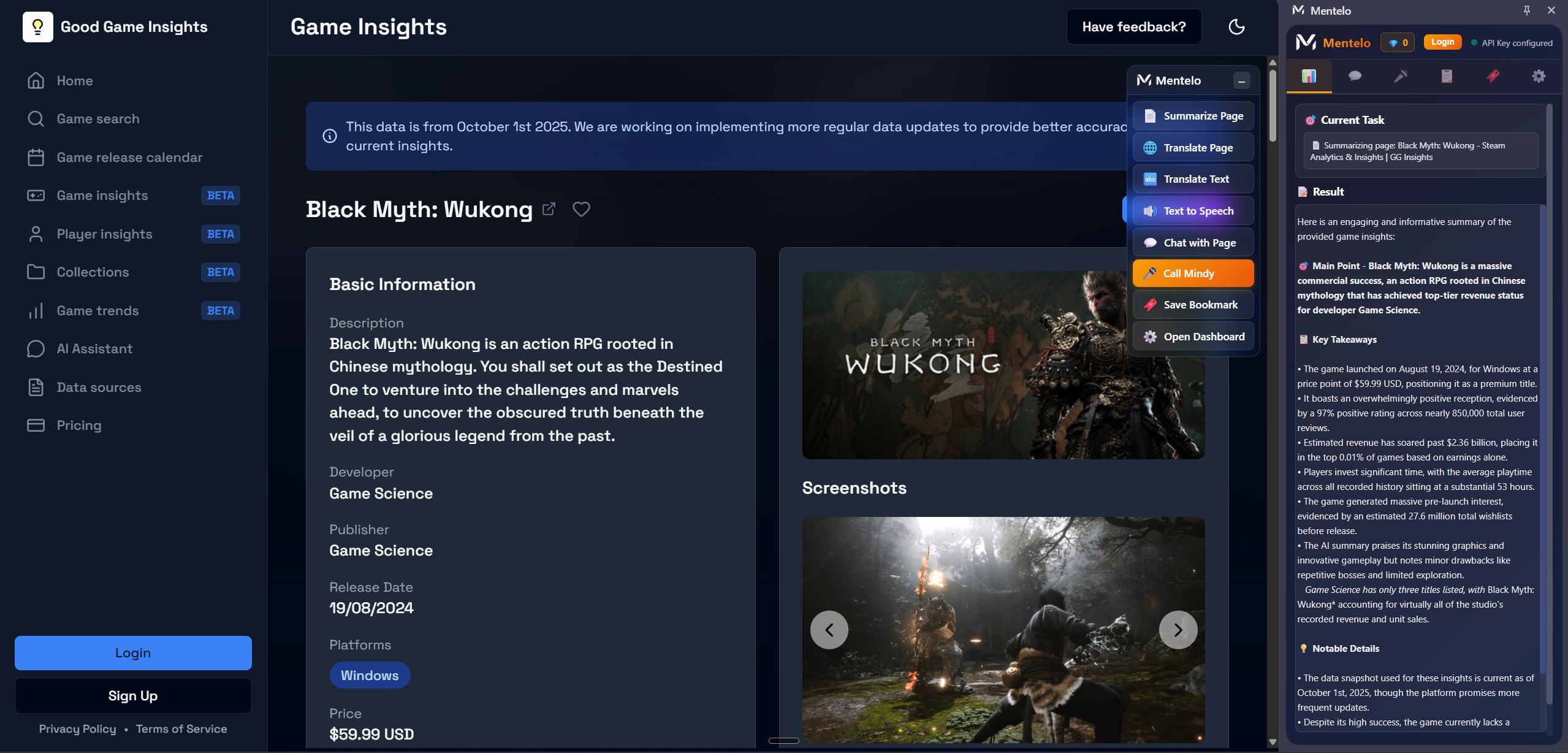
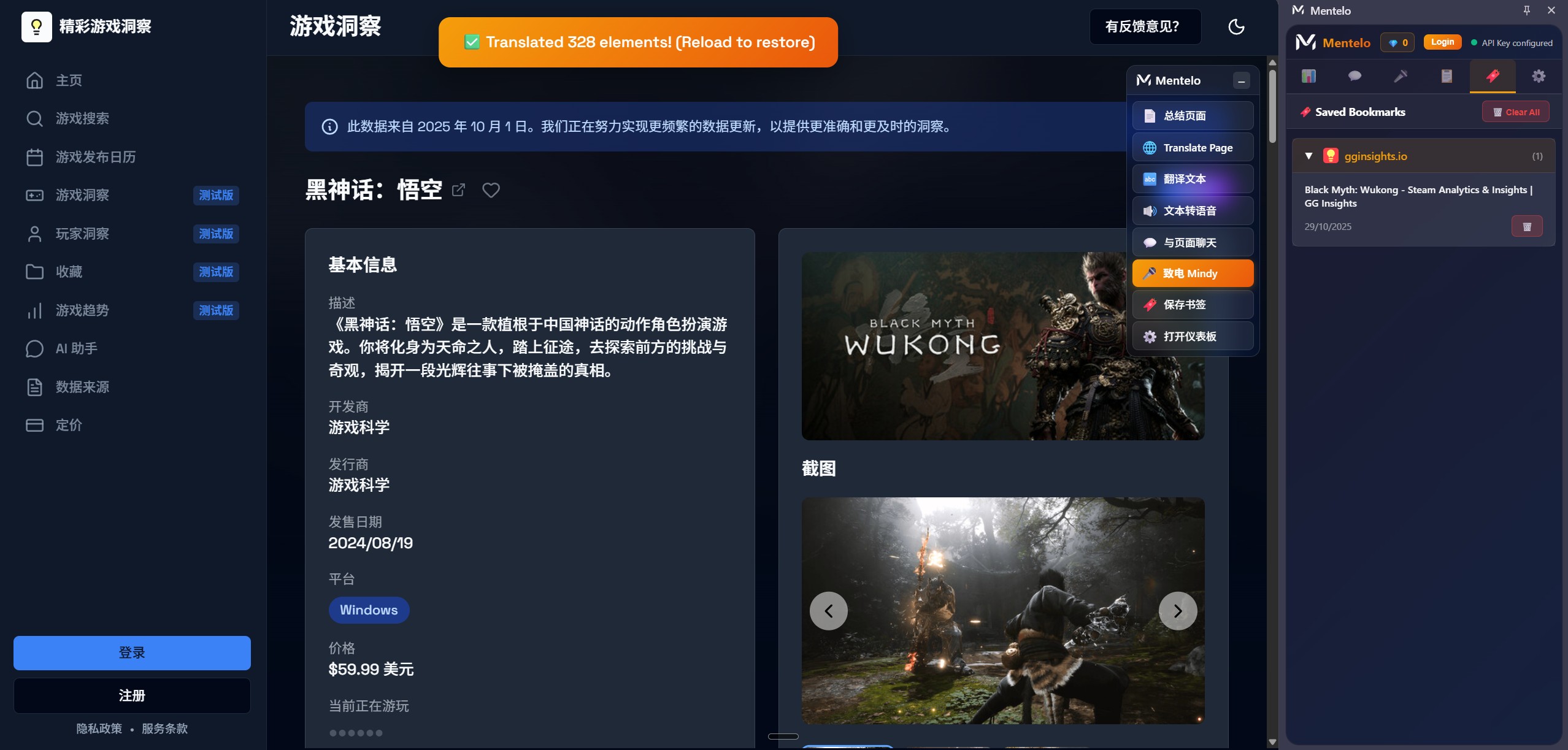
The floating menu includes common useful features like summarize page, translate, text-to-speech, chat with page, and call Mindy. The side panel includes a detailed interface for chat with page, summarize page, call Mindy, clipboard history, temp bookmarks, and a settings tab where you can set up your own API key, choose a preferred language, and select a voice model.
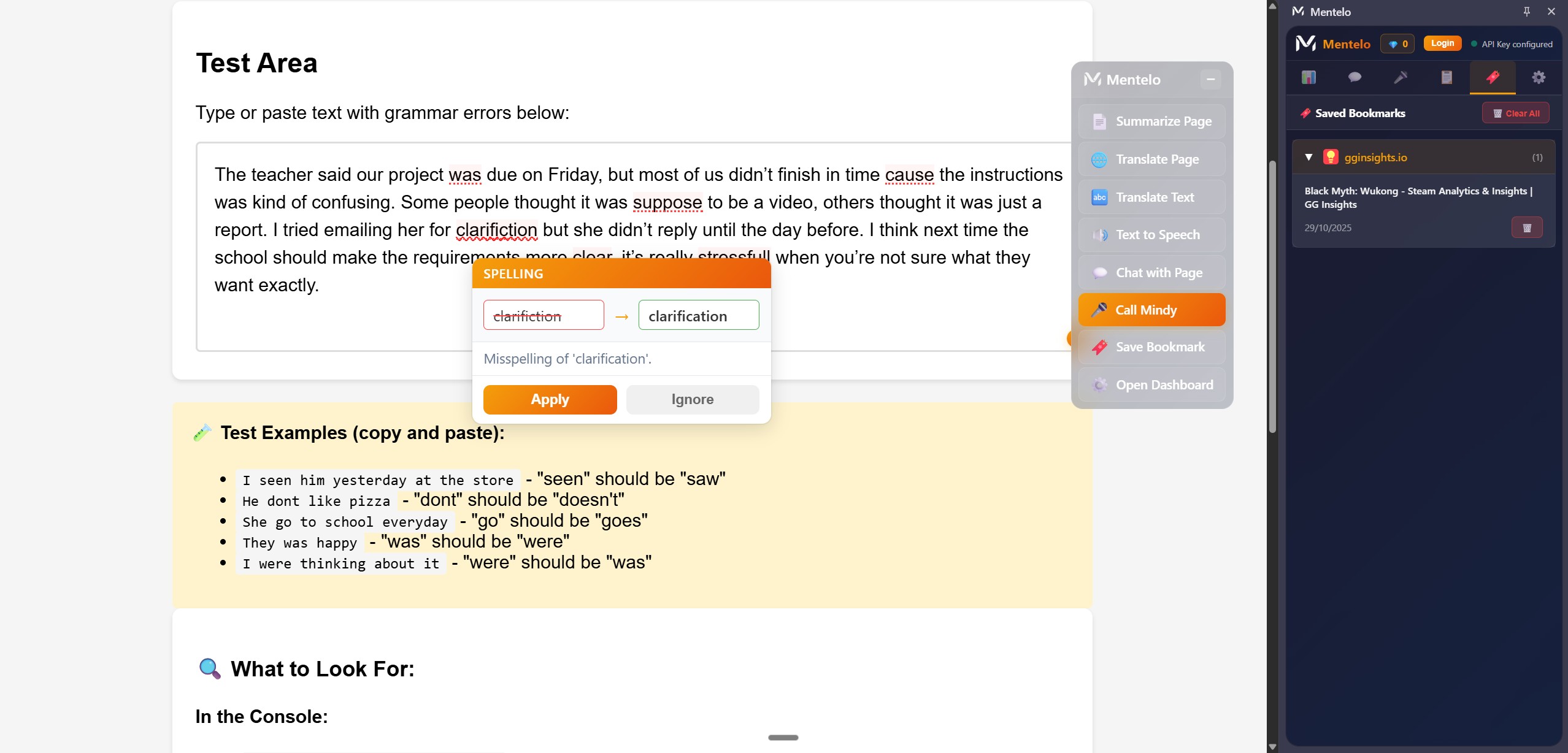
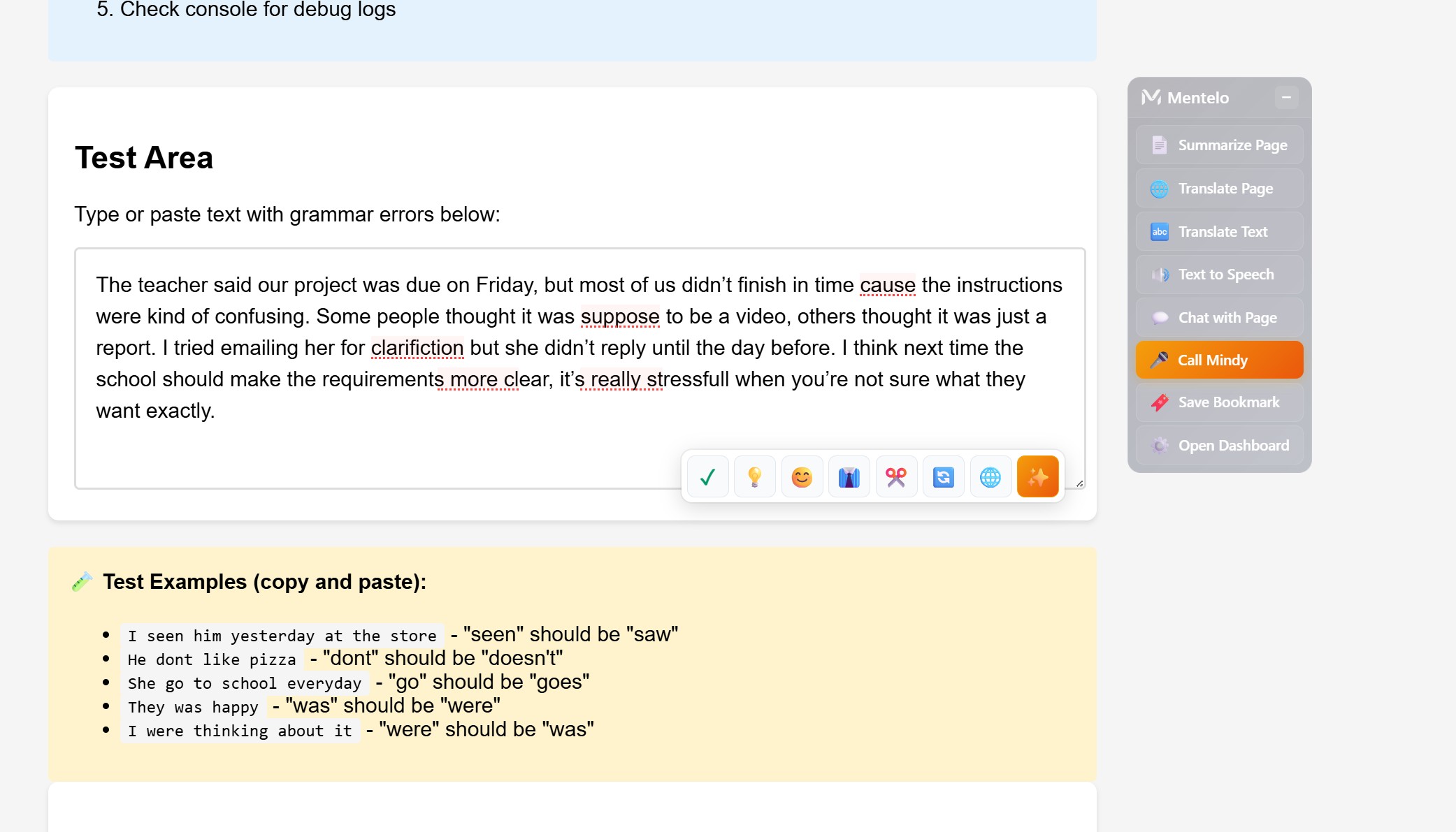
Mentelo also has built-in text suggestions with an AI button. In any text field, an AI button appears where you can either select part of the text to improve your writing or use the button to modify the entire text field.
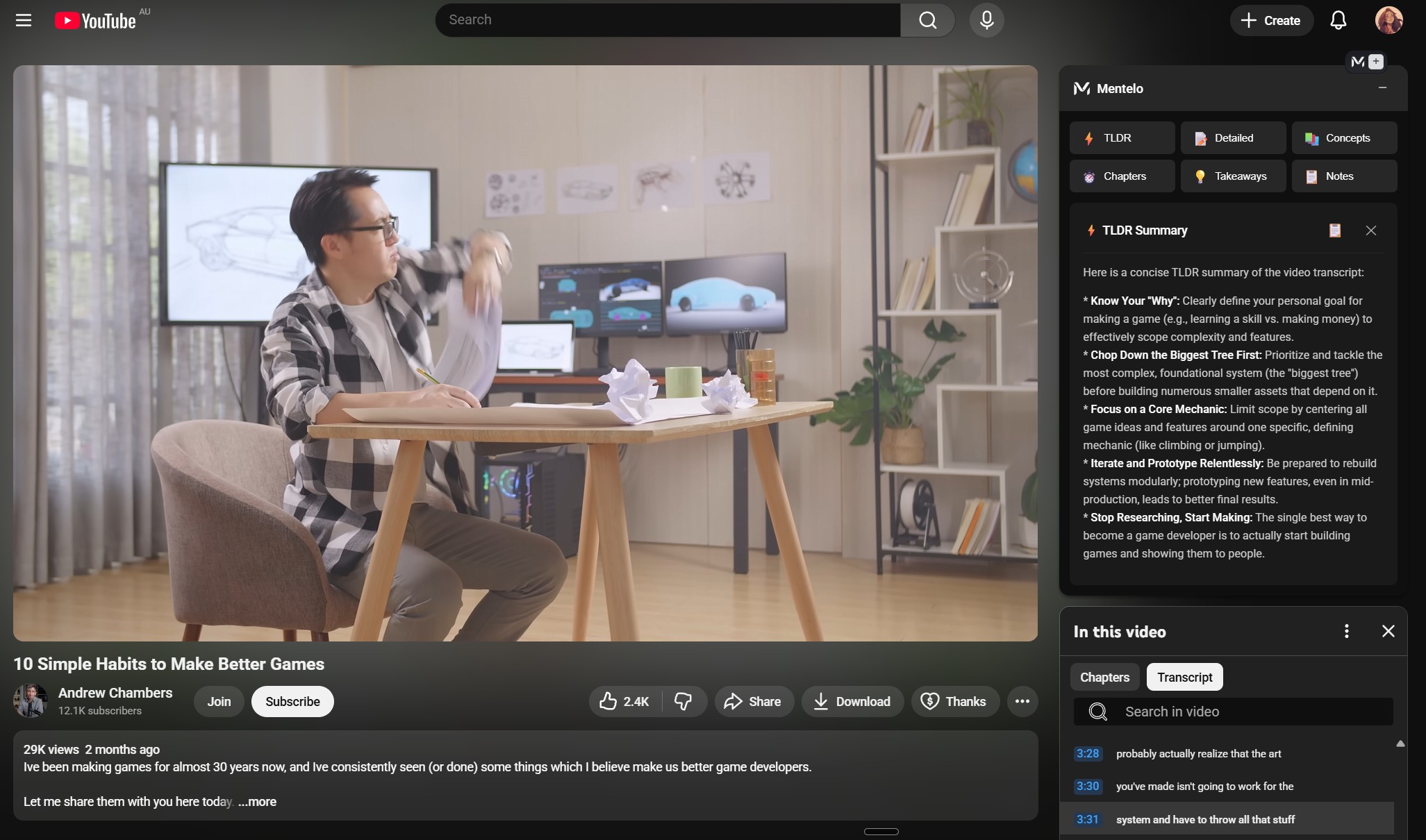
I developed a user interface resembling native YouTube designs that offers video summarization options, including TL;DR, Takeaways, and Notes. Additionally, I implemented a right-click context menu applicable to any website, allowing users to translate highlighted text or extract text from images.
Overview of Mentelo's features:
Turn any page into a conversation.
- Fixes your writing as you type
- Rewrites text to be clearer, more casual, more formal, or shorter
- Translates any page and text on a website while maintaining the original text layout and design
- Summarizes long pages and YouTube videos so you get the point fast
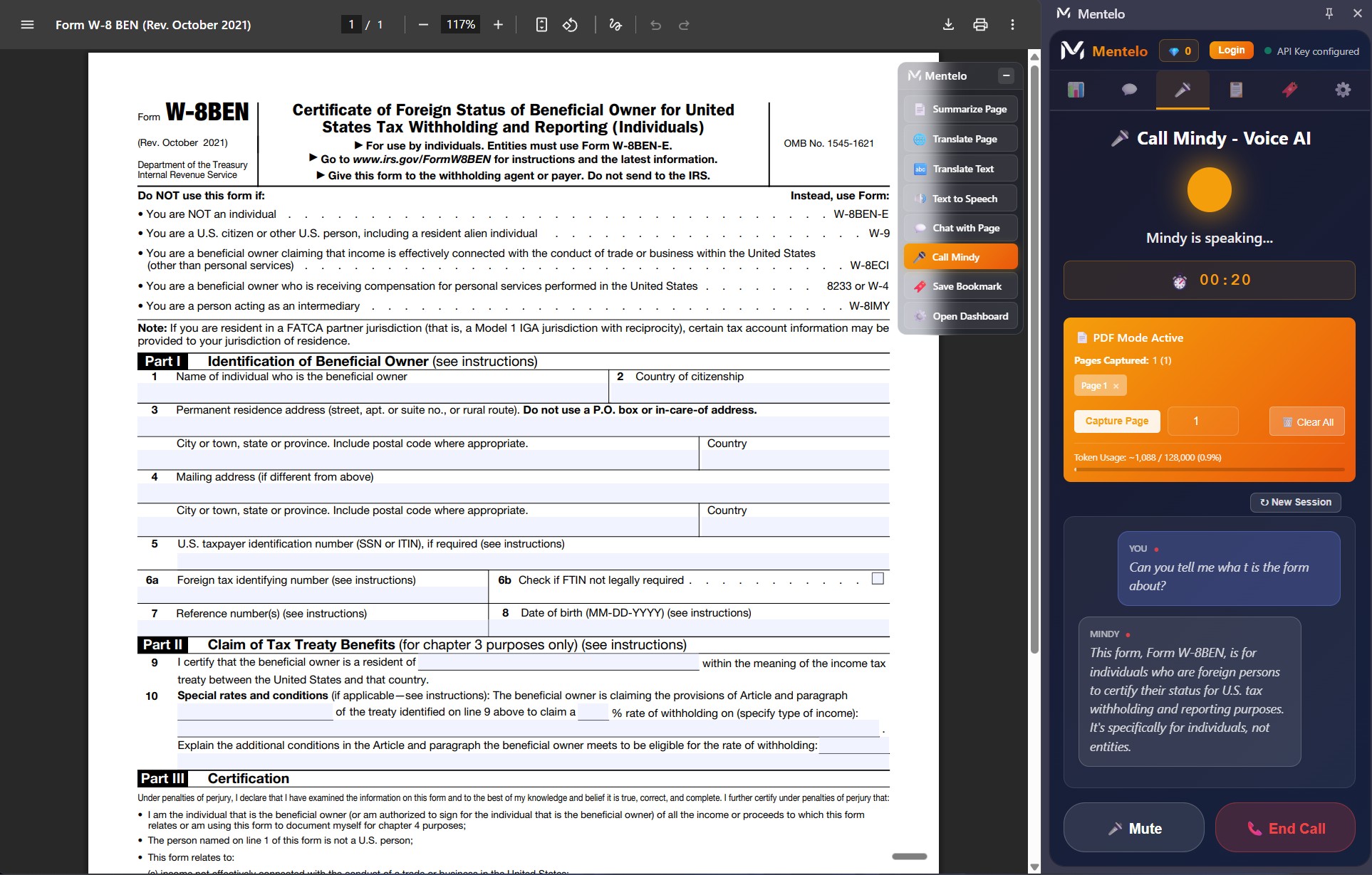
- Lets you chat with webpages and PDFs—ask any questions you have by talking
- Extracts text from images and describes images as text
- TTS uses the best audio model to create natural speech
- And my favorite: you can talk to it like a person
"Call Mindy"—the voice assistant
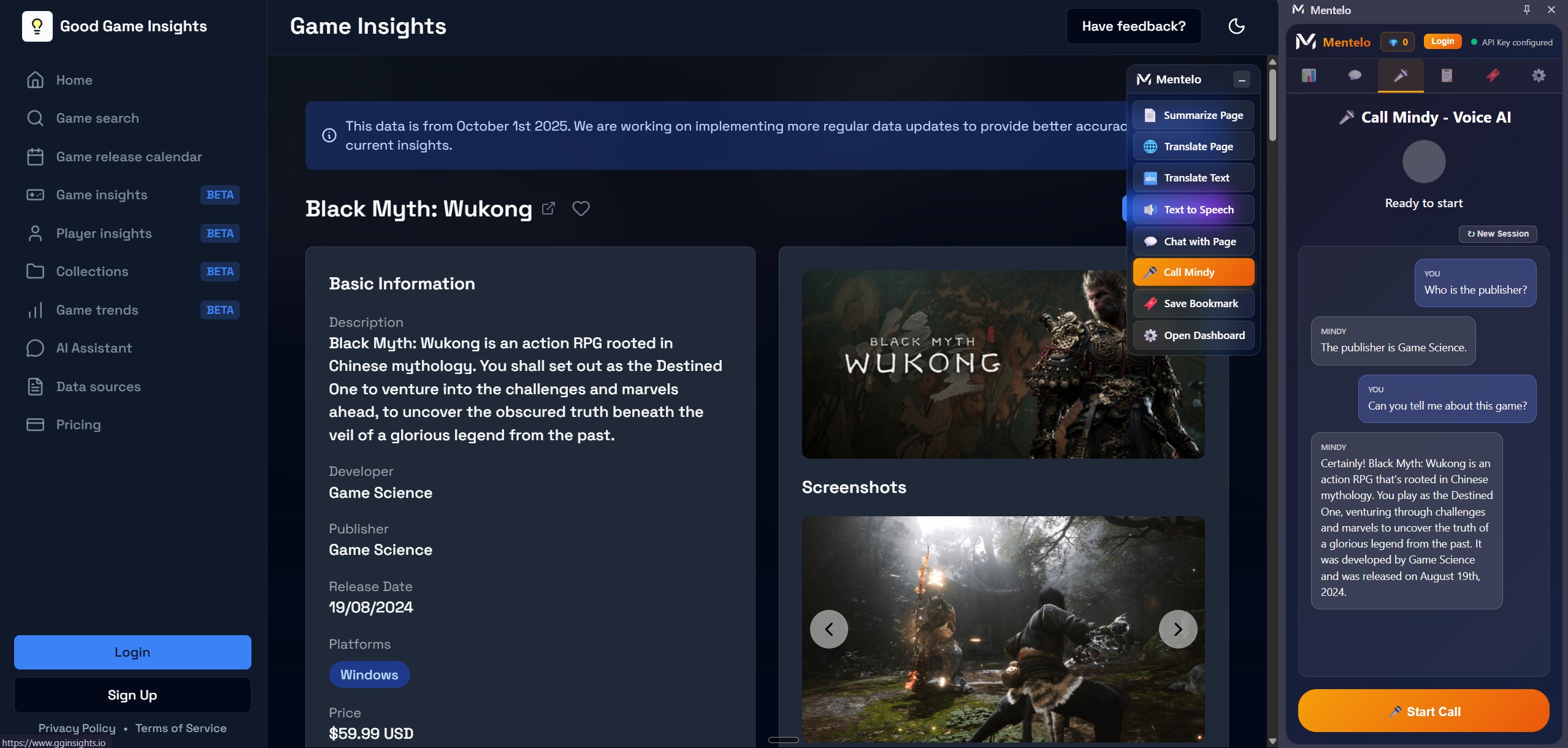
- You speak. Mindy replies in real time.
- Mindy knows what's on the page you're viewing, so answers are grounded.
- Prefer typing? That works too. Switch anytime.
Built for the real web
- Works on articles, forms, PDFs, images, and videos
- Helps organize temporary bookmarks for a browsing session
- One-click translate for entire pages or selected text
How we built it
First, I started with a simple prompt, asking AI to build me a Chrome extension using the Google Gemini API key. The extension would summarize pages, translate pages and text, chat with pages, and call Mindy (live audio with AI), as well as include other useful features like a copied text/image list and temp bookmarks. I then described what I wanted it to look like: a floating menu and side panel that wouldn't interfere with the page viewing experience.
It took me a few iterations to get what I liked.
Initially, I used the Gemini API to set everything up properly so I knew the extension worked with the API. After most features were done, I started introducing the Google Built-in AI feature into the extension. I researched the available built-in APIs and integrated Google Built-in AI as an option, so the original API would still work.
I wanted speed and privacy by default, with power when you need it. Mentelo uses a hybrid approach:
- Built-in Chrome AI (Gemini Nano) for fast, private, no-cost tasks
- Cloud AI for heavy lifting like vision, voice, and advanced multimodal tasks
- A smart fallback system that picks what's best for the job and switches if something is unavailable
You can also set your own preference.
The AI models used in this extension depend on whether you choose Google Built-in AI or the Gemini Cloud API.
| # | Feature | Provider | API/Model |
|---|---|---|---|
| 1 | Grammar Check | Built-in + Cloud | Proofreader API + Prompt API / Gemini 2.5 Flash Lite |
| 2 | Translation | Built-in + Cloud | Translator API / Gemini 2.5 Flash Lite |
| 3 | Summarization | Built-in + Cloud | Summarizer API / Gemini 2.5 Flash Lite |
| 4 | Text Rewriting | Built-in + Cloud | Rewriter API + Prompt API / Gemini 2.5 Flash Lite |
| 5 | Content Generation | Built-in + Cloud | Prompt API (LanguageModel) / Gemini 2.5 Flash Lite |
| 6 | Chat with Page | Built-in + Cloud | Prompt API / Gemini |
| 7 | YouTube Summary | Built-in + Cloud | Summarizer API / Gemini |
| 8 | Text Field Assistant | Built-in + Cloud | Proofreader + Rewriter + Prompt APIs / Gemini |
| 9 | Page Translation | Built-in + Cloud | Translator API / Gemini |
| 10 | Page Summarization | Built-in + Cloud | Summarizer API / Gemini |
| 11 | Image Text Extraction (OCR) | Cloud Only | Gemini 2.0 Flash (Vision) |
| 12 | Image Explanation | Cloud Only | Gemini 2.0 Flash (Vision) |
| 13 | PDF Chat | Cloud | Gemini 2.0 Flash + OCR |
| 14 | Call Mindy (Voice Assistant) | Cloud Only | Gemini 2.5 Flash Native-Audio |
| 15 | Text-to-Speech (TTS) | Cloud Only | Gemini TTS |
Challenges we ran into
PDF support is tricky, especially with scanned files. Originally, I wanted to use text extraction from PDFs inside Chrome, but I realized that PDFs don't extract text like a normal website. So I decided to use OCR, which in the end works as intended.
I also had challenges with live grammar checking and suggestion highlights. The suggestion highlights don't follow the text as I scroll the page. I'm still experiencing issues with suggestion highlights showing up outside the text field on some webpages.
Keeping the UI light but capable is a balance: powerful when needed, invisible when not. I found that semi-transparency works quite well on websites—it feels more like native UI than a third-party plugin.
Accomplishments that we're proud of
The entire project was built in a week with the help of AI. This is my first time creating a Chrome extension, and I'm quite happy with how it turned out—the features I can use on a daily basis. This is a huge achievement for me. Learning how to use APIs in a Chrome extension was a huge step up for me too.
What we learned
During development, I learned how to use the Gemini API and Built-in AI APIs to create tools that connect to a browser. I also learned how to use the OCR method to extract text from images for text processing, how to break large chunks of text into smaller chunks for smaller AI models, and how to use Google Built-in AI to create offline AI models that work for better privacy at no extra cost.
What's next for Mentelo—An Interactive Chrome Extension You Can Talk To
I wish to continue working on this Chrome extension, hoping one day I can bring it to the extension store where it can help many other users like me. I plan to improve the features, fix more bugs, and improve the UI based on user experience.
Built With
- bolt.new
- builtin-ai
- cursor
- gemini-api
- javascript
- kiro


Log in or sign up for Devpost to join the conversation.