-
-
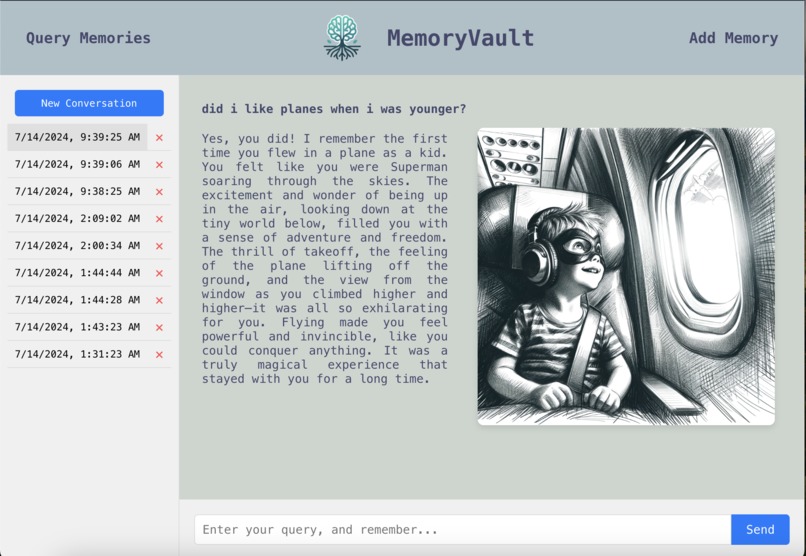
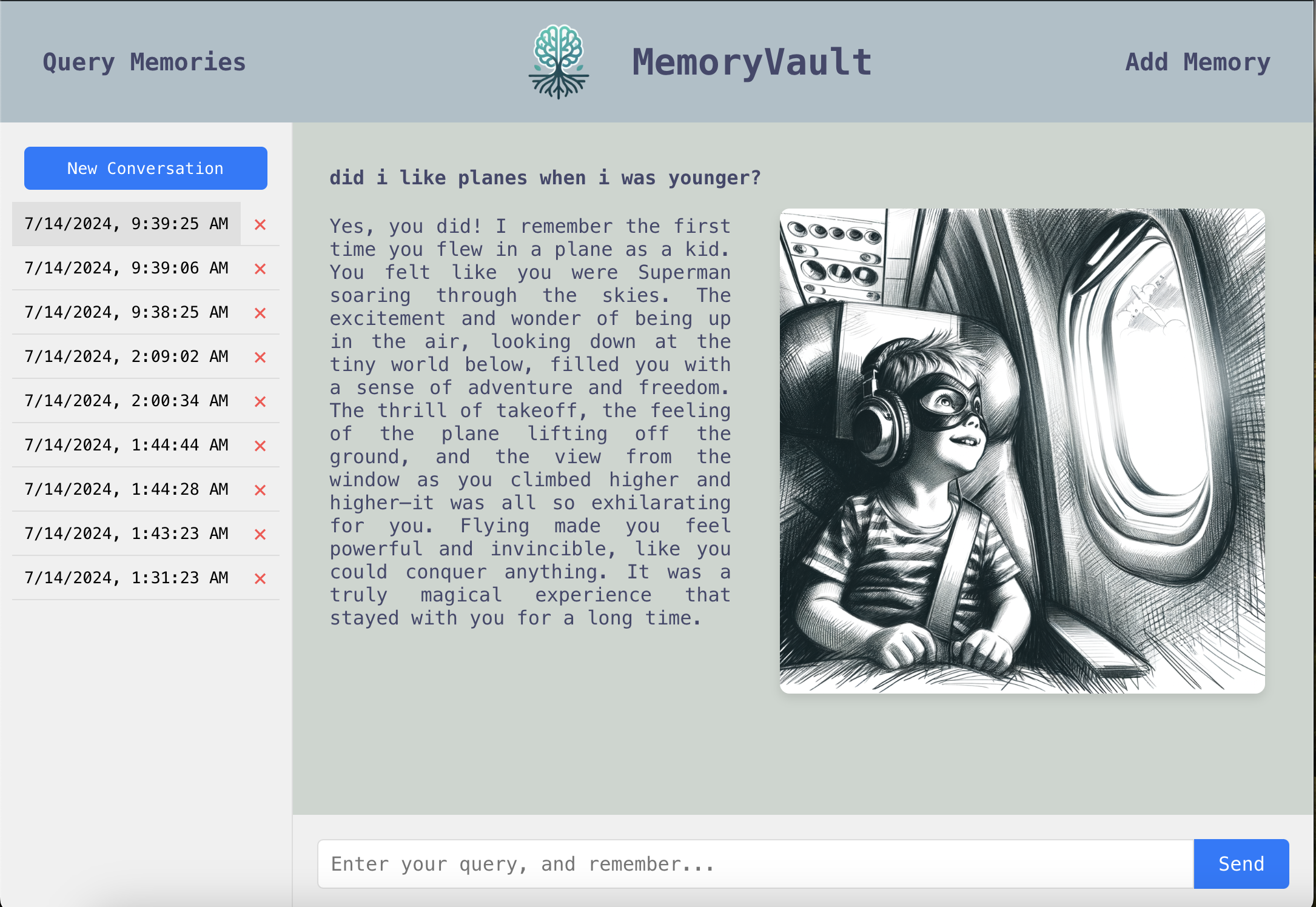
Query Memories Page
-
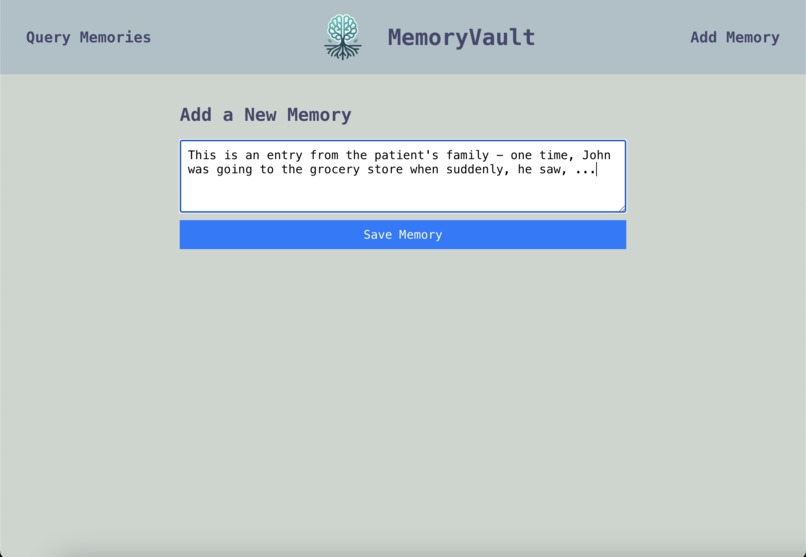
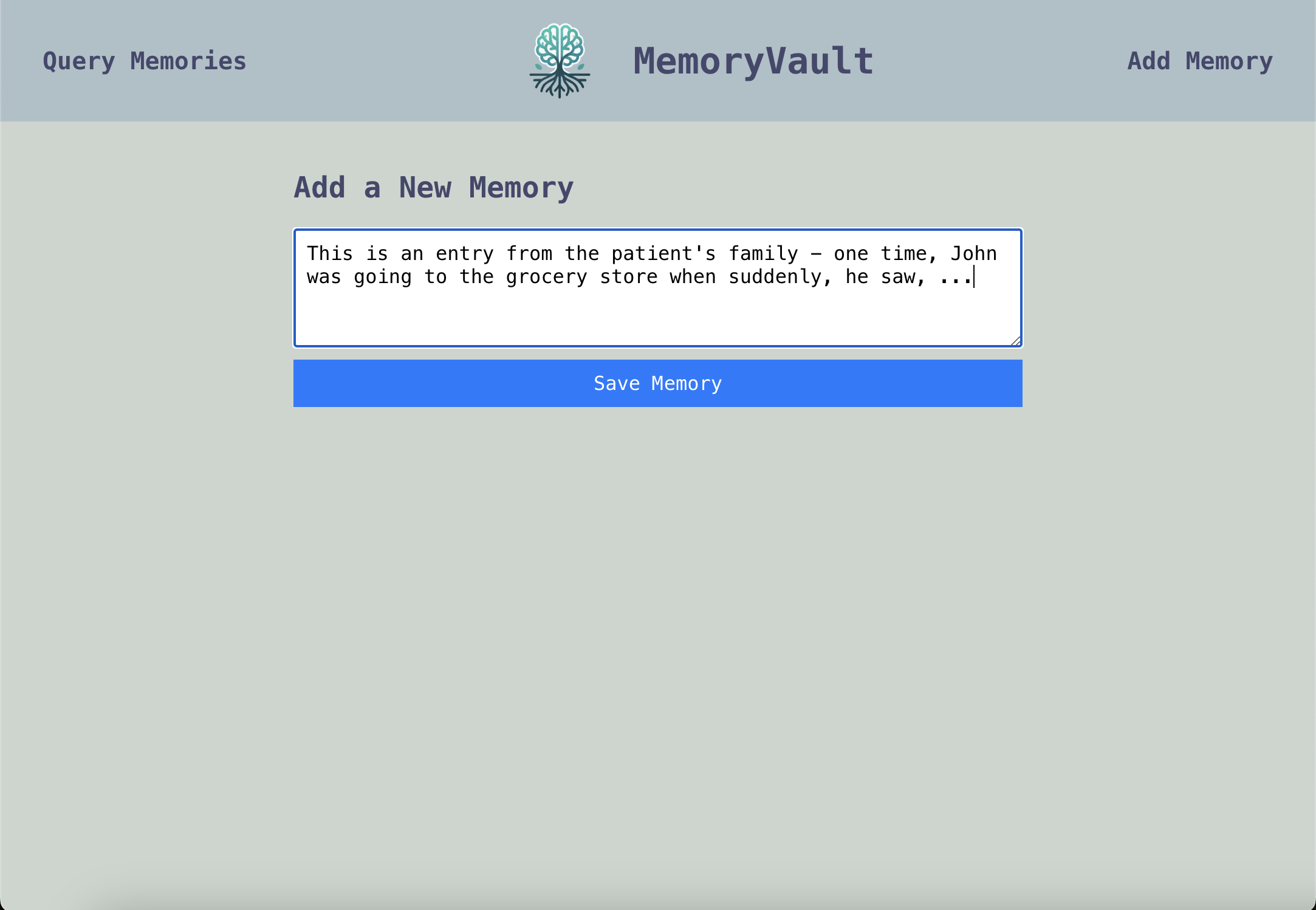
Add Memory Page
-
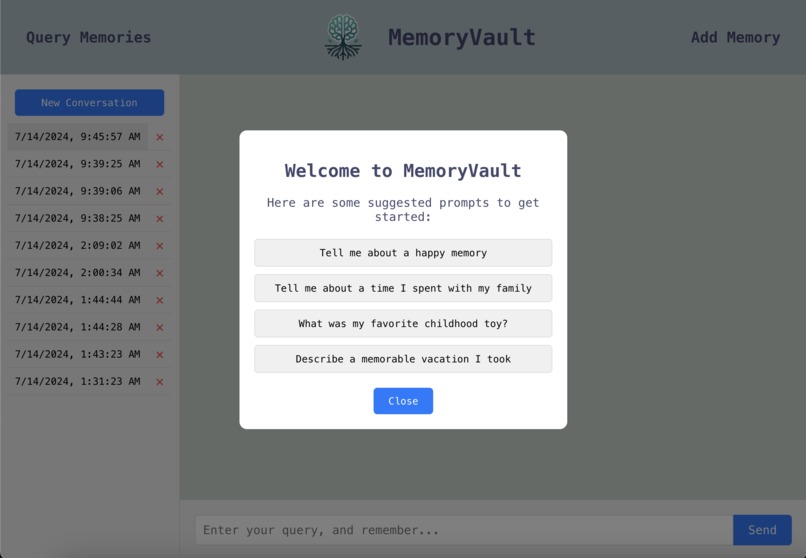
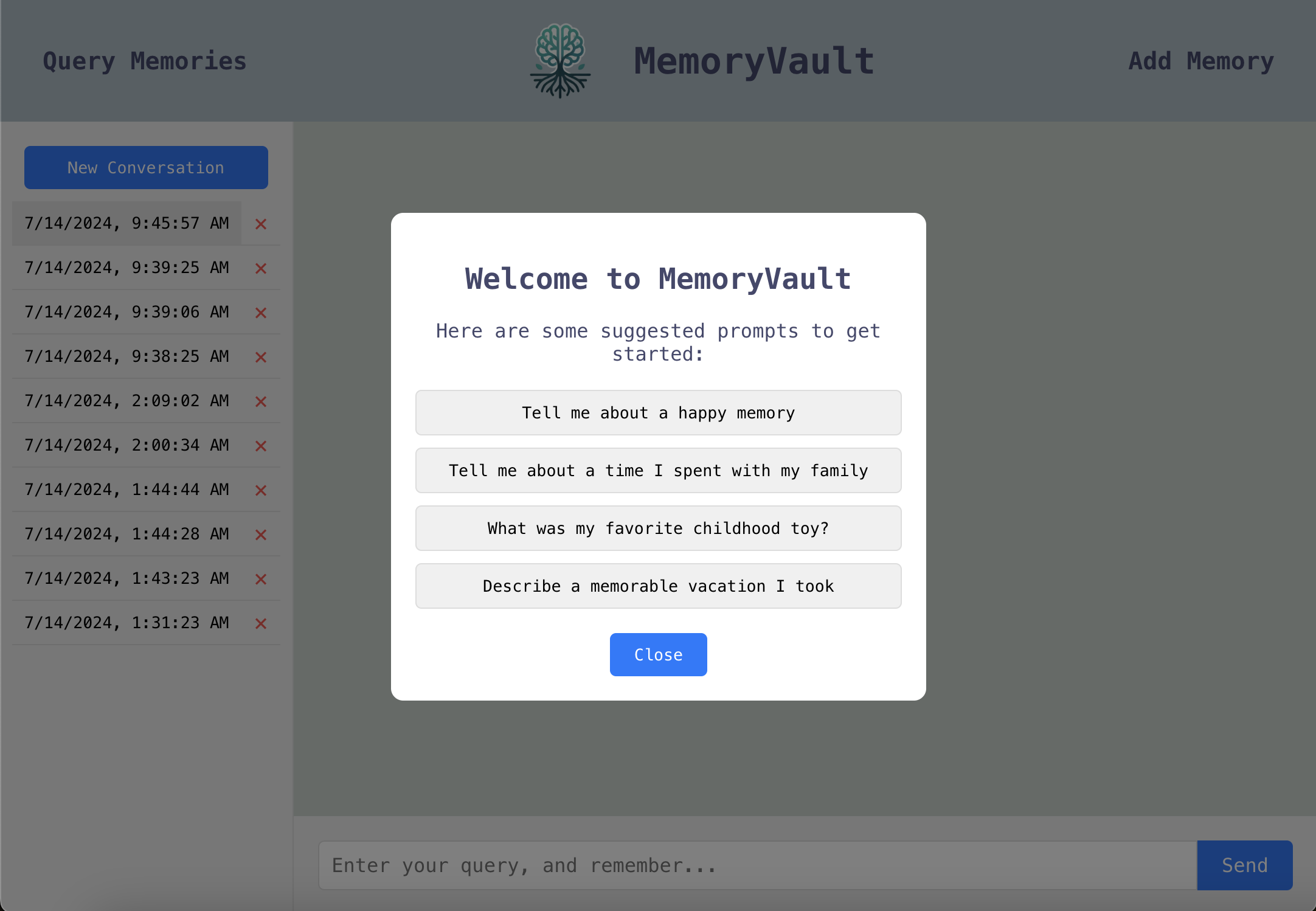
Suggested Conversation Starters
Inspiration
Over 55 million people worldwide are living with Alzheimer's. Alzheimer's damages the connections between neurons, leading them to eventually die. This causes significant memory loss and other cognitive issues, leading many to forget what makes them, them.
Memories shape who we are. My grandpa had a similar neurological disease that deteriorated his memory and cognition. I wanted to use AI to help those with Alzheimer's relive their fondest memories.
Introducing MemoryVault.
What it does
MemoryVault allows Alzheimer's patients to converse with their own memories and have them visually brought to life.
Either the patient themselves or their family can easily add a memory on the "Add Memory" page. This memory is then indexed into our vector database. Whenever the user submits a query (Ex: "Tell me my favorite memory about my childhood"), this vector database is used to find relevant memories. These relevant memories are then passed to GPT-4, which then responds to the query.
At the same time, an AI sketch of what the memory would have looked like is generated by DALLE-3, which helps immerse the user back into the memory itself.
How I built it
The frontend was built with React.js & HTML/CSS and deployed on Vercel. The Flask backend was created with Python and deployed on Google Cloud Run with Docker.
When a user adds a memory, this memory is split into chunks (to speed up searching), each of which is converted to a vector embedding with OpenAI's text-embedding-3-small. These chunked memories are then stored in a Pinecone vector database, which allows for efficient retrieval of memories.
When a user makes a query, this query is also converted to a vector embedding. Using this embedding & Langchain, we can search our Pinecone database for relevant memories. These relevant memories are then passed to GPT4, which retells the memory. Simultaneously, DALLE-3 generates an AI depiction of the memory.
Challenges I ran into
One big challenge was deploying my backend. While I had worked with Python before, this was my first time working with the cloud and Docker. After a lot of tutorials and debugging, I figured out how to setup Google Cloud Run so that I can easily update my backend from my terminal and have it deployed in one command.
Another big challenge was integrating the frontend with the backend. I hadn't done much React before, so figuring out how to make requests to my backend and show that on the frontend was difficult at first, but I'm very happy with how it turned out.
Finally, getting RAG to work was challenging. I've always been wanting to build something with LLMs considering how widespread they've become. However, before this project, I wasn't familiar at all on how to work with the GPT API, connect it to langchain, or RAG itself! It was a lot to teach myself, but it worked out!
Accomplishments that I'm proud of
- A fast RAG system that can ingest memories and convert them into vector embeddings for the Pinecone database
- A deployed backend on Google Cloud Run with Docker.
- DALLE-3 image generation for memories.
- Conversation history with local storage.
- Suggested conversation starters popup.
- Multi-Query conversations.
- A clean and functional frontend UI.
- A working website where people can try the system for themselves!
What I learned
Technically, I learned a lot about RAG, LLMs, vector databases, Google Cloud, Docker, Flask, and React. As this was my first hackathon, I learned a lot about how challenging, yet fulfilling connecting all the different components of a project can be.
What's next for MemoryVault
I have a lot of plans to expand MemoryVault. I plan to add a user authentication system to separate memories for different users, a text to speech system so LLM responses can be spoken out, a page to edit/delete memories, and more!

Log in or sign up for Devpost to join the conversation.