-
-
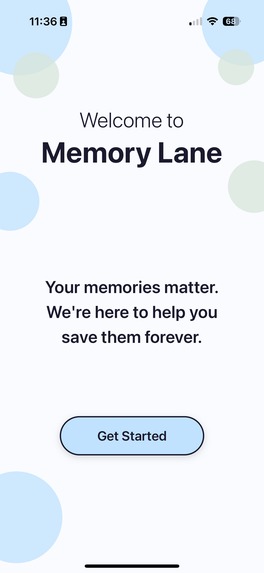
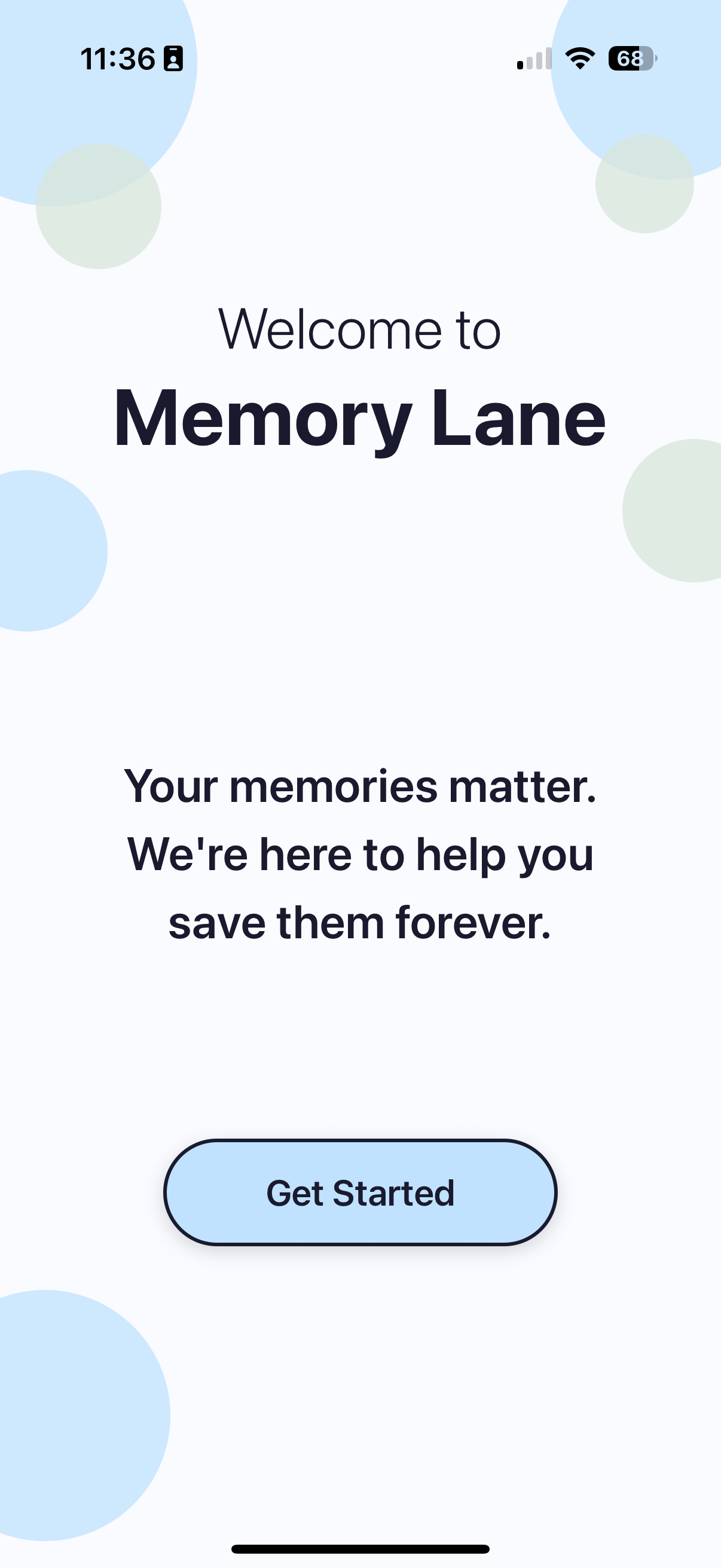
Welcome Page
-
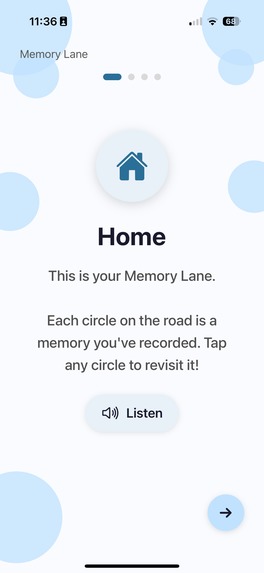
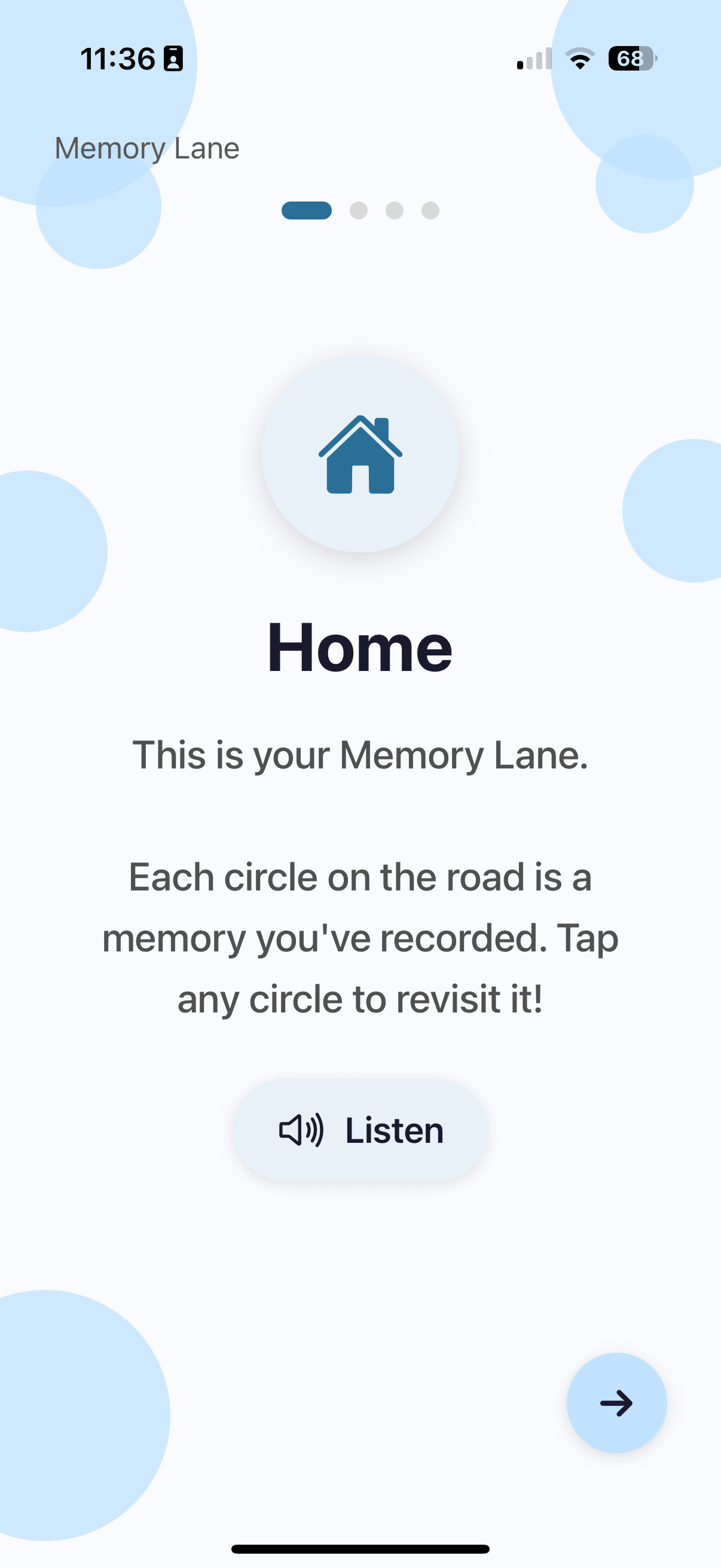
Tutorial (only for senior's POV)
-
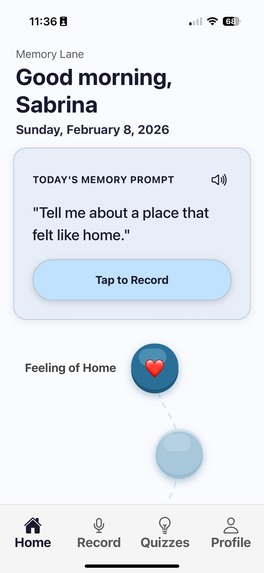
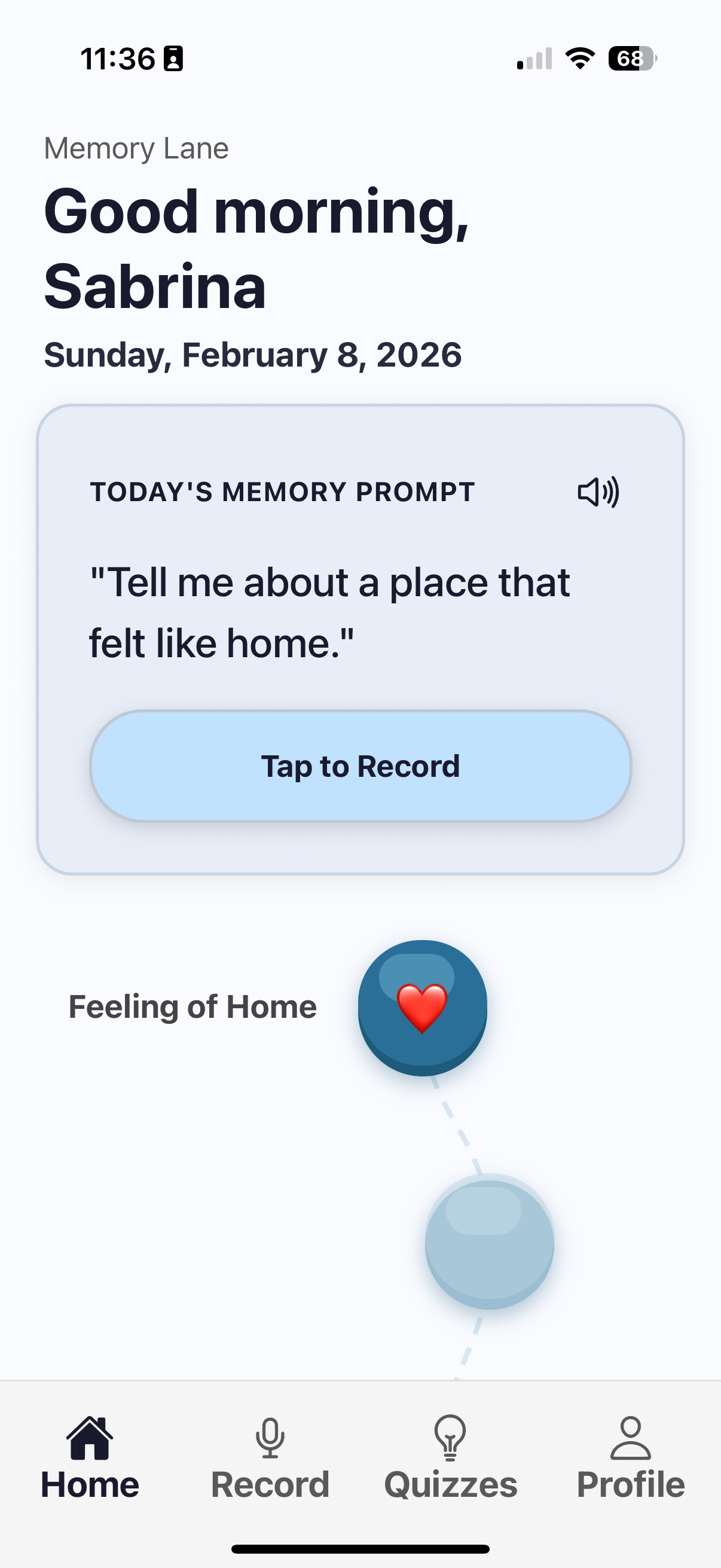
Home Page
-
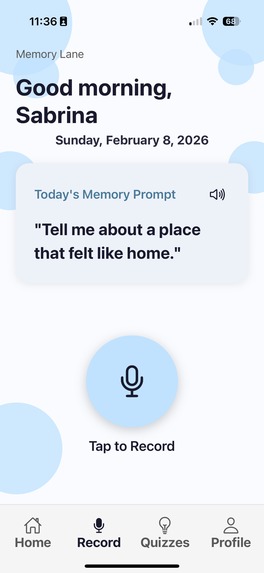
Memory Creation
-
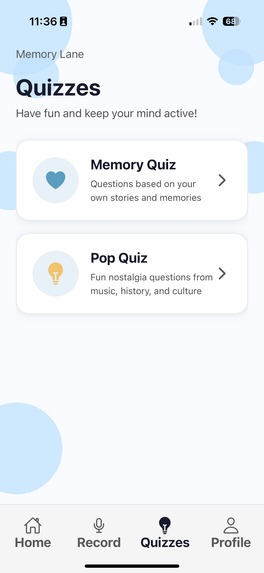
Quizzes
-
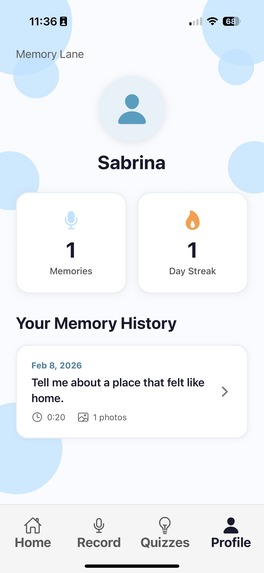
User Profile
-
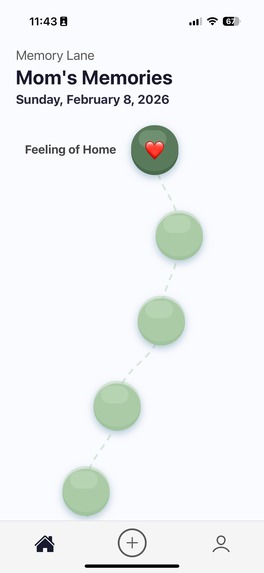
Family Member's POV of Memory Lane
-
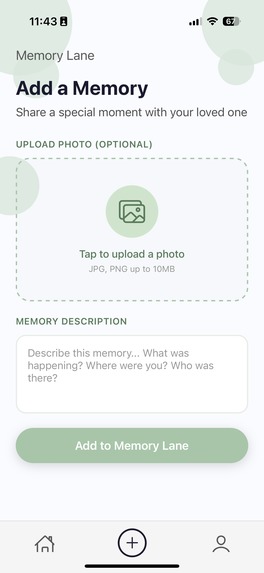
Adding a memory
-
Notifications of senior user
Inspiration
By the time families notice cognitive decline, it's often too late to capture the stories that matter most.
Wakana (one of the team members) has seen this happen firsthand with her grandmother, when she went to visit her family in Japan during the summer. Her grandma could'nt recall who she was and kept mixing her with her cousin and repeated many times the same sentence without remembering what she was saying just a few seconds before.
We wanted to build something different. What if cognitive support looked like storytelling instead of testing? What if we could preserve not just memories, but voices - the way grandma laughs when she tells that story, the pauses, the details only she would include?
What we built
Memory Lane is a voice-first app for seniors with early cognitive decline and their families. It turns memory care into storytelling.
We made two different UI designs:
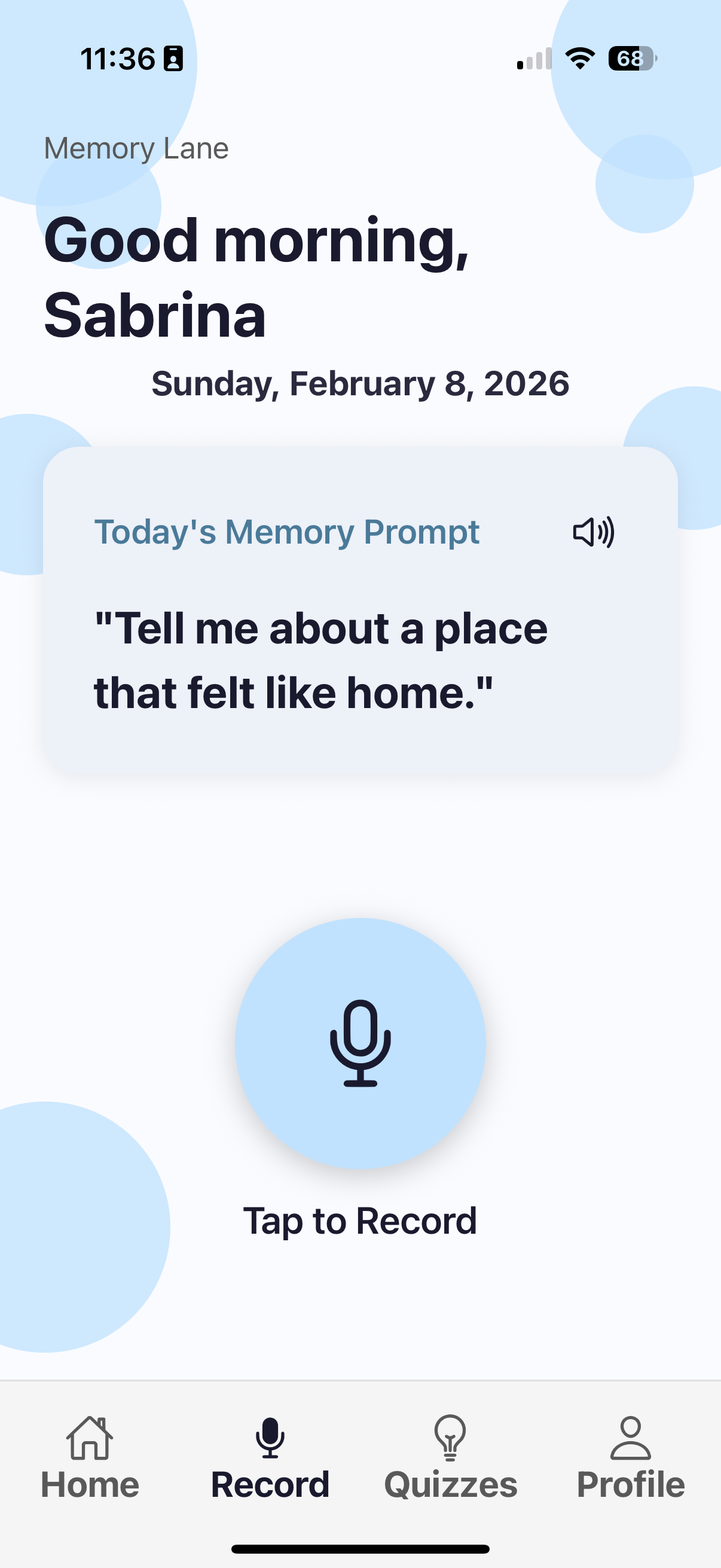
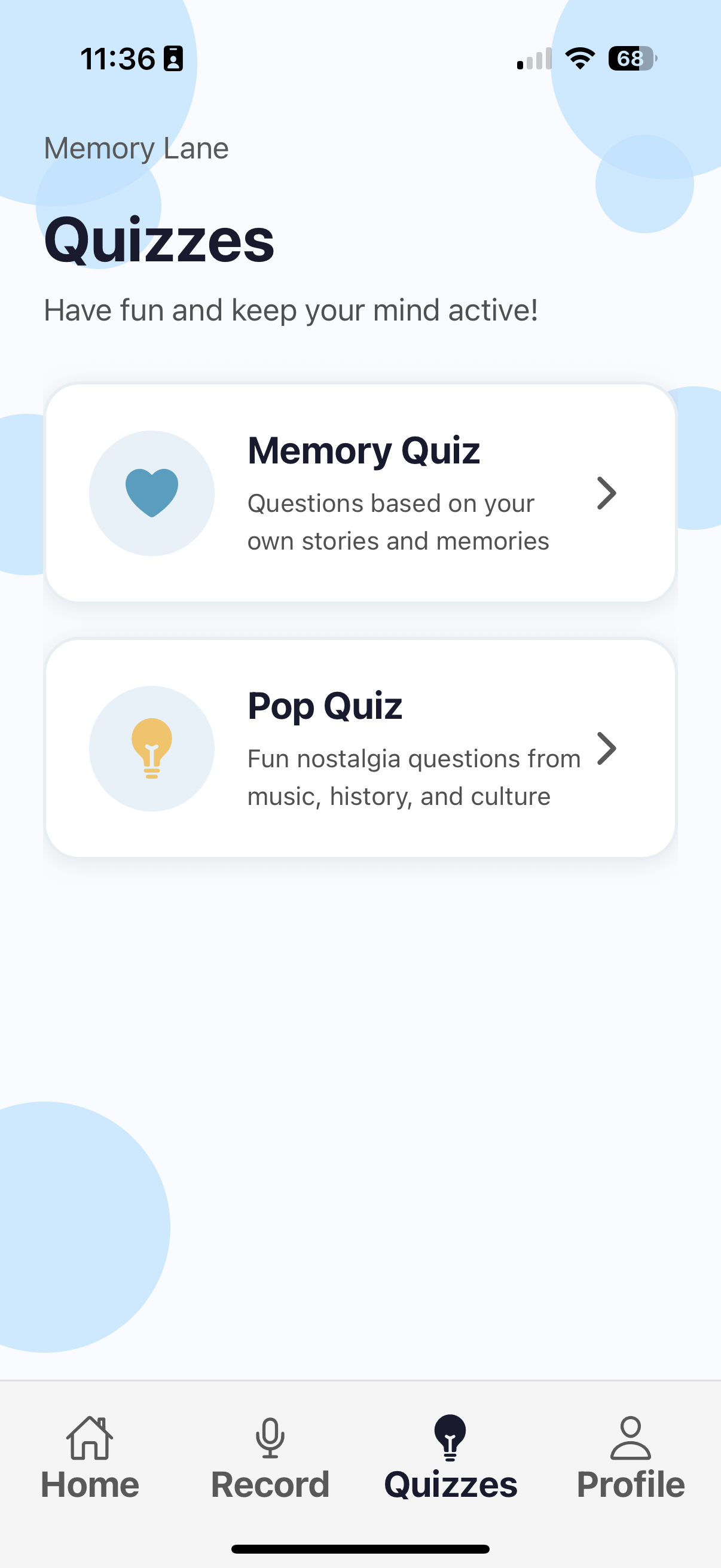
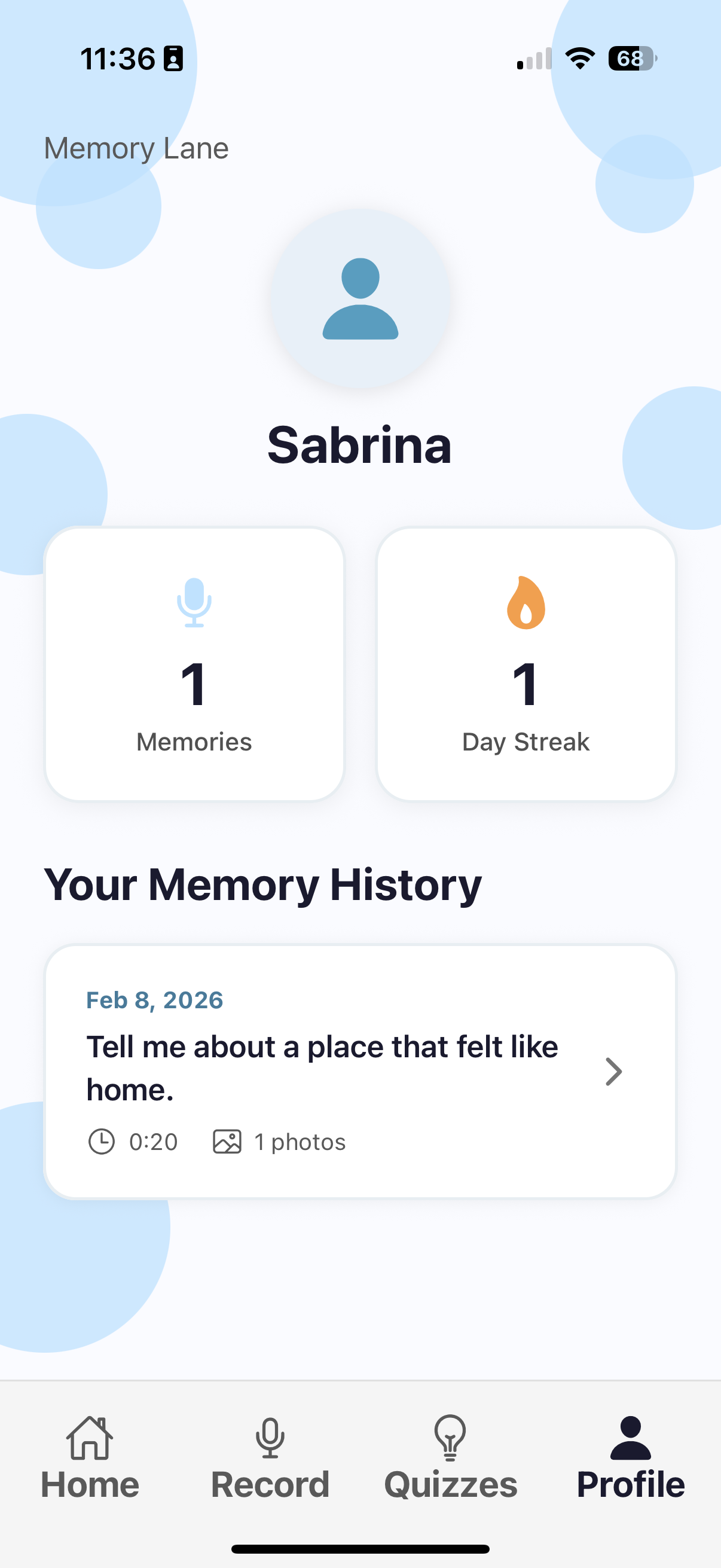
- For Seniors Seniors get gentle daily prompts like "Tell me about your favourite meal growing up" or "What do you remember about your first job?" They tap record and just talk. No typing. No tests. No wrong answers. Their stories appear as colourful bubbles along a "memory road"—a visual timeline that grows richer over time. It's calm, simple, and built around their voice.
Features:
- Voice-first (because talking is natural, typing isn't)
- Daily memory prompts tailored to their generation
- Visual memory road that fills with stories over time
- Large text, simple navigation, calming blue colours
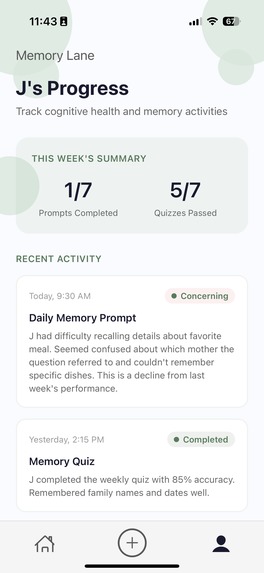
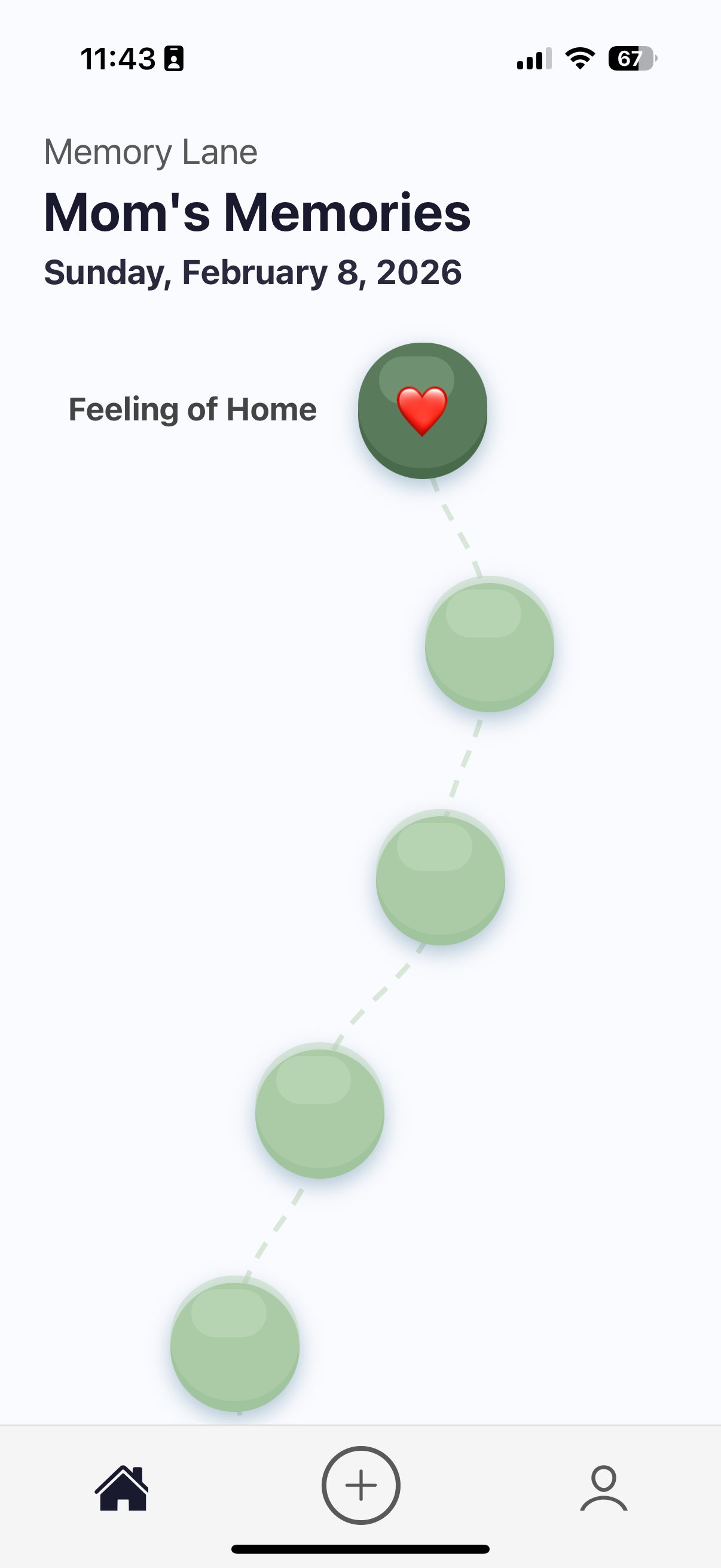
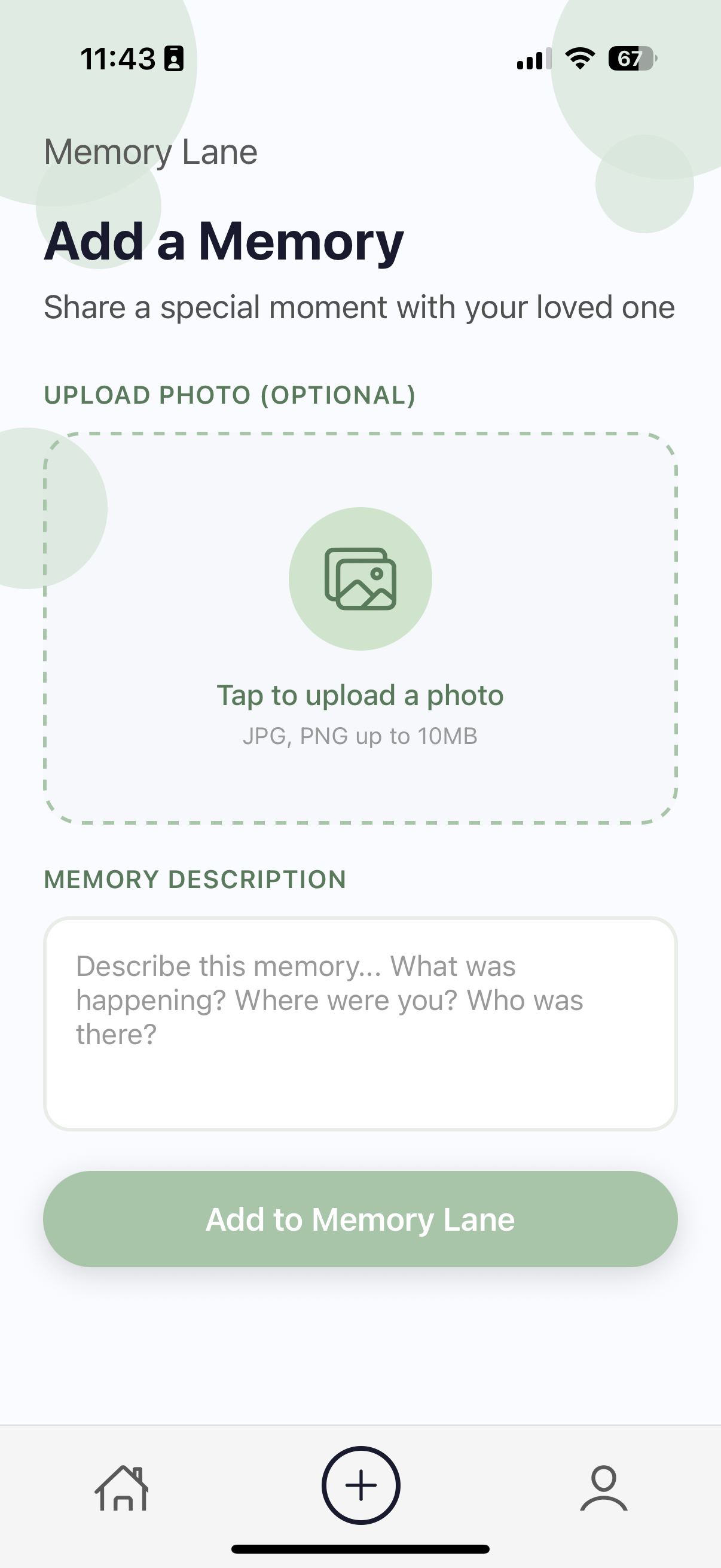
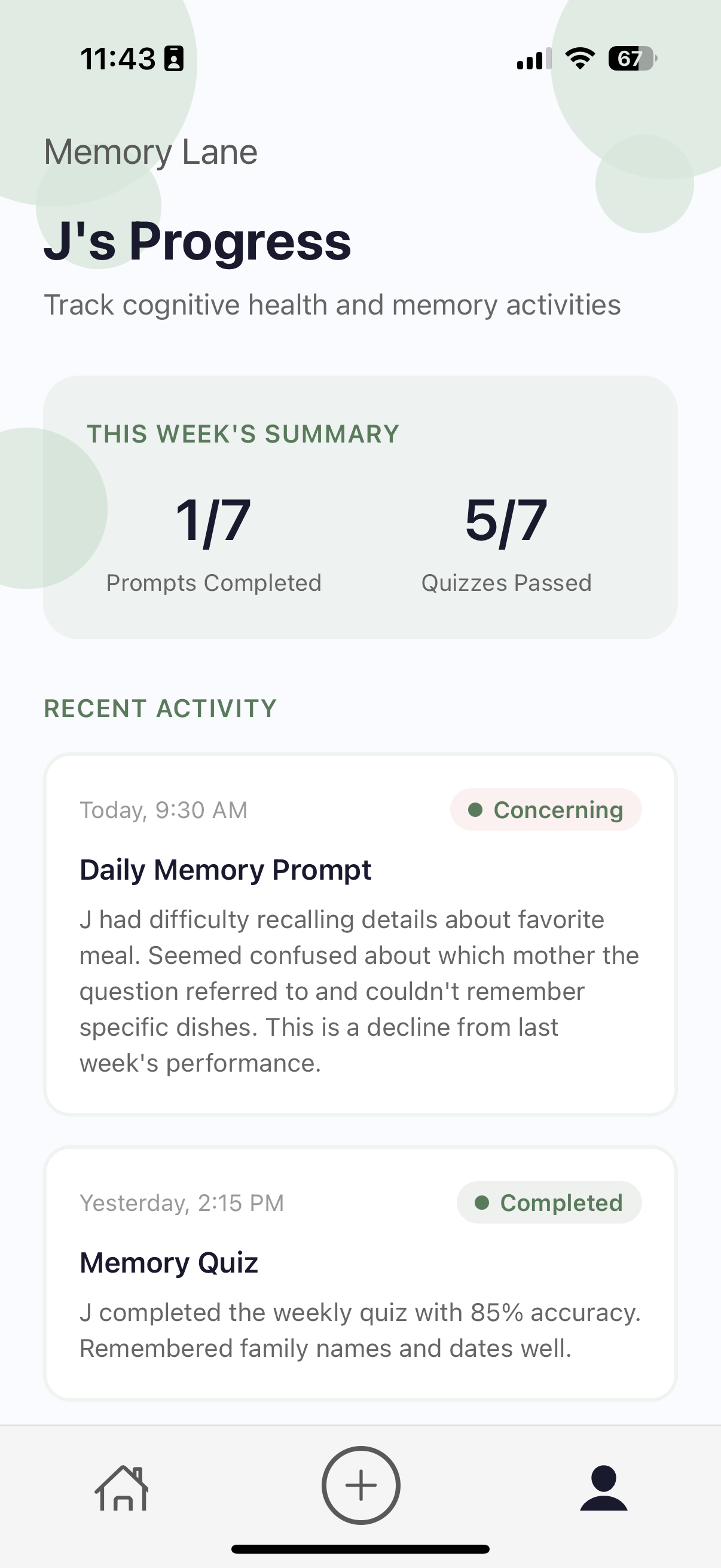
- For Family The family interface lets you listen to recordings, add photos, and stay connected without feeling like you're spying. You get gentle updates about engagement patterns (not diagnoses, just signals) that help you know when to check in.
Features:
- Listen to loved ones' stories in their own voice
- Add photos to give context (for eg: Grandpa's birthday - which will be shown on the grandpa's memory map as well, so he could also be quizzed given a picture and asked "Who's the person in the pink shirt?" or "What was the celebration for?")
- See engagement summaries (non-alarming, just helpful)
- Stay connected across distances
Why We Designed It This Way (Color & Accessibility)
Design choices were especially important because dementia doesn’t just affect memory but it also affects visual perception, attention, and emotional regulation.
Based on dementia care research, we learned that: Blue is associated with calm, trust, and reduced anxiety, making it ideal for spaces where seniors need to feel safe and focused. High-contrast, overly bright, or dark colours can feel confusing or even distressing. Simple layouts with minimal visual noise reduce cognitive load.
As a result: The senior interface uses soft, mid-tone blues to create a calming and familiar environment. Text is intentionally larger, clearer, and spaced generously, making it easier to read for aging eyes. Navigation is kept extremely simple, with clear icons and minimal steps to complete any action (and to make it even easier for seniors, we explicitly added a tutorial step by step that shows the senior user how to use the app to make it less overwhelming for them when they arrive on the homepage).
Visual elements like bubbles and the memory road are soft and rounded to avoid sharp edges or clutter.
For family members, we used a green-based interface to represent growth, care, and support, which signals a different role without breaking visual continuity between the two experiences.
How we built it
Memory Lane was built as a mobile-first experience, prioritizing accessibility and emotional comfort over technical complexity.
Frontend: Built with Expo and React Native for fast iteration and cross-platform support Design: Created in Figma with two distinct but connected design systems
Senior UI: calming blue tones, large text, voice-first interaction Family UI: supportive green tones, insight-focused layout
Interaction Model: Voice recording with clear visual feedback and no required typing
AI-Powered Personalization:
Gemini API Integration: We use Google's Gemini API to generate personalized, contextually relevant memory prompts based on the user's age, previously shared stories, and cultural background (eg: if the user grew up in California, the app would have prompts such as "What was it like growing up in California, and living next to the ocean?"). Instead of generic questions, Gemini analyzes patterns in past recordings to suggest prompts that feel natural and spark deeper storytelling. For example, if a senior mentions growing up on a farm, Gemini generates follow-up prompts about harvest seasons, farm animals, or rural community life, which will make each conversation feel genuinely tailored.
ElevenLabs API Integration: We integrated ElevenLabs' text-to-speech API to provide warm, natural voice guidance for seniors who may have visual impairments or prefer audio navigation. The voice reads prompts aloud and provides gentle audio confirmations when memories are saved, reducing cognitive load which makes the app accessible for users with different levels of vision and tech comfort.
Ethical Tracking: All monitoring is opt-in, after seniors give their consent to allow the app to send notifications or alerts to their family members regarding their daily memory log-in.
Challenges we ran into
One of our biggest challenges was deciding what NOT to build or avoid building, and also standing/thinking from a senior's point of view as we had no experience in building apps for the elderly. We had to do some research on what senior users prefer for app design and also make it clear to have visible differences when comparing the 2 UI designs side by side to showcase how we are aiming at different target group.
We spent a lot of time removing and adding features, softening language, making sure every alert felt supportive instead of scary.
Designing for two very different users, seniors and family caregivers, was also very challenging. Seniors need simplicity and reassurance, while families need clarity and insight. Creating two interfaces that felt distinct but emotionally aligned required constant iteration and brainstorming.
Accomplishments that we're proud of
It doesn't feel like a health app Seniors aren't tested. They're invited to tell stories which helps connect them with their kids and grandkids while improving their memory and cognitive thinking.
Prioritized accessibility We didn't add accessibility features at the end. We built the entire thing around what people with cognitive and visual changes actually need.
Two interfaces that actually work together Getting the senior and family sides to feel distinct but connected was hard. We're proud they feel like two sides of the same relationship and this was something we both have never done before so we are really proud that it worked in the end!
What we learned
This project taught us that technology for social good isn’t about doing more, but it’s about doing the right things thoughtfully.
We learned how deeply design choices affect vulnerable populations. Colour, font size, language, and interaction flow all shape whether a tool feels empowering or intimidating.
Most importantly, we learned that dignity matters. Seniors don’t want to be monitored; they want to be heard. Memory Lane is our attempt to build technology that listens first.
What's next for MemoryLane
If we had more time, the next steps would be:
- Test Memory Lane with real users, seniors and family, to refine prompts, language, and pacing. Feedback from dementia specialists and geriatric psychologists would help ensure the experience is both effective and emotionally safe.
- Expand personalization by supporting multiple languages and culturally specific memory prompts, making the app more inclusive for immigrant families and underrepresented communities.
- Explore partnerships with senior centres, memory care programs, and healthcare providers to position Memory Lane as a complementary tool, not a replacement, within existing care systems.
Longer term, we envision Memory Lane becoming a living digital legacy platform: a place where families can preserve stories across generations while supporting seniors in aging with independence and dignity.
Features coming Soon:
- Custom memory roads: Choose between forest path, beach boardwalk, or city street—whatever feels right
- Adjustable text: Full control over font sizing
- Event reminders: Family can add birthdays so seniors get gentle nudges like "Sarah's birthday is coming up! Would you like to record a message for her?"
Built with ♡ by Team Git, Push and Pray (Wakana & Sabrina :)
Built With
- claude
- expo.io
- figma
- javascript
- node.js
- react


Log in or sign up for Devpost to join the conversation.