-
-
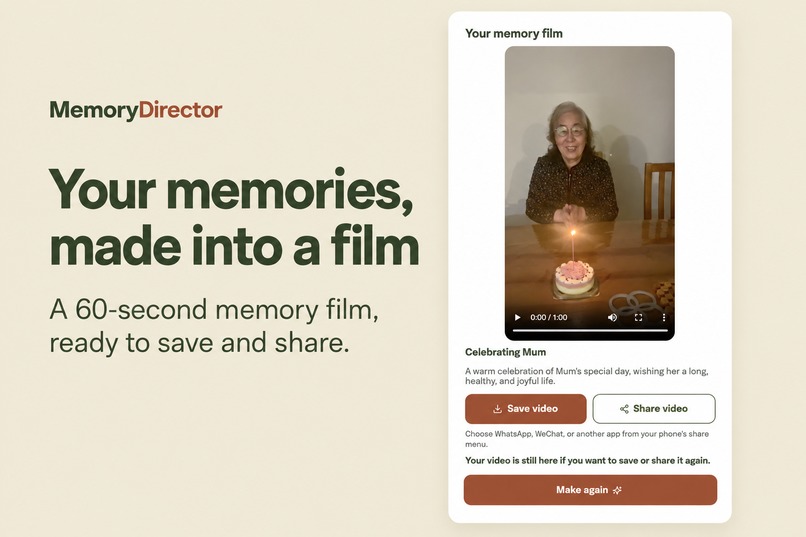
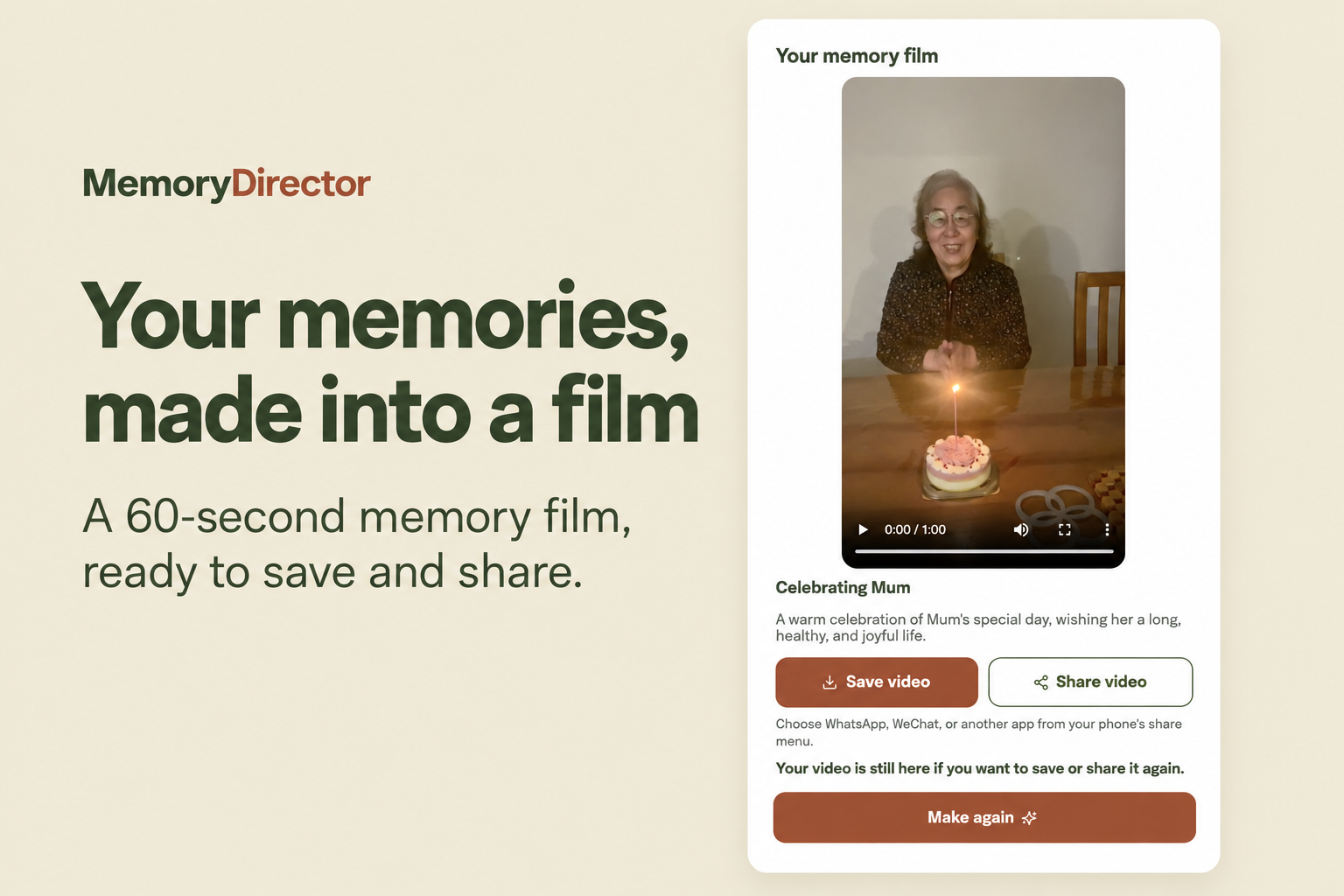
Your memories, made into a 60-second film. Preview, save, and choose what to share.
-
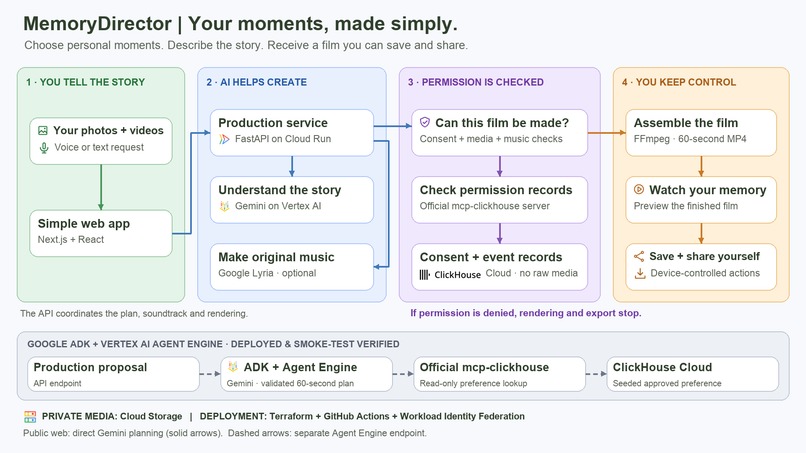
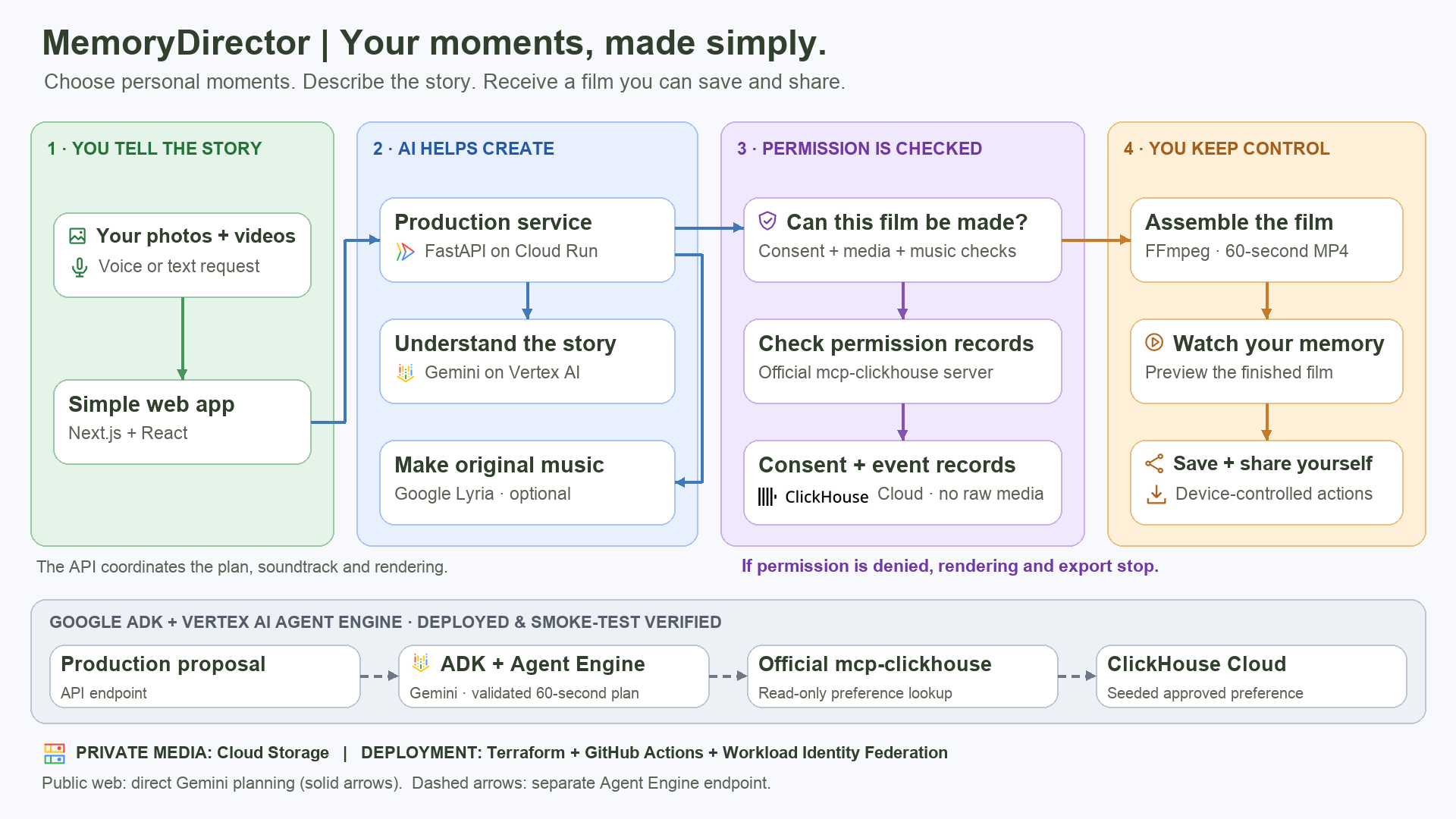
Architecture overview: Google Cloud AI, ClickHouse MCP consent checks, and a separately deployed Agent Engine planning path.
-
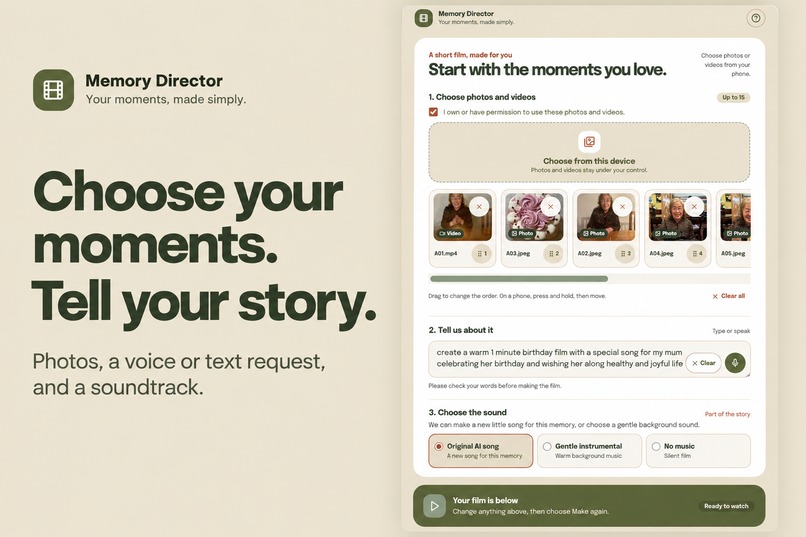
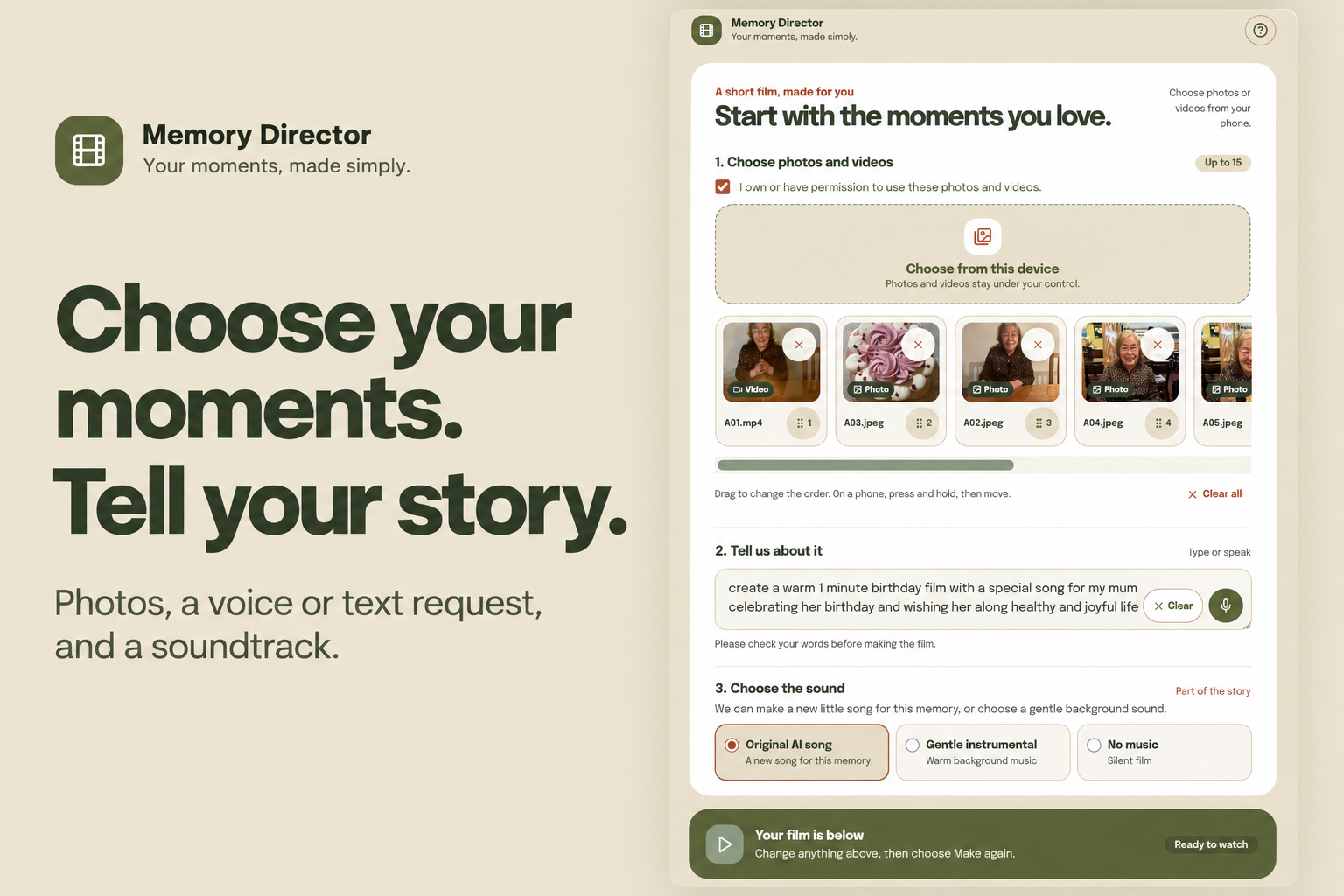
Choose your photos and videos, tell your story by voice or text, and pick a soundtrack.
-
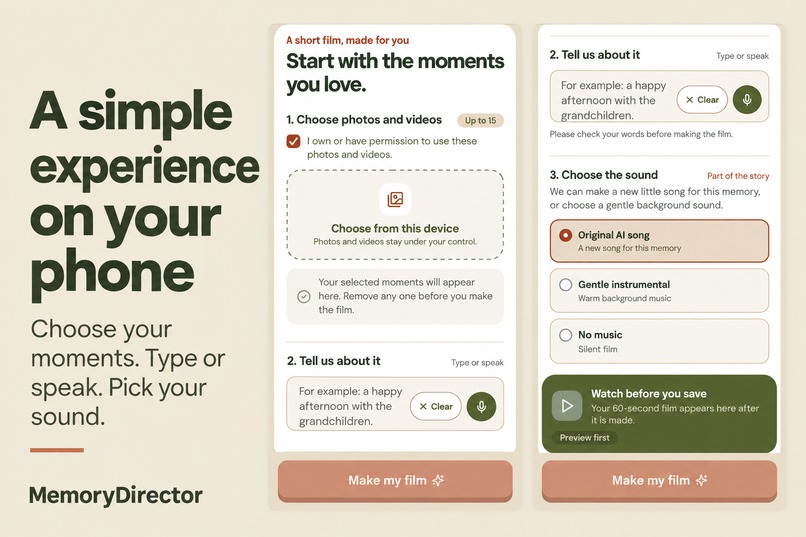
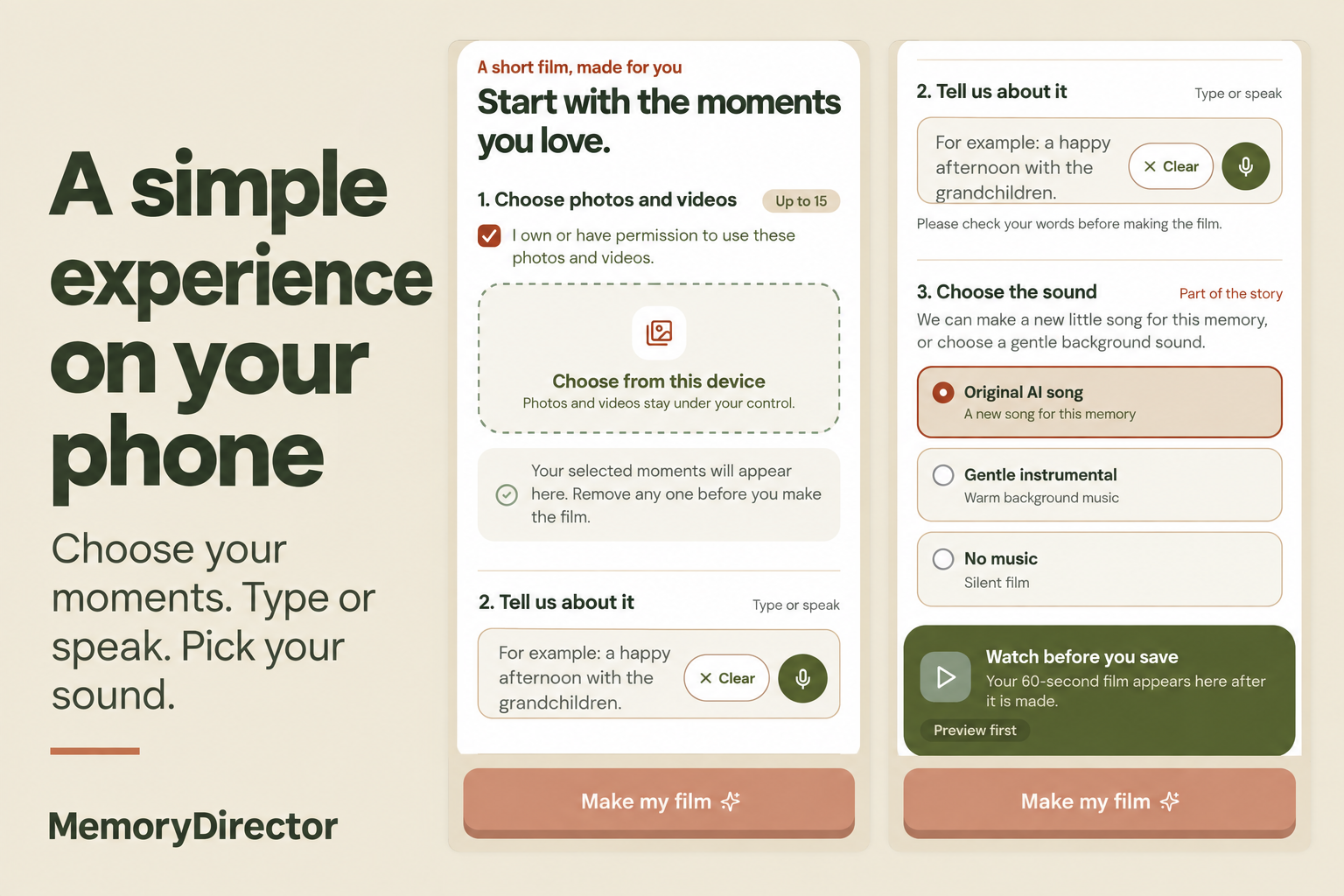
A simple mobile experience designed to help older adults create their own memory films.
Inspiration
Every Saturday, I help my mum make short videos. The editing tools available to her are too complicated, so making a video has become something she needs my help with each week.
That weekly experience inspired MemoryDirector. I wanted to build a simple app that would let my mum—and other older adults—create their own short videos by describing what they want through voice or text and choosing their photos and clips. They should be able to focus on the memory they want to share without having to learn a complicated editor.
Our goal is to make independent storytelling more accessible: give older adults a straightforward way to turn their own moments into films they can make, save, and share themselves.
What it does
MemoryDirector turns deliberately selected photos and videos into a 60-second vertical memory film. Users can describe their memory by typing or speaking, arrange their selected media, choose an original memory song, gentle instrumental music, or no music, and make their film. They can then preview it, save the MP4, or use the device's native share sheet where supported.
The browser only sees files the user selects. Media processing requires consent, and sharing remains a deliberate user action.
How we built it
We built a mobile-first Next.js and React interface backed by a FastAPI service on Google Cloud Run. Gemini on Vertex AI supports media analysis and turns a plain-language request into a constrained storyboard. The API validates the plan before FFmpeg renders a 60-second portrait MP4 from the selected source media. Google Lyria supports the original music option, with instrumental and no-music fallbacks.
ClickHouse Cloud is part of the runtime through the official mcp-clickhouse server: consent-record checks before rendering and export can block either action if permission is denied, and scoped events provide evidence of those decisions. We also deployed a separate Google ADK / Vertex AI Agent Engine production-planning endpoint that invokes an approved, read-only ClickHouse preference tool. That endpoint has passed deployment smoke checks; the current public web interface uses the direct Gemini storyboard path rather than the separate Agent Engine endpoint. Private Cloud Storage holds consented media.
We built automated deployment workflows with GitHub Actions and Terraform for Google Cloud infrastructure, containerized services, public-domain configuration, ClickHouse schema and access setup, and ADK Agent Engine deployment with runtime verification. Workload Identity Federation supports deployment authentication, and Secret Manager holds runtime credentials.
To keep the public demo affordable to operate, we added four layers of cost control: Firestore-backed usage quotas before costly work begins; Cloud Armor rate limits and bounded Cloud Run scaling; billing alerts and configured service-specific spend caps; and automatic lifecycle deletion of private media. These controls reduce unnecessary usage and storage costs. Billing alerts and spend caps are not instantaneous, so application quotas are our first line of protection.
Data sources and privacy
Our inputs are the user's selected photos and videos and their typed or spoken request. ClickHouse holds anonymised workflow events and seeded demonstration preferences, not raw photos or videos. The public web flow does not yet maintain durable per-user creative preferences. Demonstration assets and generated music are documented in our media rights register.
Challenges we ran into
The hardest work was making the whole journey dependable on a phone: preserving selected files, supporting video previews, handling touch reordering, and making save and share work on a real device. We also needed to turn flexible model output into a predictable film. We addressed that with constrained plans, known media IDs, validation, and deterministic rendering with duration checks.
Another challenge was keeping consent meaningful throughout the workflow. We made it a runtime gate rather than a checkbox that the rest of the system could ignore.
Accomplishments that we're proud of
We have a working hosted product at memorydirector.com. Desktop and mobile-emulated journeys verified original-song and no-music films. A physical iPhone 11 journey also verified voice input, touch reordering, video preview, instrumental audio, saving, and native sharing.
We are especially proud of making the creative experience simpler while keeping the user's control over their own media visible.
What we learned
A useful interface for older adults needs fewer decisions and clearer feedback. AI planning also needs a reliable execution layer: a plausible storyboard is only useful when it can become a valid, playable film. Testing on a physical phone exposed issues that desktop testing alone could not show.
What's next for MemoryDirector
We want to connect the separately deployed Agent Engine planning path to the public interface, expand testing across Android devices and assistive technologies, and explore consent-based creative preferences. We will keep the same principle: the AI helps direct the memory, and the user decides what to share.
Try it and explore the code
- Live app: https://memorydirector.com/
- Open-source repository (MIT): https://github.com/afaryy/MemoryDirector
Built With
- clickhouse
- cloud-run
- fastapi
- ffmpeg
- gemini
- github-actions
- google-adk
- google-cloud
- lyria
- mcp-clickhouse
- next.js
- python
- react
- terraform
- typescript
- vertex-ai
- vertex-ai-agent-engine


Log in or sign up for Devpost to join the conversation.