Inspiration
Most companies already store massive amounts of institutional context: contracts, postmortems, Slack threads, meeting notes, proposals, onboarding docs, and years of decisions. The problem is not storage. The problem is retrieval at the moment it matters.
Existing tools are reactive. They help only after someone knows what to ask.
We wanted to build something different: an always-running agent that watches ongoing work, recognizes patterns, and proactively surfaces relevant historical context before mistakes repeat themselves.
What it does
MemoryClaw transforms passive company documentation from a forgotten archive into an active, conversational teammate. Instead of forcing engineers, product managers, or sales teams to manually search through historical files, MemoryClaw ambiently monitors the workspace and brings the right information to the right person before they even realize they need it.
How we built it
We built the whole thing in a 24-hour sprint using a 100% local, privacy-first setup so sensitive company data never leaves the server. For the brain, we used OpenClaw to manage our workflow alongside a local Nemotron AI model via Ollama, and we paired that with ChromaDB and Qwen embeddings to handle the vector search through our files.
To keep the AI from going rogue or hallucinating bad code, we split the app into a "thinking" part and a "doing" part. The AI handles the thinking and outputs a simple JSON command, but a strict Python script handles the actual execution, like reading files or posting to Slack. We tested this setup with 140 automated tests, loaded it up with a ton of mock company data, and deployed it on an ASUS/DGX server using Tailscale so it runs lightning-fast.
Challenges we ran into
The hardest part was figuring out how to make a bot that interrupts you without being incredibly annoying. If the bot talks too much, people mute it; if it talks too little, it looks broken. We had to write a formula to calculate the semantic similarity between your current chat and old documents, setting a strict threshold (Similarity≥τ) so it only speaks up when it genuinely matters.
We also realized early on that letting the AI directly call database or Slack APIs was way too fragile and kept breaking, which is why we had to pivot and build that separate Python script to act as a safety rail. On top of that, moving our code from our personal MacBooks to the live ASUS/DGX hardware right before the deadline gave us a ton of deployment headaches with things like Slack tokens and server lag.
Accomplishments that we're proud of
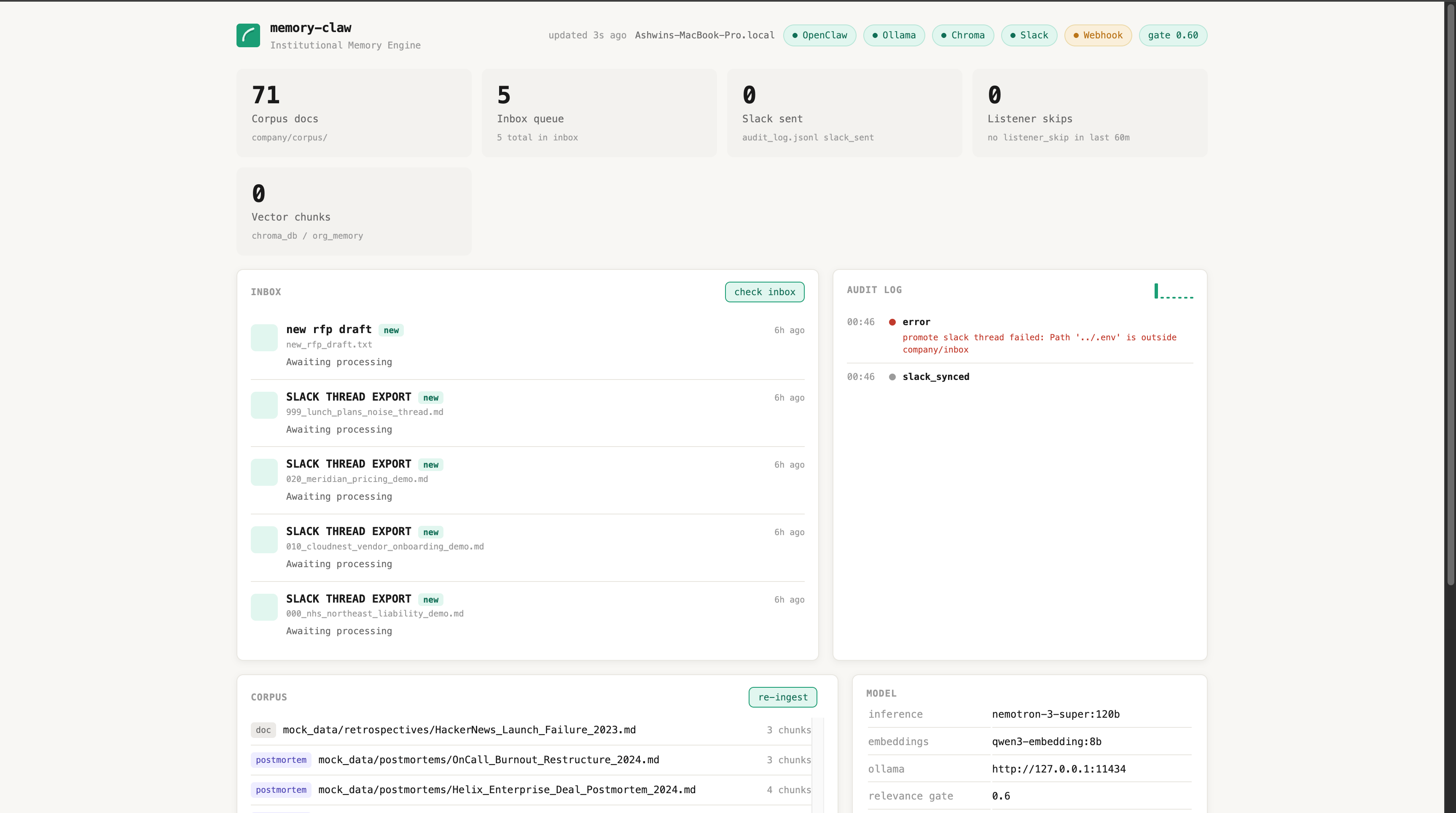
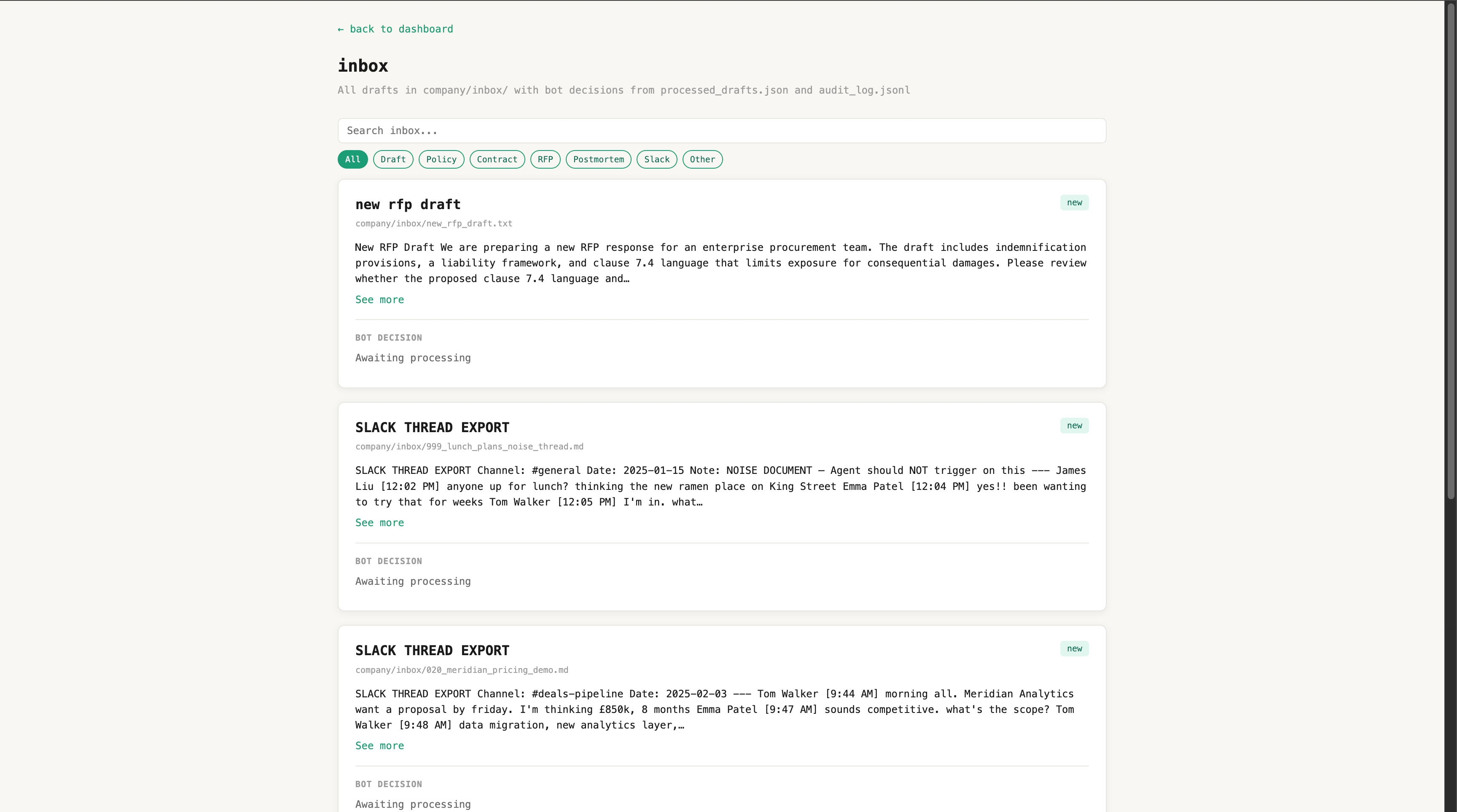
The bot successfully reads our mock files, finds the exact right context, and posts it to Slack with the source link, but the coolest part is that it successfully stays dead silent on the "noise" cases we engineered to trick it. Our custom Python safety layer worked flawlessly, tracking everything in a clean JSON audit log so we can see exactly what the bot is doing behind the scenes. To top it all off, we even built a live admin dashboard that shows the current queue, how many documents are indexed, and why the bot chose to skip certain messages, giving us total eyes on the system.
What we learned
We learned that building a bot that answers questions is easy, but building a bot that knows when to interrupt a human conversation is a massive product design challenge. We also realized that relying on a long, complicated AI system prompt to get a bot to behave is a trap; it's so much better to give the AI short, fixed commands through a clean Python script.
Finally, this hackathon reminded us that judges don't care about a massive checklist of half-baked features. They want one memorable, killer story (like a bot saving a massive enterprise deal by pointing out a liability clause mistake from two years ago) and being totally upfront about what you didn't have time to build actually makes your presentation look way more professional.
What's next for MemoryClaw
Next up, we want to take MemoryClaw from a cool prototype to a real-world product by building actual work-in-progress tracking. Instead of waiting for you to drop a file in a specific folder, we want to build clipboard monitors, text editor extensions, and browser hooks to catch your ideas as you're actively typing them.
We also plan to stop guessing our activation threshold (τ) by gut feel and instead use our test datasets to scientifically tune it with real metrics. Eventually, we want the bot to ingest more than just text files, such as emails, calendar events, and meeting transcripts, while automatically saving highly upvoted Slack threads back into its brain so it's always learning.
Built With
- chromadb
- fastapi
- local-linux(dgx)
- ollama
- openclaw
- pytest
- python
- slack-sdk
- uv

Log in or sign up for Devpost to join the conversation.