-
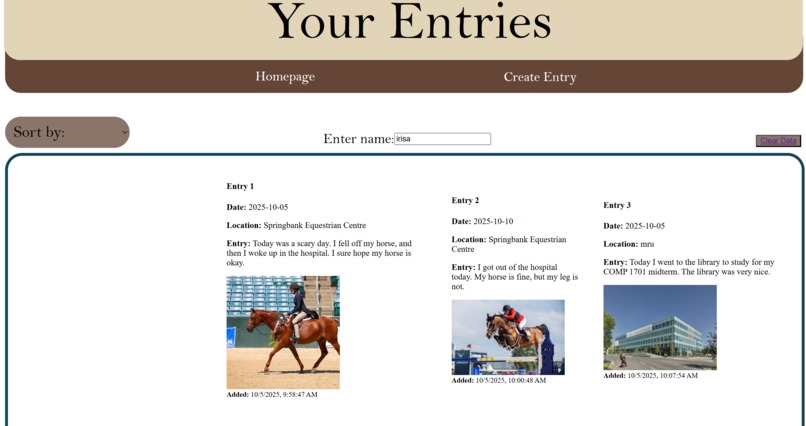
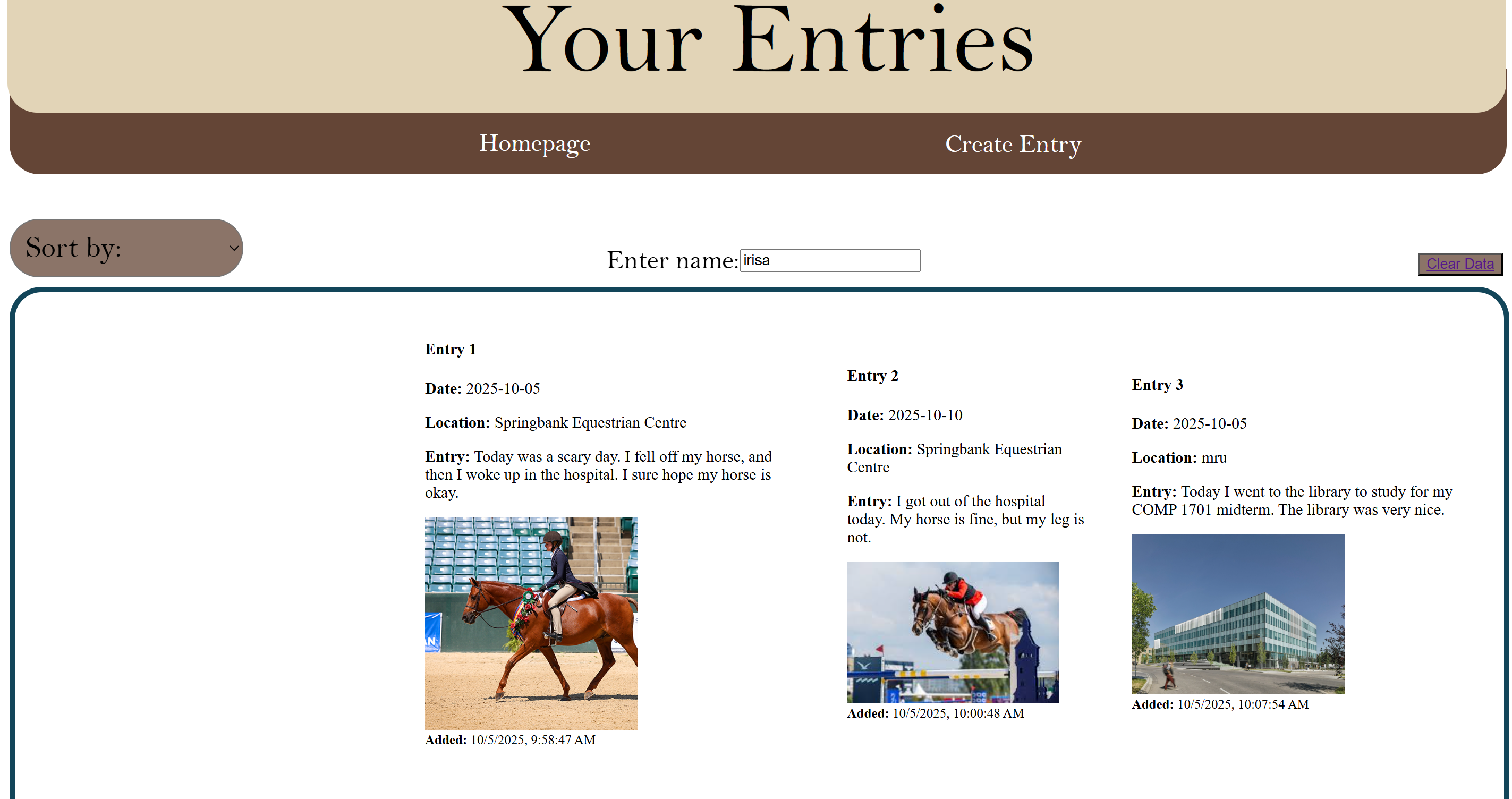
Displaying of entries
-
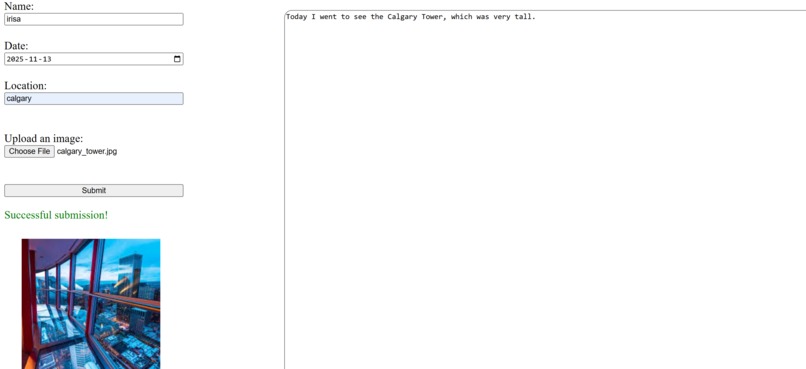
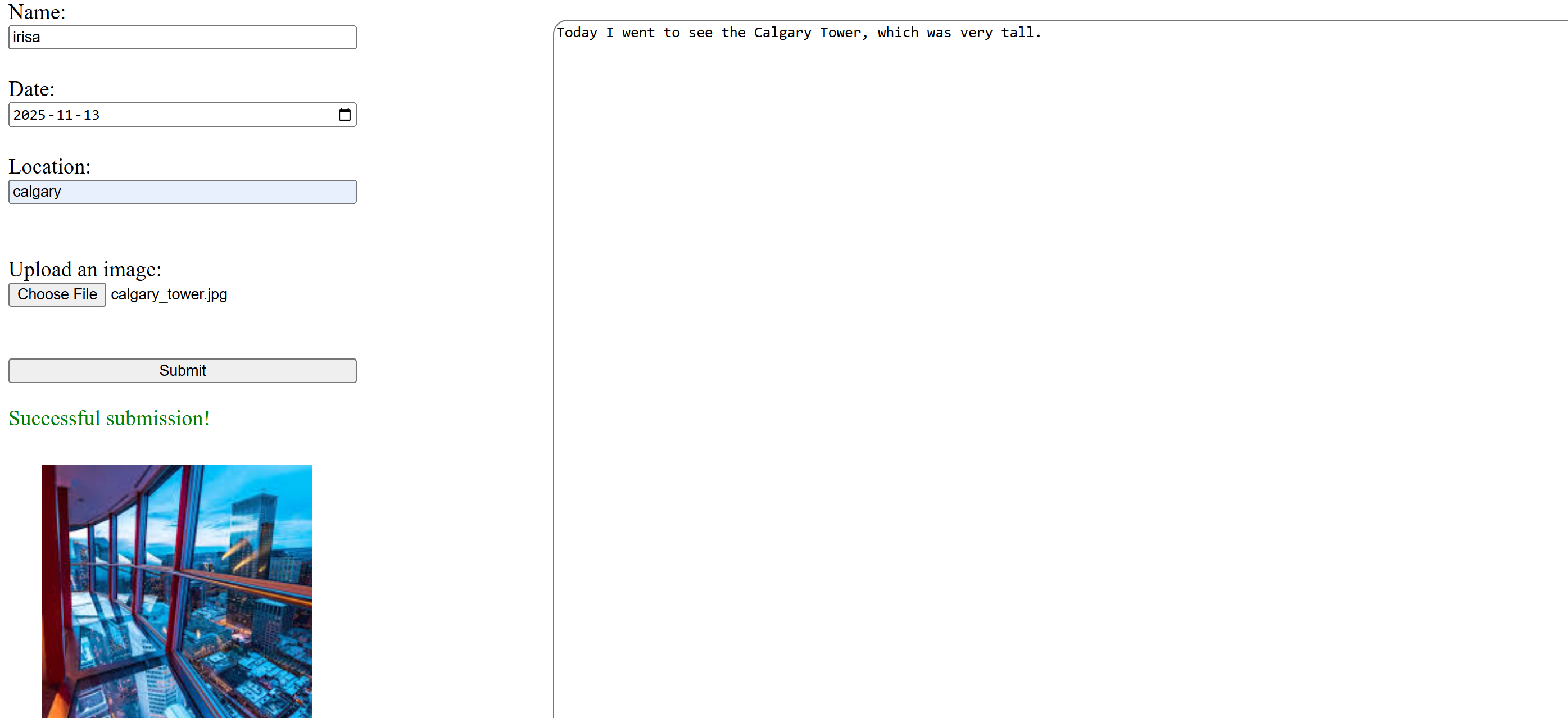
Creating your entry
-
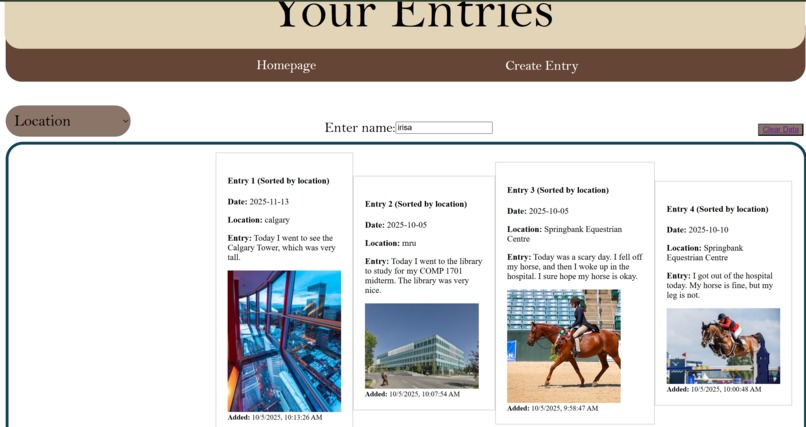
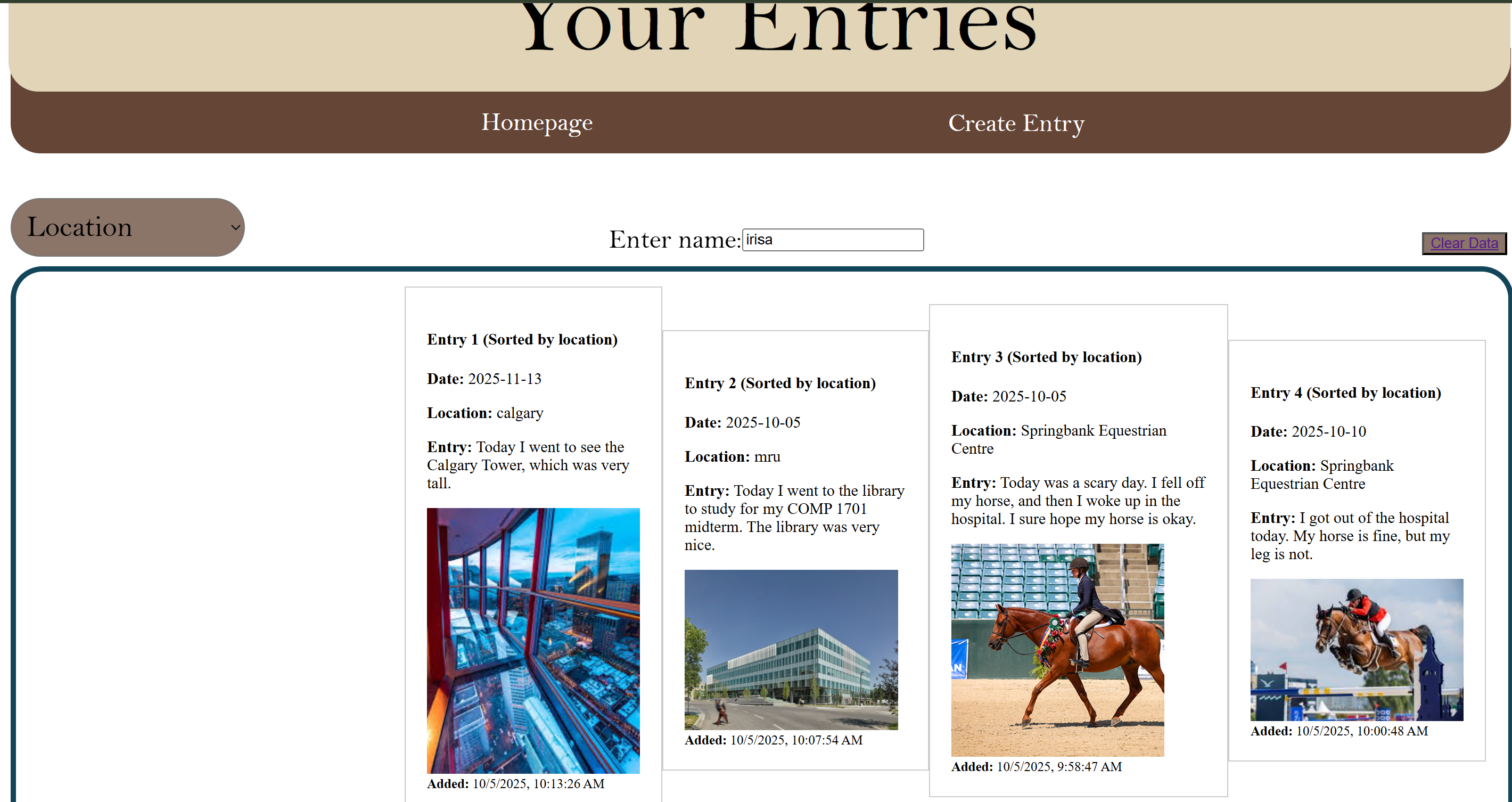
Sorting entries by location
-
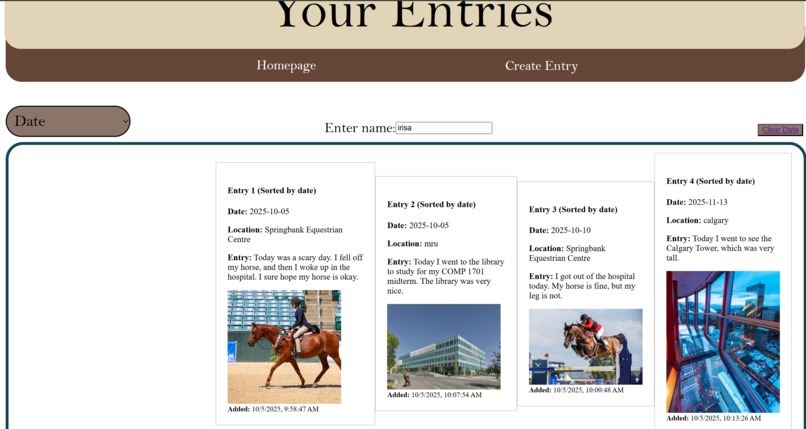
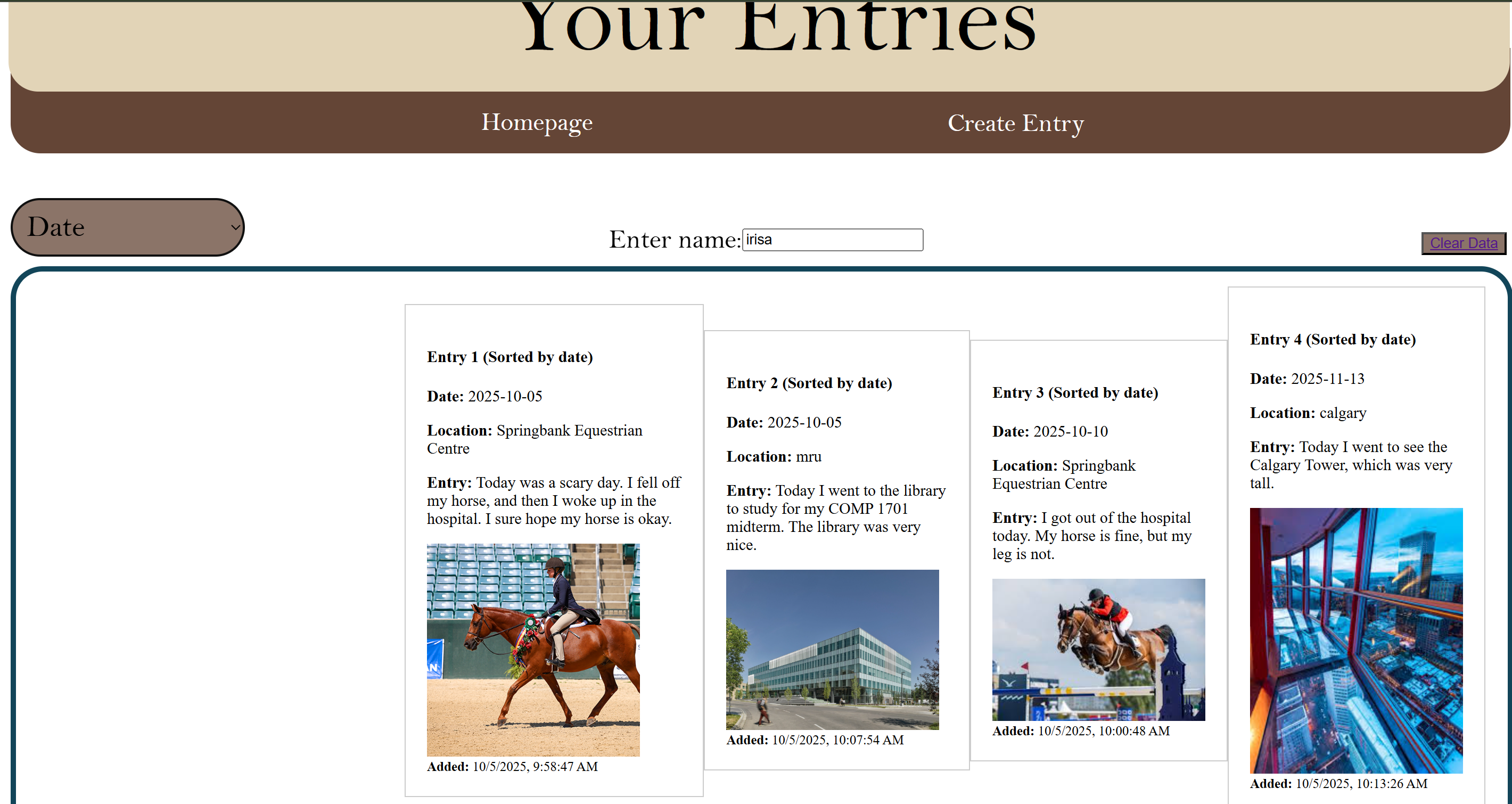
Sorting entries by date
Inspiration
Inspiration: We wanted to find a link between connecting people/communities and the memories they've shared. By allowing users to store their memories through our website, it creates a medium for others to share their day-to-day lives and whatever may be going on in their lives.
What it does
Our program takes user-imputed images and allows the user to create a journal entry reflecting on that photo, as well as their day. Our website then stores the entry as a local file that the user can come back to at any time, where they are also able to sort through their entries based on the date or location of the entry
How we built it:
We used HTML, JavaScript, and CSS to program our website. We created a form to gather user input that includes their name, date, location, an entry text box, and an image file uploader. Then we created a “Dashboard” that shows all of the user’s entries that are stored under their name. We went with using local storage to keep the user’s information stored in the browser and local device, with the option to clear manually. We used key-value pairs by storing the user’s date, location, entry, and image file as an object under the user’s name as the key. Then the object is turned into a string to be stored in a JSON file due to its text format. We used a base-64 function to convert the image file and a toISOString() to convert the date into string formats. The user’s information is then retrieved from the local storage by parsing, converting to DOM elements, and then displaying that information when the user’s name is searched. We also added sorting functionality by location and date for all entries.
Challenges we ran into:
Some of the challenges we ran into included finding the right syntax for local storage at the early stages of the project, finding the right idea to build on at the brainstorming stages that would satisfy the given prompt, implementing our original design of the idea, and the overall learning curve using some unfamiliar tools as a result of some limited experience. Another challenge we faced was a limitation due to the use of local storage, which restricted the image size that could be uploaded to approximately 5MB. Furthermore, Figma designs to HTML and CSS were inconsistent and would often duplicate code that was unnecessary.
Accomplishments that we're proud of:
We are proud of the teamwork and collaboration our group showed throughout the building process, involving communicating effectively, resolving any conflicts, and helping each other where necessary. We maintained motivation and energy even through difficult parts, built a working prototype of our idea, and still maintained the goal of keeping to the prompt. Furthermore, we gained experience on these previously foreign tools and have a better understanding of them in the process.
What's Next for Memoria:
Our next steps for Memoria would be to create a public sharing system where users can save their journal entries onto a public server in which they can share with others who might live far away, as well as creating collaborative entries with others who went to the same place together. Another step that we were interested in taking was creating an interactive module where the user can scroll through their year and see what their entries were throughout the year.

Log in or sign up for Devpost to join the conversation.